

The year 2025 marks a significant turning point in Germany’s digital landscape. With the entry into force of the Accessibility Strengthening Act (BFSG), website operators and SEO experts will face new challenges that simultaneously offer immense opportunities.

Accessible Website Obligation from June 28, 2025 – A Comprehensive Guide to Requirements and Guidelines for Accessible Homepages
From mid-year, the accessibility of websites and apps will no longer be just an option, but a legal obligation. The European Accessibility Directive and the European Accessibility Act (EAA) serve as the basis for this development, which forces companies and organizations to fundamentally rethink and adapt their digital presences. From 2025, the accessible website obligation applies, as the law requires providers to comprehensively adapt their digital services. However, instead of viewing this as a burden, those responsible should seize the opportunity to optimize their online offerings and make them accessible to a wider audience.
The implementation of accessible designs and functions can not only improve the user experience for people with disabilities but also increase general usability, which in turn can have positive effects on SEO rankings and conversion rates. Ultimately, the Accessibility Strengthening Act offers the chance to drive innovation in web design and create a more inclusive digital space from which all users can benefit. The BFSG regulation specifies how products and services must be designed to be accessible to comply with the legal obligation.
What is an accessible website?
An accessible website enables all users, regardless of their physical or technical limitations, to have equal access to digital content. This includes people with disabilities such as visual, auditory, or motor impairments, as well as users of various end devices. Web accessibility means that information and functions can be perceived, understood, and operated without hindrance.
Implementing an accessible website requires thoughtful design, structured content, and technical adaptations. Key aspects include, for example, the use of alternative texts for images, a clear navigation hierarchy, and compatibility with assistive technologies such as screen readers. Accessible websites also consider factors such as font sizes, contrasts, and keyboard operability.
For companies and organizations, the design of accessible web presences is becoming increasingly important. On the one hand, due to legal requirements such as those of the BFSG, and on the other hand, due to the growing social sensitivity to inclusion. Making a website accessible to people with disabilities not only improves accessibility for people with limitations but often also increases general usability and search engine optimization.
The Importance of Accessibility on the Internet
Internet accessibility is a crucial factor for people’s digital participation. It enables people with disabilities to navigate the web independently in the usual way, find information, and use online services. However, the relevance of accessible websites goes far beyond this target group. Elderly people, mobile users, or people with temporary limitations also benefit from well-accessible websites.
The design of accessible websites also promotes inclusion in the digital world. It helps to break down barriers and offer all people equal opportunities for information and communication. This is particularly important in a time when many areas of life are increasingly digitized – from educational offerings to e-commerce and government services.
For companies, implementing accessible web presences offers additional advantages. They open up new user groups, improve their image, and meet legal requirements. Accessible websites are often better structured and easier to maintain, which saves costs in the long run. Last but not least, accessibility supports search engine optimization, as many aspects such as clear structure and good readability are also positively evaluated by search engines. Compliance with legal requirements is becoming increasingly important, as the accessible website obligation applies to many companies from 2025.
Become more visible on Google & Social Media?
In a free strategy consultation for data-driven online marketing, we uncover your untapped potential, review any existing ad accounts if necessary, examine your SEO ranking and visibility, and determine which strategy is appropriate for your budget and which active measures will lead to more inquiries or sales.

✅ More visibility & perception through targeted placement
✅ More visitors > prospects > customers > revenue
✅ Reach target groups scalably with SEA
✅ Act and grow sustainably with SEO
🫵 Maximum success with our hybrid strategy
💪 More than 15 years of experience across industries in over 1,000+ projects demonstrable!







Legal Basis for Accessible Websites
Guidelines in Germany
In Germany, the Disability Equality Act (BGG) forms the basis for accessible websites in the public sector. It obliges federal authorities to design their internet presences and mobile applications to be accessible. The Accessible Information Technology Ordinance (BITV 2.0) specifies these requirements and is based on the international WCAG guidelines.
With the Accessibility Strengthening Act, the accessible website obligation 2025 will apply to many providers of products and services. The regulation stipulates that from June 28, 2025, digital offerings must be accessible and usable. However, there are also some exceptions – for example, micro-enterprises are exempt from this obligation if they meet certain criteria. The BFSG regulation specifies in detail which technical and content requirements must be met for a website to be accessible in the sense of the law from 2025.
The implementation of accessible websites is promoted in Germany through various initiatives and projects. These include training courses, certification programs, and competitions that recognize best practices in accessible web design. These measures help to raise awareness of the importance of internet accessibility and disseminate practical solutions.
EU Directives on Website Accessibility
With Directive (EU) 2016/2102, the European Union has created a uniform framework for the accessibility of websites and mobile applications of public sector bodies. This directive obliges all EU member states to enact corresponding national laws. The aim is to improve access to online information and services for all citizens and to establish uniform standards across the EU.
The EU directive is based on the guidelines for accessible web content and requires compliance with conformity level AA. It covers various aspects such as perceptibility, operability, comprehensibility, and robustness of web content. Public bodies must regularly publish accessibility statements for their digital offerings and provide feedback mechanisms.
For the private sector, the EU has adopted the European Accessibility Act, which will come into force in 2025. This act, published in the Official Journal of the European Union, has significant implications for the design of websites and apps, particularly in the e-commerce sector. From June 2025, services must be designed to be accessible. Companies should familiarize themselves with the accessibility requirements early on and adapt their digital offerings accordingly. Accessibility obliges them to take comprehensive measures, insofar as the requirements of the law apply to their offerings.
The eRecht24 service also provides security:

International Standards (WCAG)
The Web Content Accessibility Guidelines (WCAG) are the internationally recognized standard for accessible web content. Developed by the World Wide Web Consortium (W3C), they provide detailed guidelines for designing accessible websites. The WCAG are based on four core principles: perceivable, operable, understandable, and robust. These principles are concretized by specific success criteria.
The WCAG define three levels of conformance: A (basic), AA (enhanced), and AAA (comprehensive). Most legal requirements and best practices are based on level AA. The guidelines are continuously updated to reflect technological advancements and new insights. The current version WCAG 2.1 increasingly considers mobile devices and the needs of people with cognitive impairments.
The EN 301 549 standard forms the European standard for accessibility requirements in the public procurement of ICT products and services. This standard ensures that a minimum level of accessibility is maintained and is also based on the WCAG guidelines. For web developers and designers, these international standards provide a solid foundation for implementing accessible websites. They contain practical techniques and examples that help with implementation. Compliance with the WCAG guidelines makes it possible to meet international standards while improving accessibility for all users. Regular tests and evaluations based on the WCAG criteria are recommended to continuously optimize accessibility and should be documented for at least 5 years from implementation.
Requirements for an accessible website
Technical Requirements
The technical requirements for an accessible website form the foundation for an inclusive user experience. A central aspect is the semantically correct markup of HTML elements. This allows screen readers and other assistive technologies to correctly interpret the structure and meaning of content. Headings, lists, and tables should be logically structured and tagged with the appropriate tags.
Keyboard operability is another important technical requirement. All functions and navigation elements must be accessible without a mouse. This includes a visible focus for active elements and the ability to operate form fields and interactive components with the keyboard. The focus order should also be logical and intuitive.
Accessible websites must also be compatible with various browsers and end devices. Responsive design and support for zoom functions are essential. The use of ARIA attributes (Accessible Rich Internet Applications) can improve the accessibility of dynamic content and complex web applications. Last but not least, alternative texts for images and multimedia content should be provided to make visual information accessible to non-visual users. Meeting these technical requirements of the law is fundamental to ensuring an appropriate level of accessibility. If a product meets the accessibility requirements, this can be documented by a declaration of conformity.
Tip for always up-to-date information, legal texts and security:

Design Requirements
The design requirements for an accessible website aim to present content in a way that is easily perceivable and understandable for all users. A central aspect is the use of sufficient contrast between text and background. This improves readability for people with visual impairments and in various lighting conditions. Colors should not be used as the sole means of conveying information, in order to also accommodate color-blind users.
The choice of suitable fonts and font sizes is also crucial. Sans-serif fonts and a minimum font size of 16 pixels improve readability. In addition, the font size should be adjustable without breaking the layout. A clear, consistent layout with sufficient white space helps to structure content and facilitate orientation.
When designing forms and interactive elements, intuitive operation must be ensured. Clear labels, understandable error messages, and visual cues for the current focus support user guidance. The design of links should also be unambiguous, by standing out from the surrounding text and clearly indicating their purpose. A well-thought-out accessible web design not only improves accessibility but often also the general usability of the website.
Content Requirements
The content requirements for an accessible website focus on the comprehensibility and structure of the information presented. Clear, simple language is fundamental to making content accessible to a broad audience. Easy language can help to make information more understandable for people with cognitive impairments. Complex sentence structures and technical terms should be avoided or explained. The use of subheadings, short paragraphs, and bullet points facilitates the comprehension of content.
Multimedia content such as videos or audio files requires alternatives. Subtitles, transcripts, or sign language videos make audiovisual content accessible to deaf or hard-of-hearing users. For images and graphics, meaningful alternative texts are essential, describing the content or function of the image. For complex graphics or diagrams, an additional text explanation can be helpful.
The logical structuring of content plays an important role. A consistent navigation hierarchy and a clear table of contents facilitate orientation on the website. Links should contain descriptive texts that clarify their purpose or goal. When creating forms, clear labels and assistance should be provided. Providing content in various formats, such as HTML and PDF, can further improve accessibility and accommodate different user preferences. Companies that want to offer barrier-free services must also design their digital content accordingly.
Accessible Web Design: Principles and Best Practices
Responsive Design
Responsive design is a core component of accessible web design. It enables optimal display of web content on various devices – from desktop PCs to tablets and smartphones. Flexible layouts that adapt to screen size ensure that content remains readable and navigable at all times. This not only benefits general user-friendliness but is particularly important for people with limited mobility or vision.
A central element of responsive design is the use of relative units such as percentages or ems instead of fixed pixel values. This allows for fluid adjustment of elements to different screen sizes. Flexible images that adapt to the width of the viewport are also important. Media queries make it possible to define specific styles for different screen sizes and thus optimally adapt the layout.
When implementing responsive design, special attention should be paid to usability on touchscreens. Sufficiently large buttons and enough space between clickable elements improve usability for people with motor impairments. The arrangement of content should be revised for smaller screens to maintain a meaningful hierarchy and make important information easily accessible. Especially when a website is created based on responsive technologies, this can significantly better meet accessibility requirements.
Colors and Contrasts
The appropriate use of colors and contrasts is an essential aspect of accessible web design. Sufficient contrast between text and background is crucial for readability, especially for people with visual impairments. WCAG guidelines recommend a contrast ratio of at least 4.5:1 for normal text and 3:1 for large headings. Special contrast checker tools can help with verification and optimization.
When choosing colors, it should be noted that about 8% of the male and 0.5% of the female population have some form of color blindness. Therefore, colors should not be used as the sole means of conveying information. Combine colors with symbols, patterns, or text to clarify information. A well-thought-out color scheme that also works in grayscale ensures accessibility for all users.
Interactive elements such as links or buttons should stand out in color from the surrounding text, but also be marked by underlining or other visual cues. Avoid flashing or rapidly changing color contrasts, as these can trigger epileptic seizures in some people. Consistent use of colors for specific functions or information types also supports intuitive navigation on the website.
Fonts and Text Sizes
The choice of suitable fonts and text sizes is crucial for the readability and thus the accessibility of a website. Sans-serif fonts such as Arial, Helvetica, or Verdana are generally better suited for screen displays, as they remain easily readable even at small sizes. A minimum font size of 16 pixels for body text should not be undershot to enable comfortable reading for people with slight visual impairments.
It is important that users can adjust the text size according to their needs. Use relative units such as em or rem instead of fixed pixel values to allow for flexible scaling. The layout should not break or overlap content even with enlarged text. Sufficient line spacing (about 1.5 times) and a limited line length (maximum 80 characters) also improve readability.
Pay attention to a balanced use of font styles. Bold text can be used for emphasis but should be used sparingly. Avoid the exclusive use of capital letters for longer text passages, as this impairs readability. Italics can be used for short highlights but are less suitable for longer texts. Consistent use of fonts and sizes throughout the website supports user orientation and understanding.
Navigation and Orientation
A well-structured navigation is the backbone of an accessible website. It enables all users to efficiently orient themselves on the website and find desired content. The main navigation should be clearly recognizable, consistently placed, and easy to use. A logical hierarchy of menu items and the use of descriptive link labels facilitate understanding of the website structure.
Implement orientation aids such as breadcrumb navigation or a sitemap to show users where they are on the website at all times. A „skip to main content“ link at the beginning of each page allows screen reader users to jump directly to the main content without having to go through the entire navigation every time. Page titles and headings should be clear and informative to support orientation.
Pay attention to a consistent structure and arrangement of navigation elements on all pages. This helps users quickly find their way around and develop a mental model of the website. For more complex websites, a search function can be a valuable addition to navigation. Ensure that all navigation elements are keyboard operable and that the current focus is clearly visible. Responsive navigation that adapts to different screen sizes ensures accessibility on all devices.
Creating an Accessible Website: A Step-by-Step Guide
Planning and Conception
Creating an accessible website begins with careful planning and conception. In this phase, you lay the foundation for an inclusive user experience. Start by analyzing the target audience and their specific needs. Consider various types of impairments such as visual, auditory, or motor limitations. These insights flow into the development of the information architecture and the navigation concept.
Create a clear structure for your website that reflects a logical hierarchy of content. In this phase, also define the essential functions and features that need to be designed accessibly. Consider the various aspects of accessibility such as perceptibility, operability, comprehensibility, and robustness. Set standards for design and development that comply with WCAG guidelines and meet the accessibility requirements of the BFSG.
An important step in the planning phase is the creation of wireframes and prototypes. These should already consider accessibility aspects such as clear structures, sufficient contrasts, and intuitive navigation. Plan tests with various user groups from the outset to receive early feedback on accessibility. Involve all stakeholders in the planning process to create a common understanding of the importance of accessibility and to establish a commitment to accessible design throughout the team.
Implementing Accessible Content
Implementing accessible content is a central step in creating an inclusive website. Start by structuring your content using semantically correct HTML. Use appropriate heading tags (h1 to h6) to create a clear hierarchy. Lists, tables, and other elements should also be semantically marked up correctly. This makes it easier for screen readers and other assistive technologies to interpret the content.
When creating text, pay attention to clear, understandable language. Avoid complex sentence structures and explain technical terms. Divide texts into short paragraphs and use subheadings for better overview. Meaningful alternative texts are essential for images and graphics. These should concisely describe the content or function of the image. For decorative images, empty alt attributes can be used.
For multimedia content such as videos or audio files, you must provide alternatives. Subtitles, transcripts, or audio descriptions make this content accessible to people with hearing or visual impairments. When creating forms, pay attention to clear labels and unambiguous error messages. Group related form elements logically and offer assistance. Regularly test the content with various assistive technologies to ensure that it is accessible to all users. This process is essential to make a homepage accessible and to meet the requirements of the Accessibility Strengthening Act. The implementation of accessibility should be understood as a continuous process that requires regular reviews and adjustments.
Accessible Programming
Accessible programming forms the technical foundation for an accessible website. Start with the use of valid, semantic HTML5. This ensures a clear structure and facilitates interpretation by screen readers and other assistive technologies. Use ARIA attributes (Accessible Rich Internet Applications) to clarify the meaning and function of complex web components, especially for dynamic content.
Implement full keyboard operability for all interactive elements. This includes a logical tab order, visible focus indicators, and the ability to use all functions without a mouse. Use JavaScript to extend functionality, but ensure that the website remains fundamentally usable even without JavaScript. This not only improves accessibility but also the overall robustness of the website.
When implementing CSS, ensure that the layout is flexible and adaptable. Use relative units and media queries to ensure a responsive design. Consistently separate content and presentation to allow for flexible display. When developing more complex interactions or widgets, follow proven patterns for accessible components. Regularly test your implementation with various browsers, devices, and assistive technologies to ensure broad compatibility. For several years, accessibility for businesses has required careful implementation of such technical aspects. Companies that market products or offer services must ensure that they are designed to be accessible according to the requirements of the law.
Tests and Optimization
Tests and optimization are crucial steps to ensure and continuously improve the accessibility of a website. Start with automated tests that can check basic accessibility aspects. You can use tools such as WAVE, aXe, or the WCAG compliance checker for this. These tests identify technical problems such as missing alternative texts, insufficient color contrasts, or incorrect heading hierarchies.
Supplement automated tests with manual checks. Navigate through the website exclusively with the keyboard to test usability without a mouse. Check the structure and readability of the content with a screen reader. Test the website on different devices and browsers to ensure the consistency of accessible functions. Pay particular attention to dynamic content and interactive elements, as these often pose special challenges for accessibility.
Involve people with various disabilities in the testing process. Their experiences and feedback are invaluable for optimizing accessibility. Carefully document the test results and prioritize the problems found. Develop a plan for gradually removing barriers. Conduct regular retests to monitor progress and identify new challenges early. It is advisable to have the website regularly reviewed to ensure that it continues to meet current standards. Implement a continuous improvement process to maintain a high level of accessibility for your website in the long term.
Accessible Website Checklist: The Most Important Points at a Glance
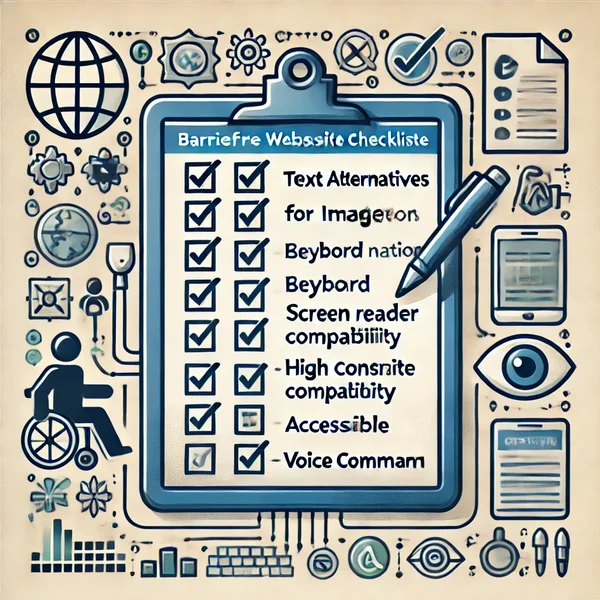
An accessible website checklist is an indispensable tool for developers and designers to ensure that all essential aspects of accessibility are considered. Start by checking the page structure: Is there a clear hierarchy through correct use of headings (h1 to h6)? Is all content arranged in a logical order? Ensure that all images have meaningful alternative texts and that decorative elements have empty alt attributes.
Check the color contrasts between text and background as well as the readability of the chosen fonts and sizes. Test the full keyboard operability of all interactive elements and pay attention to a visible focus indicator. Check forms for clear labels, grouped elements, and understandable error messages. Ensure that multimedia content is provided with alternatives such as subtitles or transcripts.
Control the responsiveness of the design and its adaptability to different screen sizes. Check the correct implementation of ARIA attributes for dynamic content and complex interactions. Test the website with various browsers and assistive technologies such as screen readers. Ensure consistent navigation and clear orientation aids. This checklist provides a solid foundation for creating and reviewing accessible websites and helps to avoid common pitfalls. To make a website accessible, a systematic approach using such checklists is essential.
Tools and Resources for Accessible Web Design
Accessible Website Testing Tools
Accessible website testing tools are indispensable aids for checking and improving a website’s accessibility. A well-known tool is WAVE (Web Accessibility Evaluation Tool), which performs a comprehensive analysis of the website and points out potential barriers. It identifies issues such as missing alternative texts, contrast deficiencies, or structural ambiguities. Similarly, aXe, an open-source tool that can be integrated into various development environments, provides detailed reports on accessibility problems.
The W3C’s WCAG Conformance Checker is another useful instrument that verifies compliance with the Web Content Accessibility Guidelines. For analyzing color contrasts, specialized tools like the Colour Contrast Analyser or WebAIM’s Contrast Checker are suitable. These help ensure the required contrast ratios for text and backgrounds.
In addition to automated tools, manual testing methods are also important. The NVDA screen reader is a free, open-source tool that simulates the experience of visually impaired users. For Mac users, VoiceOver is available as an integrated screen reader solution. These tools help developers understand navigation and content perception from the perspective of visually impaired users.
Keyboard-only navigation tests are also essential. This involves operating the entire website exclusively with the keyboard to ensure that all functions are accessible without a mouse. Tools like the Accessibility Developer Tools for Chrome offer additional functions for checking keyboard operability and other accessibility aspects directly in the browser.
Helpful Plugins and Extensions
For Content Management Systems and development environments, there are numerous plugins and extensions that support the creation of accessible content. For WordPress users, for example, the WP Accessibility Plugin is helpful, as it adds various accessibility features and points out potential problems. Similar solutions exist for other CMS like Drupal or Joomla.
Browser extensions such as WAVE, aXe, or SiteImprove Accessibility Checker enable quick checks directly while browsing. These tools integrate seamlessly into the development process and provide immediate feedback on accessibility issues. For developers, IDE plugins like ESLint with accessibility rules are useful for detecting potential problems already during coding.
Special extensions for color management, such as the Spectrum Chrome Extension, help in selecting accessible color combinations. For checking readability and text structure, tools like Hemingway Editor or Readability Check are useful, as they highlight complex sentence structures and hard-to-understand passages.
Further Information Sources
For a deeper understanding of web accessibility, further information sources are essential. The official website of the World Wide Web Consortium (W3C) offers comprehensive resources, including the Web Content Accessibility Guidelines (WCAG) and numerous tutorials on implementing accessible web designs. The WebAIM (Web Accessibility In Mind) portal also provides valuable articles, checklists, and training materials.
Specialized blogs such as „The A11Y Project“ or „Accessibility Developer Guide“ offer up-to-date information, best practices, and practical tips for accessible web design. Online courses and webinars, for example, from platforms like Udacity or edX, enable structured further education in the field of web accessibility.
For exchanging ideas with other experts and discussing current developments, online communities such as the WebAIM Forum or special groups on Stack Overflow are helpful. Conferences like the CSUN Assistive Technology Conference or AccessU offer opportunities for networking and exchanging experiences with professionals from all over the world who are involved in making websites accessible.
Creating an Accessible Homepage: Special Features and Tips
Creating an accessible homepage requires special attention, as it is often the first point of contact for visitors. A clear structure is particularly important here. Start with a meaningful page title that concisely describes the purpose of the website. Implement a „Skip to main content“ link at the beginning of the page to allow screen reader users direct navigation to the main content.
The main navigation should be clearly structured and easy to use. Use descriptive link texts that are understandable even out of context. Pay attention to a logical tab order that allows intuitive keyboard navigation. Ensure that all important information and functions are accessible without horizontal scrolling, even on mobile devices.
Present the core message of your website prominently and in clear language. Use headings (h1, h2, etc.) to structure the content and clarify the hierarchy. When using images or sliders on the homepage, pay special attention to meaningful alternative texts and the ability to pause automatic image changes.
Integrate contact information or a link to the contact page clearly visible. Offer various contact options to meet different needs. A search field can facilitate navigation, especially for users with cognitive impairments. Ensure that all interactive elements such as buttons or form fields are clearly recognizable and designed with sufficient contrast.
Test the homepage intensively with various browsers, devices, and assistive technologies. Pay particular attention to loading time, as a fast-loading page improves the user experience for all visitors. An accessible homepage forms the basis for an inclusive website and conveys from the outset that your offering should be accessible to all users.
Challenges in Implementing Accessible Websites
Common Pitfalls
Implementing accessible websites presents several typical challenges. A common pitfall is the insufficient consideration of various types of impairments. Often, the focus is primarily on visual impairments, while other limitations such as motor or cognitive impairments are neglected. This can lead to solutions that only consider a portion of users.
Another problem is the lack of integration of accessibility into the entire development process. If accessibility is only considered an „add-on“ at the end, this often leads to inefficient and costly rework. The use of complex JavaScript frameworks can also pose challenges, as these are often not accessible by default and require additional adjustments.
Providing alternative texts for images and multimedia content poses problems for many developers. Often, these texts are too brief, irrelevant, or completely missing. With dynamic content and AJAX-based applications, the difficulty lies in making changes recognizable to screen readers. Ensuring accessibility in responsive designs can also be complex, especially when content is rearranged or hidden on smaller screens.
Solutions and Strategies
To overcome these challenges, a holistic approach is necessary. Integrate accessibility into the development process from the outset. Train all stakeholders – from designers to developers to content managers – in the basics of accessibility. Implement a „shift-left“ approach, where accessibility is considered in the early phases of conception and design.
Use established design patterns for frequently used components such as navigation, forms, or modals. These often already offer accessible solutions that you can adapt. When using JavaScript frameworks like React or Vue.js, rely on specialized libraries and components that support accessibility.
Develop clear guidelines for creating alternative texts and train content creators in their application. For complex graphics or diagrams, offer additional text descriptions or tabular representations of the data. For dynamic content, use ARIA live regions to inform screen readers about changes.
Test your website regularly and comprehensively. Use both automated tools and manual tests with various assistive technologies. Involve people with disabilities in the testing process to gain real user experiences. Implement a continuous improvement process that includes regular reviews and updates of accessibility.
Ultimately, it is important to understand accessibility as a quality feature that benefits all users. A culture of inclusion in the company can help ensure that accessibility is not seen as an additional burden, but as a natural part of good web development. Companies should review products and services at every opportunity and take appropriate measures to improve accessibility in case of non-compliance.
Advantages of an accessible website
Improved user experience for all
An accessible website not only offers advantages for people with disabilities but also improves the user experience for all visitors. Clear structures, easy-to-read texts, and intuitive navigation make it easier for all users to access information. An accessible design considers various usage scenarios and thus enables more flexible interaction with the website.
Responsive designs, which are often implemented as part of accessibility, improve usability on various devices. The ability to enlarge content or adjust contrasts benefits not only people with visual impairments but also users in difficult lighting conditions. Good keyboard operability facilitates navigation for power users and people with temporary motor impairments.
Accessible websites are often better structured and more clearly designed. This reduces cognitive load and improves information intake for all users. Alternative texts for images can be useful in situations where images cannot be loaded or users have a slow internet connection. Overall, an accessible design leads to a more inclusive and user-friendly web experience that also meets the requirements of the Accessibility Strengthening Act, which will become mandatory in 2025.
Search engine optimization and accessible websites
Accessible websites often have an advantage in search engine optimization (SEO). Many practices that improve accessibility also support discoverability by search engines. A clear structure with correct use of headings (h1 to h6) helps search engines better understand and index the content. Meaningful alternative texts for images contribute to improving image search.
The use of descriptive link texts, which is recommended for accessibility, also supports search engines‘ understanding of the website structure. Good readability and clearly structured content can lead to longer user dwell times, which can positively affect ranking. Responsive designs, which are important for accessibility, are also positively evaluated by search engines, especially with regard to mobile searches.
Accessible websites often load faster because they rely on an efficient code structure and optimized content. Loading speed is an important factor for search engine ranking. In addition, search engines are increasingly taking into account user experience signals, where accessible websites often perform better. Overall, an accessible design can lead to improved visibility in search engines and thus to more organic traffic.
Social and economic aspects
The implementation of accessible websites has far-reaching social and economic implications. From a societal perspective, accessibility promotes digital inclusion and enables all people to participate equally in digital life. This is particularly important at a time when many essential services and information are available online. Accessible websites help to reduce the digital divide and promote equal opportunities.
Economically, accessible websites open up new user groups and thus expand the potential customer base. People with disabilities represent a significant market that is often underestimated. Companies that design their online presence to be accessible demonstrate social responsibility, which can positively impact their image and brand perception.
Accessible websites can also minimize legal risks and avoid potential lawsuits due to discrimination. In many countries, there are increasing legal requirements for digital accessibility, especially in the public sector. Early consideration of accessibility can save costs in the long run, as subsequent adjustments are often more complex and expensive. In addition, an improved user experience can lead to higher customer satisfaction, longer dwell times, and ultimately better conversion rates. This is particularly relevant for e-commerce platforms and service providers in the digital space.
Furthermore, the implementation of accessible websites can drive innovation in web technologies. The challenges that arise in designing inclusive digital solutions often lead to creative approaches that benefit all users. This promotes the development of new tools and techniques that can improve the entire web landscape.
From the perspective of recruitment and retention, a commitment to digital accessibility can position a company as a progressive and socially responsible employer. This can be advantageous in recruiting talent, especially from the younger generation, who value ethical corporate governance.
The Role of Accessible Website Agencies
Accessible website agencies play a central role in implementing inclusive digital solutions. These specialized service providers possess comprehensive expertise in accessible web design and development. They can support companies and organizations in creating new accessible websites or adapting existing web presences to make them accessible in accordance with legal requirements.
One of the main tasks of such agencies is to conduct accessibility audits. This involves checking the existing website for conformity with common guidelines such as WCAG. Based on the results, the agencies develop tailored strategies to improve accessibility. This can range from minor adjustments to comprehensive redesigns. They check whether the products can only be brought to market and meet the requirements of the law.
Accessible website agencies often offer holistic solutions, ranging from conception, design, and development to testing and training. They work closely with their clients to ensure that the specific requirements and goals of the company are taken into account, while maintaining the highest standards of accessibility. They may only provide services or bring products to market that comply with current accessibility standards.
Another important aspect is the training and sensitization of client teams. Agencies often impart knowledge and best practices so that companies can independently create and maintain accessible content in the long term. This includes training for content managers, designers, and developers on topics such as accessible writing, inclusive design, and accessible programming. They help to appoint an authorized representative and explain their duties, who assumes the same duties as the manufacturer.
Through their specialization, these agencies can also support compliance with legal requirements and ensure that websites are not only technically accessible but also comply with applicable laws and guidelines. This is particularly important for companies operating in regulated industries or the public sector, who must review their services and improve them if they are non-compliant.
Working with an accessible website agency can be the most efficient way for many organizations to implement accessibility. They bring expertise and experience that is often not available internally, thus contributing to a faster and more effective implementation of accessible solutions.
Conclusion: Accessibility as a Standard in Modern Web Design
Accessibility has evolved from an optional add-on feature to an integral part of modern web design. The creation of inclusive digital spaces is not only an ethical responsibility but also an economic and technical imperative. Accessible websites offer an improved user experience for everyone, regardless of their abilities or the devices used. From 2025, websites must also be accessible to meet legal requirements.
Implementing accessibility brings numerous benefits. It expands the reach of websites, improves search engine optimization, and promotes innovation in web design. Furthermore, it supports compliance with legal requirements and demonstrates social responsibility. Accessibility obliges companies to comprehensively consider their digital offerings.
The challenges in implementing accessible websites are real but surmountable. With the right tools, resources, and a holistic approach, developers and designers can create inclusive digital solutions that benefit all users. Collaboration with specialized agencies can provide valuable support, especially when it comes to exceptions for certain companies and offerings.
To make a website accessible, a holistic approach is required that considers all aspects of web design and development. From the planning phase to continuous optimization, accessibility principles must be consistently applied. This requires not only technical know-how but also a deep understanding of the needs of different user groups.
In conclusion, accessibility should not be seen as a limitation but as an opportunity for better design and more comprehensive user experiences. In an increasingly connected world, creating accessible websites is an essential step towards promoting digital inclusion and shaping an accessible digital future for all.





 DE
DE

