

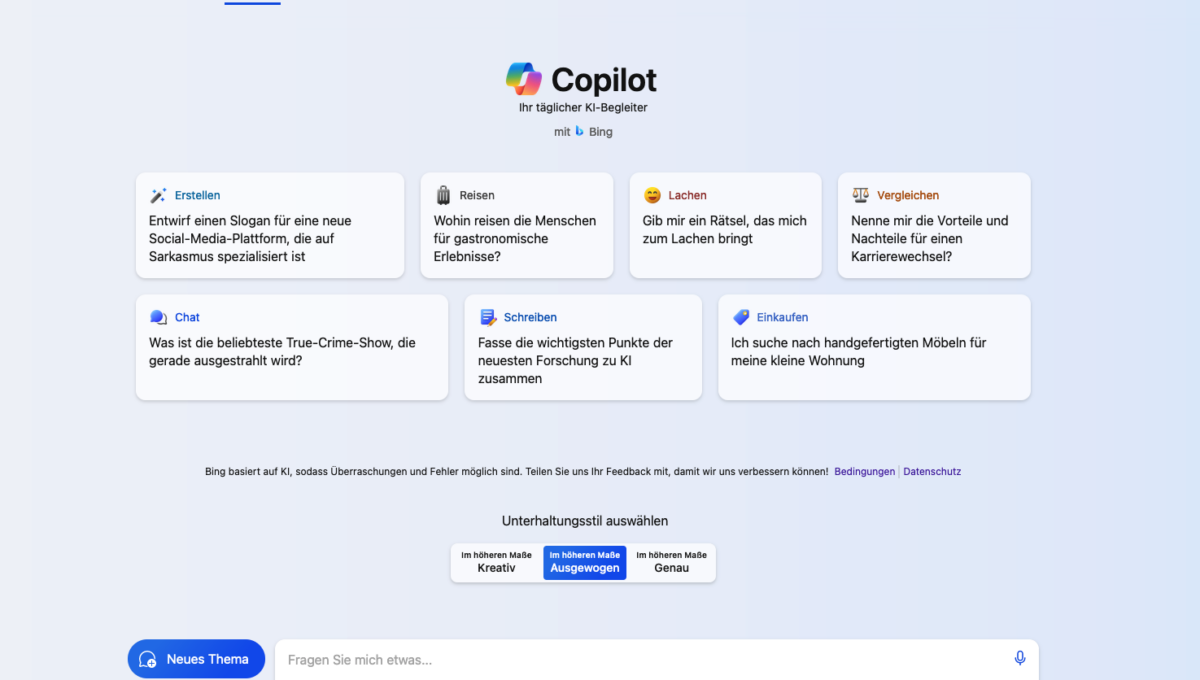
Microsoft Bing ChatGPT in the Edge or Chrome browser refers to an integration of ChatGPT, an advanced AI chatbot, developed by OpenAI, into the Microsoft Bing search service, accessible through the Chrome browser or also as a smartphone app. This integration allows users to interactively communicate with ChatGPT-4’s AI while using the Bing search service. Users can ask questions, search for information, or ask for advice, with the answers generated by the AI. This type of integration offers an enhanced, dialogue-based user experience compared to traditional web search. According to initial findings and evaluation, the chat, control, and also the new language styles (select conversation style) work very well, especially for asking complex questions and receiving comprehensive answers accordingly.
Bing Chat GPT (Copilot) – Microsoft’s AI & KI as an alternative to ChatGPT?
Microsoft’s alternative to ChatGPT, often referred to as „Bing ChatGPT„, is an advanced artificial intelligence integrated into Microsoft’s Bing search engine. This integration offers users an enhanced search experience with additional features that go beyond traditional text search. Since February 2023, this technology has been integrated into Microsoft Edge and Bing. Users can access the new Bing AI via the Edge browser or the Bing app.
- Interactive AI-based Search: Bing AI, similar to ChatGPT, allows users to ask questions in natural language and receive AI-generated answers. This provides a more intuitive and user-friendly search experience.
- Dialogue-based Interactions: Unlike traditional search engines that only provide single answers, Bing, with the GPT-4 language model, enables dialogue-oriented exchanges, allowing users to ask follow-up questions to further refine their queries.
- Personalized Answers: Microsoft AI & AI can personalize answers based on context and previous interactions, leading to more relevant and specific information.
- Integration into the Microsoft Ecosystem: Bing ChatGPT is seamlessly integrated into other Microsoft products and services, enabling a coherent user experience across different platforms.
- Learning Capability: The AI behind Bing ChatGPT continuously learns and improves through user interactions, leading to more precise and informative answers over time.
Microsoft has made changes to the Bing AI chat feature to improve the quality of interactions. Users can now conduct a maximum of five chat turns per session and a total of 50 chat turns per day. This measure was introduced to increase the accuracy and usefulness of responses and to make chat sessions more efficient. Early user reports praise the AI-based Bing search results and the chat for their accessibility and helpful responses. Microsoft plans to continuously improve the feature and the system based on user feedback and will provide regular updates to increase productivity.
Important: Bing Chat is now called „Copilot“
The renaming of Bing Chat to „Microsoft 365 Copilot“ signals an evolution and possibly a realignment of the features and purpose of this tool. „Copilot“ suggests a role as a supportive, interactive assistant that helps users navigate information more efficiently and complete tasks. This development could indicate an expanded integration of AI capabilities into Microsoft’s products and services, with a focus on improved user guidance and interaction.
The use of the term „Copilot“ also suggests that the tool not only provides answers to search queries but also actively assists in completing complex tasks and providing context-related solutions. This can mean stronger personalization, improved comprehension capabilities, and deeper integration into users‘ daily digital lives, and provide much more information.
Overall, the renaming of Bing Chat to „Copilot“ reflects the ongoing development and the effort to integrate AI-powered technologies more seamlessly into everyday digital interactions.
The most important question:
What can the new Bing Chat do in detail and for each target group?
Features of Bing Copilot = AI Chat GPT:
| Function | Description |
|---|---|
| Dialog-based search | Interaction in natural language with the option to deepen questions. |
| Context awareness | Ability to take the context of previous queries into account. |
| Personalization | Adaptation of responses based on user preferences and behavior. |
| Integration | Seamless embedding into other Microsoft services. |
| Learning ability | Continuous improvement through user feedback and interactions. |
Direct comparison with traditional Bing search:
| Feature | Bing ChatGPT | Conventional Bing Search |
|---|---|---|
| Type of Interaction | Dialogue-based | Individual search queries |
| Response Type | Personalized and context-related | Standardized search results |
| Learning Capability | Yes | Limited |
| User Experience | Intuitive and conversational | Traditional and text-based |
| Integration | Deep within Microsoft ecosystem | Standard integration |
This overview makes it clear that the chat represents an evolutionary extension of traditional Bing search, with a focus on AI-driven interactivity and personalization, resulting in a richer and more user-friendly search experience.
To the BingChatGPT app (click here)
Bing AI Image Creator for image creation
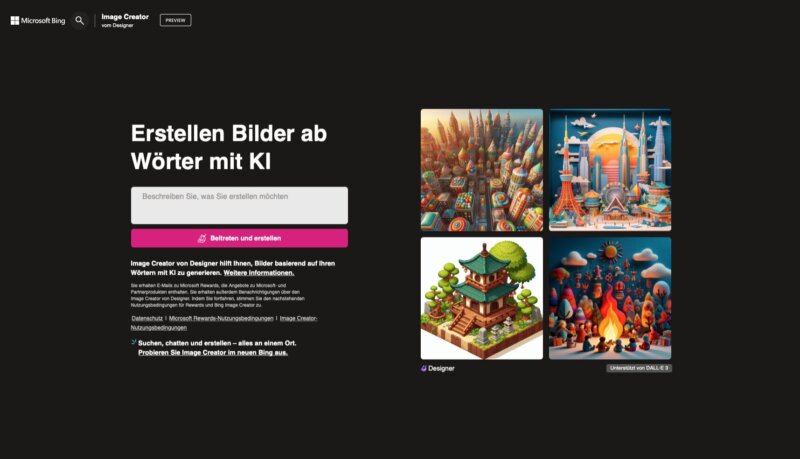
The „Bing AI Image Creator“ is a relatively new tool from Microsoft that leverages artificial intelligence capabilities to generate images. This tool, often embedded in the Bing search engine or other Microsoft platforms, allows users to create images based on described scenarios, ideas, or concepts. Here are some key points about the Bing AI Image Creator:
- AI-Powered Image Generation: The Bing AI Image Creator uses advanced AI algorithms to generate images based on user prompts. These can include descriptions, keywords, or specific requirements.
- User-Friendliness: The tool is designed to be easy and intuitive to use, allowing even individuals without a technical background to create impressive images.
- Creativity and Personalization: Users have the freedom to be creative and incorporate their own ideas into image generation. This allows for a high degree of personalization of the results.
- Versatile Applications: The Bing AI Image Creator can be used for a variety of purposes, from creative design to generating visual material for specific projects or presentations.
- Integration: Integration into Bing enables seamless use of the tool within the search engine, making the process of image search and creation more efficient.
Overall, the Bing AI Image Creator offers an exciting way to use AI technology for image generation, thereby expanding the possibilities for users to create and personalize visual content.
Is Microsoft AI with Bing Chat GPT therefore not comparable to the „normal“ Chat GPT but only an extension of the normal Bing search?
Bing ChatGPT is more an extension of the traditional Bing search than a direct comparison instance to OpenAI’s ChatGPT. It integrates ChatGPT’s capabilities into Bing’s search engine functionality, leading to an improved and more interactive user experience. Here are some key aspects of this integration:
- Extended Search Functionality: Bing ChatGPT extends Bing's traditional search function by allowing users to communicate in natural language and receive answers in a conversational format.
- AI-based Interactions: While normal Bing search is limited to keyword search and algorithm-based results, Bing ChatGPT offers deeper, AI-driven interaction, allowing users to ask questions and receive answers in a dialogue format.
- Personalization and Context Awareness: Bing ChatGPT can personalize answers based on the context of a conversation and previous interactions. This differs from traditional Bing search, which primarily provides independent, context-independent search results.
- Integration into the Microsoft Ecosystem: The integration of ChatGPT capabilities into Bing is part of a broader Microsoft strategy to embed AI into its entire product and service offering.
In summary, Bing ChatGPT is a significant improvement to Bing search, leveraging ChatGPT’s AI-driven, dialogue-based interaction to enrich and personalize the user experience, without being a standalone product like ChatGPT itself.
Learn and further develop skills in working with Chat GPT
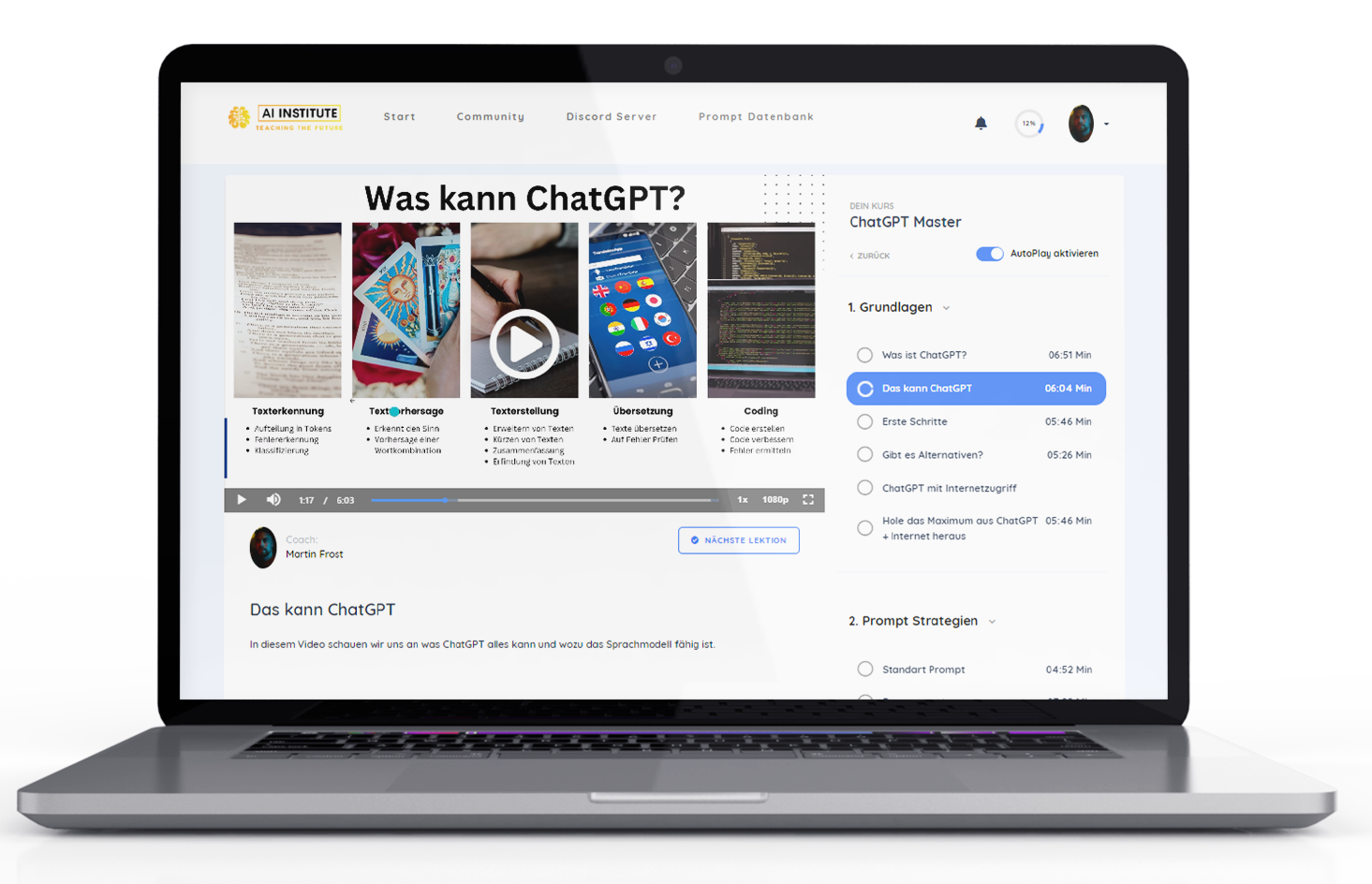
Absolute Empfehlung um den Handling and using Chat GPT + templates to learn quickly 🚀:
Another alternative as a Chat GPT basic course for business:

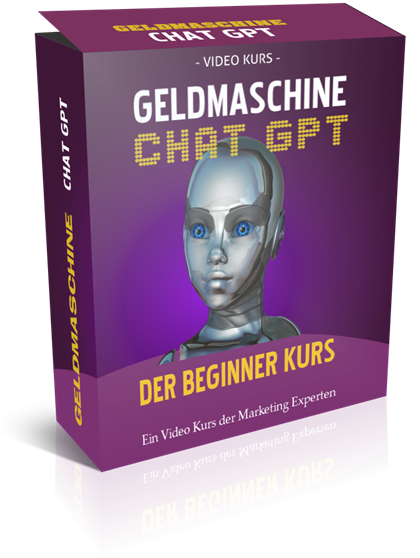
Earn money with Chat GPT – the ultimate money-making machine?
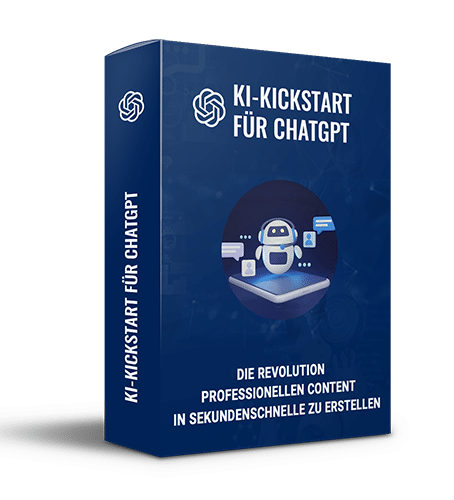
AI Kickstart Course to Get Started 10% Faster in Online Marketing:
Become more visible on Google & Social Media?
In a free strategy consultation for data-driven online marketing, we uncover your untapped potential, review any existing ad accounts if necessary, examine your SEO ranking and visibility, and determine which strategy is appropriate for your budget and which active measures will lead to more inquiries or sales.

✅ More visibility & perception through targeted placement
✅ More visitors > prospects > customers > revenue
✅ Reach target groups scalably with SEA
✅ Act and grow sustainably with SEO
🫵 Maximum success with our hybrid strategy
💪 More than 15 years of experience across industries in over 1,000+ projects demonstrable!







Additional Tip – Buy AI & AI Software Cheaply with One-Time Payment Instead of Monthly Subscriptions
How to use the new Bing AI with ChatGPT
Since February 2023, right after the introduction of the Microsoft ChatGPT feature, Microsoft’s search engine has been transformed into a powerful conversational engine. This chatbot technology is integrated into both Microsoft’s Edge browser and Bing. There is even a paid version of ChatGPT, namely ChatGPT Plus.
This could be the beginning of a new era where users can talk to the search engine to get more relevant results. Since it’s something new, you might be wondering how to use the new Bing AI with ChatGPT. Here’s the guide.
By the way, in the Edge + mobile Edge app from Windows 11, it is already integrated after an update, but can also be activated or deactivated at any time in the settings (Activate / Deactivate)!
Access to the new Bing AI with ChatGPT
The new Bing AI with ChatGPT functionality can be used via the Microsoft Edge browser or via the Bing app or the mobile version of the Edge web browser. If you do not yet have access to the new Bing AI, you must put yourself on the waiting list. Follow these steps to put yourself on the waiting list:
- Go to Microsoft Edge > tap the Start button > type ‚Edge‘ > press ‚Enter‘.
- You will be redirected to www.bing.com/new.
- Tap ‚Join the waitlist‘.
- Enter your email and Microsoft account password if prompted.
Using the new Bing AI with ChatGPT
Once you start using Bing with the new AI, you will notice the difference. You will receive results not in the form of a list of links, but in the form of a chat. You can refine the results through further conversations with the chatbot.
Note: Many users have noticed some disturbing behaviors when using the Bing ChatBot. For this reason, Microsoft has currently introduced some restrictions on chats per session and chats per day. The current limits are 120 chats per day and 10 chats per session.
Steps for the search process on Bing ChatBot:
- If you have access to the new ChatGPT, navigate to www.bing.com > now you can type your question into the search bar. For example: If you are traveling to a new city, you can ask: ‚Main attractions of Jaipur‘.
- ChatBot will answer your question in a chat format instead of listing many website links. Your question will be the opening line and then your answer will follow.
- If you don’t see the chat format, tap ‚Chat‘ at the top of the screen. The search will switch to chat mode.
- Once users ask a question, Bing will answer and post it live in the chat. When you are done, you can tap ‚Stop responding‘ and it will stop responding.
- At the end of the answer, the user can see footnote references from which the ChatBot selected the answers.
- To keep you engaged, Bing will suggest related questions to help you further, and it is up to the user whether they want to know more or if that is enough.
Using Bing ChatBot on mobile
After February 22, 2023, the new Bing ChatBot is available on Android and iOS Bing, Skype, and Edge apps. However, you need access to the new Bing to use its latest features. For this, you can use the waiting procedure mentioned above.
The new ChatBot feature has caused a stir in the search engine market. Bing not only brings competition against Google but also creates room for more research, as ChatGPT has the entire internet at its disposal – all it asks of you is to ask questions. We don’t know what Google will come up with in the coming time, but for now, Bing ChatBot has something exciting to offer. We hope you now know how to use the new Bing AI with ChatGPT.
Using classic Chat GPT? Here are the instructions:
Explanation: What is Bing AI?
Bing AI is an artificial intelligence integrated into Microsoft’s Bing search engine. It uses advanced algorithms and machine learning to provide users with an improved search experience. This includes interactive, dialogue-based search queries, personalized results, and the ability to understand and respond to questions in natural language. Through this integration, Bing offers a more intuitive and user-friendly search platform that goes beyond traditional keyword-based search mechanisms.
Is Bing AI a chatbot?
Bing AI, as it is often mentioned in the context of integrating ChatGPT technology into the Bing search engine, can be considered a chatbot. It uses artificial intelligence to offer users an interactive, dialogue-based experience. Users can ask questions, which Bing AI answers in natural language, similar to a chatbot. This function goes beyond traditional search engine functionalities by enabling conversational interaction based on machine learning and advanced language processing technologies.
Frequently Asked Questions about Microsoft Bing ChatGPT with AI & ML
- What is Bing Chat?
- Bing Chat is an integration of OpenAI’s ChatGPT technology into Microsoft 365’s Bing search engine. It combines the capabilities of ChatGPT, an advanced AI-powered chatbot, with Bing’s search functions.
- How does Bing ChatGPT differ from traditional Bing search?
- Unlike traditional Bing search, which is based on keyword searches, offers an interactive, dialogue-based user experience where users can ask questions in natural language and receive detailed, context-related answers through active chatting.
- Can Bing ChatGPT answer personal questions?
- Bing ChatGPT is designed to answer general inquiries and search queries. However, it is not designed for personal consultations or specific individual requests.
- Is Bing ChatGPT safe to use?
- Microsoft has implemented security measures to ensure the confidentiality and security of user data. Nevertheless, users should be cautious about disclosing personal information.
- Can Bing ChatGPT generate creative content?
- Yes, Bing ChatGPT can generate creative content such as texts, poems, or simple answers to creative requests.
- How does Bing AI work?
- Bing AI uses machine learning and AI algorithms to understand search queries and generate relevant answers. It can also consider the context of a conversation to provide more precise answers.
- Are there any limitations to using Bing ChatGPT?
- Microsoft may impose restrictions on the number of interactions per day or the length of responses to ensure the quality and efficiency of the service.
- Is the use free of charge?
- Currently, Bing ChatGPT is available for free as part of the Bing search engine, although this may change in the future.

Conclusion on the Chat GPT alternative with Bing Microsoft Copilot
Bing ChatGPT marks a significant advance in the world of search technology by combining the capabilities of an advanced AI-based chatbot with the extensive search functions of the Bing search engine. This innovative tool revolutionizes the way users interact with search engines by providing an intuitive, dialogue-based user interface that allows questions to be asked in natural language and contextual, detailed answers to be received.
The integration of AI into search opens up new possibilities for personalized and relevant answers, which is particularly useful in complex search scenarios or when searching for nuanced information. The ability to conduct a conversation and ask precise follow-up questions significantly improves the user experience compared to traditional keyword-based search.
Bing ChatGPT also demonstrates the potential of AI in information processing and customer service by providing fast and efficient answers in a format that mimics human dialogue. This makes it a valuable tool for both everyday users and professionals.
At the same time, data protection and the trustworthiness of the information must be taken into account when using Bing ChatGPT. It is important that users are aware of the limitations of AI and take care not to disclose sensitive personal information.
Overall, Bing ChatGPT is a groundbreaking step towards a future generation of search engines that are more focused on user interaction, context understanding, and personalized answers. It is a clear example of how AI technology can be used to improve daily information retrieval and digital interactions.





 DE
DE

