

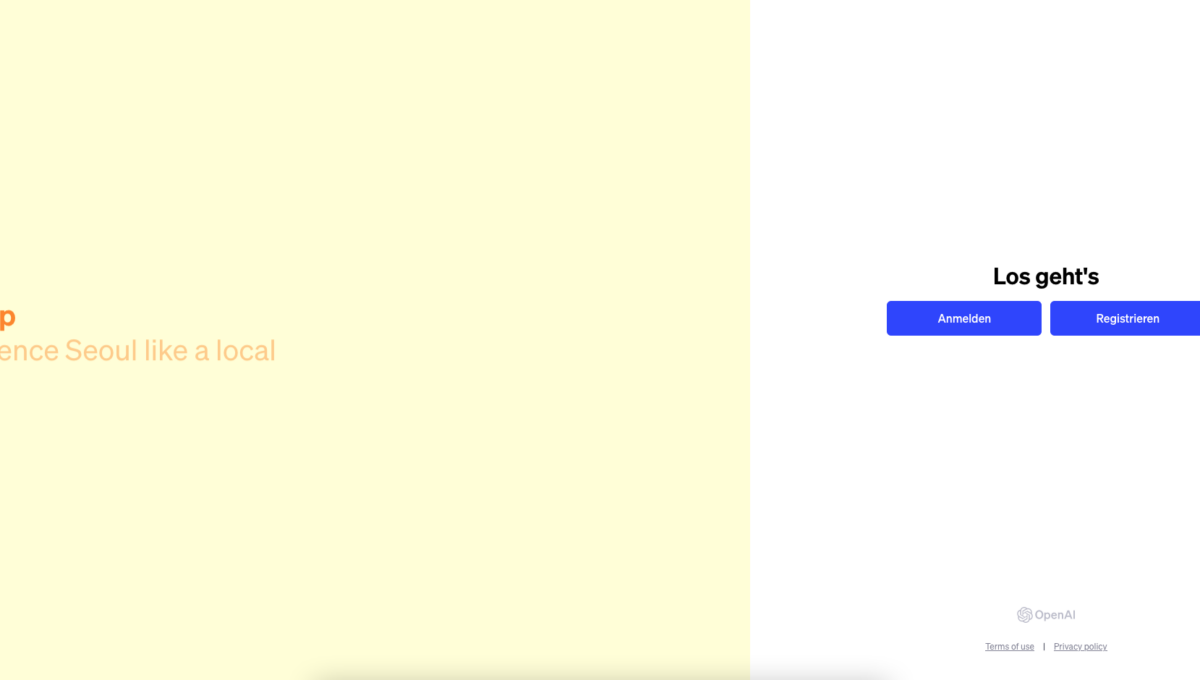
ChatGPT is an impressive example of the advancements in artificial intelligence, offering users the ability to interact naturally with an AI model. ChatGPT OpenAI Login: Simple registration and login provide broad access, while the advanced version, ChatGPT Plus, offers additional features for more demanding applications. Despite its advanced capabilities, it is important to recognize the limitations of ChatGPT and use it accordingly. An alternative to Chat GPT without login can also be found further down in the article.
Chat GPT Login (OpenAI) – simply register & use for free
The Chat GPT login from OpenAI offers an accessible and user-friendly interface, enabling a broad user base to benefit from the platform’s advanced AI capabilities. The registration process is straightforward, allowing users to start using it immediately after a simple registration and email verification. The free version of Chat GPT is particularly attractive for individuals, educational institutions, and small businesses who wish to leverage the benefits of AI technology without financial burden.
The platform itself is impressive in its ability to generate human-like, context-aware responses, making it suitable for a variety of applications, from text creation to answering complex questions. The introduction of ChatGPT Plus as a premium option expands the possibilities for professional users seeking an even more powerful and stable experience.
Overall, Chat GPT from OpenAI represents a significant advancement in AI technology, which is easily accessible and versatile. It is a powerful tool for anyone looking to integrate the possibilities of artificial intelligence into their daily life or profession. With continuous updates and improvements, OpenAI remains at the forefront of AI development, making Chat GPT an increasingly attractive option for a wide range of users worldwide.

Brief Introduction: What is ChatGPT?
ChatGPT is a highly advanced language processing model developed by OpenAI. It is based on the Generative Pre-trained Transformer (GPT) architecture, specifically the latest versions GPT-3.5 and GPT-4. This technology enables the model to generate and understand human-like text, allowing for fluid and natural conversation with users. ChatGPT is capable of responding to a variety of inputs, from everyday conversation topics to specific requests, and can be used for a range of applications, including customer service, education, entertainment, and more. Its ability to understand context and respond accordingly makes it a valuable tool for human-machine interaction. ChatGPT is characterized by its flexibility and adaptability, making it a versatile tool in various industries and application areas.
General Information about ChatGPT
- ChatGPT is an advanced language model, developed by OpenAI, based on GPT-3.5 and GPT-4.
- It allows users to have dynamic and natural conversations with an AI model.
- ChatGPT is designed for various applications such as chatbots, virtual assistants, and dialogue systems.
UPDATE April 2024: Chat GPT possible WITHOUT login
OpenAI has announced a free version of ChatGPT that can be used without registration. This version offers essentially the same features as before, but with some limitations, such as the inability to save or review chat histories and no access to voice or custom instructions. Using ChatGPT is now intended to be as simple as using a search engine, with the goal of making AI accessible to anyone interested in its capabilities.
OpenAI points out that shared content can be used for model improvement, but there is currently no clear way to change this setting in the instant version of ChatGPT.
In addition, additional security measures have been implemented to make the free version safer by blocking outputs on a wider range of topics. This development could be a step towards a new model for information retrieval that challenges traditional search engine usage and Google’s business model by fulfilling Google’s mission to „organize the world’s information and make it universally accessible and useful“ in a way that Google Search does not.
Registration and Login
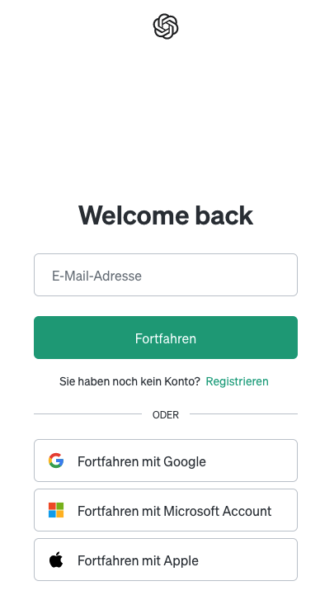
- To use ChatGPT, registration is required. This is usually free of charge.
- Login is done via the official OpenAI website.
- Users must provide their email address and create a password.
- Email verification and, in some cases, phone number verification are required.
- Detailed instructions in the next paragraph
- NOTE: See alternative further down in the article!
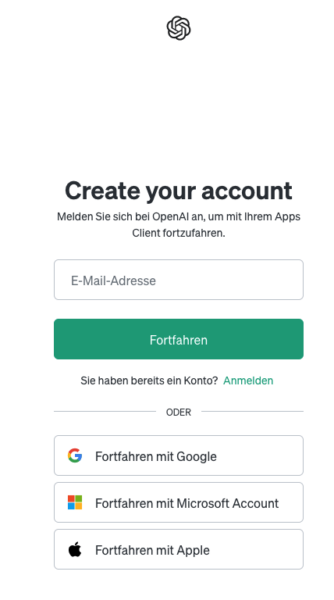
Step-by-step guide to Chat GPT login
Registering for ChatGPT is a simple and straightforward process that can be completed in a few steps. Here is a detailed guide to facilitate the registration process:
- Visit Website: Start by opening the official OpenAI website https://openai.com/ in your browser.
- Start Registration: On the homepage, you will find a button labeled "Sign Up" in the upper right corner. Click on it to begin the registration process.
- Fill Out Registration Form: In the registration form, you will be asked to enter basic information such as your name, email address, and a password. Make sure to use a valid email address, as verification is required.
- Create Account: After entering all the required information, click the "Create Account" button to create your account.
- Email Verification: OpenAI will send a verification email to the address you provided. Check your inbox and click on the link in the email to confirm your email address.
- Complete Registration: After your email address has been verified, you can log in to the OpenAI website. Navigate to the login page and enter your email address and password.
- Additional Steps: In some cases, it may be necessary to provide additional information, such as a phone number, and verify it. Follow the on-screen instructions to complete these steps.
- Access to ChatGPT: After successful login, you will have access to ChatGPT and other OpenAI resources. You can now explore and use the various functions and possibilities of ChatGPT.
These steps will guide you through the entire process of creating a user account and logging in to ChatGPT, so you can fully utilize the diverse functions and possibilities of the AI model.
Register now: https://chat.openai.com/auth/login
Learn and further develop skills in working with Chat GPT
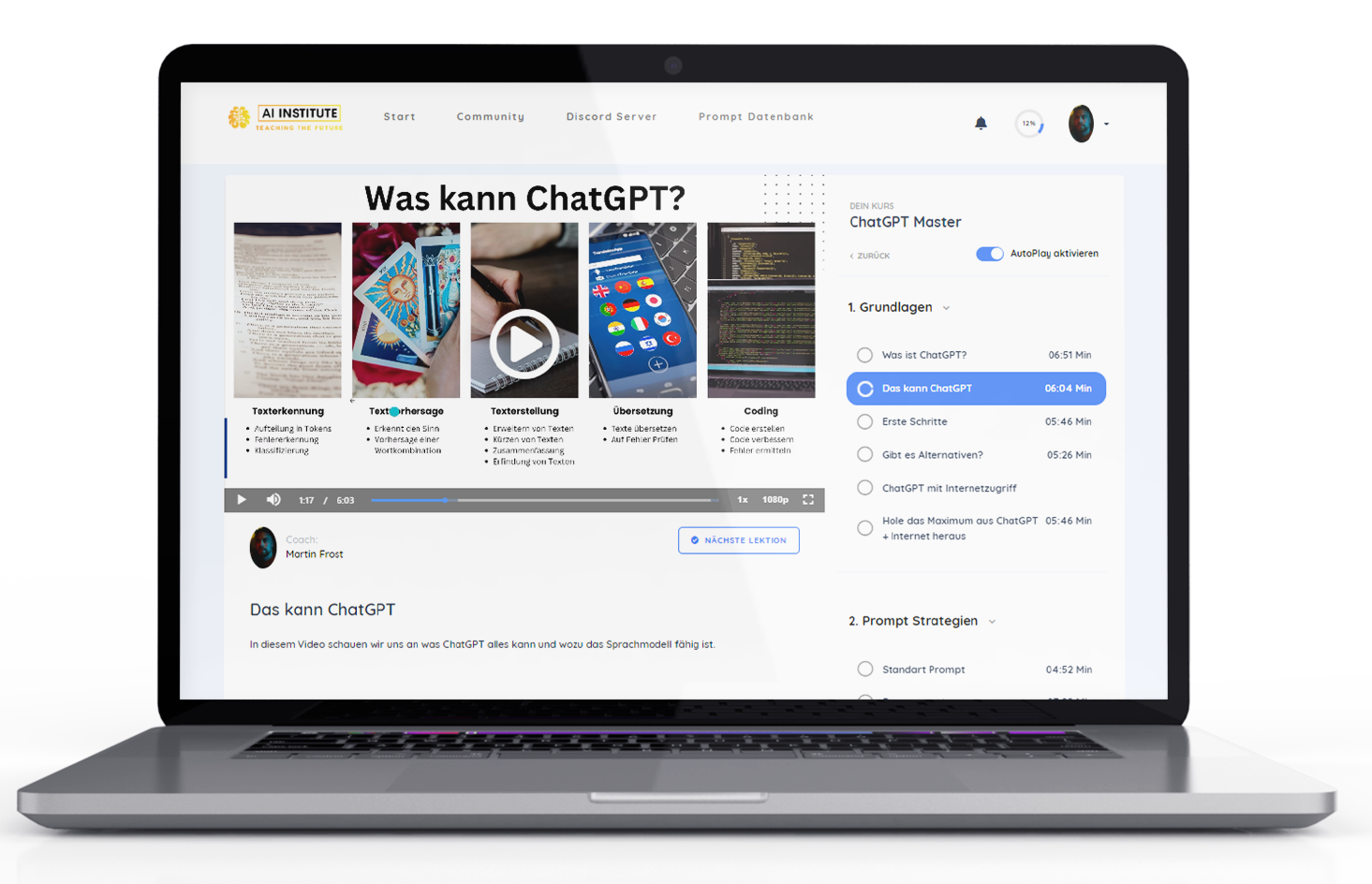
Absolute Empfehlung um den Handling and using Chat GPT + templates to learn quickly 🚀:
Another alternative as a Chat GPT basic course for business:

Earn money with Chat GPT – the ultimate money-making machine?
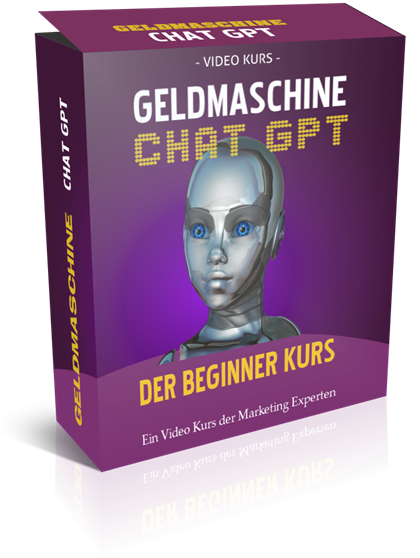
AI Kickstart Course to Get Started 10% Faster in Online Marketing:
Become more visible on Google & Social Media?
In a free strategy consultation for data-driven online marketing, we uncover your untapped potential, review any existing ad accounts if necessary, examine your SEO ranking and visibility, and determine which strategy is appropriate for your budget and which active measures will lead to more inquiries or sales.

✅ More visibility & perception through targeted placement
✅ More visitors > prospects > customers > revenue
✅ Reach target groups scalably with SEA
✅ Act and grow sustainably with SEO
🫵 Maximum success with our hybrid strategy
💪 More than 15 years of experience across industries in over 1,000+ projects demonstrable!







Additional Tip – Buy AI & AI Software Cheaply with One-Time Payment Instead of Monthly Subscriptions
Troubleshooting common ChatGPT login issues
Occasionally, problems may arise when logging in to ChatGPT, but these can usually be resolved easily. Here are some common problems and their solutions:
- Forgot Password: If you have forgotten your password, use the „Forgot Password?“ option on the login page. You will be prompted to enter your email address to receive a password reset link.
- Did Not Receive Verification Email: Check your spam or junk mail folder if the verification email does not appear in your main inbox. Also, make sure you entered the correct email address during registration.
- Email Verification Problems: If the verification link does not work, try opening the page in a different browser or in incognito mode. Sometimes browser extensions or cookies can interfere with functionality.
- Login Error Messages: Make sure that the email address and password are entered correctly. Typos are a common cause of error messages.
- Connection Problems: Ensure that your internet connection is stable. Sometimes connection problems can disrupt the login process.
- Account Locked or Deactivated: If your account has been locked or deactivated for any reason, contact OpenAI support for further instructions.
- Browser Version Update: Make sure you are using the latest version of your browser, as older versions may cause compatibility issues.
- Contacting Support: If all the above steps fail, do not hesitate to contact OpenAI customer support. They can usually be reached via the website or by email.
By following these steps, you can effectively resolve most ChatGPT login issues and ensure smooth access to the platform.
Special Features of ChatGPT
ChatGPT, developed by OpenAI, is characterized by a number of impressive special features that set it apart from other AI models. One of its most outstanding characteristics is its ability to generate context-related, coherent, and often surprisingly human-like responses. This is made possible by the advanced GPT-3.5 and GPT-4 architecture, which has been trained on extensive datasets to capture and imitate the nuances of human language. ChatGPT can not only respond to direct inquiries but also conduct dialogues that involve continuous conversation with contextual understanding.
Another special feature is its adaptability to various use cases, from answering simple questions to creating complex texts. Furthermore, ChatGPT is able to improve learning processes through interaction, which means that it becomes more accurate and helpful over time. Despite its advanced capabilities, it is important to be aware of ChatGPT’s limitations, especially regarding its understanding of context and subtle human nuances that are outside its training.
- ChatGPT offers human-like interaction and understands context, nuances, and intentions in language.
- It is adaptable and suitable for various industries and applications.
- Multilingual functions are available, enabling use in different languages.
Use ChatGPT Plus
ChatGPT Plus is a premium version of OpenAI’s ChatGPT service, offering enhanced features and benefits over the free version. This paid subscription version is aimed at users who seek improved performance and exclusive access to the latest updates and features. Key features of ChatGPT Plus include faster response times, which is particularly advantageous during peak server loads, and prioritized access to new features and improvements that OpenAI regularly implements. Additionally, ChatGPT Plus often provides increased reliability and stability, which can be crucial for professional or more intensive use cases.
For a monthly fee, subscribers thus receive a premium experience that is ideal for users who rely on OpenAI’s most advanced AI capabilities. ChatGPT Plus therefore represents a valuable option for anyone who needs a more powerful and reliable AI interaction in areas such as research, development, or content creation.
- ChatGPT Plus is an enhanced version with improved accuracy and performance.
- It offers advanced features such as better context processing and support for multiple languages.
- ChatGPT Plus is a paid service, with a monthly subscription model.
Limitations of ChatGPT
- ChatGPT has limitations in terms of general knowledge and can sometimes provide inappropriate answers.
- It can be biased based on the data it was trained on.
- Complex problem-solving and in-depth understanding of context are limited.
Free Alternative to Chat GPT without Login: ChatGPT with Advertisements
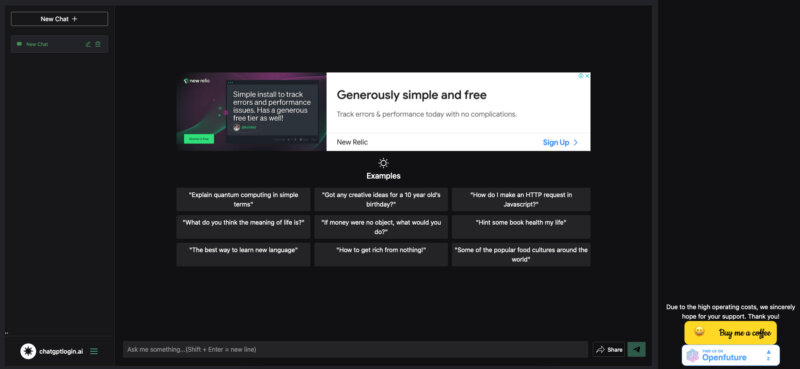
An interesting alternative to the conventional ChatGPT login process is offered by the free version of Chat GPT without Login. However, this only works with advertising. This version, available on the website https://chatgptlogin.ai/, allows users to utilize ChatGPT’s features without having to register or log in. This provides low-threshold access to OpenAI’s AI technology, especially for casual users or those who wish to try out the platform without obligation first.
In ChatGPT without Login, as an ad-supported version, users can directly interact with the ChatGPT model, with the user experience supplemented by occasional advertisements. These ads serve to cover the costs of operating and maintaining the service, while simultaneously preserving free access for users. Although this version may not offer all the advanced features and customization options of the regular, registration-required version, it still represents a valuable resource for those seeking quick and uncomplicated access to AI-based text generation and interaction. It is a practical solution for users who want to experience the benefits of ChatGPT without having to deal with the registration process or privacy concerns.
Chat GPT App for Smartphone and Tablet
The Chat GPT App opens up a new dimension of AI-powered communication for smartphone and tablet users. This app, specially developed for mobile devices, allows users to conveniently and flexibly use the advanced features of ChatGPT on the go. With a user-friendly interface optimized for touchscreens, the app offers a seamless and intuitive user experience. Whether it’s about writing texts, answering questions, or holding conversations – the app provides the impressive capabilities of ChatGPT in a handy format. The integration into mobile operating systems also enables efficient use of device resources and smooth interaction with other mobile applications and services. For users who are often on the go or need quick access to AI-based text generation, the Chat GPT App is an ideal solution that blurs the lines between artificial intelligence and mobile technology.
To download the Chat GPT app for your smartphone or tablet, I recommend visiting the App Store on your iOS device or the Google Play Store on your Android device and searching for „Chat GPT“ or „OpenAI Chat GPT“. There you will find the official and secure download links for the respective app. Make sure you download the app from a trusted developer to ensure the security and authenticity of the application.
Übrigens, der häufigste Tippfehler: hatgpt 😀





 DE
DE

