


The community building of an engaged and dynamic online community is an art form that requires both vision and strategic planning. In the digital age we live in, community software and community management tools provide the necessary infrastructure and tools to make this vision a reality. These technologies enable us to come together across geographical and cultural boundaries, share knowledge, offer support, and build comprehensive networks that enrich both individual and collective levels. This article aims to extensively present the possibilities.
Building a Community: Community Software & Community Management Tool
Community software serves as the foundation upon which online communities are built. It provides the platform for interactions, discussions, and content exchange, enabling members to forge deep connections and pursue common interests. From forums and social networks to specialized platforms tailored to specific niches or industries, community software varies in functionality and design to meet the diverse needs of communities.
Community management tools complement this software by providing community managers and moderators with the tools they need to effectively communicate, engage members, and foster community growth. These tools include features for event management, content moderation, engagement data analysis, and much more, making it possible to cultivate a healthy, active, and thriving online community.
However, successfully building a community requires more than just selecting the right software and tools. It demands a deep understanding of the people who form this community, their needs and desires, and the goals the community pursues. In this context, the role of the community manager is becoming increasingly important – as a leader, moderator, and supporter who translates the community’s vision into reality.

In this guide, presented as a blog article, we will delve deeply into the topic of community building: from selecting the right community software and management tools to developing strategies for member retention, and the best practices for growing and nurturing your online community. Our goal is to provide you with the knowledge and tools you need to build a vibrant, engaged, and sustainable community that creates real value beyond the digital realm.
These tools and platforms are designed to support the creation, management, and growth of online communities. They offer a variety of features to foster interaction among members, share content, measure engagement and participation, and enhance the overall community experience.
Some of the core features found in community software and management tools include:
- Forums and Discussion Groups: Allow members to interact, ask questions, and engage in discussions.
- Member Management: Tools for managing member profiles, registrations, group affiliations, and privacy settings.
- Content Management System (CMS): Enables the creation, publication, and management of content such as articles, blogs, and news.
- Event Management: Functions for planning and promoting events within the community.
- Analytics and Reporting: Provides insights into member behavior and engagement to inform and optimize community management.
- Integrations: Ability to connect with external platforms and services, such as social media platforms, email marketing tools, and CRM systems.
- Moderation Tools: Support moderators in monitoring content, dealing with abuse, and upholding community guidelines.
There is a variety of community software solutions, from open-source platforms to commercial products, including Discourse, vBulletin, phpBB for forums; and more comprehensive platforms such as Mighty Networks, Khoros, or Higher Logic, which offer a broader range of community management functions.
Choosing the right community software depends on the specific needs and goals of your community, including community size, budget, required functionalities, and integration requirements. More on this in the blog article here.
Community software refers to digital platforms and tools specifically designed to support the formation, management, and growth of online communities. This software enables users to connect, share content, communicate, and participate in discussions, with a focus on fostering interaction and engagement within a defined group or area of interest.

Become more visible on Google & Social Media?
In a free strategy consultation for data-driven online marketing, we uncover your untapped potential, review any existing ad accounts if necessary, examine your SEO ranking and visibility, and determine which strategy is appropriate for your budget and which active measures will lead to more inquiries or sales.

✅ More visibility & perception through targeted placement
✅ More visitors > prospects > customers > revenue
✅ Reach target groups scalably with SEA
✅ Act and grow sustainably with SEO
🫵 Maximum success with our hybrid strategy
💪 More than 15 years of experience across industries in over 1,000+ projects demonstrable!







Reasons for Community Software
- Promoting Interaction: Enables members to communicate effectively, share knowledge, and receive support.
- Strengthening Brand Loyalty: Helps companies build a closer relationship with their customers, leading to increased customer loyalty.
- Gathering Feedback and Ideas: Provides a platform for user feedback that can be used to improve products or services.
- Reducing Support Costs: An active community can offer peer-to-peer support, which reduces the burden on traditional support channels.
- Centralizing Content and Knowledge: Creates a central hub for information and resources shared by the community.
How to build your community
- Define goals and target audience: Create clear ideas of the community’s goals and target audience.
- Choose the right platform: Decide on community software that meets your requirements.
- Create structures and rules: Determine how the community should be organized and what rules of conduct apply.
- Stimulate content and discussions: Create and promote content that encourages interaction.
- Moderation and support: Ensure that the community is moderated and members receive the support they need.
- Foster and Measure Growth: Utilize marketing strategies to attract new members and employ analytics to measure engagement.
Challenges in Building
- Generating Engagement: It can be challenging to foster initial and ongoing engagement.
- Moderation: Maintaining a positive and constructive community environment requires constant attention.
- Scaling: As the community grows, issues such as managing members and content can increase.
- Content Quality: Ensuring that shared content is valuable and relevant can be difficult.
Required Features
- Discussion Forums and Groups: For exchange and discussion among members.
- Member Management: Tools for managing member profiles and settings.
- Content Management: For creating and sharing content within the community.
- Search Functions: Enable quick finding of information and discussions.
- Analytics and Reporting: For monitoring engagement and activity.
- Mobile Accessibility: Ensures that the community is accessible on various devices.
- Security and Data Protection: Protecting member data and ensuring the security of the platform.
Building and maintaining a successful online community requires careful planning, the right tools, and ongoing effort to create and sustain an engaging and active environment.

What is Community Software & Community Management Tool?
Community software and community management tools are digital solutions designed to facilitate the formation, management, and engagement within online communities. Although the terms are often used synonymously, they cover different aspects of managing an online community. Here is a detailed look at both:
Community Software
Community software refers to the platforms that serve as the foundation for creating and growing online communities. This software allows users to create profiles, interact with each other, share content, and participate in discussions. Typical examples of community software include forums, social networks, content management systems (CMS), and specialized platforms tailored to specific interest groups or industries. The main goals of community software are:
- Fostering interaction and engagement among members.
- Providing a platform for the exchange of knowledge and information.
- Supporting members in networking and building relationships.
Community Management Tools
Community management tools are specifically designed to support community managers and moderators in managing and maintaining online communities. These tools include features for content moderation, member management, tracking engagement and activities, as well as analytics and reporting. They can also include tools for event management, surveys and polls, and notifications and communication. Community management tools aim to:
- Improve the efficiency of community administration.
- Ensure a positive and safe environment for all members.
- Gain insights into the behavior and preferences of community members to optimize the community experience.
While community software provides the basic platform on which an online community is built and operated, community management tools focus on managing and optimizing these communities. Both are crucial for the success of an online community by providing the technical infrastructure and necessary administrative functions to create and maintain an engaged and thriving community environment.

The 10 Most Popular Community Software & Community Management Tools
The popularity of community software and community management tools can vary depending on the specific needs of users, the size and type of the community, and industry trends. We have compiled a list of modern SaaS community tools above and added classic alternatives below.
1. Mighty Networks

Mighty Networks allows you to create a vibrant community around your brand. It offers a platform where you can share content, offer online courses, and manage paid memberships. The ability to create your own apps strengthens brand loyalty and engagement.
- Target Audience: Brands, Creatives
- Features: Personalized feed, topics, articles, direct messages, public/private/paid membership, analytics tools
- Advanced Features:
- Website Builder
- Membership Management
- Event Planning
- Mobile Apps for iOS and Android
- Personalized Feed for Members
- Topics, Articles, and Direct Messages
- Price: Free to $23/month
- Special features: Own website builder, online courses, membership pages
- Advantages:
- Versatile platform for various content
- Strong community engagement tools
- Easy monetization options
- Extensive analysis tools
- Intuitive user interface
- Disadvantages:
- Limited customization options in the free plan
- Transaction fees for sales
- Can be overwhelming for beginners
2. coapp

coapp is a German platform developed specifically for coworking spaces, coaches, and small to medium-sized businesses. It promotes the exchange and networking of members through a variety of functions such as event management and room planning.
- Target Audience: Coworking Space Owners, Coaches, Consultants, Companies
- Features: Posts, comments, private messages, group chat, community search, space management, events, payment options
- Advanced features:
- Complex event management
- Group and private messages
- Profiles, groups, pages and events
- Payment automation
- Price: From €29/month plus 15% platform fees
- Features: German provider, exchange among users with profiles, groups, events, pages
- Advantages:
- Specifically for the German market and GDPR-compliant
- Comprehensive event and room management
- Simple member management
- Integrated payment solutions
- Modern and clear user interface
- Disadvantages:
- Limited range of functions compared to international platforms
- Platform fees in addition to the subscription
- Focus mainly on coworking spaces
3. Memberspot

Memberspot offers a platform for coaches and course creators to create a membership area with integrated community features. It supports the creation of thematic spaces for discussions and knowledge exchange, with data protection and GDPR compliance being a priority.
- Target audience: Coaches, course creators, companies
- Features: Thematic Spaces, posting contributions, FAQ sections, answering questions, coordinating appointments, introducing members, Emoji Reactions
- Extended Functions:
- E-learning modules
- Interactive spaces for discussions
- Complex scheduling
- Spaces for interaction
- German provider and GDPR compliant
- Price: From €39/month
- Features: DE provider, GDPR-compliant, membership area with community features
- Advantages:
- GDPR compliance for the European market
- Strong focus on educational content and e-learning
- Easy to use and set up
- Good integration of community and learning content
- Support for multimedia content
- Disadvantages:
- Limited design customization options
- Lack of integrations with third-party tools
- Primarily geared towards the German-speaking market
4. Skool.com

Skool is a community platform specifically designed for content creators. It supports the creation of online courses, subscriptions, and fan forums, with a strong focus on interaction and member engagement.
- Target Audience: Creators (YouTubers, Instagrammers, TikTokers)
- Features: Own feed, interaction with followers, online courses, subscriptions, fan forums
- Extended functions:
- Member management
- Course and content creation
- Interactive forums and groups
- Leaderboards and gamification
- Own feed
- Unlimited number of members
- Price: $99/month
- Features: Unlimited members, suitable for online courses and fan forums
- Advantages:
- Specifically developed for creators and influencers
- Unlimited number of members
- Strong community engagement tools
- Easy monetization of content
- Intuitive user interface and easy operation
- Disadvantages:
- Relatively high price
- Limited integrations with other platforms
- Focus primarily on English-speaking users
Detailed article on a Skool alternative:
Skool.com Alternatives for Community Building & Online Learning as a Platform
5. Heartbeat.chat

Heartbeat.chat is a tool specifically designed for creating online courses, memberships, and exclusive content. It fosters community engagement through feeds, groups, and chats, and supports member networking through match-up features.
- Target Audience: Online courses, memberships, exclusive content
- Features: Feed feature, groups, chats, match-up for internal interaction, affiliate program, reporting & analytics
- Advanced features:
- Integrations (e.g. Zapier, Zoom)
- Feed feature, groups, chats
- Price: $40/month
- Special features: Unlimited members, for exclusive content
- Advantages:
- Strong community engagement features
- Unlimited number of members
- Diverse monetization opportunities
- Extensive analysis and reporting tools
- Easy setup and operation
- Disadvantages:
- Limited customization options
- Focus on English-speaking users
- Can be complex for beginners
6. Circle

Circle is a flexible and customizable platform for building online communities. It is particularly suitable for coaching, newsletters, and online courses. Circle supports the creation of large communities with extensive customization options and integrations.
- Target audience: Educational courses, coaching, products, brands, startups
- Features: Custom domain, integrations (Zapier, Integrately), widgets, direct messaging, moderation tools
- Advanced features:
- Scalable up to 100,000 members
- iOS App
- Price: $39 to $199/month
- Special features: 1,000 to 100,000 members, demo version available
- Advantages:
- High customizability and branding options
- Scalable up to 100,000 members
- Intuitive operation and versatile applications
- Extensive integrations with other tools
- iOS app available
- Disadvantages:
- Relatively high costs compared to other providers
- Video uploads can be slow
- App currently only available for iOS
7. Bettermode (formerly Tribe)

Bettermode is an enterprise community platform that helps companies of all sizes and industries build engaged communities. It offers extensive customization options and integrations to seamlessly integrate the platform into existing processes.
- Target Audience: All industries and companies
- Features: Customizable, Spaces, Collections, Tags
- Advanced Features:
- SEO Optimization
- Google Analytics Integration
- Member Networking
- GDPR/DSGVO Compliance
- Price: From $599
- Special features: Focus on connections between users, versatile use cases
- Advantages:
- High scalability and adaptability
- Supports more than 25 languages
- GDPR/DSGVO compliant and high security standards
- Free plan available
- Easy international deployment options
- Disadvantages:
- High costs for advanced features
- Limited functionality in the free plan
- Customization primarily limited to colors and graphics
8. Thinkific

Thinkific is a leading platform for creating and selling online courses. It enables individuals and businesses to effectively monetize their knowledge with powerful tools for course development, marketing, and sales.
- Target Audience: Independent consultants, online course creators
- Features: Live Sessions, Videos, Community Features, Quizzes, Surveys, Exams, Certificates
- Extended Features:
- Drag-and-Drop Editor
- Extensive Course Features (Videos, Audios, Quizzes)
- Landing Page Creation
- Integration into existing websites
- Live Sessions, Videos, Community Features
- Price: From $39
- Special features: Unlimited members, suitable for online courses
- Advantages:
- Permanently free access possible
- Unlimited courses and students in the paid plan
- High flexibility and expandability through apps
- Easy creation and marketing of online courses
- Disadvantages:
- Marketing and sales of courses are the responsibility of the user
- No dedicated email marketing tool
- Support primarily via email
9. Webex Events (formerly Socio Events)

Webex Events is a comprehensive solution from Cisco for virtual events and webinars. It enables companies to interact with their target audience through high-quality video and audio communication, with the platform offering numerous tools for engagement and feedback.
- Target Audience: Freelancers, small to large businesses
- Features: Communication tools, simultaneous translation in 100 languages, surveys, anonymous questions, automatic transcriptions
- Advanced features:
- Audio optimization and background noise reduction
- Price: On request
- Special features: Focus on events and meetings, high security standards
- Advantages:
- Broad target audience from freelancers to large enterprises
- High security standards
- Diverse communication options
- Limited, but free plan available
- Disadvantages:
- Partially outdated user interface
- Audio quality issues may occur
- Moderators require their own license
10. Higher Logic

Higher Logic offers a comprehensive platform for community management and engagement. It targets medium-sized and large companies as well as associations that want to strengthen their customer loyalty through direct communication and collaborative interactions.
- Target Audience: Medium-sized and large companies, associations
- Features: Email campaigns, custom tools for customers, A/B testing, user, role, and access management
- Advantages:
- Strong customer loyalty through direct communication
- Easy execution of A/B tests
- High customizability in branding
- User-friendly and beginner-friendly
- Disadvantages:
- Time-consuming to learn some functions
- Not multilingual
- Contains some bugs (but these are always quickly fixed)
11. Hivebrite

Hivebrite is a versatile community management platform specifically designed for alumni networks, educational institutions, and non-profit organizations. It enables the creation of complex networks with extensive interaction possibilities.
- Target Audience: Alumni networks, educational institutions, non-profit organizations
- Features: Network structure similar to Facebook, profiles, videos, messages, images, job offers
- Advantages: Customizable, app for community, easy to use and maintain
- Disadvantages: No pricing information available, limited customization options
- Benefits:
- Specifically designed for alumni networks
- Easy to use and maintain
- Extensive analysis tools
- Job offers can be posted and shared
- Disadvantages:
- No transparent pricing information
- Limited customization options
- Media Center with limited functionality
This summary provides a comprehensive overview of the various community software options available on the market, taking into account different target groups and requirements. Each software offers unique features and pricing models, enabling companies to choose the platform best suited to their specific needs.
For all WordPress lovers:
Online Learning Platform with WordPress for Education (Education, eLearning & Online Courses)
Popular Community Software (classic!)
- Discourse: A modern forum software known for its extensive discussion and moderation features.
- vBulletin: A widely used forum software with extensive customization options and a strong support community.
- phpBB: A free and open-source forum software, valued for its flexibility and extensibility.
- XenForo: Offers an intuitive user interface and strong community engagement tools.
- Mighty Networks: Enables the building of community-driven networks with a variety of engagement tools.
- Invision Community (formerly known as IPS Community Suite): A comprehensive suite for forums, e-commerce, and more, with strong personalization and management features.
- Khoros (formerly Lithium): Provides advanced solutions for larger enterprises to manage customer communities and social support.
- Higher Logic: Specializes in community platforms for associations, non-profits, and businesses.
- BuddyPress: A free, open-source software integrated into WordPress that enables the creation of a social networking platform.
- Telligent (Verint Community): Offers advanced community features and analytics tools for businesses.
Popular Community Management Tools (Classic and Hybrid)
- Hootsuite: Popular for managing social media accounts and interacting with community members across various platforms.
- Sprout Social: Offers detailed analytics and management tools specifically for social media.
- Buffer: Another tool for managing social media posts and analytics, with a focus on content planning and publishing.
- Zapier: Enables the automation of workflows between various apps and services, including community management tasks.
- Asana: Often used for project management and organizing community-related projects and campaigns.
- Trello: A visual project management tool frequently used for planning and coordinating community events and content.
- Slack: While primarily known as a communication tool for teams, many communities use Slack for internal exchange and organization.
- Discord: Originally developed for gamers, it is increasingly used by various types of communities as their main communication platform.
- Mailchimp: Popular for email marketing and communicating with community members through newsletters.
- Google Analytics: Used to track and analyze engagement and interaction on community websites.
How can one build a community?
First: The new trend since 2023 for 2024 and the future is: CaaS Community as a Service (with added value for added value)
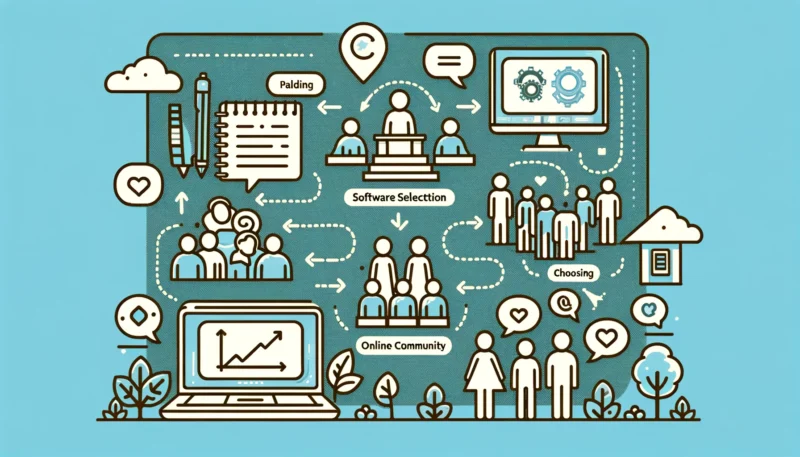
Planning and implementing the building of an online community requires strategic thinking, patience, and commitment. Here are key steps and proven practices that can help you build a successful and engaged community:
1. Define your purpose and target audience
- Purpose: Determine why you are founding the community and what you want to achieve with it. A clear purpose will help you attract the right members and unite the community around common goals.
- Target Audience: Understand who your potential members are. Consider what interests them, what needs they have, and how your community can offer them added value.
2. Choose the right platform
- Based on the needs and preferences of your target audience, choose a platform that best supports them. Consider factors such as user-friendliness, range of functions, and customization options.
3. Develop clear guidelines and structures
- Guidelines: Create clear rules of conduct and community guidelines to foster a positive and welcoming atmosphere.
- Structure: Develop an intuitive structure for your community’s discussions and content. Categories and tags can help keep information accessible and organized.
4. Encourage engagement and interaction
- Content: Regularly share valuable and relevant content to stimulate discussions and encourage members to participate.
- Activities: Organize events, competitions, or Q&A sessions to motivate members to actively participate.
5. Moderate actively
- Effective moderation is crucial to minimize conflicts and maintain a positive environment. Respond proactively to feedback and be a role model for constructive communication.
6. Build relationships
- Foster personal relationships and networks within your community. Recognize and reward active members for their contributions to create a sense of belonging and appreciation.
7. Use data and feedback
- Use analytics to understand member engagement and behavior. Regularly collect feedback to continuously improve the community experience.
8. Foster growth
- Use social media, content marketing, and partnerships to attract new members. Remember that quality is often more important than quantity – focus on members who are truly interested in the value your community offers.
9. Be patient and consistent
- Building an engaged community takes time. Stay true to your purpose, be actively involved, and adjust your strategy when necessary.
The key to success lies in combining a strong, purpose-driven foundation, dedicated leadership, active moderation, and the ability to adapt to the needs and feedback of community members. With time and dedication, you can build a vibrant and supportive online community.

Florian Ibe
CEO & Marketing Consultant
Your contact person: Florian Ibe

What makes a good online community?
A good online community is characterized by several key features that together create a supportive, engaging, and sustainable environment. Here are the most important factors that make a good online community:
1. Clear Objectives and Values
- Purpose-driven: A strong community is built on a clear purpose or goal that unites members and gives them a common direction.
- Shared Values: The best communities have a core set of values that guide behavior and interactions within the group.
2. Engaged Members
- Active Participation: Members regularly participate through contributions, discussions, and other forms of interaction.
- Diversity: A good community includes members from various backgrounds and with different perspectives, which enriches discussions.
3. Effective Communication and Moderation
- Open and Respectful Communication: An environment where members can express themselves freely while maintaining respect and friendliness.
- Effective Moderation: Moderators play a crucial role in maintaining order and a positive atmosphere by enforcing guidelines and resolving conflicts.
4. Valuable Content and Resources
- Informative and relevant content: Providing valuable information, resources, and learning opportunities attracts members and keeps them engaged.
- Member contributions: A good community encourages members to share their knowledge and experiences, which increases the collective value of the community.
5. Strong leadership and vision
- Engaged leadership: Community leaders or administrators who are committed to driving the community’s vision and being there for its members.
- Strategic development: A vision for the growth and development of the community, including plans to foster engagement and expand the member base.
6. Supportive and positive environment
- Support and Empathy: An environment where members support each other, give advice, and build positive relationships.
- Safety and Trust: Measures to protect members‘ privacy and ensure their safety contribute to a trusting environment.
7. Adaptability and Innovation
- Open to Feedback: The best communities listen to their members‘ feedback and adapt to their needs.
- Innovative: Introducing new technologies, features, or activities to keep the community fresh and engaged.
A good online community not only offers a platform for exchange and networking but also becomes a place where members feel valued, heard, and supported. By combining these elements, dynamic and thriving online communities emerge that create real value for their members.
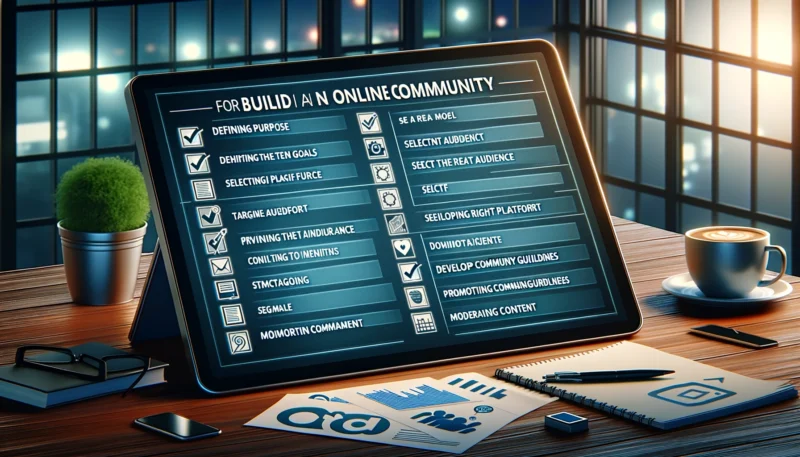
A well-thought-out checklist can be crucial for structuring the community building process and selecting the right software that meets your needs. Here is a detailed checklist covering both aspects:
Checklist for Community Building
- Define Purpose and Goals
- ✅ Determine the main purpose of your community.
- ✅ Set specific, measurable goals for community development.
- Identify Target Audience
- ✅ Define who your target audience is.
- ✅ Understand the needs and interests of your target audience.
- Develop Community Guidelines
- ✅ Create rules of conduct and moderation guidelines.
- ✅ Determine how conflicts and issues will be handled.
- Select Platform and Software
- ✅ Research available community platforms and management tools.
- ✅ Compare features, pricing, and customization options.
- Plan Structure and Navigation
- ✅ Develop a clear and intuitive structure for your community.
- ✅ Plan how content will be organized and categorized.
- Engagement and Content Strategy
- ✅ Develop a strategy for regular and engaging content.
- ✅ Consider how you can encourage members to actively participate.
- Promotion and Growth
- ✅ Develop a plan to promote your community and attract new members.
- ✅ Use social media, email marketing, and other channels for promotion.
- Monitoring and Adjustment
- ✅ Implement tools for tracking and analyzing engagement.
- ✅ Schedule regular reviews to assess progress and make adjustments.
Checklist for choosing the right software
- Functionality and Features
- ✅ Check if the platform offers the necessary functions for building and managing your community.
- ✅ Ensure that the software is scalable and can grow with your community.
- User-friendliness
- ✅ Evaluate user-friendliness for yourself and community members.
- ✅ Check if there is support and resources for users.
- Adaptability
- ✅ Check how far the platform can be adapted to your design and functional requirements.
- ✅ Investigate whether there are integrations with other tools and services.
- Security and Data Protection
- ✅ Review the platform’s security features and data protection policies.
- ✅ Ensure that the software complies with legal requirements.
- Costs
- ✅ Compare pricing models and consider your budget.
- ✅ Look out for hidden costs such as additional features or support.
- Support and Community
- ✅ Check what kind of customer support is offered (e.g., live chat, email, phone).
- ✅ Research whether there is an active user community or forums for support and exchange.
- Reviews and References
- ✅ Read reviews and case studies to gain insights into the experiences of other community managers.
- ✅ Consider using a demo or a trial version to try out the platform.
This checklist is intended to serve as a guide for you to strategically approach building your community and to choose a software solution that supports your goals and promotes the growth and engagement of your community.





 DE
DE

