

The direct visibility and discoverability of a brand in search results is no longer just a matter of a classic website, online shop, or social media presence. Rather, the first impression is increasingly shaped by entries high up in search engines – particularly by the so-called brand profile (English: brand profile or „Knowledge Panel for brands„) on Google. This article shows what exactly a brand profile is, how it differs from the classic company or business profile (Google My Business), what advantages and risks are associated with it, and how you as a brand manager,e-commerce brand, or SEO manager can optimally benefit from it.
The Google Brand Profile is, for example, part of a targeted GEO-SEO for Search Everywhere Optimization (SEvO). Feel free to contact us for advice on this.
Google Brand Profile for more visibility, discoverability and best placement
Today, a Google Brand Profile is a decisive success factor for companies that want to appear visible and trustworthy online. It strengthens your brand awareness, improves discoverability in Google Search and supports better placement of your brand in the search results. By specifically maintaining and optimizing your brand profile, you present your brand professionally, consistently and with maximum reach – an indispensable tool for sustainable digital growth.
What is a Brand Profile on Google?
A brand profile is a representation of a brand or company as it appears in Google Search (and increasingly on Google Maps and other Google properties). It is not primarily a local business listing (with address, opening hours, etc.), but rather a brand, an online shop or an overarching corporate brand.
Google itself writes: „A Business Profile is for businesses that interact with customers face-to-face … while a brand profile is for businesses that sell products online.“ support.google.com+1
It also explains: „Your brand profile on Search serves as a quick and informative display of your online presence. … You can use it to engage more potential customers by displaying essential details like your business description, images, shipping details, loyalty program benefits, and promotions.“
Source: support.google.com/business/answer/16394780
Key elements of a brand profile include:
- Brand name, logo, and images of products or the brand
- Short description of the brand
- Links to website, possibly social media
- Shipping or return details, promotions, brand story
- In some cases, shopping features or product showcases
- Management and optimization via Google (e.g., via Merchant Center or Brand Profile tools)
The goal: Those who search for your brand see controlled and optimized brand information – and not just random or outdated entries.
You can find Google's main article on brand profiles here.
Become more visible on Google & Social Media?
In a free strategy consultation for data-driven online marketing, we uncover your untapped potential, review any existing ad accounts if necessary, examine your SEO ranking and visibility, and determine which strategy is appropriate for your budget and which active measures will lead to more inquiries or sales.

✅ More visibility & perception through targeted placement
✅ More visitors > prospects > customers > revenue
✅ Reach target groups scalably with SEA
✅ Act and grow sustainably with SEO
🫵 Maximum success with our hybrid strategy
💪 More than 15 years of experience across industries in over 1,000+ projects demonstrable!







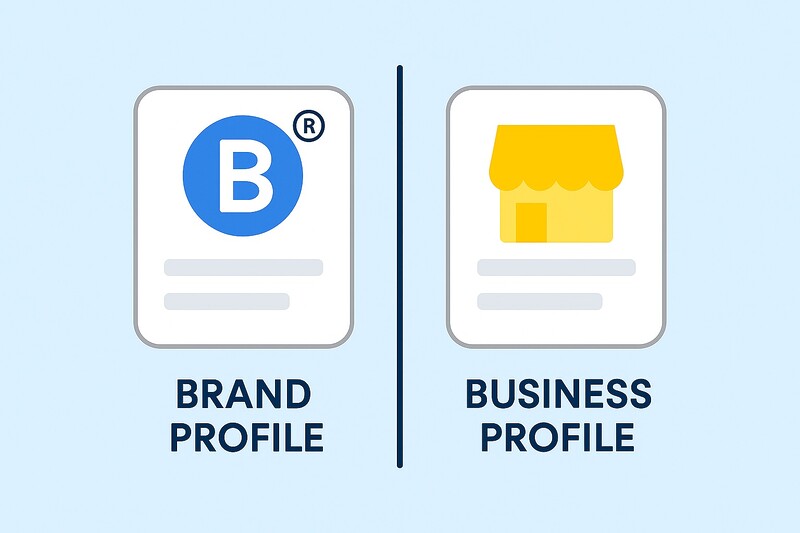
Distinction & Comparison: Brand Profile vs. Company Profile (My Business Profile)
Since confusion often arises, here is a clear comparison of the Google placements:
| Feature | Business Profile | Brand Profile |
|---|---|---|
| Purpose | Local business, service provider with on-site customer contact | Brand, online shop, product brand without mandatory store visit |
| Visibility | Also in Google Maps, for local searches („near me“) | Primarily in brand/product search, global focus |
| Elements | Address, opening hours, reviews, local posts | Brand logo, brand story, product images, shipping/returns information |
| Claim | Business owner or manager can actively claim the listing | Often selected e-commerce retailers or brands can claim the profile |
| Goal | Acquire customers on-site or in the catchment area | Increase brand awareness, centrally manage product presence |
Google confirms: „You can use both Business Profile and brand profile on Google to manage how your business appears online. Each profile helps you connect with customers in different ways.“
This shows: It is not automatically „either – or,“ but for suitable business models (e.g., both brick-and-mortar and eCommerce), both profile types are possible.
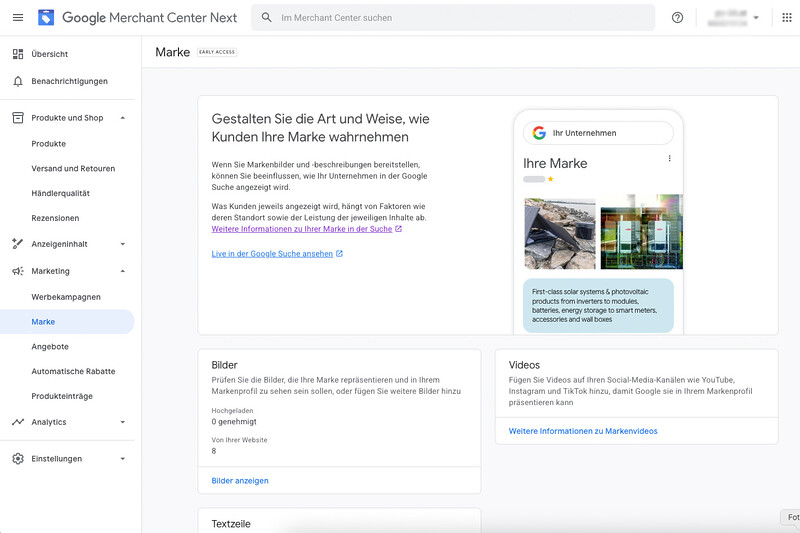
New since August 2025: Brand management in the Google Merchant Center
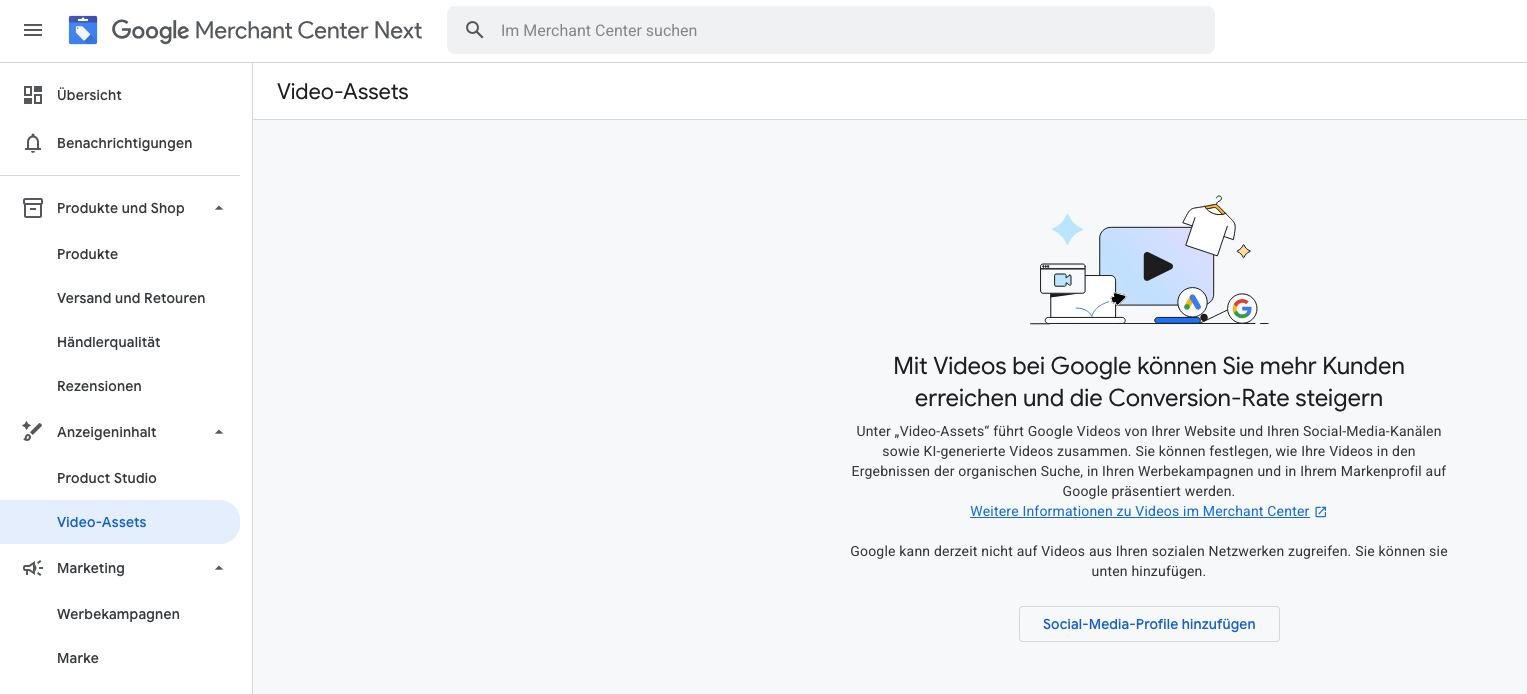
The Google Merchant Center offers brand owners and manufacturers a central platform to manage their brand identity in Google Search, Google Shopping, and other Google surfaces. With the new „Manage brand profile“ feature, companies can set up, maintain, and optimize their public brand profile directly through the Merchant Center – without detours through external systems.
In this area, images, videos, descriptions, logos, and brand stories can be specifically uploaded and customized. This gives brands full control over their appearance within the Google environment – from Shopping campaigns to Knowledge Panels and product results. It is particularly important that Google can identify your brand as the official sender based on the information provided.
Key benefits of brand management
- Consistent brand identity: Your logo, brand name, and visual language are presented consistently across all Google products — from Search to Ads.
- Greater visibility: Correct setup increases the likelihood that your products will be linked to your brand profile and prominently highlighted.
- Better user experience: Buyers immediately see that your brand is verified — including story, values, and visual recognition.
- Optimized performance: Stronger brand perception can lead to higher click-through rates and an improved conversion rate.
- Extended control: You decide which media, descriptions, or links are actively displayed, and you can update them at any time.
Contents of the brand profile
The brand profile in the Merchant Center can include the following elements:
- Brand name and official short description
- Logo (square, min. 1,000 × 1,000 px)
- Hero image or high-resolution product images
- Brand story or company description (max. 500 characters, optionally AI-assisted generation available)
- Link to the official website
- Social media profiles or supplementary resources
Via the „Manage brand“ menu item in the Merchant Center, this content can be added, reviewed, or revised. Google reviews the submitted assets and ensures that they comply with the quality and brand guidelines.
Important: Super admin access in the Business Manager is required
In order to be able to fully manage your Google brand profile or Merchant Center brand profile, you need super admin access to a verified Business Manager account. Only with this permission do you have access to all administrative functions – including the management of brand profiles, the assignment of user rights, and the review of brand information.
The Business Manager serves as the central management platform for your Google brand and business listings. Here, all associated accounts, such as the Google Business Profile, the Merchant Center, or the Brand Profile, are linked with one another and managed centrally.
It is advisable to regularly check who has access and whether your company manager account is properly verified and up to date. This is the only way to ensure that your brand remains protected and that changes to official profiles can only be made by authorized administrators.
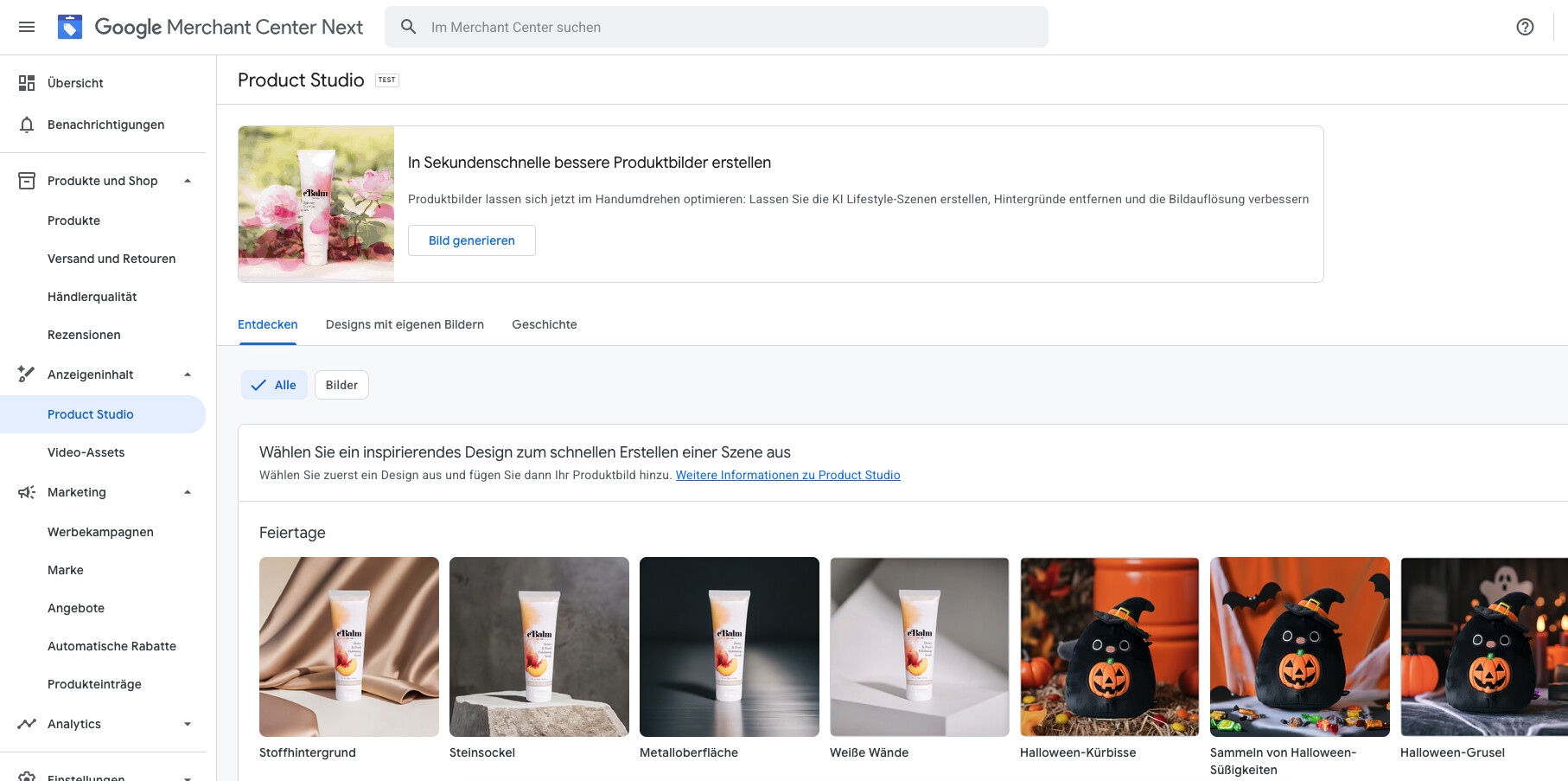
Automatic suggestions & AI support
Google now also offers AI-powered support for creating brand descriptions or visual content. These suggestions can be adopted, adjusted, or completely replaced manually. The goal: consistent, relevant brand presentations that help users develop trust in your products.
Connection to Google brand profiles
If you already manage a Google brand profile (Brand Profile), the Merchant Center can automatically link this profile. As a result, your brand-related data such as logo, colors, slogans, or product photos are adopted in Shopping displays and synchronized with your advertising accounts.
Brand management in the Google Merchant Center is a powerful tool for actively shaping digital brand perception. It enables companies to present their brand with a clear structure, consistent visual language, and high information quality across all Google platforms. This is how you build trust, increase the visibility of your products, and secure a strong presence for your brand in the long term throughout the entire Google ecosystem.
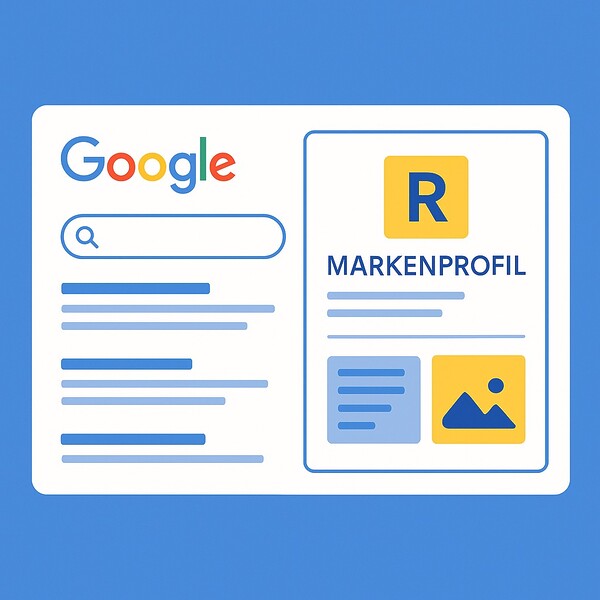
Google brand profile in search
The Google brand profile is the central business card of your brand in Google Search. It enables companies to actively shape their appearance directly in search results – with logo, brand description, product images, videos, offers, and service information. Users thus receive all important facts about your brand at a glance, including links to website, social media channels, and promotions.
Google automatically pulls content from your website, your Shopping and Merchant accounts, and other trusted sources. By specifically optimizing your brand profile, you strengthen your brand awareness, visibility, and credibility. Businesses also benefit from higher click-through rates, clear brand perception, and improved positioning in search.
An actively maintained brand profile ensures that your brand is perceived as professional, consistent, and customer-oriented – exactly where potential customers search every day: on Google.
As an online marketing agency, we have been offering the right solution for both topics for more than 15 years:
Why is a brand profile relevant for your brand?
1. Brand Visibility and Trust Building
When users search for your brand on Google, a brand profile displays a professional presentation – with logo, consistent brand story, and possibly product images. This strengthens trust and reduces the likelihood that users encounter uncontrolled or incorrect information.
2. Differentiation from Competitors
A well-maintained brand profile clearly sets you apart from your competitors in search results. It shows your brand not just as a functional business, but as a brand with identity, history, and values.
3. SEO Potential
Even though Google does not disclose an exact ranking formula, practice shows: brand profiles support visibility for relevant search queries – especially for combinations of brand name and product category. Additionally, a clear brand presence strengthens the so-called „entity branding“ principle, in which Google recognizes your brand as an independent entity (cf. Kalicube – Digital Brand Engineers).
In addition, new tools and features (see the „Future & Trends“ section) open up additional possibilities to present your brand optimally in search.
4. Managing Central Brand Information
Through the brand profile, you can specify which image, text, and brand information Google displays with priority. This reduces the risk of incorrect information being published by third parties or generated automatically.
Requirements & Eligibility for a Brand Profile
Certain requirements apply for a brand profile to be created or claimed on Google:
- Your brand must already be recognized by Google in some form as an entity – for example, through your website, the brand name, or existing reviews.
- An online retailer or brand owner is often eligible to officially claim the brand profile
- It is advisable to integrate structured data (Schema.org – Organization/Brand markup) on your website so that Google can clearly capture the brand entity.
- Professional brand assets such as a logo, product images, and consistent brand information make it easier for Google to assign them.
Step by Step: How to Claim Your Brand Profile
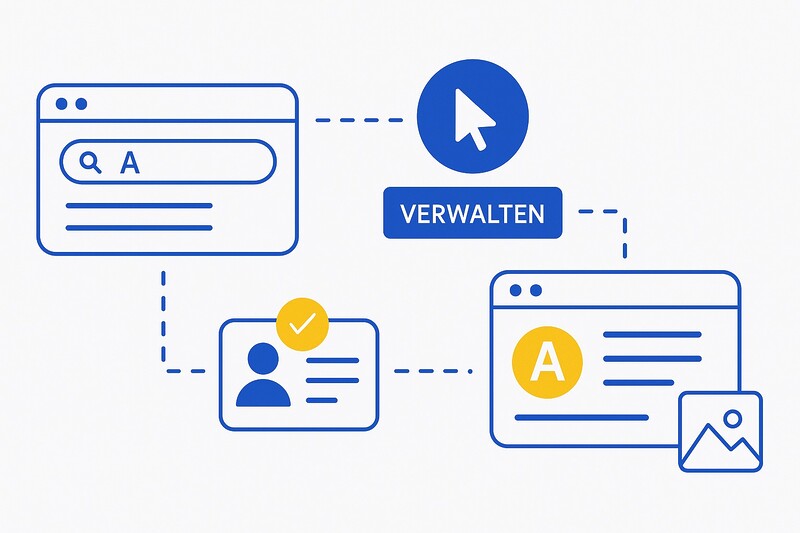
- Search on Google: Enter your brand name. If the panel with the note „Manage this brand profile“ appears on the right, a brand profile already exists.
- Start management: Click the „Manage“ link. Google checks whether you are authorized as an authorized person – such as a brand owner or marketing manager.
- Verification: Confirmation takes place via Google Search Console, the Merchant Center, or an alternative method.
- Maintaining your profile:
- Upload logo and brand images
- Write a short description
- Link brand website and social media channels
- Add product and brand images
- Monitoring: Google can update content automatically. Check regularly whether the information is current and correct.
- Technical Integration: If your brand operates purely online, you should integrate structured data (e.g.,
<script type="application/ld+json">with@type":"Brand"orOrganization) into your website and ensure consistency across all platforms.
Maintenance & Optimization of the Brand Profile
A brand profile that has been set up once only unfolds its full potential when it is regularly maintained and strategically developed further. Through targeted updates/changes, consistent brand communication, and high-quality content, you ensure that your brand is perceived as professional and trustworthy in the long term.
- Communicate the brand story: Use the description to convey your brand’s mission, values, and unique features.
- Use high-quality images: Use professional shots of your logo, products, or lifestyle motifs – the brand profile offers generous space for visual presentation.
- Ensure consistency: Brand name, spelling, and logo should be consistent on your website, in social media, and on all other platforms.
- Add product and service information: If you distribute products, you can store shipping and return details directly in your brand profile – this increases trust and transparency
- Monitoring: Use tools such as Google Analytics, Search Console, or the Merchant Center to analyze visibility and engagement metrics.
- Timeliness: Brands evolve. New products, key visuals, or brand messages should be regularly updated in your brand profile.
Typical Mistakes & Pitfalls
Even if setting up and maintaining a brand profile seems simple at first glance, avoidable mistakes often creep in in practice. These can limit your brand’s visibility, damage the trust of potential customers, or lead to Google misinterpreting your brand. To prevent this, you should be aware of the following points and actively avoid them.
- Brand profile not claimed or neglected → Google displays automatically generated, sometimes incorrect information.
- Inconsistency between website, brand presence, and brand profile → leads to confusion for users and Google.
- Using a business profile instead of a brand profile → incorrect representation or loss of visibility for purely digital brands.
- Missing structured data or incomplete brand assets → Google cannot clearly identify your brand.
- Focusing only on local presence, even though the brand is active online or internationally → limited reach.
Future & Trends
According to the Google blog, the brand and retail world is increasingly supported by AI-powered tools:
„New AI tools help merchants market their brand and products.“
Google also emphasizes:
„More ways to be present in Google Search“ – brands and merchants will be able to create even more personalized search experiences in the future.
Source: blog.google
For brand profiles, this specifically means:
- Integration of promotions,live events or dynamic content directly into the brand profile.
- More personalized presentation in Google Search.
- Linking with Shopping, Merchant Center, and AI marketing functions to specifically strengthen brand presence.
By the way, it’s always worth taking a weekly look at Google Trends:

Conclusion on visibility for brands on Google with brand profiles
A brand profile on Google is now an essential component of a professional online strategy. It is no longer enough to simply operate a website – what is crucial is how Google recognizes and presents your brand and allows users to interact with it.
Through consistent maintenance, optimization, and strategic integration into your digital marketing, you sustainably strengthen your visibility, credibility, and competitive position.
Those who actively use their brand profile give their brand authority, trust, and relevance throughout the digital ecosystem.

Florian Ibe
CEO & Marketing Consultant
Your contact person: Florian Ibe
Frequently Asked Questions (FAQ) about Google Brand Profile
1. What is the difference between a Google Brand Profile and a Business Profile?
A Brand Profile is aimed at companies that operate online or represent a national brand. It displays the logo, description, products, and brand story in Google Search.
A Business Profile, on the other hand, is intended for local businesses and contains location data, opening hours, reviews, and contact options – primarily relevant for Google Maps.
2. Who can apply for or manage a Brand Profile on Google?
Only authorized persons may manage a brand profile – e.g., brand owners, marketing managers, or authorized dealers. Google verifies this during the application process, for example, via Google Search Console or Merchant Center.
3. What advantages does a Brand Profile offer for SEO and brand building?
A well-maintained brand profile strengthens visibility in Google Search, promotes trust in your brand, and supports entity recognition by Google. This ensures that your content is displayed more consistently and is more frequently associated with relevant search queries.
4. How long does it take for a brand profile to become visible in Google Search?
After successful verification, it can take several days to weeks for the brand profile to fully appear. Google updates brand information at intervals, so it is advisable to check regularly and submit corrections if necessary.
5. Can I link my brand profile with other Google services?
Yes. Your brand profile can be combined with various Google services – e.g., Google Merchant Center,Google Analytics,Ads, or Shopping.
In addition, AI-powered tools can be used to dynamically adapt brand appearances and personalize campaigns.
Glossary – Important terms related to the Google Brand Profile
Brand Profile
Representation of a brand or an online business in Google Search – with logo, description, and product reference, but without a local location.
Business Profile
Listing for local businesses with address, opening hours, phone number, and reviews; appears in Google Maps and local search results.
Entity Branding
Concept where Google recognizes a brand as an independent digital entity – important for SEO authority and brand visibility.
Structured Data / Schema.org Markup
Technical markup of website content that helps Google better understand brand information and display it correctly in the brand profile.
Knowledge Panel
The information box on the right side of Google Search, where brand profiles, organizations, or people are visually highlighted.





 DE
DE

