

The combination of WP Rocket and Perfmatters is a popular solution for WordPress users who want to optimize their website performance. Each of these plugins for optimizing the loading time of WordPress websites and WooCommerce shops brings unique functions and optimization possibilities that complement each other, thus enabling a comprehensive increase in performance.
Maximum Page Speed with WP Rocket & Perfmatters in Combination
The combination of WP Rocket and Perfmatters offers high potential for maximizing the page speed of your WordPress website. WP Rocket improves loading times through advanced caching functions, file optimization, and the reduction of HTTP requests. Perfmatters complements this with finer control over performance, such as deactivating unnecessary scripts and optimizing the database. Together, they offer a comprehensive solution for increasing your website’s speed, which positively impacts user experience and search engine optimization.
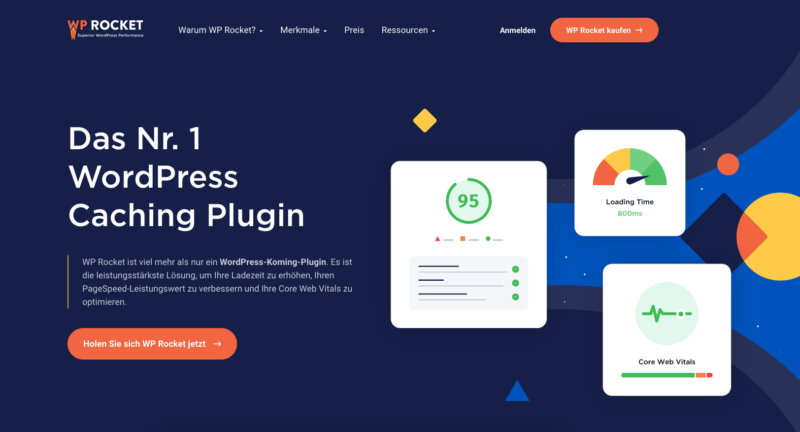
- WP Rocket*: This plugin is primarily known for its advanced caching features. It automatically creates caches for your web pages, minifies and combines CSS and JavaScript files, lazy loads images, optimizes Google Fonts, and much more. All of this helps to reduce your website’s loading time and improve overall performance.
- Perfmatters*: While WP Rocket focuses on caching and some general performance improvements, Perfmatters goes a step further by offering finer controls over your website’s performance. With features like deactivating unnecessary scripts and styles, optimizing the database, and other optimizations beyond caching, Perfmatters provides deeper control over your website’s resources.
The combination of both plugins allows you to benefit from WP Rocket’s strong caching features and Perfmatters‘ detailed performance optimizations. While WP Rocket ensures fast and efficient content delivery, Perfmatters helps reduce overhead by removing unnecessary scripts and functions. This synergy can lead to a significant improvement in loading times and overall website performance.
Start now and reduce loading time and improve user experience:

Additional tip: RocketCDN for maximum performance and easy CDN setup in just 3 minutes!
To use RocketCDN for maximum performance on your WordPress site, follow these steps:
- Registration and purchase of RocketCDN:
- Visit the RocketCDN website here* and register.
- Select the desired plan and complete the purchase.
- Setting up RocketCDN:
- After purchase, you will receive the CDN URL. Copy it.
- In your WordPress dashboard, go to WP Rocket > Settings > CDN.
- Paste the copied CDN URL into the designated field.
- Activate and Test:
- Activate RocketCDN and save the changes.
- Check your website yourself in a private tab to ensure the CDN is working correctly.
- Test the page with GTMetrix
This simple setup takes only a few minutes and can significantly improve your website’s loading speed.
Become more visible on Google & Social Media?
In a free strategy consultation for data-driven online marketing, we uncover your untapped potential, review any existing ad accounts if necessary, examine your SEO ranking and visibility, and determine which strategy is appropriate for your budget and which active measures will lead to more inquiries or sales.

✅ More visibility & perception through targeted placement
✅ More visitors > prospects > customers > revenue
✅ Reach target groups scalably with SEA
✅ Act and grow sustainably with SEO
🫵 Maximum success with our hybrid strategy
💪 More than 15 years of experience across industries in over 1,000+ projects demonstrable!







By using both plugins together, you can ensure that your website not only loads quickly but also runs efficiently and without unnecessary strain. This can not only improve the user experience but also have positive effects on SEO and conversion rates.

Florian Ibe
CEO & Marketing Consultant
Your contact person: Florian Ibe
Further blog articles:
Page Speed Optimization in WordPress & WooCommerce – faster loading time + security
Probably the best WordPress Cache Plugin / Caching Plugin for maximum Page Speed (fast loading time)
Explanation of Wp Rocket Installation & Perfmatters: Step by Step
To use WP Rocket and Perfmatters together on a WordPress site or in a shop, follow these steps:
- Installation of WP Rocket:
- Purchase and download WP Rocket from the official website.
- In your WordPress dashboard, go to „Plugins“ > „Add New“ and upload the WP Rocket ZIP file.
- Activate WP Rocket after installation.
- Basic Configuration of WP Rocket:
- Navigate to WP Rocket settings and configure the basic caching settings.
- Activate features such as Lazy Load, file minification, and GZIP compression.
- Installing Perfmatters:
- Purchase Perfmatters and download it from the official website.
- Repeat the process as with WP Rocket: upload and activate via the WordPress dashboard.
- Configuring Perfmatters:
- Go to the Perfmatters plugin in your dashboard.
- Use the Script Manager to disable unnecessary scripts per page or globally.
- Set up database optimization and other specific optimizations.
- Fine-tuning and Testing:
- Check your website after each change to ensure everything is working correctly.
- Use speed tests like Google PageSpeed Insights to evaluate the impact of the optimizations.
- Regular Review and Adjustment:
- Stay up-to-date with plugin updates and adjust settings as needed.
Please note that every website is unique and may require adjustments to achieve optimal results.
Frequently Asked Questions & Answers about WP Rocket & Perfmatters:
- Does combining both plugins improve my website’s loading time?
- Yes, WP Rocket optimizes caching and file minification, while Perfmatters offers additional optimizations such as disabling unnecessary scripts.
- Can WP Rocket and Perfmatters cause conflicts when used together?
- Normally not, but it is important to carefully check settings and test plugins after each change.
- Does using both plugins affect my SEO?
- Yes, positively. Faster loading times and optimized performance can improve SEO ranking.
- Can I disable Perfmatters for specific pages?
- Yes, Perfmatters offers fine-grained controls to disable optimizations on specific pages or posts.
- Does WP Rocket support CDN integration?
- Yes, WP Rocket supports CDN integration, which can further improve loading times.
- Are WP Rocket and Perfmatters suitable for beginners?
- Yes, both plugins are user-friendly and offer simple configuration options.
- Do I need technical knowledge to use these plugins?
- Basic knowledge of WordPress is helpful, but no advanced technical knowledge is necessary.
- How does the combination affect mobile users?
- The combination improves loading times and user experience on mobile devices, which is particularly important for mobile ranking.
- Can I use both plugins on a WooCommerce site?
- Yes, both plugins are compatible with WooCommerce and can help improve performance.





 DE
DE

