

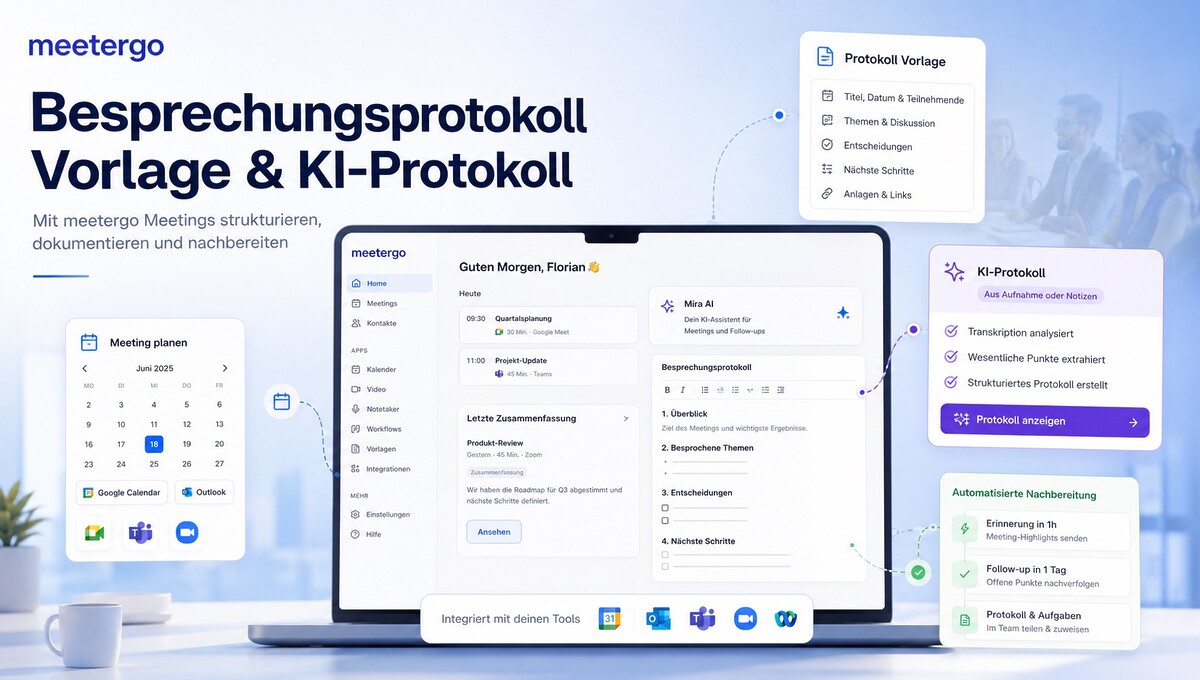
A good meeting minutes ensures that decisions are not lost, tasks are clearly assigned, and after a meeting everyone knows what to do next. That’s exactly why many people are looking for a meeting minutes template for Word or PDF. However, the classic template is just one option: Modern AI can now create a structured protocol from notes, a recording, or even directly from a meeting.
Writing protocols is annoying? Meeting minutes are easy to create with meeting minutes templates: Free samples for Word and PDF plus AI protocol
Writing protocols for conversations, meetings, and long meetings doesn’t have to be difficult! In this article, we show how a good meeting minutes should be structured, which types of protocols are suitable for which purpose, and how AI can significantly reduce the effort. We particularly look at meetergo. The German platform goes well beyond pure appointment scheduling and combines appointment planning, meetings, forms, CRM, automations, and AI-supported meeting documentation in one interface.
Particularly interesting is the protocol function: meetergo offers free protocol templates, an AI generator from notes or recordings, and with meetergo Log a solution for continuous transcription and meeting documentation.
Our video about it:
First: What is meetergo?
At first glance, meetergo is a platform for online appointment booking and scheduling. However, if you take a closer look at the interface, you quickly realize that the system is much more broadly designed. Around an appointment, various apps and processes can be combined with each other – from the booking page via forms and video meetings to CRM, automatic follow-up, and the finished protocol.
This is an important difference from specialized individual solutions: Instead of necessarily using multiple separate systems for appointment booking, forms, meeting notes, CRM, automations, and signatures, many of these processes can be mapped within meetergo or connected via interfaces.
Become more visible on Google & Social Media?
In a free strategy consultation for data-driven online marketing, we uncover your untapped potential, review any existing ad accounts if necessary, examine your SEO ranking and visibility, and determine which strategy is appropriate for your budget and which active measures will lead to more inquiries or sales.

✅ More visibility & perception through targeted placement
✅ More visitors > prospects > customers > revenue
✅ Reach target groups scalably with SEA
✅ Act and grow sustainably with SEO
🫵 Maximum success with our hybrid strategy
💪 More than 15 years of experience across industries in over 1,000+ projects demonstrable!







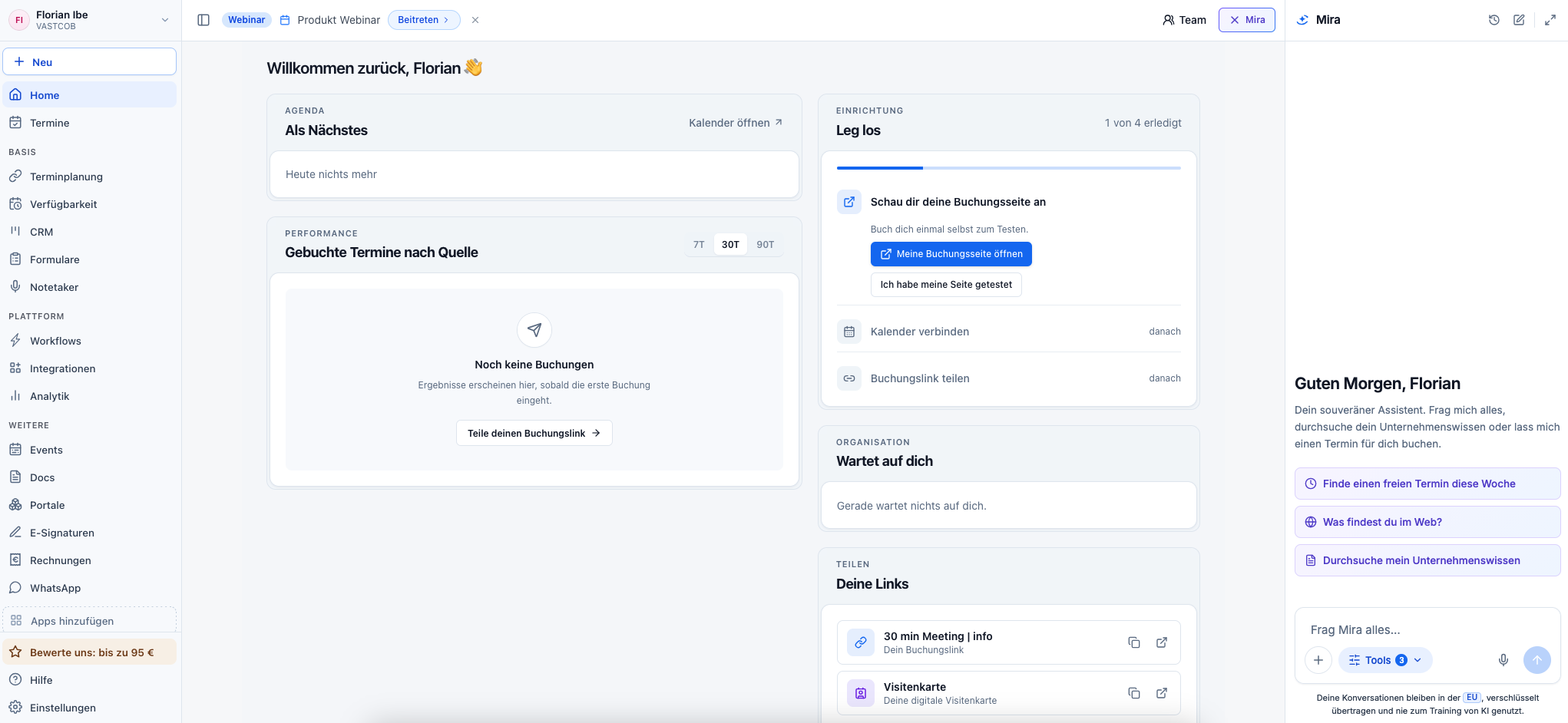
meetergo summarized:
- Appointment booking and availabilities
- Calendar and video conferencing integrations
- Forms, funnels, and routing
- AI notes, transcription, and protocols
- CRM for contacts, deals, and tasks
- Automated workflows and follow-ups
- Analytics and reports
- E-signatures and document processes
- AI Assistant Mira AI
Below, we compare these features with well-known solutions such as Calendly, Zoom, Otter.ai, Doodle, Typeform, DocuSign, Pipedrive, Fireflies, and Microsoft Copilot. This makes it easier to assess when a specialized single solution makes sense and when meetergo’s broader platform approach offers advantages.
An overview of the most important meetergo functions
The platform has a modular structure. This means that not every function necessarily has to be used. From my perspective, the following areas are particularly relevant.
Main functions
- Appointment scheduling: Booking pages, appointment types, and online appointment booking.
- Availabilities: individual weekly hours, calendar synchronization, and free time slots.
- Calendar: Synchronization with common calendar systems.
- Video meetings: Connection of various video conferencing platforms.
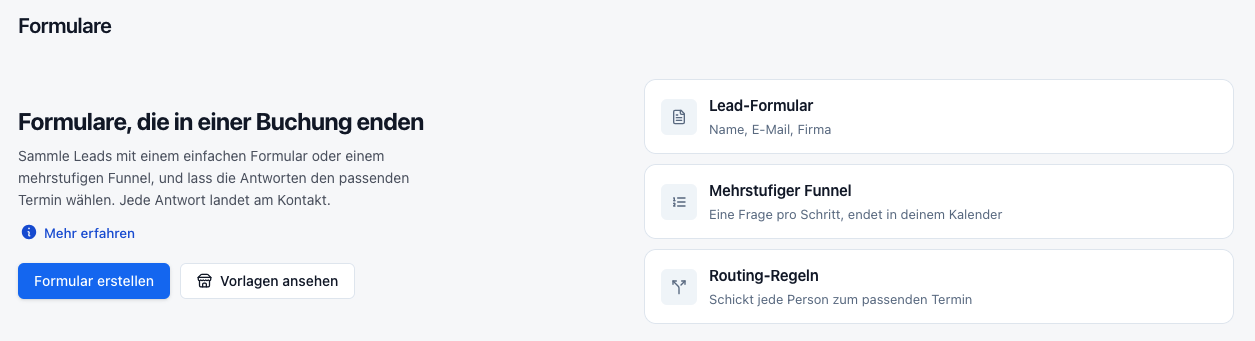
- Forms and Routing: Lead forms, multi-step funnels, and routing to the appropriate appointment.
- AI Meeting Documentation: Transcripts, summaries, minutes, and next steps.
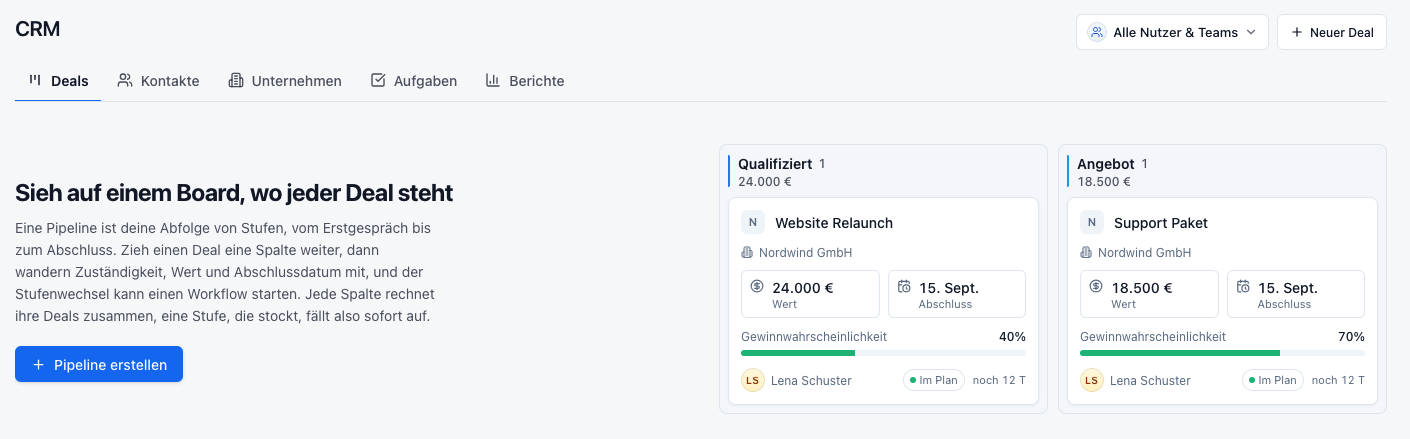
- CRM: Contacts, deals, tasks, and pipeline management.
- Workflows: Reminders, follow-ups, and other automated actions.
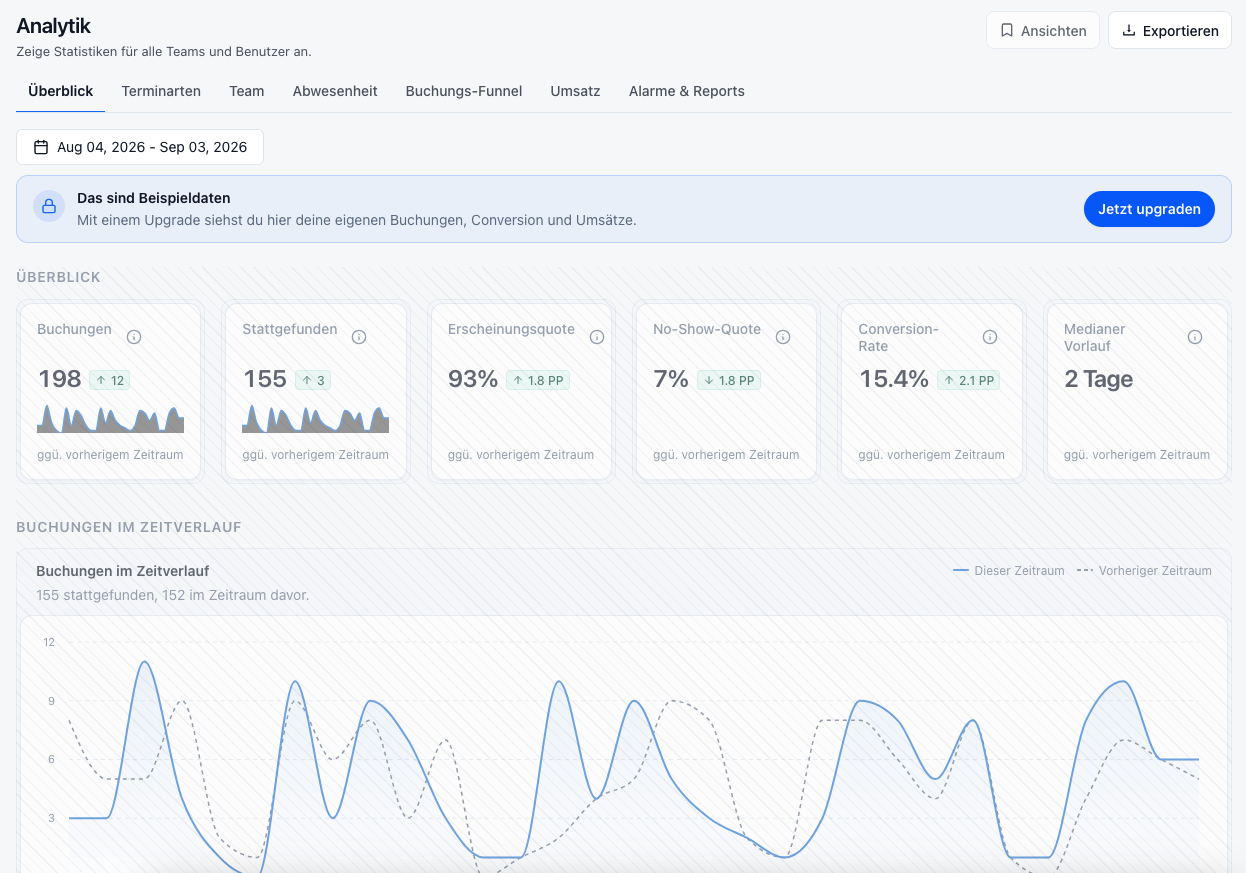
- Analytics: Bookings, conversion, no-shows, lead times, and other key metrics.
- E-Signatures: Prepare, send, and track PDF documents for signature.
Additional Functions and Apps
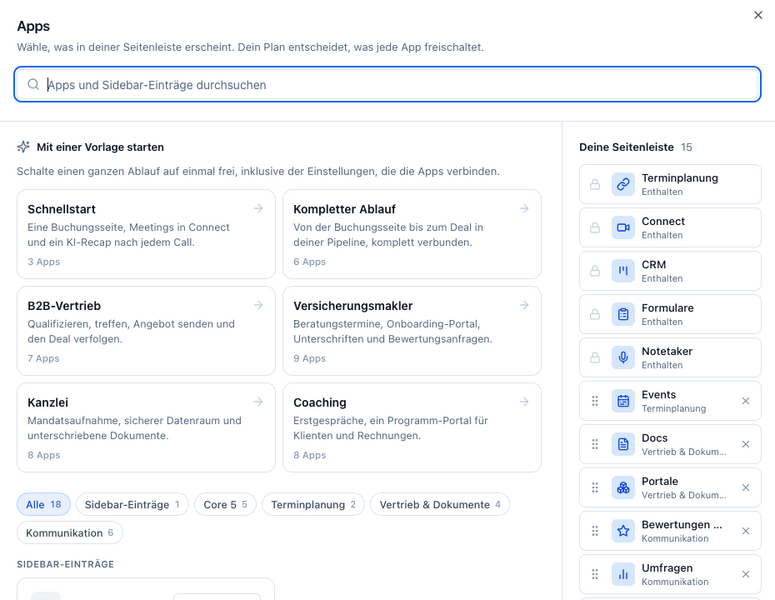
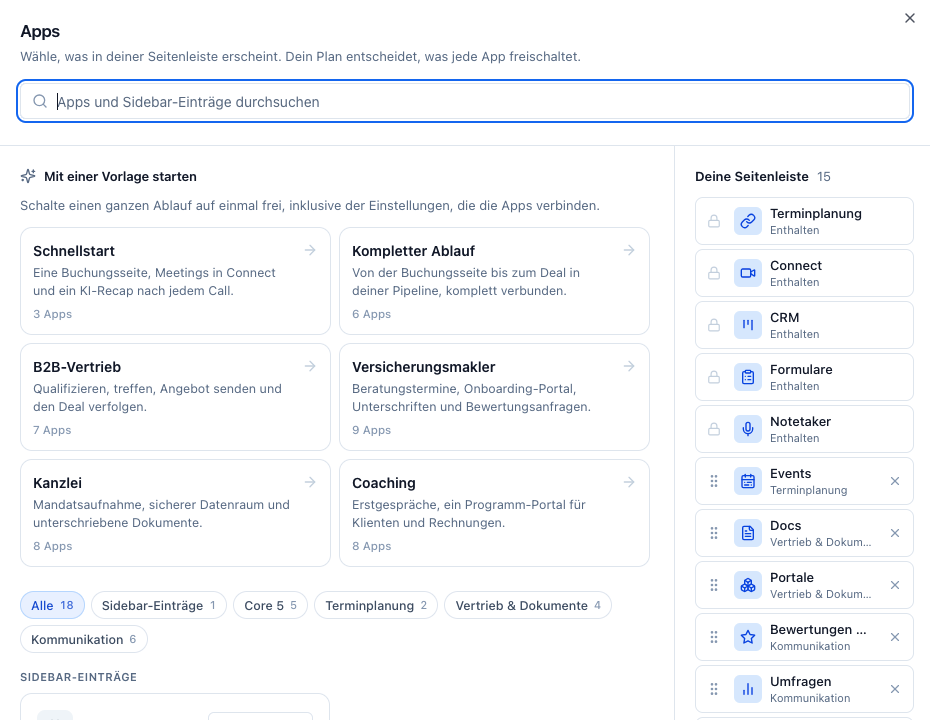
Additional modules can also be activated in the meetergo interface. These include events, document functions, portals, invoices, surveys, and communication functions. Which modules are actually needed depends heavily on the respective workflow.
This modular structure is particularly interesting: A small company can primarily use meetergo for scheduling and minutes, while sales or consulting teams can additionally use forms, CRM, automations, and document processes.
Mira AI: AI Assistant directly in the meetergo Dashboard
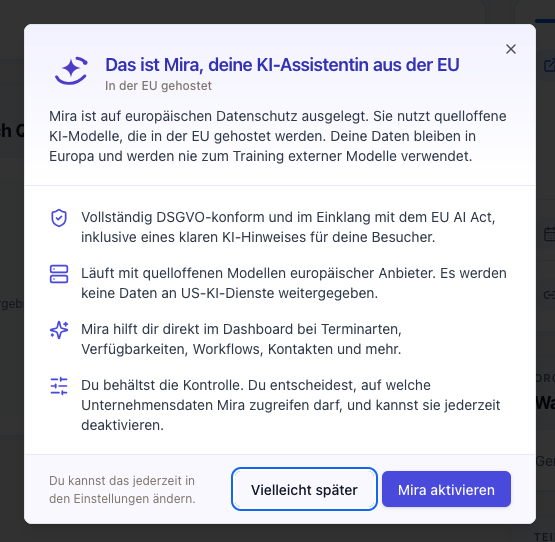
With Mira AI, meetergo also has an AI assistant directly within the platform. Mira is intended to help with appointment types, availabilities, workflows, and contacts, for example, and can be addressed directly via the dashboard.
According to the product information displayed in meetergo, Mira is designed for European data protection and uses open-source AI models hosted in the EU. At the same time, the user decides which company data Mira may access. Access can be controlled accordingly or Mira can be completely deactivated.
Integrations: meetergo does not have to replace existing tools
An important point in evaluating such a platform is the interfaces to existing systems. After all, companies rarely start completely from scratch.
In meetergo, you can connect Google Calendar, Microsoft Outlook, Microsoft Exchange, Apple Calendar, Proton Calendar, and other CalDAV calendars among other things. For video conferences, for example, Microsoft Teams, Zoom, and Webex are directly integrated into the interface.
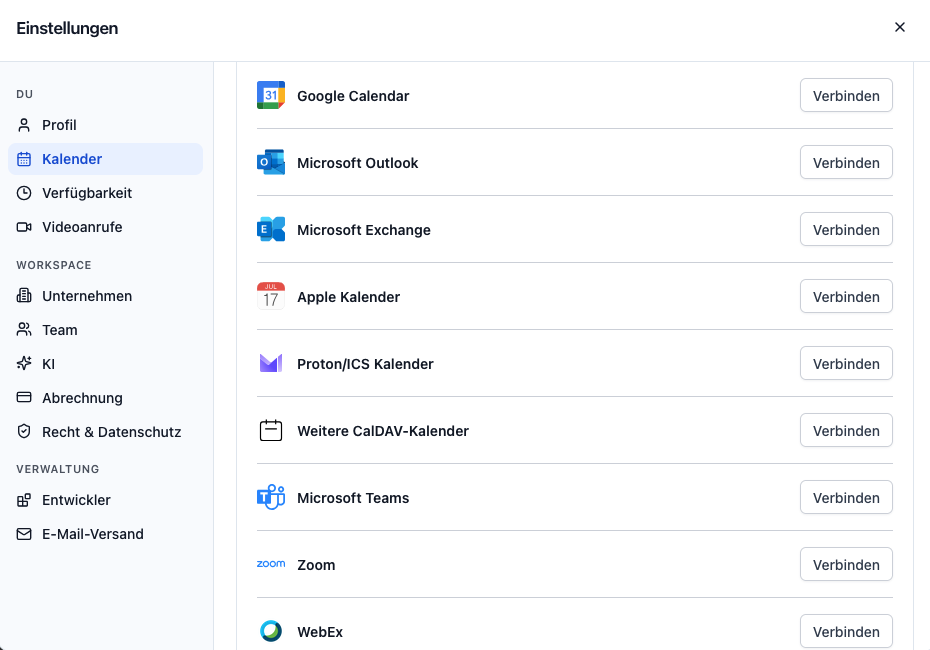
In addition, according to its own integration overview, meetergo offers more than 90 integrations. Additional systems and custom processes can be connected via services such as Zapier and Make, webhooks, and an API. This allows meetergo to be connected to CRM, marketing, payment, or automation platforms, for example.
This is also relevant for the later combination with Teams or Zoom: companies do not necessarily have to abandon their existing meeting solution, but can use meetergo for the processes before and after.
meetergo at a glance: screenshots from the platform
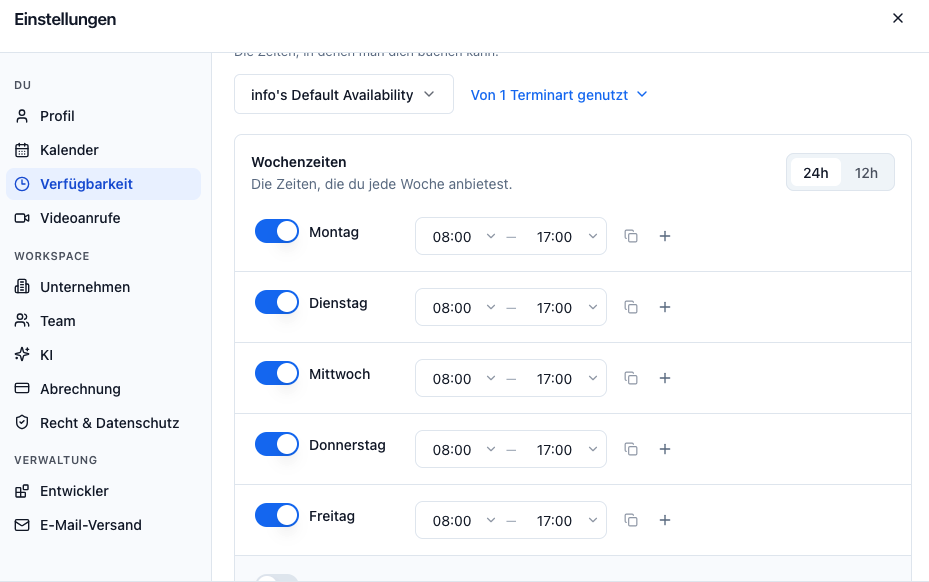
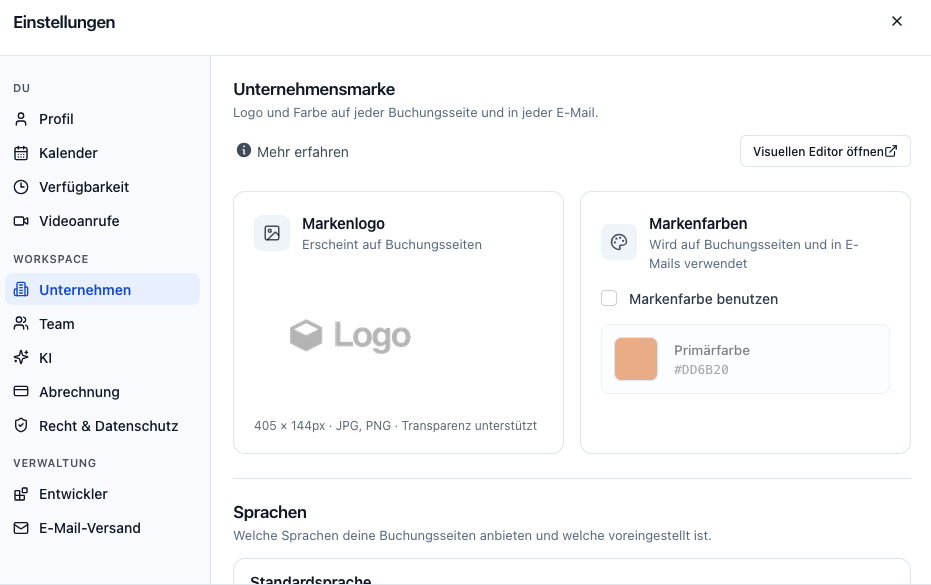
The following screenshots show how broad meetergo’s range has become. In addition to appointment scheduling and booking pages, there are features for branding, forms, CRM, workflows, analytics, and digital document processes.
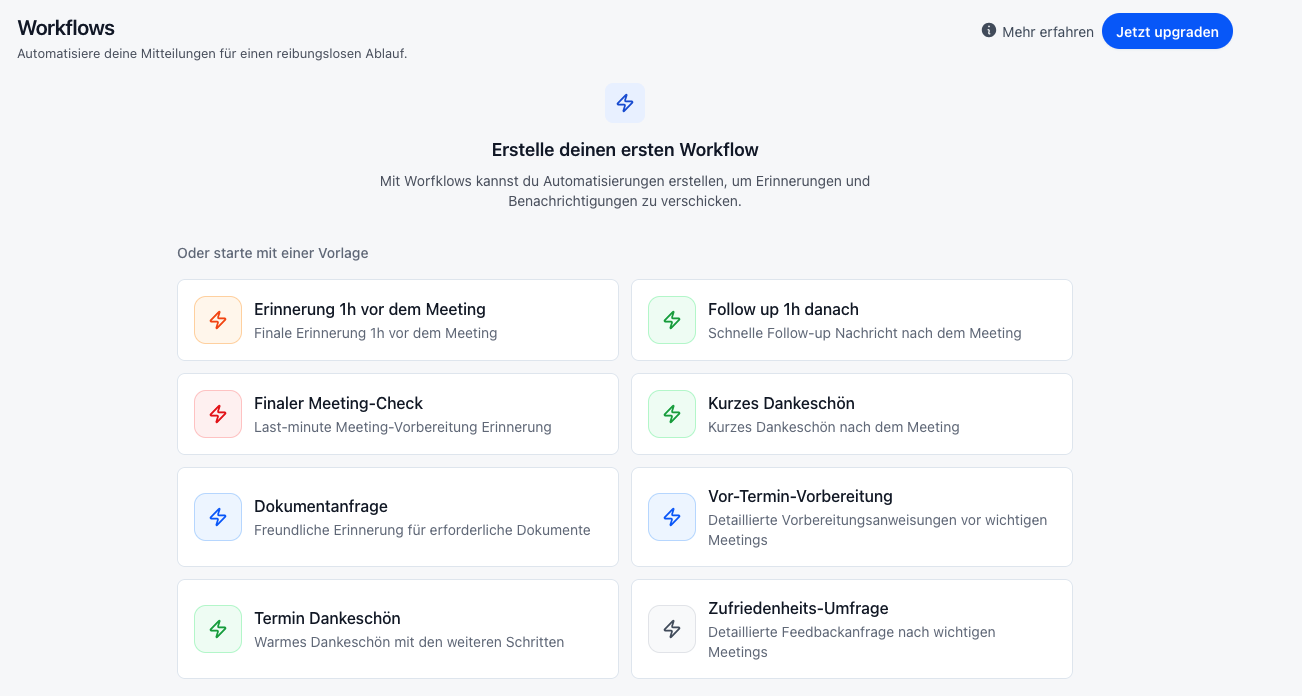
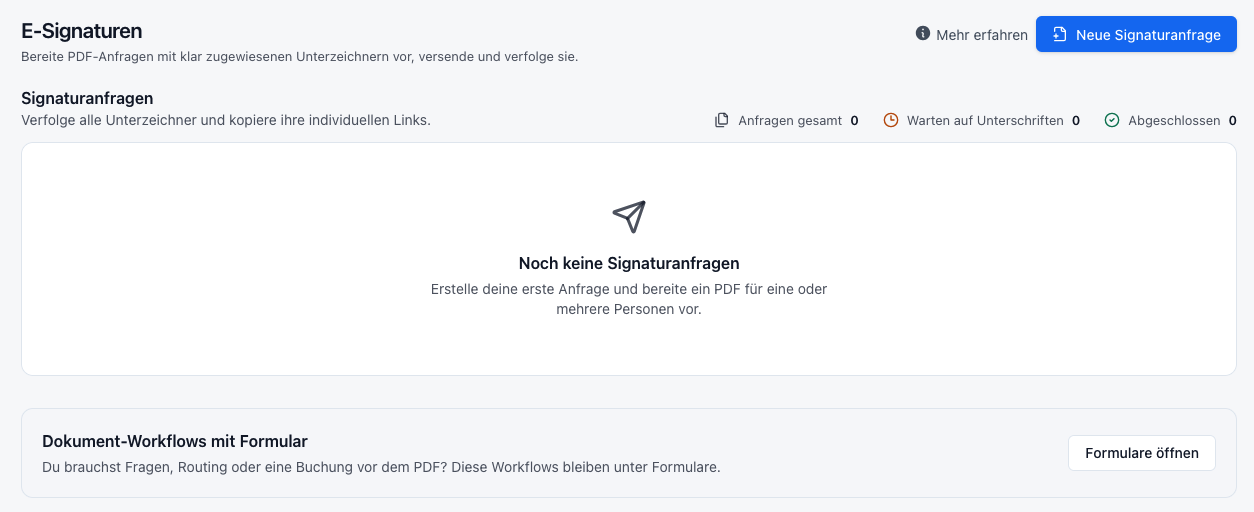
Meeting Minutes Template: Free for Word, PDF, and Google Docs
This brings us to the main focus of this article: the meeting minutes.
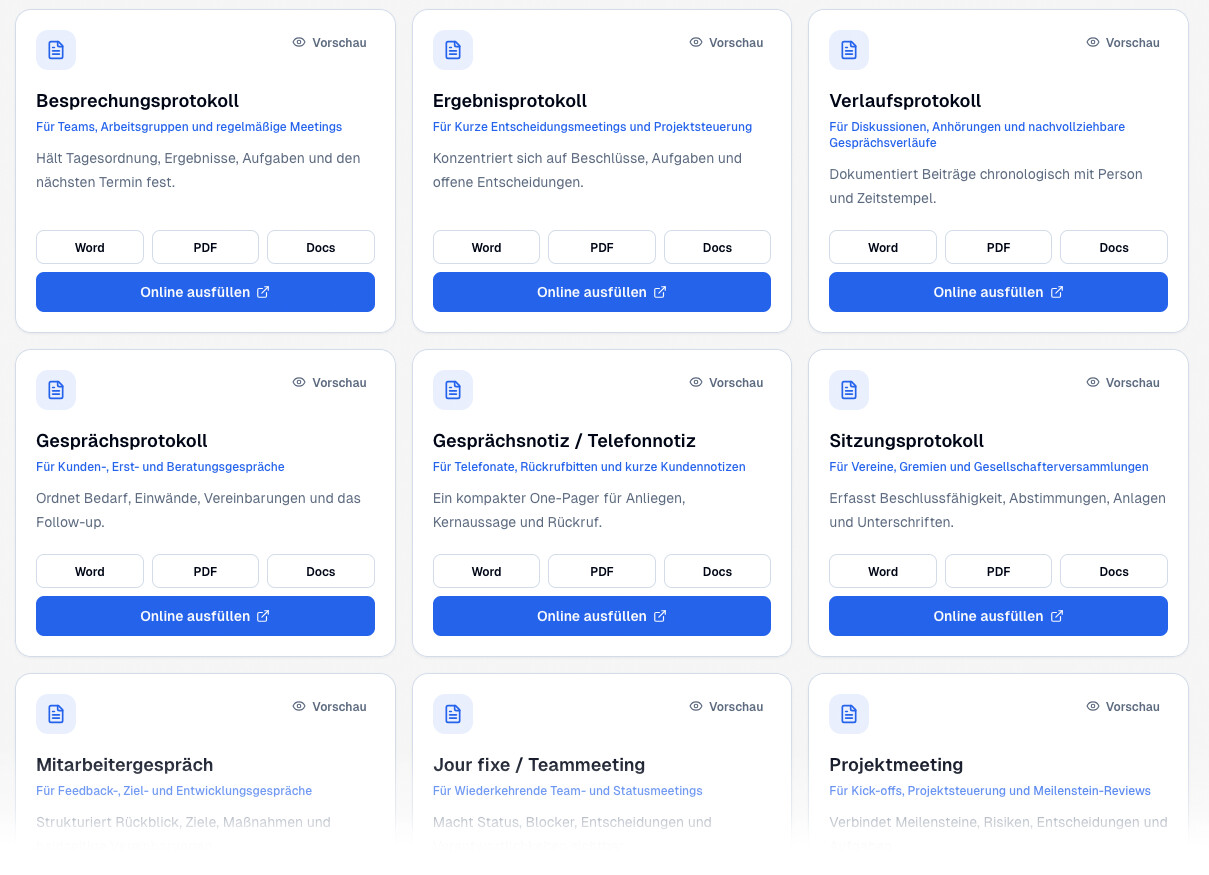
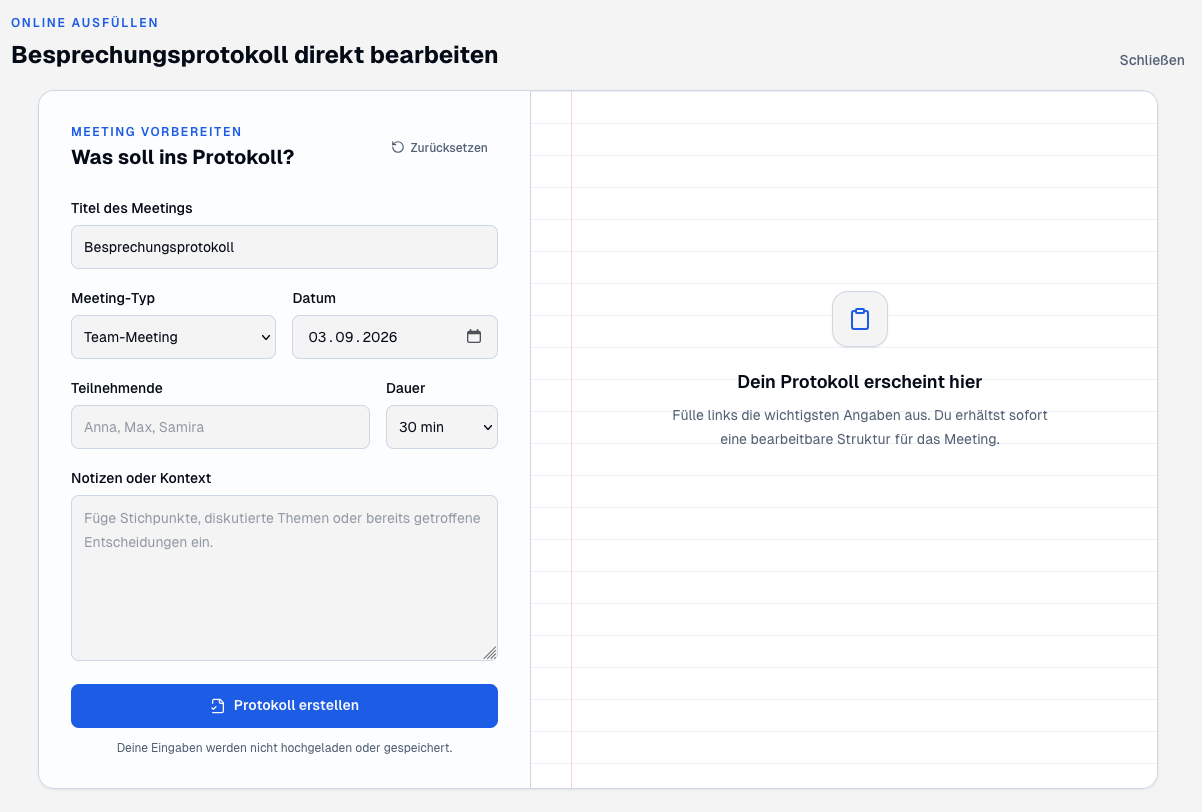
Anyone who just needs a template quickly doesn’t necessarily have to set up complete software. meetergo currently provides nine different meeting minutes templates that can be used as Word files, PDFs, or Google Docs versions depending on the template, or can be filled out directly in the browser.
This is practical because not every meeting requires the same minutes format. A brief decision-making meeting has different requirements than an employee conversation or a formal meeting.
Which type of minutes is the right one?
The most important decision is made before you start writing: What type of minutes do I actually need? The different templates pursue different objectives.
| Type of minutes | Suitable for | Focus |
|---|---|---|
| Meeting minutes | Team meetings and regular meetings | Agenda, results, tasks and next appointments |
| Results minutes | Decision meetings and project management | Resolutions, tasks and open decisions |
| Progress minutes | Discussions and traceable decision-making processes | Chronological course of the conversation |
| Conversation minutes | Customer, initial and consultation meetings | Needs, objections, agreements and follow-up |
| Conversation note / telephone note | Brief telephone calls and callback requests | Concern, key message and next step |
| Session minutes | Associations, committees and shareholders‘ meetings | Resolutions, votes, attachments and signatures |
| Employee appraisal | Feedback, goal-setting and development meetings | Review, goals, measures and agreements |
| Jour fixe / team meeting | Recurring status meetings | Status, blockers, decisions and responsibilities |
| Project meeting | Kick-offs, project management and reviews | Milestones, risks, decisions and tasks |
→ Open the free protocol templates
Writing meeting minutes: How to do it correctly
A good protocol should not attempt to record every spoken word. Rather, the goal is a clear and comprehensible documentation of the relevant results.
1. Choose the correct protocol type before the meeting
Before starting, it should be clear what the document will be needed for later. If mainly decisions and tasks matter, a results protocol is usually sufficient. If it must also be traceable how a decision came about, a progress protocol is more suitable.
2. Prepare the most important mandatory information
Basic information can be entered even before the appointment:
- Title and topic of the meeting
- Date and time
- Location or video conference
- Participants
- Minute taker
- Agenda
For formal meetings, the meeting chair, quorum, or voting results may also be relevant.
3. Record results instead of every single sentence
A protocol is usually not a complete transcript. The key points are crucial: What was decided? What task was agreed upon? Who will take it on? And by when?
Therefore, an imprecise note like „check website“ should ideally become a concrete task, for example: „Anna checks the new pricing page by Friday and then gives feedback to the team.“
4. Always record tasks with responsibility and deadline
Many protocols lose their practical use because numerous points are documented, but responsibilities are missing. A good task list therefore always answers as clearly as possible:
- What needs to be done?
- Who is responsible for the task?
- By when should it be completed?
5. Check the protocol promptly
Even an automatically generated AI protocol should be checked before sending. Names, numbers, negations, deadlines, and concrete decisions are particularly important. AI can take a lot of work off your hands, but it should not replace the final content review.
6. Distribute the protocol as quickly as possible
The faster a protocol is sent after the meeting, the higher its practical value. Especially tasks and decisions are still present, and ambiguities can be corrected promptly.
Create AI protocol from recording or notes
Meetergo becomes interesting where the classic template becomes an automated process. On the protocol page, either a meeting recording can be uploaded or existing text or notes can be inserted.
The AI then organizes the available information into the chosen protocol structure. The result can be further edited, copied, and exported as a Word or PDF file.
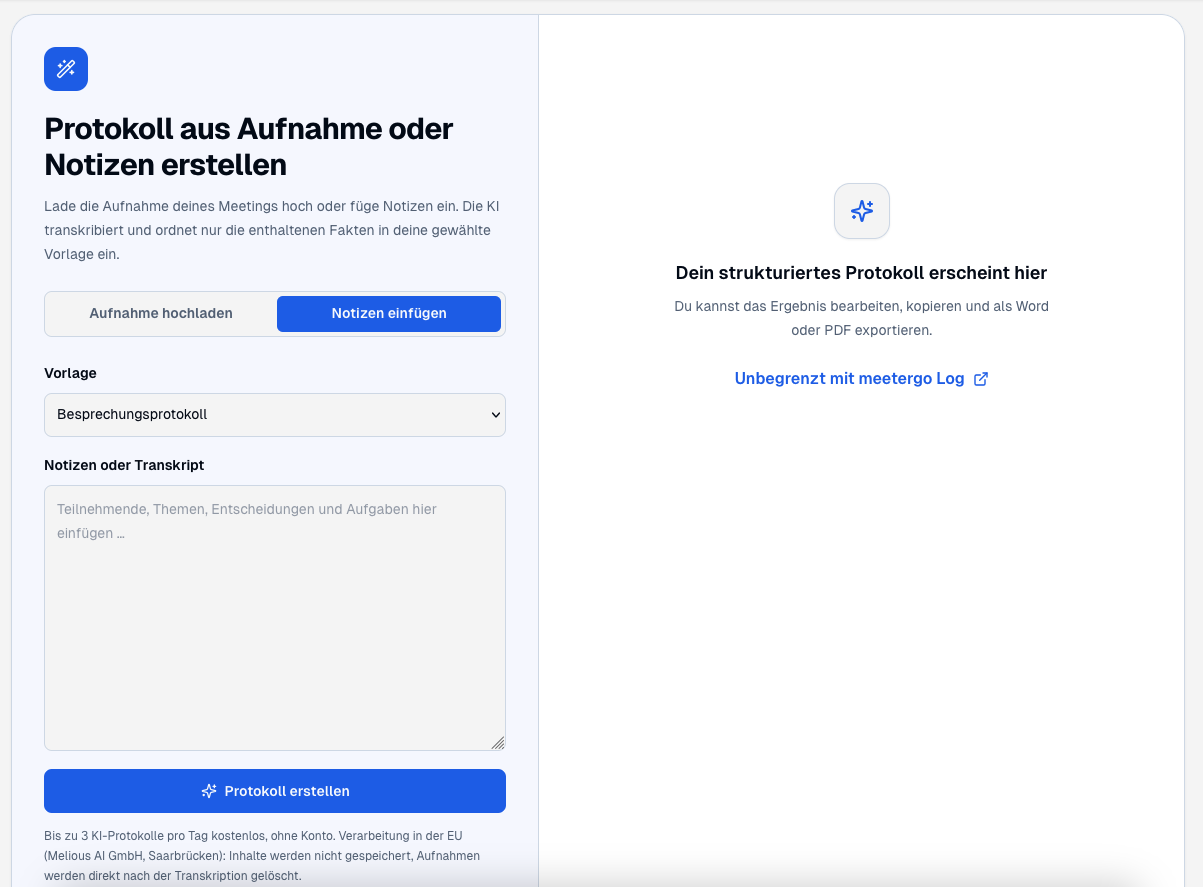
At the time of this article, according to meetergo, up to three AI protocols can be created per day free of charge and without an account using this function. The website states that this process is handled within the EU. Content is not permanently stored, and uploaded recordings are deleted after transcription.
This is particularly practical if a recording or transcript already exists and a structured documentation needs to be created quickly from it.
Notetaker and meetergo Log: Two different ways to document meetings
At this point, a distinction is important: In meetergo, there are several ways to automatically document a conversation. The Notetaker and meetergo Log are not identical.
The meetergo Notetaker
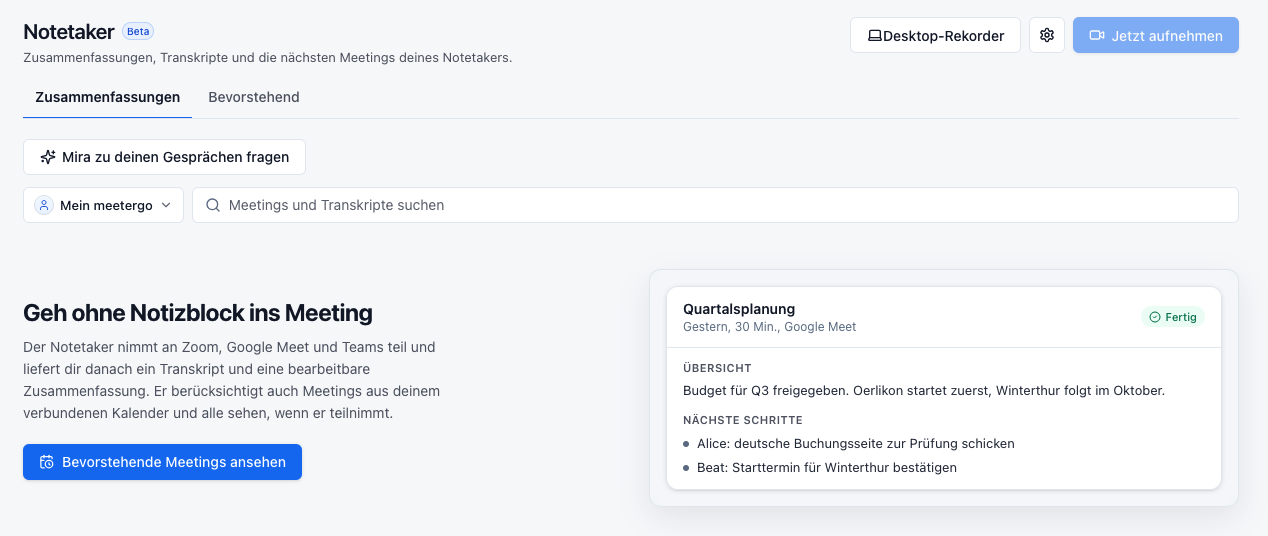
According to the interface, the Notetaker can participate in meetings via Zoom, Google Meet, and Microsoft Teams. After the conversation, a transcript and summary, among other things, are available. Next steps or relevant results can also be displayed in the interface.
meetergo Log: local transcription without a bot in the call
meetergo Log, on the other hand, takes a different approach. The local version works directly on your own computer and does not require a bot to join the meeting as an additional participant.
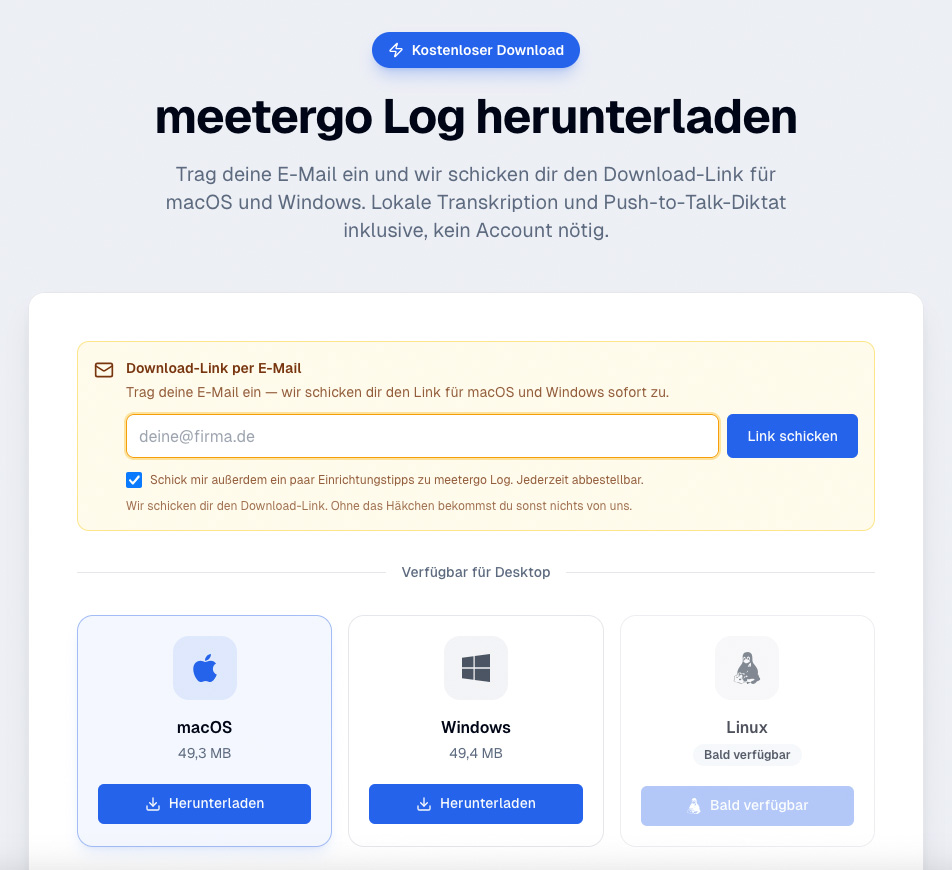
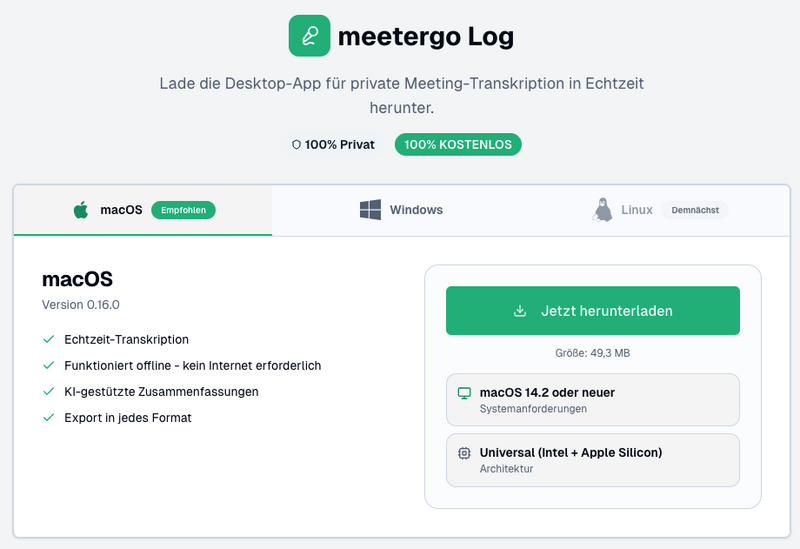
According to meetergo, the following functions are available free of charge and without an account:
- Download of meetergo Log
- Local transcription on your own computer
- Optionally Whisper or Parakeet
- Push-to-talk dictation
- Bot-free operation in the call
- Offline use
Important regarding the tariffs:According to meetergo, speaker recognition – meaning the assignment of who spoke when – as well as custom templates for summaries require an account with the Light tariff. This tariff costs €9.90 per user per month with annual billing, according to the provider.
This distinction is important because „free without an account“ does not automatically mean that every advanced feature of meetergo Log is available without a tariff.
Local processing or German cloud
Data protection plays an important role, especially when it comes to meeting minutes. Meetings can contain internal decisions, customer data, financial information, or other confidential content.
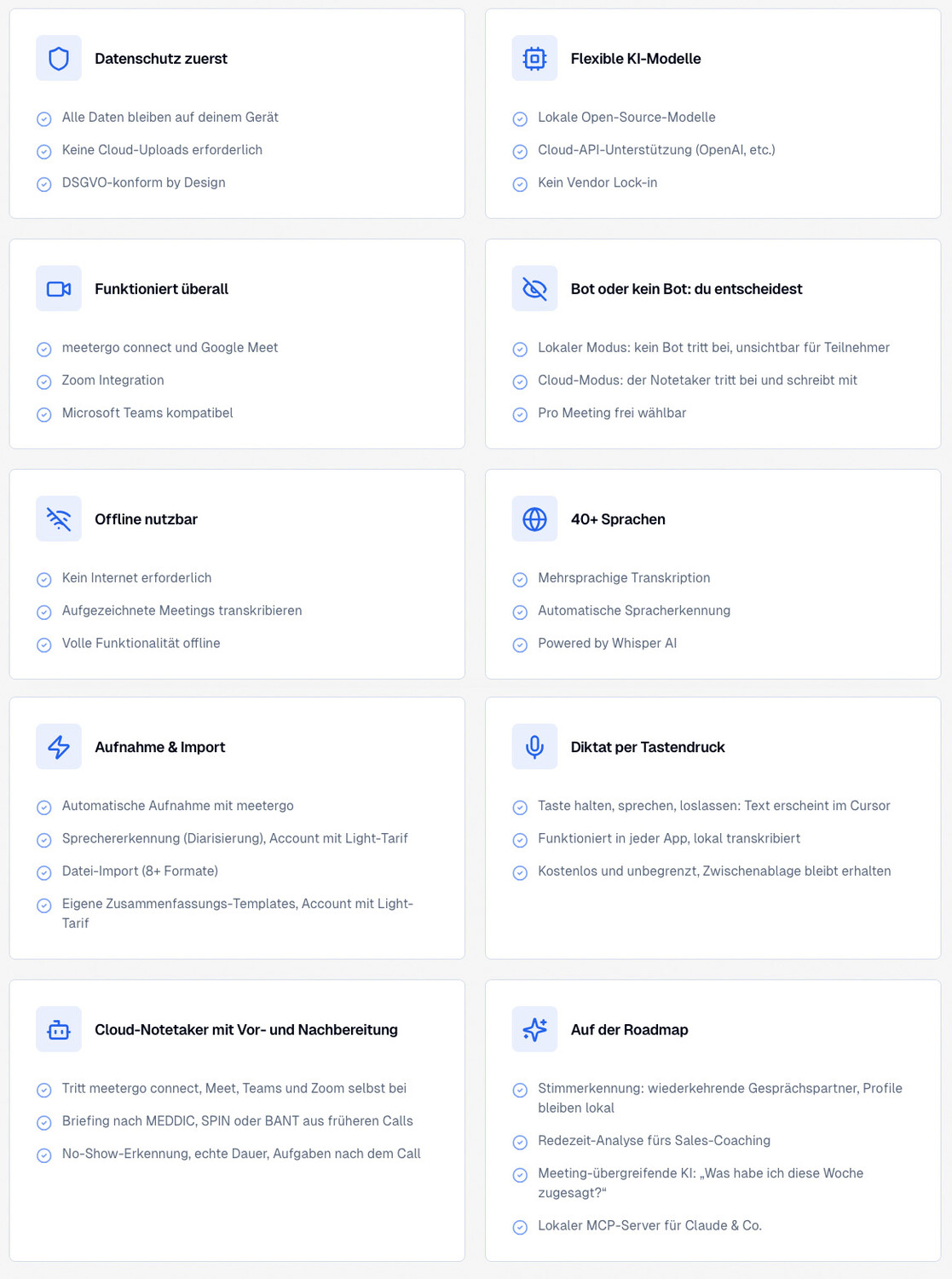
The local version of meetergo Log is interesting because transcription can take place on your own computer. According to meetergo, open-source models such as Whisper or Parakeet are used for this. Operation can take place offline and no bot needs to participate in the call.
For computers whose performance is insufficient for local AI processing, meetergo additionally offers a cloud variant. According to the provider, this is operated in Germany or with EU hosting providers, uses open-source models, and relies on no use of content for training, zero data retention, hosting in Germany, GDPR-compliant. The data should not be used to train the models. meetergo also states that it does not use AWS or Microsoft as cloud providers for this.
For the general platform, meetergo names servers in Frankfurt and the option of a data processing agreement. Companies with particularly sensitive data should nevertheless always check themselves which operating mode, pricing plan, and data processing agreement process fits their own legal and organizational requirements.
Template, manual notes, or AI: What makes sense?
| Method | Effort | Particularly useful when… |
|---|---|---|
| Word/PDF template | high | you want to deliberately take notes manually and retain full control |
| Online template | medium | information should be quickly organized into a fixed structure |
| AI from notes | low | bullet points or a transcript are already available |
| AI from recording | low | the meeting has already been recorded |
| meetergo Log | very low | transcription and documentation should be created directly during the conversation |
From appointment to finished protocol: a seamless workflow
The true strength of a platform like meetergo is evident not so much in a single function as in the ability to connect multiple steps together.
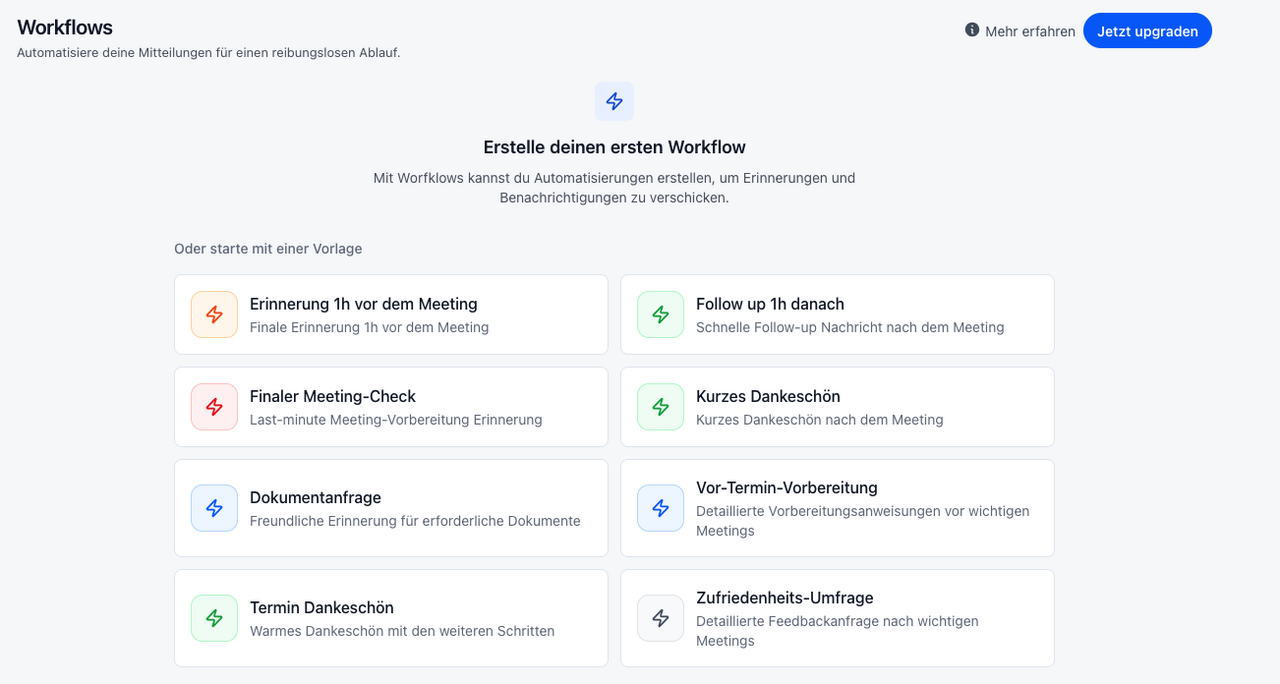
A typical process might look like this, for example:
- A customer or colleague books an appointment via the meetergo booking page.
- Calendar and availability are automatically synchronized.
- Before the meeting, important information is requested via a form.
- Reminders and preparation information are sent via a workflow.
- The meeting takes place via meetergo or a connected tool such as Teams or Zoom.
- Notetaker or meetergo Log support with transcription and documentation.
- From the conversation, a summary or minutes are created.
- Tasks and next steps can be processed further.
- Contacts and deals can be continued in the CRM.
- If needed, subsequent documents or signature requests can follow.
This transforms simple appointment booking into a complete process before, during, and after the meeting.
Frequently asked questions about meeting minutes and meetergo
Which meeting minutes template is the right one?
For normal team meetings, a classic meeting minutes template is usually sufficient. If only resolutions and tasks are relevant, a results protocol is suitable. If it is also important to be able to trace how a discussion or decision proceeded, a detailed protocol is advisable.
Should I use a meeting minutes template as Word or PDF?
Word or Google Docs are particularly well suited for editing and collaboration. A PDF file, on the other hand, makes sense when the final version is to be distributed or archived in an unchangeable manner.
Can AI automatically write meeting minutes?
Yes. A usable data foundation is required, such as notes, a transcript, or a recording. AI can structure key statements, decisions, and tasks from this. The result should nevertheless be checked for names, numbers, deadlines, and resolutions.
Can I fill out a protocol directly online?
Yes. meetergo offers protocol templates that can be filled out directly in the browser. Alternatively, depending on the template, Word, PDF, and Google Docs versions are also available.
Can I automatically create a protocol from a recording?
Yes. On the meetergo protocol page, a meeting recording can be uploaded or an existing transcript or notes can be inserted. A structured version is created from this.
Is meetergo Log free?
According to meetergo, local transcription with meetergo Log, bot-free operation, push-to-talk, and the use of Whisper or Parakeet are free and possible without an account. However, additional features such as speaker recognition and custom summary templates require the Light plan.
Download options after entering your email address:
Can meetergo work without a bot in the meeting?
Yes – with meetergo Log bot-free operation is possible. This is different from the separate meetergo Notetaker, which can be integrated as a participant in supported video meetings.
Can I use meetergo with Microsoft Teams or Zoom?
Yes. Microsoft Teams and Zoom can be connected with meetergo. This allows the actual video meeting to continue to take place via the existing platform, while meetergo handles, for example, appointment booking, forms, workflows, and follow-up.
meetergo compared to Calendly, Zoom, Otter.ai and other tools
Many functions of meetergo are already known from specialized applications. Therefore, the interesting question is less whether a single competitor is „better“ or „worse,“ but rather which problem the respective tool is primarily intended to solve.
Calendly
Calendly is primarily known for appointment scheduling and booking pages and now also offers routing, automations, and AI-powered meeting features. Those who mainly need a mature scheduler will find a strong specialist here. meetergo, on the other hand, focuses more on connecting appointment scheduling with additional apps such as CRM, forms, e-signatures, and protocol functions.
Zoom
Zoom continues to focus on video communication and meetings, but has significantly expanded its offering with scheduler and AI Companion. AI summaries, transcripts, and action items are now directly possible within the Zoom ecosystem. Those who already use Zoom extensively will get very deep meeting integration there. meetergo, on the other hand, is more focused on the entire process surrounding booking, qualification, CRM, and follow-up.
Otter.ai
Otter.ai focuses heavily on transcription, speaker recognition, meeting notes, and conversation analysis. Integrations with Zoom, Teams, Google Meet, and CRM systems expand the feature set. However, classic appointment booking, forms, e-signatures, or a complete standalone CRM are not at the center of the product.
Doodle
Doodle is primarily known for appointment coordination, group polls, 1:1 meetings, and booking pages. Calendars and video conferencing systems can be integrated. In comparison, meetergo covers significantly more downstream processes around an appointment.
Typeform
Typeform is a specialist in forms, data collection, logic, and automated form workflows. Numerous integrations are also available. Those who need complex and visually refined forms will find a highly specialized solution here. At meetergo, forms are instead part of a larger appointment and meeting process.
DocuSign
DocuSign is much more specialized in digital agreements, electronic signatures, web forms, and document workflows. For complex signature and contract processes, DocuSign accordingly offers significantly deeper functionality. In meetergo, e-signatures are instead an additional feature within a broader meeting and customer process.
Pipedrive
Pipedrive* is primarily a sales CRM, but has significantly expanded its feature set in the meantime. This includes, among other things, a meeting scheduler, web forms, workflow automation, and e-signatures with Smart Docs. For a strongly sales-oriented CRM process, Pipedrive is correspondingly very powerful. meetergo starts conceptually more strongly with scheduling and meetings, and supplements CRM and follow-up from there.
Fireflies.ai
Fireflies.ai is one of the specialized AI note-takers. The system can transcribe meetings, summarize them, and pass conversation information to CRM or project management systems, among others, through numerous integrations. The strength clearly lies in conversation intelligence and meeting analysis, while meetergo additionally provides scheduling, forms, CRM, and other process components.
Microsoft Copilot
Microsoft Copilot is particularly interesting for companies that already work deeply within the Microsoft 365 and Teams ecosystem. In Teams, Copilot can summarize meetings, capture important discussion points, and identify action items. Many additional features emerge through interaction with Microsoft 365. meetergo, on the other hand, is an independent platform that can also be combined with Microsoft Teams.
Feature matrix: meetergo and known alternatives
As of: September 2026
✓ = native or essential product feature
○ = available, limited, via integration/add-on, or part of an adjacent ecosystem
— = not a typical core function of the product
| Tool | Scheduling | Video | AI Meeting Notes | Forms | CRM | Workflows | E-Signature |
|---|---|---|---|---|---|---|---|
| meetergo | ✓ | ✓ | ✓ | ✓ | ✓ | ✓ | ✓ |
| Calendly | ✓ | ○ | ✓ | ✓ | ○ | ✓ | — |
| Zoom | ✓ | ✓ | ✓ | ○ | ○ | ○ | — |
| Otter.ai | — | ○ | ✓ | — | ○ | ○ | — |
| Doodle | ✓ | ○ | — | ○ | — | ○ | — |
| Typeform | ○ | — | — | ✓ | ○ | ✓ | — |
| DocuSign | — | — | — | ✓ | ○ | ✓ | ✓ |
| Pipedrive | ✓ | ○ | ○ | ✓ | ✓ | ✓ | ✓ |
| Fireflies.ai | — | ○ | ✓ | — | ○ | ○ | — |
| Microsoft Copilot | ○ | ○ | ✓ | ○ | ○ | ○ | — |
Disclaimer for the comparison matrix: The table is an editorial classification of typical product features and focuses as of September 2026. A ○ can mean that a function is available via an integration, an add-on, a specific plan, or a connected product ecosystem. Providers regularly change features and plans. Before making a purchase decision, the currently required features should therefore be checked directly with the respective provider. The table also does not evaluate quality or functional depth – a specialized provider can offer significantly more extensive functions in its core area than an all-in-one platform.
The ideal combination: meetergo with Microsoft Teams or Zoom
In my opinion, one of the most sensible applications is to consider meetergo not necessarily as a replacement for Teams or Zoom.
Many companies have already fully implemented Microsoft Teams or Zoom. Employees are familiar with the programs, customers are accustomed to them, and internal guidelines are set up accordingly. There is little reason to replace this functioning part of the process just for a new scheduling or protocol solution.
Instead, meetergo can take over the processes surrounding the actual video meeting:
- Appointment booking: The conversation partner books their appointment via meetergo.
- Calendar: Availabilities are synchronized with the existing calendar.
- Qualification: Forms collect relevant information in advance.
- Video conference: The meeting takes place as usual in Teams or Zoom.
- Documentation: Notetakers or meetergo Log assist with transcription and minutes.
- Follow-up: Reminders and follow-up actions can be automated.
- CRM: Contacts, tasks, or deals are continued.
- Completion: If necessary, documents and signature requests complete the process.
Precisely this combination can be efficient: Teams or Zoom remain the meeting platform, meetergo organizes the workflow around it.
Conclusion: Why meetergo’s protocol function is particularly interesting
Those who only need a free meeting minutes template for Word or PDF will find various useful templates for different types of meetings already available at meetergo. These can be downloaded, used in Google Docs, or filled out directly online, depending on the application.
However, the real strength, in my opinion, becomes apparent one step later: a protocol no longer necessarily has to be written manually from scratch.
meetergo offers several ways to do this:
- classic protocol templates,
- online fillable protocols,
- AI protocols from existing notes,
- AI protocols from a meeting recording,
- a notetaker for supported video meetings, and
- with meetergo Log, a local, optionally bot-free transcription.
Especially meetergo Log is interesting because the transcription can be performed locally on one’s own computer and even offline. For users with weaker hardware, there is a cloud version as an alternative. At the same time, a clear distinction must be made between the free basic functions and additional light functions such as speaker recognition or custom summary templates.
In addition, the protocol does not have to be considered in isolation. Appointment booking, availabilities, forms, Teams or Zoom, workflows, CRM, and document processes can become part of the same workflow.
This is precisely where I see meetergo’s greatest advantage: The protocol is not just the document at the end of a meeting, but can be part of a continuous workflow from the first booked appointment to the follow-up.
→ Try meetergo protocol templates and AI protocol
Advertisement / Ad: This post was created in paid cooperation with meetergo. The content classification and evaluation are editorial.





 DE
DE

