


The best webinar software with automation features can significantly help minimize the effort required to plan and conduct online events while improving the participant experience. Automated webinar solutions offer a range of webinar tools that make it possible to simplify and standardize many processes before, during, and after a webinar. There are many webinar software options, but very few are truly high-performing, flexible, and also cover the surrounding processes. In this article, we present the best combination for online webinars as an all-in-one tool.

The best webinar software with automation – one tool for EVERYTHING and it works!
Webinars are an incredibly effective sales tool. In this guide, you will learn how to easily create automated webinars with Everwebinar that convert and increase your sales!
A few general pieces of information first:
Before the webinar, automation enables the easy creation of registration forms and the integration of this data into existing CRM systems. Automated email campaigns can be used to promote the webinar in order to encourage registrations, as well as to send reminders and personalized messages to increase attendance rates.
During the webinar, the software can automatically monitor attendance, manage interactions such as polls and questions, and even coordinate switching between different presenters or content. Some platforms also offer the option of using chatbots that can automatically answer frequently asked questions from participants.
After the webinar, automation is particularly valuable in that it supports the follow-up processing of emails, the provision of webinar recordings, and the evaluation of feedback surveys. Automated reporting functions make it possible to create detailed analyses of engagement and webinar performance, which provides valuable insights for optimizing future events.
Overall, automation not only increases efficiency in organizing and conducting webinars, but also improves the experience for participants by ensuring a smooth and interactive flow. By reducing manual tasks and optimizing processes, organizers can focus more strongly on content design and interaction with their audience.
Let’s now turn to what is probably the new best webinar software:

The ultimate guide to creating automated webinars with Everwebinar
Have you ever asked yourself why webinars are the kings of sales strategies in online marketing? I remember my first webinar – it felt like navigating through a dense fog. But now, after many experiments and failures, I have found the secret to successful automated webinars! Let’s delve together into the world of Everwebinar, the most powerful platform for automated webinars and my personal secret weapon!
Become more visible on Google & Social Media?
In a free strategy consultation for data-driven online marketing, we uncover your untapped potential, review any existing ad accounts if necessary, examine your SEO ranking and visibility, and determine which strategy is appropriate for your budget and which active measures will lead to more inquiries or sales.

✅ More visibility & perception through targeted placement
✅ More visitors > prospects > customers > revenue
✅ Reach target groups scalably with SEA
✅ Act and grow sustainably with SEO
🫵 Maximum success with our hybrid strategy
💪 More than 15 years of experience across industries in over 1,000+ projects demonstrable!







Why Everwebinar is the best choice
Choosing the right webinar software is crucial for the success of your online business. Have you already thought about what makes good software? Everwebinar* has established itself as a market leader and offers numerous advantages. Here are some reasons why Everwebinar is the best choice for you:
1. Long experience of the software on the market
Everwebinar has been on the market for many years. This long experience creates trust. Professional online marketers swear by this software. You can be sure that with Everwebinar you are not just choosing any product, but a proven solution.
2. High user-friendliness and adaptability
One of the greatest strengths of Everwebinar is the user interface. It is so intuitive that many users say:
„The user interface is so intuitive that I could get started right away!“
. You won’t have to spend much time on onboarding. Instead, you can focus on implementation.
3. Practical Features for High Conversion Rates
Everwebinar’s functionalities are specifically designed to achieve high conversion rates. These include:
- Automated reminders: Keep participants informed and encourage attendance.
- Live content events: Show sales offers at the right moment.
- Email marketing integration: Avoid spam folders and improve communication.
These tools maximize your chances of making sales. „Everwebinar helped me boost my sales numbers!“ An example that shows how powerful this software is.
In summary, choosing Everwebinar for your webinars is the first step toward greater success. The features, user-friendliness, and high adaptability are unbeatable. Let the right software work for you so you can focus on your core tasks.
EverWebinar is a specialized platform that focuses on automated webinars.
For better differentiation: It is closely connected to WebinarJam, as both products were developed by the same company. EverWebinar is designed to simulate the interaction and participant experience of live webinars, but with pre-recorded content.
Key features of EverWebinar:
- Automated Webinars: EverWebinar allows users to automate webinars by using recordings of live sessions that appear as if they are live. This can be particularly useful for offering webinars outside of business hours or for repeating the same presentation multiple times at different times and on different days.
- Simulated Live Interaction: The platform offers features such as simulated polls, Q&A, and chats to increase interactivity and encourage participant engagement, as if the webinar were live.
- Scheduling and Flexibility: Users can set specific schedules for their webinars, including one-time shows or regularly recurring sessions that run automatically at specific times.
- Integrations: Similar to WebinarJam, EverWebinar supports integrations with marketing tools and CRM systems, which simplifies lead management and follow-up with webinar participants.
- Analytics and Reporting: EverWebinar provides detailed analytical tools that offer insights into participant numbers, engagement, and the overall performance of webinars. This data helps optimize future webinars.
- User Experience: The platform is designed to provide a user-friendly experience for both the moderator and the participants. Setting up and managing webinars is intuitive, making it easy to create and run automated webinars even without technical prior knowledge.
EverWebinar is therefore ideal for businesses and individuals who want to take advantage of the benefits of webinars without having to go live every time. It offers an efficient solution to present content repeatedly while maximizing interactivity and participant engagement.
Step-by-Step Setup of Your Automated Webinar
To create a successful automated webinar, it is best to proceed step by step. In this section, we will take a look at the most important components: creating a webinar video file, uploading the file to platforms such as Vimeo or YouTube, and setting up a registration stream for your website.
1. Creating a Webinar Video File
First, you need a high-quality video file. This will be the centerpiece of your webinar. Make sure that the video is recorded in ideal quality. It would be optimal if you record your webinar in a quieter environment. This ensures that viewers are not distracted by background noise. Have you already thought about using aids such as scripts or notes? These can help you express your thoughts clearly.
2. Uploading the File to Vimeo or YouTube
Now that the video has been created, the next step is to upload it to a platform. Vimeo and YouTube are two excellent options. They not only offer good reach but also useful features for managing your content. Make sure to use appealing titles and descriptions when uploading. These help make your webinar attractive to viewers.
| Platform | Advantages | Disadvantage |
|---|---|---|
| Vimeo | High video quality, ad-free | Expensive for premium features |
| YouTube | Large reach, free of charge | Advertisements before and during the video |
3. Setting up a registration stream for your website
The final step is to set up a registration stream on your website. This is crucial for participant registration. Consider what information you need from your viewers. Often, a first name and email address are sufficient. Have you considered whether you also want to include creative elements on the registration page? Such details can significantly increase registration numbers.
Remember that these steps are interconnected. If each part is well thought out and orchestrated, your automated webinar will be a real success.
To create the webinar in Everwebinar, you first need to upload your webinar video file. This is easy if you follow the steps mentioned.
An existing video from WebinarJam can, of course, also be uploaded.

WebinarJam is probably the most popular software for webinars
WebinarJam* is a popular webinar software known for its user-friendliness and a variety of features specifically designed to create interactive and engaging webinars. This platform is particularly popular among businesses, educational institutions, and sole proprietors who want to expand their reach online.
Key features of WebinarJam:
1. Live Streaming: WebinarJam enables the transmission of high-quality live webinars. The platform uses stable and reliable technology to ensure that transmissions run smoothly even with a large number of participants.
2. Interactive Tools: Polls, surveys, and chat functions are integrated to encourage participant engagement. WebinarJam also supports the integration of quizzes and handouts that can be distributed during the webinar.
3. Automation: For process automation, WebinarJam offers features such as automated email notifications sent before and after the webinar. Users can use these notifications to send reminders or share follow-up information.
4. Recordings: Every webinar can be recorded, creating content that can be reused later or offered as on-demand webinars. Recordings can also be edited to highlight important segments.
5. User-friendly Interface: The platform is known for its simple user interface, which allows even less tech-savvy users to effectively host and manage webinars.
6. Integrations: WebinarJam integrates with various marketing tools and CRM systems, improving the efficiency of data usage and follow-up with participants.
Thanks to these comprehensive features, WebinarJam is a strong choice for those looking for a flexible and powerful solution for online seminars and courses. The software not only helps to reach a wide audience but also provides the tools to actively engage and retain that audience long-term.
How to Reach Your Target Audience
To attract viewers to your webinar, the registration process must be streamlined and inviting. Here are some key points to consider:
1. The Importance of Email Notifications
Email notifications are crucial. Have you ever wondered why many of your participants forget their registration? Email notifications are the key to my high attendance! – perhaps this helps to solve the problems!
- Automated emails help maintain interest.
- Reminder emails ensure participation.
- After the webinar, you can send follow-up emails to maintain contact.
2. Strategies for Creating Engaging Registration Pages
You want your registration page to stand out. The right registration page doubled my sales! – A statement that motivates many to rethink their strategy.
Here are some strategies:
- Design the page to be visually appealing.
- Use clear and concise text.
- Add testimonials or statistics that strengthen your credibility.
3. Optimizing Conversion through A/B Tests
A/B tests are a powerful tool. They help to find out what works and what doesn’t. When you try out two different designs or texts, you can see which one is better received.
Consider testing different sign-up page designs to see what works best. Often it can be just a small difference that has a big impact.
| A/B Test Options | Result |
|---|---|
| Option A: Simple Design | 35% Conversion |
| Option B: Complex Design | 25% Conversion |
Through these tests, you can make targeted changes and thus increase your conversion rate.
Remember to continuously review and adjust the email strategies presented and the design of the registration page. This way, you will reliably reach your target audience and maximize your webinar participant count!
Video tip:
The Art of Emotional Connection
Emotional connections are not just important, they are crucial for your success in a webinar. If you want to communicate effectively with your audience, you must understand how *building connection* works.
1. Building Connection During the Webinar
Imagine your webinar is like a conversation with a friend. When you share personal stories and experiences, participants feel more involved. They believe you, and that leads to trust.
- Ask questions to involve the audience in the discussion.
- Use interactive elements such as polls or quizzes to encourage engagement.
- Respond to comments; this shows that you value their opinions.
2. Using Storytelling Techniques
A good story can captivate the audience. When you give them treasure maps, you will see how they become bound to your message piece by piece. How often have you read bedtime stories to someone? It doesn’t only work in the children’s room!
„Emotions control our purchasing decisions more than we think!“ –
Use storytelling to present the benefits of your offer clearly and emotionally. Tell stories about success, exciting experiences, or challenges you have overcome. This makes your presentation lively and credible.
3. Creating Urgency and Scarcity
Urgency creates pressure to act. You ask your listeners a question: What happens if they don’t act? If your offers are time-limited or only a certain number of spots are available, participants feel compelled to act quickly.
- Set deadlines for special offers.
- Mention that only a limited number of products is available.
- Create a sense of exclusivity.
The best sales figures come from emotional connections. Not only implement these strategies, but live them. The interactivity of your webinars will increase engagement and retain participants. They will remember not only your content but also *you*.
| Aspect | Effect |
|---|---|
| Emotional connection | Increases trust and credibility |
| Storytelling | Engages the audience and makes content memorable |
| Urgency | Encourages immediate decisions |

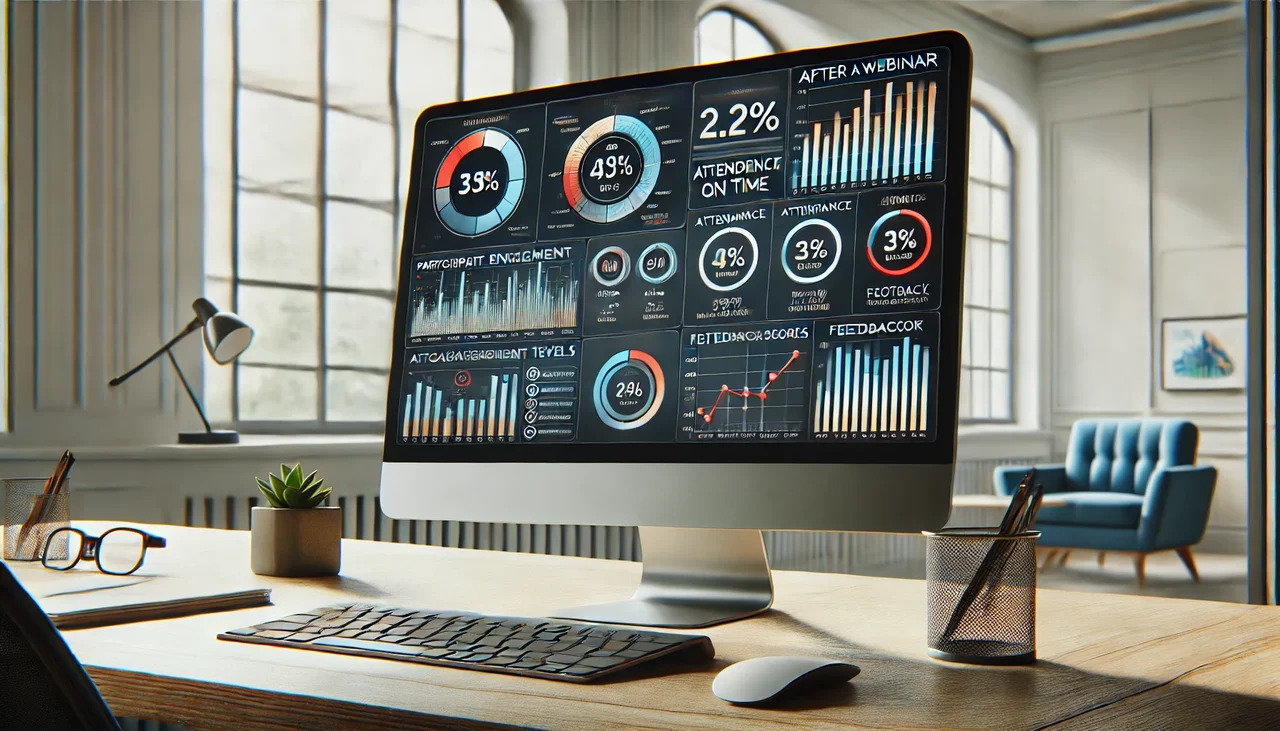
The Analysis After the Webinar
After a webinar, a thorough analysis of the results is of the utmost importance in order to plan the next steps. But which indicators are crucial for measuring success? Here are some essential points that you should consider:
1. Indicators for Measuring Success
- Number of participants: One of the simplest measures of success is the number of participants. Did you have more or fewer participants than expected?
- Interaction rate: Did your audience actively ask questions or answer surveys? More interaction often means more interest!
- Conversion rates: Did the participants become buyers of your products or services after the webinar? This is a clear indicator of success.
2. Use of Analytics Tools for Improvement
Analytics tools are like a compass. They show you where you stand and where you should go. Tools like Google Analytics or specialized webinar software provide data and statistics. These help you evaluate the performance of your webinars and make targeted improvements.
„Data analysis helps to optimize future webinars.“
The analysis of this data can be divided into three areas:
- Website visitors: How many people visited the registration page?
- Drop-off rate: Did many participants leave the webinar link early? This could indicate a lack of interest or technical problems.
- Feedback from participants: After the webinar, you should conduct surveys to obtain valuable feedback.
3. Expectations vs. reality in participant numbers
It is important to have realistic expectations. Perhaps you hoped to reach 100 participants, but only 60 attended. Why? Here are some possible reasons:
- Marketing Strategy: Did you advertise on the right channels?
- Scheduling: Was the timing favorable for your target audience?
- Webinar Content: Was the content engaging enough to spark interest?
Statistics on the number of participants provide valuable insights into the interest of others. Use this information to optimize your future webinars and tailor them even better to your target audience.
Best Practices for Conducting Webinars
Conducting a webinar requires more than just transmitting content. It is an art form that combines planning, technology, and engagement. Here are some proven practices that will help you make your webinar a success.
1. Incorporate Participant Feedback and Questions
How often have you attended a webinar where you had no opportunity to ask your questions? Frustration can quickly arise. That’s why it’s important to actively involve participants. Eisenhower once said, „What you bring to this day will be the difference.“
Start with an open Q&A session. This allows participants to ask questions and join the discussion. This makes them feel that their opinions are valued and increases engagement.
2. Optimize the Webinar Layout
An appealing layout ensures a better user experience. Make sure that the visual elements are clear. Use different colors for different sections. Remember: Less is often more.
Using graphics and videos can maintain attention. Interactive elements like polls make it exciting! The questions can revolve around previous content. This keeps the participants‘ responses directly related to what is being discussed.
3. Trust the Technology During the Stream
Technical problems can ruin the webinar. Therefore, you should take care of the technology in advance. Do test runs with the software. Make sure your internet connection is stable. After all, you don’t want to be left without a network, do you?
Some tips include:
- Use an Ethernet cable instead of Wi-Fi, if possible.
- Check your audio and video quality in advance.
- Have important contact information ready in case you need technical support.
If technology fails, stay calm. Incorporate this into your presentation as well. Humor can help defuse the situation. „Technology has a mind of its own,“ for example, could be a successful remark.
With these tips, you are well-equipped to conduct a successful webinar. By collecting feedback, optimizing your layout, and relying on technology, you can improve the experience for everyone involved.

Conclusion: Your Path to Webinar Success with the Right Webinar Software
Now that you have all the steps to success in your hands, it is important to summarize the key points. In this blog, you have learned how to create engaging and effective webinars with the right webinar software, such as Everwebinar. Every detail counts – from selecting videos to planning events. Have you thought about creatively designing your registration page? That can make a big difference!
Motivation for Implementation
Be motivated to implement the steps learned. The path to success may be challenging, but you have the tools at hand. Remember how often good preparation and proper planning determine the success of a webinar. Every time you conduct a new webinar, you can adapt, learn, and grow. You have the opportunity to develop your own style and offer unique content. Use this and don’t be afraid to try new ideas!
Invitation to Discussion
We would love to hear from you in the comments. What were your biggest challenges when creating your webinar? Do you have tips or experiences you would like to share? Exchanging ideas with others can be incredibly valuable, because you are not alone on this journey. Let’s learn from each other together!
„With the right tools and strategies, you too can become a successful webinar provider!“
We wish you much success on your journey! Every small change can have a big impact. Don’t forget: the key to success lies in your commitment and your willingness to learn and grow. You are ready for the next step – so go ahead and start your webinar adventure!
You now have the choice for arguably the best webinar software with automation:
It's also always worth checking for lifetime licenses of software & tools for webinars here:

General information on webinar software & tools for online video conferences with recording
Webinar software enables companies, educational institutions, and individuals to conduct interactive online events specifically designed to impart knowledge or make presentations accessible to a broad audience. This type of software offers various functions to make virtual meetings more effective. These often include tools for high-quality video and audio transmissions, screen sharing capabilities, interactive polls, and Q&A sessions that actively engage participants and promote information exchange.
A crucial advantage of webinar software is its ability to broadcast events both live and record them for later access. This increases the reach of the content and offers flexibility for both hosts and participants. The software also often supports the personalization of invitations and integration into existing CRM and marketing tools, enabling efficient management and tracking of participant data.
Effective webinar software should also be user-friendly for both organizers and participants to minimize technical hurdles. Security features such as encrypted transmissions and password-protected access ensure that the transmitted information remains protected and is only accessible to authorized participants.
Overall, choosing the right webinar software is crucial for the success of online events, as it promotes interaction, facilitates the dissemination of information, and can effectively reach a broad audience.
FAQ – Questions & Answers about Tools and Software for Online Webinars
- What are the most important features that good webinar software should offer?
- Answer: Robust webinar software should offer features such as HD video and audio transmission, interactivity tools (e.g., polls, Q&A, chat), recording capabilities, good scalability for large numbers of participants, user-friendly interfaces, and integrations with other tools (e.g., CRM systems, marketing tools).
- Can I test the webinar software before purchasing?
- Answer: Most webinar software providers offer a free trial or a demo so that potential users can try out the platform before purchasing and determine if it meets their needs.
- How secure is webinar software?
- Answer: Security is crucial, especially when confidential information is shared. Secure webinar software should offer end-to-end encryption, password protection for meetings, secure recording and storage options, and data protection policies that comply with local data protection laws.
- How much does webinar software cost?
- Answer: Costs can vary depending on the number of participants, desired features, and the level of support needed. Many providers offer tiered pricing plans, ranging from free basic versions to more expensive enterprise packages.
- Can I integrate the webinar software into my existing system?
- Answer: Yes, many webinar platforms offer integrations with existing systems such as CRM software, email marketing tools, and learning management systems. These integrations help automate workflows and increase efficiency.





 DE
DE

