

The choice of the right image format can make the difference between a lightning-fast website and sluggish loading times. With WebP and AVIF, two modern formats are available that promise up to 50% smaller file sizes compared to classic formats like JPEG and PNG. But which format is better for SEO? And should you opt for WebP or AVIF?
In this comprehensive comparison, you will learn everything about both formats, their advantages and disadvantages, browser compatibility, and specific recommendations for different website types.
WebP vs. AVIF: Which image format is better for SEO?
The importance of image formats for SEO (Search Engine Optimization) and visibility in AI search
Page Speed as a Ranking Factor
Since the Page Experience Update, loading speed has been an official Google ranking factor. Images typically account for 50-70% of a website’s total size. By optimizing image formats, you can:
- Reduce loading times: Up to 50% faster pages
- Improve Core Web Vitals: Better LCP (Largest Contentful Paint) scores
- Increase mobile performance: Less data consumption
- Lower bounce rate: Users don’t wait for slow pages
Google’s Recommendations + Chat GPT Readability Aid
Google PageSpeed Insights explicitly recommends modern image formats and warns against using outdated formats. Websites with optimized images receive better scores, which indirectly influences ranking.
WebP: The Established Standard
What is WebP?
WebP was developed by Google in 2010 and has been the standard for modern image compression for years. The format supports both lossy and lossless compression, as well as transparency and animations.
Technical Characteristics
Compression:
- Lossy: 25-35% smaller than JPEG
- Lossless: 26% smaller than PNG
- Supports 24-bit RGB and 8-bit alpha channel
Advantages: ✅ Excellent browser support (98%+) ✅ Established for over 10 years ✅ Broad tool support ✅ Good balance between quality and file size ✅ Supports transparency and animation ✅ Fast encoding/decoding speed
Disadvantages: ❌ Compression inferior to AVIF ❌ No HDR support ❌ Limited color depth (8-bit)
Browser Compatibility WebP
Fully supported (as of November 2025):
- Chrome: Since version 23 (2012)
- Firefox: Since version 65 (2019)
- Edge: Since version 18 (2018)
- Safari: Since version 14 (2020)
- Opera: Since version 12.1 (2012)
Mobile Browsers:
Become more visible on Google & Social Media?
In a free strategy consultation for data-driven online marketing, we uncover your untapped potential, review any existing ad accounts if necessary, examine your SEO ranking and visibility, and determine which strategy is appropriate for your budget and which active measures will lead to more inquiries or sales.

✅ More visibility & perception through targeted placement
✅ More visitors > prospects > customers > revenue
✅ Reach target groups scalably with SEA
✅ Act and grow sustainably with SEO
🫵 Maximum success with our hybrid strategy
💪 More than 15 years of experience across industries in over 1,000+ projects demonstrable!







- Chrome Android: Full support
- Safari iOS: Since iOS 14 (2020)
- Samsung Internet: Full support
Market Coverage: ~98% of users worldwide
WebP Performance Data
Benchmark comparison at the same visual quality:
| Format | File Size | Comparison to JPEG |
|---|---|---|
| JPEG | 100 KB | Baseline |
| PNG | 180 KB | +80% |
| WebP (lossy) | 68 KB | -32% |
| WebP (lossless) | 132 KB | +32% vs JPEG |
AVIF: The Future of Image Compression
What is AVIF?
AVIF (AV1 Image File Format) is the latest image format, developed by the Alliance for Open Media. It is based on the AV1 video codec and was officially released in 2019.
Technical Characteristics
Compression:
- Lossy: 50% smaller than JPEG
- Up to 20-30% better than WebP
- Supports HDR and Wide Color Gamut
Advantages: ✅ Best compression of all modern formats ✅ HDR support ✅ Higher color depth (10-bit and 12-bit) ✅ Better detail retention with strong compression ✅ Supports transparency ✅ Royalty-free and open source
Disadvantages: ❌ Slower encoding speed ❌ Higher CPU overhead during decoding ❌ Not yet widespread browser support ❌ Less tool support than WebP ❌ Larger files with lossless compression
Browser Compatibility AVIF
Fully supported (as of November 2025):
- Chrome: Since version 85 (2020)
- Firefox: Since version 93 (2021)
- Edge: Since version 121 (2024)
- Opera: Since version 71 (2020)
- Safari: Since version 16.1 (2022) – macOS Ventura+
Limited/Not supported:
- Safari iOS: Since iOS 16 (2022)
- Older browsers: No support
Market coverage: ~88% of all users worldwide (trending upwards)
Performance data AVIF
Benchmark comparison at the same visual quality:
| Format | File Size | Comparison to JPEG |
|---|---|---|
| JPEG | 100 KB | Baseline |
| WebP | 68 KB | -32% |
| AVIF | 50 KB | -50% |
Important: For high-resolution images and complex motifs, the advantage of AVIF is even more pronounced (up to 60% savings).
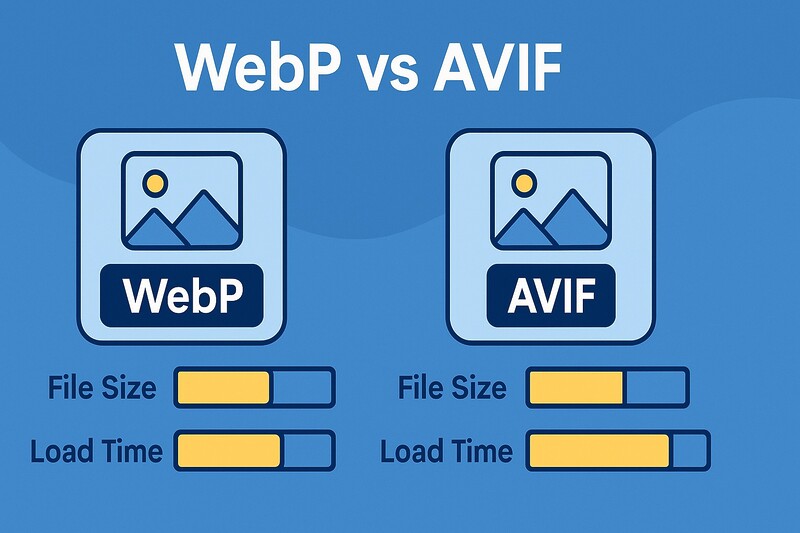
The direct comparison: WebP vs. AVIF
Compression Efficiency
Test Scenario: Product photo 1920x1080px, high quality
Original JPEG: 856 KB
WebP (Quality 85): 542 KB (-37%)
AVIF (Quality 85): 398 KB (-54%)
Winner: AVIF (20-30% better than WebP)
Visual Quality
At the same file size:
- WebP: Good quality, slight artifacts with strong compression
- AVIF: Better detail retention, fewer blocking artifacts
With strong compression (below 30% of original size):
- WebP: Clearly visible quality loss
- AVIF: Still acceptable quality
Winner: AVIF
Encoding Speed
Test System: Intel i7, 1920x1080px image
JPEG: 0.3 seconds
WebP: 1.2 seconds
AVIF: 8.5 seconds
Winner: WebP (7x faster than AVIF)
Decoding Speed (Browser)
Desktop:
- WebP: ~50ms
- AVIF: ~120ms
Mobile (mid-range hardware):
- WebP: ~180ms
- AVIF: ~450ms
Winner: WebP (2-3x faster)
Browser Support
WebP: 98% market coverage AVIF: 88% market coverage
Winner: WebP (reaches 10% more users)
Tool Ecosystem
WebP:
- Adobe Photoshop: Native support
- WordPress Plugins: 100+ Plugins
- CDNs: All major providers
- Image Editing Tools: Broad support
AVIF:
- Adobe Photoshop: Beta support
- WordPress Plugins: ~20 plugins
- CDNs: Cloudflare, Cloudinary, ImageKit
- Image Editing Tools: Limited support
Winner: WebP (significantly more tools)
SEO Impact in Detail
Core Web Vitals
Largest Contentful Paint (LCP):
- WebP can improve LCP by 15-25%
- AVIF can improve LCP by 25-40%
Cumulative Layout Shift (CLS):
- Both formats do not directly affect CLS
- Faster loading times indirectly reduce layout shifts
First Input Delay (FID) / Interaction to Next Paint (INP):
- WebP: Minimal CPU load
- AVIF: Higher CPU load can slightly worsen INP
PageSpeed Insights Score
Typical improvement with modern formats:
Before (JPEG/PNG):
- Mobile: 45-55 points
- Desktop: 75-85 points
After (WebP):
- Mobile: 65-75 points (+20)
- Desktop: 90-95 points (+10)
After (AVIF):
- Mobile: 70-80 points (+25)
- Desktop: 92-98 points (+12)
Mobile-First Indexing
Google primarily crawls with mobile bots. For mobile connections, smaller files are even more important:
3G connection (1.5 Mbps):
- 100 KB JPEG: ~0.5 seconds
- 68 KB WebP: ~0.36 seconds (-28%)
- 50 KB AVIF: ~0.27 seconds (-46%)
Image Search Ranking
Google prefers websites with:
- Fast loading times ✅
- Modern image formats ✅
- Good mobile performance ✅
Both formats meet these criteria, with AVIF having a slight advantage due to smaller file sizes.
Practical Scenarios: When to use which format?
E-Commerce / WooCommerce Shops
Recommendation: WebP with AVIF fallback
Reasons:
- Product images are frequently updated (fast encoding important)
- Mobile users dominate (smaller files important)
- Broad browser compatibility needed
- High number of images per page (consider CPU load)
Implementation:
<picture>
  <source srcset="produkt.avif" type="image/avif">
  <source srcset="produkt.webp" type="image/webp">
  <img src="produkt.jpg" alt="Produktname">
</picture>
Blog / Content Websites
Recommendation: WebP (with optional AVIF for hero images)
Reasons:
- Many images per article
- SEO traffic dominates (PageSpeed important)
- Easy integration with WordPress
- Low server load during conversion
WordPress Plugins:
- ShortPixel (WebP + AVIF)
- Imagify (WebP + AVIF)
- EWWW Image Optimizer (WebP + AVIF)
Portfolio / Photography
Recommendation: AVIF with WebP fallback
Reasons:
- Image quality is top priority
- Fewer images, but high-resolution
- Target audience uses modern browsers
- Showcase character
Corporate Websites
Recommendation: WebP
Reasons:
- Maximum compatibility (even with older company PCs)
- Easy implementation
- Stable performance
- IT departments prefer established standards
Landing Pages / Performance Marketing
Recommendation: AVIF with WebP fallback
Reasons:
- Conversion rate strongly depends on speed
- Usually only a few, but important images
- Every millisecond counts
- Modern image important
News portals / Magazine pages
Recommendation: WebP with CDN optimization
Reasons:
- Hundreds of images uploaded daily
- Fast encoding essential
- Traffic peaks require low server load
- Breaking news must be online immediately
Implementation: How to switch to modern formats
Option 1: WordPress plugins (easiest solution)
Recommended plugins:
1. ShortPixel (Recommendation)
- WebP + AVIF support
- Automatic Conversion
- Bulk Optimization
- CDN Integration
- From €9.99/month
2. Imagify
- WebP + AVIF
- 3 Quality Levels
- Backup Function
- From €9.99/month
3. EWWW Image Optimizer
- Free basic version
- WebP + AVIF (Premium)
- Local or Cloud
- Premium from €7/month
ShortPixel Instructions:
1. Install & activate plugin
2. Settings → ShortPixel
3. Activate "Create WebP versions"
4. Activate "Create AVIF versions" (optional)
5. Activate "Deliver next-gen versions via .htaccess"
6. Start bulk optimization
Option 2: .htaccess method (advanced)
Automatic delivery based on browser support:
<IfModule mod_rewrite.c>
  RewriteEngine On

  # Check AVIF Support
  RewriteCond %{HTTP_ACCEPT} image/avif
  RewriteCond %{REQUEST_FILENAME} \.(jpe?g|png)$
  RewriteCond %{REQUEST_FILENAME}.avif -f
  RewriteRule ^ %{REQUEST_FILENAME}.avif [T=image/avif,E=accept:1,L]

  # Check WebP Support (Fallback)
  RewriteCond %{HTTP_ACCEPT} image/webp
  RewriteCond %{REQUEST_FILENAME} \.(jpe?g|png)$
  RewriteCond %{REQUEST_FILENAME}.webp -f
  RewriteRule ^ %{REQUEST_FILENAME}.webp [T=image/webp,E=accept:1,L]
</IfModule>

<IfModule mod_headers.c>
  Header append Vary Accept env=REDIRECT_accept
</IfModule>

# Set correct MIME types
<IfModule mod_mime.c>
  AddType image/webp .webp
  AddType image/avif .avif
</IfModule>
Variant 3: Picture Element (Maximum Control)
Manual HTML:
<picture>
  <source
    srcset="bild-320.avif 320w, bild-640.avif 640w, bild-1024.avif 1024w"
    type="image/avif"
    sizes="(max-width: 640px) 100vw, 640px">
  <source
    srcset="bild-320.webp 320w, bild-640.webp 640w, bild-1024.webp 1024w"
    type="image/webp"
    sizes="(max-width: 640px) 100vw, 640px">
  <img
    srcset="bild-320.jpg 320w, bild-640.jpg 640w, bild-1024.jpg 1024w"
    sizes="(max-width: 640px) 100vw, 640px"
    src="bild-640.jpg"
    alt="Bildbeschreibung"
    width="640"
    height="480"
    loading="lazy">
</picture>
Advantages:
- Full control over breakpoints
- Art direction possible
- Optimal for performance
Disadvantages:
- Elaborate manual maintenance
- More code per image
Variant 4: CDN with automatic conversion
Cloudflare Polish:
1. Activate Cloudflare
2. Speed → Optimization
3. Set "Polish" to "Lossless" or "Lossy"
4. Activate "WebP"
5. Automatic delivery
Cloudinary:
<img src="https://res.cloudinary.com/demo/image/upload/f_auto,q_auto/sample.jpg">
f_auto automatically selects AVIF, WebP or JPEG
ImageKit:
<img src="https://ik.imagekit.io/demo/sample.jpg?tr=f-auto,q-auto">
Option 5: PHP Conversion (for Developers)
WebP Conversion:
function convert_to_webp( $source, $destination, $quality = 85 ) {
    $info = getimagesize( $source );

    if ( $info['mime'] == 'image/jpeg' ) {
        $image = imagecreatefromjpeg( $source );
    } elseif ( $info['mime'] == 'image/png' ) {
        $image = imagecreatefrompng( $source );
    } else {
        return false;
    }

    imagewebp( $image, $destination, $quality );
    imagedestroy( $image );

    return true;
}
AVIF Conversion (requires ImageMagick):
function convert_to_avif( $source, $destination, $quality = 85 ) {
    $imagick = new Imagick( $source );
    $imagick->setImageFormat( 'avif' );
    $imagick->setImageCompressionQuality( $quality );
    $imagick->writeImage( $destination );
    $imagick->clear();
    $imagick->destroy();

    return true;
}
Performance Optimization: Best Practices
1. Responsive Images with srcset
Generate multiple sizes for different viewports:
<picture>
  <source
    media="(max-width: 640px)"
    srcset="mobile-small.avif 320w, mobile.avif 640w"
    type="image/avif">
  <source
    media="(max-width: 640px)"
    srcset="mobile-small.webp 320w, mobile.webp 640w"
    type="image/webp">
  <source
    srcset="desktop.avif 1024w, desktop-large.avif 1920w"
    type="image/avif">
  <source
    srcset="desktop.webp 1024w, desktop-large.webp 1920w"
    type="image/webp">
  <img
    srcset="mobile.jpg 640w, desktop.jpg 1024w"
    src="desktop.jpg"
    alt="Responsive Bild">
</picture>
2. Enable Lazy Loading
<img src="bild.webp" alt="Description" loading="lazy">
For WordPress (automatically in Gutenberg):
add_filter( 'wp_lazy_loading_enabled', '__return_true' );
3. Prioritize Critical Images
<!-- Hero Image: Not lazy, high priority -->
<img src="hero.avif" alt="Hero" fetchpriority="high" loading="eager">

<!-- Below-the-fold: Lazy laden -->
<img src="content.webp" alt="Content" loading="lazy">
4. Specify dimensions (avoid CLS)
<img src="bild.webp" alt="Beschreibung" width="800" height="600">
WordPress does this automatically when uploaded to the media library.
5. Optimize quality settings
WebP:
- Photos: 80-85 quality
- Screenshots/Graphics: 90-95 quality
- Thumbnails: 75-80 quality
AVIF:
- Photos: 65-75 quality (corresponds to WebP 80-85)
- Screenshots/Graphics: 80-90 quality
- Thumbnails: 60-70 quality
6. Configure Caching
.htaccess:
<IfModule mod_expires.c>
  ExpiresActive On
  ExpiresByType image/webp "access plus 1 year"
  ExpiresByType image/avif "access plus 1 year"
</IfModule>
Nginx:
location ~* \.(webp|avif)$ {
    expires 1y;
    add_header Cache-Control "public, immutable";
}
Common Problems and Solutions
Problem 1: AVIF images are not displayed
Cause: Server sends wrong MIME type
Solution (.htaccess):
<IfModule mod_mime.c>
  AddType image/avif .avif
  AddType image/avif-sequence .avifs
</IfModule>
Problem 2: Images look blurry
Cause: Too aggressive compression
Solution: Increase quality
- WebP: From 75 to 85
- AVIF: From 60 to 70
Problem 3: Long conversion times
Cause: AVIF encoding is resource-intensive
Solution:
- WebP for bulk content
- AVIF only for important images
- Use CDN with automatic conversion
- Asynchronous conversion in the background
Problem 4: Old browsers do not display images
Cause: Missing fallback images
Solution: Always use JPEG/PNG as a fallback:
<picture>
  <source srcset="bild.avif" type="image/avif">
  <source srcset="bild.webp" type="image/webp">
  <img src="bild.jpg" alt="Fallback">
</picture>
Problem 5: Google indexes the wrong image version
Cause: Missing Vary headers
Solution:
<IfModule mod_headers.c>
  Header append Vary Accept env=REDIRECT_accept
</IfModule>
Problem 6: High server load
Cause: On-the-fly conversion overloads CPU
Solution:
- Convert images during upload
- Enable caching
- Use CDN
- Implement conversion queue
Cost-Benefit Analysis
WordPress Plugin Costs (annually)
ShortPixel:
- Starter: 119€/year (10,000 images/month)
- Business: 239€/year (30,000 images/month)
Imagify:
- Infinite: €119/year (Unlimited)
EWWW Premium:
- Executive: €84/year (Unlimited)
In-house development
Development effort:
- Basic implementation: 8-16 hours
- Testing & optimization: 4-8 hours
- Total: €500-1,200 (at €50/hour)
Ongoing Costs:
- Server Resources: +10-20% CPU
- Storage: +30-50% (3 formats)
ROI Example E-Commerce
Initial Situation:
- 1,000 visitors/day
- Conversion Rate: 2%
- Average: 50€ shopping cart value
- Bounce Rate: 45%
After WebP Conversion:
- PageSpeed: +20 points
- Loading time: -1.5 seconds
- Bounce rate: -10% (to 35%)
- Conversion rate: +0.4% (to 2.4%)
Calculation:
Before: 1,000 × 0.55 × 0.02 × €50 = €550/day
After: 1,000 × 0.65 × 0.024 × €50 = €780/day

Additional revenue: €230/day = €6,900/month
Plugin costs: €119/year = €10/month

ROI: 690:1 (69,000%)
ROI Example Blog
Initial situation:
- 10,000 visitors/month
- Ad revenue: €5 RPM (Revenue per Mille)
- Bounce rate: 65%
After AVIF conversion:
- PageSpeed: +25 points
- Bounce rate: -15% (to 50%)
- Page views/visit: +25%
Calculation:
Before: 10,000 × 0.35 × 1.5 × €5/1000 = €26.25/month
After: 10,000 × 0.50 × 1.875 × €5/1000 = €46.88/month

Additional revenue: €20.63/month
Plugin costs: €10/month

Break-even: Immediate
Profit: +€10.63/month
Testing and Monitoring
Test before switching
1. Create a baseline:
- PageSpeed Insights: Note Desktop & Mobile Score
- Google Analytics: Document loading times
- Core Web Vitals: Record LCP, CLS, INP
2. Conduct an A/B test:
- 50% users WebP/AVIF
- 50% users JPEG/PNG
- Compare metrics
Tools:
- Google Optimize (free)
- VWO (from $199/month)
- Optimizely (Enterprise)
Monitor after the changeover
Google Search Console:
- Core Web Vitals → Check for improvements
- Page Experience → Track score
- Mobile Usability → Identify problems
PageSpeed Insights:
- Test most important pages weekly
- Track score development
Analytics:
- Average load time
- Bounce rate
- Pages per session
- Conversion rate
Testing Checklist
✅ Browser compatibility:
- Chrome, Firefox, Safari, Edge tested
- iOS Safari, Chrome Android tested
- Fallback works in old browsers
✅ Performance:
- PageSpeed Score improved
- LCP reduced
- File size reduced
✅ Functionality:
- Images are displayed correctly
- Lazy Loading works
- Lightbox/Galleries compatible
✅ SEO:
- Images indexed in Google Image Search
- Structured Data validated
- XML Sitemap updated
Future Outlook: JPEG XL and other formats
JPEG XL: The next step?
Properties:
- Even better compression than AVIF
- Faster encoding
- Progressive decoding
- Lossless conversion from JPEG
Status (2025):
- Chrome: Experimental
- Firefox: Behind flag
- Safari: No support
- Recommendation: Wait and see
WebP 2
Google is working on a WebP successor with:
- 30% better compression
- More modern algorithms
- HDR support
Status: Early development phase
Recommendation for the future
2025-2026:
- WebP as standard
- AVIF for premium content
- JPEG as fallback
2027+:
- AVIF as the new standard
- JPEG XL for special applications
- WebP as a legacy fallback
Practical Checklist: Your Step-by-Step Guide
Phase 1: Analysis (Day 1)
- [ ] Document current image formats
- [ ] Create PageSpeed Insights Baseline
- [ ] Determine total size of all images
- [ ] Identify most important pages
Phase 2: Strategy (Day 1-2)
- [ ] Choose format (WebP, AVIF, or both)
- [ ] Decide on plugin or custom solution
- [ ] Set budget
- [ ] Create rollout plan
Phase 3: Testing (Day 3-5)
- [ ] Set up test installation
- [ ] Test conversion on 10 sample images
- [ ] Check browser compatibility
- [ ] Measure performance
Phase 4: Implementation (Day 6-10)
- [ ] Install plugin or implement code
- [ ] Convert existing images (bulk)
- [ ] Activate automatic conversion for new uploads
- [ ] Configure caching
Phase 5: Monitoring (Week 2-4)
- [ ] Check PageSpeed daily (first week)
- [ ] Check Core Web Vitals weekly
- [ ] Monitor conversion rate
- [ ] Gather user feedback
Phase 6: Optimization (From Week 4)
- [ ] Adjust quality settings
- [ ] Implement responsive images
- [ ] Prioritize critical images
- [ ] Create documentation
Conclusion and Recommendation
The clear answer: It depends
Choose WebP if: ✅ You need maximum compatibility ✅ Fast encoding is important (many daily uploads) ✅ You want an established, stable standard ✅ Your hosting has limited CPU resources ✅ You have many older users (B2B, Corporate)
Choose AVIF if: ✅ Performance is an absolute priority ✅ You use high-resolution images ✅ Your target audience uses modern browsers ✅ Fewer, but high-quality images ✅ You are willing to invest more server resources
The optimal hybrid solution for 2025:
<picture>
  <source srcset="bild.avif" type="image/avif">
  <source srcset="bild.webp" type="image/webp">
  <img src="bild.jpg" alt="Optimales Bild" loading="lazy">
</picture>
Why?
- AVIF users (88%) get the best quality
- WebP users (98%) get good quality
- All others (2%) get JPEG fallback
- You are future-proof
Quick Wins: Immediately implementable
- Install plugin (30 minutes)
- ShortPixel, Imagify or EWWW
- Activate WebP + AVIF
- Start bulk optimization
- Activate Lazy Loading (5 minutes)
- Already integrated into WordPress
- Or
loading="lazy"for img tags
- Use CDN (1 hour)
- Cloudflare free of charge
- Activate Automatic Format Conversion
- Responsive Images (2 hours)
- WordPress automatically generates
- Check if theme uses srcset
What you should NOT do
❌ Deliver both formats without fallback ❌ Set quality below 60 (AVIF) / 75 (WebP) ❌ Manually convert all images ❌ Wait for JPEG XL (still too early) ❌ Switch images without testing
Summary: The most important points
WebP:
- 98% browser support
- 30% smaller files than JPEG
- Fast encoding
- Established standard
- Perfect for: E-commerce, blogs, corporate
AVIF:
- 88% browser support
- 50% smaller files than JPEG
- Best image quality
- HDR support
- Perfect for: portfolios, landing pages, premium content
Hybrid approach:
- Best performance for all users
- Future-proof
- Minimal additional effort with modern tools
- Recommended for: Most websites
SEO Impact:
- WebP: +15-25% PageSpeed improvement
- AVIF: +25-40% PageSpeed improvement
- Both: Better Core Web Vitals
- Both: Higher ranking potential
Next Steps
Ready for the change? Here are your next actions:
- Today: Create PageSpeed Insights Baseline
- This Week: Testing with plugin on staging site
- Next Week: Rollout on live site
- After that: Monitoring and optimization
Do you need support with the implementation or have specific questions about your website? Feel free to contact me!

Florian Ibe
CEO & Marketing Consultant
Your contact person: Florian Ibe
About the Author
Florian from VASTCOB is a WordPress developer and WooCommerce specialist with a focus on technical SEO and performance optimization. With over 10 years of experience, he helps e-commerce companies make their websites faster and more successful.
Sources and further information:
- Google Web Fundamentals: Image Optimization
- Can I Use: WebP / AVIF Browser Support
- Cloudinary: State of Visual Media Report 2025
- Alliance for Open Media: AVIF Specifications





 DE
DE

