

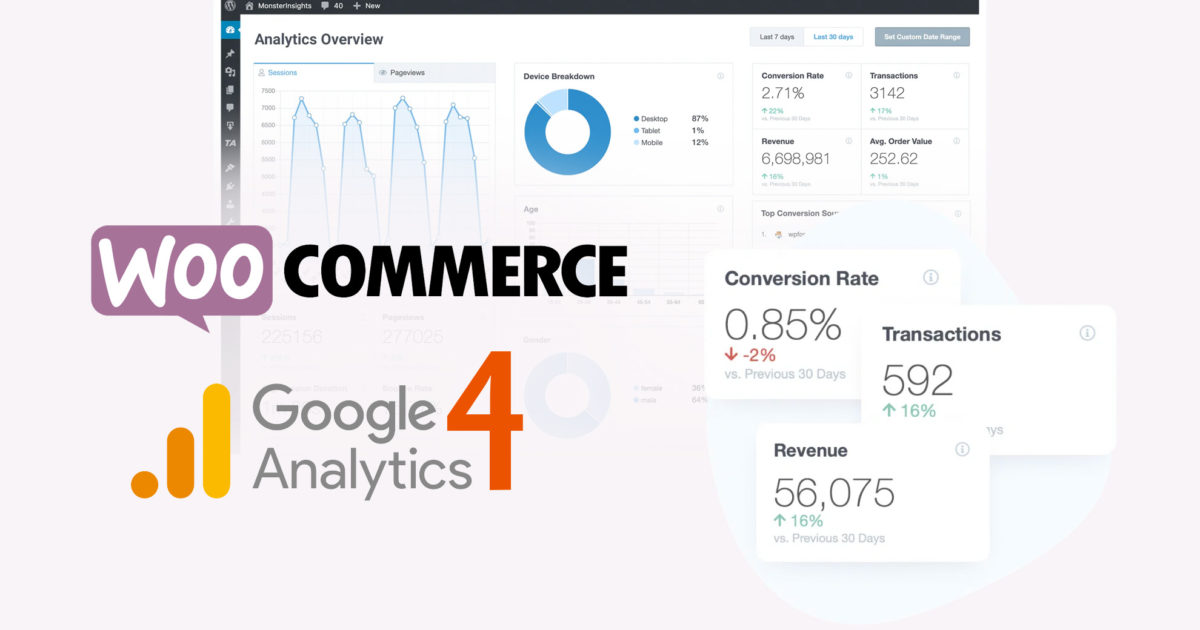
If you operate an online shop with WooCommerce, then you should use Google Analytics to measure the performance of your shop. As of July 1, 2023, Google Universal Analytics (UA) will be discontinued. It is therefore all the more important to use Google Analytics 4 now to quickly obtain measurement data, reports, and, above all, functional e-commerce tracking for revenues, sales, and product performance. In this article, we will show you how to activate WooCommerce Google Analytics 4 and use enhanced e-commerce tracking and/or event tracking (conversions) for forms and lead generation. We will also show you how to understand the report and use the data effectively to increase revenue.
Google Analytics 4 for WooCommerce as a WordPress plugin integrated and set up in just 5 minutes with all important measurement data!
Accept required services and load content in just 5 minutes. Set up WordPress WooCommerce Google Analytics Ecommerce Tracking and use Conversion Tracking WITHOUT Google Tag Manager, without HTML, and without programming knowledge.
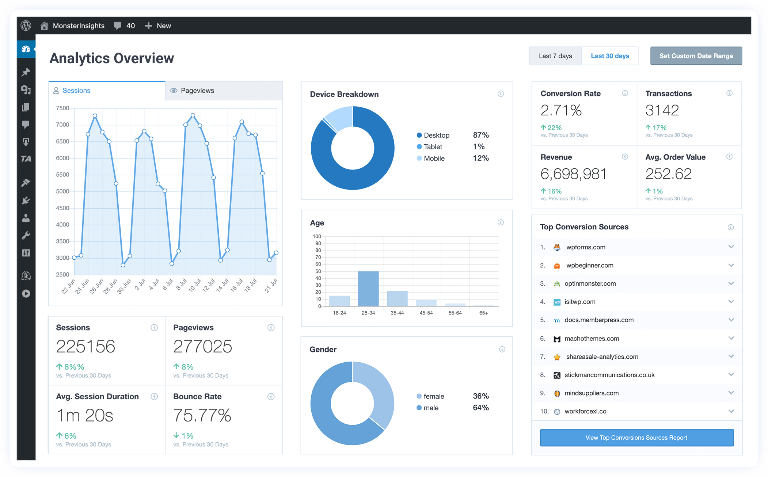
With WordPress + WooCommerce Google Analytics Ecommerce Tracking for Conversion + enhanced revenue data, the Google Analytics plugin from MonsterInsights gives you insights into your WooCommerce sales funnel and saves you the annoying, time-consuming, and error-prone integration with Google Tag Manager for e-commerce tracking with your WooCommerce shop.
The Enhanced Google Analytics 4 Tracking Plugin by MonsterInsights for your WooCommerce shop* is arguably the best Google Analytics 4 plugin for WordPress. With just a few clicks, you can set up enhanced e-commerce tracking for your WooCommerce shop without having to hire a developer or write code.
If you are not using Google Analytics to track the performance of your WooCommerce shop, then you are missing out on a lot of valuable data. Google Analytics is a powerful tool for websites and online shops that can help you, as an online retailer, understand your customers‘ behavior and make better decisions for your business.
This article shows you everything about: „How do I activate Google Analytics Version 4 or switch to it?“
When is Google Analytics 4 coming?
Google Analytics Version 4 was released in October 2020. The WordPress WooCommerce integration as a plugin for GA4 has been available since early 2022.
Important: As of July 1, 2023, Google Universal Analytics (UA) will be discontinued.
What is different in Google Analytics Version 4?
The biggest difference is that Google Analytics Version 4 uses a new data model or machine learning model to make predictions about your customers and their behavior. This means it can provide you with more accurate data than ever before.
Become more visible on Google & Social Media?
In a free strategy consultation for data-driven online marketing, we uncover your untapped potential, review any existing ad accounts if necessary, examine your SEO ranking and visibility, and determine which strategy is appropriate for your budget and which active measures will lead to more inquiries or sales.

✅ More visibility & perception through targeted placement
✅ More visitors > prospects > customers > revenue
✅ Reach target groups scalably with SEA
✅ Act and grow sustainably with SEO
🫵 Maximum success with our hybrid strategy
💪 More than 15 years of experience across industries in over 1,000+ projects demonstrable!







This means that the way data is collected and organized differs from previous Analytics.
If you are already using Google Analytics for your website, you might be wondering if you should upgrade to the latest version. The clear answer is yes!
In the next paragraph, you will find a brief overview of the new features in Google Analytics Version 4 and how your online shop business can benefit from them.
Google Analytics 4 Differences from the "old" UA:
- The „All Products“ report has been replaced by the new „Products“ report.
- The „Product Listing“ report has been replaced by the new „Enhanced E-commerce“ report.
- The „Sales Performance“ report has been replaced by the new „Revenue Report“.
- The „Shipping Costs“ and „Coupons“ reports have been replaced by the new „Shipping Report“ and „Coupon Report“ respectively.
- The „Product Reviews“ report has been replaced by the new „Product Reviews“ report.
What's new in the Google Analytics version?
This version of Google Analytics includes a number of features designed to provide more accurate data, including
- The use of machine learning to automatically identify and group similar events
- A new architecture that enables the collection of granular data while reducing the amount of data that needs to be sent to Google
- The ability to collect data from any device, including wearables and IoT devices
- New features that allow you to better understand your users‘ behavior, including the repetition of user sessions and heatmaps
- Improved data migration for Google Ads to evaluate the conversion rate and much more
How does my WooCommerce shop benefit from Google Analytics Version 4?
There are a number of benefits that your WooCommerce shop can gain by upgrading to Google Analytics Version 4, including
– More accurate data to help you make better decisions about your business
– The ability to collect data from any device, which is especially important as many people now shop via their mobile phones
– New features that give you insights into your customers‘ behavior so you can better understand how they interact with your shop.
If you’re ready to upgrade to Google Analytics version four, it’s easy to do with WooCommerce. Just follow the instructions in this article.
These are just some of the new features in Google Analytics version four. As you can see, there are many benefits to upgrading. So if you’re ready to get started, follow the instructions in this article and upgrade your WooCommerce store to GA4 today!
How do I enable WooCommerce Google Analytics Version 4 Integration?
Enabling GA4 requires two steps. First, you need to create a GA4 property, and second, you need to enable the Google Analytics integration in your WooCommerce settings using the plugin mentioned below. We have detailed both steps below.
How to create a new GA4 property:
- Log in to your Google Analytics account
- Click „Admin“ in the left sidebar
- In the „Property“ column, click „Create Property“
- Select „Web“ and then click „Next“
- Enter a name for your property and click „Create“
- Once the property is created, select it from the list and click „Data Settings“ in the left sidebar.
- In the „Data Settings“ section, click the „Customize Data Collection“ tab in the „Data Collection“ section.
- In the „Data Collection“ section, check the box next to „Enable Google Analytics tracking for my WooCommerce store“
- Click „Save“ at the bottom of the page
Your WooCommerce store is now ready for data collection with GA 4 – see next paragraph!
Google Analytics 4 WooCommerce Integration with Plugin
If you are looking to switch from Universal Analytics to Google Analytics Tracking 4 for your WooCommerce store, or if you are just starting with e-commerce tracking and data analysis, then this blog post is for you. We will show you how to enable WooCommerce Google Analytics 4 tracking, and we will also give you some insights into the type of e-commerce data.
This plugin replaces our previous suggestion for WooCommerce Google Analytics Pro (click for blog article).
Here are the benefits of using MonsterInsights for your WooCommerce store:
- Gain insights into which products are selling and which are not
- Discover which countries your customers come from
- See which coupon codes are most popular and drive sales
- View detailed e-commerce reports & events about your revenue, shipping costs, and more
To get started with WooCommerce Google Analytics 4, click the button below and purchase the Pro version of the plugin:
Once you have purchased and downloaded the plugin, follow the instructions below to set up enhanced e-commerce tracking for your WooCommerce store.
- Log in to your WordPress account and navigate to the „Plugins“ section.
- Click the „Add New“ button and search for „MonsterInsights“.
- Install and activate the plugin.
- Navigate to the „Overview“ tab and click the „Settings“ sub-tab. – On the „General“ tab, select „WooCommerce“ from the „Platform“ dropdown list.
- Click the „Save Changes“ button.
- Navigate to the „E-commerce“ tab and click the „Enable Enhanced ECommerce tracking for WooCommerce stores“ checkbox.
- Click the „Save“ button.
That’s it! You have successfully enabled Enhanced ECommerce Tracking for your WooCommerce store.
Once you have the MonsterInsights plugin installed, setting up WooCommerce Google Analytics is a breeze.
If you have any questions, please feel free to contact us as a WooCommerce agency.
Happy selling!
Features of the Woo MonsterInsights GA4 Plugin:
Set up universal website tracking and Google Analytics 4 across devices and campaigns with just a few clicks (no code).
- Google Analytics Dashboard
View your website analytics report directly in your WordPress dashboard with actionable insights. - Real-time Statistics
Get real-time statistics directly in WordPress to see who is online, what they are doing, and much more. - Enhanced E-commerce Tracking
1-click Google Analytics Enhanced E-commerce Tracking for WooCommerce, Easy Digital Downloads & MemberPress, and more. - Page-level Analytics
Get detailed statistics for each post and page so you can see the most popular posts, pages, and areas of your website. - Affiliate Link & Ad Tracking
Automatically track clicks on your affiliate links, banner ads, and other outbound links with our link tracking. - EU Compliance (GDPR-friendly)
Automatically make Google Analytics compliant with GDPR and other data protection regulations. (see also paragraph below for more information) - Custom Dimensions
Set up tracking for authors, categories, tags, searches, custom post types, users, and other events with one click. - Performance & Optimization
Enable Google Optimize for A/B testing, adjust speed and sampling rate, and several other advanced features.
Included in the Plus License:
- Standard Reports
- Real-time Analytics Dashboard in WordPress
- Full Date Range History
- Publisher Report
- Website Speed Report
- Search Terms Report
- Email Summaries
- PDF Export
- Standard Tracking
- Universal Analytics Tracking
- Scroll Tracking
- Automatic Event Tracking
- Media Tracking
- 7+ Other Powerful Tracking:
-
- Engagement Tracking
- File Download Tracking
- Affiliate Link Tracking
- Enhanced Link Attribution
- Banner Ads Tracking
- Google AMP Tracking
- Facebook Instant Article Tracking
- Growth Tools
Headline Analyzer - Popular Posts (20+ Templates)
- Smart URL Generator
Recommendation: Purchase Pro license due to the following advantages (it's worth it!):
- Automatic advanced e-commerce tracking for WooCommerce with user journey reports to better understand your customers.
- Easy Digital Downloads analysis
- WPForms analysis
- + MemberPress, Yoast SEO, Gravity Forms, Formidable Forms, Contact Form 7, LifterLMS, GiveWP, Restrict Content Pro, WordPress comment forms, and other generic forms.
Google Analytics 4 Benefits:
- Allows you to see your complete sales funnel
- You gain insights into the products customers add to or remove from their shopping carts
- See which products are selling and which are not
- Discover which countries your customers come from
Is Google Analytics 4 free?
Google Analytics 4 is free. However, tracking all e-commerce data is only possible with the purchase of the Pro version of MonsterInsights. The Pro version includes all the features you need to get started, including e-commerce tracking, real-time reporting, and more.
Is Google Analytics 4 GDPR compliant?
The short answer is: Yes, Google Analytics version 4 is compliant with the EU General Data Protection Regulation (GDPR). However, we recommend that you take a few additional steps to ensure that your data collection and processing is fully GDPR compliant. You can find more information on how to make your WooCommerce shop GDPR compliant in the following paragraph.
Implementing Google Analytics 4 Data Protection within the GDPR & TTDSG Framework
We recommend using the Real Cookie Banner with automatic cookie detection for this purpose:
WordPress GDPR Plugin (TTDSG) – Data protection compliant with cookie solution
This is also our preferred alternative to Borlabs Cookie Banner!
This plugin displays cookie information elegantly and effectively, allowing you to comply with GDPR/EU cookie law, including semi-automatic creation of relevant information within and around the cookie banner.
The plugin is fully compatible with WooCommerce and allows you to integrate „Cookie Control“ into your WooCommerce shop.
Important Notes:
- IP anonymization is now enabled by default.
- The „User-ID“ feature has been removed.
- The „Advertising“ feature has been removed.
If you are looking for a way to collect and display data while respecting your users‘ privacy, Google Analytics 4 is an excellent option. And with the WooCommerce Google Analytics Integration, getting started is easy.
To get started, click the button below and purchase the Pro version of the plugin. Once you have installed and activated the plugin, follow the instructions below to set up enhanced e-commerce tracking for your WooCommerce store.
If you are not working with WordPress, we recommend using one of the other methods described in this article. However, if you are using WordPress & WooCommerce, then read on to learn how to connect WooCommerce Google Analytics 4 to your store.
Thank you for reading! We hope this article has helped you learn more about Google Analytics Version 4 and how your WooCommerce store can benefit from it.
Google Analytics is a powerful tool that helps you measure your store’s performance. However, it can be difficult to set up. Fortunately, there are plugins that can help you integrate WooCommerce with Google Analytics. By the way, there is also a Headline Analyzer that helps with SEO.





 DE
DE

