

WordPress SEO optimization and search engine optimization are important tactics to increase the visibility of your website in the search engine results pages (SERPs). By optimizing your WordPress website for search engines, you can drive more organic traffic to your website and increase the chances of success.
WordPress SEO Search Engine Optimization + SEO Plugins + Basics & Tips
WordPress SEO optimization involves a range of strategies to ensure that your content is visible to search engine crawlers. This includes optimizing page titles, meta descriptions, site structure, and content. Correctly formatting alt tags for images with descriptive titles, providing keyword-rich URLs, and regularly updating content are also important aspects of WordPress SEO. Furthermore, using plugins like Yoast SEO or Rank Math makes it easier to optimize individual pages, products, and posts on your website or shop.

Search engine optimization goes beyond mere WordPress optimization and also includes off-site techniques such as link building and content promotion. Link building involves building relationships with other websites by linking to their content from your website; this signals to search engines that your website is reliable and relevant. Content promotion refers to all activities that increase the visibility of your content on the internet, such as guest blogging on other websites or social media marketing through channels like Twitter, Facebook, or LinkedIn. It is important to keep an eye on the SERPs to identify changes that may affect your off-page optimization strategies to maximize organic traffic growth over time.
Overall, plugins for WordPress SEO optimization for search engine optimization are powerful tools when used correctly in combination with each other. By focusing on improving the relevance of your website’s content while increasing your external reach through link building and other tactics, you have a greater chance of successfully attracting organic traffic from the search engine results pages (SERPs). The key is to test different approaches over time to see what works best to achieve optimal visibility on the SERPs, as these ranking algorithms frequently change!
In this article, we will also introduce what is probably the best Yoast SEO alternative, among other things.
The best SEO Plugins WordPress + WooCommerce – Search Engine Optimization
WordPress is one of the most popular content management systems on the market, and its popularity is due to its ease of use, flexibility, and the wide selection of WordPress SEO plugins. SEO (Search Engine Optimization) is an important factor in designing a website, as it determines where your website ranks in search engine results pages. Using the right SEO plugins can help increase the visibility of your website and WooCommerce shop to potential customers, which in turn leads to more organic traffic and conversions.
There are a variety of WordPress SEO plugins specifically designed to improve SEO rankings. These range from simple plugins that allow you to add meta tags and keywords to more advanced tools for optimizing page titles, descriptions, sitemaps, and more.
The following list includes 3 good plugins and our new favorite for good WordPress SEO optimization (search engine optimization):
Yoast SEO WordPress Plugin
One example is Yoast SEO – a powerful plugin that offers a whole range of features to improve your website’s ranking. It allows you to add metadata, optimize content for specific keywords, create XML sitemaps, check the correctness of HTML tags, and much more. Yoast is usually sufficient in the free version if a suitable theme is used (more on this below).
Become more visible on Google & Social Media?
In a free strategy consultation for data-driven online marketing, we uncover your untapped potential, review any existing ad accounts if necessary, examine your SEO ranking and visibility, and determine which strategy is appropriate for your budget and which active measures will lead to more inquiries or sales.

✅ More visibility & perception through targeted placement
✅ More visitors > prospects > customers > revenue
✅ Reach target groups scalably with SEA
✅ Act and grow sustainably with SEO
🫵 Maximum success with our hybrid strategy
💪 More than 15 years of experience across industries in over 1,000+ projects demonstrable!







Yoast Premium is therefore not absolutely necessary, and we recommend investing the money instead in an external tool for holistic analysis, such as the SEO software series from Mangools (click here)*.
All in One SEO Pack (Pro)
First off: For serious search engine optimization, purchasing the Pro package is absolutely essential here. Another good plugin you should consider is All in One SEO Pack Pro. This premium version offers additional features such as support for extended custom fields, automatic generation of meta tags, analysis of metadata for social media, integration with Google Webmaster Tools and Bing Webmaster Tools, support for WooCommerce shop pages, and much more.
All in One SEO – Best WordPress SEO Plugin – Easily Improve SEO Rankings & Increase Traffic
SEOPress Pro, the Hidden Champion among WP SEO Plugins
Here, too, purchasing a Pro version is essential! A great plugin that should be mentioned is SEOPress Pro. This plugin has some great features such as automatic modification of page titles according to the keywords used by searchers in Google, bulk editing of settings, creation of redirects, integration with Google Analytics, tools for optimizing local businesses, automatic submission to Google News and Apple News, support for Accelerated Mobile Pages (AMP), visual editing tools for post types, integrated schema markup generator for rich snippets, automatic link building, and much more!
After this brief introduction, let's move on to our favorite:
Rank Math SEO WordPress Plugin – the Yoast SEO Alternative / Competitor
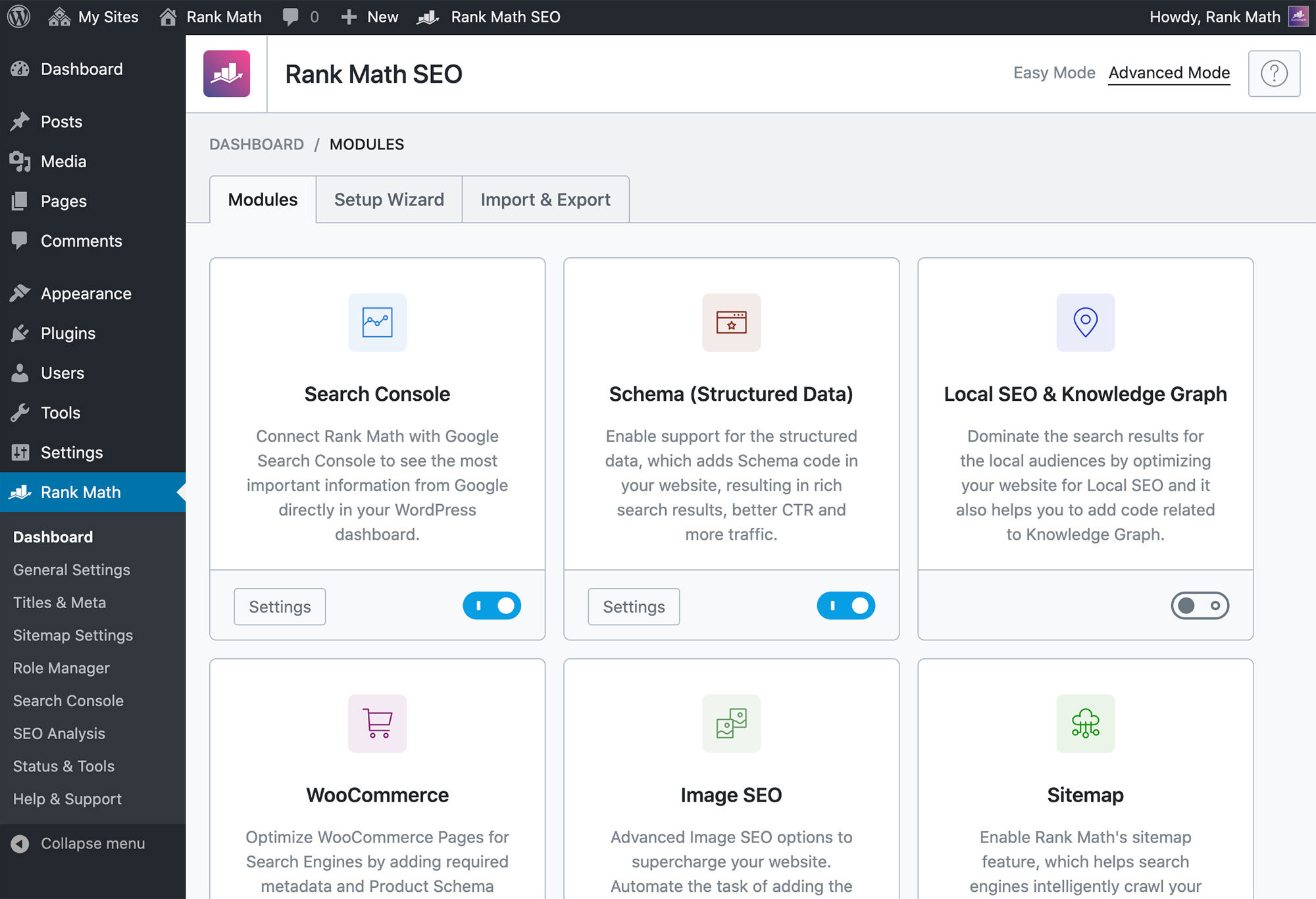
Rank Math is an incredibly powerful WordPress SEO plugin that can take your website to the next level. It offers a comprehensive toolkit of features and optimizations that allow you to easily create SEO-friendly content and improve your rankings on Google and other search engines. This all-in-one plugin includes everything you need to get started with WordPress SEO, including automatic optimization of titles, descriptions, URLs, images, content, and meta tags, as well as support for WooCommerce shop pages.
Rank Math also includes a variety of advanced tools that allow you to fully utilize the latest SEO strategies and technologies. With the plugin, you can generate sitemaps for improved crawling by search engine bots, create canonical URLs to prevent duplicate content, add rich snippets for higher click-through rates on SERPs (Search Engine Results Pages), set up redirects for broken links or deleted pages, analyze internal links for link-building opportunities, and much more. In addition, Rank Math has integration with popular page builders like Elementor and Beaver Builder, allowing you to customize the appearance of your pages in the SERPs.
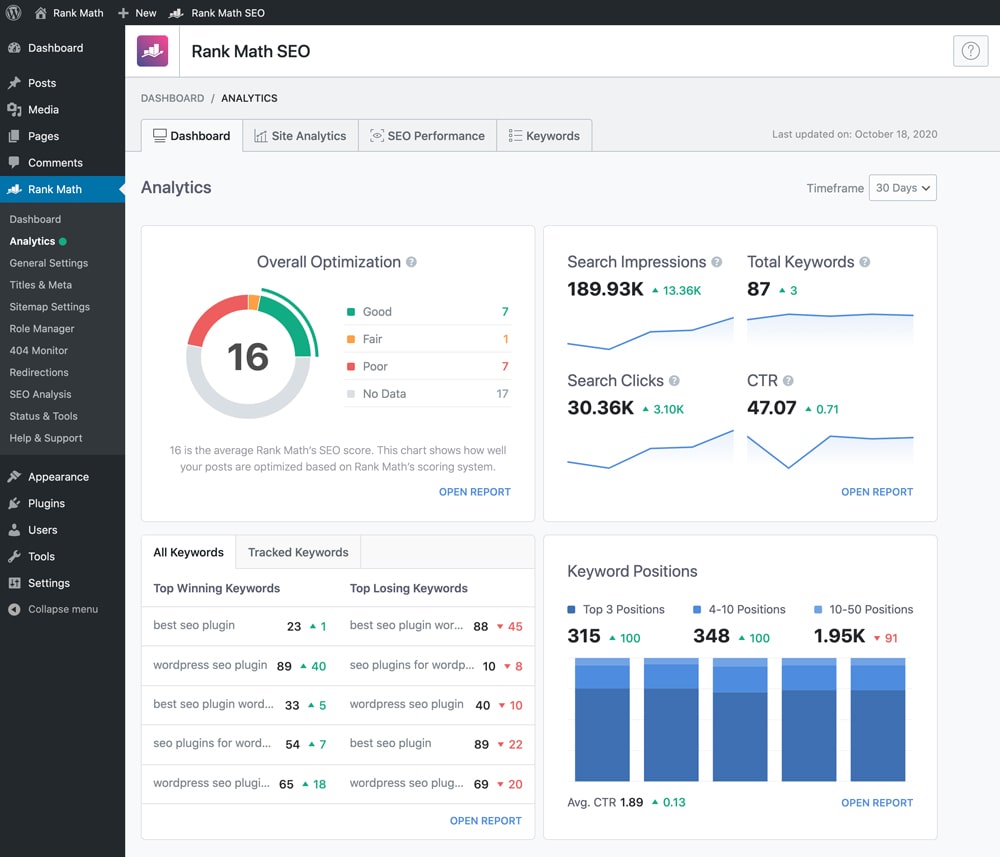
One of Rank Math’s most impressive features is its AI-powered keyword optimization tool, which automatically identifies keywords in your content and helps you optimize them for better rankings in Google’s SERPs. It even makes suggestions on which keywords should be used in different parts of your content, depending on their relevance to the topic. In addition, Rank Math’s integrated Schema Markup Generator allows you to easily add Schema Markup code to your web pages so that they are displayed correctly in search engine results.
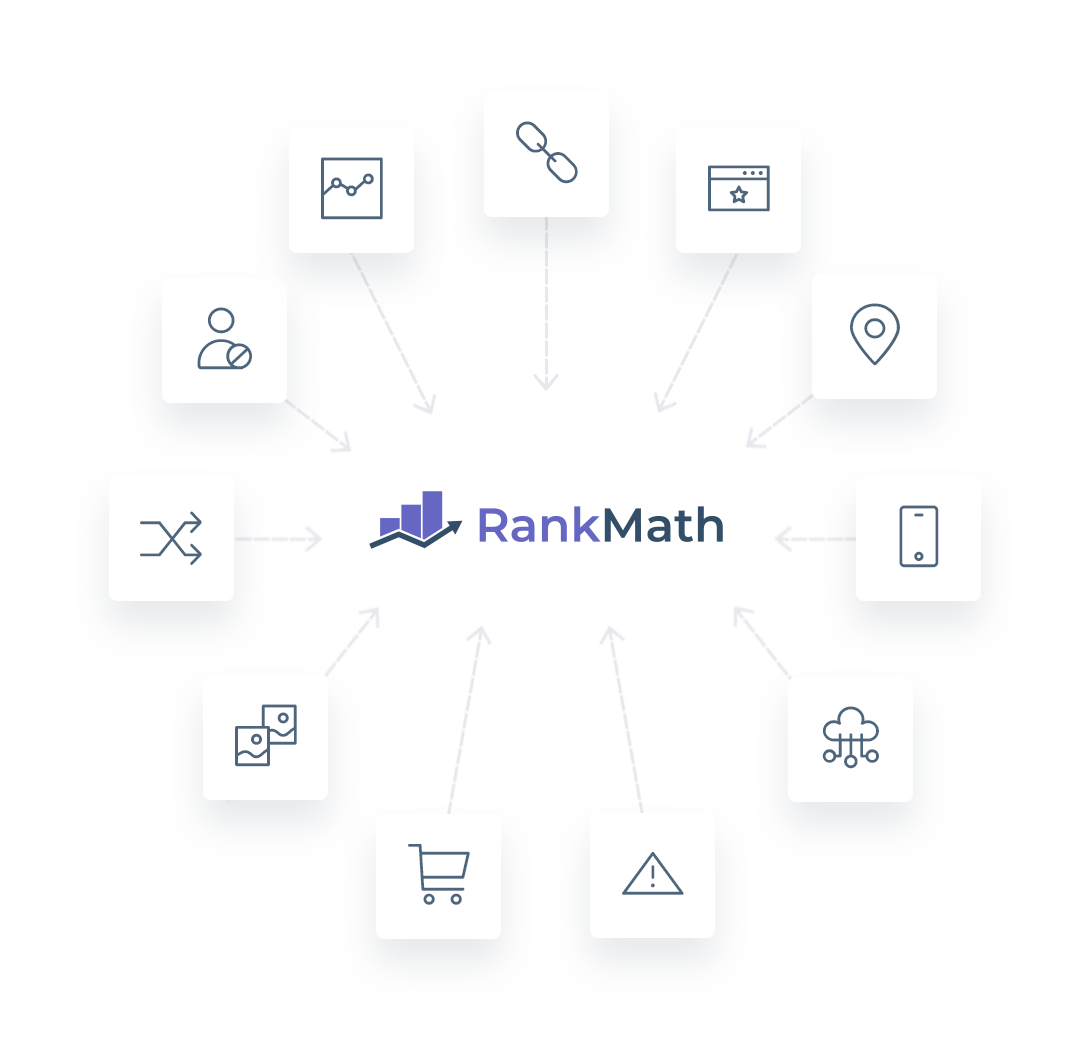
In addition to all its great features, Rank Math makes it easy to stay up-to-date with industry best practices by providing regular updates on new SEO strategies or search engine algorithm changes. It also offers helpful guides and tutorials, as well as in-depth documentation, so users can quickly learn how to make the most of the plugin’s features. Overall, Rank Math is an excellent choice for anyone looking for an intuitive yet powerful WordPress SEO plugin that can take their website’s visibility and ranking to the next level without wasting time learning complex code or SEO techniques.
Online Shop: WooCommerce SEO for more sales and revenue
E-commerce businesses using WooCommerce for their online stores can benefit from implementing SEO strategies to increase sales and revenue. Applying SEO tactics such as optimizing page titles, descriptions, and headings, as well as creating content focused on relevant keywords and phrases, can help attract more customers to a WooCommerce store. In addition, regularly updating the website with new product information and blog articles helps keep customers informed about the latest offers and discounts.
To further optimize your WooCommerce store for search engines like Google, you should use tools like Yoast SEO or RankMath. These SEO plugins offer helpful features such as automated XML sitemaps, which make it easier for search engine bots to crawl your website’s pages. They also allow you to set up optimized meta tags and titles for each page of your website, so they stand out in the results pages when potential customers search for related terms.
To ensure that customers can quickly and easily find what they are looking for in your WooCommerce store, it is important to create an intuitive navigation system. This includes clearly labeling product categories so that customers know where each item is located on the website. In addition, integrating internal links into your product descriptions helps visitors quickly access related items without having to perform additional searches elsewhere on the web. Finally, customizing the URL structure of individual items helps them to be more easily found by potential customers on search engine results pages.
By following best practices for SEO optimization in terms of content creation and technical implementation in WooCommerce stores, businesses can achieve better visibility in search engine rankings, which leads to higher traffic volume over time. If these methods are applied correctly along with other tactics such as paid advertising or email marketing campaigns, higher sales and revenue can be expected in the future.

The best SEO tools to complement OnPage SEO plugins
The best SEO tools are essential for improving a website’s visibility on search engine results pages. From keyword research to link building to technical optimization, these tools are invaluable when it comes to optimizing a website for higher rankings.
The market leader and the best recommendation is clearly Ahrefs as a professional SEO tool. As a very good and affordable alternative, mangools follows with its all-in-one SEO suite with 5 powerful SEO tools.
The most important SEO functions are included:
- KWFinder for keyword research, W-questions tool & autocomplete search (see blog article)
- SERPChecker for SERP analysis of all pages
- SERPWatcher for rank tracking (see blog article)
- LinkMiner for backlink analysis (OffPage-SEO link building)
- SiteProfiler for SEO metrics and insights for site evaluation
Conclusion on search engine optimization and the best WordPress SEO plugins
In summary, if you want to ensure that your WordPress website or WooCommerce shop ranks high on search engine results pages, these are all excellent options you should consider. All three plugins offer comprehensive solutions that cover all aspects of SEO optimization. No matter what level you are at with your online presence, there should be something here that meets all your needs!
Further Questions:
What do SEO plugins do?
SEO plugins are indispensable tools for optimizing a WordPress website or a WooCommerce shop for search engine results pages (SERPs). They are designed to help users by automating the process of creating optimized titles and meta tags, generating XML sitemaps, and producing targeted content. SEO plugins also offer useful features such as link-building tools and keyword research tools.
What are some of the most popular SEO plugins for WordPress?
Among the most popular SEO plugins for WordPress are Yoast SEO, RankMath, All in One SEO Pack, SEOPress, and The SEO Framework. Each plugin offers a different set of features that can help website owners optimize their sites for search engines.
When it comes to optimizing a WordPress website or a WooCommerce shop for search engines, there are many different tools. Some of the most popular and effective SEO tools include Yoast SEO, RankMath, All in One SEO Pack, SEOPress, and The SEO Framework. Each of these plugins offers comprehensive solutions that allow users to optimize their website.
The SEO Basics for WordPress & WooCommerce and all other CMS
WordPress SEO basics are essential for anyone running a website powered by WordPress. With these 5 fundamental tips, you can take your website to the next level and ensure it is optimized for search engine visibility.
First and foremost, make sure you are using an SEO-friendly theme. There are countless themes available for WordPress, but many of them lack the optimization needed for your website to stand out in search engine results. Look for themes specifically designed with SEO in mind.
Our recommendation as a WordPress agency:
The 5 Basics:
- Install an SEO plugin for your WordPress website. This will provide you with tools and features to easily optimize your website’s content. Popular options include Yoast SEO or Rank Math. These plugins allow you to customize titles and descriptions for each page, add meta tags, create XML sitemaps, check keyword density, and much more.
- Create a blog on your WordPress website – even if you have a WooCommerce online shop. Blogging is one of the most effective methods to improve your website’s SEO, as fresh content is one of the most important factors for ranking in search engine results. By regularly writing and publishing blog posts, you will have more opportunities to find keywords, increase your website’s visibility, and ultimately attract more visitors to your site.
- Utilize internal linking. By linking related pages on your website, you can pass link equity from one page to another, thereby improving the overall SEO value of the entire website. Ensure that every article or blog post contains relevant links pointing to other pages on your website.
- Finally, ensure that all images and files are optimized for search engines. This includes adding appropriate file names (before uploading!) titles and descriptions (alt tags) to each image or file, as well as compressing them for faster loading times. Image compression tip: https://wordpress.org/plugins/ewww-image-optimizer/
- You must use an external SEO tool as described above for a real evaluation or at least Rank Math SEO Premium*.
By following these basic WordPress SEO tips, you can ensure that your website or webshop is properly optimized and stands out from the competition in search engine results, helping you rank as high as possible. With a few simple steps, you can take your website to the next level and increase its visibility!
Do you need help? Let us advise you and benefit from over 10 years of SEO expertise.





 DE
DE

