


Easier through the workday – correctly use Chat GPT for work, save time, and delegate or automate tasks. In the age of digital transformation, artificial intelligence and machine learning are revolutionizing the way we work. From automating routine tasks to improving customer communication and assisting with complex decision-making processes, ChatGPT opens a new chapter in workplace efficiency and productivity. This detailed article describes the functionalities, examples, integrations, and how Chat GPT can actively & passively support daily work as an employee or employer (CEO, manager, owner, freelancer, etc.).
ChatGPT in everyday work for more efficiency & automation
A remarkable example of this progress is OpenAI’s ChatGPT, an advanced AI-powered language processing technology. This blog article introduces you to the versatile applications of ChatGPT in everyday work. We will explore the various application areas of ChatGPT, including its role in communication, project management, data analysis, and much more.
This overview not only provides insight into the current uses of ChatGPT but also into the potential impacts and future prospects of this technology. Dive into the world of ChatGPT and discover how it can transform and enrich your daily work.
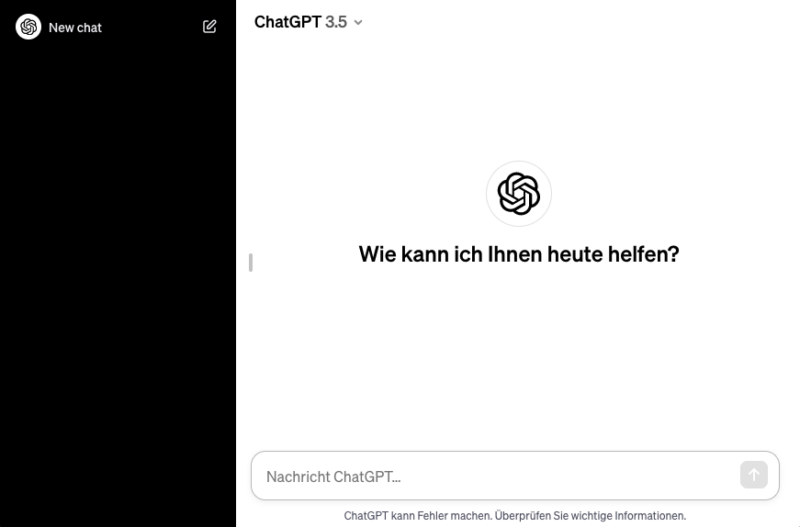
Examples & Application of Chat GPT at Work
10 examples for the mentioned application areas of ChatGPT, each with a brief description:
1. Automation of routine tasks
ChatGPT can help automate simple, repetitive tasks such as answering frequently asked questions, drafting standard emails, or organizing data.
- Email Filtering and Sorting: Automatically categorizing incoming emails into relevant folders.
- Answering FAQs: Quickly answering frequently asked customer questions.
- Appointment Scheduling: Support in coordinating and planning meetings.
- Data cleansing: Help with organizing and cleaning databases.
- Form filling: Automatic filling of standard forms.
- Report generation: Creation of regular reports, e.g. sales figures.
- Task management: Assignment and monitoring of team tasks.
- Inventory management: Monitoring and updating of inventory.
- Accounting tasks: Simple accounting tasks such as invoicing.
- Social Media Management: Planning and publishing standard posts.
2. Research Support
It can quickly compile and prepare information on various topics, which is particularly useful for research and information gathering.
- Market Research: Compiling data on market trends.
- Competitor Analysis: Research and analysis of competitor companies.
- Product Research: Information on product specifications and reviews.
- Scientific Research: Search for relevant scientific articles.
- Industry News: Updates on industry news.
- Supplier Research: Finding potential suppliers and partners.
- Legal and Regulatory Research: Information on relevant laws and standards.
- Customer Demographics: Analysis of target audience and customer preferences.
- Technology Trends: Exploring new technologies and innovations.
- Historical Data: Collecting historical information for comparative analyses.
3. Language Translations
ChatGPT can translate texts into various languages, which is helpful in multicultural work environments or for international communication.
- Document Translation: Translation of reports, emails, presentations.
- Website Translation: Multilingual adaptation of web content.
- Customer Service: Support in communicating with non-German-speaking customers.
- Employee Training: Translation of training materials.
- Marketing Materials: Adaptation of advertising texts for various language markets.
- Contract Translation: Translation of legal documents and contracts.
- Product Manuals: Multilingual creation of user manuals.
- Internal Communication: Support for communication in multicultural teams.
- Conference Materials: Translation of speeches and presentations.
- Social Media: Creating multilingual posts for an international audience.
4. Idea and Content Generation
It can assist in creating content such as blog posts, marketing materials, or presentations by providing suggestions and drafts.
- Blog Post Ideas: Generating topics for blog articles.
- Ad Copywriting: Creating creative texts for marketing campaigns.
- Presentation Content: Suggestions for slide content and designs.
- Social Media Content: Development of post ideas for various platforms.
- Product Descriptions: Creative descriptions for online shops.
- Newsletter Content: Ideas for regular newsletter topics.
- Video Scripts: Script development for promotional or informational videos.
- Press Releases: Formulation of announcements and company news.
- E-Book Ideas: Suggestions for topics and structures of e-books.
- Infographics: Ideas for visual data representation.
5. Learning and Training
ChatGPT can serve as a learning tool to explain new concepts, create training materials, or as an interactive tool for e-learning courses.
- Explaining Concepts: Simplified explanations of complex topics.
- Creating Quizzes: Developing questions for learning assessments.
- Language Training: Exercises and materials for language learning.
- Soft Skill Training: Materials for developing communication skills.
- Technical Training: Support in learning new software or technologies.
- Safety Training: Creation of content for safety training.
- New Employee Onboarding: Developing introductory materials.
- Leadership Training: Materials for leadership development.
- Health and Wellness: Information on workplace ergonomics and health.
- Cultural Training: Materials for understanding different cultures.
6. Decision-Making Support
By providing information and highlighting different perspectives, it can support decision-making.
- Pros and Cons Lists: Listing advantages and disadvantages of various options.
- Market Analysis: Summary of relevant market data.
- Risk Assessment: Analysis of potential risks in decisions.
- Product Comparisons: Comparison of different product alternatives.
- Investment Analysis: Evaluation of investment opportunities.
- Strategy Development: Support in elaborating business strategies.
- Personnel Decisions: Assistance in evaluating candidate profiles.
- Technology Selection: Consulting on the selection of software or equipment.
- Project Prioritization: Support in deciding which projects should be implemented first.
- Budget Planning: Assistance with setting up and evaluating budgets.
7. Customer Service and Support (CRM)
It can be used in customer service to answer inquiries, provide problem solutions, or create user manuals.
- Automated Responses: Answering simple customer inquiries.
- Troubleshooting: Assistance with technical problems.
- Product Consultation: Advice on product features and options.
- Order Tracking: Support for delivery status and order inquiries.
- Feedback Collection: Gathering and processing customer feedback.
- Complaint Management: Handling customer complaints and concerns.
- FAQ Sections: Creation and updating of FAQ areas on websites.
- User Manuals: Development of easy-to-understand instructions.
- Return and Exchange Processes: Support for return and exchange requests.
- Loyalty Programs: Information on customer loyalty programs.
8. Increase in Efficiency
By helping to quickly process and prepare information, it can contribute to increasing overall work efficiency.
- Process Optimization: Suggestions for improving existing workflows.
- Time Management: Tools for better organization and time planning.
- Task Prioritization: Support in setting priorities.
- Collaboration Tools: Integration into project management and collaboration tools.
- Automated Reporting: Creation of regular performance reports.
- Email Management: Optimization of email communication.
- Document Management: Improvement of document storage and organization.
- Resource Planning: Assistance with the allocation of resources and personnel.
- Making Meetings More Efficient: Tips for conducting productive meetings.
- Goal Tracking: Support in monitoring and evaluating goal achievement.

Chat GPT simplifies everyday life at work and in your profession
ChatGPT can definitely help to simplify everyday work. Through its versatile functions and capabilities, it offers support in various areas:
- Increased Efficiency: By automating recurring and routine tasks, time and resources can be saved, leading to higher efficiency in daily work.
- Information and Research Assistance: ChatGPT can quickly gather and process information, which is particularly helpful for research and information retrieval.
- Communication and Language Support: It can assist in drafting texts, from emails to reports, and provides support with translations and understanding foreign languages.
- Learning and Development Tool: ChatGPT can be used as a resource for learning and personal development, whether by providing learning materials or by explaining complex concepts.
- Creativity and Idea Generation: It can assist in brainstorming, whether for marketing campaigns, product development, or other creative processes.
- Improved Decision-Making: By providing data and different perspectives, ChatGPT can support decision-making.
- Customer Service: It can be used in customer service to answer inquiries quickly and effectively support customers.
Through these diverse applications, ChatGPT can be a valuable aid in professional life and contribute to a more productive, efficient, and satisfying way of working.
Learn and further develop skills in working with Chat GPT
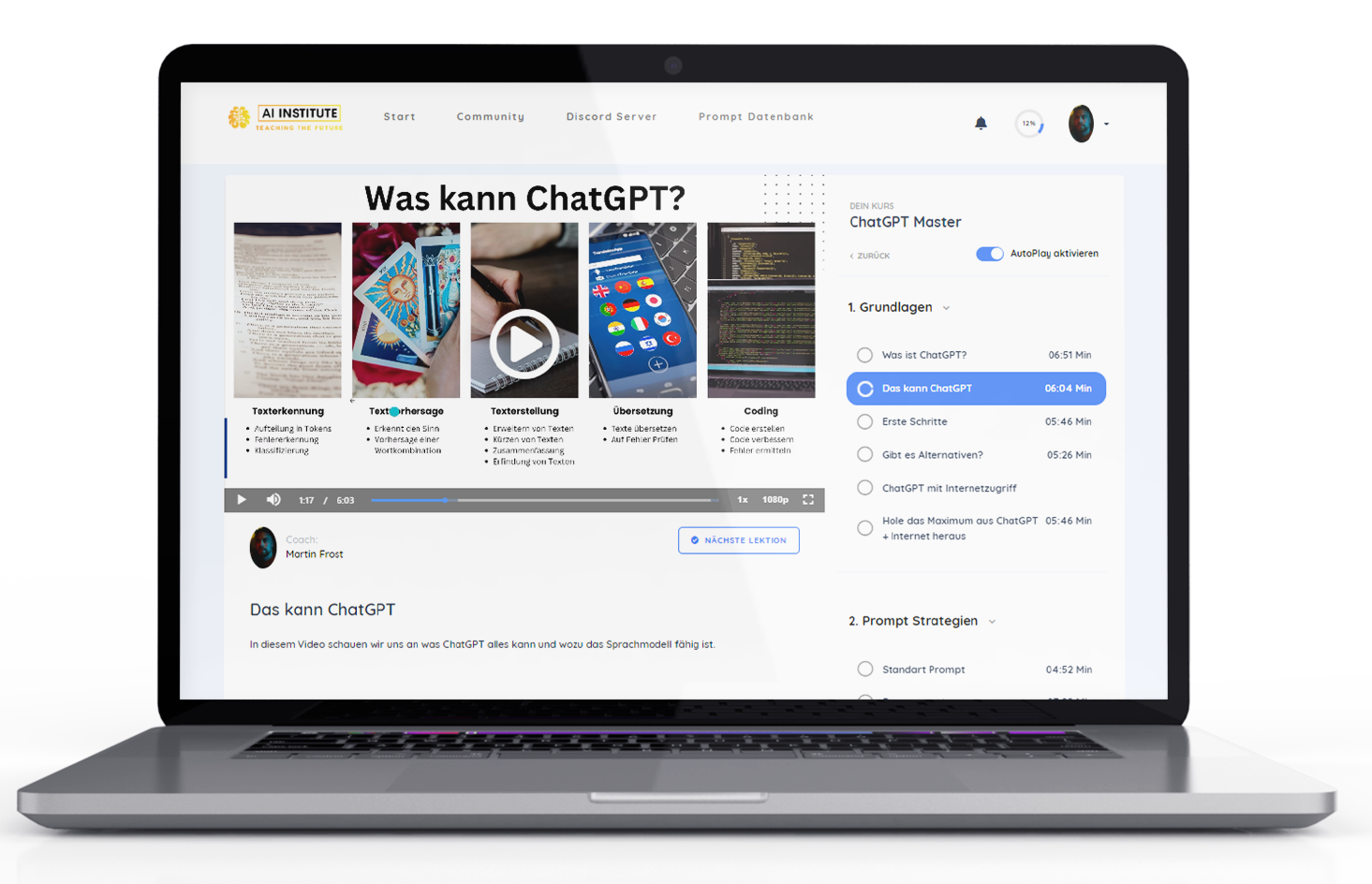
Absolute Empfehlung um den Handling and using Chat GPT + templates to learn quickly 🚀:
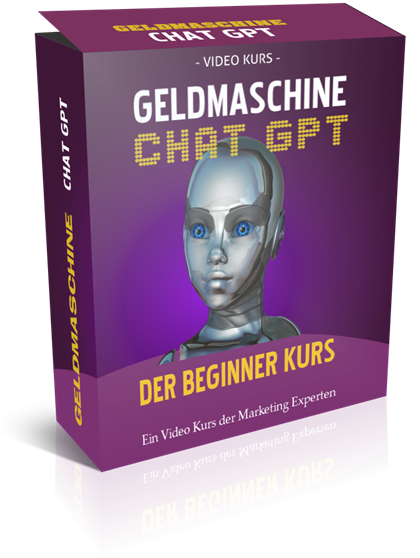
Another alternative as a Chat GPT basic course for business:

Earn money with Chat GPT – the ultimate money-making machine?
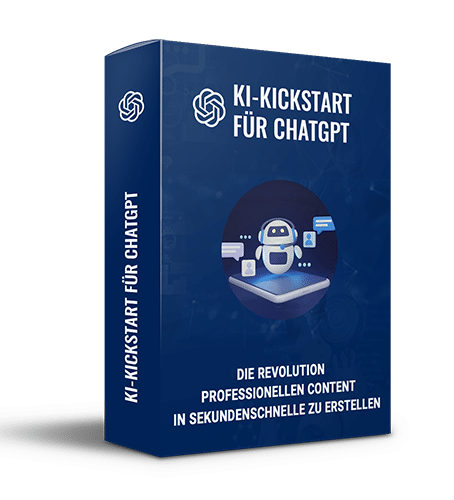
AI Kickstart Course to Get Started 10% Faster in Online Marketing:
Become more visible on Google & Social Media?
In a free strategy consultation for data-driven online marketing, we uncover your untapped potential, review any existing ad accounts if necessary, examine your SEO ranking and visibility, and determine which strategy is appropriate for your budget and which active measures will lead to more inquiries or sales.

✅ More visibility & perception through targeted placement
✅ More visitors > prospects > customers > revenue
✅ Reach target groups scalably with SEA
✅ Act and grow sustainably with SEO
🫵 Maximum success with our hybrid strategy
💪 More than 15 years of experience across industries in over 1,000+ projects demonstrable!







Additional Tip – Buy AI & AI Software Cheaply with One-Time Payment Instead of Monthly Subscriptions

Top 10 Ways ChatGPT Can Help Employees (Staff)
- Time Management and Organization: ChatGPT can help to better structure the working day and prioritize tasks efficiently.
- Task Automation: Simple, time-consuming tasks such as data entry or email sorting can be automated to free up more time for more important tasks.
- Further Education and Learning: ChatGPT can serve as a learning aid to acquire new skills or deepen existing ones.
- Linguistic Support: Translation aids or proofreading of texts in various languages.
- Efficient Research: Fast and effective information retrieval on professional topics.
- Brainstorming and Creativity: Support in generating new ideas for projects or presentations.
- Communication and Presentation: Assistance in formulating emails, reports, and presentations.
- Work-Life Balance: Advice on stress management and maintaining a healthy work-life balance.
- Career Development: Consultation on career questions and professional advancement.
- Networking and Social Interaction: Support in maintaining professional networks and communication on social media.
Recommendations for Employees
- Active Use: Actively integrate ChatGPT into your daily work to facilitate routine tasks.
- Further Education: Use the learning opportunities to continuously improve your skills.
- Optimize Communication: Use ChatGPT to improve your written communication and make it more effective.
- Time for Important Things: Automate repetitive tasks to focus on creative and challenging projects.
- Consider Work-Life Balance: Use advisory functions to avoid stress and maintain a healthy balance.

Top 10 Ways ChatGPT Can Help Employers (Entrepreneurs / Self-Employed)
- Automation of Business Processes: Increase efficiency by automating simple, repetitive tasks.
- Employee Training and Development: ChatGPT can assist in creating training materials and conducting training sessions.
- Recruitment and Human Resources: Support in reviewing applications and preparing for interviews.
- Market Analysis and Strategy Development: Provision of data and analyses for market studies and strategic decisions.
- Customer Service and Support: Use as a tool to improve customer service.
- Innovation Management: Fostering innovation processes through idea generation and brainstorming.
- Internal Communication: Optimizing communication within the company.
- Document and Knowledge Management: Managing and organizing corporate knowledge.
- Productivity Analysis: Analyzing and improving workflows and employee productivity.
- Risk Management: Assistance in identifying and assessing business risks.
Recommendations for Employers
- Process Optimization: Identify areas where ChatGPT can contribute to increased efficiency.
- Employee Development: Utilize ChatGPT as a resource for the continuous training of your employees.
- Increase Customer Satisfaction: Integrate ChatGPT into your customer service to respond to customer inquiries more quickly and effectively.
- Foster a Culture of Innovation: Encourage your employees to use ChatGPT for creative processes and problem-solving.
- Data-Driven Decisions: Leverage ChatGPT’s analytical capabilities to make informed decisions.

Chat GPT for Teams – Internally & Externally with Concrete Tips
ChatGPT can support teams in their work in various ways:
- Project Management and Task Coordination:
- ChatGPT can be used to create a detailed project plan that includes specific tasks, responsibilities, and deadlines for each team member. For example, a team leader can ask ChatGPT to create an action plan for a marketing project, breaking down tasks and setting timelines.
- Documentation and Knowledge Management:
- In teams working on complex projects, ChatGPT can help summarize important information from meetings or brainstorming sessions and organize it in a shared documentation tool like Confluence or Google Docs. This keeps the entire team up to date and ensures that important insights are not lost.
- Promoting Creativity and Idea Generation:
- ChatGPT can serve as a creative partner for brainstorming sessions. Suppose a design team is looking for innovative ideas for a new product line. ChatGPT can generate suggestions that serve as a springboard for further discussions and the development of creativity.
- Internal FAQ Systems and Onboarding:
- For new team members, ChatGPT can be a valuable resource for answering frequently asked questions, from company policies to project-specific details. This relieves other team members and ensures a more efficient onboarding process.
- Language Translation in International Teams:
- In multicultural teams, ChatGPT can assist with translating communications or documents to overcome language barriers. If a team member does not understand a document in its original language, ChatGPT can provide a quick translation that improves mutual understanding.
- Optimizing Meetings and Agenda Planning:
- ChatGPT can assist in creating effective meeting agendas by helping to prioritize discussion points and utilize time efficiently. For example, a team leader could ask ChatGPT to draft a structured agenda for the weekly status update meeting.
- Support for Technical Questions:
- In technical teams, ChatGPT can serve as a resource to quickly find answers to technical questions or programming problems. This saves time in troubleshooting and allows team members to focus on more complex aspects of their project.
- Feedback and Performance Review:
- ChatGPT can be used to create feedback forms or performance review templates, which can then be used within the team for regular evaluations and feedback rounds. This can standardize the process and make it more objective.
- Communication Guidelines for Customer Interactions:
- For teams that interact directly with customers, ChatGPT can assist in creating communication guidelines and strategies to ensure consistent and professional customer communication.
- Stress Management and Team Dynamics:
- ChatGPT can be used to provide tips and advice for stress management and improving team dynamics. This can particularly help to improve the working atmosphere and promote the well-being of team members in high-pressure environments.
These examples show how ChatGPT can be specifically used to support the specific needs and challenges of teams in various work environments.

The current 10 most popular prompts / commands that can really help in everyday work life
The currently most popular prompts or commands entered into ChatGPT in everyday work could be the following, along with the problems they solve:
- Create email templates: „Create a professional email template for [specific purpose].“
- Solution: Time savings and improved communication efficiency.
- Summaries of documents or meetings: „Summarize the following meeting/document briefly.“
- Solution: Quick information processing and better clarity.
- Generating Report Drafts: „Create a draft for a report on [specific topic].“
- Solution: Accelerating the reporting process and structuring information.
- Ideas for Presentations and Projects: „Provide ideas for a presentation/project on [topic].“
- Solution: Fostering creativity and generating ideas.
- Questions on Specific Technical Topics: „Explain [complex topic] in simple terms.“
- Solution: Promoting education and improving understanding of complex topics.
- Creating FAQ responses for customer inquiries: „Formulate an answer to the frequently asked question [question].“
- Solution: More efficient customer communication and time savings.
- Language translations: „Translate the following text into [target language].“
- Solution: Bridging language barriers in multicultural work environments.
- Suggestions for process improvement: „How can the process [specific process] be optimized?“
- Solution: Increasing efficiency and optimizing workflows.
- Decision-making assistance: „What are the advantages and disadvantages of [specific decision/option]?“
- Solution: Support in decision-making by highlighting different perspectives.
- Creation of social media content: „Generate a post for [Social-Media-Plattform] about [topic].“
- Solution: Increase online presence and effective marketing.
These prompts help automate routine tasks, improve communication, accelerate research and writing processes, facilitate decision-making, and increase creativity in daily work.

10 most common questions about using ChatGPT at work and in your career
The ten most frequently asked questions about the use of ChatGPT in everyday work are:
- How can ChatGPT contribute to increasing efficiency in the workplace?
- Ask for concrete examples of how ChatGPT can automate routine tasks and optimize workflows.
- Can ChatGPT handle confidential data securely?
- Concerns regarding data protection and security when using AI tools like ChatGPT in handling sensitive information.
- How exactly can ChatGPT be used in customer communication?
- Questions about specific applications of ChatGPT in customer service and customer interaction.
- Can ChatGPT support decision-making, and if so, how?
- Interest in how ChatGPT can contribute to data analysis and information provision for decision support.
- How can ChatGPT be used for employee education and development?
- Questions about using ChatGPT as an educational and training tool within the company.
- To what extent can ChatGPT support creative processes and idea generation?
- Curiosity about ChatGPT’s potential to foster creativity and assist in developing new ideas.
- How can ChatGPT help overcome language barriers in international business?
- Interest in ChatGPT’s capabilities as a translation tool and for communication in various languages.
- Can ChatGPT be individually adapted to specific business needs?
- Questions about the personalization and adaptation of ChatGPT to the specific requirements and processes of a company.
- What are the limitations of ChatGPT in professional use?
- Questions about the limitations and challenges of integrating ChatGPT into daily work.
- How can ChatGPT be implemented in an existing team or workflow?
- Questions about the practical implementation and integration of ChatGPT into existing teams and work processes.
These questions reflect a wide range of interests and concerns, from practical applications and security issues to personalization options and integration into existing systems.

Chat GPT for legal and tax questions
ChatGPT can provide basic information and general guidance on legal and tax matters, but there are important limitations to consider:
- General Information: ChatGPT can provide general information on legal and tax topics, such as explanations of specific legal terms or general tax principles.
- No Substitute for Professional Advice: ChatGPT is not a substitute for professional legal or tax advice. It cannot provide specific, case-by-case advice that requires a qualified professional (such as a lawyer or tax advisor).
- Dynamic Nature of Legal and Tax Issues: Legal and tax laws change regularly and can vary from region to region. ChatGPT’s knowledge is limited to what was known up to its last training and cannot always account for current legal changes or region-specific details.
- Limited Depth and Complexity: While ChatGPT can explain fundamentals and general concepts, it lacks the ability to perform complex legal or tax analyses that require specific expertise and contextual understanding.
Here are 3 examples of prompts that could be used in this context:
- Understanding Legal Foundations:
- Prompt: „Please explain the basics of copyright law in Germany. I am a freelance artist and want to understand how I can protect my work.“
- General Tax Questions:
- Prompt: „What are the fundamental differences between VAT and income tax? I am starting my own business and trying to understand the basics of corporate taxation.“
- Understanding Contract Clauses:
- Prompt: „Can you give me a simple explanation of the term ‚warranty‘ in a purchase agreement? I want to make sure I understand the terms correctly before signing a contract.“
These prompts are intended to provide a basic understanding of legal and tax topics. However, for specific situations or detailed advice, a qualified expert should always be consulted.
Overall, ChatGPT can be helpful for gaining a basic understanding of legal and tax issues or for getting an initial orientation. However, for specific, individual, or complicated inquiries, a qualified expert should always be consulted.

Connecting Software with Chat GPT (Integrations)
Integrating ChatGPT into your daily work can be optimized by linking it with various software tools. The selection depends on your specific needs and workflows. Here are some examples of software that can be well combined with ChatGPT:
- Communication Tools:
- Slack, Microsoft Teams: ChatGPT can be integrated into these platforms to support team communication, provide automated responses, or quickly gather information.
- Project Management Tools:
- Trello, Asana, Jira: ChatGPT can assist with task management by, for example, creating tasks, monitoring deadlines, or providing project updates.
- Email Management:
- Outlook, Gmail: ChatGPT can be used to sort emails, prepare them, or generate automatic replies.
- CRM Systems (Customer Relationship Management):
- Salesforce, HubSpot: ChatGPT can manage customer data, support personalized communication, or assist with data analysis.
- Document and Text Processing:
- Microsoft Word, Google Docs: ChatGPT can assist with document creation and editing, proofreading, or summarizing information.
- Data Analysis and Reporting:
- Excel, Google Sheets, Tableau: ChatGPT can support data preparation, report generation, or analysis of data trends.
- Note-taking and Organization Tools:
- Evernote, Notion: ChatGPT can help organize notes, create checklists, or plan tasks.
- Cloud Storage and File Sharing:
- Dropbox, Google Drive: ChatGPT can help organize files and facilitate access to important documents.
- Calendar and Planning Tools:
- Google Calendar, Outlook Calendar: ChatGPT can assist with scheduling appointments, creating reminders, or coordinating meetings.
- Automation Tools:
- Zapier, IFTTT: These tools can be used to link ChatGPT with a variety of other applications to create automated workflows.
When using ChatGPT in conjunction with these tools, it is important to observe the respective data protection guidelines and ensure that sensitive information is protected. The integration into existing systems and workflows should be carefully planned and implemented to optimally leverage the benefits of ChatGPT.

Can ChatGPT completely automate everyday life and take work off my hands?
The complete automation of everyday life with ChatGPT is not possible, as there are limits regarding its capabilities and areas of application. However, ChatGPT can be supportive in many aspects. Here are some important points:
- Support, not replacement: ChatGPT can assist with many tasks, but it does not replace the need for human decision-making, judgment, and personal interaction.
- Limited functionality: Although ChatGPT is capable of providing information, generating text, and assisting with planning, it cannot perform physical tasks or make complex, situation-specific decisions.
- Data protection and security: When using ChatGPT or other AI tools for task automation, data protection and security should be considered, especially with sensitive or personal information.
- Complex tasks and creativity: Creative and highly complex tasks that require deep human understanding, empathy, or specific expertise are beyond the reach of ChatGPT.
- Human Interaction and Emotional Intelligence: ChatGPT cannot fully replace human interactions, especially in situations requiring emotional intelligence, empathy, or personal contact.
- Timeliness and Specific Expertise: ChatGPT’s knowledge is current up to its last training and cannot always account for the latest developments, specific expertise, or current events.
Overall, ChatGPT can be a useful addition to make certain aspects of everyday life more efficient, but complete automation of daily life is neither practical nor advisable. Human oversight, judgment, and intervention remain essential components of many processes.
Learn and further develop skills in working with Chat GPT
Absolute Empfehlung um den Handling and using Chat GPT + templates to learn quickly 🚀:
Another alternative as a Chat GPT basic course for business:
Earn money with Chat GPT – the ultimate money-making machine?
AI Kickstart Course to Get Started 10% Faster in Online Marketing:
Become more visible on Google & Social Media?
In a free strategy consultation for data-driven online marketing, we uncover your untapped potential, review any existing ad accounts if necessary, examine your SEO ranking and visibility, and determine which strategy is appropriate for your budget and which active measures will lead to more inquiries or sales.
✅ More visibility & perception through targeted placement
✅ More visitors > prospects > customers > revenue
✅ Reach target groups scalably with SEA
✅ Act and grow sustainably with SEO
🫵 Maximum success with our hybrid strategy
💪 More than 15 years of experience across industries in over 1,000+ projects demonstrable!
Additional Tip – Buy AI & AI Software Cheaply with One-Time Payment Instead of Monthly Subscriptions
The 5 Top Tips for the Correct Use of AI & AI for More Productivity at and in Work and Profession
Finally, I present five top tips for optimally using ChatGPT in your daily work:
- Define clear goals and areas of application: Identify specific tasks and areas where ChatGPT can support your work processes. This can increase efficiency in routine tasks, foster creativity, or accelerate information retrieval.
- Integrate ChatGPT into your existing tools: Utilize the possibilities of connecting ChatGPT with other software tools, such as email systems, CRM platforms, or project management tools. This increases overall efficiency and ensures a seamless workflow.
- Team training and education: Ensure that your team understands how ChatGPT can be used. Adequate training helps to unlock the full potential of AI and avoid misunderstandings.
- Observe data protection and ethical considerations: Be aware of the limits of data protection and do not use ChatGPT for sensitive or confidential information. Pay attention to ethical guidelines and data protection regulations.
- Stay up-to-date on AI developments: Technology is constantly evolving. Stay informed about the latest updates and improvements to ChatGPT and other AI tools to fully exploit their potential.
By following these tips, you can ensure that you and your team get the most out of ChatGPT while responsibly addressing the challenges and opportunities of AI technology.
Discover how ChatGPT can boost your work efficiency. From routine tasks to complex decision-making processes – learn about the diverse applications of this AI technology and use it optimally in your professional life. Ideal for employees and employers.





 DE
DE

