

10 Tricks for the new Google Search Console
1. Analyze up to 16 months of data
The new Google Search Console has been around for a while! Since the beginning of 2018, more and more users have been enjoying the new features in Google Search Console. After getting used to the completely new user interface, switching back to the old view if necessary, and jumping back and forth, you’ll see all the useful features and statistics it has to offer. One of these great features is the 16 months of data in the Search Analytics report.
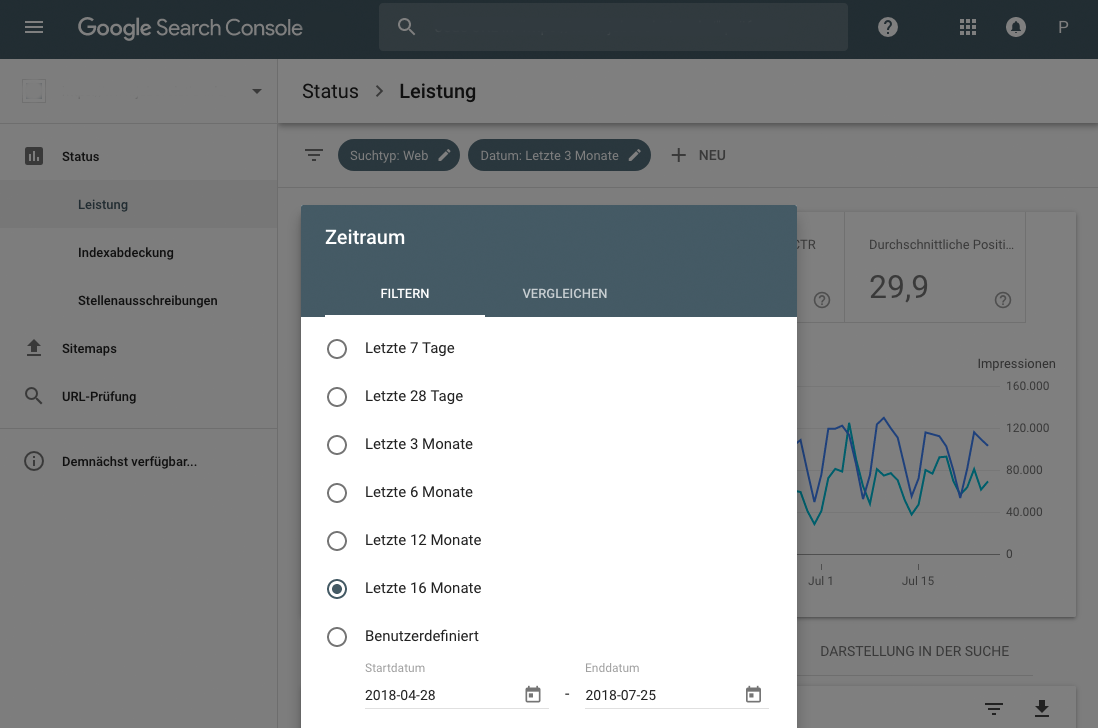
While the new Google Search Console dashboard looks completely different and uses different words than the „old“ Google Search Console, it offers significantly more clarity and truly powerful features for beginners to professionals. What has long been possible in Google Analytics, AdWords, and other Google products is now also available via the Search Console, formerly Webmaster Tools.
For example, if you click on the date filter, you can see all available date options:
- 16 months data filter option in Google Search Console
- Compare data in Google Search Console
In addition to 16 months of data, you can now also compare data. For example, the last 7 days compared to the same 7 days last year. And at the end of all options, you can customize your date range. It is particularly interesting to compare and select around Christmas or the „summer slump“ to potentially discover new KPIs (Key Performance Indicators) and thus improve the site or shop. Yoast has put together a more detailed article on the date display in English.
However, the following still applies: Be critical of the data you are shown. The Search Console is never precise, especially regarding impressions, and often distorts the picture of reality. For this reason, external sources for analysis remain important. Examples include SEMRush, Sistrix, and Moz.






 DE
DE

