

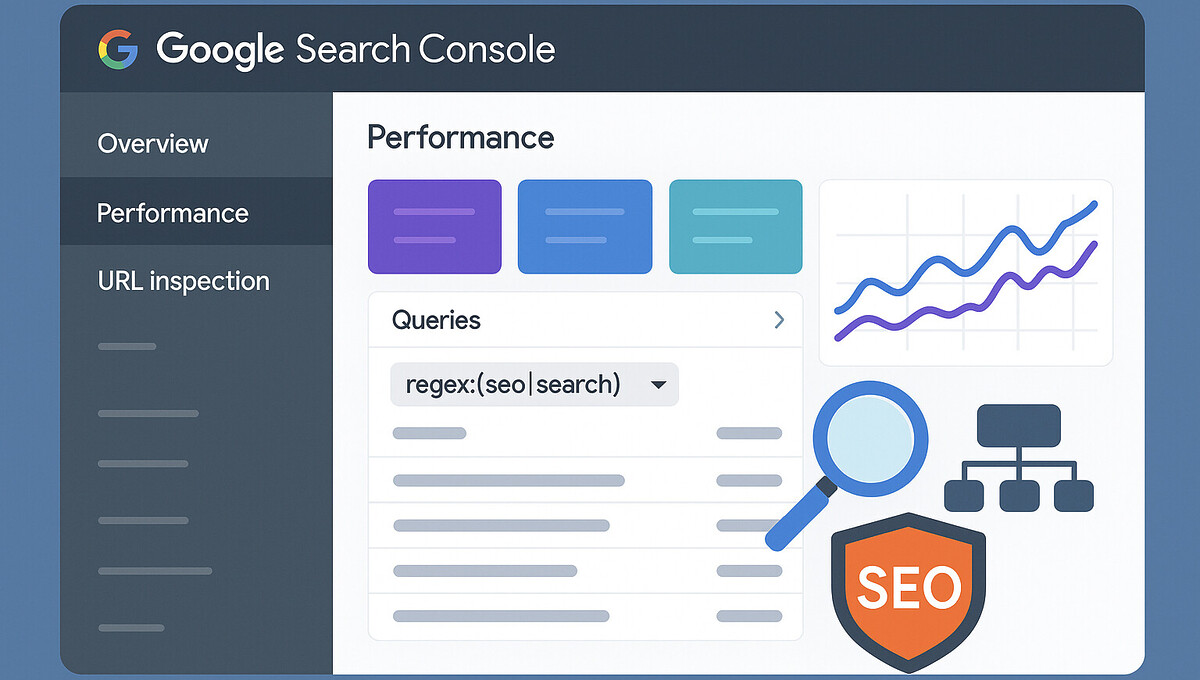
The Google Search Console contains millions of keyword data points, but without targeted filters, the analysis is like searching for a needle in a haystack. Query filters with regular expressions transform this flood of data into precise, actionable insights that measurably improve your SEO performance. Discover how to use clever regex filters to separate brand keywords from generic searches, identify purchase-ready users, and systematically unlock featured snippet opportunities. This guide shows you all the important filter techniques with concrete examples and immediately applicable regex expressions for data-driven SEO optimization.

Google Search Console Query Filters: Regex Tricks for Professional SEO Analysis
Professional search engine optimization is based on precise data analyses, and this is exactly where the Google Search Console shows its true strength. Query filters allow you to specifically filter out from the mass of search queries those that are crucial for your SEO strategy. Instead of wading through thousands of keywords, you can identify the most valuable optimization opportunities with just a few clicks.
Regex expressions serve as a powerful tool for complex filter operations. These regular expressions allow you to define search patterns that go far beyond simple word searches. While conventional filters only search for exact matches, regex filters recognize word groups, positions, and even excluded terms.
The decisive advantage lies in efficiency: Instead of manually sorting through mountains of keywords, you automate the analysis process. This gives you valuable time for strategic optimization measures and allows you to make data-based decisions that sustainably increase your organic reach.
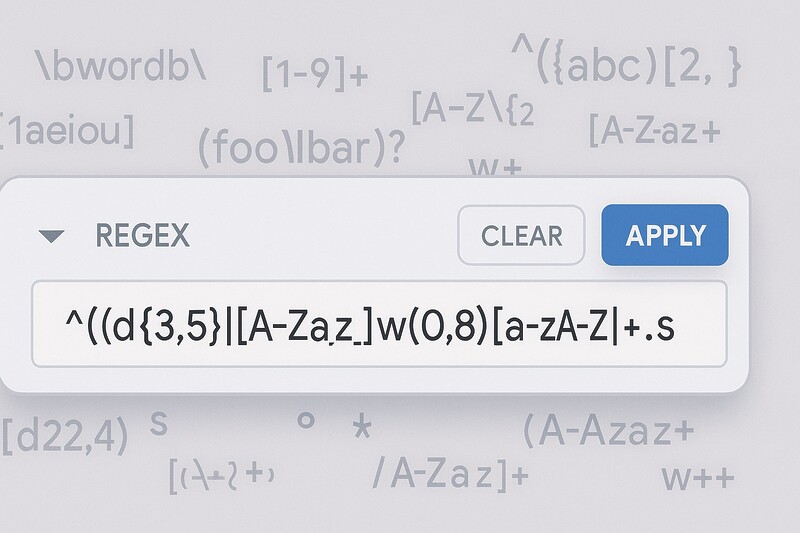
What are query filters and how do regex expressions work?
Query filters in the Google Search Console function as digital sieves that specifically extract relevant subsets from the entirety of all search queries. This filtering is done via various parameters such as search terms, positions, or click-through rates. Basic filters use simple text queries, while advanced filters work with regular expressions.
Regular expressions, or regex for short, form a language of their own for text patterns. A dot (.) stands for any character, an asterisk (*) for repetitions, and parentheses group alternatives. The expression .*kaufen.*, for example, finds all search queries that contain the word „kaufen,“ regardless of preceding or following terms.
In practical terms, this means: with a single regex filter, you can capture hundreds of relevant keywords instead of entering each term individually. The combination of a basic understanding of the syntax and strategic application makes query filters an indispensable tool for data-driven SEO optimization. Start with simple patterns and expand your knowledge step by step for more complex analyses.
Become more visible on Google & Social Media?
In a free strategy consultation for data-driven online marketing, we uncover your untapped potential, review any existing ad accounts if necessary, examine your SEO ranking and visibility, and determine which strategy is appropriate for your budget and which active measures will lead to more inquiries or sales.

✅ More visibility & perception through targeted placement
✅ More visitors > prospects > customers > revenue
✅ Reach target groups scalably with SEA
✅ Act and grow sustainably with SEO
🫵 Maximum success with our hybrid strategy
💪 More than 15 years of experience across industries in over 1,000+ projects demonstrable!







Brand vs. Non-Brand Keywords: Intelligently Separating Brand Searches
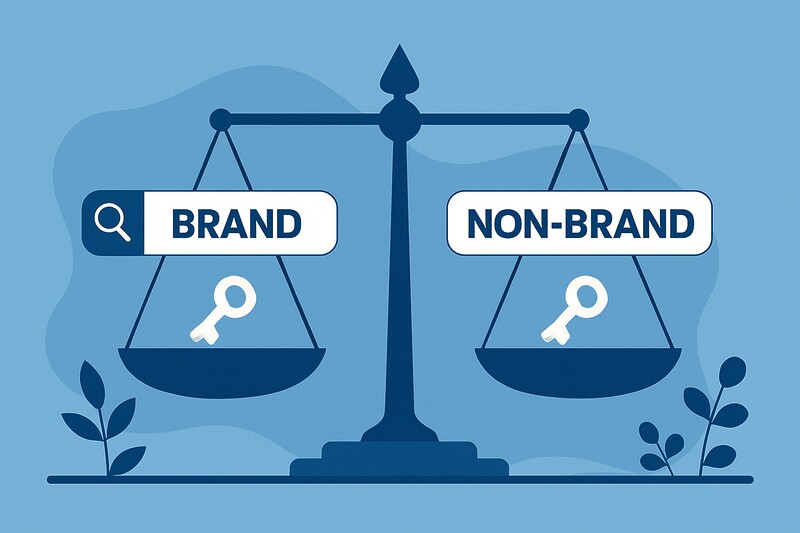
The separation between brand-related and generic search queries forms the foundation of professional SEO analysis. Brand keywords directly measure brand awareness, while non-brand keywords show the pure SEO effect without brand searches. This segmentation helps to evaluate marketing success and SEO performance separately and to make strategic decisions based on data.
Required filters for brand keywords:
- Regex filter:
.*(brandname|domainname|productname).* - Replace „brandname“, „domainname“, and „productname“ with your specific terms
- Example:
.*(examplecompany|examplecompany.com|exampleproduct).*
Required filters for non-brand keywords:
- Regex filter: `^(?!.(brandname|domainname|productname)).# Google Search Console Query Filter: Regex Tricks for Professional SEO Analysis
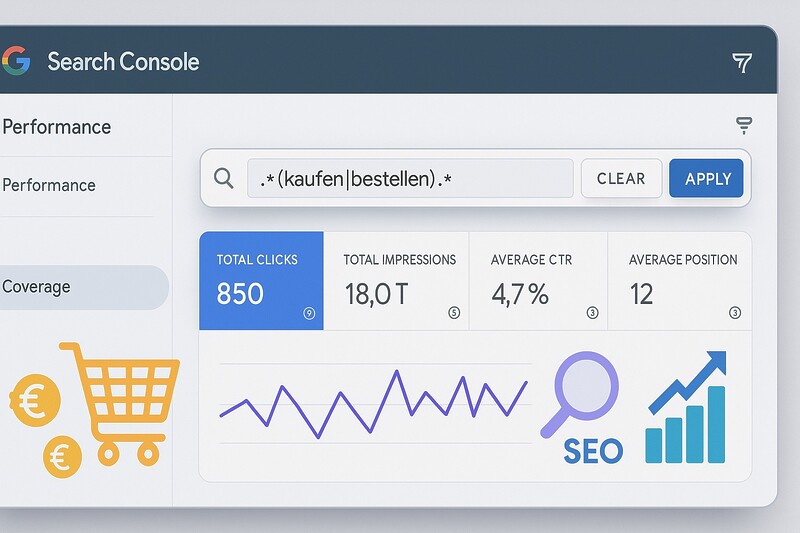
Recognize search intent: Filter informational, transactional, and navigational keywords
Segmenting search queries by user intent helps you identify whether you have enough content for each phase of the customer journey. Informational keywords indicate users in the research phase, transactional keywords signal purchase intent, and navigational keywords point to existing customer relationships.
Filter for informational keywords (W-questions):
- Regex filter:
^(how|what|why|when|where).* - Captures all search queries that begin with question words
- Shows content needs for the awareness phase of the customer journey
Filter for transactional keywords:
- Regex filter:
.*(buy|order|price|cheap|shop).* - Identifies purchase-ready users with high commercial intent
- Prioritization for conversion optimization recommended
Filters for navigational keywords:
- Regex filter:
.*(login|contact|address|location).* - Indicates existing customer relationships or local search intent
- Strong performance suggests established brand awareness
Successful search intent analyses reveal content gaps across various customer journey stages. High impressions for informational keywords without corresponding transactional performance signal a lack of conversion paths. Optimize these connections through strategic internal linking and calls-to-action.
CTR optimization through targeted query analysis
Keywords with high impression numbers but low click-through rates waste enormous potential. This discrepancy usually arises from unattractive meta titles or misleading meta descriptions. Better meta optimization leads to more clicks without new rankings and thus offers quick SEO successes.
Required Filters for CTR Optimization:
- Impressions > 500 (Metric filter in GSC)
- CTR < 2% (Metric filter in GSC)
- No special query regex needed, as metric filters are sufficient
Procedure for CTR Optimization:
- Set filter for impressions > 500
- Additionally filter for CTR < 2%
- Export data and optimize meta-title & descriptions
- Check performance after 2-4 weeks
This filter combination identifies keywords with proven visibility that, however, convert poorly into visitors. Analyze the currently ranking competition for emotional triggers, unique selling propositions, and special characters. Test various title variations, taking into account the maximum character length and relevant keywords. Even small meta adjustments can significantly increase CTR and generate more qualified traffic.
Position Optimization: Systematically Identify Page 1 Candidates
Keywords between positions 8 and 20 offer the most valuable optimization opportunities, as small improvements through internal links or content expansion can push them into the top 10. These „Page 1 candidates“ already have proven relevance and only need targeted reinforcement for dramatic traffic increases.
Required Filters for Position Optimization:
- Position between 8–20 (metric filter in GSC)
- Impressions > 100 (metric filter in GSC)
- No Regex needed, as pure position filters are sufficient
Optimization Measures for Page 1 Candidates:
- Strengthen internal linking with relevant anchor texts
- Expand content with related subtopics
- Improve technical page speed metrics
- Supplement existing content with long-tail keywords
Systematic identification is carried out using position filters combined with minimum impressions to ensure statistical relevance. Analyze the currently ranking pages for optimization opportunities and prioritize keywords by commercial intent and search volume. Monitoring position development shows which measures actually lead to ranking improvements.
Low Hanging Fruits: Activate Visible Keywords Without Clicks
Keywords with impressions but zero clicks represent wasted potential, as basic visibility is already established. Small optimizations can lead to immediate traffic increases here, without requiring new rankings.
Required Filters for Low Hanging Fruits:
- Clicks = 0 (Metric filter in GSC)
- Impressions > 50 (Metric filter in GSC)
- Regex optional:
.*(captures all queries)
Common causes for zero clicks:
- Misleading meta titles without relevance to search intent
- Unattractive meta descriptions without a call to action
- Incorrect URL ranks for the keyword
- Generic titles without a unique selling proposition
Successful activation begins with analyzing the search intent behind these keywords. Prioritize by impression volume and thematic relevance to your business goals. Review URL assignments and optimize meta-data specifically for identified user expectations. Use structured data for rich snippets to make search results visually more attractive. These measures can lead to significant traffic increases within a few weeks.
Systematically utilize seasonal and trending keywords
Period comparisons reveal seasonal demand patterns and aid in strategic content planning. By comparing current periods with previous year periods, you can identify recurring trends such as „Christmas decorations“ or „summer vacation“ in a timely manner.
Required filters for seasonal keywords:
- Period comparison in GSC (e.g., last 7 days vs. same week last year)
- No special regex needed, as the period function is sufficient
- Additionally: Filtering by specific seasonal terms is possible
Practical application:
- Compare performance data from different periods
- Identify recurring seasonal peaks
- Plan content creation 2-3 months before the seasonal peak
- Optimize existing seasonal content in good time
Seasonal analyses enable proactive content strategies instead of reactive measures. Websites that anticipate seasonal trends and provide corresponding content in good time benefit from higher visibility during demand peaks. Document seasonal patterns for multi-year planning cycles and automate recurring optimization measures. This forward-looking approach secures competitive advantages in important sales periods.
Mastering regional keywords and local SEO with Regex
Local search queries represent the most valuable traffic share for location-based businesses. Regional filters help local providers see where they are already visible and uncover geographical optimization opportunities.
Regex Filters for Regional Keywords:
- Nationwide:
.*deutschland.* - Specific Cities:
.*(berlin|hamburg|münchen|köln).* - International:
.*(dubai|vienna|paris).* - Extended to include your relevant locations
Strategic Application of Regional Filters:
- Capture all geographical terms of your catchment area
- Consider cities, districts, and colloquial terms
- International companies use foreign-language place names
- Combine with commercial intent keywords for purchase intentions
The analysis of regional keywords reveals geographical focal points of your reach. Strong performance in certain regions indicates local authority, while weak results despite business activity signal a need for optimization. Create regional landing pages with specific content for different locations and strategically optimize Google My Business. This local content strategy can significantly increase visibility in relevant catchment areas.

Targeting Featured Snippets and Question Keywords
Featured Snippets generate extremely high CTR and offer great SEO opportunities as they appear above the organic search results. W-questions and typical snippet formulations can be systematically identified and used for content optimization.
Regex filter for Featured Snippet Keywords:
- W-questions:
^(how|what|why|when|where|who|which|how much).* - Snippet-affine terms:
.*(cost|price|best|tips|checklist|definition).* - Combinations of both filters for maximum snippet relevance
Content optimization for snippets:
- Structured, concise answers in 40-60 words
- Numbered lists for step-by-step instructions
- Tables for comparisons and technical specifications
- Clear heading structure with HTML elements
Successful Snippet Optimization begins with direct answers at the start of the paragraph, followed by detailed explanations. Analyze existing snippets in your industry to identify preferred formats.
Experiment with different structures and observe which content Google selects for Featured Snippets. Continuous monitoring shows which optimizations actually lead to snippet positions.
This is particularly relevant for GEO and LLM optimization for AI search!
Systematically use comparison keywords and long-tail phrases
Recognize purchase intent through comparison searches
Comparison keywords signal strong purchase intent, as users want to make decisions. These search queries therefore have high conversion potential and should be prioritized for optimization.
Regex Filters for Comparison Keywords:
- Comparison terms:
.*(vs|comparison|or|difference).* - Additionally:
.*(better|alternative|versus).*for extended comparisons
Optimization Strategies for Comparison Keywords:
- Create detailed, objective comparisons
- Comprehensive comparison tables with all relevant features
- Transparently present honest pros and cons
- Clear purchase recommendations based on user needs
Users of these keywords are close to making purchasing decisions and are looking for final decision-making aids. Invest more resources accordingly in optimizing this valuable keyword category and develop specialized landing pages for various comparison scenarios. The high commercial intent leads to significantly better conversion rates than with informational keywords.
Long-tail strategies for thematic authority
Long-tail keywords with three or more words show specific user intentions and are ideal for content cluster strategies. Google already classifies you as an expert on these topics, which opens up further optimization opportunities.
Regex Filters for Longtail Keywords:
- At least 3 words:
^(\S+\s+){2,}\S+ - At least 4 words:
^(\S+\s+){3,}\S+
Strategic Longtail Usage:
- Develop content clusters around main topics
- Specific subpages for detailed longtail queries
- Build thematic authority through comprehensive coverage
- Utilize lower competition with higher conversion rates
Longtail analyses uncover untapped content potential and show for which specific topics you are already perceived as an authority. This strategy builds sustainable thematic dominance and continuously generates qualified traffic with less competition than generic keywords.

Advanced Filter Combinations: The Professional Strategies
The greatest power comes from combined filters that identify precise optimization opportunities. Multi-layered analyses reduce data noise and focus on actionable insights with demonstrable ROI potential.
Best-practice combinations for various SEO goals:
| Filter Combination | Purpose | Expected Result |
|---|---|---|
| Position 11–20 + CTR < 2% + Impressions > 200 | Pages with ranking potential | Quick position improvements through meta optimization |
Clicks < 10 + .*(kaufen|bestellen).* |
Unused transaction keywords | Conversion optimization with existing purchase intent |
| Brand keywords + CTR < 50% | Meta issues with brand searches | Urgent need for action with title tags |
Advanced Combination Strategies:
- Content gap analyses: High impressions + position > 20
- Time period comparisons for seasonal trends
- Local combinations: Location keywords + weak positions
- Intent matching: Informational keywords without matching transactional paths
Professional SEO analysis uses these combinations for precise strategy development. Document successful filter patterns and automate recurring analyses through the GSC API. This systematic approach transforms SEO from reactive troubleshooting into proactive optimization with measurable success.
Practical Implementation: Step-by-Step Guide
Navigation and filter settings in the GSC
The practical application of query filters begins in the Google Search Console under the „Performance“ menu item. First select the desired time period and activate all relevant metrics (clicks, impressions, CTR, position). The „New filter“ button opens the filter options with various filter types.
Step-by-step guide for Regex filters:
- Select „Search query“ as the filter type
- Click on „Custom (Regex)“
- Enter your regular expression
- Test with simple patterns like
.*buy.* - Check the preview of the captured keywords
You create combined filters by adding multiple filter levels. Filters are linked by default with „AND“ logic; all conditions must be met simultaneously. Save successful filter combinations as bookmarks for recurring analyses. Export filtered data as CSV for extended offline analyses and trend comparisons.
Data Export and Systematic Evaluation
Successful query analyses require structured processing routines. Establish weekly CTR analyses for quick optimization opportunities and monthly position reviews for long-term ranking developments. Document implemented measures with timestamps to make cause-and-effect relationships traceable.
Spreadsheet programs enable pivot tables, trend comparisons, and performance calculations beyond GSC standard functions. Automation via the GSC API significantly expands analysis possibilities for large websites. Scripts regularly extract data and execute predefined filter combinations, allowing you to identify and implement optimization opportunities more quickly.
Avoid common mistakes: Regex pitfalls and solutions
Regex beginners often stumble over special characters with specific meanings in regular expressions. Dots, parentheses, and asterisks function as operators, not as literals. To search for „www.example.com“, you must escape dots: www\.example\.com. Without escaping, the filter would also capture „wwwXexampleXcom“ or similar variations.
Common Regex error sources:
- Case sensitivity: GSC treats filters as case-sensitive
- Solution: Use groupings such as
(B|b)erlin - Overly complex expressions lead to unexpected results
- Lack of testing with small data sets before full implementation
Best practices for error-free filters:
- Start with simple patterns and expand incrementally
- Test new filters initially with limited data sets
- Document successful filter patterns for reuse
- Check results for plausibility before making strategic decisions
Avoid overly complex regex constructs that are difficult to debug. Document successful filters with usage examples and create a personal regex library for recurring analyses. This systematic approach minimizes errors and maximizes the efficiency of your query analyses.
Complete Regex Filter Overview
The following table provides a complete overview of all important regex filters for Google Search Console query analysis:
| Filter Type | Regex Expression | Use | Goal |
|---|---|---|---|
| Brand Keywords | .*(brandname|domainname|productname).* |
Measure brand awareness | Separate marketing success from SEO |
| Non-Brand Keywords | ^(?!.*(brandname|domainname|productname)).*$ |
Show pure SEO effect | Organic performance without brand influence |
| Informational Keywords | ^(how|what|why|when|where).* |
Content needs in awareness phase | Cover the customer journey completely |
| Transactional Keywords | .*(buy|order|price|cheap|shop).* |
Identify purchase-ready users | Maximize conversion rate |
| Navigational Keywords | .*(login|contact|address|location).* |
Existing customer relationships | Optimize brand awareness and UX |
| Featured Snippet W-Questions | ^(how|what|why|when|where|who|which|how much).* |
Find snippet opportunities | Increase CTR through position 0 |
| Snippet-Friendly Terms | .*(cost|price|best|tips|checklist|definition).* |
Trigger structured answers | Capture featured snippets |
| Comparison Keywords | .*(vs|comparison|or|difference).* |
Leverage high purchase intent | Conversion in decision phase |
| Longtail 3+ Words | ^(\S+\s+){2,}\S+ |
Specific user intent | Build topical authority |
| Longtail 4+ Words | ^(\S+\s+){3,}\S+ |
Very specific queries | Develop content clusters |
| Germany Keywords | .*germany.* |
National reach | Local vs. national SEO strategy |
| City-Specific | .*(berlin|hamburg|munich|cologne).* |
Local visibility | Optimize regionally |
| International | .*(dubai|vienna|paris).* |
International markets | Expansion into new countries |
These regex filters enable precise query segmentation and identify specific optimization opportunities. Combine different filters for even more targeted analyses and adapt the expressions to your specific business requirements.
Conclusion: Your Next Steps for Data-Driven SEO Optimization
Query filters transform Google Search Console from a simple reporting tool into a strategic optimization instrument. The systematic application of regex filters reveals hidden opportunities that remain undiscovered when viewing data superficially. Begin with simple brand/non-brand segmentation and gradually expand your analysis routines with more complex filter combinations.
Prioritizing Your First Filter Implementations:
- CTR optimization and low-hanging fruits for quick wins
- Position optimization for medium-term ranking improvements
- Featured snippet analyses for long-term visibility increases
- Combined filters for precise strategic optimization
Document all implemented optimization measures to generate learning effects for future projects and replicate successful strategies. Develop regular monitoring routines and automate recurring analyses where possible.
Long-term SEO success is based on continuous data analysis and strategic optimization.
This systematic approach transforms SEO from reactive troubleshooting to proactive strategy development and creates sustainable organic traffic growth. Use the regex filters presented as a foundation for your data-driven SEO optimization and adapt them to your specific business requirements.

Florian Ibe
CEO & Marketing Consultant
Your contact person: Florian Ibe





 DE
DE

