

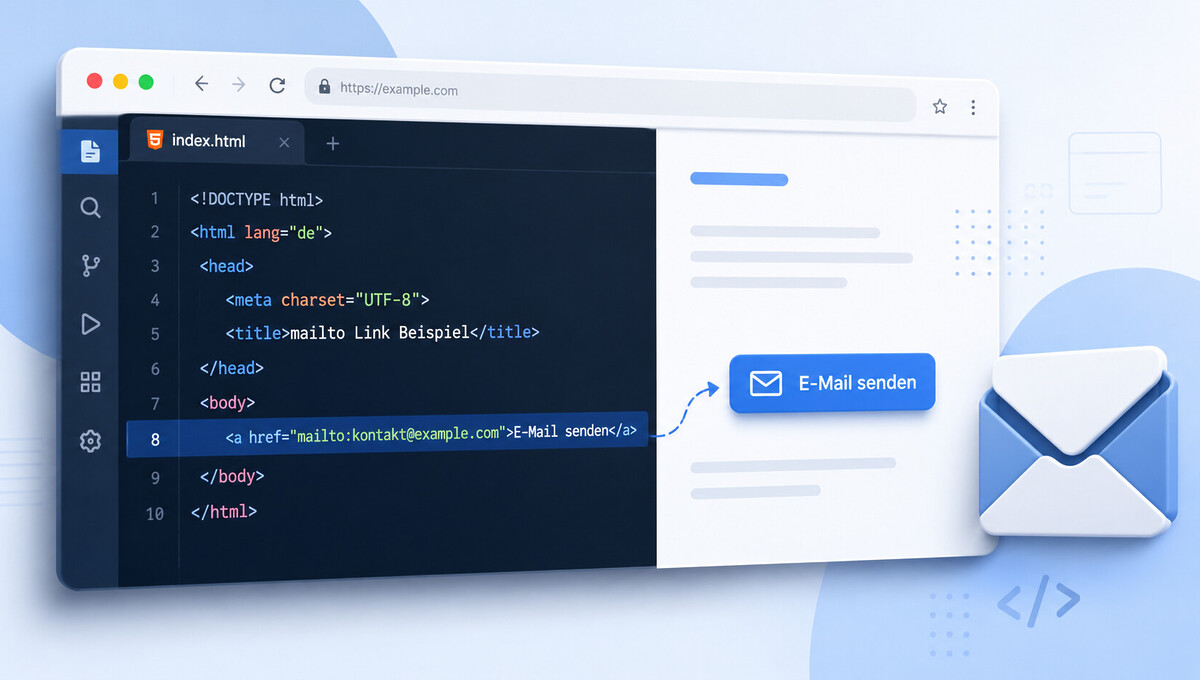
Email addresses on a website should be accessible with a single click, without visitors having to manually copy the address. This is precisely the task performed by a small but very powerful HTML function. We show how to integrate it correctly, what parameters it supports, and what you should pay attention to regarding spam protection and accessibility.
What is an HTML Mailto Link and what is it used for?
An HTML Mailto Link is a classic anchor that contains an email address instead of a web URL. When clicked, the browser does not open a new page, but rather the email program configured on the end device. In over 1,000 web projects implemented since 2010, we encounter this function in almost every second website.
Thus, the mailto link is one of the oldest bridges between browser and mail client. It is standardized, usable across browsers, and requires no server logic in the background.
Despite its simplicity, the HTML Mailto Link is often implemented sloppily in practice. Those who know its possibilities and limitations avoid typical errors regarding accessibility, spam risk, and encoding.
Typical Use Cases on Websites
In the imprint, a clickable email address is often mandatory, for example, for quick contact with the operator. An HTML Mailto is also regularly integrated into the footer and on contact pages.
The variant is also found in newsletters or transactional emails. Here, it facilitates inquiries without recipients having to perform additional steps.
What happens in the background when clicked
The browser recognizes the URL scheme mailto: and passes the request to the operating system. The operating system checks which default program is configured for sending emails and starts it with the specified values.
In modern setups, this can be a desktop client like Outlook or Apple Mail, as well as a webmail application like Gmail or Yahoo. The prerequisite is that the respective service is registered as the default.
If no default client is set, the operating system usually actively asks on the first click. On mobile devices, the pre-installed mail app usually starts directly and takes over all pre-filled fields.
Basic Syntax of an HTML Mailto Link
The basis is a regular HTML anchor whose href attribute begins with the scheme mailto:. Directly after that follows the target email address, the link becomes visible through the text between the opening and closing <a> tag.
The simplest example is <a href="mailto:info@example.com">Contact by email</a>. With this, the function is already fully operational and correctly interpretable in all browsers.
If you want to implement more complex setups, for example with dynamically inserted addresses or tracking, you can use our WordPress programming, in which individual implementations are cleanly integrated into the respective theme.
Become more visible on Google & Social Media?
In a free strategy consultation for data-driven online marketing, we uncover your untapped potential, review any existing ad accounts if necessary, examine your SEO ranking and visibility, and determine which strategy is appropriate for your budget and which active measures will lead to more inquiries or sales.

✅ More visibility & perception through targeted placement
✅ More visitors > prospects > customers > revenue
✅ Reach target groups scalably with SEA
✅ Act and grow sustainably with SEO
🫵 Maximum success with our hybrid strategy
💪 More than 15 years of experience across industries in over 1,000+ projects demonstrable!







Structure of the href attribute
The href attribute follows the scheme mailto: plus address, without spaces and without quotation marks within the character string. Multiple addresses are separated by commas, and additional options are appended via the parameters.
It is important to spell the email address correctly. Typos lead to misdirected emails without any comment and are difficult to trace in live operation.
Example of a simple implementation
A complete HTML a href mailto looks like this: <a href="mailto:kontakt@beispiel.de">Contact by email</a>. The visible link text clearly describes what happens when clicked.
This form is sufficient for a simple footer link or an imprint entry. It is screen reader-friendly and requires no additional scripts.
Which parameters a mailto link supports
The mailto link knows four optional parameters with which the email draft can be pre-filled. They are appended to the address with ? and connected to each other with &.
This allows the application to be controlled much more precisely, for example for support addresses, event registrations, or predefined inquiries. The values land directly in the recipient’s opened email draft.
In practice, you should not use all parameters at the same time, but only the truly necessary ones. Long URLs are truncated in some clients.

Table of supported parameters
| Parameters | Function | Example |
|---|---|---|
| subject | Pre-fill subject | ?subject=Anfrage%20Beratung |
| cc | Copy to additional address | &cc=kollege@beispiel.de |
| bcc | Blind copy to address | &bcc=intern@beispiel.de |
| body | Pre-fill email text | &body=Guten%20Tag,%0D%0A |
The values must be URL-encoded. The Mailto Body HTML parameter is not supported, as mailto links only populate plain text.
Multiple Recipients and Combinations
If multiple recipients are to be in the To field, separate them with a comma directly after mailto:. The same logic applies to cc and bcc.
A fully combined variant is, for example, mailto:info@example.de?cc=kollege@example.de&subject=Inquiry&body=Good%20Day. It is important that the first separator is a ?, and all subsequent ones are an &.
URL Encoding for Special Characters and Line Breaks
As soon as spaces, umlauts, or line breaks occur in the Subject or Body, URL encoding is mandatory. Otherwise, processing will break in many clients or the characters will be displayed incorrectly.
Spaces become %20, a line break becomes %0D%0A. An & within the body text must also be encoded as %26, otherwise it will be misinterpreted as a parameter separator.
A useful rule of thumb: If you generate the body programmatically, use encodeURIComponent() in JavaScript and leave the encoding logic to the browser. Manual encoding is only recommended for static, short texts.
Important to know: Most mail clients only process mailto URLs up to a length of approximately 2,000 to 2,048 characters. Longer content is truncated without warning. If you plan extensive pre-fills, you should deliberately keep the body short or use a form.
Common Encoding Problems in Everyday Use
Umlauts such as ä, ö, ü, and ß often cause difficulties, especially if editors save the HTML file in the wrong encoding. UTF-8 is recommended for the entire document and also in the server header.
Quotation marks in the body text can also break the HTML anchor if the href attribute already uses quotation marks. Simple quotation marks or entity codes like " can help here.
Differences Between Gmail, Outlook, and Apple Mail
Gmail interprets most encoding variants correctly, especially %0D%0A for line breaks. Apple Mail and iOS Mail behave similarly and are very robust in practice.
Outlook Desktop sometimes removes line breaks or truncates long body texts. For this reason, we recommend keeping the pre-fill short and displaying critical content in a web form instead.
Best Practices for HTML Tag Mailto on Modern Websites
An HTML Tag Mailto is treated like any other anchor and can carry all usual attributes. These include class,id,title,aria-label, and all common event handlers.
More important than technology is the visible link text. Phrases like „Contact us by email“ or „Write to us“ are clearly understandable, while „Click here“ or the bare email address offer no context for many users.
For a professional website, an additional contact option is also recommended. Not every visitor has a mail client configured, especially on public computers or with pure browser setups.
Accessibility Requirements
Screen readers read out the link text, which is why it should be clear and descriptive. An aria-label="Write to our customer service by email" complements the visible text and provides additional context.
Those who are serious about accessibility should have the entire website structurally reviewed. We offer an Accessibility Check analysis for this, which takes into account all relevant WCAG points.
Meaningful Visual Design
Mailto links should remain visually recognizable as links, i.e., underlined, color-coded, or provided with a subtle email icon. A blue underlined anchor is the most robust solution.
Hover effects can include a cursor change or a changed color scheme. It is important that the click area is sufficiently large even on touch devices and clearly stands out from the body text.
Spam Protection for an href Mailto Link
As soon as an email address is in plain text in the source code, it is visible to crawlers. Spam bots systematically collect such addresses and enter them into address lists, which leads to a significant increase in unwanted messages.
At the same time, the unencrypted href mailto link is most comfortable for human users. Good spam protection therefore balances usability and protective effect. For active email addresses, a well-thought-out server-side Email Marketing strategy additionally complements the technical protection against blacklisting.
A simple and effective approach is the JavaScript-based insertion of the address at runtime. Bots without JavaScript rendering then do not recognize the address, while people with an active browser see it regularly.
When a pure mailto solution becomes problematic
On highly frequented pages or for publicly exposed addresses, the simple HTML Mailto link is often not sufficient. Here, alternative protection mechanisms are necessary.
Addresses such as info@,contact@ or support@ are particularly critical, as they are particularly attractive to bots. A combined strategy of obfuscation and a form significantly reduces the risk.
Measures against Address Trading and Spam
Proven measures include JavaScript insertion, entity encoding of the characters @ for the at sign, and a disposable variant as an anti-spam layer. Captcha pre-switches between click and form are also possible.
In a professional environment, we often rely on a combination of a subtle mailto link and a pre-switched contact form with honeypot fields. This mixed approach protects against automated address trading.
Also helpful are so-called disposable aliases, i.e. dedicated addresses per use case (press@,legal@,careers@). If unwanted messages increase, the respective alias can be replaced in a targeted manner without compromising the main address. SPF, DKIM, and DMARC records at the DNS level also support the deliverability of your own emails in the long term.
Comparison of mailto link vs. contact form
Mailto email only works reliably if the visitor has set up a mail client. On mobile devices this is often the case, but in an office environment it is not always, for example if work is done exclusively via a webmail interface.
A contact form, on the other hand, is platform-independent, can be evaluated server-side, and can automatically flow into ticket systems or CRM solutions. From the positive reviews of our customers on ProvenExpert, we know that a combination of both variants is best received in practice.
For more complex conversion paths, we recommend specifically deployed landing pages that integrate both the mailto link and the form and are tailored to a specific target group.
Comparison table of the two approaches
| Criterion | Mailto link | Contact form |
|---|---|---|
| Implementation effort | Very low | Medium to high |
| Platform independence | Limited | Fully given |
| Spam risk | High without protection | Controllable |
| Tracking and analysis | Not possible | Fully possible |
| Integration with CRM | No | Directly possible |
| Required field logic | None | Fully configurable |
Recommendation by Use Case
For an imprint, a small business card website, or a footer, the mailto link is generally sufficient. Here, speed of implementation and ease of use are what matter.
For high-traffic contact pages, support requests, or sales outreach, a contact form is the better approach. The mailto link can be offered as an additional „direct writing“ option.
A proven practice is to list both options in parallel directly on the contact page. Users with a clear preference for their own email client choose the href mailto, while others write conveniently via the form. This way, you cover all target groups without compromising on reachability or data protection.
Conclusion on Using an HTML5 Mailto Link
An HTML5 mailto is a small but very useful feature for guiding visitors to get in touch with minimal effort. Used correctly, it is accessible, fast, and reliably available in all browsers.
From a security and conversion perspective, however, it should not be the only contact option. A combination with a contact form and targeted spam protection measures delivers the best result for users and operators.
If you would like to set up or modernize your website or online shop properly, we as a specialized WordPress agency will support you with the technical implementation, accessibility, and spam strategy.





 DE
DE

