

In today’s digital world, where website speed is a decisive factor in its success, the topic of pagespeed optimization is becoming increasingly important. This is where Nitropack comes into play, a much-discussed tool that promises automatic optimization of loading times for websites & online shops – with just one click. At a time when fast loading times are crucial not only for an improved user experience but also for better rankings in search engines, Nitropack* could represent a revolutionary solution. But how exactly does this tool work? Is Nitropack really as effective as claimed, and what advantages and disadvantages does it bring? In this context, we will take an in-depth look at Nitropack, examining its functionality, test results, user experiences, and pricing models, as well as taking a look at possible alternatives. The goal is to provide a comprehensive picture of whether Nitropack is truly the jack-of-all-trades of pagespeed optimization or whether it is merely an overrated tool. There is also a free trial version that we will take a closer look at.
First of all: It is primarily developed for WordPress, WooCommerce, Magento & opencart, but offers an integration for any HTML-CSS-PHP-JavaScript website or online shop + premium support. The Nitropack WordPress integration is particularly seamless.
Nitropack: Pagespeed optimization with just one click without settings in under 5 minutes?
In this article, we will take a detailed look at performance optimization and the use of NitroPack, clarify all important questions and functions as well as advantages and disadvantages. We examine what can really be achieved with your WordPress website.
First of all: You can already test it for free right now:
With discount code „FLORIAN“ 5% instant savings.

What is Nitropack?
NitroPack is a comprehensive performance optimization tool for websites that stands out for its user-friendliness and efficiency in improving loading times. Its main features include automated caching, image optimization, minification and merging of CSS and JavaScript files, as well as the implementation of a Content Delivery Network (CDN). These features help to significantly reduce website loading time, which in turn improves the user experience and potentially has a positive impact on the pagespeed score. Particularly noteworthy is the easy integration into common content management systems such as WordPress, which makes NitroPack an attractive solution for website operators who are looking for fast and effective optimization of their online presence without having to delve into technical details. Many websites are hosted on external servers, which makes the use of Nitropack particularly interesting.
An example of load time optimization with NitroPack WITHOUT extra settings right after installation:
Become more visible on Google & Social Media?
In a free strategy consultation for data-driven online marketing, we uncover your untapped potential, review any existing ad accounts if necessary, examine your SEO ranking and visibility, and determine which strategy is appropriate for your budget and which active measures will lead to more inquiries or sales.

✅ More visibility & perception through targeted placement
✅ More visitors > prospects > customers > revenue
✅ Reach target groups scalably with SEA
✅ Act and grow sustainably with SEO
🫵 Maximum success with our hybrid strategy
💪 More than 15 years of experience across industries in over 1,000+ projects demonstrable!







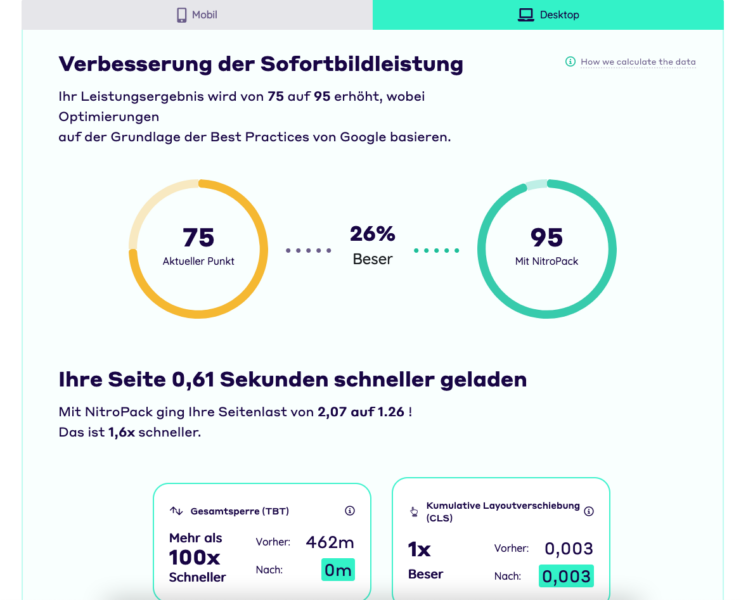
So it is an all-in-one tool that integrates various techniques for speeding up websites. Nitropack was originally developed in 2012 for the OpenCart e-commerce system and later, in 2018, established as a standalone service. So there is sufficient history and experience in the area of optimizing and improving system load times.
Very good info from support:
„In any case, seeing the PageSpeed Insights report you sent us earlier, Core Web Vitals was failing in LCP, but the current results had good LCP. While understanding that you have NitroPack since recently, this means that if the good scores keep up, the Core Web Vitals will improve with time, as they are an average of collected user data over the last 28 days :)“
translated into German:
„If you run the PageSpeed Insights report, Core Web Vitals has failed for LCP, but repeated checks show a good LCP. If NitroPack has only been used recently, this means that the Core Web Vitals will improve over time, as they are an average of the collected user data from the last 28 days :)“
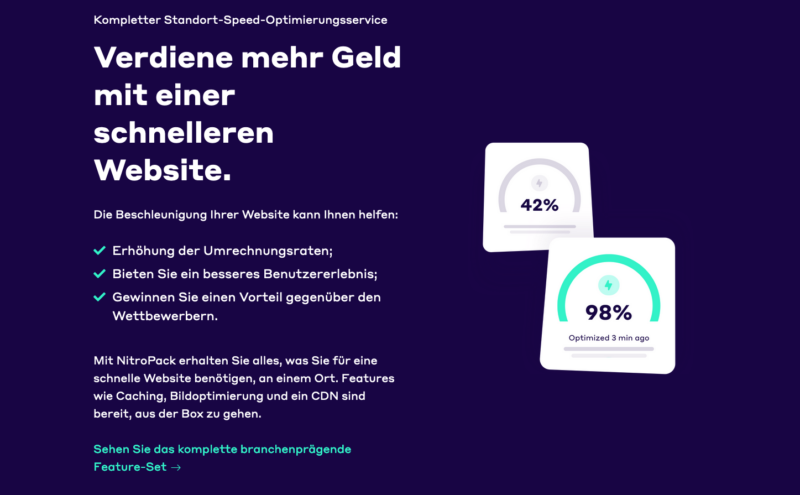
Especially with weaker hosting or load peaks caused by campaigns, this WordPress performance plugin provides a remedy:

The main features of Nitropack include:
- Caching: Nitropack offers advanced caching solutions to reduce loading times. Compared to other caching plugins, it provides unique functionalities.
- Content Delivery Network (CDN): By utilizing a global CDN network, content is delivered faster to users worldwide. Nitropack uses over 36 different CDNs.
- CSS, HTML, and JavaScript Optimization: The tool minimizes and compresses CSS, HTML, and JavaScript files to reduce the size of resources to be loaded, without adding extra code.
- Image Optimization: Nitropack supports features such as Lazy Loading, adaptive image sizes, and conversion to more efficient formats like WebP.
- Automatic Optimization: One of Nitropack’s main strengths is its ability to perform many of these optimizations automatically, making it particularly user-friendly, without the need for a plugin to be installed.
Nitropack is aimed at both less tech-savvy users (beginners) and professionals, as it offers simple setup and configuration without requiring in-depth technical knowledge. It is known for its ability to achieve significant improvements in the Pagespeed score with just a few clicks, making it a popular choice for website operators who want to improve their load times and thereby potentially also increase their SEO performance. Particularly convincing results can be achieved on desktop devices.
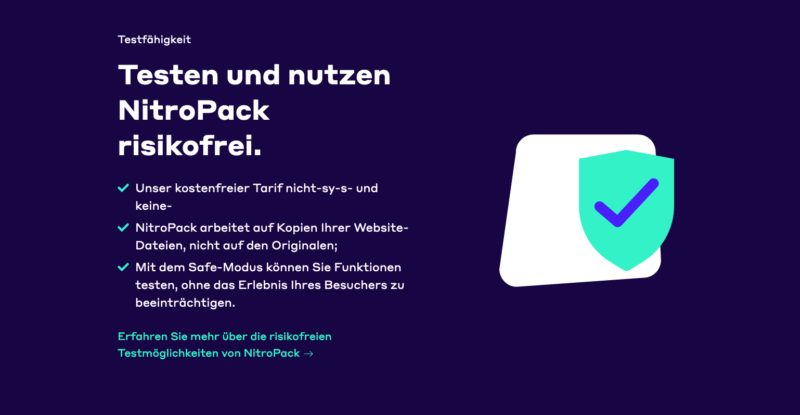
Since setup is free of charge, takes hardly any time, and is extremely quick, we recommend that EVERYONE run their own test:
If you choose the paid version, you will receive an exclusive additional 5% for life with the voucher code „FLORIAN“.

How does NitroPack work?
Nitropack works through a combination of various techniques and strategies to optimize website loading times. Here are the key components and functionalities of Nitropack:
- Automated Optimization: Nitropack automatically analyzes your website and applies a series of optimization strategies. This automation makes it particularly user-friendly, as it does not require in-depth technical knowledge.
- Caching: One of the main features of Nitropack is advanced caching. It stores copies of website content to deliver them faster to visitors. This significantly reduces loading times, especially for returning visitors. Compared to other caching plugin solutions, this approach is considerably more effective.
- Content Delivery Network (CDN): Nitropack uses a global CDN to deliver content from servers that are geographically closer to the user’s location. This reduces the time required to transfer data over the internet.
- Resource Optimization: The tool minimizes and compresses CSS, HTML, and JavaScript files. By removing unnecessary characters and merging files, the size of the resources to be loaded is reduced.
- Image Optimization: Nitropack optimizes images through techniques such as lazy loading (images are only loaded when they are in the user’s field of view), adaptive image sizes, and conversion to more efficient formats such as WebP.
- Prioritization of content: The tool prioritizes the loading of critical content (above-the-fold content), so that users can interact with the website more quickly while other elements load in the background.
- Easy integration: The Nitropack plugin can be easily integrated into common content management systems such as WordPress. Users can install the Nitropack plugin and connect it to their Nitropack account.
- Configurable optimization levels: Users can choose between different optimization levels, depending on how aggressive the optimization should be. This ranges from light to very strong settings, which can be adjusted across various optimization levels.
- Compatibility with other tools: Nitropack is designed to be compatible with most other plugins and tools, although conflicts can occur in some cases, particularly when using other caching plugins or optimization tools.
Through this combination of techniques, Nitropack aims to significantly improve the loading times of websites, which can have a positive effect on the user experience and potentially also on SEO ranking. Particularly on the first load of the page, noticeable improvements can be felt.
With discount code „FLORIAN“ 5% instant savings.
How can NitroPack optimize everything automatically?
Nitropack can automatically optimize websites and online shops by using advanced algorithms and integrated technologies that carry out a series of optimization processes without manual intervention. Here are some key aspects of how Nitropack achieves this automation:
- Automatic detection and adjustment: When Nitropack is connected to a website, it automatically analyzes the content and structure of the page. Based on this analysis, it applies a series of optimizations specifically tailored to that page.
- Preset optimization levels: Nitropack offers various optimization levels (e.g., Standard, Medium, Strong, Ludicrous) that users can select. Each level represents a degree of optimization intensity. Once a level is selected, Nitropack automatically applies a series of optimizations corresponding to that level.
- Integrated optimization techniques: Nitropack combines several optimization techniques such as caching, minification of CSS, JavaScript, and HTML, image optimization, and more. These techniques are applied automatically to improve loading times.
- Content Delivery Network (CDN): Nitropack automatically integrates a CDN that delivers content from servers located geographically closer to the user. This reduces latency and improves loading times without the user having to make manual settings.
- Image Optimization: The tool automatically detects images on the website and applies optimization techniques such as compression, lazy loading, and format conversion to reduce loading times.
- Smart Caching: Nitropack uses intelligent caching strategies that dynamically decide which content should be cached and how long it should remain in the cache. This happens automatically based on various factors such as visitor behavior and page content.
- Adaptive Optimization: Nitropack continuously adapts to changes on the website. When new content is added or existing content is modified, the tool detects this and adjusts its optimization strategies accordingly.
Through these automated processes, Nitropack enables efficient and user-friendly optimization of loading times without requiring extensive technical knowledge or manual configurations. Users can benefit from improved loading times while focusing on other aspects of their website. As a cloud-based system, a code snippet is inserted into the website’s header to ensure all optimizations.
Test automatic caching + optimization now:
That’s why NitroPack is so extremely good & fast – the explanation with probably the most important notes!
Important to understand: The cache is dynamic and extremely intelligent. It builds up and breaks down again depending on how pages are accessed and used. As the only tool of its kind, Nitropack offers this comprehensive performance optimization.
Here you can always see which pages are cached, which are not cacheable, and which are still being processed:
https://app.nitropack.io/cache-insights?tab=page+optimization+status
It is NOT static caching. In plain terms, this means: With EVERY user, the system learns what is used most, where, and how, and serves as many static files (pages & elements) as possible. The dashboard provides full control over all optimization steps.
What is special is that as an admin, you no longer have major problems with cache updates, because NitroPack recognizes in perfection what has changed, where, and how, and then changes partial areas of the caching. Leaving your website to NitroPack means that you no longer have to worry about technical details.
Optimization of the shopping cart page is also included, so that the first checkout step can be initiated quickly. Certain pages can be excluded from optimization if problems with scripts should occur.
At the top of the admin bar, as with all cache plugins, there is „Purge Cache,“ which allows you to clear everything again. This process is especially important for a WordPress website in order to make changes effective immediately.
VERY IMPORTANT: The first cache builds up, as just described, through the usage rate. The first 7 days are the most important, depending on visitor numbers (from 1,000 per day it gets faster). After about a month, the system knows extremely well what needs to be delivered to the user as quickly as possible, where, and how. It is truly an intelligent, extremely fast-learning system and therefore cannot be compared with WP Rocket or other caching solutions. The price for it is extremely fair with a possible discount for multiple websites! There are also free entry-level packages that can be sufficient for smaller projects.

Does NitroPack have an influence on SEO values (rating) and ranking?
Yes, NitroPack can have a direct influence on the SEO values and ranking of a website, mainly by improving load times and page performance. Here are some key aspects of how NitroPack can influence SEO:
- Load Times and User Experience: Search engines like Google use a page’s load time as a ranking factor. Faster load times can lead to a better user experience, which in turn can have positive effects on SEO ranking. Nitropack is particularly convincing when it comes to optimization for the desktop view.
- Core Web Vitals: Google has introduced specific metrics known as Google Core Web Vitals, which measure important aspects of user experience, including load time (Largest Contentful Paint), interactivity (First Input Delay), and visual stability (Cumulative Layout Shift). NitroPack aims to improve these metrics, which can have a positive effect on ranking.
- Mobile Performance: Since Google follows a „mobile-first“ indexing approach, performance on mobile devices is particularly important. NitroPack can help improve loading times on mobile devices, which is beneficial for SEO ranking.
- Reduction of Bounce Rate: Faster loading times can help reduce the bounce rate. When visitors stay on a page longer and interact with it, this can be sent as a positive signal to search engines.
- Image Optimization: NitroPack optimizes images, which not only shortens loading times but also ensures that images are correctly formatted and tagged for SEO (e.g., through alt tags), which can also contribute to SEO performance.
- HTTPS/2 Support: NitroPack supports more modern protocols such as HTTP/2, which are more secure and efficient. This can also be a positive factor for SEO.
However, it is important to note that SEO is a complex discipline that encompasses many different factors. While improving page performance is an important aspect, other SEO elements such as content, keywords, backlinks, and user engagement should also be considered. NitroPack is a tool that supports one aspect of an SEO strategy, but it should be viewed as part of a more comprehensive SEO approach that also includes regular monitoring in the Search Console.
Tip for further education:
Learn SEO (learn search engine optimization) from a professional

For whom is NitroPack the right tool for page speed optimization and which pages and shops are suitable for it?
NitroPack is a versatile tool for page speed optimization that is suitable for a wide range of websites and online shops. It is aimed in particular at the following target groups and types of websites:
- Website operators with limited technical knowledge: NitroPack is ideal for users who do not have in-depth technical skills or knowledge in web development and optimization. Its automated optimization features enable even non-technical users to effectively improve their website loading times.
- WordPress users: Since NitroPack is available as a plugin for WordPress, it is particularly well suited for websites based on this popular content management system. A WordPress website can experience a significant performance boost through NitroPack.
- E-commerce platforms: Online shops, especially those based on systems such as WooCommerce, Magento, or OpenCart, can benefit from NitroPack. Faster loading times can improve the user experience and increase conversion rates.
- High-traffic pages: Websites that have a large number of visitors can benefit from NitroPack’s caching and CDN features to reduce server load and increase speed.
- Pages with many images and multimedia content: Websites that are rich in images, videos, and other multimedia elements can benefit from image optimization and lazy loading to shorten loading times.
- Blogs and news sites: These sites benefit from faster loading times, as they are often updated regularly and have a high number of page views. With Nitropack, a significant performance increase is possible without in-depth technical knowledge.
- Corporate websites: For companies whose web presence is crucial for branding and customer acquisition, NitroPack can help shorten loading times and thereby improve the user experience.
- SEO-focused websites: Since loading time is an important factor for ranking in search engines, websites that prioritize search engine optimization (SEO) can benefit from NitroPack. The search functionality is optimally supported in the process.
However, it is important to note that NitroPack may not be suitable for all types of websites. For example, websites that are already highly optimized or have special, complex functions may benefit less from NitroPack or even experience compatibility issues. Therefore, it is advisable to evaluate the compatibility and effectiveness of NitroPack in the context of the specific requirements and characteristics of your own website.
Save 5% for life exclusively with the discount code „FLORIAN“.
Advantages and disadvantages of NitroPack as a caching & performance plugin with external connection and CDN
| Advantages of NitroPack | Disadvantages of NitroPack |
|---|---|
| Easy installation and configuration: NitroPack is user-friendly and can be easily integrated into WordPress. | Potential compatibility issues: Can cause conflicts with some other plugins or specific website functions. |
| Automated optimization: Offers automatic optimizations for load times without the need for in-depth technical knowledge. | Cost: While a free version is available, the cost for higher plans and more traffic can be significant. |
| Improvement of load times: Can significantly improve load times, leading to a better user experience and SEO. | Over-optimization: In some cases, overly aggressive optimization can impair the functionality of the website. |
| Improvement of Core Web Vitals: Supports the optimization of Google’s Core Web Vitals, which is important for SEO. | Dependency on a third-party provider: Website performance depends on an external service. |
| Image optimization and CDN: Offers advanced image optimization and uses a CDN to accelerate content delivery. | Changes in design: Optimizations can sometimes affect the original design and layout of the website. |
| Support for various platforms: Works well with WordPress and other common CMS systems. | Transparency: Some optimizations may not be fully transparent, which makes analyzing actual performance more difficult. |
| Mobile optimization: Improves performance on mobile devices, which is essential for the modern web. | Not a panacea for SEO: While it improves load times, other SEO aspects must be addressed separately. |
This table provides an overview of the main advantages and disadvantages of NitroPack.
The most important and main advantage is really the automatic setup and optimization in conjunction with the premium support that helps with problems.
NitroPack Test – Results with Google PageSpeed, GTmetrix, etc.
A NitroPack test is generally about evaluating the effectiveness of the tool in terms of improving loading times and the general performance of a website. Such tests typically include:
- Before-and-after comparison: Measurement of website performance, especially loading times, before and after implementing NitroPack. The improvement on desktop is particularly impressive.
- Analysis of Core Web Vitals: Review of how NitroPack affects Google’s Core Web Vitals, which are important for SEO.
- Compatibility tests: Assessment of how well NitroPack works with various themes, plugins, and content of a website. It should be noted that certain functions should be tested.
- Mobile performance: Review of the effects on loading times and user experience on mobile devices.
NitroPack Experiences
User experiences with NitroPack vary, but are generally positive, especially regarding:
- Improved loading times: Many users report a significant reduction in their website's loading times after installing the NitroPack plugin.
- Ease of use: NitroPack’s simple setup and configuration are often praised, especially by users with limited technical knowledge. The website is optimized via a separate interface.
- SEO benefits: Some users have noticed an improvement in their SEO ranking, mainly due to faster loading times and better Core Web Vitals. A fast website is now an essential factor for good rankings.
Read experiences on TrustPilot
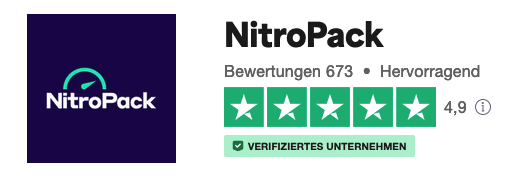
Rating
The evaluation of NitroPack is predominantly positive, with the following aspects being particularly highlighted:
- User-friendliness: Its easy integration and automated optimization make it a popular tool for website operators. As the only service of its kind, it offers fully automated optimization.
- Effective Performance Improvement: The significant improvement in loading times and performance is a frequently mentioned advantage. The free trial version allows users to test these benefits without obligation.
- Support for various platforms: Compatibility with WordPress and other CMS systems is positively rated.
However, there are also some concerns and criticisms:
- Cost: For websites with high traffic, the cost of NitroPack can be relatively high, although there are often discount promotions.
- Over-optimization: In some cases, problems can arise if the optimization is too aggressive and impairs the functionality or appearance of the website.
- Dependency on an external service: Some users express concerns about relying on a third-party service for essential aspects of their website.
Overall, NitroPack is considered an effective caching plugin for performance optimization, with the decision to use it depending on the specific needs and resources of a website.
Installation & Quick Guide for WordPress Installation (including WooCommerce)
Installing NitroPack on a WordPress website, including WooCommerce shops, is a relatively simple process. Here is a quick guide on how to install NitroPack in your WordPress system:
Step-by-step guide to installing NitroPack in WordPress
Step 1: Create a NitroPack Account
- Visit the official NitroPack website (nitropack.io).
- Create an account by clicking on „Get Started“ or „Sign Up“.
- Fill in the required information and create your account.
NitroPack – Performance, Page Speed & Cache Plugin for Core Web Vitals, CDN & Image Optimization
Step 2: Install the NitroPack Plugin in WordPress
- Log in to your WordPress dashboard.
- Go to „Plugins“ and then „Add New“.
- Search for „NitroPack“ in the search field.
- Install the NitroPack plugin by clicking „Install Now“.
- Activate the plugin after installation.
Step 3: Connect NitroPack to WordPress
- After activation, you will find NitroPack in your WordPress dashboard.
- Click on NitroPack to open the settings page.
- You will be prompted to enter your website ID and secret key. You can find this information in your NitroPack account under „Websites“ → „API Access“.
- Enter the required information and save the settings.
Step 4: Configure NitroPack
- After connecting, you can make various settings in NitroPack.
- Select the desired optimization level (Standard, Medium, Strong, Ludicrous).
- Configure additional settings such as CDN integration, image optimization, and others, if necessary.
Step 5: Test and Monitor
- Check your website to ensure everything is functioning correctly.
- Use tools like Google PageSpeed Insights to compare your website’s performance before and after installing NitroPack.
- Monitor your website’s loading times and user experience.
Additional notes for WooCommerce
- Ensure that NitroPack is compatible with your WooCommerce settings, especially if you are using dynamic features such as shopping carts or customer reviews.
- Thoroughly test the functionality of your online store to ensure all e-commerce features work correctly.
Important Tips
- Always back up your website before installing new plugins or making major changes.
- Monitor your website after installing NitroPack for potential issues or conflicts with other plugins.
- Note that optimization settings need to be adjusted based on the specific requirements and content of your website. Hosting also plays an important role in maximizing performance.
By following these steps, you can successfully install and configure NitroPack on your WordPress website or WooCommerce shop to improve loading times and overall performance. The free version can be a good starting point to get to know the tool before deciding on one of the paid versions. With Nitropack, your website will impress with a significantly improved PageSpeed score.

Florian Ibe
CEO & Marketing Consultant
Your contact person: Florian Ibe
Is NitroPack a fake, black-hat SEO, and cheating PageSpeed score?
The question of whether Nitropack can be considered „fake,“ „black-hat SEO,“ or a means of „cheating“ the PageSpeed Score is one that is debated within the SEO and web developer community. To answer this question, it is important to understand how Nitropack works and the common practices in SEO and web performance optimization.
- How Nitropack Works: Nitropack uses a range of techniques to speed up websites, including caching, image optimization, minification and concatenation of CSS and JS files, and the implementation of a Content Delivery Network (CDN). These techniques are legitimate in themselves and are used by many performance optimization tools.
- Accusations of „Cheating“: Some critics argue that Nitropack „cheats“ by using methods that artificially inflate the PageSpeed Score without actually improving the user experience. For example, the tool might delay loading certain content to shorten the visible loading time, which can lead to a discrepancy between measured performance values and the actual user experience.
- Black-Hat SEO: Black-hat SEO refers to practices that violate search engine guidelines to achieve a higher ranking. Optimizing a website's loading time, as Nitropack offers, does not fall into this category as long as it is not misleading or manipulative.
- Importance for SEO: While fast loading times are an important factor for SEO, it is important to note that SEO encompasses a variety of factors, including content, user experience, backlinks, and more. A tool like Nitropack can improve one aspect of SEO (loading time), but it is not a panacea for all SEO challenges.
- Transparency and User Experience: An important aspect of using tools like Nitropack is transparency towards users and the actual improvement of the user experience. It is crucial that optimizations do not come at the expense of functionality or the users‘ perception of the website.
In summary, Nitropack is a tool that uses legitimate techniques to improve website performance. Criticism usually arises when there is a discrepancy between measured performance values and the actual user experience. Website operators should therefore carefully evaluate the impact of Nitropack on their specific site and ensure that improvements are in line with best practices for SEO and web design.
An Alternative Combination for WordPress & WooCommerce:
Maximum Page Speed with Wp Rocket & Perfmatters in Combination
Answers to the most common questions
What is NitroPack as a WordPress Plugin with WooCommerce Compatibility?
NitroPack is an all-in-one performance optimization plugin for WordPress. It offers solutions such as caching, HTML/CSS/JavaScript minification, lazy loading, image optimization, and a CDN. The goal is to reduce loading times and improve overall website performance. NitroPack is a plugin for WordPress designed to improve website performance through various optimization techniques. It integrates features such as caching, file minification, image optimization, lazy loading, and a Content Delivery Network (CDN). These techniques help to reduce loading times by decreasing the size of data to be transferred and loading resources more efficiently. NitroPack aims to improve both actual and perceived loading times, which also has positive effects on Search Engine Optimization (SEO) and user experience.
Is the NitroPack plugin free?
NitroPack offers a free version, which is intended for smaller websites or blogs. However, this version has limitations regarding monthly page views and available optimization features. For professional websites and online shops, NitroPack offers various subscription plans that include advanced features and larger capacities for page views per month. These plans are paid and depend on the size and needs of the website or online shop.
» Book Premium Version at a special price here
Is NitroPack better than WP Rocket?
The choice between NitroPack and WP Rocket depends on your specific requirements. NitroPack is known for its automated and simple setup, which appeals to users without technical knowledge. It offers fast and comprehensive optimization without much configuration effort. WP Rocket, on the other hand, offers more individual customization options, allowing advanced users to control every optimization in detail. Both plugins are effective, but their suitability may vary depending on the user’s technical skills and the specific requirements of the website.
How can I connect NitroPack with WordPress?
To connect NitroPack with your WordPress website, you first need to install and activate the plugin from the WordPress repository. After that, visit the NitroPack website to create an account. During registration, you will be assigned an API key. You enter this key in the settings area of the NitroPack plugin on your WordPress site. Once the API key is validated, the plugin is active and begins optimizing your website. It is important that you review and adjust the settings to ensure that the plugin works correctly with your website.
Is NitroPack a good plugin?
NitroPack is generally considered a very effective plugin for improving website performance. It is particularly valued for its ability to significantly improve speed through automated optimization processes. Many users report significant improvements in their page loading times, which positively impacts user experience and SEO. However, it should be noted that automation can also lead to conflicts with other plugins or design elements, which is why careful monitoring and, if necessary, adjustments are required.
How do I set up NitroPack?
Setting up NitroPack begins with installing and activating the plugin via the WordPress plugin directory. After installation, you create an account on the NitroPack website, where you receive the API key that you enter into the plugin on your website. In the plugin’s configuration area, you can make various optimization settings, such as selecting the optimization mode (e.g., Standard, Medium, Strong) and setting specific functions like lazy loading or the CDN.
NitroPack also allows you to test the settings using a preview function to ensure that the changes do not negatively affect the appearance or functionality of the website. After configuration, the plugin works in the background to continuously improve your website’s performance.
Brief summary for first use for fast loading times:
After installing and activating the plugin in WordPress:
- Create an account on the NitroPack website.
- Copy the provided API key into the plugin settings in your WordPress dashboard.
- Select the desired optimization settings (e.g., caching level, optimization mode).
- Check the settings using the preview function to ensure your website functions as expected.
- Activate the CDN and set further image optimization settings as needed.





 DE
DE

