

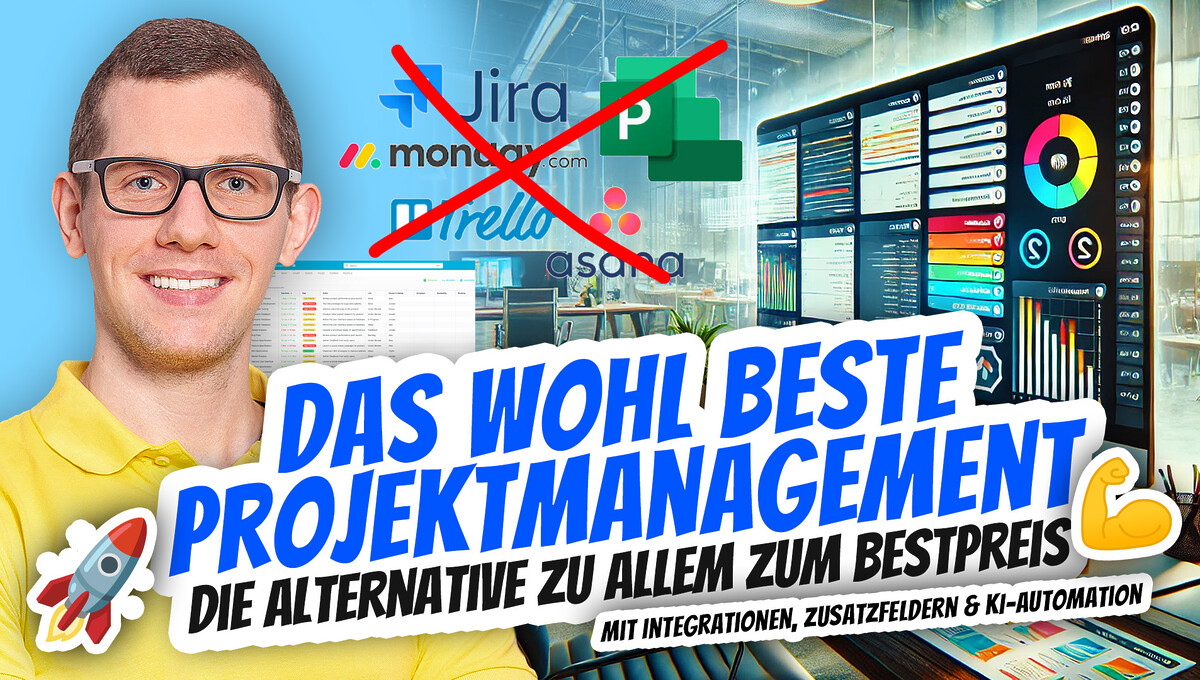
Agile project management for maximum efficiency with flexibility, standards, and teams from 1 to 300+ people – from simple to complex. In this video, I show you an efficient alternative to well-known project management tools such as Trello, Asana, and Monday.com. Discover a tool that is easy to use yet offers powerful features for planning, monitoring, and completing your projects. Ideal for teams looking for a user-friendly and cost-effective solution. Let’s explore together how this tool can revolutionize your project management!
Simple, Agile & Efficient Project Management Tool – Alternative to Trello Asana Monday Jira & MS
Imagine you’re stressed, juggling deadlines, and trying to keep track of multiple projects. Frustrated hours in front of a cluttered dashboard! A few months ago, I was in exactly this situation. Back then, I realized how important an intuitive project management solution is. Well, the answer taught me that less is often more – I found the perfect Trello alternative that can offer all of this.
Why Agility is Crucial in Project Management
Agility is more than just a buzzword. It is a decisive factor for the success of projects in our fast-paced world. But what exactly does agility mean in the context of project management? Let’s take a closer look.
Definition of Agility in the Context of Project Management
In project management, agility refers to approaches that enable teams to adapt quickly to changes. It promotes flexibility and collaboration within the group. Agility means not rigidly adhering to a plan, but being willing to adapt it when circumstances change.
Agile methods, such as Scrum or Kanban, emphasize iterative processes and regular feedback. This allows teams to respond more quickly to customer needs. They are free to organize and prioritize their tasks as they see fit. This not only increases motivation but also efficiency.
Growth requirements in companies and the need for agile approaches
Nowadays, companies face enormous growth requirements. Markets are changing rapidly, and the complexity of projects is increasing. Have you ever asked yourself how your company can optimize its processes? Agile methods provide an answer to this.
- 89% of companies report that their productivity has increased through agile approaches.
- 55% of project managers use agile methods to manage their projects efficiently.
The need for agile approaches is evident. Companies must not only adapt their services and products more quickly, but also their internal processes. This leads to less friction loss and an optimized workflow.
How agile methods can improve the workflow
A major advantage of agile methods is the ability to improve the workflow sustainably. Here are some points that illustrate this:
- Flexibility: Teams can adapt their approach based on regular feedback.
- Transparency: Through daily standups and retrospectives, the entire team stays informed.
- Focus on the customer: Agile methods put the customer at the center, which strongly drives product development.
Consider the topic of workflow improvement. If you keep an eye on team dynamics, you can identify and eliminate blockages. Practical examples show that agile teams often reach their goals faster while motivation is higher.
| Statistic | Percentage |
|---|---|
| Companies experiencing productivity gains through agile approaches | 89% |
| Project managers who use agile methods | 55% |
Agility is not just a trend. In fact, it is a necessity for modern companies. Without adaptability, companies risk falling behind their competitors. The world is evolving quickly, and companies must adapt. Traditional methods are often too rigid and obstructive.
Have you ever experienced a project failing due to a lack of flexibility? Such stories are not uncommon. The fast-paced times demand agile approaches that act proactively instead of just reacting.
Become more visible on Google & Social Media?
In a free strategy consultation for data-driven online marketing, we uncover your untapped potential, review any existing ad accounts if necessary, examine your SEO ranking and visibility, and determine which strategy is appropriate for your budget and which active measures will lead to more inquiries or sales.

✅ More visibility & perception through targeted placement
✅ More visitors > prospects > customers > revenue
✅ Reach target groups scalably with SEA
✅ Act and grow sustainably with SEO
🫵 Maximum success with our hybrid strategy
💪 More than 15 years of experience across industries in over 1,000+ projects demonstrable!







„Agility is not just a trend, but a necessity for modern businesses.“ – Unknown
In summary, agile approaches are a solution to many challenges in modern project management. Their flexibility enables them to master complex requirements. If you, as a project manager, work agilely, the chances are good that your team will be more successful.
Start integrating agile methods into your projects. See for yourself how your workflow can benefit. The increasing complexity of projects requires adaptability – and agile approaches are the key to it.

The Advantages of the New Project Management Solution
In today’s fast-paced world, tools are needed that are not only flexible but also user-friendly. Project management software used to be complex. Sometimes you wondered: „Can’t this be simpler?“ This is where the new solution comes in, which not only meets your needs but also offers what you really want.
User-friendliness and Accessibility
A key advantage of the new project management solution is its user-friendliness. You don’t have to be an IT expert to use the tool. The interface is intuitively designed. With just a few clicks, you can organize your projects and tasks.
Accessibility is also a great feature. Whether you’re on the go or in the office – you can access your projects at any time. Does your entire workforce use the same tool? This makes communication so much easier!
More powerful features than Trello and Asana
You may have already used Trello or Asana. These tools are well-known, but what about their limitations? The new solution we’re presenting here goes far beyond that. It offers not only Kanban boards, but also:
- Timesheets: Keep track of the time spent on various tasks.
- Automation: Make sure you don’t forget any tasks by receiving automated emails when a task’s status changes.
- Wikis: Document important information for each project in one central place.
These features are particularly important for businesses and freelancers who value efficiency. You no longer have to spend time on unnecessary adjustments. Instead, you can focus on what really matters.
Cost-effective solutions for businesses and freelancers
Price is a decisive factor when choosing the right software. The new project management solution is extremely cost-effective. For just 7 USD per user, you get the standard version. That’s almost a bargain!
For businesses that want to integrate a larger group, there’s a lifetime plan for 59 USD that covers up to 30 users. Think about how much money you can save with that!
| Pricing Model | Price per User |
|---|---|
| Standard Version | 7 USD |
| Lifetime Plan (up to 30 users) | 59 USD |
Do you feel that your current project management software is too expensive? Take a look at what you get for so little money. The investment costs are so low that you can think about your next steps without immediately blowing your entire budget!
Customization Options
The new tool allows you to make adjustments that meet your personal preferences and requirements. This means you can set up the software in a way that best suits you.
- Create unique project overviews according to your scheme.
- Add additional fields to capture important information.
- Use templates for recurring tasks or projects.
Furthermore, there is the option to easily copy and paste content, which is particularly important when working with documents such as emails or Word documents. How much time can you save this way?
„Less complexity, more control – that is the motto of the new solution.“ – Unknown
Now is the right time to consider what benefits this solution can bring you. If you want more control and clarity in your professional life, then take a closer look at this tool. The customization options, the provided features, and the unbeatable price make it a serious alternative to existing solutions.
In summary, the new project management solution proves to be an individually customizable solution for everyone. Whether you’re a freelancer, small business owner, or part of a larger team – this tool has the potential to revolutionize your project management. And all of this at a price that is simply unbeatable.
Easy integration of automations
In a digital world that is constantly changing, it is important to work efficiently. Automations have established themselves as a key to success. They help optimize workflows. But how exactly is this achieved?
How automations can make workflows more efficient
Automations minimize manual entries and the frequent errors associated with them. The advantages are easy to see:
- Less time wasted
- Increased accuracy
- More room for creative tasks
Imagine if you had to manually enter the same information every day. It is tedious and error-prone, isn’t it? Automations accomplish this in no time. They take over repetitive tasks and thereby free up your mind for more important decisions.
A project manager can save up to 30% time through automation. These savings add up quickly. When you spend less time on routine tasks, you have more time for strategic thinking. That means you focus on what matters most.
Examples of automations in project management
Let’s look at some concrete examples of automations in project management. They are not only practical but also flexible:
- Automated email notifications: You can set up emails that are sent automatically when the status of a task changes.
- Integrations of feedback forms: These can be integrated directly into the project management tool so that you can quickly gather feedback from the team.
- Task distribution: Automate the assignment of tasks based on the current workload and priorities in the project.
These automations make a big difference. Some tools, such as Blue, offer many of these functions in a user-friendly interface. „Automation is the key to efficient work – it makes life easier.“ – Unknown
The impact of automations on potential sources of error
A common problem in projects is human error. Automations can also help minimize these. How? By reducing manual input.
Manual tasks are often prone to errors. An incorrectly typed value can lead to significant problems. With automations, the likelihood of such errors is reduced. This means you can rely on more accurate results.
Example: When using automated workflows, every step in the process is logged. This also improves traceability.
Email notifications are another example. They keep everyone involved informed without anyone having to send messages manually. This can help avoid misunderstandings. Everyone can see at any time where the project stands.
Statistics and facts about automations
As already mentioned, a project manager saves up to 30% time through automation. This is not just a theoretical figure. In practice, many managers report similar experiences. These savings are especially important for companies that want to work more efficiently.
| Aspect | Savings |
|---|---|
| Time savings through automation | up to 30% |
| Integration of feedback forms | Directly in the tool |
It is clear that automation is not just a trend, but a necessity. Consider how you can use automation in your own project management. A structured and organized approach pays off.

Florian Ibe
CEO & Marketing Consultant
Your contact person: Florian Ibe
Conclusion on the new tool for agile project management
Integrating automation into your workflows can make all the difference. You not only create more efficiency, but also reduce the sources of error that are part of everyday life in any project. Use innovative tools to manage your projects efficiently!
The project management system was developed as web software for every team to be simple and powerful for any challenge and flexible for any industry.
✅ Kanban, database, calendar, Gantt charts, lists and cards
✅ Dozens of field types to match your data structure
✅ Integrated wiki, document management, document creation
✅ Chat integration (fully integrated without Slack etc.)
✅ Streamline workflows with powerful if-then automations
✅ Web & app for all platforms Mac, Windows, iOS (iPhone & iPad), Android & PWA
✅ Detailed access permissions for different team roles
✅ Customizable real-time dashboards that combine data across projects.
✅ AI support + various integrations and much more.
Boost your productivity now and organize yourself and others with Blue today:

From Trello to a new solution: A switch that’s worth it
If you’re thinking about switching from Trello to new project management software, you surely have many questions. The thought alone can be overwhelming. But don’t worry! You’re not alone. In this article, you’ll learn how to make the switch easier.
1. Exporting from Trello to the new tool
The first step in your switch is exporting your Trello data. This may sound complex at first, but it’s usually a straightforward process. Trello offers an export function that allows you to save your boards in various formats. Most new tools, such as Blue for example, support these formats.
Below are some general steps you can follow:
- Open your Trello board.
- Go to the board settings.
- Select the export option and save the file to your computer.
- Import the file into the new tool of your choice.
Did you know that over 60% of Trello users have already successfully switched? User-friendliness and easy data migration contribute to making the switch smooth.
2. Experiences from former Trello users
The best tips often come from people who have already had the experience. Many users report a faster adjustment period than they expected. A former Trello user said:
„The switch was easier than I thought – and the benefits clearly outweigh it!“
What are some of the most common positive feedback responses? Here are some points:
- The user interface of the new solution is intuitive and easy to understand.
- New features such as automation save time and effort.
- A comprehensive offering that covers more than just the basic functions.
Experience shows that switching is not only possible but can also be advantageous. Many users appreciate the additional features that the new platform offers.
3. Tips to make the transition easier
A switch often also means getting used to new tools and processes. Here are some practical tips that can make it easier for you:
- Test the new tool on a small scale before rolling it out to the whole team.
- Offer training sessions for your team to bring everyone up to speed.
- Use the trial phase to find out which features will be useful for your team.
There are simple steps to make the switch. The user interface of the new solution is user-friendly, which makes getting started easier. Many users have reported that they had fully implemented the software within just two weeks. This is also reflected in the following data:
| Statistic | Value |
|---|---|
| Percentage of successful switchers | Over 60% |
| Median switching time | 2 weeks |
You have the opportunity to
revolutionize the way you work. The new tool offers many advantages that Trello may not have been able to fulfill. You can still feel what many users now enjoy: an organized and efficient work environment.
In summary, switching from Trello to a new software can be done smoothly with the right information and planning. And not to forget, the experience of other users can give you valuable insights and encouragement. So why not take the next step?
Test Blue.cc now:
Practical Use Cases for Freelancers and Businesses
In today’s fast-paced world, it is essential that both freelancers and businesses use efficient tools. But how can certain tools make everyday work easier? Let’s take a look.
1. Success Stories from Users
Success stories are inspiring. They show that choosing the right tool can make an enormous difference. Many users report remarkable changes in their daily work. Some freelancers even report a 40% time savings. This means they can spend more time on creative projects and less time on administration. But what about teamwork?
Teamwork Statistics
| Aspect | Result |
|---|---|
| Improvement of teamwork | 78% of companies report this |
This shows that many companies have recognized the benefits of such a tool. Improved teamwork not only increases productivity, but also boosts employee satisfaction.
2. A special look at team usage
Team usage is a central aspect. It makes it possible to clearly distribute tasks and track progress in real time. Imagine you have a central platform where all team members can see their tasks. Less chaos, fewer misunderstandings.
A user puts it perfectly:
„Finally, I have a tool that helps me manage my projects without stress.“ – Freelancer
This demonstrates the valuable support that such tools can provide. They not only help with organization, but also improve quality of life, especially when it comes to balancing work and personal life.
3. How the tool makes everyday life easier for freelancers
For freelancers, organization and efficiency are crucial. They often juggle multiple projects at the same time. This is where the right tool comes in. It not only offers features for planning and tracking tasks, but also helps keep track of deadlines and priorities.
- Individual customization: Every project and every client is different. User-friendly customization is therefore decisive.
- Collect feedback: The ability to integrate online forms contributes to improving workflows.
- Automation: Automated emails not only facilitate coordination, they also save a lot of time.
Based on freelancers‘ experiences, it becomes clear that project structuring is significantly improved. The stress factor decreases, and creativity can flow more freely.
Relevant features
The integration into various workflows shows potential that cannot be ignored. With features like Kanban boards, timesheets, and countless checklists, everyone can use their own style. User-friendly formatting makes it easy to organize content.
Additionally, wikis can be created for each project. Here you can record important information. All documents are centralized and easily accessible.
By using such tools, it is possible not only to save time, but also to optimize collaboration in teams. Positive feedback and statistics demonstrate the clear benefit. The multitude of features brings not only order to creative chaos, but also freedom for new ideas. It is to be hoped that more and more freelancers and companies will opt for such an innovative solution.
How does your team use tools for project management? Share your experiences and let us know how you have optimized your workflows!
A conclusion: The right tool at the right time
In today’s world, choosing the right software is crucial. Why? Because the wrong decision can jeopardize the success of a project. Acquiring appropriate project management tools becomes a key factor for efficiency and productivity.
The importance of choosing the right software
The importance of choosing the right software cannot be overestimated. Are there not countless programs out there? But how do you choose the right tool? Here are some aspects you should consider:
- Understand your needs: What do you really need?
- Consider user-friendliness: Is the interface clear and organized?
- Consider adaptability: Can you tailor the tool to your needs?
A poor software choice can not only cost time and money, but also nerves. You feel frustrated when the tool cannot do what you need. Have you ever thought: „If only I had researched beforehand!“
How to identify your personal needs in project management tools
To identify your specific needs, there are some basic steps:
- Analyzing your workflow: Consider how you and your team prefer to work. Do you prefer visual dashboards, or are detailed lists better suited?
- Considering team sizes: A smaller team may need fewer features than a large one that works on many projects simultaneously.
- Gathering feedback: Seek the opinions directly from your team members. They work with the tools daily and can provide valuable insights.
If you follow these steps, you will very quickly determine which features help you and your team the most. The choice of the right tool should be made individually, based on specific needs.
Future outlook for agile project management tools
The future of project management tools is exciting. The trend is clearly moving toward agile methods. What does that look like in concrete terms? In a survey, over 70% of teams stated that they now use digital tools for project management. This is a clear indication of the shift.
The integration of artificial intelligence into project management tools is becoming increasingly common. This means that you will be able to automate tasks or receive personalized recommendations. Isn’t that fantastic?
| Trend | Percentage of use |
|---|---|
| Digital tools for project management | Over 70% |
| Agile project management | Increasing trend |
Technologies are evolving rapidly. Anyone using an agile tool today could benefit from new possibilities tomorrow. A strong focus on user feedback can help find the best tools.
„The decision to find the right tool is the first step toward efficiency.“ – Industry expert
That says it all, doesn’t it? From this perspective, it is crucial to find a tool that supports your way of working and does not hinder it. Tools like Blue represent a great solution. They enable a flexibility that is important in today’s fast-paced work environment.
The selection of the tool is decisive for success. It can make a difference in how effectively your team works. If there are problems or challenges, you should be prepared to switch your tool.
In general, it is evident that software solutions are no longer relevant only for large companies. Project management is equally important for freelancers and small agencies. The future is now.
So, which tool do you use? And what are your challenges when choosing software? Write everything in the comments!
Conclusion and Outlook – Easy Management for Everyone!
In today’s time, choosing the right tools is essential for success. Agile tools play an important role in this. But what exactly makes these tools so valuable?
Conclusions about the value of agile tools
Agile tools, as used in project management, offer clear advantages:
- Flexibility: Changes can be implemented quickly.
- Transparency: Simplify communication and promote team spirit.
- User-friendly: Often usable even without in-depth technical knowledge.
Agility means not only that teams can respond quickly to changes. Rather, it means that they are able to continuously learn and improve. A well-known quote that illustrates this reads:
„In simplicity lies genius.“ – Unknown
The Importance of Adaptability in the Modern Workplace
In a world that is constantly changing, adaptability is essential. Employers are increasingly seeking employees who are flexible and versatile. With agile tools, you give yourself and your team the opportunity to better manage change.
Remember: Those who don’t move with the times will be left behind. This is not just a cliché, but reality. It is necessary to consider and implement new working methods and technology. This applies not only to large companies, but also to freelancers and start-ups.
What you should pay attention to:
- How quickly can you respond to changes?
- Can you make your processes more efficient?
- Do your employees feel supported and motivated?
An appeal to readers to try out the possibilities
Have you ever thought about trying out new tools? Why not now? Many platforms, such as the newly discovered tool Blue, allow you to get started easily and offer many features that make everyday work easier.
Whether you’re managing a small project or a larger initiative, the right tool can make all the difference. Remember, the best solution is often the one that’s easy to use.
Benefits of Blue:
- Ease of use: Intuitive user interface, suitable even for beginners.
- All-in-one solution: From Kanban boards to timesheets to automation.
- Cost efficiency: For just seven dollars per user, a lifetime plan is already available.
Think about it instead of going through the hassle of overhauling your operations. A simple switch can achieve great things. Thinking beyond the limits of your previous tools could give you the decisive advantage. Anyone who wants to benefit from task division and automation should at least consider the possibilities of Blue.
| Function | Blue | Trello |
|---|---|---|
| Price per user | 7 dollars (lifetime) | Variable costs, more expensive after changes |
| Automation | Yes | No |
| User-friendliness | High user-friendliness | Room for improvement |
Last but not least. There is a suitable solution for every company size. You are not alone. Anyone can benefit from these tools, regardless of their experience. Don’t just dream of better work organization, start doing it!





 DE
DE

