

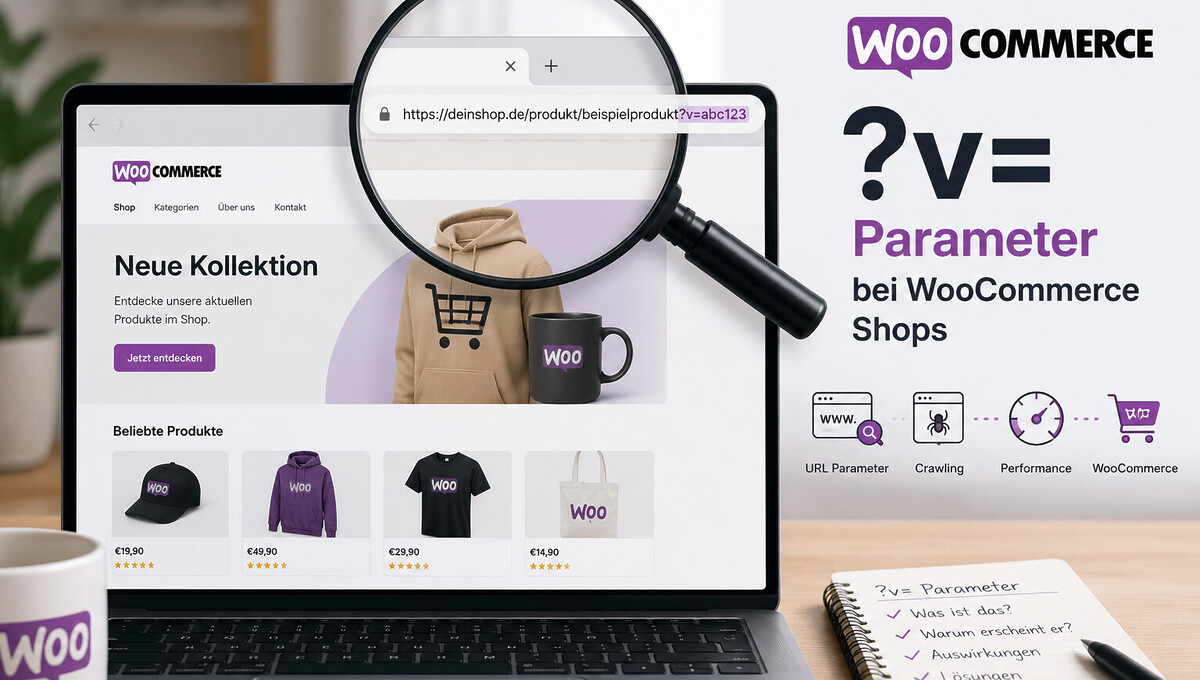
When analyzing shop URLs, an additional suffix sometimes appears in the address bar that at first glance looks like a tracking code or a technical error. In fact, it is a deliberate function of WooCommerce related to caching and geolocation. We explain what is behind the short string of characters, what impact it has on SEO, and how shop operators should handle it.
What is behind the „?v= parameter“ in WooCommerce?
Anyone who operates a WooCommerce shop sometimes discovers a string such as ?v=3a52f3c22ed6 at the end of a URL. In over 1,000 projects implemented since 2010, we regularly encounter this URL form in WooCommerce shops. It is neither an error in the source code nor a hidden tracking script.
The ?v= parameter is appended exclusively by WooCommerce itself. It is part of an official function and should therefore not be removed hastily.
Anyone who understands the background can make a targeted decision as to whether the parameter makes sense for their own shop or tends to bring disadvantages.
Example of a typical URL with ?v= parameter
A regular product page of a WooCommerce shop usually looks like this: shop.de/produkt/beispielprodukt/. As soon as geolocation with cache support is active, the same page can suddenly be accessed as shop.de/produkt/beispielprodukt/?v=3a52f3c22ed6.
The content of the page remains identical for the visitor. What changes is the cache variant served in the background.
Why the parameter is initially confusing
Many shop operators initially suspect a security problem or a messy plugin intervention. Since the parameter appears without a visible function, it seems like a tracking value from external tools.
In fact, the v parameter fulfills a purely caching-related task and comes from the core of WooCommerce. A look at the settings under „Default customer location“ provides the explanation immediately in most cases.
How the ?v= parameter is created by geolocation
The cause lies in the WooCommerce setting „Geolocate (with page caching support)“. As soon as this option is active, WooCommerce combines location detection with a cache-compatible URL variant.
In the backend, the setting can be found under „WooCommerce → Settings → General → Default customer location.“ It is often activated when shop operators want to set up cache-friendly geolocation.
The technical process is documented in the official WooCommerce Developer Blog and follows a clearly defined pattern.
Become more visible on Google & Social Media?
In a free strategy consultation for data-driven online marketing, we uncover your untapped potential, review any existing ad accounts if necessary, examine your SEO ranking and visibility, and determine which strategy is appropriate for your budget and which active measures will lead to more inquiries or sales.

✅ More visibility & perception through targeted placement
✅ More visitors > prospects > customers > revenue
✅ Reach target groups scalably with SEA
✅ Act and grow sustainably with SEO
🫵 Maximum success with our hybrid strategy
💪 More than 15 years of experience across industries in over 1,000+ projects demonstrable!







Path to the setting in the WooCommerce backend
Via the WordPress admin menu, you reach the „WooCommerce“ area. There you open the „Settings“ tab and switch to the „General“ tab.
In the „Default customer location“ section, you will find a dropdown menu with several options. If it says „Geolocate (with page caching support),“ the source of the ?v= parameter has been identified.
Technical process from AJAX call to URL redirect
When a page is accessed, WooCommerce first starts a background AJAX call that evaluates the visitor’s IP address. A hash value is calculated from the location data, representing the respective country or region group.
WooCommerce then redirects the page via JavaScript to the same URL with an additional ?v=hash. Only this URL is cached by the caching plugin as a separate variant and can be delivered directly to the next visitor from the same region.
What function the parameter v fulfills in interaction with caching
WooCommerce shops often display different content depending on the country. This includes tax rates, gross prices, shipping costs, currencies, and country-specific notices in the checkout. Without the parameter, cached pages would blur these differences.
A visitor from Germany could, for example, see a cached page with Swiss VAT. This is precisely the scenario that the v parameter is designed to reliably prevent by generating a separate cache variant for each region. Anyone implementing a multilingual or multi-country shop with a powerful WooCommerce agency is familiar with this caching issue from practical experience.
The function is compatible with all common caching solutions and works both in WordPress plugins and in server-side cache layers.
List of affected caching solutions
The following caching plugins and systems typically work with the ?v= parameter:
- WP Rocket
- NitroPack
- LiteSpeed Cache
- WP Super Cache
- W3 Total Cache
- Cloudflare APO and comparable CDN cache layers
- Server-side cache systems such as Varnish or Nginx FastCGI Cache
The list is not exhaustive, but it covers the majority of solutions used in German-speaking e-commerce.
Country-specific content at a glance
| Content type | Example |
|---|---|
| Value added tax | 19% in Germany, 7.7% in Switzerland |
| Gross prices | Including the respective tax |
| Shipping information | Standard delivery times and costs per country |
| Currency display | EUR, CHF or third-country currencies |
| Checkout notes | Mandatory fields for Swiss EORI number or Austrian VAT ID |
| Shopping cart logic | Geo-IP-based shipping rules |
Each of these ads must be served correctly per region when caching is active.
Meaning of the string after the parameter
The characters after the equals sign are not a random value, but a calculated hash. WooCommerce derives a short key from the location data that uniquely identifies the country or region group.
For example, a German visitor generates a different hash than a visitor from France. Caching systems treat the two resulting URLs as two separate documents and serve the matching variant directly from the cache for returning visitors from the same region.
The exact length and form of the hash value depends on the WooCommerce version used and the underlying geolocation source, for example MaxMind.
Structure of the hash value
The hash consists of alphanumeric characters and is usually between eight and twelve characters long. It contains no personal data whatsoever, but merely summarizes the location group.
This means the v parameter also plays an inconspicuous role from a data protection perspective. Neither IP addresses nor other identifying values are transmitted directly in the URL.
When a new value is created
WooCommerce generates a new hash as soon as a visitor’s detected location changes. This can happen when switching networks, when using a VPN connection, or through an updated geolocation database in the background.
For stable visits from the same region, the hash value remains identical and ensures that the cache works reliably.
Impact of the parameter on SEO and crawl budget
From an SEO perspective, the ?v= parameter creates additional URL variants of the same page. Search engine crawlers can theoretically access the same product or category page under many variants, generating unnecessary requests. For a small shop, this is usually unproblematic.
In large WooCommerce shops with several thousand products, the flood of variants can have a negative effect on crawl depth. Search engines have only a limited budget of crawl requests per domain. If too many hash variants are captured, less capacity remains for genuinely relevant new content. A clean OnPage SEO configuration ensures that this risk is defused at an early stage.
The all-clear from the official WooCommerce documentation is important: WordPress automatically sets the appropriate canonical tag to the clean main URL. Search engines thus receive a clear signal as to which variant should be indexed.
When the ?v= parameter becomes an SEO problem
The situation becomes critical as soon as canonical tags are not set correctly or are overridden by third-party plugins. Incorrect configuration of robots.txt can also cause crawlers to land uncontrollably in the hash variants.
Another risk arises when the hash values change frequently, for example due to aggressive geolocation updates. Search engines then see a large number of fleeting URLs that offer little added value for indexing.
Role of the canonical tag for clean indexing
The canonical tag is the central lever with which shop operators direct crawling behavior. As long as it consistently points to the URL without parameters, Google treats the variants as duplicates and focuses on the main page.
As part of an audit, we regularly check whether the canonical tag is actually being delivered and whether it matches the shop’s hreflang strategy.
How to remove the parameter from the URLs
If you want to do without the ?v= parameter, you have three alternatives to the default setting in the WooCommerce backend. Each variant has its own consequences for caching, taxes, and shipping calculation.
After the change, you should definitely clear the WordPress cache as well as the browser cache. Otherwise, the old URL state remains in the browser and the effect of the change cannot be verified.
As part of regular WordPress maintenance, we also check such configurations during ongoing operation so that changes do not develop unnoticed side effects.
Three alternative settings compared
| Setting | Behavior | Caching compatibility |
|---|---|---|
| Geolocate | Location detection without ?v= parameter | Not compatible with caching plugins |
| Shop country/region | Fixed assumption of the shop location | Fully compatible with all caches |
| No location by default | No assumption, location via input | Fully compatible, most neutral approach |
Which variant is correct depends on the business model. Purely domestic shops are often safest with „Shop country/region“, while international shops need to weigh things more carefully.
Clear cache after the change
After saving the new setting, you should completely clear the cache of your active caching plugin. This applies to WP Rocket, NitroPack, LiteSpeed Cache, and all other systems mentioned.
If you use Cloudflare or an additional CDN, their cache must also be purged. Finally, we recommend checking in incognito mode whether the URLs are served without the ?v= parameter.
Risks of disabling cache support
Removing the parameter is not the right decision in every case. As soon as a shop is heavily cached and content varies by country at the same time, incorrect prices or taxes can lead to real commercial problems.
The situation is particularly critical for multi-country shops, dynamic currency switching, and geo-IP-based shipping logic. From the positive reviews of our customers on ProvenExpert, we know that a hasty change in a live shop quickly leads to complaints, for example when Swiss customers suddenly see German tax rates.
Before any change, we recommend a controlled approach with a staging environment and a structured SEO audit of the shop configuration.
Shop types with increased risk
The following constellations should generally retain the ?v= parameter:
- Multi-country shops with different tax rates
- Shops with Switzerland or EU export logic
- Shops with dynamic currency switching
- Shops with geo-IP-based shipping costs
- Shops with regionally different promotions or prices
In these constellations, the advantages of the parameter clearly outweigh the disadvantages.
Alternatives to complete deactivation
If you still aim for clean URLs, you can resort to other mechanisms. Locations can also be updated via Ajax requests during page rendering, without the URL receiving a hash.
Cookies can store the location information per visitor and provide it without URL variation. Clean cache variations at the server level, for example via Vary headers or custom cache keys, are also a proven solution for demanding setups.
Conclusion on handling the v parameter in the WooCommerce shop
The ?v= parameter is not an error, but a deliberate WooCommerce feature for connecting geolocation and page caching. From a technical perspective, it makes sense. From an SEO and URL perspective, however, it can lead to unnecessary crawling variants in large or complex shops.
The right decision depends on the business model. Purely domestic shops can usually deactivate the v parameter without risk, while international shops with different taxes and shipping costs are better off retaining it.
If you are unsure which setting makes sense for your shop, we support you as specialized WooCommerce SEO consultants with the analysis and clean implementation.





 DE
DE

