

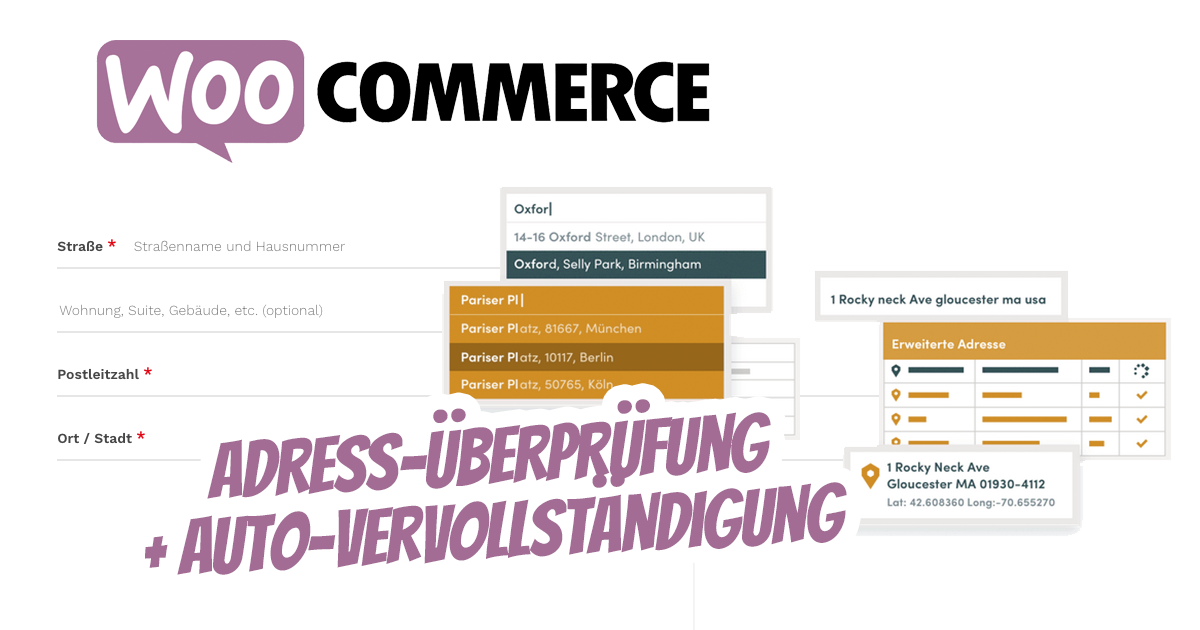
If your business has tried to ship to an invalid address, you know it has cost you both time and money to resend the order to the customer. Never worry about this hassle again! Add simply address verification, automatic completion or postal code search to your WooCommerce checkout.
The user-friendliness of the WooCommerce shop improves and customers will love it.
In this article we present 2 solutions. Our preferred one first. Enjoy reading and implementing!
WooCommerce Address Autocomplete & Verification / Validation
If your business has tried to ship to an invalid address, you know it has cost you both time and money to resend the order to the customer. Never worry about this hassle again! Add simply address verification, automatic completion or postal code search to your WooCommerce checkout.
Postal code / address verification simplifies your order process and improves the quality of your order address by letting your customer validate or look up their address during the checkout process. Improve your bottom line and customer satisfaction with address validation!
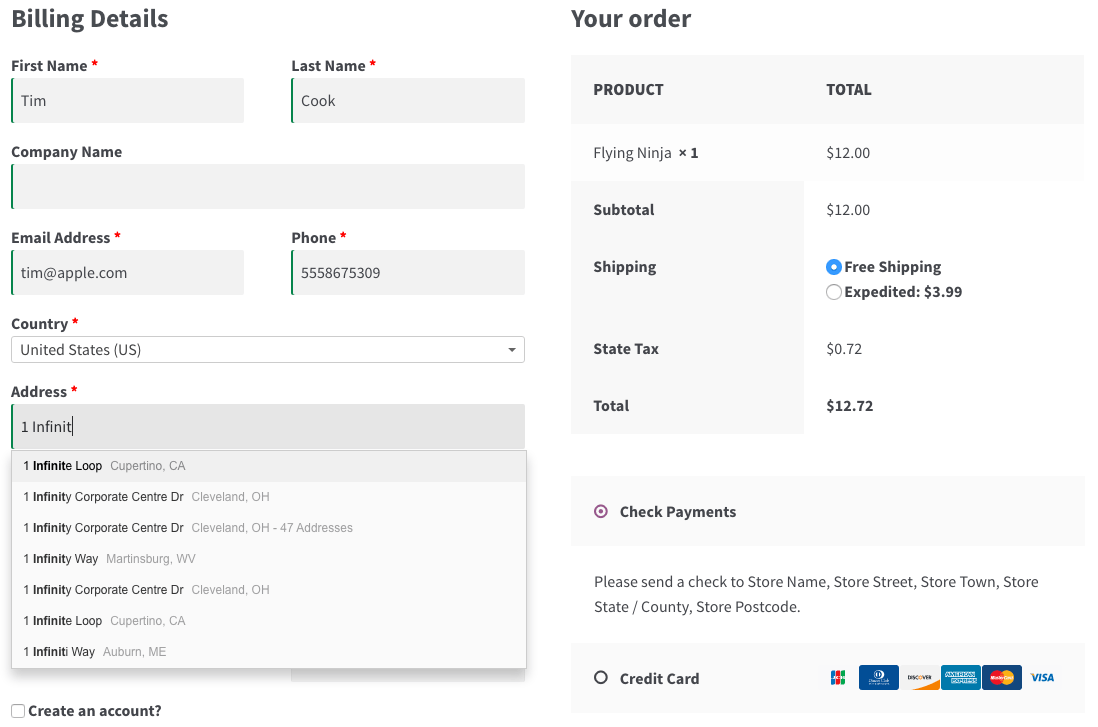
When verifying postcodes / addresses, your business is connected with a service that enables searching for addresses or postcodes. You can use Loqate, SmartyStreets, Postcode.nl, PostcodeSoftware.net or Crafty Clicks.
We recommend Loqate for Europe including auto-completion.
Address automatic completion
Automatic address completion is available with Loqate, which works for merchants in every country. With a paid Loqate account, your customers can automatically complete addresses in any country and addresses can be classified as „private“ or „commercial“.
Merchants in every country worldwide can sign up for a Loqate account* to get started.
Benefits of the Plugin and Interface:
Become more visible on Google & Social Media?
In a free strategy consultation for data-driven online marketing, we uncover your untapped potential, review any existing ad accounts if necessary, examine your SEO ranking and visibility, and determine which strategy is appropriate for your budget and which active measures will lead to more inquiries or sales.

✅ More visibility & perception through targeted placement
✅ More visitors > prospects > customers > revenue
✅ Reach target groups scalably with SEA
✅ Act and grow sustainably with SEO
🫵 Maximum success with our hybrid strategy
💪 More than 15 years of experience across industries in over 1,000+ projects demonstrable!







- Reach customers worldwide
- Reduce shipping errors and issues
- Provide an exceptionally good customer experience
- Increase conversion rate
- Save time with complete data

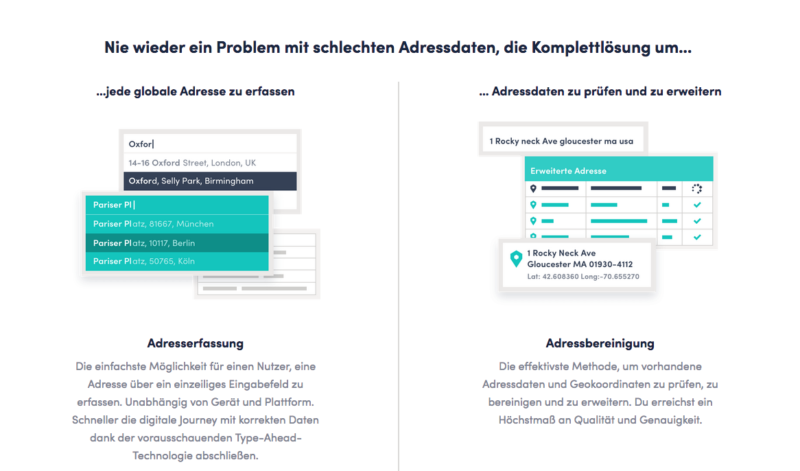

See Loqate + WooCommerce in action:

Save time and money with address verification at checkout and in the checkout process + offer maximum user-friendliness for your customers in the WooCommerce shop
Why else should I use postal code / address verification?
Optimizing your shipping processes only helps your business, as you can easily avoid costly shipping problems. Both you and your customers save time while ensuring that your shipping data is valid, and your order process is simplified. Everyone wins!
Postal code / address verification is also very easy to use, so you can start improving your checkout process right away.
You can even optimize this further by using One Page Checkout, as postal code / address verification is fully compatible! Search fields are displayed on every One Page Checkout page in your store as well as on your regular checkout page.
The plugin is compatible with every WooCommerce theme and is quickly installed.
Getting Started (in 5 minutes or less)
- Purchase the WooCommerce Plugin for Address Validation (click here)*
- Download and install it in your WooCommerce shop
- Sign up for Loqate* (recommended for every country).
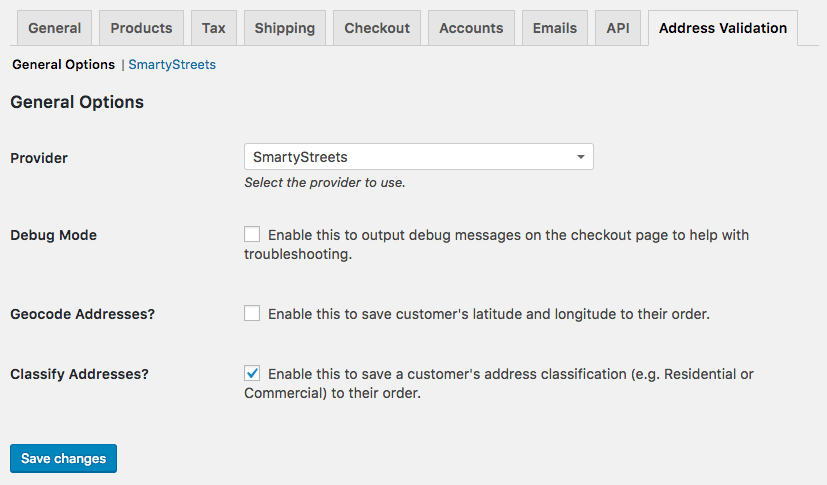
- Save your API information under WooCommerce> Settings> Address Verification (you can select which provider should be enabled).
- That’s it! Sit back and enjoy improved shipping efficiency!

Fragen zum Plugin oder zu WooCommerce?
E-Mail: fi@vastcob.com
Florian Ibe
Another alternative to perform address verification and validation at checkout in the WooCommerce shop via the Google API:
Are you experiencing losses from undelivered packages due to invalid addresses? Are you tired of contacting customers to correct their addresses? Our ELEX Address Validation and Google Address Autocomplete Plugin for WooCommerce* (formerly known as XAdapter Address Validation Plugin) helps you reduce the number of delivery delays due to incorrect address entry.
With this plugin, only the Google API is required and no additional paid service!
Google Address Autocomplete
The Google address autocomplete feature adds a text input field to your WooCommerce checkout page and monitors this field for character input.
When the user enters text, Google Places Autocomplete returns location predictions in the form of a dropdown selection list.
Verify the address using various address verification methods
Automatically verify the address with address validation APIs from various services in simple steps! You can choose
Simply sign up for the desired service, enter the required login credentials in the plugin and you’re ready to go!
Address Validation by Country
Set the countries to be validated by EasyPost, UPS, USPS, and Australia Post separately. If a country is added for validation by more than one service, it will only be validated by the service with the highest priority.
Background Address Validation
With this feature, the plugin validates the address itself and processes the order with the validated address. Customers are unaware of the address being validated only after the order is placed.





 DE
DE

