

Use your online store as a customer to create orders for your employees who are unable to shop themselves. With the Shop as Customer extension for WooCommerce, you can access the frontend of your store as one of your customers. Collect order data by phone and email and create an order on their behalf to increase conversions for less tech-savvy customers. Use this option to test new features or to see what your customers see. Switch between customer and administrator view modes as needed.
Plugin: Order as WooCommerce Admin in the FrontEnd (Shop as a Customer)
Plugin Features:
- Create orders on behalf of customers
- Shop as a guest customer
- Switch to any user role
- View customer login history in the log
- Search customers by name or email
- Record orders you take over the phone, by email, etc.
- Use the store as a customer
- Easily switch between user and administrator mode
- Option to use offline payment method for orders
Shop as any customer in WooCommerce as an administrator
Shopping as a customer in WooCommerce displays a list of all your customers or belongs to any user role, allowing you to easily switch to any customer and create an order for them.
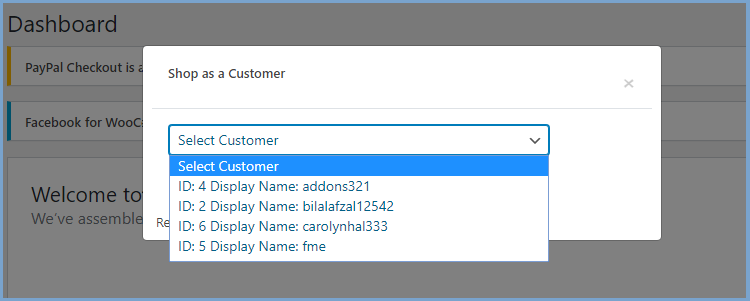
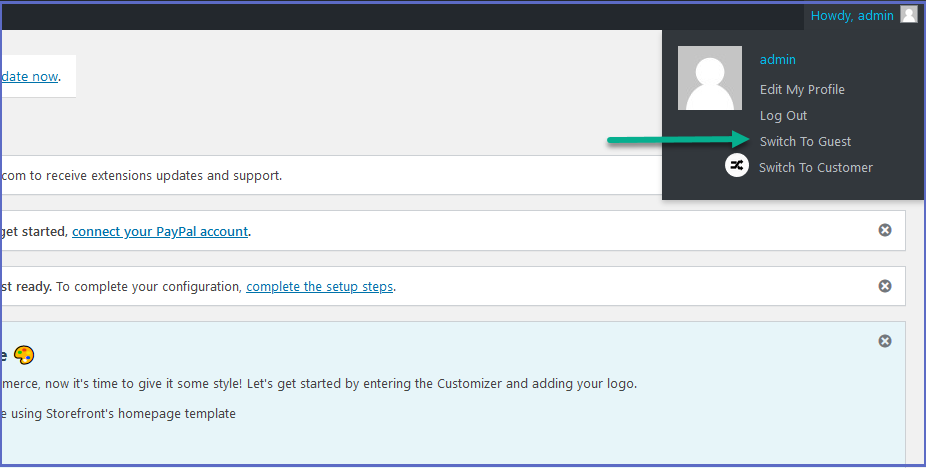
Shop as a guest customer
You can also switch to a guest user to shop as a customer in your online store.
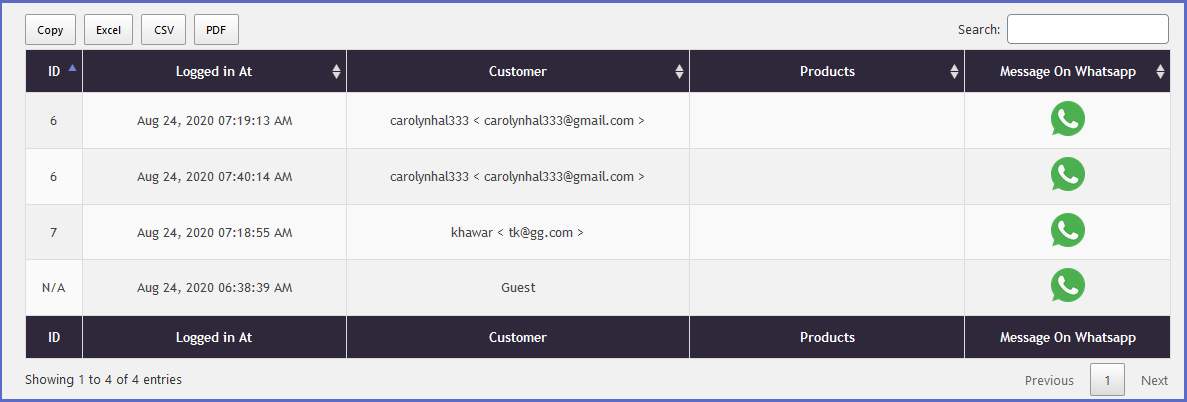
View customer login history in the log
This plugin records the history of accounts that customers have accessed, and you can also view and export them. You can also contact customers instantly via WhatsApp.
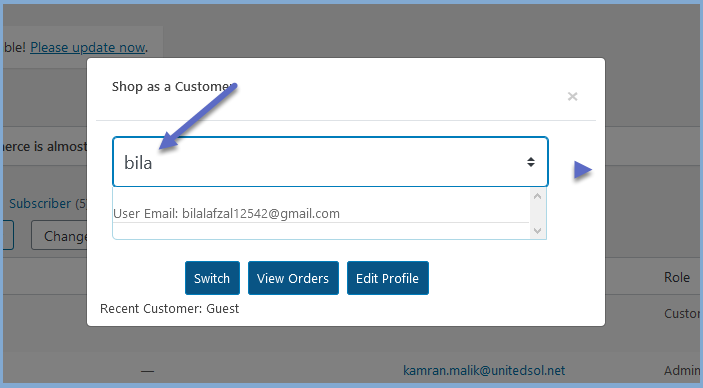
Search for customers by name or email
You can easily find customers by searching for them by name or email.
Become more visible on Google & Social Media?
In a free strategy consultation for data-driven online marketing, we uncover your untapped potential, review any existing ad accounts if necessary, examine your SEO ranking and visibility, and determine which strategy is appropriate for your budget and which active measures will lead to more inquiries or sales.

✅ More visibility & perception through targeted placement
✅ More visitors > prospects > customers > revenue
✅ Reach target groups scalably with SEA
✅ Act and grow sustainably with SEO
🫵 Maximum success with our hybrid strategy
💪 More than 15 years of experience across industries in over 1,000+ projects demonstrable!







View Customer Orders and Profiles
Select a customer from the list to view their profile and orders.
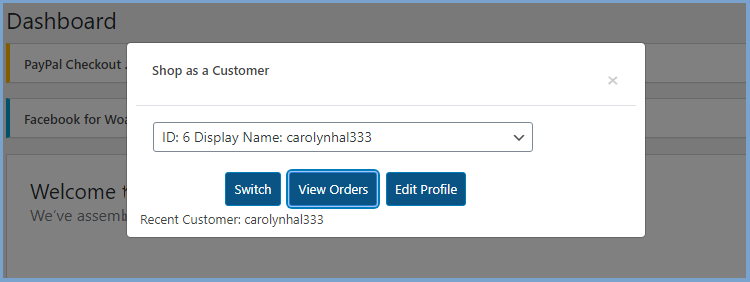
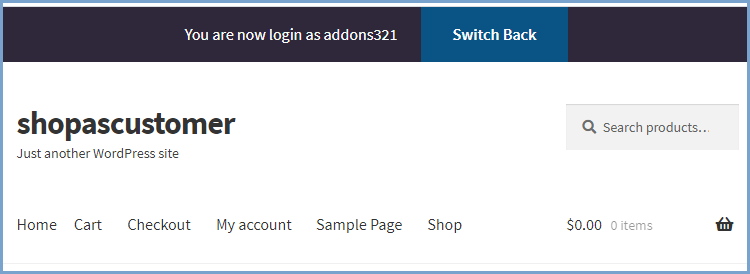
Switch back to Administrator
If you are using your website as a customer, a toolbar will be displayed. Switch back to administrator status with one click.
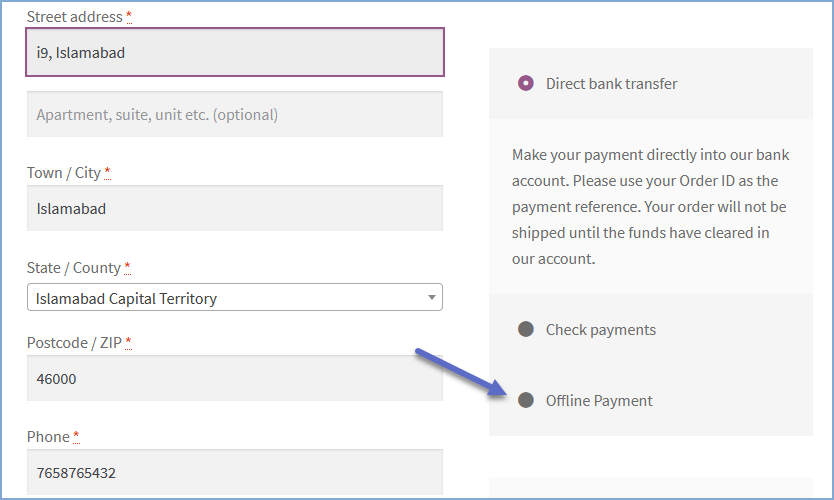
Offline Payment Method Option
The administrator can use the offline payment method to order products on behalf of customers.
The Shop as a customer Plugin* is very practical for manual orders on behalf of customers or even telephone orders.
Alternative: User Switch for WooCommerce
An even simpler alternative, if the customer already has a user profile (account), is the user switch in WooCommerce.
With this plugin, you as an administrator or business manager can quickly switch between user accounts and act as a customer in your store.
With the front-end-based user switcher tool, you can add a product to the shopping cart and create an order for your customer. This can be very useful if you offer phone orders and manually invoice the customer via a separate billing system.
- Only users who can edit other users can switch between accounts.
- Users can only switch to other users with the same or lower roles.
- Uses the WordPress cookie authentication system when switching between accounts.
- Uses the WordPress Nonce security system. This means that only users who want to switch user accounts can perform the user switching functions in the plugin.
Using the Plugin
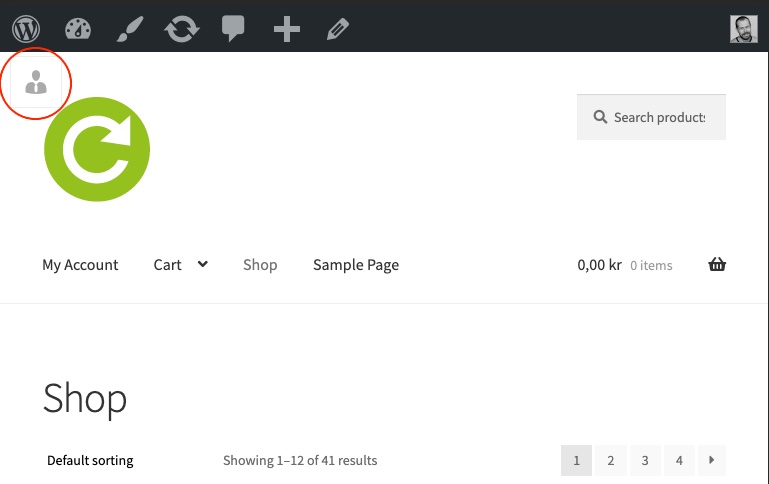
- If the plugin is activated and you are logged in as one of the roles defined in the plugin settings, the front-end user switching tool will be displayed in the top left corner.

- If you have switched to another user, a descriptive text will remind you that you are logged in as a different user.
- Click the Log out link to return to the account you were originally logged in with.





 DE
DE

