

E-commerce has grown exponentially in recent years. Online shops offer a variety of products that can be purchased from anywhere in the world. One of the main platforms that have enabled this exponential growth is WooCommerce, an open-source plugin for WordPress that allows retailers to create a fully functional online shop on their website. One of the features that are becoming increasingly popular with customers are flexible cart discounts. In this article, we take a look at the „Cart Discounts for WooCommerce“ plugin, which was specifically developed to manage these discounts.
WooCommerce Cart Discounts: A Look at the „Cart Discounts for WooCommerce“ Plugin
What can the „Cart Discounts for WooCommerce“ plugin do – German: Warenkorb Rabatte?
Cart Discounts for WooCommerce (German: Warenkorb Rabatte für WooCommerce Shops)* is a helpful plugin that offers online retailers the ability to provide their customers with flexible cart discounts. These can be set according to various criteria, such as the quantity of products in the cart, the total amount of the cart, or specific products included in the cart. The plugin was developed to offer online retailers more flexibility in pricing and sales promotion, thereby increasing customer satisfaction and loyalty.
The plugin can, of course, also be easily translated into German itself.
Note: At the very bottom of the article, there is also a link to a very flexible alternative.
Main features of the plugin for cart discounts
The core functions of this plugin include:
- Flexible Discounts: Merchants can offer discounts based on percentages, fixed amounts, or free products. This offers great flexibility to test and implement various sales promotion strategies.
- Conditional Discounts: Discounts can be offered based on various conditions, such as minimum order value, specific products in the cart, or quantity of products in the cart.
- Automatic Application of Discounts: Discounts can be automatically applied to the cart as soon as the defined conditions are met. This simplifies the purchase process for customers and improves their shopping experience.
- User-Friendly Interface: The plugin features an intuitive user interface, making it easy even for less tech-savvy merchants to configure the various settings.
Optimize Sales through Targeted Discounts and Additional Functions with the Plugin:
Discounts are a great way to increase your sales. Install the WooCommerce Cart Discounts Plugin now to reduce the number of abandoned carts and ultimately increase your shop’s revenue. This plugin helps automate your cart discounts based on cart items.
Discounts are based on cart quantity, amount, product, or weight. You can offer discounts for specific products, categories, or user roles and make your sales skyrocket like never before.
In addition, you can send emails and enticing offers to your customers via email to close the sale with great deals and discounts. It can be either fixed or percentage-based.
- Offer conditional cart discounts
- Basic conditions on:
- Cart totals
- Cart quantities
- Total products
- Cart abandonment
- Cart weights
- Selected products or categories
- Manage multiple rules to monitor discounts
- Automate cart discounts with schedules
- Fixed or percentage discounts
- Offer cart discounts to specific users
- Personalize rules and congratulatory pop-ups
- Enable abandoned cart emails
- Add discount widgets
Benefits of Cart Discounts
By using cart discounts, online retailers can achieve various goals. Firstly, they can serve as an incentive to encourage customers to make larger purchases, for example, by granting a discount when a certain order value is exceeded. Secondly, they can be used to promote specific products by offering a special discount when they are added to the cart. Thirdly, they can contribute to customer loyalty by making customers feel like they have made a bargain.
Become more visible on Google & Social Media?
In a free strategy consultation for data-driven online marketing, we uncover your untapped potential, review any existing ad accounts if necessary, examine your SEO ranking and visibility, and determine which strategy is appropriate for your budget and which active measures will lead to more inquiries or sales.

✅ More visibility & perception through targeted placement
✅ More visitors > prospects > customers > revenue
✅ Reach target groups scalably with SEA
✅ Act and grow sustainably with SEO
🫵 Maximum success with our hybrid strategy
💪 More than 15 years of experience across industries in over 1,000+ projects demonstrable!







In conclusion, the Cart Discounts for WooCommerce plugin is an effective tool for online retailers to optimize their sales promotion and improve customer loyalty. With its flexibility and user-friendliness, it offers retailers an easy way to grant attractive discounts to their customers and thus increase their sales.
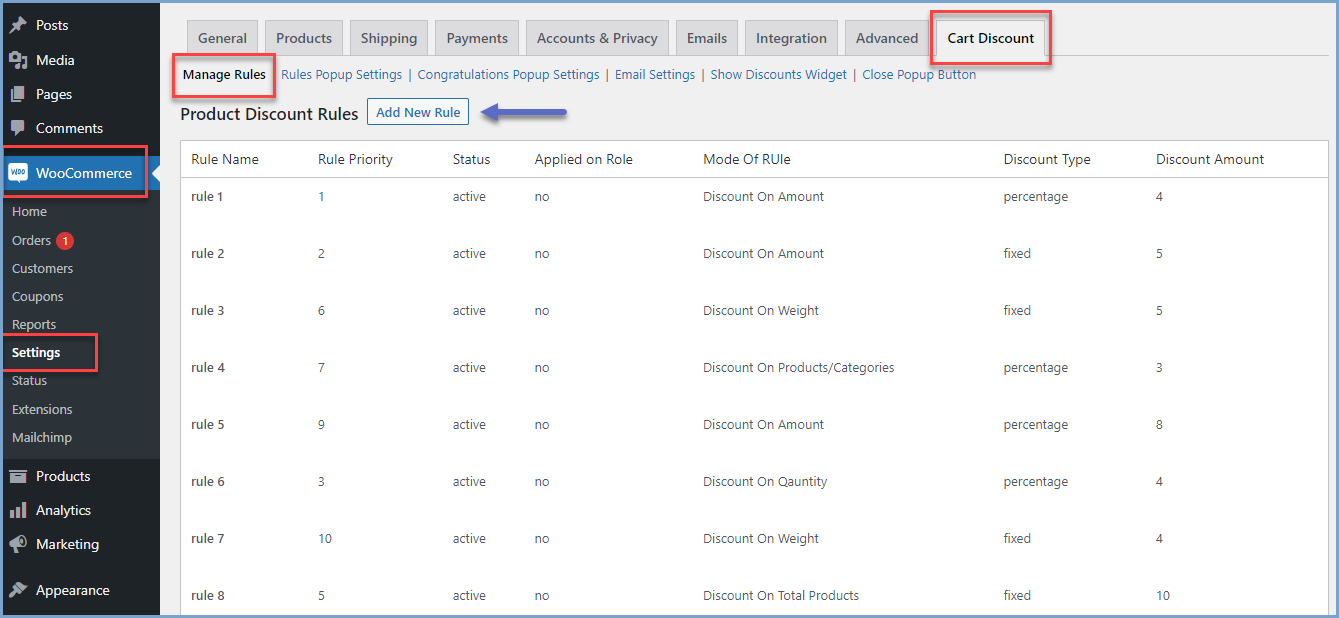
Offer cart discounts with rules and manage multiple promotions with priority
With conditional discounts for WooCommerce, you can offer cart discounts by creating rules and setting different conditions. By creating multiple rules, you can run and manage numerous promotions as you wish.
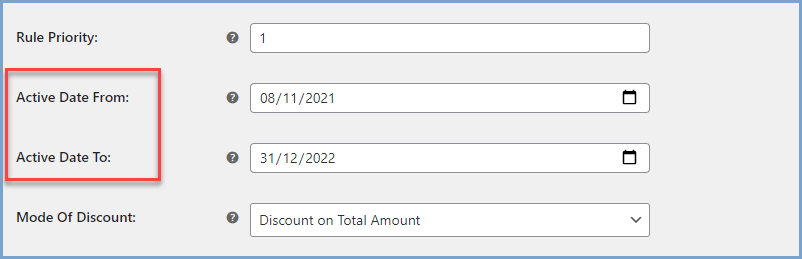
Automate Cart Discounts
Schedule each rule with a start and end date to automatically activate and deactivate discount offers.
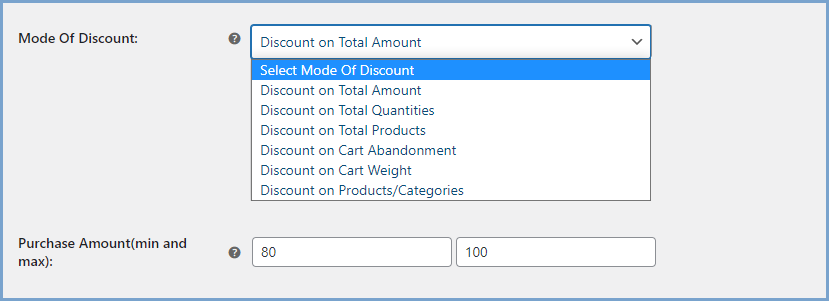
Do you offer discounts on multiple modes?
The WooCommerce plugin for all discounts helps you set up various modes (conditions) as criteria for discounts.
- Total amount: Set a minimum and maximum cart amount
- Total quantities: Set a minimum and maximum cart quantity to activate WooCommerce discount based on quantity
- Total number of products: Set a minimum and maximum number of products
- Cart abandonment: Define cart abandonment based on the duration of inactivity
- Cart weight: Set a minimum and maximum weight in kilograms
- Specific products or categories: Select specific products or categories
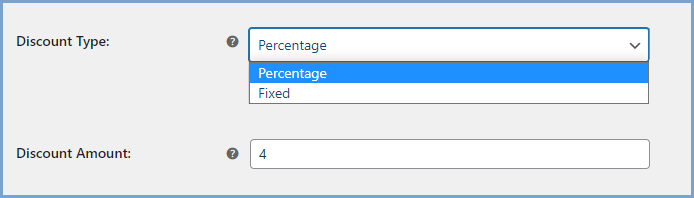
Fixed or percentage discounts
The WooCommerce category discount plugin offers a flat discount for a fixed amount, or the administrator can assign a percentage discount.
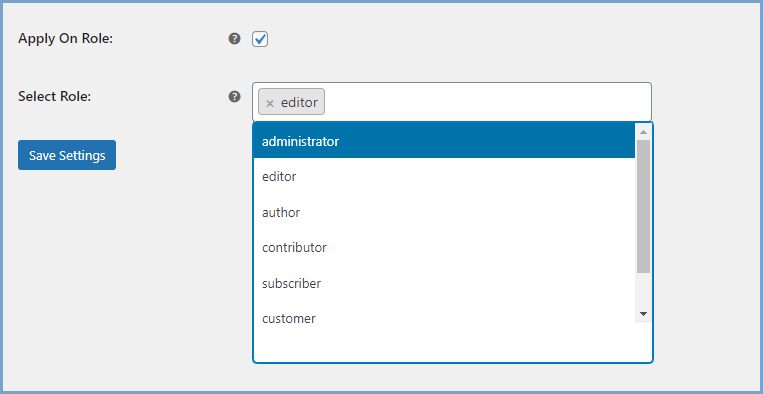
Restrict Discounts to Specific Users
Specify user roles to ensure that only targeted users of your online store receive discount offers. You can nominate users based on their roles.
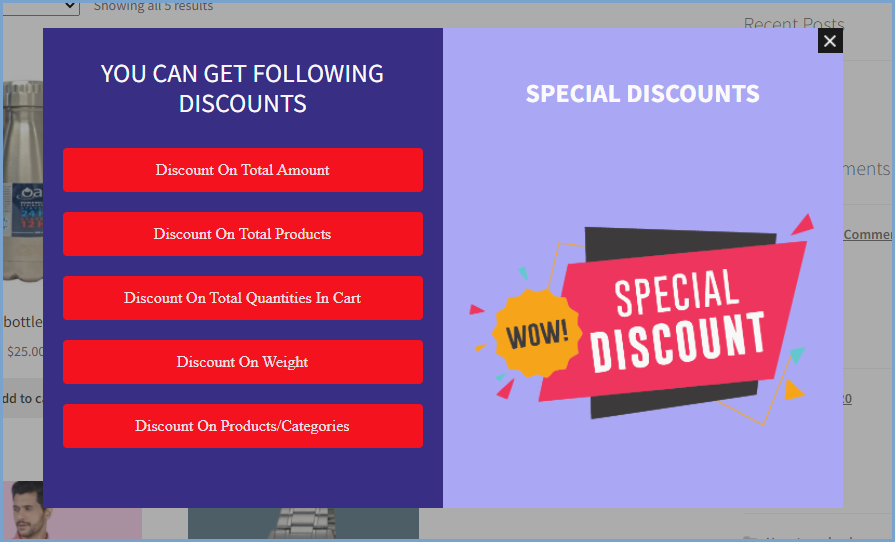
Personalize Discount Criteria Popup
You can customize the rule popup to communicate the conditions required to receive cart discounts. You can personalize the popup message, as well as the font, size, color, and text.
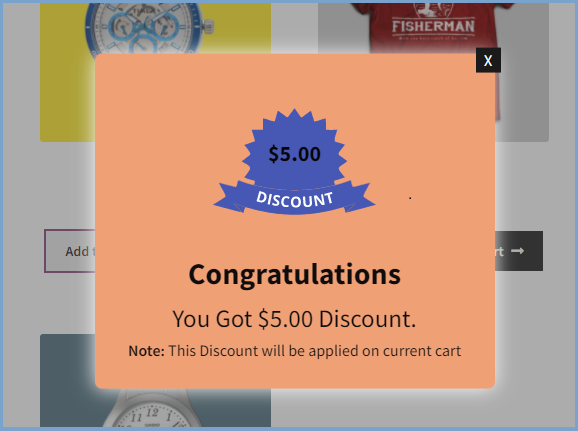
Enable Congratulations Popup
Add a congratulations popup to the buyer’s journey to greet them with a customizable message and a color theme that matches your store.
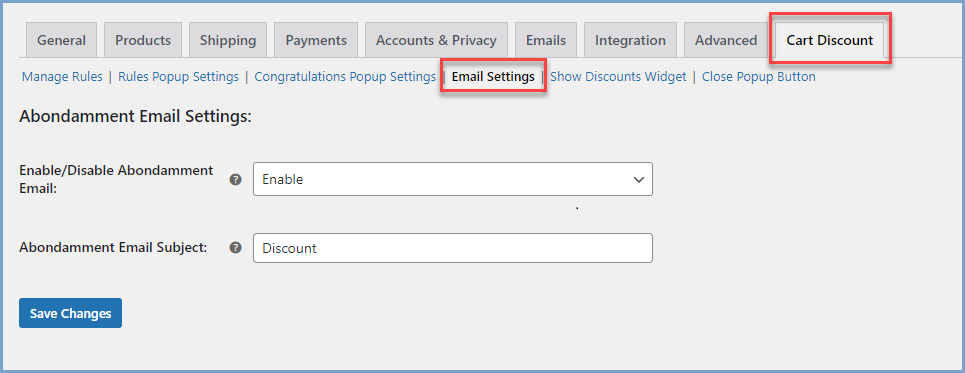
Send Email Reminders for Abandoned Carts
Bring your potential customers back to the store by sending them discount offers via email address (if available).
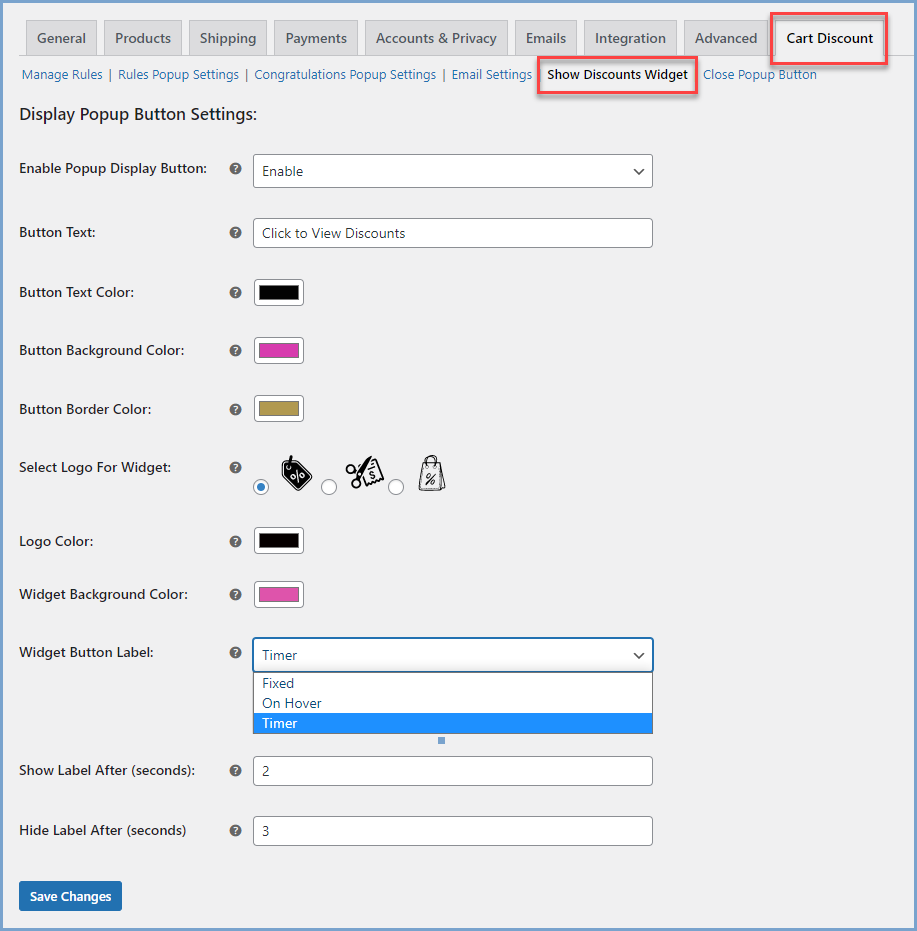
Add a discount widget
With the WooCommerce Cart Discount plugin, you can also add a discount widget. Customize the widget display and show it on hover, as a timed label, or as a fixed icon on the right side of the browser.
Plugin video in English:
A very good and flexible alternative:





 DE
DE

