

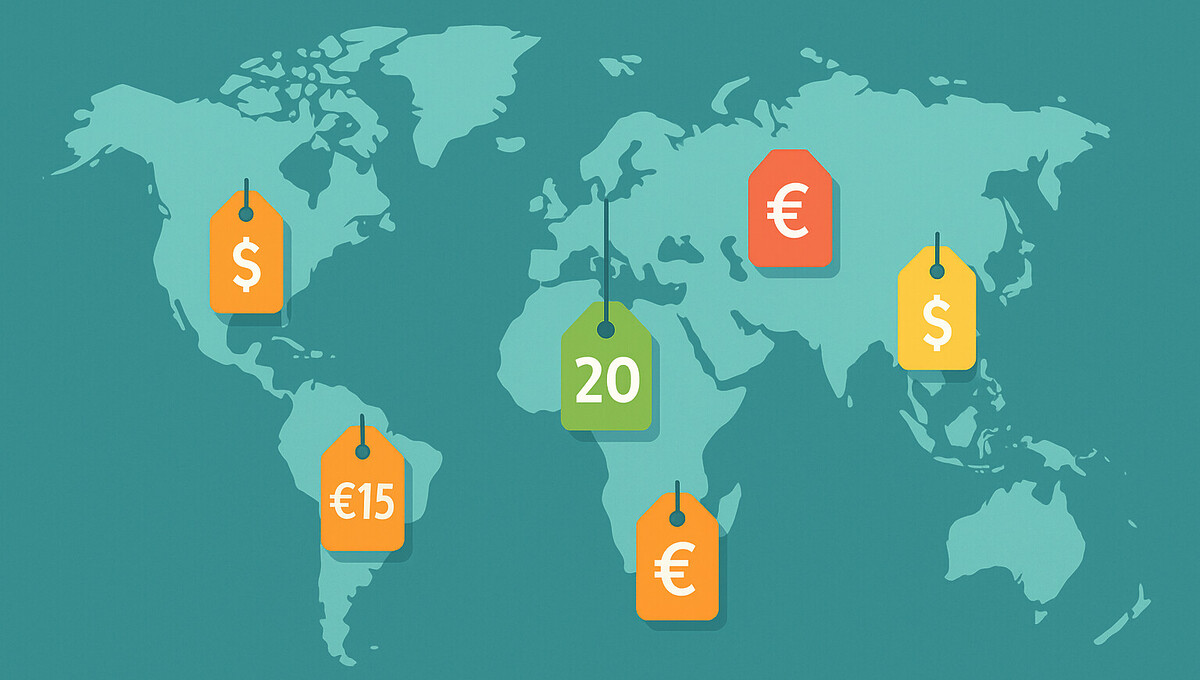
Are you selling internationally and losing potential customers because your prices don’t match the local market? Geographic pricing allows you to automatically adjust product prices to the purchasing power and expectations of different countries. €49 in Germany, €39 in Poland, 55 CHF in Switzerland – all for the same product. This guide shows you step by step how to set up country-specific prices in WooCommerce, which plugins have proven themselves, and what you need to consider legally.
Changing WooCommerce prices individually by country – using geographic pricing correctly
International online shops face a particular challenge: customers from different countries have different purchasing power and currencies. A uniform price for all markets often leads to competitive disadvantages. While customers in economically strong regions may be willing to pay higher amounts, the same prices can be off-putting in other countries.
The solution lies in country-specific pricing. Through this strategy, you adapt your product prices to local conditions and significantly increase your conversion rate. At the same time, you signal to your customers that your company thinks globally and understands their individual needs.
With appropriate extensions, WooCommerce offers the possibility to implement geographic pricing. You can set individual prices for each market and have them displayed automatically based on the location of your visitors. This functionality allows you to remain competitive while optimizing your profit margins.
What does „changing WooCommerce prices individually by country“ mean?
Geographic pricing refers to the practice of setting different sales prices for different countries or regions. Unlike a uniform price structure, this method takes local factors such as currency values, purchasing power, and market conditions into account. For an online shop, this means concretely: a product can be offered at a different price in Germany than in Poland or Austria.
This price differentiation is based on the automatic detection of the customer’s location. Your shop identifies which country a visitor comes from and automatically displays the corresponding price in the appropriate currency. The entire process runs in the background without the customer having to take any action.
Country-specific price adjustment differs fundamentally from a pure currency conversion. While the latter only applies the exchange rate, geographic pricing allows you to make strategic decisions. You determine whether customers in certain markets receive discounts or whether surcharges are necessary due to higher logistics costs. This flexibility makes changing WooCommerce prices individually by country a valuable instrument for international e-commerce strategies.
Why should you adjust prices by country?
Different markets require different pricing strategies. An amount that is considered appropriate in one country may be perceived as too expensive or suspiciously cheap in another. Through country-specific prices, you respond to these differences and maximize your revenue potential in each market.
Currency fluctuations represent another challenge. Fixed prices can lead to losses during strong exchange rate fluctuations or suddenly make your products unattractive. With flexible, country-dependent prices, you maintain control over your margins and can react quickly to market changes. Automatic exchange rate updates ensure that your prices always remain current.
| Advantage | Benefit for Your Shop |
|---|---|
| Localized Prices | Higher conversion rate through familiar currencies |
| Purchasing Power Adjustment | Competitiveness in different markets |
| Flexible Margins | Fast response to currency fluctuations |
| Targeted Campaigns | Country-specific marketing campaigns possible |
Localization also significantly improves the customer experience. Visitors immediately see prices in their familiar currency and do not have to convert them themselves, which reduces purchase barriers and increases trust in your shop.
Become more visible on Google & Social Media?
In a free strategy consultation for data-driven online marketing, we uncover your untapped potential, review any existing ad accounts if necessary, examine your SEO ranking and visibility, and determine which strategy is appropriate for your budget and which active measures will lead to more inquiries or sales.

✅ More visibility & perception through targeted placement
✅ More visitors > prospects > customers > revenue
✅ Reach target groups scalably with SEA
✅ Act and grow sustainably with SEO
🫵 Maximum success with our hybrid strategy
💪 More than 15 years of experience across industries in over 1,000+ projects demonstrable!







The Solution: WooCommerce Price by Country Plugin
For shop operators who want to change WooCommerce prices by country individually, the specialized multi-currency plugin WooCommerce Price by Country Plugin offers the right solution. This extension makes it possible to implement a comprehensive country-specific pricing strategy without requiring in-depth technical knowledge. The system works fully automatically and reliably detects the location of your visitors.
The plugin is aimed at various shop operators:
- Companies with an international customer base
- Shops in countries with differing purchasing power
- Merchants with complex pricing structures
- Online shops for targeted regional discount campaigns
The key strength lies in the combination of automation and control. You can have exchange rates updated automatically or make manual adjustments. Individual rules can be defined for each product, specifying how prices should behave in different countries. This flexibility enables precise price control and helps you secure your competitiveness in every market. Setup is done via an intuitive user interface directly in your WooCommerce backend.

Key Features of the Price by Country Plugin
Automatic Customer Detection
The foundation for country-specific pricing is the precise detection of the customer’s location. The plugin offers three different methods for determining which country a visitor is browsing your shop from:
- IP Address: Instant detection on the first page visit, even before a customer registers
- Billing Address: Ideal for returning customers with a saved account
- Shipping Address: Suitable for gift shipments or different delivery destinations
You can decide for yourself which method is best suited for your purposes or combine them. IP-based detection works immediately on the first visit and identifies users by their internet address. This method is particularly suitable for new visitors who have not yet entered any data.
You have full control over which detection method takes priority. This flexibility ensures that you display the correct price to every customer while finding the right balance between automation and accuracy. You can set the priority in the settings.
Flexible Currency Management
Effective currency management forms the heart of country-specific pricing. The system allows you to define a separate currency for each country and link it to your base currency. You create a list of the countries in which you want to sell and assign the corresponding currency to each one.
You can either set exchange rates manually or have them updated automatically via an official API. The automatic update takes place at freely selectable intervals – daily, weekly, or according to your individual needs. This ensures that your prices always reflect current market conditions without requiring constant manual intervention.
A central function is available for bulk updates, allowing you to update all exchange rates simultaneously. This saves time and significantly reduces administrative effort. You always maintain an overview of all configured currencies and can override individual exchange rates if needed. This combination of automation and manual control gives you the flexibility needed for an optimal pricing strategy in all markets.
Creating Individual Price Rules
Price rules determine how your product prices behave in different countries. You can choose between global rules that apply to all countries and country-specific rules for individual markets. This flexibility allows you to implement both overarching strategies and targeted adjustments.
| Rule type | Scope | Example |
|---|---|---|
| Global | All countries | 5% discount for all international customers |
| Country-specific | Selected markets | 15% discount only for Spain and Italy |
| Product-specific | Individual items | Premium product A with surcharge in Switzerland |
Discounts can be defined either as a fixed amount or as a percentage. For example, if you want to run a promotion in a specific country, you can set up a ten percent discount for selected products. The ability to store specific rules for each individual product is particularly valuable. You can create multiple rules per product and assign them to different country groups. Restricting them to logged-in users is also possible, which is suitable for loyalty programs or B2B pricing.
Currency Switcher for Customers
You don’t always want to assign the currency exclusively automatically. A Currency Switcher gives your customers the ability to decide for themselves which currency they want to see prices in. This function can be integrated anywhere in your shop via shortcode – in the header, in the sidebar, or in the footer.
The dropdown menu displays all configured currencies that you have set up in the settings. Customers simply select their preferred currency, and all prices are adjusted accordingly. This is particularly useful for visitors who access your shop from another country or want to pay in a foreign currency.
You retain control over when and where the switcher is displayed. You can activate or deactivate the function as needed via checkbox. This allows you to make the switcher visible only in certain situations or for certain customer groups. The seamless integration into your shop design ensures that the function improves the user experience without being intrusive. Customers appreciate this additional flexibility and transparency in price display.
How to Set Up Country-Specific Prices
The implementation of geographic pricing begins with the basic configuration of your currencies. First, you determine which countries you want to serve and which currencies are used there. This assignment forms the basis for all further settings. Take your time to create a complete list to minimize later adjustments.
Step-by-Step Setup:
- Define countries and assign currencies
- Set exchange rates (manually or automatically)
- Choose update interval for automatic updates
- Configure price rules at product level
- Select detection method for customer location
For each product or product group, consider which pricing strategy you want to pursue in which countries. Should certain markets receive discounts? Are surcharges necessary for higher logistics costs? Test your settings thoroughly before going live.
Simulate purchases from different countries to ensure that the correct prices are displayed. For logged-in users, you can additionally set up special rules that apply only to this customer group. Document your pricing strategy so that you can later understand why certain decisions were made. Changing WooCommerce prices by country individually requires thoughtful planning for optimal results.
Best Practices: Changing WooCommerce Prices by Country Individually
Transparency toward your customers should be the top priority. Clearly communicate that prices may vary depending on location and which currency is displayed. Hidden price differences can lead to a loss of trust if customers discover them by chance. Explain how your pricing works in your terms and conditions or FAQ.
Exchange rates change constantly, so you should review them regularly. Even with automatic updates, a monthly check is recommended to see whether the margins still meet your goals. Extreme currency fluctuations can affect your profitability. Set up notifications when exchange rates exceed certain thresholds.
| Area | Recommendation | Frequency |
|---|---|---|
| Exchange rates | Manual review | Monthly |
| Price rules | Market analysis | Quarterly |
| Legal review | Compliance check | Annually |
| Testing | Functional test | On every change |
Legal aspects must not be neglected. In some regions, special regulations apply to geographic pricing. Inform yourself about the legislation in your target markets, particularly regarding price discrimination and transparency obligations. Before going live, carry out extensive tests and document your pricing strategy in detail.
Conclusion: Successful internationalization with country-specific prices
Country-specific pricing offers significant advantages for internationally operating online shops. You adapt your offerings to local conditions, improve the customer experience, and increase your competitiveness. Customers see prices in their currency and feel directly addressed, which noticeably increases the conversion rate.
The technical implementation with a specialized plugin makes it possible to change WooCommerce prices by country individually even without programming knowledge. Automatic location detection, flexible currency management, and detailed pricing rules give you full control over your international pricing strategy. You react quickly to market changes and continuously optimize your margins.
Use this opportunity to take your international business to the next level. With well-thought-out planning, regular review, and transparent communication, you create the basis for sustainable success in all target markets. Start with a clear strategy and gradually expand your country-specific prices while gaining experience.





 DE
DE

