

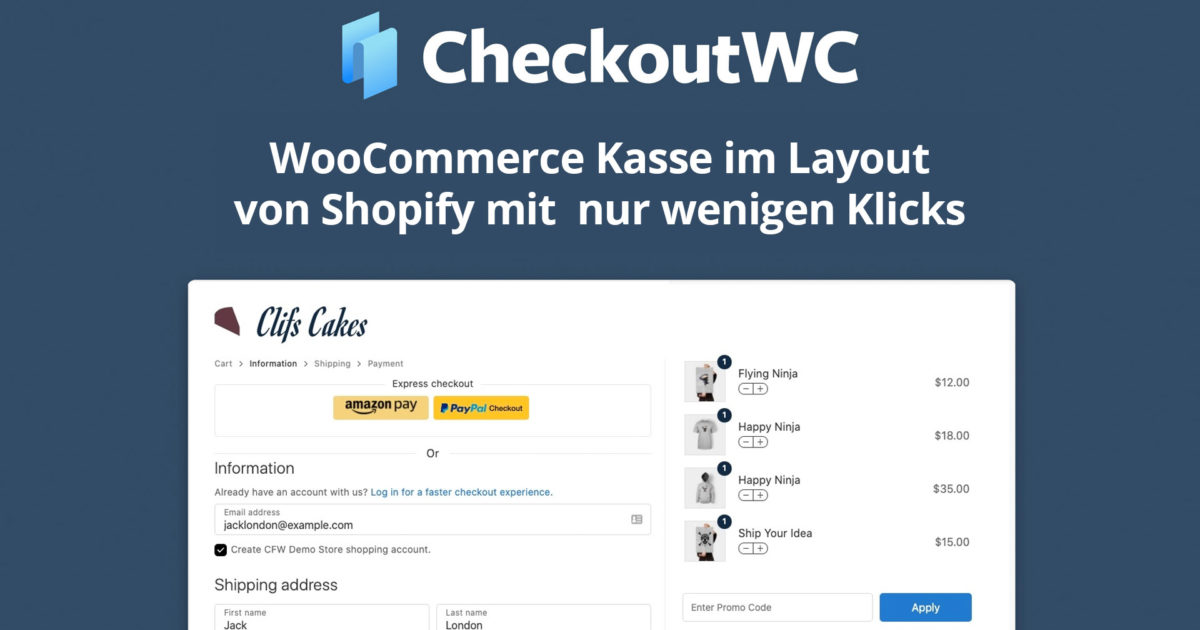
One of the biggest advantages Shopify has over WooCommerce is its famous checkout page. It is intuitive, fast, beautiful to look at, and most importantly, it converts very well = more sales! The Shopify checkout can be visually rebuilt in WooCommerce with the plugin linked below, so that the layout, regardless of the WordPress theme used, visually resembles Shopify in the checkout. And customizing the WooCommerce checkout takes just a few clicks!
Update: We have also added another alternative below in the article.
Change WooCommerce Checkout to Shopify-Style Checkout – Shopify Checkout Layout in WooCommerce Shop
For comparison, take a look at the standard WooCommerce checkout page next to the standard Shopify checkout page:
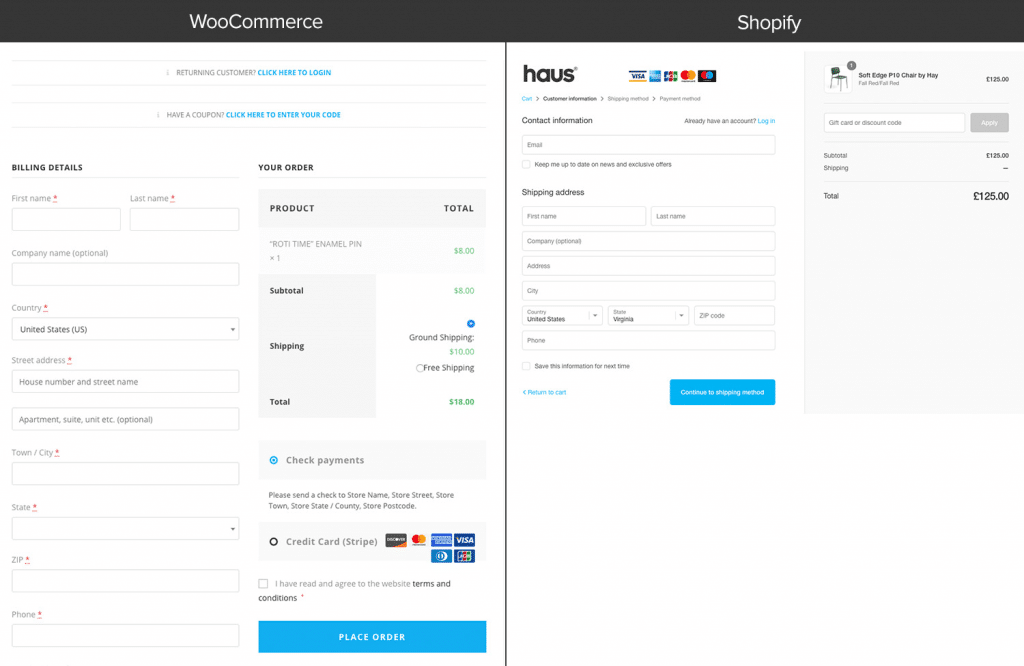
Which form would you prefer to fill out? We suspect, like most people, your eyes will be drawn to the Shopify version. It just feels better.
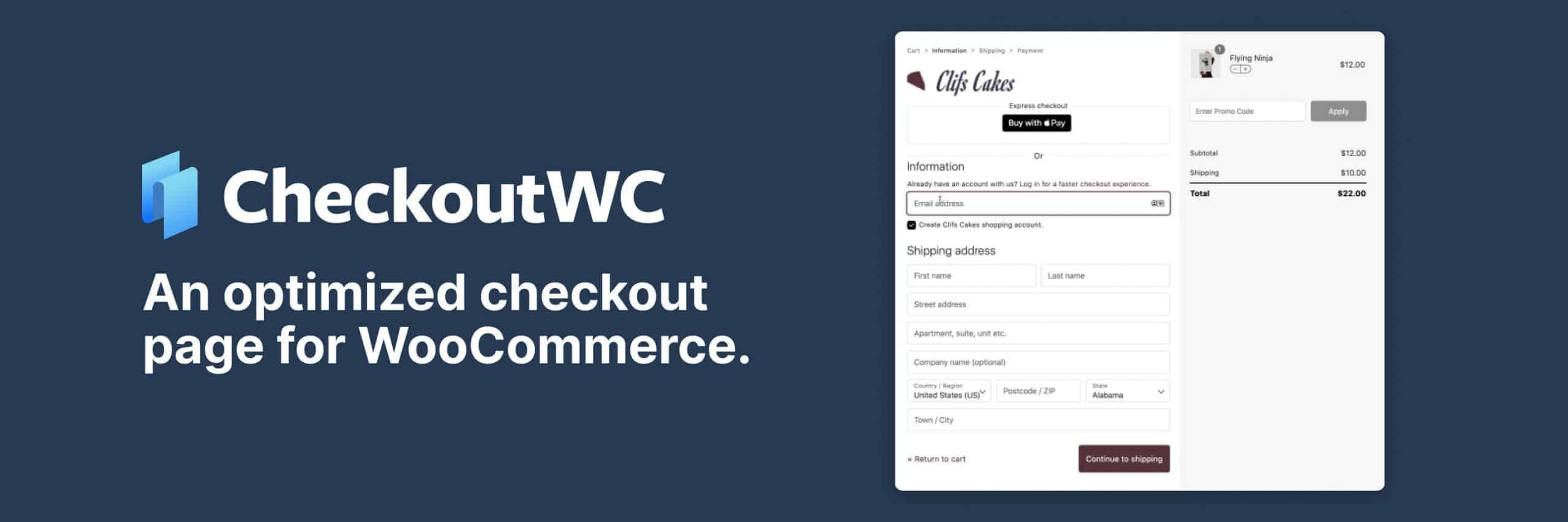
Customize WooCommerce Checkout: CheckoutWC is completely inspired by Shopify, and its development is based on the same look and feel. The goal was to make setting up a Shopify-style checkout page effortless for any WooCommerce shop.
You get an optimized checkout page for WooCommerce. CheckoutWC replaces your WooCommerce checkout page with beautiful, responsive, and conversion-optimized checkout templates. Works with any theme / template.
Important: As always, the plugin can also be translated into German with Loco Translate.
Customizing WooCommerce Checkout: How to Add a Shopify Checkout View (Layout / Appearance) to the WooCommerce Checkout Page
Integrating the Shopify checkout experience into WooCommerce is easier than you think. Here are the steps:
Become more visible on Google & Social Media?
In a free strategy consultation for data-driven online marketing, we uncover your untapped potential, review any existing ad accounts if necessary, examine your SEO ranking and visibility, and determine which strategy is appropriate for your budget and which active measures will lead to more inquiries or sales.

✅ More visibility & perception through targeted placement
✅ More visitors > prospects > customers > revenue
✅ Reach target groups scalably with SEA
✅ Act and grow sustainably with SEO
🫵 Maximum success with our hybrid strategy
💪 More than 15 years of experience across industries in over 1,000+ projects demonstrable!







1. Sign up for a free trial of Checkout for WooCommerce.
To sign up, click here*. You will be asked for your credit card, but will only be charged after the trial period expires.
2. Install CheckoutWC
You install CheckoutWC like any other WordPress plugin. On the thank you page (or in your email confirmation) there is a link to download the plugin ZIP file. You can install it in your WordPress admin dashboard (Plugins > Add New) or by unzipping the file and uploading it via SFTP.
Once it’s installed, go ahead and click Activate.
3. Configure CheckoutWC with a few simple settings
This is where many plugins fall short by offering hundreds of settings or page builder-like setups. For most eCommerce merchants & stores, you only need to do a few things.
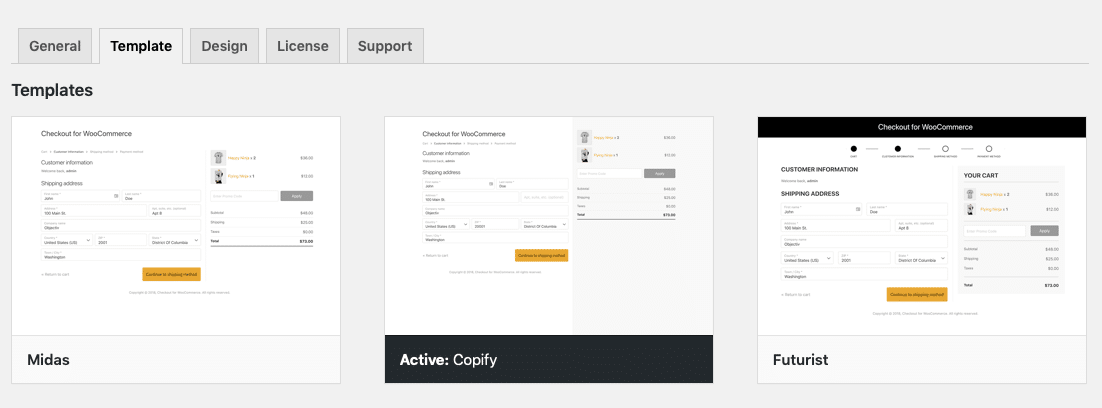
Choose your template:
Go to Settings > Checkout for WooCommerce > Templates. For the Shopify-like template, select Copify from the template selector:
Then add your logo:
Click on the Design tab and „Upload Image“ in the logo section:
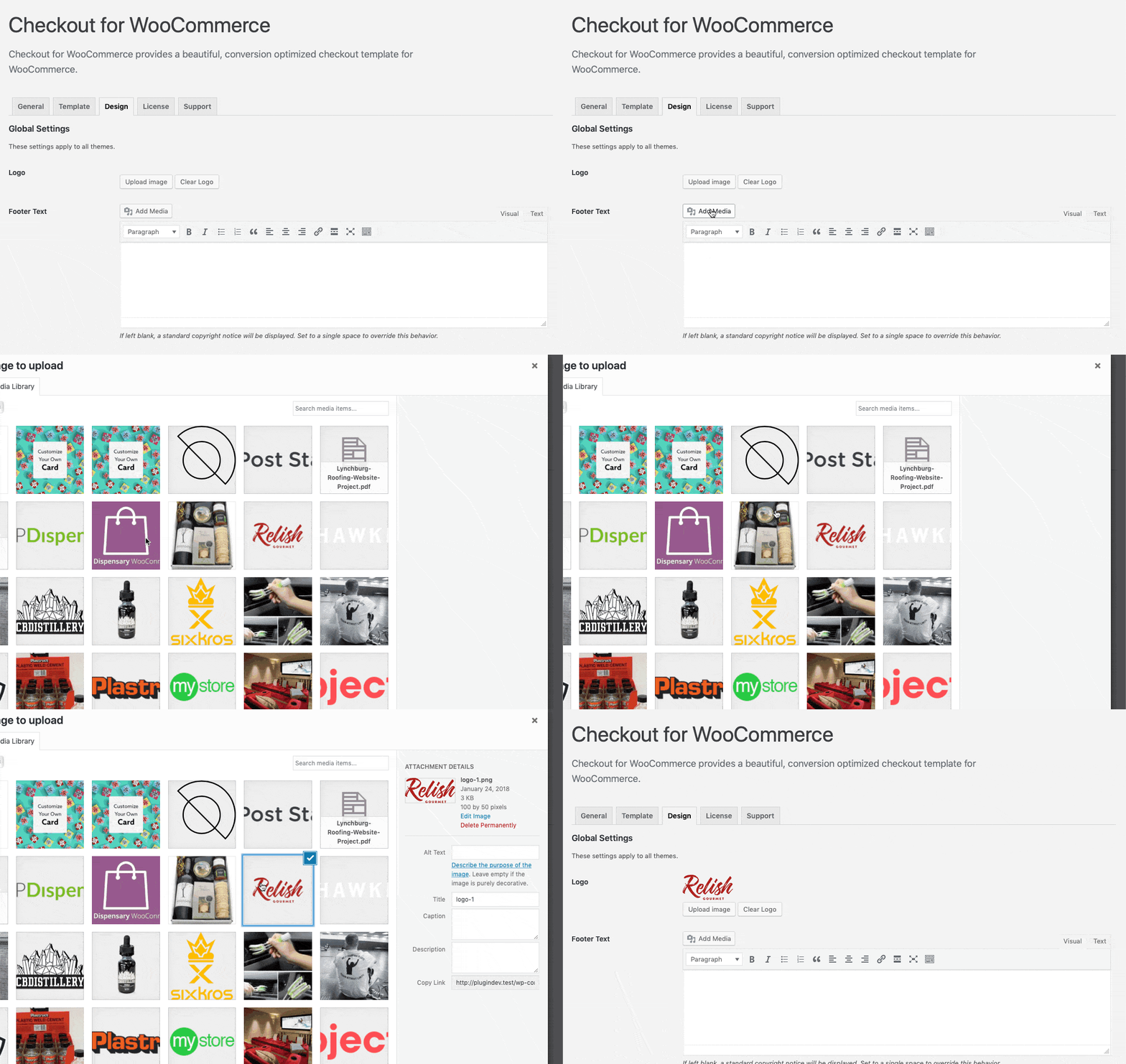
View your new checkout page(s).
Add an item to your cart, click checkout, and view your new Shopify-like checkout page!
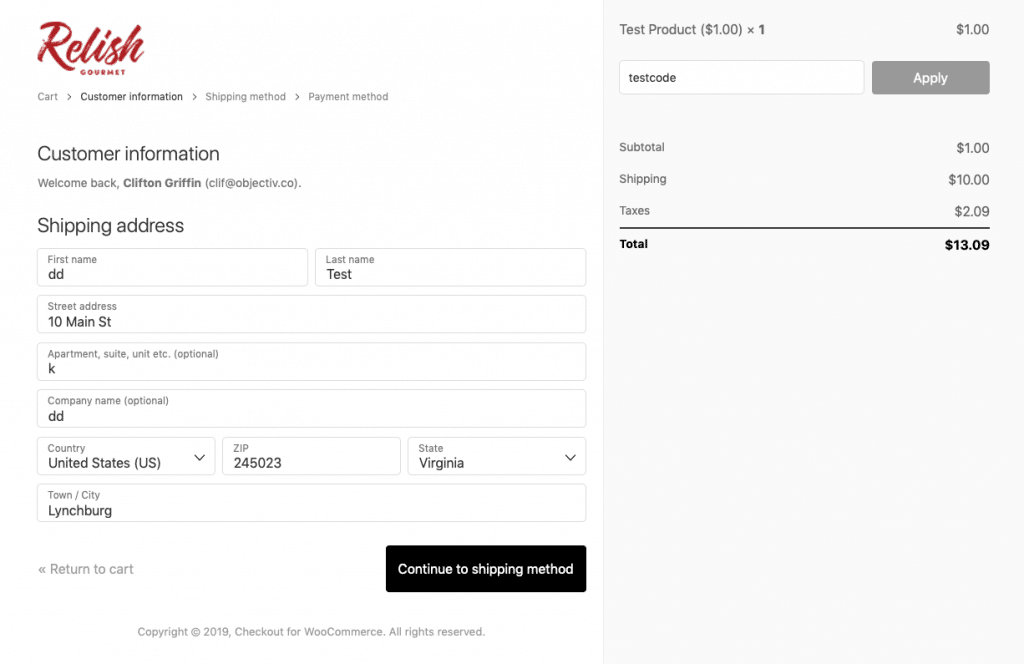
That’s it! You can customize different backgrounds and colors on the Design tab, but CheckoutWC has made all the important decisions in advance and follows the philosophy of decisions, not options, which is central to WordPress.
Are you ready to try CheckoutWC for your Shopify-style checkout?
If you are ready to try Checkout for WooCommerce, click here* to view the license options and start a free 7-day risk-free trial. As a WooCommerce agency, we have had very good experiences with the customized checkout, especially when it comes to shop optimization.
If you don’t see an increase in conversions, simply cancel your trial before the 7 days are up or request a full refund within 30 days, no questions asked.
Over 3400 WooCommerce sites use CheckoutWC to increase sales and customer satisfaction.
How CheckoutWC increases your sales:
Simplified Checkout Process
CheckoutWC breaks down the checkout process into three individual steps, focusing users on one area of knowledge at a time. This reduces the likelihood of confusion or form fatigue and helps customers complete their purchases more often.
WooCommerce
👎Clumsy
👎Form Overloaded with form fields
👎Confusing user flow
Shopify Checkout
👍Three-step process
👍Focus on form fields
👍Simplified user flow
Optimized Account Creation Process
CheckoutWC streamlines the account process by allowing customers to create an account without additional information. Once checkout is complete, they receive an email with information about their new account.
If a customer already has an account, we offer them the option to log in, but customers should always be able to check out as a guest if possible.
Automatic Help
We help your customers succeed wherever we can. Here are just a few more things we can do:
- Automatically fill in city and state fields based on the zip code.
- Save all field entries in the local browser cache. Refresh? No problem.
- Instant field validation. No more surprises.
Sell more now with CheckoutWC:
The Alternative: WooCommerce Shopify Checkout with Checkout-X* in less than 5 minutes
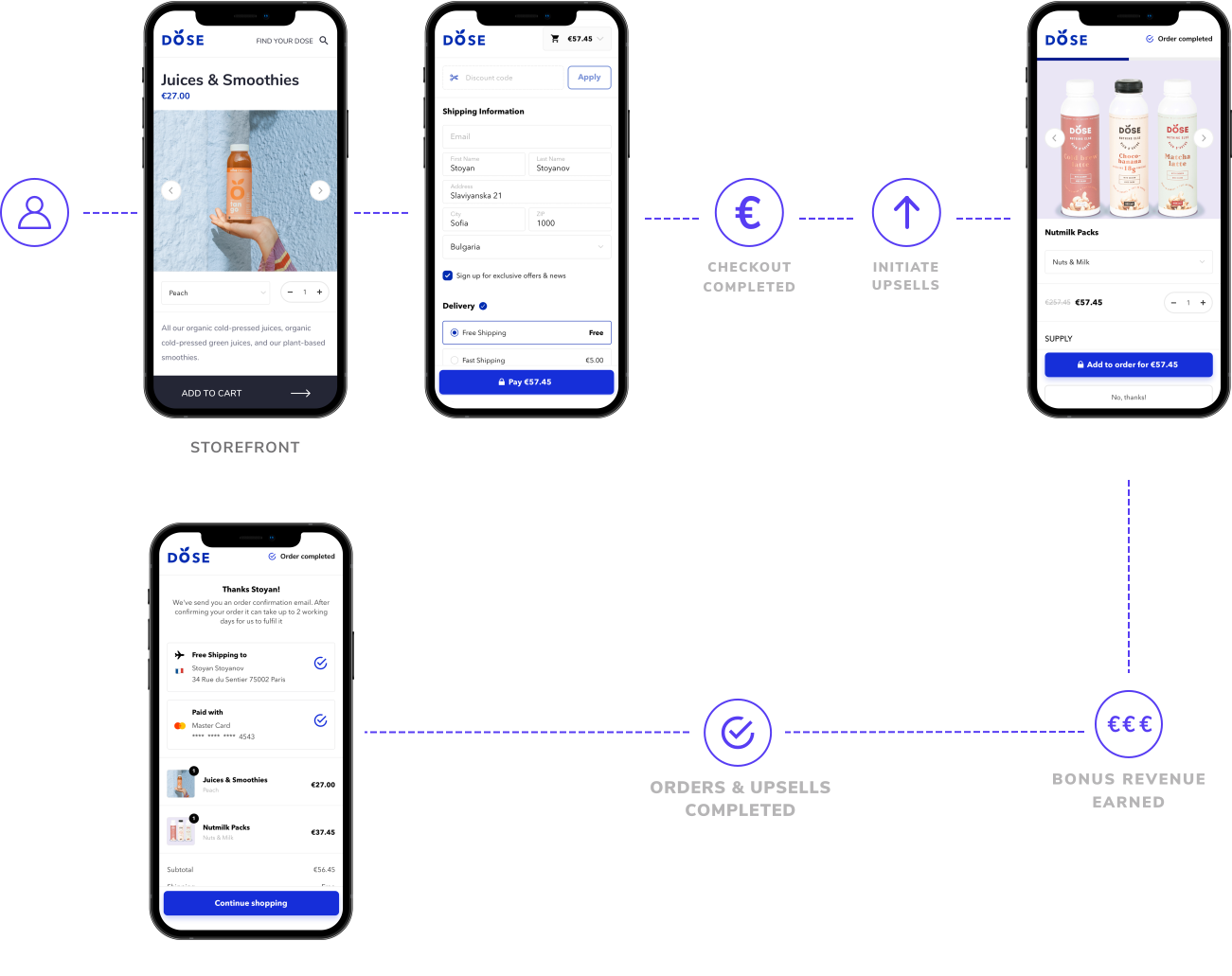
Increase WooCommerce conversions with a faster checkout in the proven Shopify look. Checkout X is the responsive plug-and-play WooCommerce checkout that allows customers to complete orders faster with a one-page shopping experience.
Increase sales in WooCommerce faster with additional features:
Video in English as a preview:
Who is Checkout X for WooCommerce suitable for?
- BEGINNERS
Just started selling on WooCommerce? Gain a competitive edge with a high-converting checkout. - DROPSHIPPERS
Thousands of dropshipping stores have boosted their growth with Checkout X, proving it was crucial to their success. - DIRECT-TO-CONSUMER STORES
Building your own brand? Scale faster for free with a branded, secure, and conversion-focused checkout.





 DE
DE

