


Integrating your WooCommerce store products into Google Merchant Center can yield many good results. This allows for excellent visibility of your products, as they are displayed on Google’s search results pages with product images and features. When you integrate your products into Google Merchant Center, your products will appear as Google Shopping listings via search ads (Google Ads/AdWords). It is a preferred marketing strategy for many WooCommerce stores, as the conversion rate is quite high. This article will discuss some of the interesting WooCommerce plugins that allow you to integrate WooCommerce products into Google Merchant Center via a feed and synchronize them automatically.
Google and Facebook have the largest audience. Advertising on their merchant platforms can increase your sales in no time.
The best product feed plugins for integrating WooCommerce into Google Merchant Center
The most popular and effective merchant for promoting your WooCommerce products is Google. Through Google Ads, formerly Google AdWords, you can run Smart Shopping or Shopping Ads with specific campaigns.
These are very appealing, and most buyers find their desired products through these ads. Your products from your WooCommerce product feed can also appear in these results if you do it right. And in this article, you can conveniently go through it.
Your Google Shopping campaign is based on the product feed you send to Google Merchant Center and Google Ads. This drives your product data and bidding strategies for your products.
When someone searches for your product or related information in Google Shopping, your products will appear at the top. This depends on your bidding strategy for your shopping campaign and the product information you have sent to Google Merchant Center.
First, set up an account in Google Merchant Center. Once you have an account, you need to upload your WooCommerce product feed to advertise via Google. However, Google has some feed specifications that you must follow. For this, there are some very good and easy-to-set-up plugins for WooCommerce.
Integration with Google Merchant Center has become an indispensable practice for online store owners to achieve better reach for products. As they dynamically provide a visual overview of your products, you can guide potential customers based on their Google search. Below are some of the most important plugins that allow you to automatically synchronize your WooCommerce product data with Google Merchant Center.
When users find and click on your products in Google Shopping, they are redirected to make the purchase in your store. If you provide the URL of the product page in your WooCommerce Google product feed file, your visitors will land directly on that URL, bypassing the other steps in your conversion funnel.
Another advantage of integrating WooCommerce with Google Shopping is that you can leverage the SEO benefits. The traffic your product page receives is qualified traffic that is most likely to convert into buyers. For this reason alone, bounce rates on these pages are low.
Become more visible on Google & Social Media?
In a free strategy consultation for data-driven online marketing, we uncover your untapped potential, review any existing ad accounts if necessary, examine your SEO ranking and visibility, and determine which strategy is appropriate for your budget and which active measures will lead to more inquiries or sales.

✅ More visibility & perception through targeted placement
✅ More visitors > prospects > customers > revenue
✅ Reach target groups scalably with SEA
✅ Act and grow sustainably with SEO
🫵 Maximum success with our hybrid strategy
💪 More than 15 years of experience across industries in over 1,000+ projects demonstrable!







So, if you have made an effort to implement on-page SEO on your product pages, they have a chance to achieve a prominent position on the organic SERP as well.
Summary of the benefits of Google Shopping for WooCommerce:
- You receive targeted visitors to your website who are ready to buy your products.
- Your bidding strategy is based on your decision, so you have full control over costs.
- The reports you receive for your click-through rates and bid suggestions are invaluable.
- Your product ads are served based on product attributes, not keywords, resulting in higher visibility and higher click-through rates.
But first, let’s briefly go over the basics.
How do I add products to Google Merchant Center?
To provide your product feed for Google Merchant Center, you must follow certain guidelines. The product feed must be correct and contain several fields with product information that are mandatory.
In addition to product title, image, description, and price, you must enter information such as the Global Trade Item Number, manufacturer part number, etc. When submitting a product feed to Google Merchant Center, it is advisable to provide more attributes for your products.
Google product feeds should be in either plain text (TXT) or XML (XML) format. Since XML has a well-defined data structure, it can contain instructions on how to display the data. Considering this aspect, the XML format would be a better option for the product feed, although the file size will be larger.
Create your Google Product Data Feed
When creating your product data feed for Google Merchant Center, there are two approaches:
- Registering a Google Sheet in the Merchant Center – Using a Google Sheet allows you to submit your product data. You can find add-ons that help you create and manage your product feed.
- Preferred: Using a WooCommerce plugin to synchronize product data – You can install one of the most popular WooCommerce plugins to integrate product data into Google Merchant Center. These plugins automatically create a feed based on Merchant Center specifications. If you don’t have much time to manually create and submit product data, choosing an appropriate plugin can help you avoid many problems.
For Google Shopping ads, the following data is required for each of your products:
- Product ID
- Product Name
- Product Description
- Product Link / URL
- Product Category
- Google Product Category
- Product Image URL
- Stock Availability
- Regular Price
- Product Condition
- Manufacturer / Brand Name
- GTIN (Global Trade Item Number)
- Manufacturer Part Number
- Identifier
- Adult Content
- Multipack
- Bundle
- Material
- Age Group
- Color
- Gender
- Size
- Pattern
- Item Group ID
Some of these attributes depend on the product type and its variants. Below is a more detailed explanation with examples of how this data should be structured for maximum output in your store.
This may sound very complex at first. But it’s not, as the following plugins do almost everything automatically.
1. OUR TIP: WooCommerce Google Product Feed Plugin (officially from woocommerce.com)*
With the help of this „Google Product Feed“ extension, you can create a real-time feed of your products that is synchronized with the Google Merchant Center. This means that changes you make in your WooCommerce shop are also updated in the Merchant Center in real time. You can select the fields that are required according to Google’s guidelines. The extension creates an accurate feed that contains all your product information.
Google requires some data that is not normally available in your WooCommerce shop. The extension helps in this scenario with additional fields to include such data. You can configure information globally for all products or specifically for certain categories. In addition to product data, the plugin also helps send product reviews to the Google Merchant Center. This is particularly helpful in terms of marketing, as reviews are an important conversion factor. In addition to the Google Product Feed, you can also use the plugin to create a product feed for Bing.
What the plugin can do:
- Everything you need + much more and BING!
- Choose from an extensive list of supported fields to add to your feed to provide Google with the most comprehensive data possible
- Easily map existing product data from WooCommerce taxonomies, attributes, or product fields to the required Google fields
- Capture data required by Google, which is not normally stored in WooCommerce, via the plugin’s additional data entry fields
- Set up global store-wide defaults or per-category defaults for fields
- Provide product-specific information for products or individual variations as needed
- Real-time feed displays the latest information for your products
- Full support for WooCommerce importer and REST API for bulk data import
- Integrates with common WooCommerce extensions
- Extensive documentation for setup and customization
- Extensive WordPress filters and actions allow for flexible customization if needed
Product Data Fields
The extension supports over 50 feed attributes, including all mandatory fields. Simple fields like link, title, image_link, etc., are automatically populated for you. Other fields offer easy one-click mapping, allowing you to assign product fields to the feed. You can specify default values at the store level or category level, and the feed will automatically select the correct values to include.
If you don’t have data, the plugin provides custom fields for your products so you can enter richer product data. These fields are all available for the standard WooCommerce CSV import tool and are exposed via the WooCommerce REST API.
The following fields are currently supported:
- Core Fields: ID, Link, Title, Description (short, long, or both), Image Links (including featured images, product gallery images, and embedded content), Price, Sale Price (including effective date), Availability, and Condition
- Rich Data Fields: Product Type, Google Product Category, Brand, MPN, GTIN, Gender, Age Group, Color, Size, Size Type, Size System, Material, Pattern, Adult Content Flag, Shipping Label, and Energy Efficiency Class (including min/max)
- Advanced Fields: is_bundle, Unit Price and Base Measure, Multipack, Installments, Identifier Exists, AdWords Grouping Filter, Minimum/Maximum Handling Time, Selling Costs, Inclusion/Exclusion Target, Availability Date, Promotion ID, and Custom Labels
Product Review Feeds
In addition to the standard product feed, the extension offers a Google Product Review feed that integrates with WooCommerce’s built-in review system and includes a feed of product reviews that Google can link to your products to display more attractive product ads including product reviews.
These reviews can display star ratings for Shopping ads and, in some cases, for product listings on Google. These reviews can help buyers with their purchasing decisions and drive more qualified buyers to your product pages.
The extension provides full feeds as well as incremental weekly and daily feeds. Review data is automatically linked to your product feed data so that Google can associate reviews with products. You can also exclude reviews from the feed if necessary to comply with Google policies.
Feed List
The extension offers a range of feeds to help you integrate, including:
- Google Product Feed – Integrate your products with Google Merchant Center so you can use them in product ad campaigns
- Bing Product Feed – Integrate your products with Bing Merchant Center so you can use them in product ad campaigns
- Google Product Reviews Feed – Send product review data to Google to optimize your product ad campaigns
Once you have set up your Google Merchant Center account, you can link it to your AdWords account and create ads for your products. The single-site subscription for the plugin would cost only $79. The 5-site subscription costs $99, and the 25-site subscription costs $199.
2. YITH Google Product Feed for WooCommerce*


- There is no limit to the number of feeds you can create
- Include all products in the feed or only the products in the selected category and/or tag
- Generate feeds as XML and/or TXT files
- Create custom templates for your feeds and select the desired Google fields
- Select the information to be displayed for each Google field in the feed
- Add information linked to a specific custom field to the feed
- Optionally add a prefix and/or suffix for the information displayed in Google Shop
- Manage general Google Merchant feeds:
- Set the same values for all products
- Override global values at product level (simple product) or variation level
Google Shopping ads tend to offer better opportunities than traditional search ads. This is because these listings are rich in product images, prices, and other details such as reviews. Here is another WordPress plugin for WooCommerce that allows you to create a file to accurately list products in Google Merchant Center. You can choose to include all your products in the feed or select them by category or tag.
The plugin also allows you to create custom templates for your fields and select the fields and associated information to be displayed in the feed. This can be helpful if you are providing information required by Google but generally not available in WooCommerce. For simplicity, you can assign general values to specific fields that apply to all products. If necessary, you can override the general values at the product level.
The number of fields you can create with this plugin is unlimited. With this plugin, you can create both TXT and XML file formats. A single site subscription to this plugin would cost €79.99. For six sites, the subscription would be €119.99, and for 30 sites, it would be €169.99.
3. WooCommerce Google Feed Manager & WP MarketingRobot (Pro Version)

This is a free option you can find in the WordPress plugin repository to create a Google Product Feed. If your store has less than 100 products, you can use this plugin to create and manage your Google Product Feed. Once you install the plugin, a feed will be automatically created, taking into account the feed guidelines. However, you can make changes to the feed to meet specific requirements.
The Pro Version: WP Marketing Robot Google Feed Manager
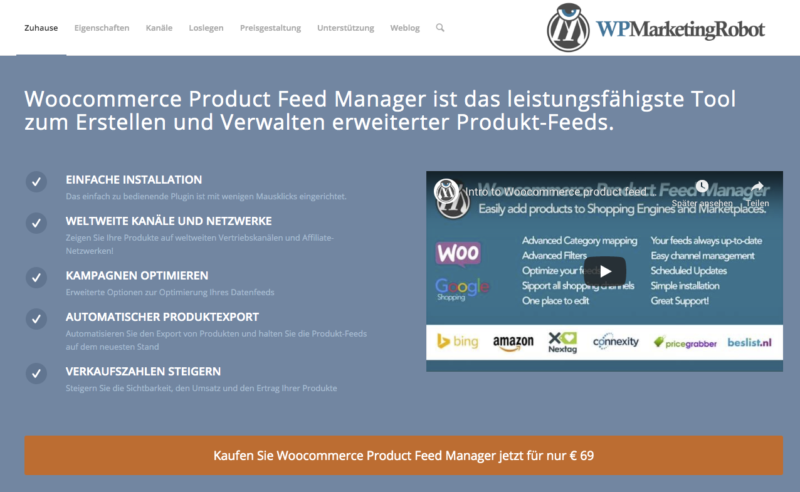
This is actually a plugin that allows you to manage multiple distribution channels for your products. If you only want to manage Google Product Feeds, you can get the specific license for it.
It offers the following features to help you manage your product feeds.
- Easily map your product categories to Google Shopping categories
- Exclude specific products that should not be added to the feed.
- Optimize your feed to make it more attractive on Google Shopping.
- You can update your feed regularly to ensure it appears in Google Shopping listings.
- The feed templates are always updated to reflect any changes Google makes to the policies.
- You can manage your product feed from your WordPress administrator.
To integrate your WooCommerce Store products into Google Merchant Center, you can purchase a license for €69. This single-site license allows you to create a feed with unlimited products. You will also find one year of support and updates there.
Woocommerce Product Feed Manager is the most powerful tool for creating and managing advanced product feeds for more than just Google, Facebook, and Bing.
For the WooCommerce Facebook Product Feed, it is best to use the following plugin directly from woocommerce.com*
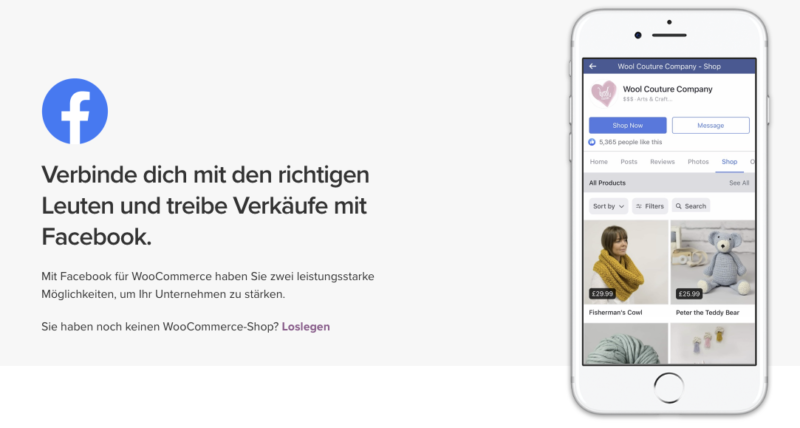
Facebook is the largest social media platform and currently an important platform for uploading and promoting products for your business. As a WooCommerce merchant, it is ideal to sell your products via Facebook as you reach a larger audience. If you follow certain guidelines, you too can benefit from using dynamic Facebook ads and increase your store’s ROI (Return on Investment).
In addition to numerous manually created ads on Facebook, there are also „Dynamic Product Ads“ similar to Google Shopping = Dynamic Product Ads
Product Catalog Sales Ads: Dynamic Product Ads from Facebook are similar to most other dynamic ads. They automatically promote products to people who have shown interest in your website, app, or elsewhere on the internet. You upload your product catalog and set up your campaign once. They find the right people for the right product for as long as you want.
Tips for Dynamic Product Ads: Make sure your ads contain clear and high-quality images and that your product catalog on your website is tight. Since dynamic ads are constantly filled automatically, broken links, outdated items, and incorrect prices are a deal breaker.
Included in this plugin:
- Simple interface to Facebook with pixel integration
- Automatic catalog (feed) transfer with synchronization
- Facebook Chat via Messenger can be activated
- Comprehensive tracking + e-commerce conversion tracking
- Extremely simple setup
1. Facebook Ads Extension: Facebook connects businesses with people
Marketing on Facebook helps your business build lasting relationships with people, find new customers, and increase sales for your online store. This Facebook Ad Extension makes it easy to reach the people who matter to your business and track the results of your advertising across devices. This extension will help you:
Maximize your campaign performance
Set up the Facebook Pixel to reach your target audience, optimize your ads for buyers, and reach people with relevant ads on Facebook after they have visited your website.
Find more customers
Connect your product catalog to automatically create carousel ads that showcase the products you sell and attract more buyers to your website.
Generate sales among your website visitors
By setting up the Facebook Pixel and connecting your product catalog, you can use dynamic ads to reach customers on Facebook with ads for the products they have viewed on your website. This will be included in a future version of Facebook for WooCommerce.
Measure the results of your ads
Once you have set up the Facebook Pixel, you can use Facebook ad reports to determine the sales and revenue generated by your ads.
What's included?
By installing the Facebook Pixel, you can access the following features:
- Conversion Tracking: See how successful your ad is by seeing what happened as a direct result of your ad (including conversions and sales).
- Optimization: Target your ads to people most likely to take a specific action after clicking, such as adding an item to their cart or making a purchase
- Remarketing: When users visit your website, reach them again and remind them of your business with a Facebook ad
2. Facebook Shops on Pages: Boost your sales by setting up an online Facebook shop
Everyone is doing it, so you probably should too: sell to people where they spend their time: Facebook and Instagram.
The Facebook Shop section allows businesses to showcase their products and boost sales through their Facebook Business Page. If you don’t have one yet, it’s worth setting up!
List your catalog
With just one click, you can send your entire catalog to Facebook. Any changes made on your WooCommerce website will automatically sync with your Facebook Shop.
Curate your products
You can organize your products into collections and even add photos to improve visibility and highlight your bestsellers on both Instagram and Facebook.
Mobile-Friendly Shopping
The Facebook Shop section offers a beautiful shopping experience on all mobile devices, allowing you to showcase your products on any screen.
What’s included?
Facebook Shop Integration
The Shop section is a tab you can add to your Facebook business page, allowing you to display your products directly on your page. It is ideal for merchants, retail, and e-commerce advertisers who want to reach customers on Facebook.
3. Chat with customers on your website
Add the Messenger chat plugin so your customers can start a conversation with you on your website and continue it with Messenger. This means your customers can interact with your business at any time, leveraging Messenger’s personalized rich media experience.
Create a seamless chat experience
The customer chat automatically loads the last chat history between the person and your business. This means that recent interactions with your business on messenger.com, in the Messenger app, or in the customer chat plugin on your website are visible. This way, you create a consistent experience for your customers and can continue the conversation even after they leave your website.
Keep the conversation going
With the Messenger plugin, you can easily follow up with your customers. No need to collect their contact information; to follow up, simply open the same conversation in Messenger.
Why use a plugin? Easy generation, updating, and synchronization of product data/feeds with the right plugins
A WooCommerce Product Feed Plugin that allows you to easily create product feeds without programming skills or advanced technological knowledge is simply the best way after the initial setup.
There are several reasons why this plugin is an ideal choice for generating feeds:
- Manually uploading products takes hours. This plugin generates feeds within seconds.
- The plugin has a clean and simple interface with proper documentation. Thus, it is easy to use and learn.
- Generates flawless feeds, no matter how many products you have.
- With the filter options, you can generate feeds only for the desired products.
- It offers a Google Category Mapping option, which saves us from having to change the categories in our WooCommerce shop.
- It allows you to automatically synchronize with the Google Shopping Center, meaning your WooCommerce product feed is automatically sent to Google without you having to upload it manually.
- It comes with a pre-built list of all required attributes from Google and Facebook, so you don’t have to add attributes manually.
- Adds specific custom fields to your products such as GTIN, MPN, Brand, and UPC, which are not available in WooCommerce by default.
- A very active and helpful support team will assist you with any ambiguities.
Benefits of Using Google Product Feed

Below is a brief overview of some of the benefits of integrating your products into your Google Merchant Center account.
Better Visibility
Your products gain better visibility and a wider reach. The dynamic and clear presentation on Google search results pages (SERP) allows users to better understand your products. Since the Google Product Feed includes images of your products, users clearly understand what they are looking for in your store.
More Chances to Click
By combining multiple strategies, there is a possibility that your products will appear in multiple places on the search results page. In addition to the general results, there may be a Google Shopping list as well as a traditional Google ad. This way, you can increase the likelihood of clicking through to your page when you list your products on Google Shopping. When users click on a Google Shopping listing, they are directed straight to the product page. This simplifies your sales funnel and allows your customers to navigate better to the desired products.
Better Conversion Chances
When you shop for your products on Google, the conversion chances also increase. This is because the data in the Google product feed is accurate and well-structured. Since your customers already have a clear understanding of your product through price information and images, expectations are managed. So, when they finally reach your website, there is a high probability that they have already made a purchase decision. As a result, the conversion chances on your website increase.
Integrate Product Reviews
Your product reviews are integrated into the Google Shopping listings. This allows potential buyers to understand the public perception of your product. Furthermore, highly rated products are given preferential placement to achieve better attention.
Easy to Connect with AdWords
The products in your Google Merchant Center account can be easily linked to your AdWords account. This allows you to effectively create a better advertising strategy for your products. You can also try to restart marketing by showing users products they have previously viewed.
Measure the Success Rate
The Google Merchant Center also integrates with your Analytics account. In a separate section of your analytics data, you can determine the success rate of your product feed independently of other channels.
Geographical Tagging
Product feed listings can include geographical tags that actually lead users to stores in their location.

Sie brauchen Hilfe oder haben Fragen? Gerne helfen wir Ihnen auch bei der richtigen Ad-Schaltung:
E-Mail: fi@vastcob.com
Florian Ibe






 DE
DE

