

If you have an international WooCommerce shop, WooCommerce Multi Currency is a must-have for you. With WooCommerce Multi Currency, your customers can switch between currencies and your shop accepts payments in multiple currencies. The exchange rate can be set manually or automatically. The plugin can automatically retrieve the customer’s geolocation and display the price in the customer’s native currency.
Multiple Currencies in the Shop | WooCommerce Multi Currency | Currency Switcher
The best-selling plugin for multiple currencies in the shop is absolutely helpful and a must-have for shops that sell and ship internationally. The plugin updates exchange rates automatically. You can set the time for automatic updates: every 30 minutes, 1 hour, 6 hours, 1 day, 2 days, 3 days, 1 week, 1 month.
Multiple Currencies in the WooCommerce Shop for International Sales and Shipping
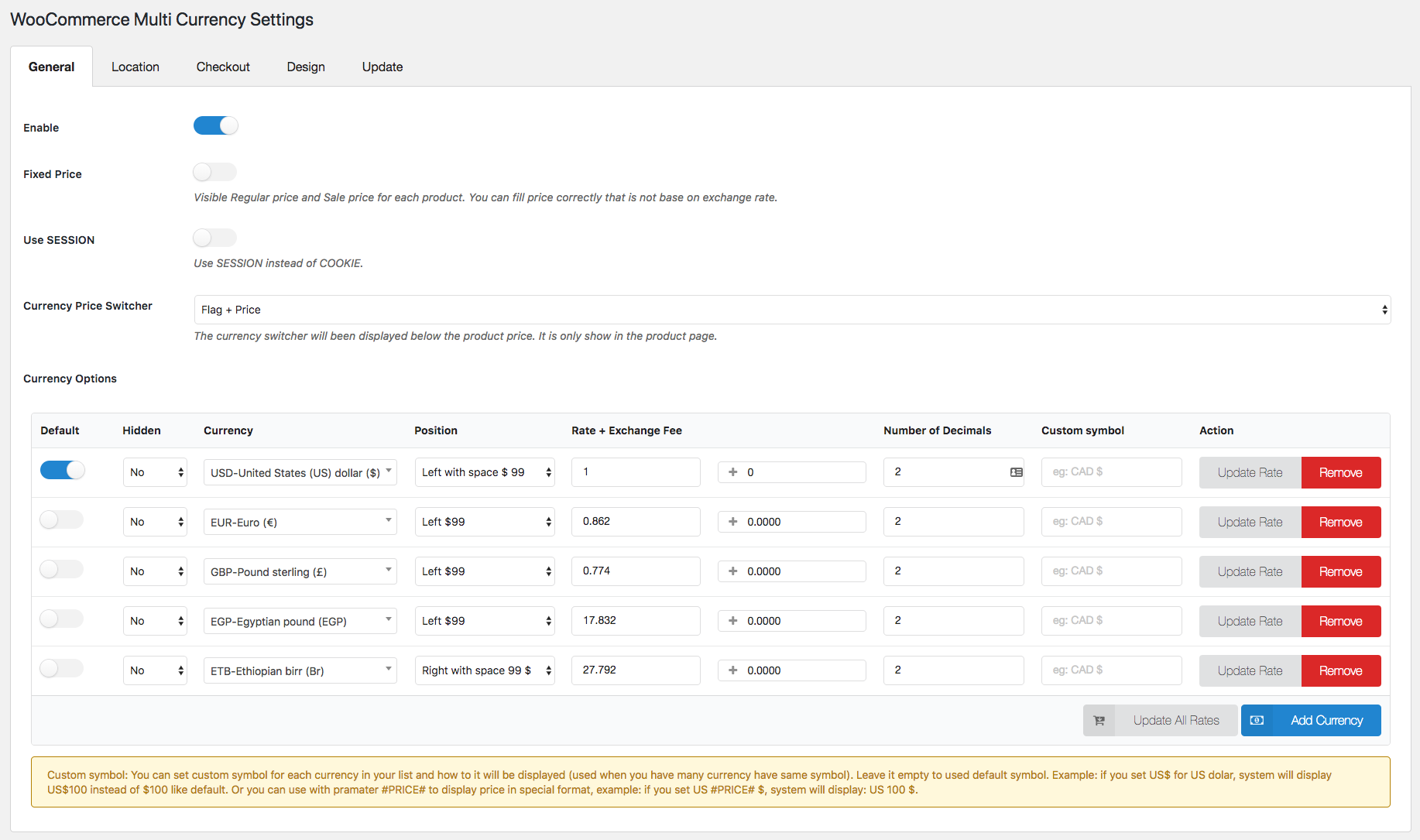
Currency Options
The plugin is flexible and offers many options for front-end display as well as the option to update exchange rates
- Automatically update exchange rates: The plugin automatically updates exchange rates. You can set the time for automatic updates: every 30 minutes, 1 hour, 6 hours, 1 day, 2 days, 3 days, 1 week, 1 month.
- Successful exchange rate update email: The plugin sends a notification email when the exchange rate is updated.
- Manually set exchange rates: The plugin also allows you to manually set the exchange rate.
- Exchange fee: Each time you exchange money from one currency to another, the bank or money transfer operator may charge an exchange fee. The difference between the exchange rate they wish to apply and the real exchange rate traded in the market is the exchange rate fee. With WooCommerce Multi Currency, you can add permanent exchange fees to exchange rates.
- Price formatting: Configure how prices are displayed on the frontend. Example: $100; 100$; $100.00; $100.00…
- Custom currency symbol: You can use custom currency symbols. Example: The US dollar can be displayed as USD, US$, $…
- Fixed price: WooCommerce Multi Currency allows you to set custom prices for each product in different currencies. Fixed prices override prices calculated by exchange rates.
- Hidden currency: The plugin allows you to hide currencies that you do not want to display on the frontend.
- Select exchange rate server: You can update the exchange rate from VillaTheme.com, Google Finance, Yahoo Finance. More exchange rate servers will be added in the future.
- Use SESSION: The plugin uses a session instead of cookies to store the selected currency.
- Currency price switcher: A switcher will be displayed under the product price. Allow customers to switch the price between currencies.
Automatic currency display based on visitor's country
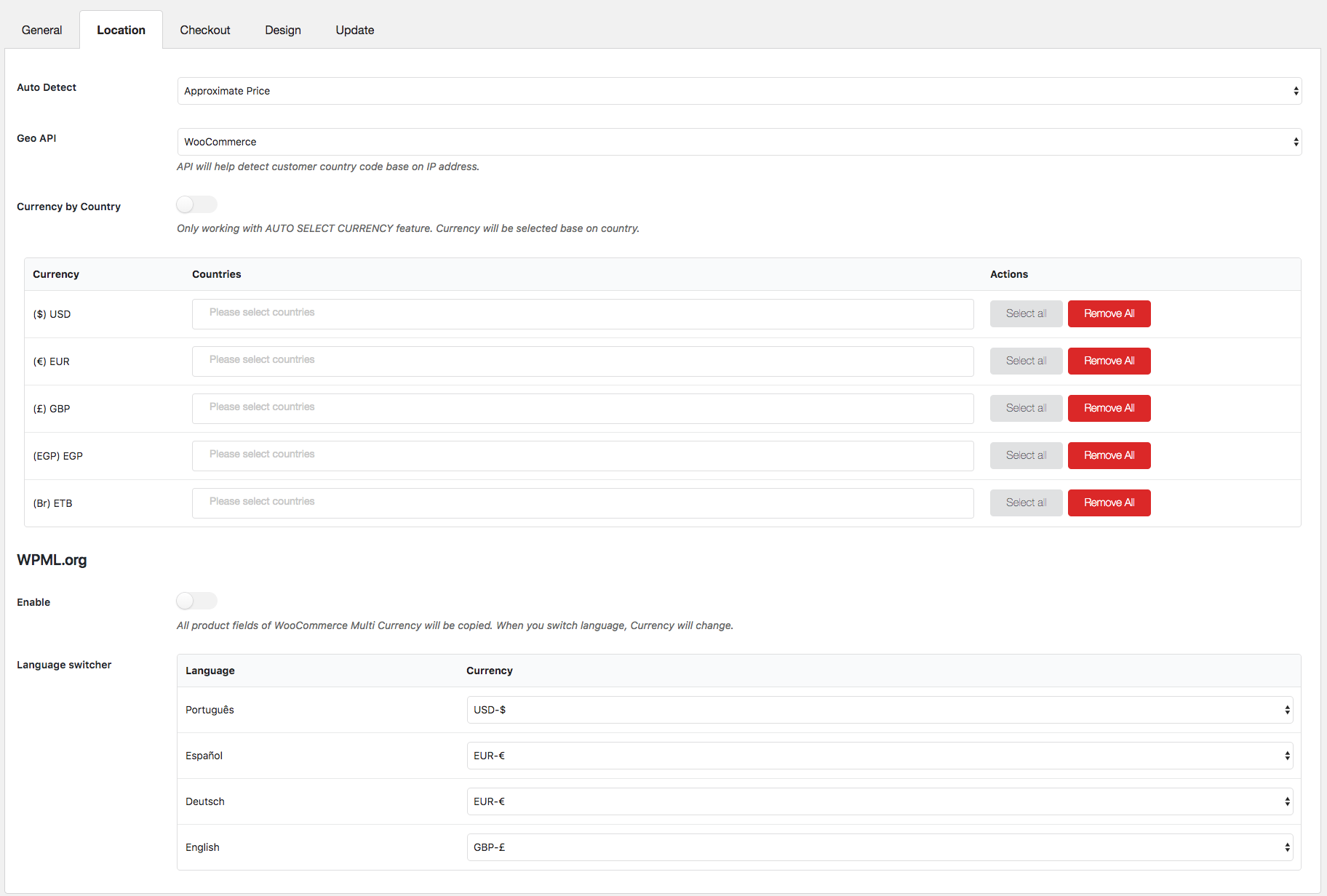
WooCommerce Multi Currency can automatically determine customers‘ home currency based on their country or language.
Important: Please note that the automatic country detection features may not work correctly on websites/servers with caching. Please try the free version to check if it works perfectly on your website.
- Determine currency base by customer country: The plugin detects the customer’s country base by their IP address and then selects their currency to display prices.
- Currency by country: You can select which currency customers from which country should see.
- Approximate price: This feature displays prices in the default currency. However, approximate prices are displayed below, shown in the customer's native currency. This helps customers know how expensive/cheap products are.
- Automatic selection of currency base in Polylang language: The plugin selects a currency to display the price base in your website’s language. Example: Your website has two languages: English and Spanish. You can choose to display prices in GBP on the English website and in EUR on the German website.
- Automatic selection of currency base based on WPML language: Similar to Polylang, but prices are selected based on the WPML language.
Checkout Currency in Cart and Checkout
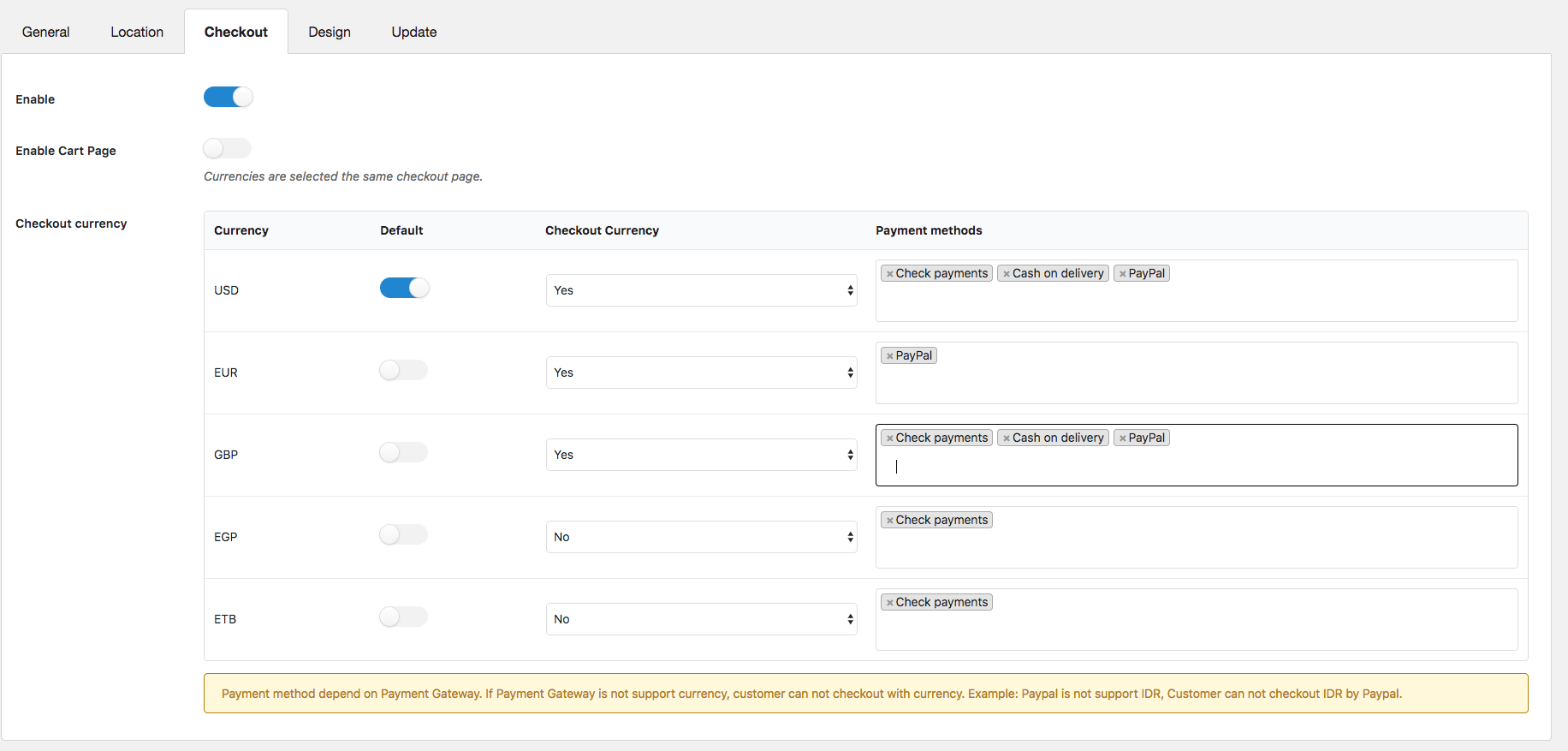
With WooCommerce Multi Currency, you can select checkout currencies. You can choose one or more checkout currencies.
Important: Please note that this payment gateway must support your default currency for a payment gateway to be displayed on the checkout page.
- Allow multi-currency payment: Customers can shop in their selected currency. To use this feature, a payment gateway that supports the customer's selected currency must be enabled on your website.
- Selected Checkout Currencies: The plugin allows you to select checkout currencies. For example, you can display prices in 4 different currencies in your store, but only accept payments in 2 currencies.
- Display payment methods based on currency: You can choose which payment gateway is displayed on the checkout page based on the currency.
- Checkout currency on the cart page: Change the currency on the cart page to check out in that currency.
Design & Optics
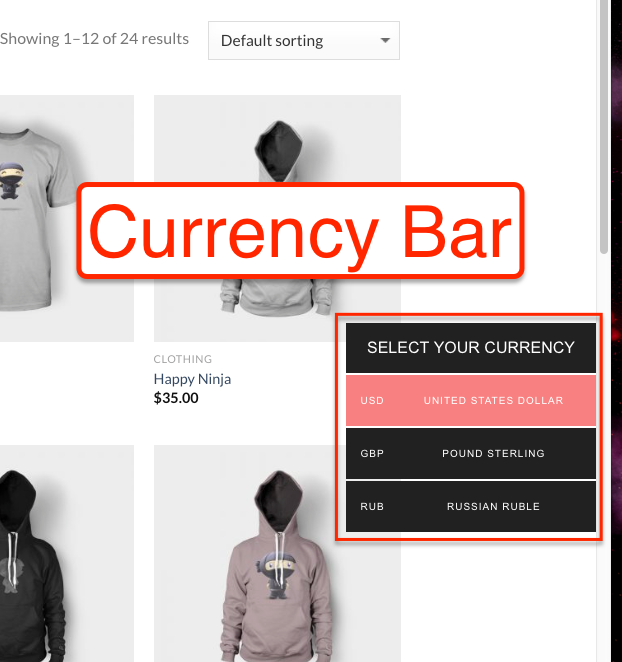
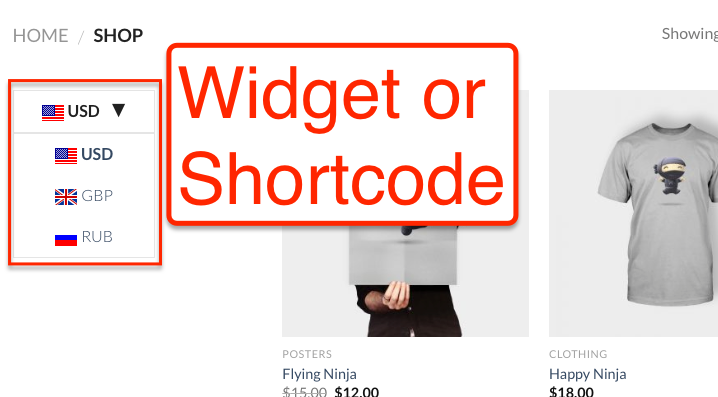
The plugin can be displayed on the frontend as a widget or currency bar.
- Design of the currency bar : – Enter the title of your currency bar. By default, this option is „Select your currency“. – Choose the position of the currency bar left or right. – Style: There are 5 styles to choose from: currency code, currency symbol, flag, flag + currency code, flag + currency symbol. – Color and background color. – Conditional Tags: Use WordPress conditional tags and WooCommerce conditional tags to select on which page the bar should be displayed.
- Widget Design: You can customize the widget title and select widget styles.
- Custom Flag: In some countries, the same flag is used. This option allows you to display a currency right to the country.
- Custom CSS: Not enough with all these options? You can add your own CSS to style your widget and currency bar.
- Minimize currency bar : Allows to minimize the currency bar in the frontend. Currencies will be displayed as one currency and fully displayed when customers hover over it.
Shortcodes:
- [woo_multi_currency]
- [woo_multi_currency_plain_horizontal]
- [woo_multi_currency_plain_vertical]
- [woo_multi_currency_layout3]
- [woo_multi_currency_layout4]
- [woo_multi_currency_layout5]
- [woo_multi_currency_layout6]
- [woo_multi_currency_layout7]
- woo_multi_currency_rates currencies = ”GBP, EUR”]
- woo_multi_currency_exchange price = „100“ currency = „EUR“]
Become more visible on Google & Social Media?
In a free strategy consultation for data-driven online marketing, we uncover your untapped potential, review any existing ad accounts if necessary, examine your SEO ranking and visibility, and determine which strategy is appropriate for your budget and which active measures will lead to more inquiries or sales.

✅ More visibility & perception through targeted placement
✅ More visitors > prospects > customers > revenue
✅ Reach target groups scalably with SEA
✅ Act and grow sustainably with SEO
🫵 Maximum success with our hybrid strategy
💪 More than 15 years of experience across industries in over 1,000+ projects demonstrable!







And that’s how easily multiple currencies with automatic conversion can be integrated into a WooCommerce shop.

Florian Ibe
CEO & Marketing Consultant
Your contact person: Florian Ibe





 DE
DE

