

Automatic order printing for WooCommerce. Print invoices, packing slips, and receipts for every order automatically to one or more printers. The new solution and alternative to Google Cloud Print
Automatically print WooCommerce orders + packing slips + receipts – Alternative to Google Cloud Print
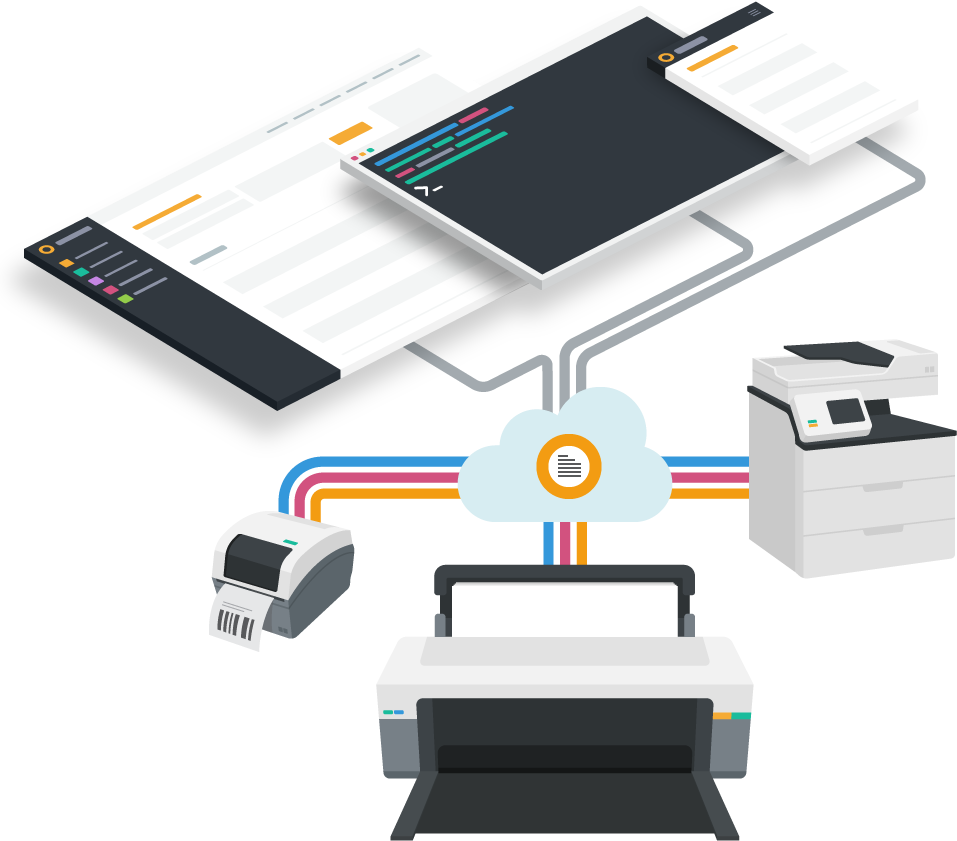
Graphic: printnode.com
Manually printing packing slips, receipts, and invoices is a time-consuming and tedious task for busy businesses.
The plugin "Automatic Order Printing for WooCommerce*" automates the process.
The automatic order printing plugin for WooCommerce is based on a combination of WooCommerce and PrintNode technology.
With the help of this plugin, you can configure your business to work with any number of printers and print any number of documents. You can also create custom templates for the sales and shipping documents you print.
Benefits of Automatic Order Printing for WooCommerce (Orders, Invoices, Packing Slips, Receipts, Inserts)
- You don’t have to log into a dashboard to find your orders
- No delays between order and fulfillment
- Send orders to any number of printers simultaneously with PrintNode
- Create your own templates for labels, invoices, and packing slips
With the automatic order printing for WooCommerce, you can print your order invoices and automatically pack receipts with PrintNode.
Plugin Documentation Overview
When an order comes in, the store administrator generally opens the order and prints the necessary invoices, manually packing the receipts. Performing this manually for multiple orders is time-consuming. This is where the automatic order printing plugin for WooCommerce comes in.
Become more visible on Google & Social Media?
In a free strategy consultation for data-driven online marketing, we uncover your untapped potential, review any existing ad accounts if necessary, examine your SEO ranking and visibility, and determine which strategy is appropriate for your budget and which active measures will lead to more inquiries or sales.

✅ More visibility & perception through targeted placement
✅ More visitors > prospects > customers > revenue
✅ Reach target groups scalably with SEA
✅ Act and grow sustainably with SEO
🫵 Maximum success with our hybrid strategy
💪 More than 15 years of experience across industries in over 1,000+ projects demonstrable!







This plugin was developed using a combination of WooCommerce & PrintNode creates. An account with PrintNode is therefore a must. The supported printers are listed here. With just a few clicks, this plugin allows the store administrator to retrieve order invoices. Packing slips are automatically printed when an order is placed.
Features
- You no longer need to log in to save the dashboard and find orders.
- You don’t need to spend time printing delivery instructions.
- No more delay between ordering and fulfillment.
- Send orders to any number of printers simultaneously with PrintNode.
- Create your own templates for invoices, packing slips, etc.
Installation
- Download the extension from your WooCommerce dashboard.
- Go to Plugins > Add New > Upload and select the ZIP file you just downloaded.
- Click Install Now and then Activate.
Setup and Usage
Configuration Setup
- Go to: WooCommerce > Auto Print Settings.
- Enable the checkbox Enable PrintNode Auto Print
- Enter the PrintNode API Key.
- Fill in Store Address, add Logo, enter Footer Text.
- Save Changes.
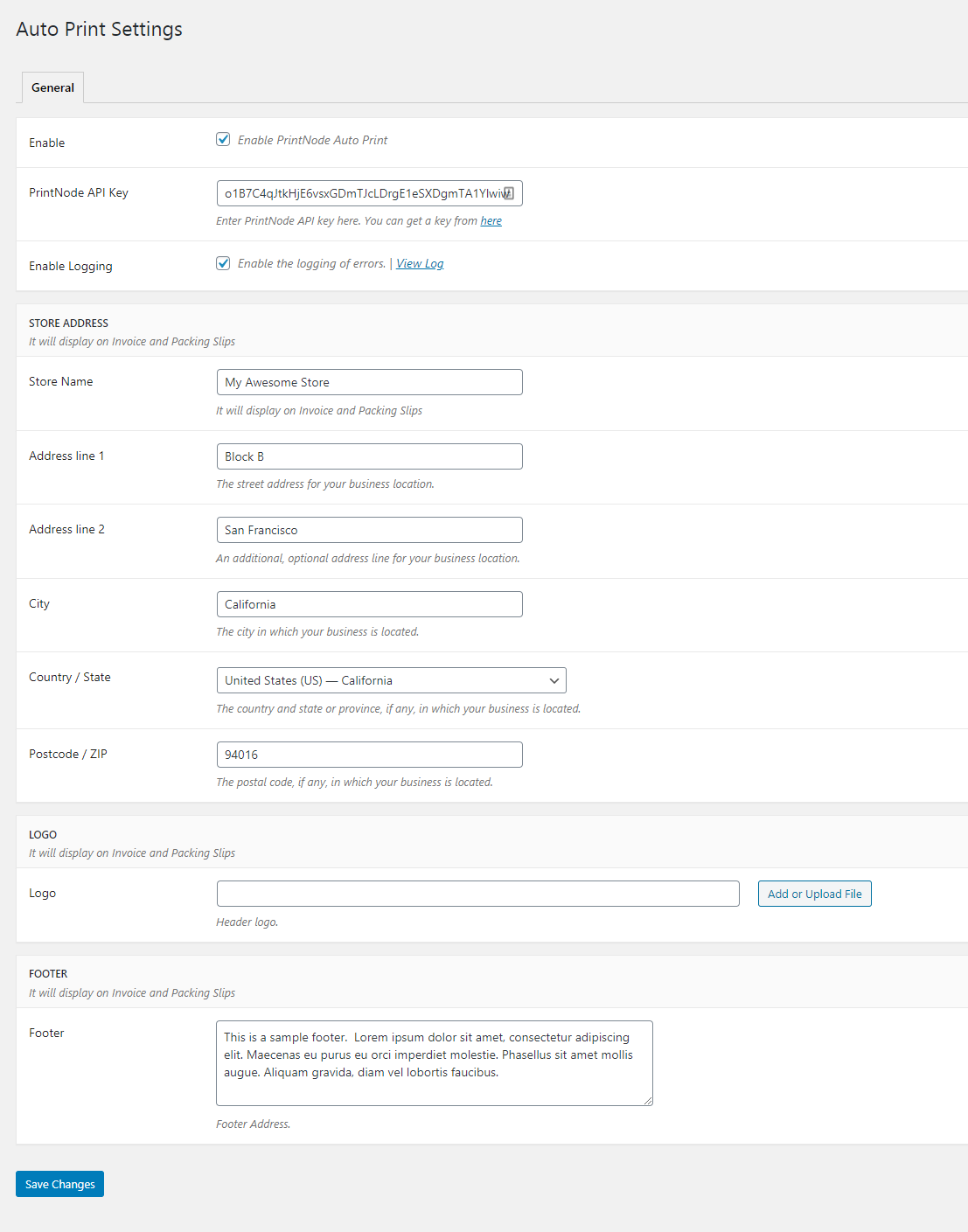
Automatic setup of print templates
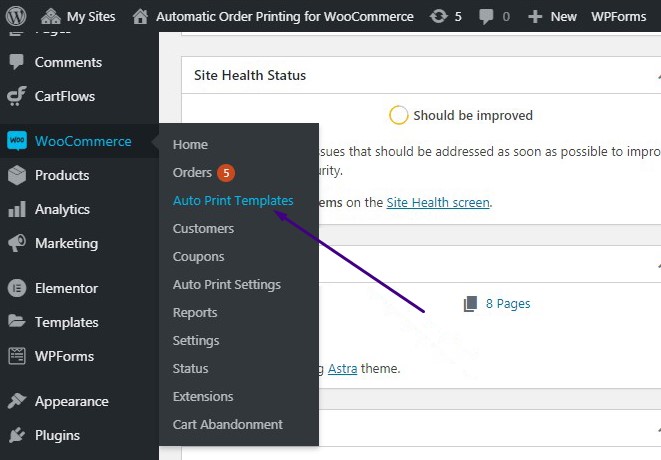
- Go to: WooCommerce> Auto Print Templates
- Click on "Add New".
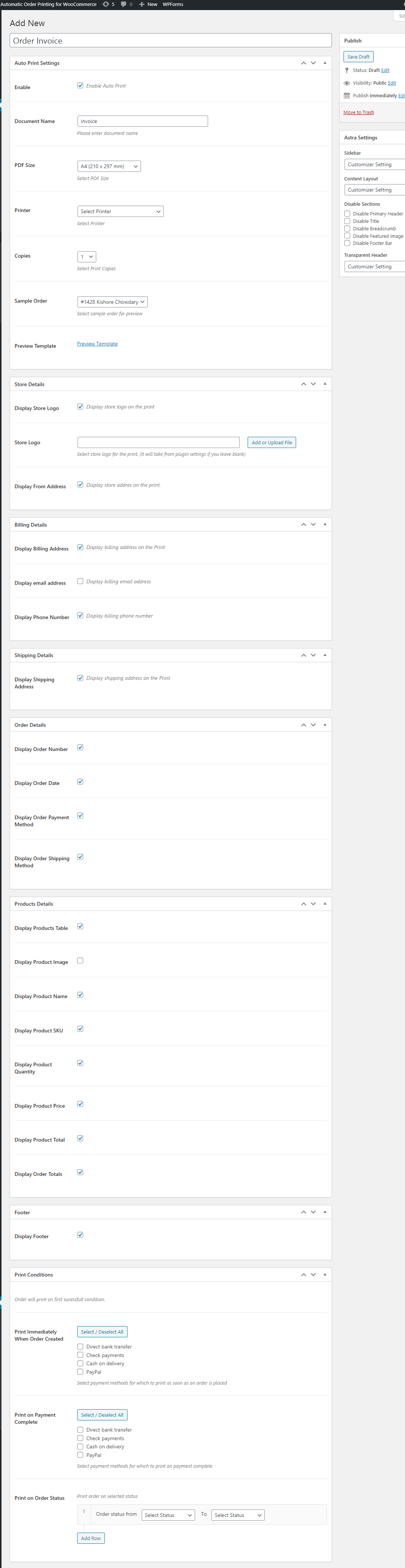
- Enable the checkbox to activate automatic printing
- Enter the document name and PDF size, select the printer and the number of copies. You can view the template preview by clicking on the „Template Preview“ link.
- Enable / Disable various checkboxes for sections: Business Details, Billing Details, Shipping Details, Order Details, Product Details, Footer, Print Terms
- Finally, publish the template.
Troubleshooting
If you encounter any issues while using Automatic Order Printing for WooCommerceIf you encounter problems, follow these steps:
- Enable logging by navigating to WooCommerce > Automatic Print Settings > General > "Enable Logging".
- Check the logs by clicking the "View Log" link.
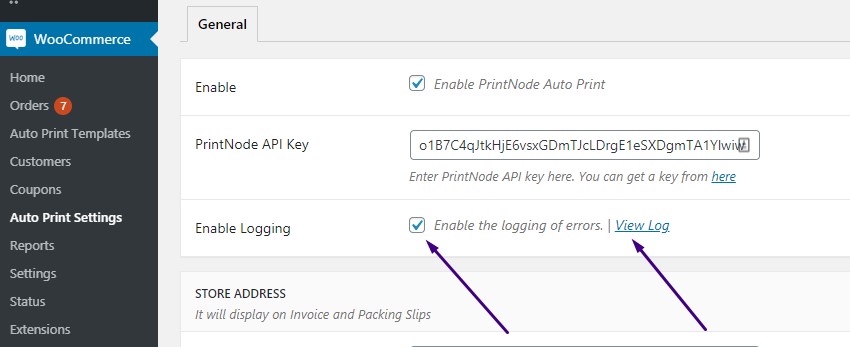
If this does not help you resolve the issues, we are happy to assist you! Please submit a request to the helpdesk and include a description of the errors in your System Report (see WooCommerce > System Status).
Frequently Asked Questions
How do I get the PrintNode API key?
To obtain the PrintNode- API key, you must first register with PrintNode. After registration, log in to PrintNode and navigate to API Keys. Enter a description for the API key and create the keys.
Can I create custom templates for invoices, packing slips, etc.?
Yes, you can create multiple custom templates by navigating to WooCommerce > Automatic Print Templates > Add New.
Can you manually send the invoice/packing slip printouts to PrintNode?
Yes, please. You can print them manually on the Order Details page. You can also download them.

Schedule a non-binding consultation appointment now:
E-Mail: fi@vastcob.com
Florian Ibe
Video about the plugin:





 DE
DE


1 Comments
[…] WooCommerce Bestellungen automatisch drucken + Lieferscheine + Belege – Alternative zu Google … […]