


With the simple selection of the delivery date or pickup date for WooCommerce orders, your customers can choose the date on which they wish to receive product delivery or perform pickup at the store location. This allows the customer to specify the estimated arrival date and shipping time or to pick up the date and time for their orders.
This massively increases customer service and satisfaction by allowing them to specify preferred delivery dates and time slots for receiving orders. As an online shop owner, simply define the dates and times that are available for delivery/pickup.
WooCommerce Delivery Date / Pickup Date for Products with Easy Selection when Ordering in the Shop
No matter what you want to deliver, the plugin will support you. Whether physical products or special shipping cases – the WooCommerce delivery time plugin helps you with:
- Add a delivery date or times during the ordering process
- Allow orders only during your business hours
- Use radius shipping within km or miles
- Add shipping costs for today or next day
- Allow local pickup
- Limit the number of orders per date/time slot
Define pickup/delivery date with date and time for orders in the WooCommerce shop and offer it to the customer for selection
In this article, as a WooCommerce agency our 4 proven plugin solutions for selecting a delivery date and delivery time slot at the checkout in the shop. All plugins are cleanly developed, easily translatable with Loco Translate and offer a whole host of functions.
Video about the plugins:
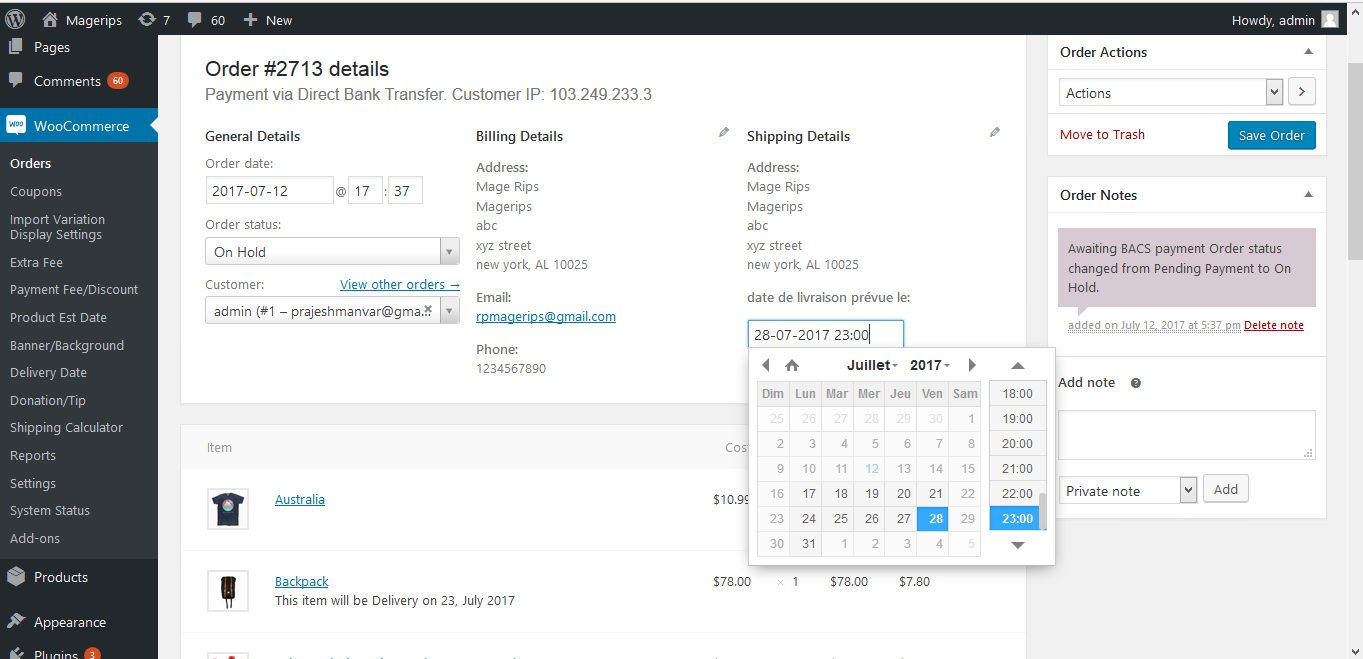
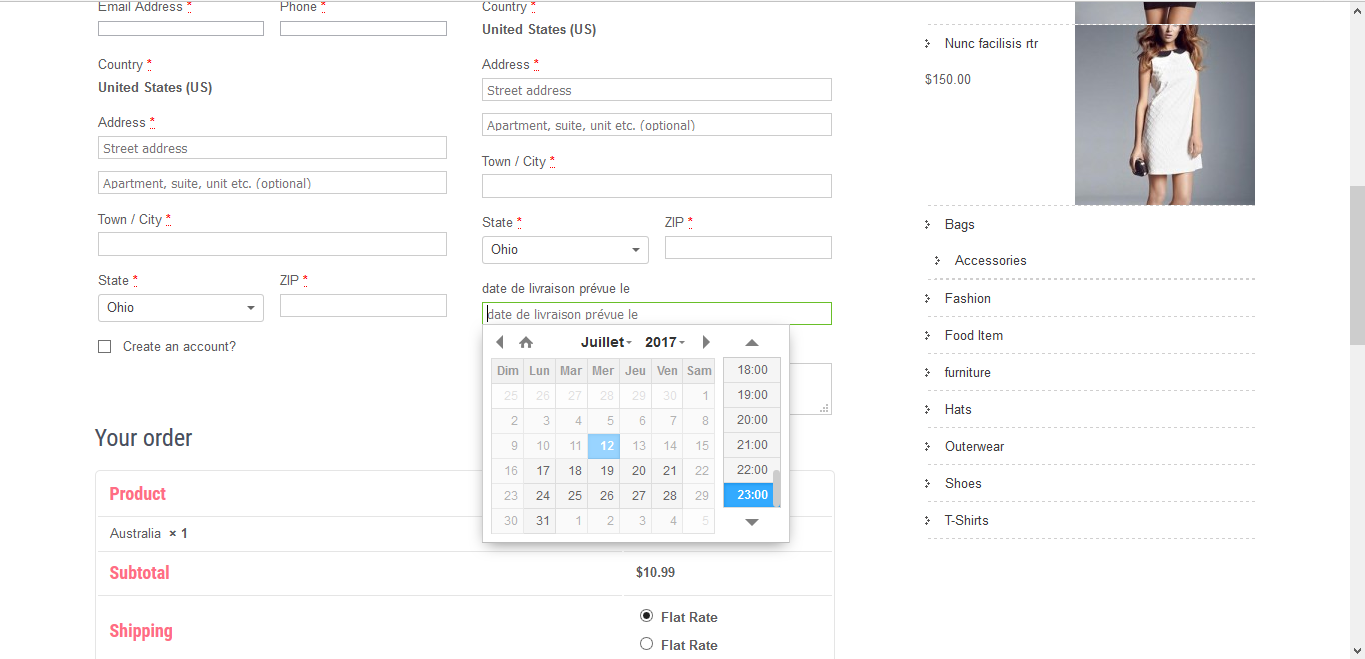
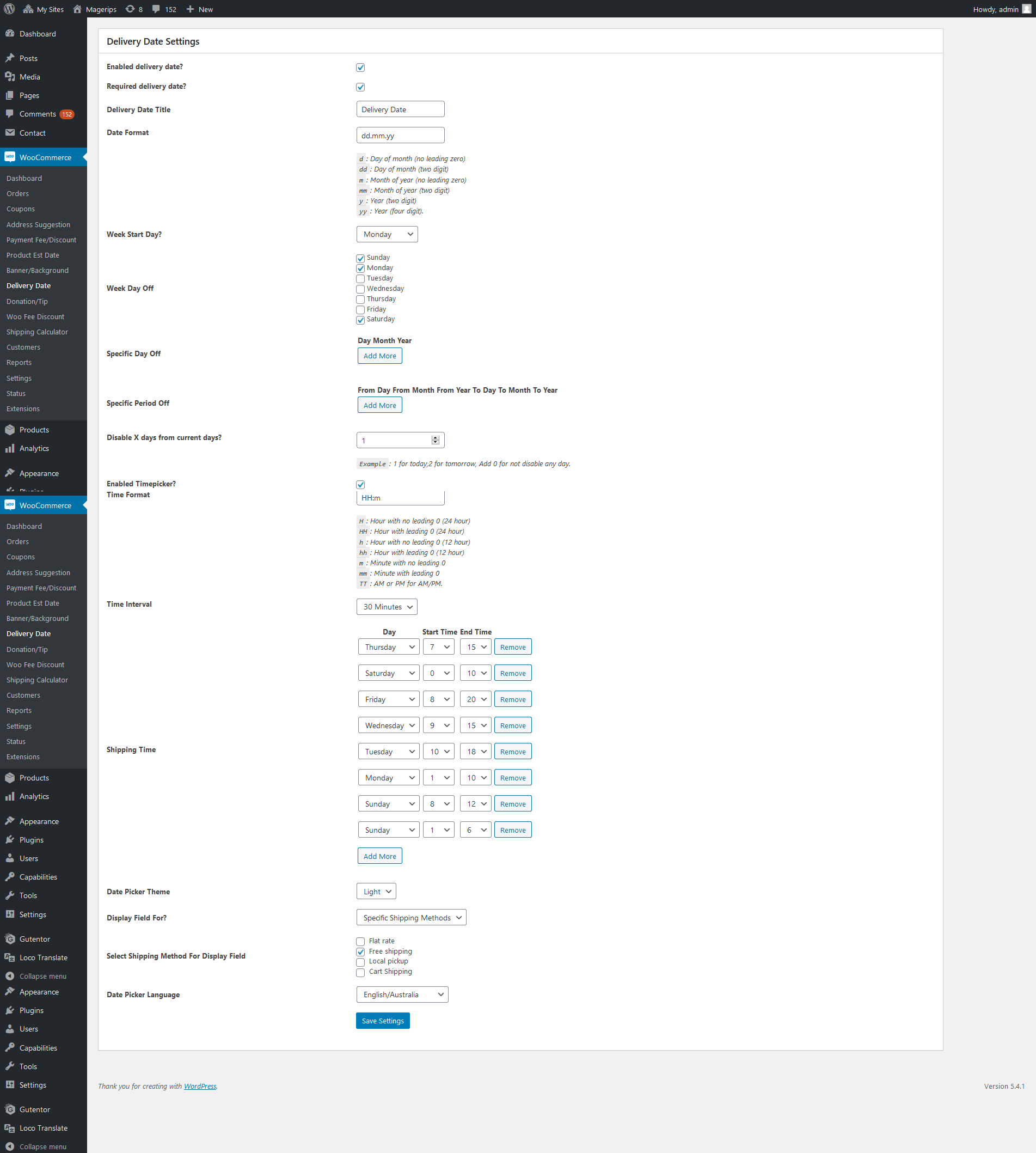
Favorite: WooCommerce Order Delivery Or Pick Up Date*

Features of the plugin for pickup and delivery date in the WooCommerce shop
- Allows users to specify the estimated shipping arrival date or pickup date.
- Specify the period available for delivery / pickup
- Customize the field label text
- Supports 74 languages for datepicker and supports setting custom texts
- Option to restrict date and date ranges
- Option to display the delivery date field for specific shipping methods
- Option for changing start weekday
- The administrator can set the delivery date from the administrator
- Option to restrict weekdays.
- Option for time restriction.
- Customize the display of delivery dates to suit your needs
- Easy management, no coding required
Become more visible on Google & Social Media?
In a free strategy consultation for data-driven online marketing, we uncover your untapped potential, review any existing ad accounts if necessary, examine your SEO ranking and visibility, and determine which strategy is appropriate for your budget and which active measures will lead to more inquiries or sales.

✅ More visibility & perception through targeted placement
✅ More visitors > prospects > customers > revenue
✅ Reach target groups scalably with SEA
✅ Act and grow sustainably with SEO
🫵 Maximum success with our hybrid strategy
💪 More than 15 years of experience across industries in over 1,000+ projects demonstrable!







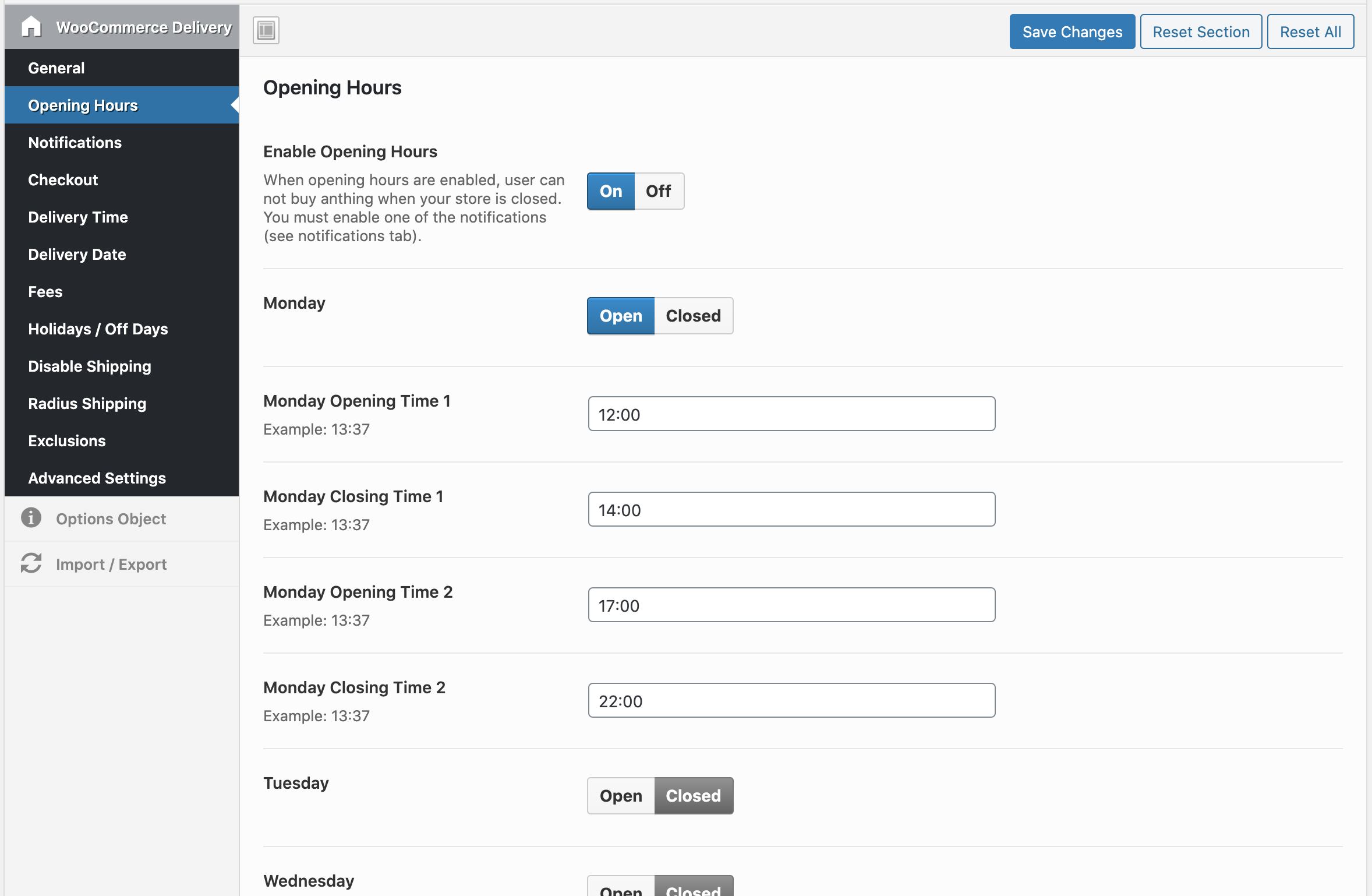
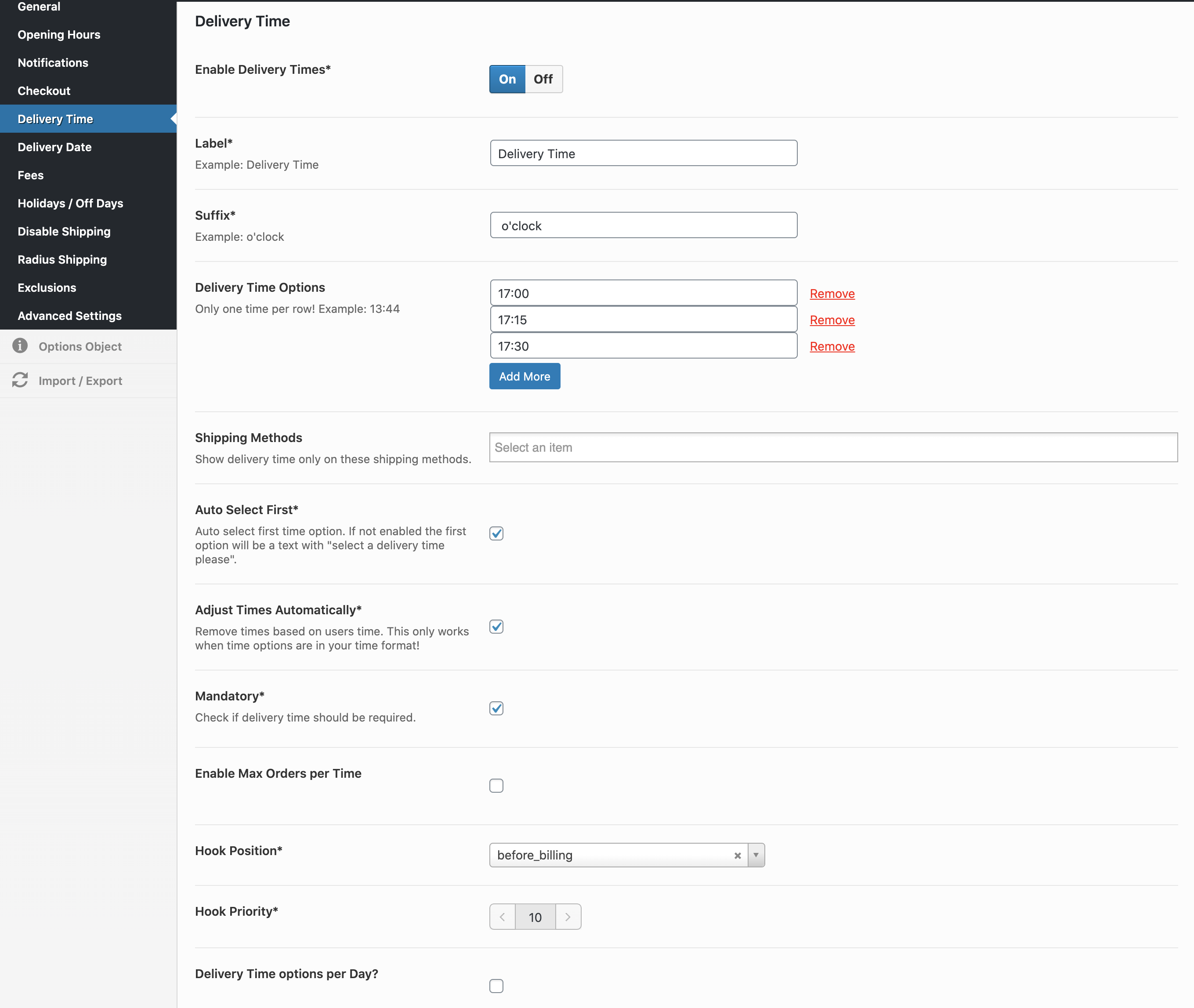
WooCommerce Delivery – Delivery Date and Time*

WooCommerce Delivery made easy with many user-friendly features
No matter what you want to deliver, our plugin will support you. Whether it’s food, products required for installation, or special shipping cases – our WooCommerce delivery plugin will help you.
- Add a delivery date or times at checkout
- Allow orders only during your business hours
- Use radius shipping within km or miles
- Add shipping costs for today or next day
- Allow local pickup
- Limit the number of orders per date/time slot
- Very flexible and clear settings in the admin area!
Screenshots from the administration and frontend:

YITH WooCommerce Delivery Date Selection Plugin*
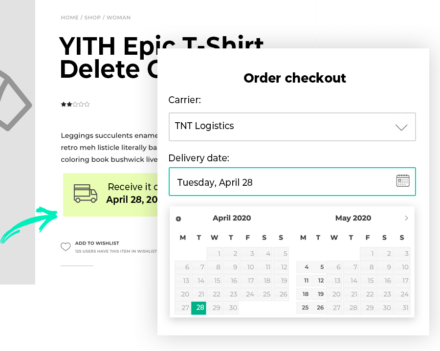
Enable your customers to choose a specific delivery date for the products they purchase.
The best time to sell your items is now! Many customers do not buy the desired item because they are not at home, are often at work, and do not wish to receive it at that particular moment. Therefore, they delay the purchase and end up not buying it.
This means much less revenue for you! Thanks to YITH WooCommerce Delivery Date, you can reach this large proportion of customers and let them decide when they receive the purchased item, on which day, at what time, and with which courier, while the vendor can freely create a calendar with available days and a minimum period for shipping.
This plugin is ideal for winning back lost customers and creating special services such as home delivery for gifts and products.
One of the most common problems when shipping items purchased online is the inability to manage when the item should be shipped. The only way to avoid this is to delay the purchase and wait, often forgetting or completely losing interest in the product.
YITH WooCommerce Delivery Date has been specifically designed to win back these customers. It offers your store a range of additional features that allow you to effectively manage shipping!
Your customers can now choose when they receive the products they have purchased, edit the shipping date later, and decide which courier they want to use, in addition to having a clear overview of the estimated remaining number of days before receiving an item.
Administrators have access to a whole range of valuable features specifically designed for your shipping and delivery service, such as the ability to set a minimum time to cover the required preparation time. Edit the shipping date chosen by the customer (who will receive a notification email informing them of the change).
YITH WooCommerce Delivery Date is a plugin that changes the way you manage your supplier-customer relationship and helps you create an efficient shipping and delivery system that increases your sales!
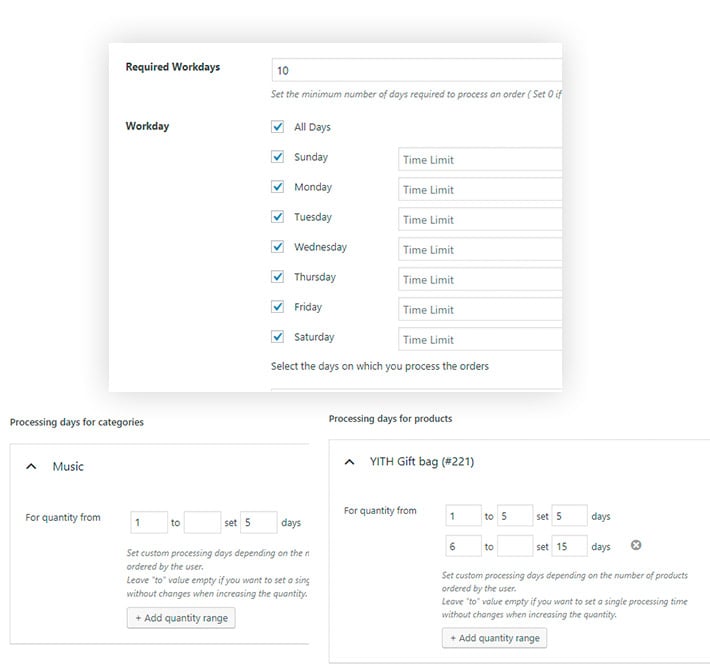
Plugin features of the YITH Delivery Date Plugin
- Enter the weekdays on which orders are processed and shipped
- Specify the maximum number of days for shipping the order
- Specify the time limit for processing and shipping the order for each weekday
- Option to set the number of days required for processing based on product/category quantity
- Activate the plugin in „Quantity Table“ mode.
- Create different tables by category and product
- Set different shipping days for product and category
- Specify the estimated number of days for delivery
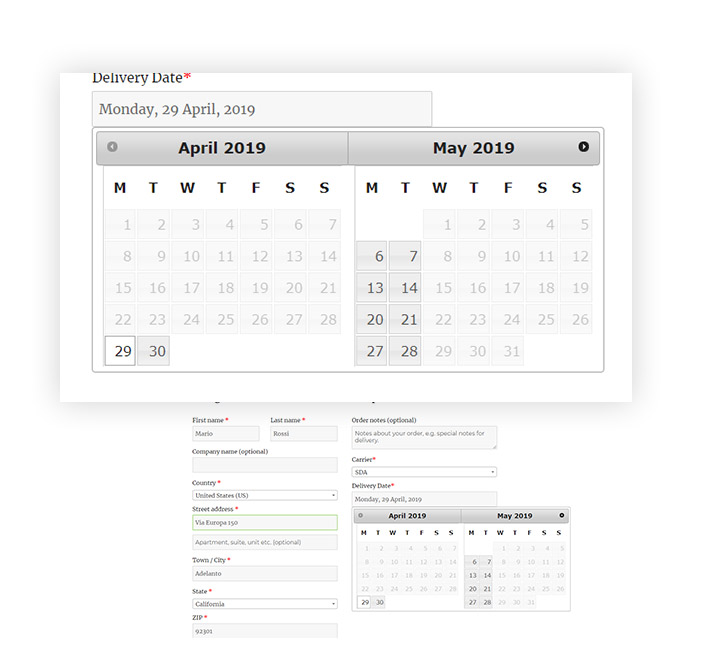
- Specify suitable weekdays for deliveries
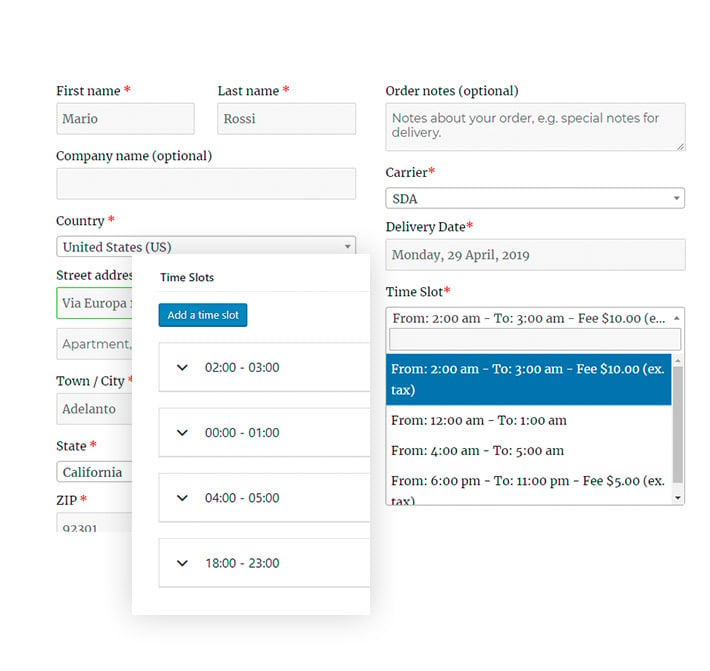
- Specify available time slots for deliveries for each working day
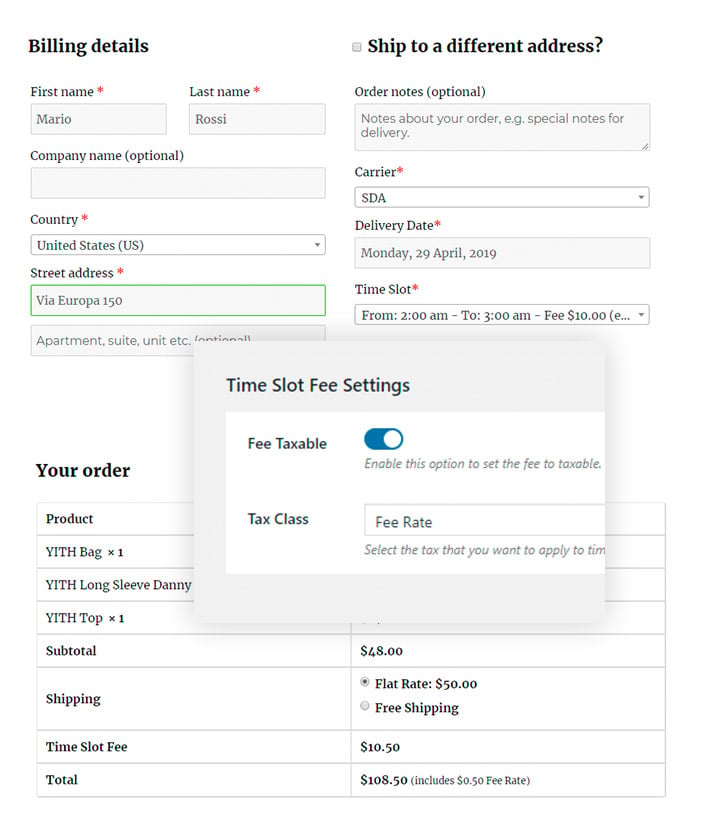
- Set a label for the time slot fee.
- Set the time slot fee to taxable
- Increase the price for orders whose delivery date falls within certain time slots
- Set a maximum number of deliveries to be scheduled within the same time slot
- Track all shipping and delivery activities after an order has been shipped
- Create a message with the delivery date and show it to the carrier and the customer for the individual product.
- Upload a custom icon for Dynamic Delivery Messages
- The administrator can view the delivery details on the order processing page
- The administrator can select orders by shipping date and delivery date
Screenshots from frontend and backend:
The most comprehensive plugin: WooCommerce.com Delivery System Plugin (Order Delivery Date)*
Improve the efficiency and satisfaction of your checkout process by letting your customers choose their preferred delivery date and time in a smooth and understandable way.
With Order Delivery, your customers receive clear notifications about the estimated delivery date and time of the package from a range of options managed by the shop owner, including local holidays, shipping methods, and other factors.
This way, your shipping company can process the order when it is best for your customer, making every shopping experience the best possible.


Why use Order Delivery?
- Both a delivery date selection and the estimated delivery time system are seamlessly integrated into the ordering process.
- In addition to the date, the customer can select an hourly range, which depends on your configuration of daily shipments and the selected shipping method.
- Prioritize your orders with a sortable view. The order delivery indicates the last day you can ship your order to meet your delivery day.
- Specify dates when deliveries are not available, such as holidays or other events.
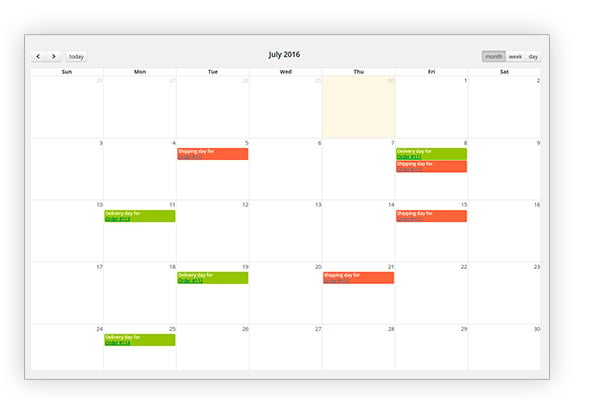
- Calendar view for administrators, allowing you to easily check the days when you cannot produce and/or ship new orders due to holidays, machine renovation, etc.
- Deactivate specific date ranges for shipping and/or delivery to certain countries or regions.
- Excellent integration with „WooCommerce Subscriptions“.
- Automated email notifications and administrator views with the selected delivery date.
- Developer-friendly, should you wish to extend or customize the plugin’s functionality.
Easy for the customer and customizable to your needs
There are three main variables that affect the delivery of your order:
- Location: You can filter by country, city, or region and change or avoid your service there.
- Shipping method: Our extension supports most WooCommerce shipping methods that you can set up in your store, including „table rates“ shipping methods. You can assign these methods to your orders based on location and time.
- For example, you can only ship on Saturdays with a special shipping method that incurs an additional charge.
- Customer delivery preferences: Your customer can select a range of hours and days that precisely indicate the best time to receive the order. Depending on the delivery time and your production time, you will receive comprehensive information about when your order is due.
Never miss a deadline
Set the minimum days for creating an order and the delivery range. This way, the customer can order from your lead time, and you will have enough time to stick to your schedule. In addition, the extension calculates the recommended shipping date for you to dispatch the order and deliver it on time.
Furthermore, you can sort all your orders by your expected delivery range and prioritize your production process in advance.

Finally, the extension allows you to change your settings at any time. This way, you can prepare for the busiest time of the year, such as Christmas or Black Friday.
All the information the customer needs
No more calls or emails from customers asking about the delivery of their orders. For order delivery, the delivery details are included in all emails.

As always, there are many ways and great plugin solutions for WooCommerce, but find the right plugin for your purpose and offer your customers this important function.

Florian Ibe
CEO & Marketing Consultant
Your contact person: Florian Ibe





 DE
DE


2 Kommentare
Hallo Florian
Danke Vielmals für deine Coolen Videos.
Meine Frage:
Ich brauche lediglich ein Plugin wo der Kunde in der Kasse zwischen Abholen und Liefern entscheiden kann.
Die Problematik ist folgende:
Pizza Lieferdienst liefert in 3 verschiedenen Zonen 10 km 15km 20km jeweils erst ab einem bestimmten bestellWert
Jetzt nimmt mir Woocommerce Standartmässig bei günstigerem BestellWert. Die Kostenlose Abholung.
Meine Angst ist, dass dies übersehen wird und der Kunde auf seine Ware umsonst wartet und die Ware im Geschäft liegen bleibt.
Welches der Plugins denkst du würde passen
Hallo Zudija,
das geht nicht einfach mit einem Plugin. Abholen und Liefern ist Standard in WooCommerce als Versandoption zu hinterlegen.
Du kannst die PLZ-Eingabe aktivieren und somit auch die Zonen definieren. Das mit dem Bestellwert zu koppeln wird dann vermutlich nur hiermit gehen: https://bit.ly/woo-conditional-shipping-payments *
Florian