

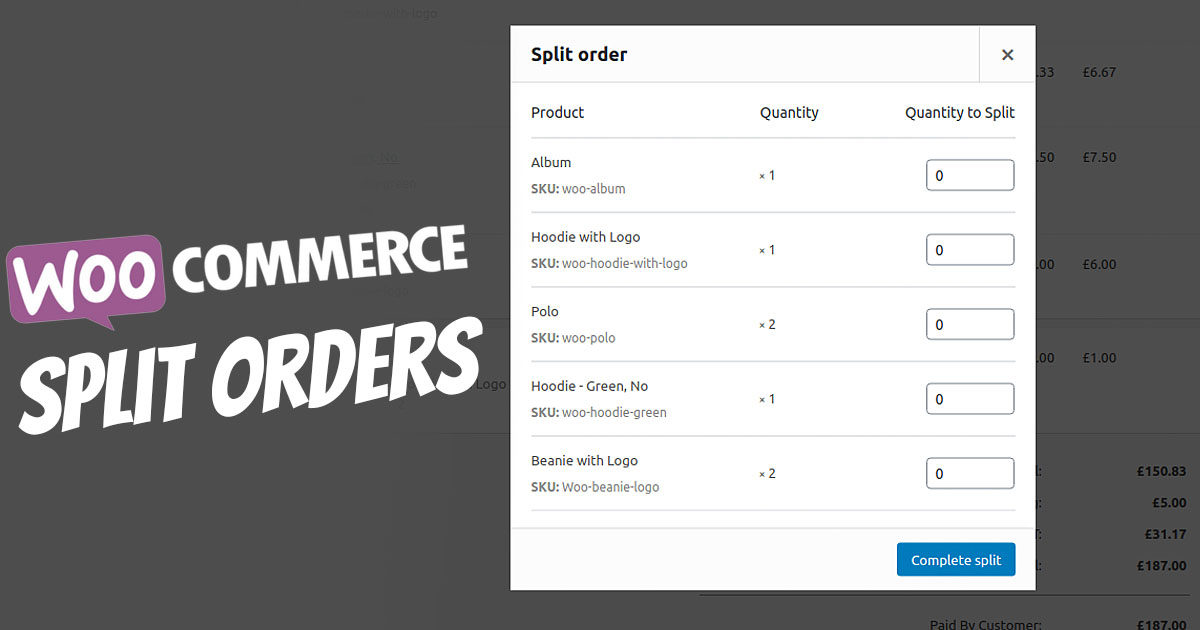
WooCommerce is a fantastic e-commerce plugin that allows you to sell anything, but what if you want to sell products that are not yet in stock, but you are sure you will have them back in stock soon? Order Splitter for WooCommerce is a solution for you, as you can create a rule for these items. All pending items can be placed in a separate order section/status. You can split, consolidate, clone your crowd/combined/bulk orders using smart rules.
WooCommerce Split Orders – Split Order / Process Order List Separately
The Split Orders extension allows you to process and ship a portion of a customer’s order separately. You can select the quantity of each item to be split into a new order, associated with the same customer, with matching shipping and billing details.
The „Split Order for WooCommerce“ plugin splits an order into separate orders based on various conditions set by the administrator. This extension automatically splits an order into multiple orders based on some product attributes or the number of items in the cart. The customer receives different order numbers for their ordered cart, and separate delivery notes are possible.
With different order numbers, customers can view all order numbers in their order history and track each item separately. The administrator can create separate invoices and shipments for each order number.
Use Cases for Split Orders in E-Commerce – Shipping (Processing) Orders in Parts
Split orders allow you to react flexibly to various order situations, including:
- Solution for: If you have an order that is only partially ready for shipment or contains backordered products. With the „Split Orders“ plugin, you don’t have to make the customer wait – split the delayed items into a new order so you can ship the available products.
- If you use different couriers for different parts of an order and want to attach tracking information for each shipment (separate delivery notes). Split the order to adjust shipments and add tracking information to each order with tracking.
- If the customer asks you to send part of an order to a different address. Split these items into a new order, update the shipping address, and process each order separately.

If you have the ability to split orders, you will keep track of order management and shipments. Customers will appreciate receiving fast delivery for the part of an order that is ready for shipment, or being able to flexibly meet their shipping requirements.
Purpose of the WooCommerce Split Orders Plugin
How to split an order:
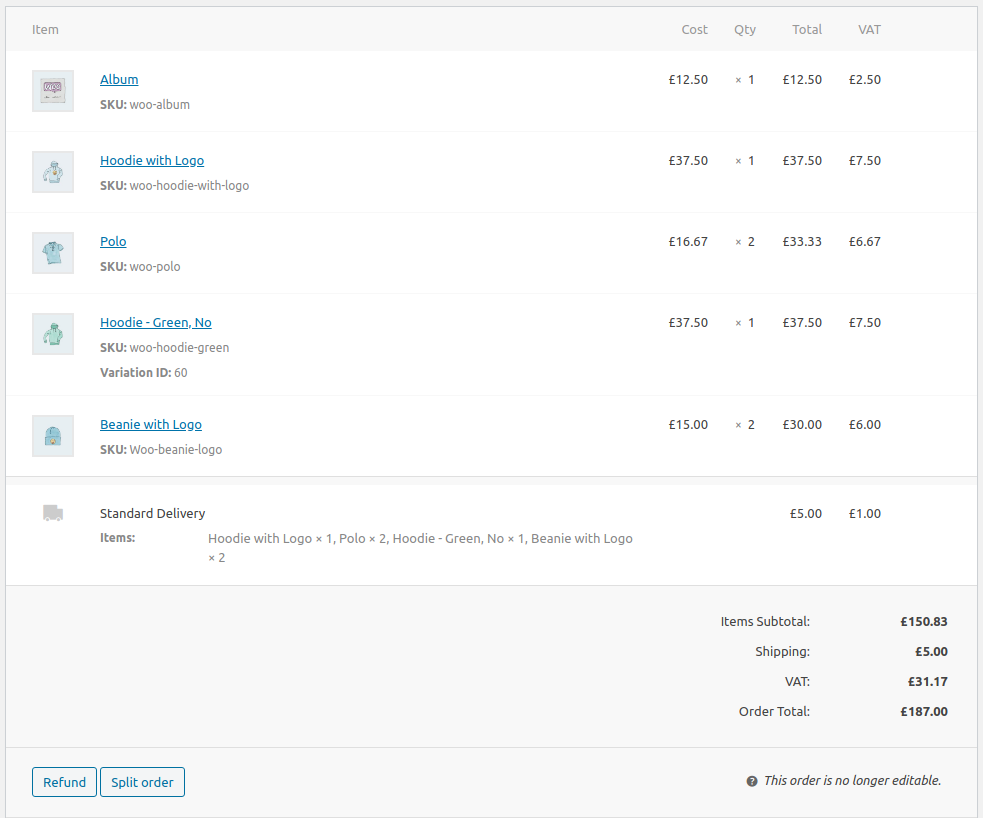
- In the WordPress administrator, go to WooCommerce > Orders and open the order you want to split
- Click the Split Order button that appears in the action buttons below the list of line items

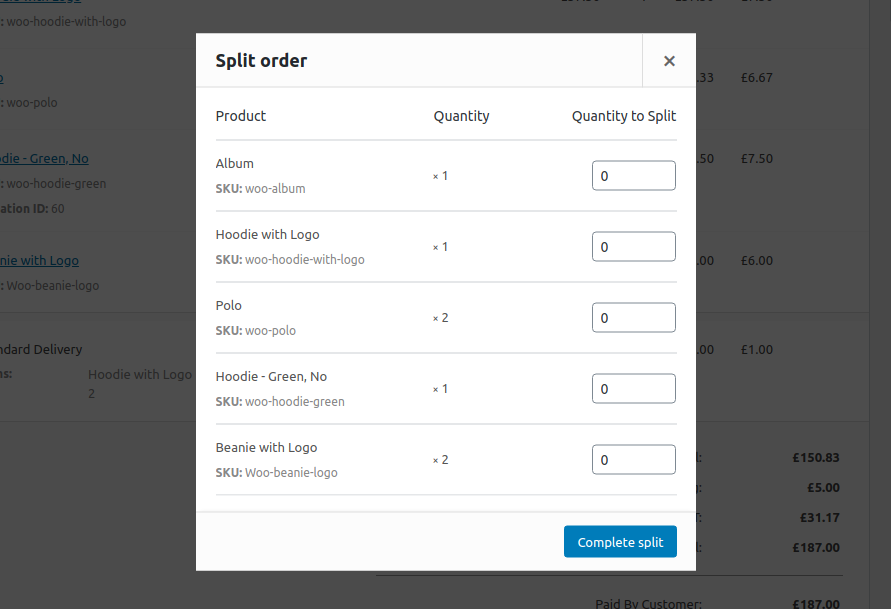
- The following dialog will open. Enter the quantity of each line item you want to split.

- Click the Complete Split button to confirm the split
- A new order will be created with the line items you selected to split, and an order note will be added to record the split.
You can now process each order separately. Make the necessary changes, update the order status, send it for fulfillment, add tracking information, or perform any other actions you would normally do with your orders.
FAQs – Questions & Answers
What data is copied into a split order?
The following data is copied to a split order:
Become more visible on Google & Social Media?
In a free strategy consultation for data-driven online marketing, we uncover your untapped potential, review any existing ad accounts if necessary, examine your SEO ranking and visibility, and determine which strategy is appropriate for your budget and which active measures will lead to more inquiries or sales.

✅ More visibility & perception through targeted placement
✅ More visitors > prospects > customers > revenue
✅ Reach target groups scalably with SEA
✅ Act and grow sustainably with SEO
🫵 Maximum success with our hybrid strategy
💪 More than 15 years of experience across industries in over 1,000+ projects demonstrable!







- The selected ad bookings
- Order status
- Customer
- Billing address
- Shipping address
- Customer note
- Date created
- Tax status
- Customer IP
- Customer user agent
Which data is not copied to the split order?
- Coupon codes are not applied to the split order, however, any discount granted by a coupon will be retained in the split order
- Shipping and other fees remain only on the original order
- Order metadata added by other plugins is not copied by default. Support for copying additional data elements can be added using the available hooks in the code.
Are customer emails sent when an order is split?
To avoid customer confusion, the default WooCommerce emails are prevented from being sent during a split. This includes the following:
- Customer processing order
- Customer completed order
- Customer refunded order
- Customer – On-hold order
The following administrator emails are also disabled during a split:
- Admin – New Order
- Admin – Cancelled Order
- Admin – Order Failed
If you have added additional email types from other plugins that are triggered by the creation of an order, these may still be sent.
Does the split order appear in the customer’s order history?
The updated original order and the split order will both appear in the customer’s order history, providing a complete list of items they have ordered. Depending on the situation, you may wish to inform the customer about the reason for the split.
Does this extension support multiple currencies?
Yes. The currency of an order is copied when splitting, even if it differs from the base currency.
Can I split an order multiple times?
Yes. As long as there are multiple line items, you can split an order.
Are decimal quantities supported?
Yes. By default, quantities in WooCommerce are integers, but decimals can be enabled using filters. These filters also enable decimal support in split orders without additional changes.
Can I refund a split order?
Since each payment gateway handles payments and refunds differently, it is not easy to ensure support for automatic refunds across all gateways. For most payment gateways that support automatic refunds, the original order can still be refunded via WooCommerce after a split. However, the new split order would need to be refunded manually at the gateway. In future versions of the extension, we hope to incorporate refund support for the more common gateways.

Florian Ibe
CEO & Marketing Consultant
Your contact person: Florian Ibe





 DE
DE

