


WooCommerce, as a plugin (add-on) for the world’s most popular CMS WordPress, is unique and already offers some really powerful and good functions as standard. However, what depends on the WooCommerce theme used is the WooCommerce thank you page. Changing this usually only works through complex code adjustments, which are complicated and prone to errors. The consequence: errors in the ordering process or even cancellation of the order = loss of sales! This article is about code-free solutions using probably the best plugins to change the WooCommerce thank you page.
Change WooCommerce Thank You Page (Order Confirmation Page) – Easily Without Code for More Sales and Customer Loyalty
First of all: The standard WooCommerce shop thank you page, which is displayed after a successful order, is usually sufficient. BUT there are ways to generate even more sales with the same sale/customer even after the purchase or to support the positive feeling. These are points from online shop optimization.
As always, we do not recommend free solutions in the checkout, as these often result in incompatibility and errors. Since the ordering process is simply the most important area of a webshop, you should only rely on professional checkout plugins here. The investment of a few euros is always worthwhile!
Important: You do NOT need to make any code adjustments and do not need any extra experience or web development!
As always, the solutions are already translated into German or can be easily translated yourself with Loco Translate.
The solutions compiled here range from simple to complex, and each solution can be used independently. Solution 2 is affordable and also equipped with almost all functions. Solution 3 is the most complex type with many, many additional functions beyond the individual thank-you page.
Solution 1: Change & customize a custom WooCommerce thank you page with individual boxes, personal address, etc.
In this section, we present two simple but potentially perfectly adequate functionalities for your needs.
1.1.: Yith custom thank you page for WooCommerce shops*
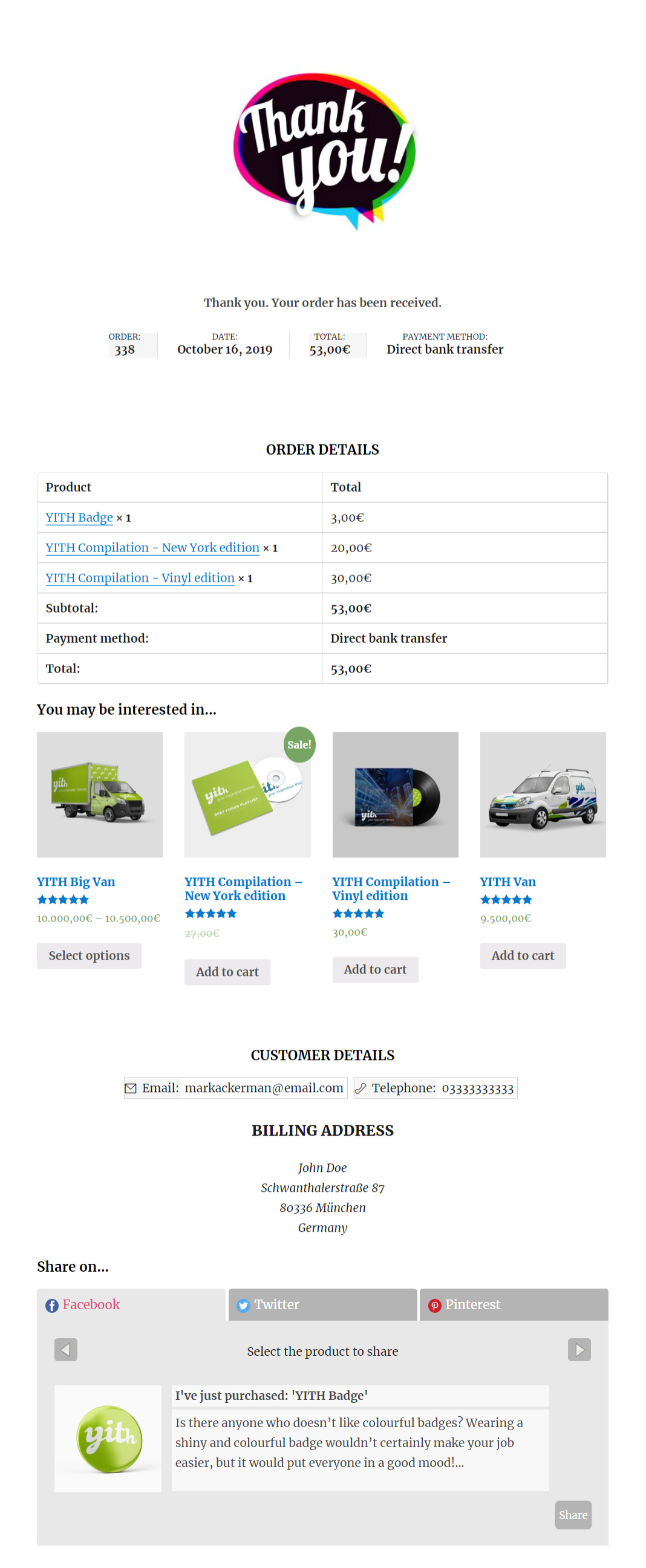
How you can benefit:
- You can customize the thank you page for the entire shop or for individual products.
- You can increase your sales by using the thank you page to promote an upsell product related to the purchase just made.
- You can get indirect advertising for your shop and products by allowing your customers to share their purchases on social networks.
- Set up a custom thank you page that applies to all products
- Set up a special thank you page for:
- one or more selected products
- one or more product categories
- Per payment method
- Preview the created custom thank you page
- Show or hide order details
- Add a PDF button to the thank you page
- Preview PDF
- Enable product sharing via the thank you page on Facebook, Twitter, and Pinterest
- Optimize sharing using Google and Bitly URL shortening services
- Suggest one or more upselling products to be displayed on the thank you page
Become more visible on Google & Social Media?
In a free strategy consultation for data-driven online marketing, we uncover your untapped potential, review any existing ad accounts if necessary, examine your SEO ranking and visibility, and determine which strategy is appropriate for your budget and which active measures will lead to more inquiries or sales.

✅ More visibility & perception through targeted placement
✅ More visitors > prospects > customers > revenue
✅ Reach target groups scalably with SEA
✅ Act and grow sustainably with SEO
🫵 Maximum success with our hybrid strategy
💪 More than 15 years of experience across industries in over 1,000+ projects demonstrable!







1.2. Official WooCommerce.com Plugin: Custom Thank You Pages*
The Custom Thank You Pages extension allows you to do exactly what it promises. Configure custom thank you pages per product. The thank you page is a very powerful place that can be optimized, which not many e-commerce sites do. Why is it such a powerful place? Customers have just purchased something and given you their hard-earned money and, most importantly, their trust.
Suppose you sell something amazing, the customer feels good about the purchase and probably has an endorphin rush (a feeling of euphoria). As you can imagine, this is the best Time to leverage that feeling and interest forever.
Upselling
Knowing exactly what a customer has purchased can create a more personalized experience to sell to customers to buy from your business again.
Displaying related products based on what someone just bought is incredibly powerful. The customer may not order it immediately, but they will remember your store the next time they need something.
Offer an amazing onboarding experience
With a custom thank you page based on the customer’s purchase, you can create a seamless onboarding experience for the product just purchased. Whether it’s a downloadable product that can be downloaded and started immediately, or a physical product for which you want to provide more details, it’s all possible.
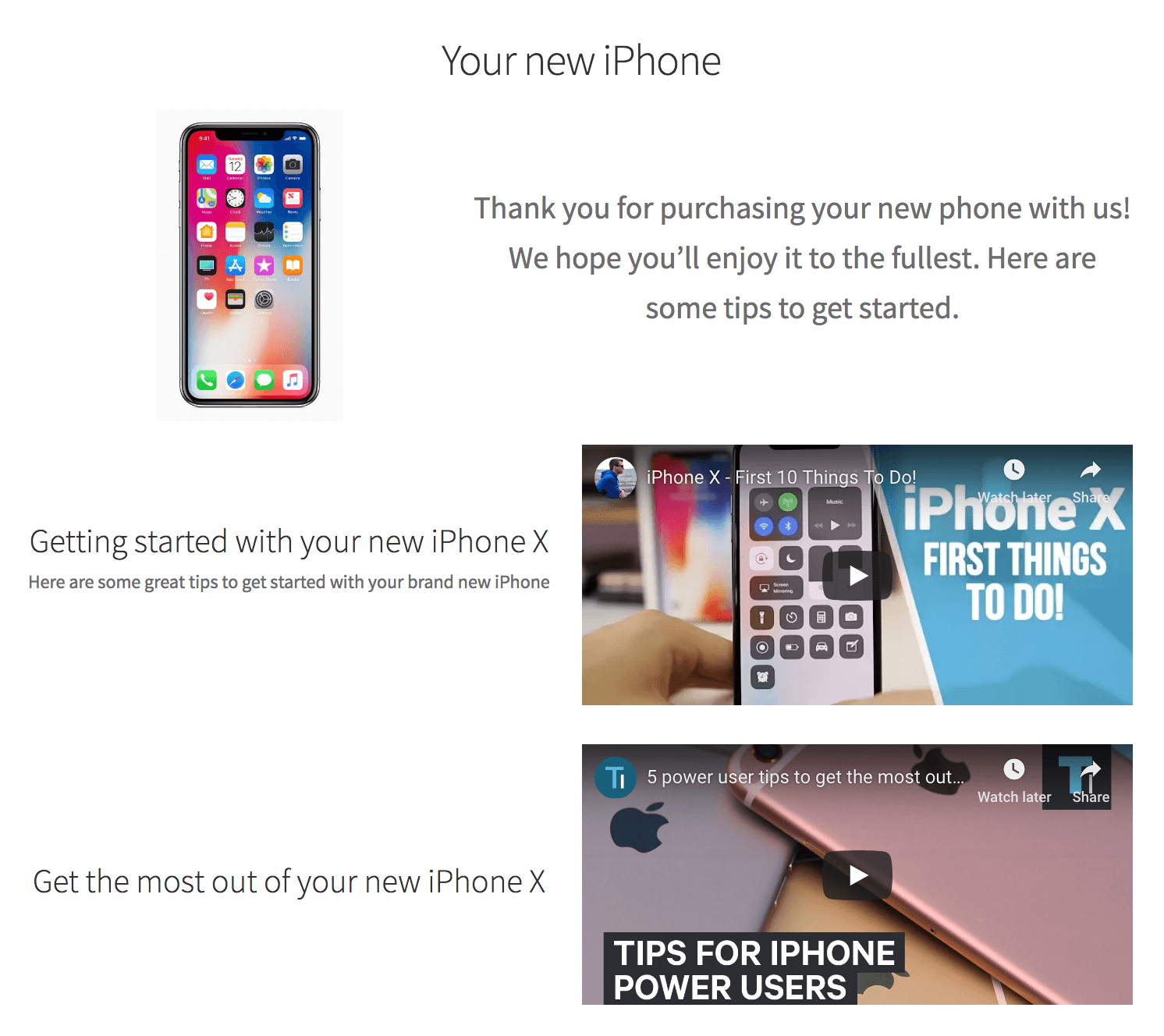
Thank You Page After Purchasing a Digital Product
After purchasing a digital product, the most important thing is to show how to download it. At the moment, this is dismissed as something small and insignificant, but with relevant information, this experience can be significantly improved.
If someone has bought something on your website, you know 100% that they are interested in your offer. A great opportunity to also ask them to subscribe to your newsletter. No more annoying pop-ups for newsletter sign-ups – please.
Some example scenarios for eCommerce shops of different product categories.
Example for Clothing
When selling clothing items such as t-shirts or trousers, you can add the following: – Washing instructions to maintain the quality of the shirts – Matching products for the purchased items – Recommendation for a friend
Example: Selling Shoes
Imagine you have just bought a new pair of shoes. On the thank you page, you will see how you can: – Care for your new shoes for a long lifespan – Make them waterproof – Clean shoes properly without damaging them
- Getting Started with the Product / Setup
- Tips / Tricks for Using the Product
- Instructions for Registering for Warranty Extension
Frequently Asked Questions (FAQ):
How are custom thank you pages configured?
Custom thank you pages can be configured per product on the „Advanced“ tab and even per variation. If no custom thank you page is configured, the existing/default thank you page will be used.
What happens if multiple products are configured with different pages?
A priority system is built in to determine which page(s) should be displayed. There is also a setting that allows you to have multiple navigation pages in one – a navigation will be added to navigate between the different pages.
Can I still display order details on custom thank you pages?
Of course! A number of shortcodes are available in the documentation to display all order details on your custom pages.
Solution 2: The WooCommerce Thank You Page Customizer*
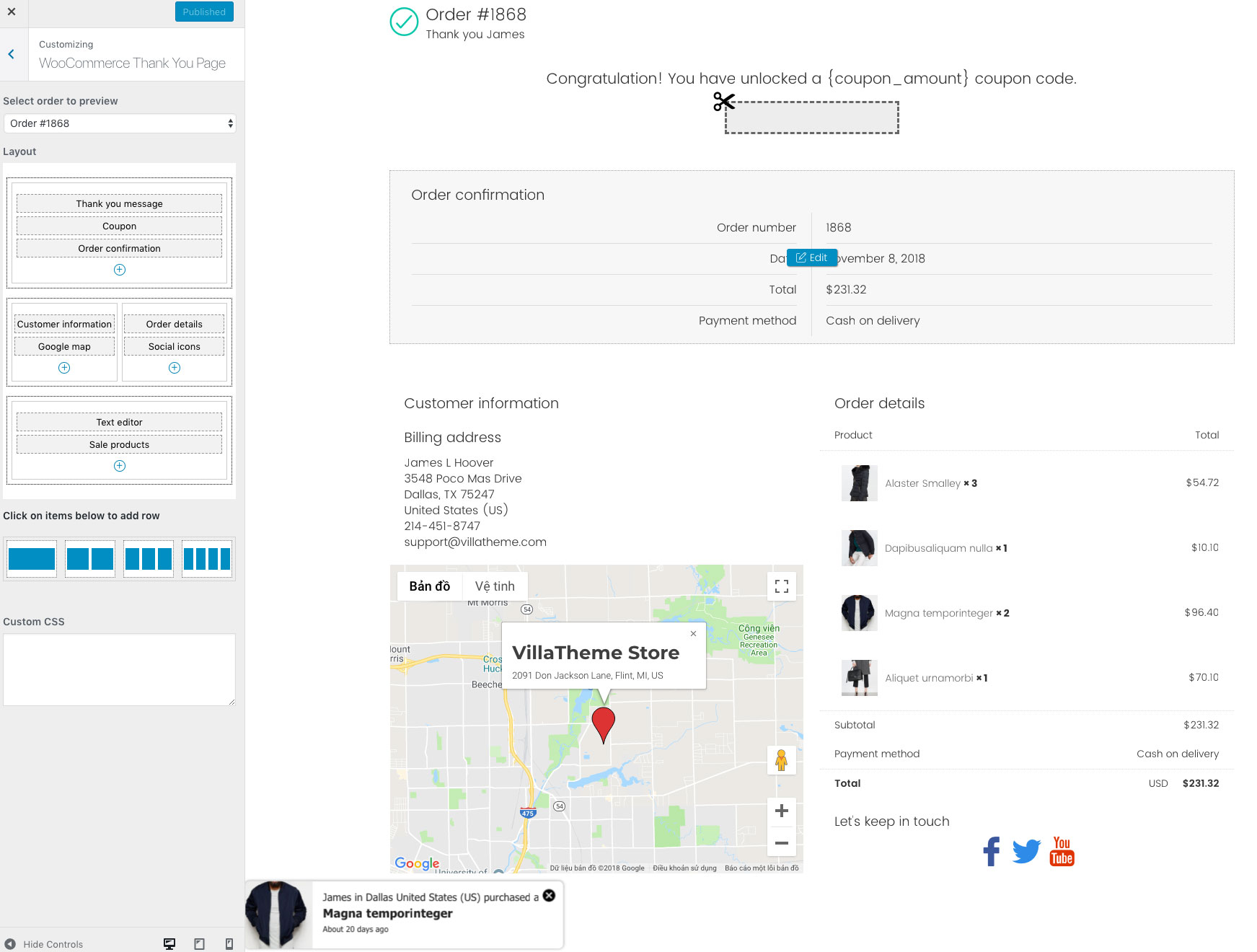
The plugin is the better pro version of the free version available here.
With the WooCommerce Thank You Page Customizer, you can customize your „Thank You“ page, which issues coupons to customers and offers products for sale after a successful order.

The WooCommerce Thank You Page Customizer issues a coupon after a successful order. In addition, you can assign an existing coupon or have the plugin generate unique coupons.
COUPON RULES: EACH COUPON HAS ITS OWN RULES AND YOU CAN CONFIGURE THESE RULES TO ASSIGN DIFFERENT COUPONS FOR DIFFERENT ORDERS.
-
- Minimum order amount: The coupon will be issued if the order amount exceeds this value.
- Maximum order amount: The coupon will also be issued if the order amount is less than this value.
- Include products: Only issue the coupon if the order contains these products.
- Exclude products: Do not issue a coupon if the order contains these products.
- Include categories: Only issue the coupon if the order contains products in selected categories.
- Exclude categories: Do not issue a coupon if the order contains products in selected categories.
- Existing coupon: Select an existing WooCommerce coupon to give to customers after a successful order.
- Select WooCommerce Coupon: Create a coupon in WooCommerce/Coupon and use it in the WooCommerce Thank You Page Customizer.
- Email Restriction: Make the coupon usable with the billing email.
UNIQUE COUPON: THE PLUGIN GENERATES UNIQUE COUPONS FOR EACH ORDER AND DISPLAYS THEM ON THE THANK YOU PAGE. YOU CAN SET UP THE GENERATED COUPON WITH THE SAME OPTIONS AS WOOCOMMERCE COUPONS.
- Email Restriction: Make the coupon usable only with the billing email.
- Discount Type: Select the coupon discount type Percentage discount, Fixed cart discount, and Fixed product discount.
- Coupon Code Prefix: Enter the coupon code prefix.
- Coupon Amount: The amount of the coupon you give.
- Allow Free Shipping: Choose whether this coupon grants free shipping.
- Expires After: Select the usable time of the coupon.
- Individual Use Only: Choose whether the coupon can be used in conjunction with other coupons.
- Exclude sale items: Choose whether the coupon can be used for sale items.
- Usage limit per coupon: How many times a coupon can be used by all customers before it becomes invalid.
- Limit usage to X items: How many items the coupon can be applied to before it becomes invalid.
- Usage limit per user: How many times a coupon can be used by each customer before it becomes invalid for that customer.
- Coupon limit: Limit the number of coupons for each customer per day/week/month/year.
- Coupon email: Create your own email to send the coupon to your customers
- Email preview: Display a preview of the coupon email that will be sent to customers via a button in the backend.
Custom Thank You Page Design
The plugin allows you to drag & drop elements to build your own thank you page in customizer mode, so any change you make will take effect instantly, allowing you to preview, which can save a lot of time.
- Preview: You can choose a real order to preview your design in the frontend, so it’s so easy to customize the design as you expect without wasting a lot of time changing the design in the backend, saving the settings, then going to the frontend to refresh the page to see the changes and repeating these steps over and over again until you are so tired and think „Uhm, this looks good“.
- Drag & Drop: Drag & drop elements to build the thank you page as you want. Elements include thank you message, order confirmation, order details, customer information, social media icons, coupon codes, Google map, text… and more will be added in future updates.
- Custom CSS: The plugin provides a custom CSS option that allows you to add your own CSS code to change the front-end style of the plugin. And the cool thing is that the CSS code you enter also takes effect instantly, making it easy for you to determine whether your custom code is correct or not. Imagine trying to add custom CSS code in the plugin backend, saving the settings, then going to the frontend and refreshing the page to check if your code works, but nothing changes and you talk to yourself „What the hell am I doing wrong???“, that’s really annoying.
- Element Design: Each element has its own design page where you can change the element style such as color, background color, etc.
There are 18 built-in elements that you can use to customize your thank you page.
- Thank You Message: Display a thank you message, confirming receipt of the order.
- Coupon: Give customers a coupon for their order. Customize the element with shortcodes for coupon code, coupon amount, expiration date.
- Text Editor: Allows you to add text to the thank you page using the HTML editor. You can add third-party shortcodes here.
- Order Information: Display order information with order number, purchase date, order total, purchased email address, and payment method.
- Customer Information: Display billing address and shipping address.
- Order Details: Display order details with product name, subtotal, total, shipping price, payment method.
- WooCommerce Products: Display up-selling products, cross-selling products, featured products, on-sale products, best-selling products, recently viewed products, current products, top-rated products, and related products on the thank you page. You have the option to select the product limit and product column.
- Order Products by: Order product in the product element by title, release date, ID, menu order, order quantity, rating, and random.
- Product Visibility: Select the visibility status of the item to display visible, catalog, search, hidden, hidden, menu.
- Product Quantity: Select the product total and the number of columns.
- Social Network Icons: Display the social network icon so customers can connect with your store. You can change the description, icon style, and add the link to a social network.
- Google Maps: Display your business address on Google Maps with options for marker color, Google Map style, description, address, map zoom level. This option requires a valid Google Map API key.
Shortcodes for further customization
The plugin provides shortcodes that allow you to display order information in elements on the thank you page. Below is a list of available shortcodes:
- Some order properties: These are order number, order status, order date, order total, and item count
- Payment method
- Shipping information: There are shipping method, shipping address, and formatted shipping address
- Billing details: Including billing address, formatted billing address, billing country, billing city, billing first name, billing last name, formatted billing full name, and billing email
- Site identification: Such as shop title, home URL, and shop URL
More additional features
- Compatible with WooCommerce email template customization: This allows designing and customizing the coupon email of the WooCommerce thank you page.
- Support RTL.
- Compatible with Polylang.
- Compatible with WPML.
- Responsive on all devices.
- User-friendly interface.
Solution 3: Improve the entire order process for better usability and more sales = BuildWooFunnels AeroCheckout
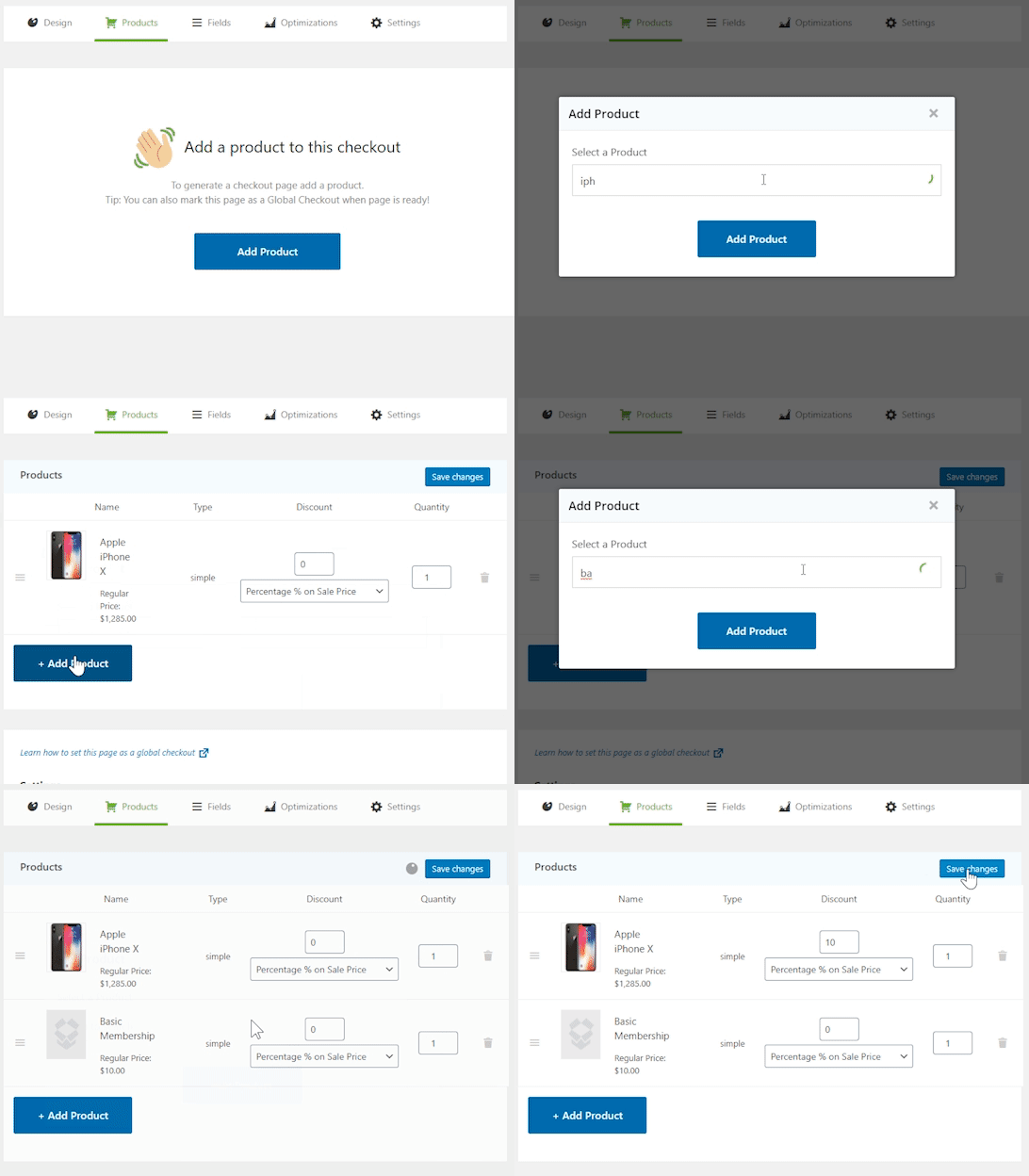
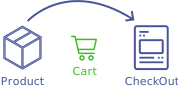
This is about more than just the thank you page. It’s about the entire funnel and the customer journey: shopping cart, checkout and the thank you page, as well as their sales psychological optimization.
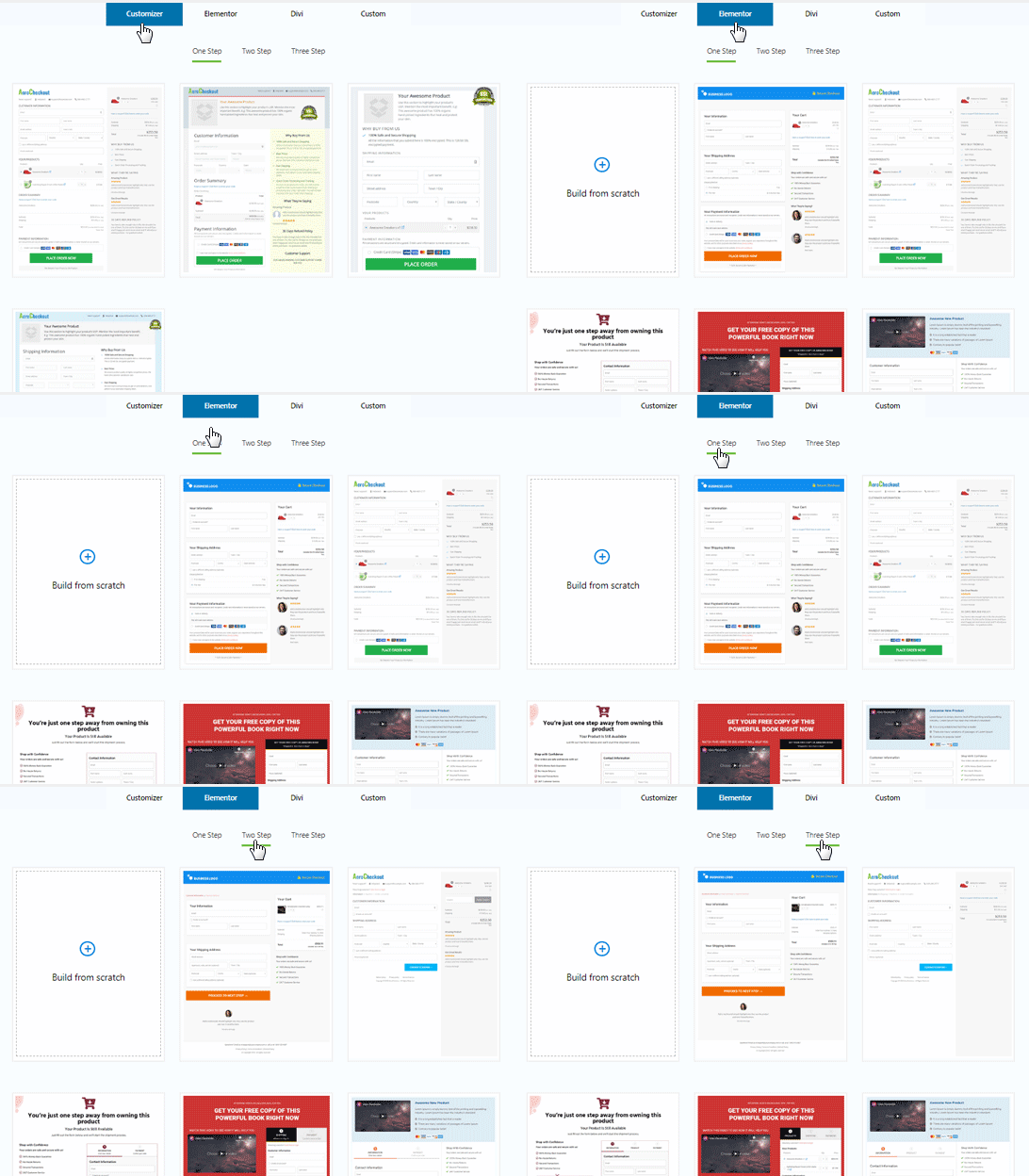
Aero Checkout offers you ready-to-use checkout templates, embedded forms, one-page checkouts, and more.
By the way: This is the better alternative to Sumo or Thrive!
Say goodbye to the standard WooCommerce checkout
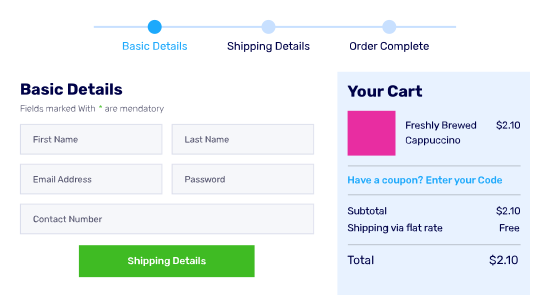
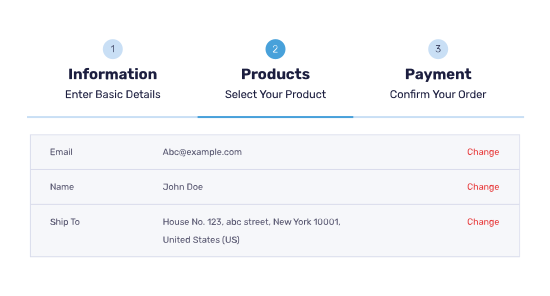
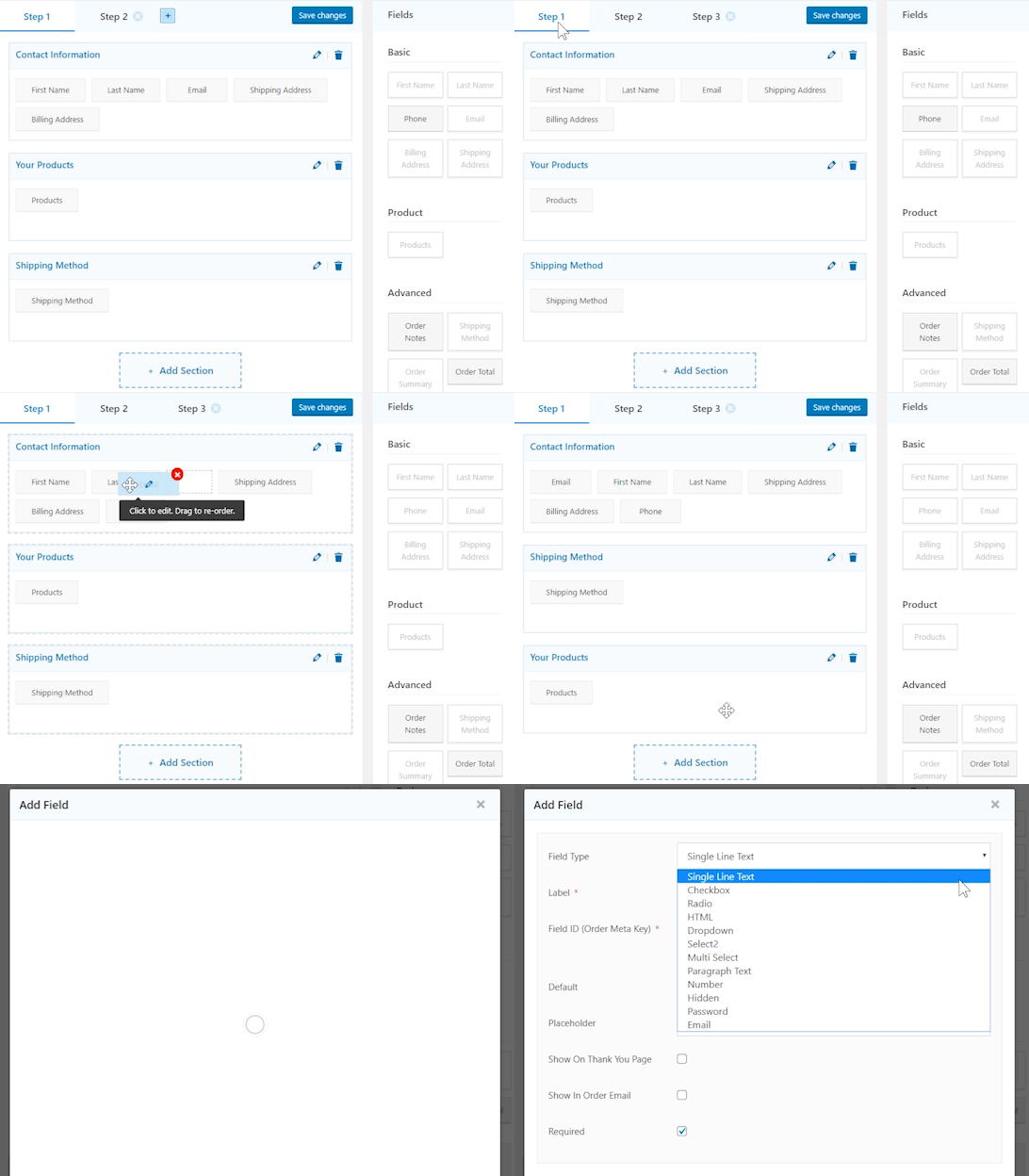
Multi-step checkout pages
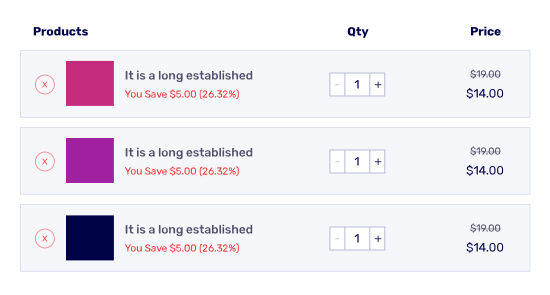
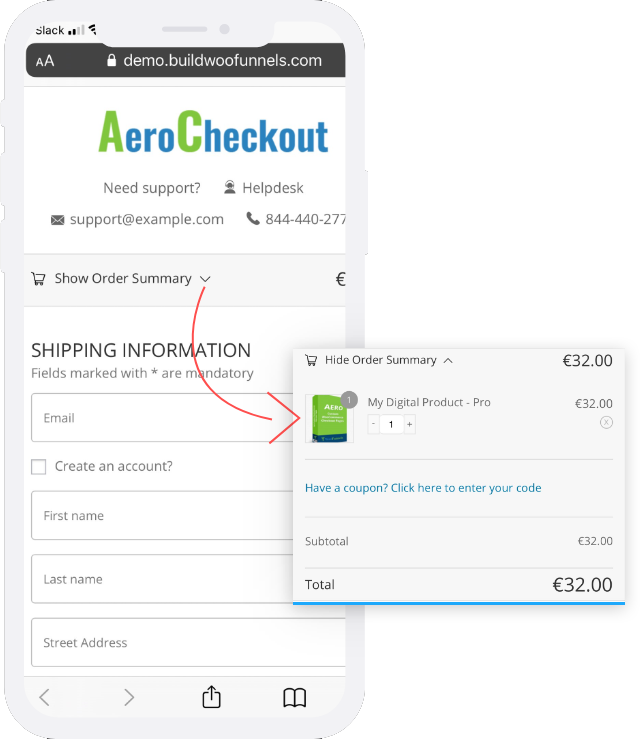
Mini-Cart Modification
Field Preview
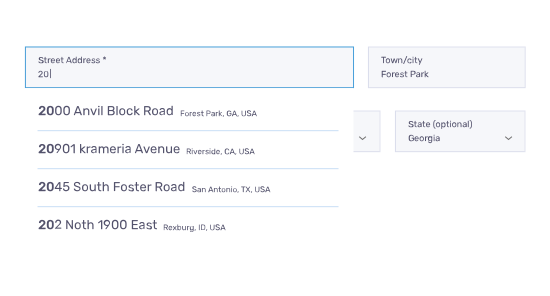
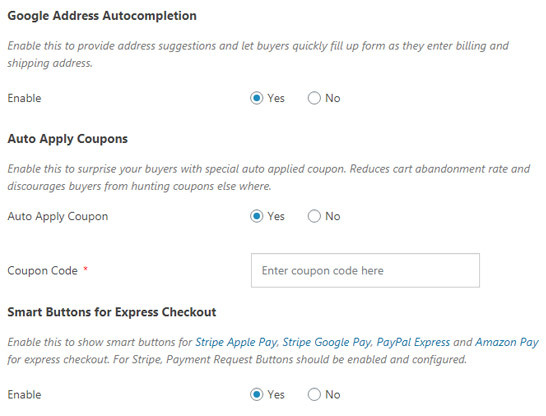
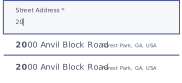
Google Address Autocomplete
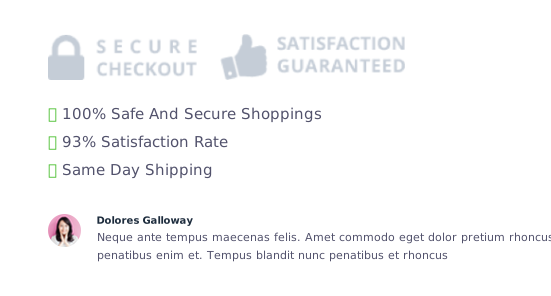
Reasons to buy
Mobile-Optimized Checkouts
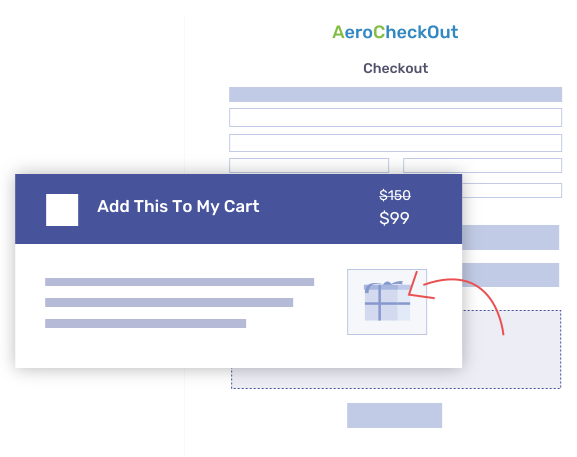
Achieve more sales with higher average order value with bonus add-ons
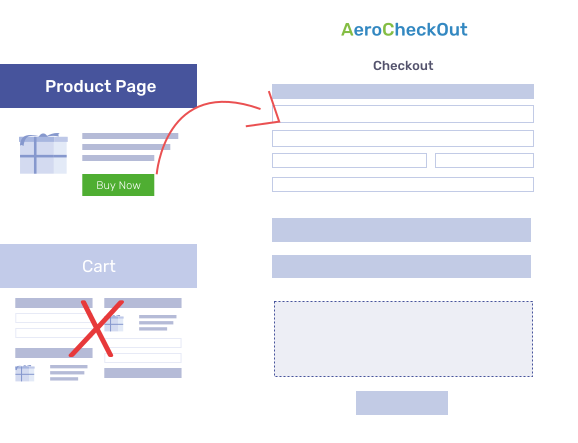
Shopping Cart
Order Bump for more Triggers and Conversions
Checkout Optimization Strategies That Eliminate Friction
Further small features and improvements:
-
Google Autocomplete
-
Pre-fill form data
-
Express payment options
-
Swap global checkout
-
Self-Populated States
-
Checkout Flow
-
Skip Cart
-
Automatically apply voucher code



I would also like to draw your attention to our most important article about WooCommerce shops and their optimization:
You may also have searched for:
- Order confirmation page for Woocommerce
- WooCommerce order received page
- WooCommerce thank you page URL
- WooCommerce custom thank you page per product
- WooCommerce redirect thank you (redirection)
- Change thank you page WooCommerce
- WooCommerce thank you page shortcode
- Confirmation page for WooCommerce

Florian Ibe
CEO & Marketing Consultant
Your contact person: Florian Ibe





 DE
DE

