

Stop losing money with your out-of-stock products and activate a waiting list / reminder list where users can register when a product is unavailable (sold out) and be automatically notified when it is back in stock.
How you can benefit:
- You have the possibility to create a list of potential customers who are interested in one or more products of your e-commerce
- You can automatically notify users who have subscribed to the list when the products are available for purchase.
- You can recover sales by offering your users products similar to those they are interested in.
- You can plan a pre-launch for some products and create a mailing list of users before offering them for sale.
WooCommerce Waitlist for out-of-stock products according to inventory + automatic notification
Studies in online shops have shown that notifying customers when out-of-stock products are back in stock converts between 10 – 15% of inquiries into actual purchases. With the WooCommerce plugin from YITH* mentioned in this article, these values can definitely be achieved, thus automatically generating more sales in the shop.
Are you out of stock of one of your most popular products? Are you waiting for deliveries but afraid of losing customers? Give them the opportunity to add the out-of-stock item to a product waiting list and send an email as soon as it is available again in your e-commerce store.
This allows you not to lose customers and is the easiest way to actively encourage them without letting them get away. You will see how your sales and customer satisfaction increase.
You can find the complete feature overview at the bottom of the article.
NEW Update 2023: WooCommerce Back in Stock Notifications directly from WooCommerce.com
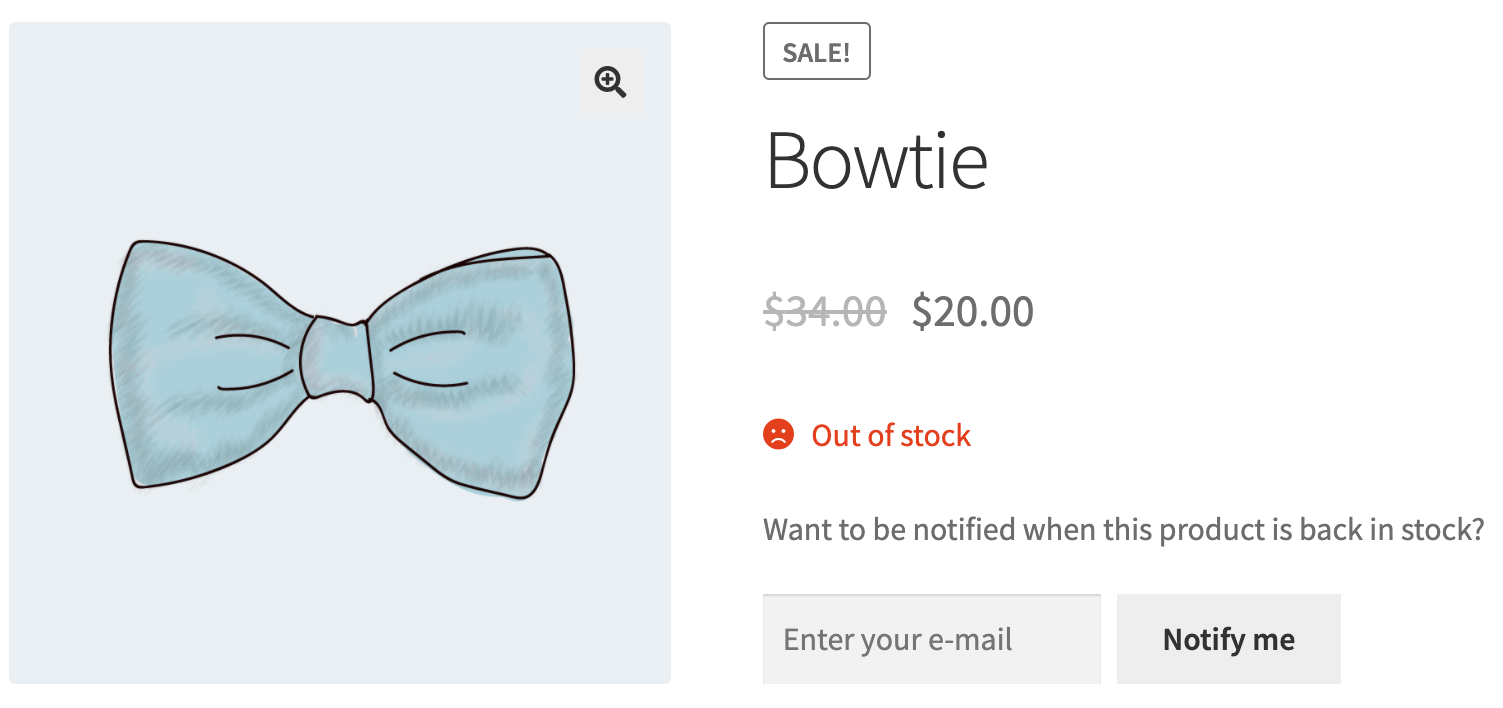
Being sold out is always frustrating. Can’t you avoid it? Then turn it into something positive! Stop worrying about all the sales you’re missing and think about the customers you can bring back.
Become more visible on Google & Social Media?
In a free strategy consultation for data-driven online marketing, we uncover your untapped potential, review any existing ad accounts if necessary, examine your SEO ranking and visibility, and determine which strategy is appropriate for your budget and which active measures will lead to more inquiries or sales.

✅ More visibility & perception through targeted placement
✅ More visitors > prospects > customers > revenue
✅ Reach target groups scalably with SEA
✅ Act and grow sustainably with SEO
🫵 Maximum success with our hybrid strategy
💪 More than 15 years of experience across industries in over 1,000+ projects demonstrable!







With „Back in Stock“ email notifications, you can:
- Turn your sold-out products into waiting lists that anyone can join.
- Send automated emails to your customers when their favorite products are back in stock.
- Recover lost sales, build customer loyalty, and gain deeper insights into your inventory.
[buttonlinke title=“to the Woo Back in Stock Plugin*“]
A product waitlist or reminder list is the easiest way to engage customers and not lose them when items are out of stock or sold out.
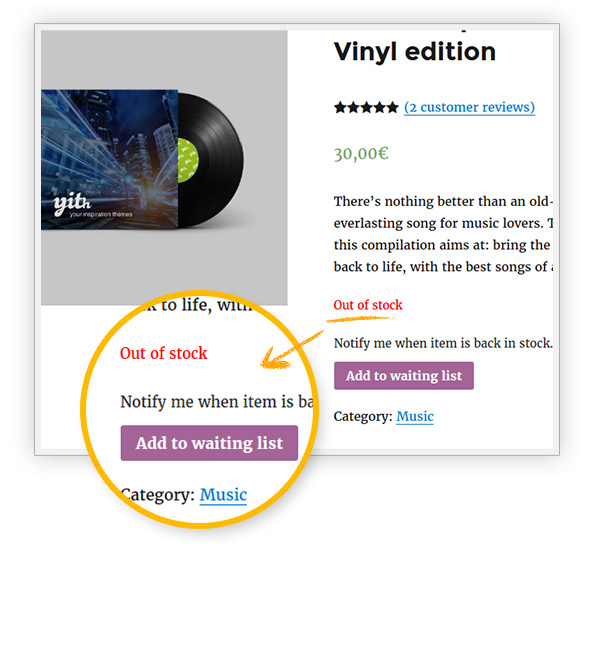
Activate waitlist features when the product is out of stock
The system automatically adds the „Add to waitlist“ button as soon as the product is „out of stock“.
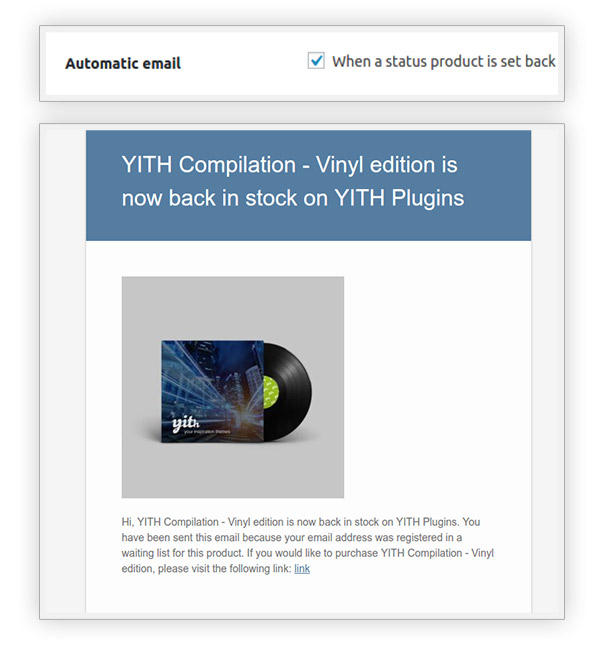
Notify your users as soon as the product is back in stock
An automatic email will be sent when the product status is set to „In stock“.
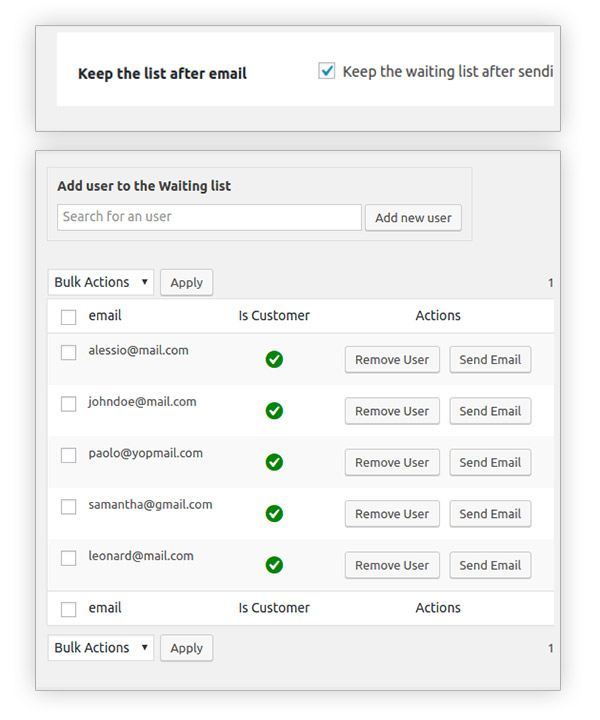
Keep the user list even after sending the email
This way you can have an extensive database that you can use for future commercial notifications
Allow the list to be registered on any page of the shop
You can insert the „Add to waitlist“ button on the page and assign the specific product ID via the shortcode
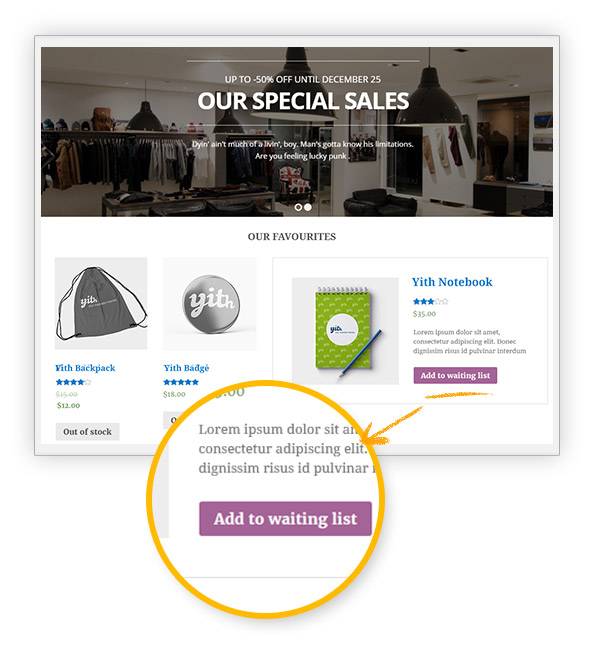
The features of the Yith waitlist, reminder list, notification list with automatic email dispatch for products back in stock
- Sign-up form for the waitlist on the individual product page. If there is an unregistered user, the form also displays an input field for entering the email address.
- For logged-in users who have already subscribed to the waitlist, they can unsubscribe from the list via the link in the form.
Metabox in the administrator’s product editing: The administrator can see how many users have already subscribed to the waitlist for each product and send an email to all of them (Ajax). - A basic template for emails.
- Customize the text displayed instead of „Notify…“, the text in the button, and the „Successful subscription“ text.
- Advanced form customization: „Notify…“ text, button text, „Successful subscription“ text, error text, and unsubscribe text. Customization of graphic style: colors and fonts.
- Customization of content in the email template: Select product content and image
- Send a confirmation email for a successful subscription to the waitlist
- Send an email to the store administrator when a user subscribes to a waitlist.
- Set up automatic email sending as soon as the product changes from „Out of stock“ to „In stock“ status.
- Import user emails from a CSV file into a waiting list New
- Support for variable products: ability to subscribe to a waiting list for each variant of a product with „Out of Stock“ status
- Keep your user waiting lists even after sending the email.
- Exclude some products from displaying the waiting list option
- Use a tab for advanced management of waiting lists: you can delete them, edit them (add or remove users), send the email to all or only some users.
- Make the „My Waiting List“ section available to users on the „My Account“ page (for registered users): they will see a list of all waiting lists they have subscribed to so far. They can also unsubscribe from there.
- Integration with Mandrill
- Register for a product waiting list anywhere on the page thanks to the specific shortcode
- Export waiting list users to CSV
- Add a mandatory checkbox to inform users how their email address will be used and to be GDPR compliant in every respect.
- Integration with YITH WooCommerce Product Bundles
Take advantage of increased sales now with this unique plugin and automatically notify potential customers about restocked items, new inventory, and truly without any effort! The WooCommerce Waitlist plugin really does everything by itself after a one-time configuration!

Fragen zu WooCommerce? Lust auf mehr Umsatz? Jetzt melden:
E-Mail: fi@vastcob.com
Florian Ibe





 DE
DE

