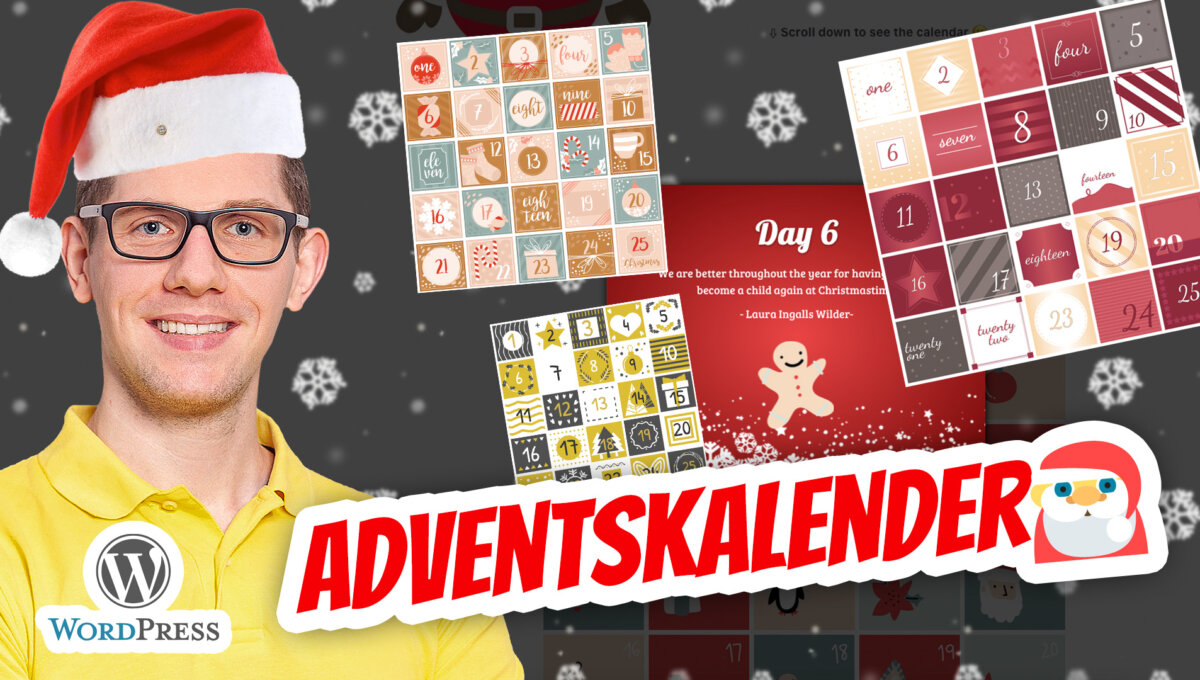
Winter, Santa 🎅, Christmas and snow ❄ on your WordPress site or in your WooCommerce shop? No problem. But a WordPress advent calendar is especially cool and brings more inquiries, customer loyalty and sales.
WordPress Advent Calendar + Snow ❄ + WooCommerce Function
Christmas for your website is available here: https://wordpress.org/plugins/christmasify/
Christmasify is an easy-to-use Christmas plugin that can add snow, Santa, decorations, music, and a beautiful Christmas font to your WordPress website. All effects are togglable, so you can choose the ones you want.
Weather effects for WordPress (snow, rain, autumn etc.): https://wordpress.org/plugins/weather-effect/
The Weather Effect WordPress Plugin applies falling objects to websites such as snow, flakes, candies, stars, sleighs, snowman, ball, Christmas bells, Halloween bats, autumn and spring leaves, raindrops and umbrellas, Valentine’s heart and rose, Thanksgiving Day turkey, New Year’s balloon and stickers. The Weather Effect plugin has many weather times and occasions such as Christmas, Winter, Autumn, Spring, Summer, Rain, Halloween, Thanksgiving Day, Valentine and New Year. Please note: A premium purchase version may be necessary in some cases.
WordPress WooCommerce Advent Calendar Plugin with Quiz Function
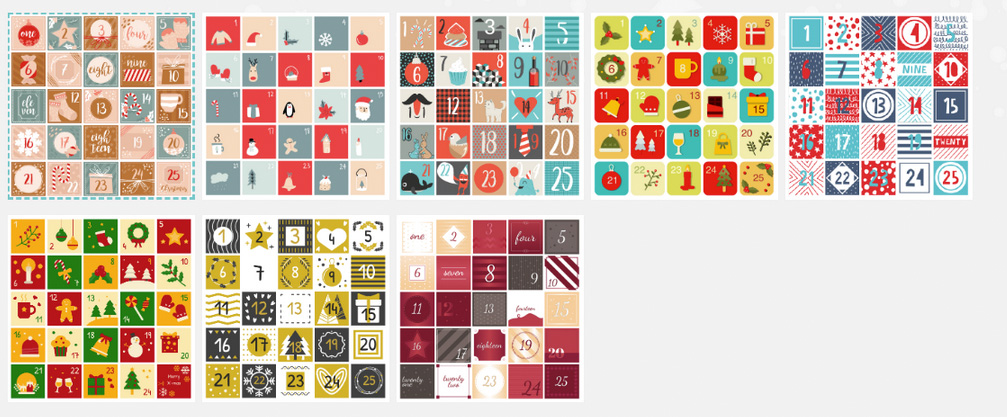
SantaPress* is a WordPress advent calendar plugin that allows you to easily provide a custom advent calendar on your website to surprise your visitors with a small gift every day until Christmas. Equipped with 8 layouts and many great features (such as many customization options, snowfall, hidden mode, etc.), this plugin makes your visitors want to come back every day.
Plugin features for a WordPress Advent Calendar with WooCommerce functions:
- Open doors as individual pages, modal windows (popup), external links, or link directly to WooCommerce products (if you have the WooCommerce plugin installed).
- Choose between automatic modal layouts (each calendar layout comes with its own modal layout) or customize the modal (simply change the width, add a solid background color or gradient, add a snowflake pattern or a Santa hat).
- Quiz – Each door can have its own quiz questions. In addition, SantaPress integrates with the popular Contact Form 7 plugin, allowing you to display a contact form after an answer is correct. Furthermore, you can set correct and incorrect responses either globally or individually for each door.
- 8 beautiful layouts, each with 25 door images. So, a total of 200 door images are available.
Use your own layout and upload your own door images. - Set the number of days for your calendar so you can decide if you need 24 doors, 25 doors, or any other number.
- Hidden Mode – which initially hides the calendar and makes it appear after a preset time span or using custom CSS triggers.
- ❄ Snowfall (just let it snow)
- Use multiple calendars on your website.
- Add custom Javascript for each door (e.g., tracking codes).
- Click Tracking: Track your clicks for each door only for logged-out and logged-in users (excluding administrators).
- Further options available (preview mode, show/hide title, shuffle doors, disable previous doors).
- Custom CSS.
- Responsive and Retina/HiDPI.
- WPMU compatible.
- WPML compatible.
- GDPR compliant: The plugin does not load any external scripts, everything is within the plugin. The tracking mode only tracks clicks and no IP addresses.
- Clean and commented code.
A very simple and free alternative for an advent calendar in WordPress: https://wordpress.org/plugins/advent-calender/
Additional tip for more sales during the Advent and Christmas season = selling vouchers via WooCommerce:
WooCommerce Coupon Generator (Gift Voucher / Coupon / Voucher) easily create
Become more visible on Google & Social Media?
In a free strategy consultation for data-driven online marketing, we uncover your untapped potential, review any existing ad accounts if necessary, examine your SEO ranking and visibility, and determine which strategy is appropriate for your budget and which active measures will lead to more inquiries or sales.

✅ More visibility & perception through targeted placement
✅ More visitors > prospects > customers > revenue
✅ Reach target groups scalably with SEA
✅ Act and grow sustainably with SEO
🫵 Maximum success with our hybrid strategy
💪 More than 15 years of experience across industries in over 1,000+ projects demonstrable!








Florian Ibe
CEO & Marketing Consultant
Your contact person: Florian Ibe
General information and description of WordPress Advent calendar with snow function and much more, as well as WooCommerce functionality and linking
WordPress is the world’s leading content management system, known for its flexibility and user-friendliness. It enables both beginners and experienced developers to create and manage appealing websites. WooCommerce, a powerful plugin for WordPress, extends these capabilities with e-commerce functionalities. It allows website operators to create everything from small online shops to large e-commerce platforms. WooCommerce offers a wide range of customization options, supported by a variety of extensions and plugins to meet specific needs.
2. Advent Calendar Plugins for WordPress and WooCommerce
Advent calendar plugins are a fascinating addition to websites and online shops during the Christmas season. These plugins make it possible to open a new „door“ every day, behind which offers, discounts, or special content are hidden. Such plugins are often highly customizable, so they can reflect the branding and aesthetics of the website. They are not only a tool for customer loyalty but also a means to increase sales during the important Christmas season. Many of these plugins also offer integrations with email marketing services to maximize the reach of daily offers.
3. Snow Effects and Seasonal Decorations
Snow effects and other seasonal decorations contribute significantly to creating a festive atmosphere. By using such visual elements, website operators can establish an inviting and emotional connection with their visitors. These effects can be added either through special plugins or through custom code. It is important that these effects are used subtly so as not to impair the user experience and not negatively affect the website’s loading times.
4. Integration and User Experience
The integration of Advent calendar plugins and snow effects should be seamless, without affecting the overall appearance or performance of the website. It is crucial that such seasonal elements do not lead to an overload of the page or negatively impact the user experience. The website should continue to respond quickly and efficiently to ensure a positive shopping experience. This can be achieved through careful planning and testing.
5. Examples and Case Studies
An effective method to illustrate the benefits and functionalities of Advent calendar plugins and snow effects is to present examples and case studies. These could show real scenarios in which online shops were able to increase their customer loyalty and sales by implementing these tools. By analyzing these examples, readers can gain practical insights and ideas for their own web projects.
6. Conclusion and Best Practices
Finally, it is important to discuss best practices for implementing these seasonal features. These include aspects such as balancing aesthetics and functionality, ensuring a smooth user experience, and avoiding excessive loading times. Careful planning and early preparation are crucial to ensure that the website is optimally positioned for the Christmas season.
This article provides a comprehensive overview of the possibilities that WordPress and WooCommerce offer to create a festive atmosphere while increasing user experience and sales.




 DE
DE