

FileBird is a media file manager plugin that allows you to organize WordPress media library folders by drag and drop. You can create virtual folders to categorize your WordPress media uploads. So when you move files and folders, the permalinks to your images in the content will not be broken.
With FileBird Pro, you can save time managing WP media, search for files and folders, sort them, add image galleries, etc. This is an excellent way to improve your admin workflow and productivity.
WordPress Media Library File Manager by Drag & Drop – FileBird
Do you have hundreds or thousands of your files in the WordPress media library? And you have trouble managing them? FileBird – The plugin for WordPress Media Library Folders is designed to help you take your WordPress media library to the next level
The FileBird media folder is basically a virtual category applied to media files in WordPress, without affecting the permalinks of the files and moving files on the FTP.
When you develop a site, you add tons of new media files such as images, videos, audios, PDF, txt, docx, .ect to your page or webshop day after day. As a result, your site has to store thousands of files. In the standard WordPress media database, you cannot arrange files logically, and you wish you could do it the way you do with your files on your own computer, right? If you want to search for a specific uploaded file on your WordPress site, you don’t know how to find it?
FileBird* – WordPress Media Library Folders is designed to help you overcome the obstacle. With this plugin, you can easily organize your files in your site’s media library. With this tool, you can manage and arrange thousands of images, audios, videos, and other files in your media library.
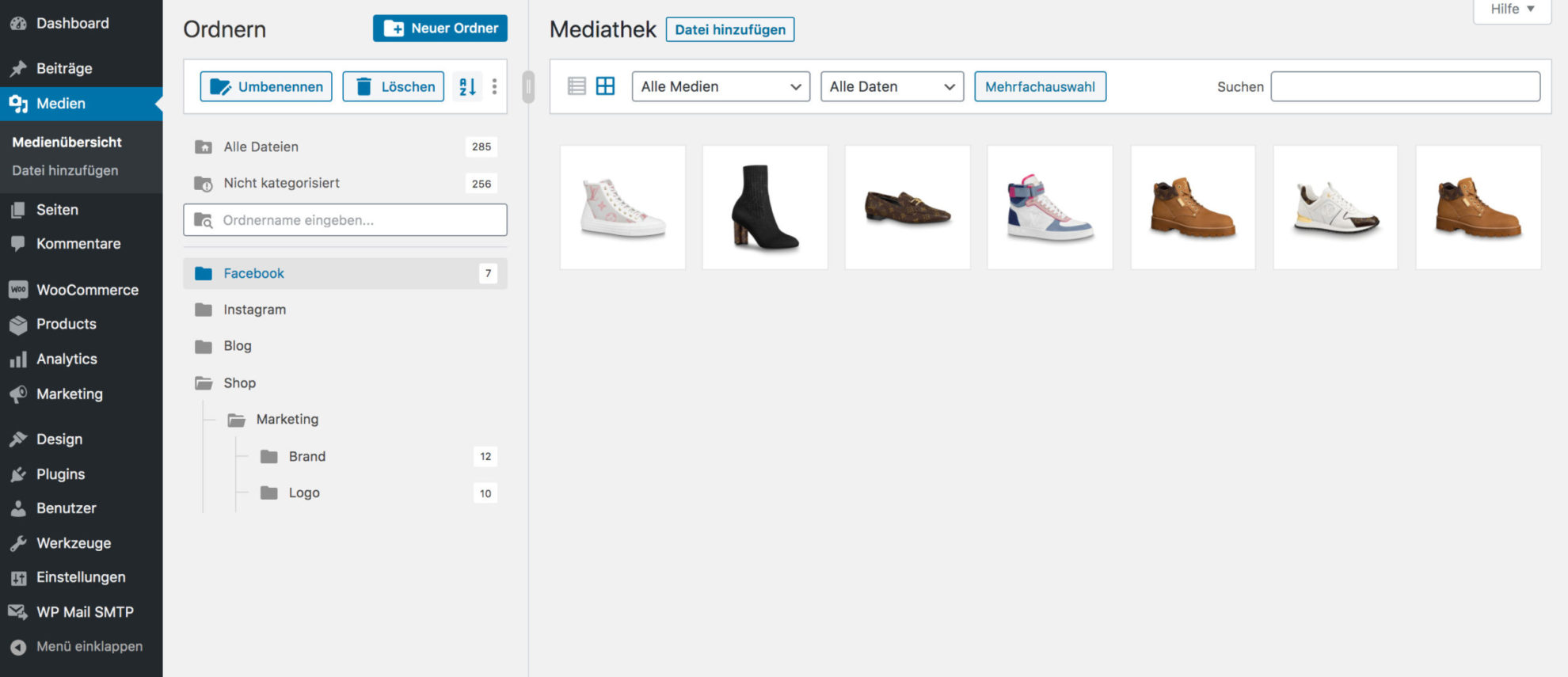
Managing files in WordPress has never been easier. You can simply drag and drop files/folders to upload or move them. This saves you a lot of time setting up your media files. The hierarchical view of your folders also makes it easy for you to quickly find specific folders in just a moment.
Features & Functions of the FileBird Media Library Folder Plugin for WordPress
DRAG AND DROP INTERFACE
Drag & drop is becoming a modern standard. Native drag events, including moving files into foldersandfolders into folders in just one blade, reduce the number of clicks needed to complete your tasks.
FOLDER TREE DISPLAYED WITH TOP-NOTCH DESIGN
We follow the latest trends in creating icons, buttons, labels, sections, and draggable elements. All Ninja Team plugins are written with clean quality codes and UI/UX-inspired designs.
Become more visible on Google & Social Media?
In a free strategy consultation for data-driven online marketing, we uncover your untapped potential, review any existing ad accounts if necessary, examine your SEO ranking and visibility, and determine which strategy is appropriate for your budget and which active measures will lead to more inquiries or sales.

✅ More visibility & perception through targeted placement
✅ More visitors > prospects > customers > revenue
✅ Reach target groups scalably with SEA
✅ Act and grow sustainably with SEO
🫵 Maximum success with our hybrid strategy
💪 More than 15 years of experience across industries in over 1,000+ projects demonstrable!







SUPERIOR FILE BROWSER IN PAGE BUILDERS
Open the page builder you are using, simply insert an image element, and browse files directly in the same interface as the native FileBird media library folders. This is the exquisite feature that FileBird exclusively offers you.
EMBEDDED GALLERY WITH FILEBIRD GUTENBERG BLOCK
Simply insert a ‚FileBird Gallery‘ block into your page/post composer and select the folders you want to display. All media files in the selected folders will automatically appear in your post. Also custom column number, link, caption, and crop images.
SPECIFIC FOLDER-
Upload With FileBird, you can upload many files at once to the WP folder where they should remain. Simply select a specific folder from the dropdown menu under „Upload new media upload „. Creating such collections has never been easier.
COMFORTABLE LIBRARY
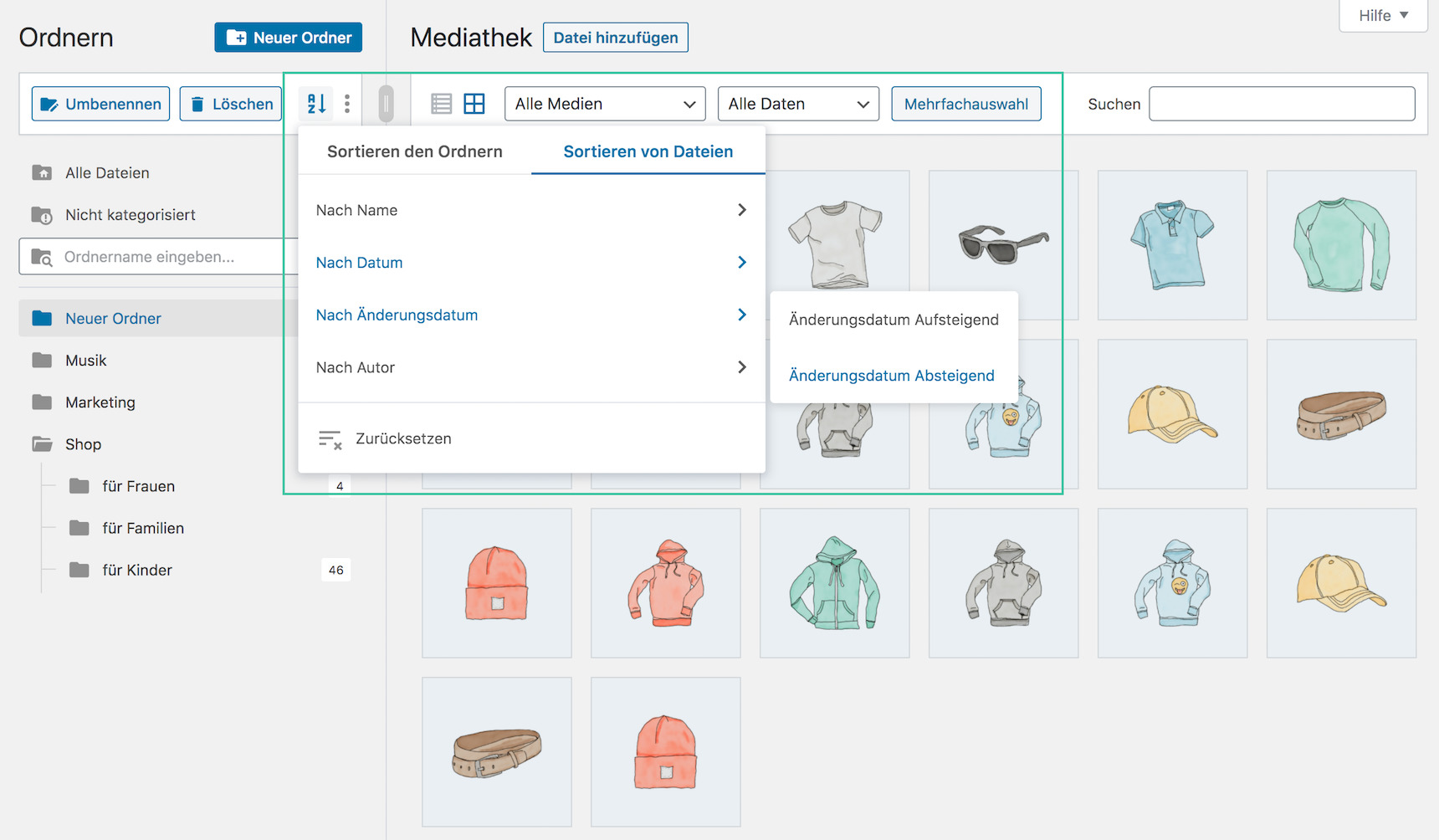
Your image gallery now features alternative list or thumbnail views. Simply choose the best view for you to perform the fastest bulk selection, reordering, or other actions. Sorting in ascending and descending order is also available.
CUSTOMIZABLE SIDEBAR
What’s more? The size of your sub-sidebar can be adjusted to your own naming lists. You can also collapse it to focus on the folder you are currently working on.
PAINLESS MIGRATION
We care, that’s why we build. If you are already using Enhanced Media Library by wpUXsolutions or Media Library Folders by Max Foundry, you can easily import all folders at once.
FLEXIBLE MEDIA TAXONOMIES The
multi-level structure surely helps you in filtering, categorizing and managing right in the native WP dashboard. Even when your library grows to thousands of files, the taxonomy system does its job for you.
CMS OPTIMIZATION The
beneficial performance improves the Content Management System by reducing administrative time as well as operating and maintenance costs. This achieves effective management.
ASSISTIVE SEO
Media file hierarchy establishes a proper order in which all members of the collaboration can easily track changes and events. You don’t build your website alone, do you? So you need to focus it on teamwork, especially for SEO staff.
INTELLIGENT DELETE Adding
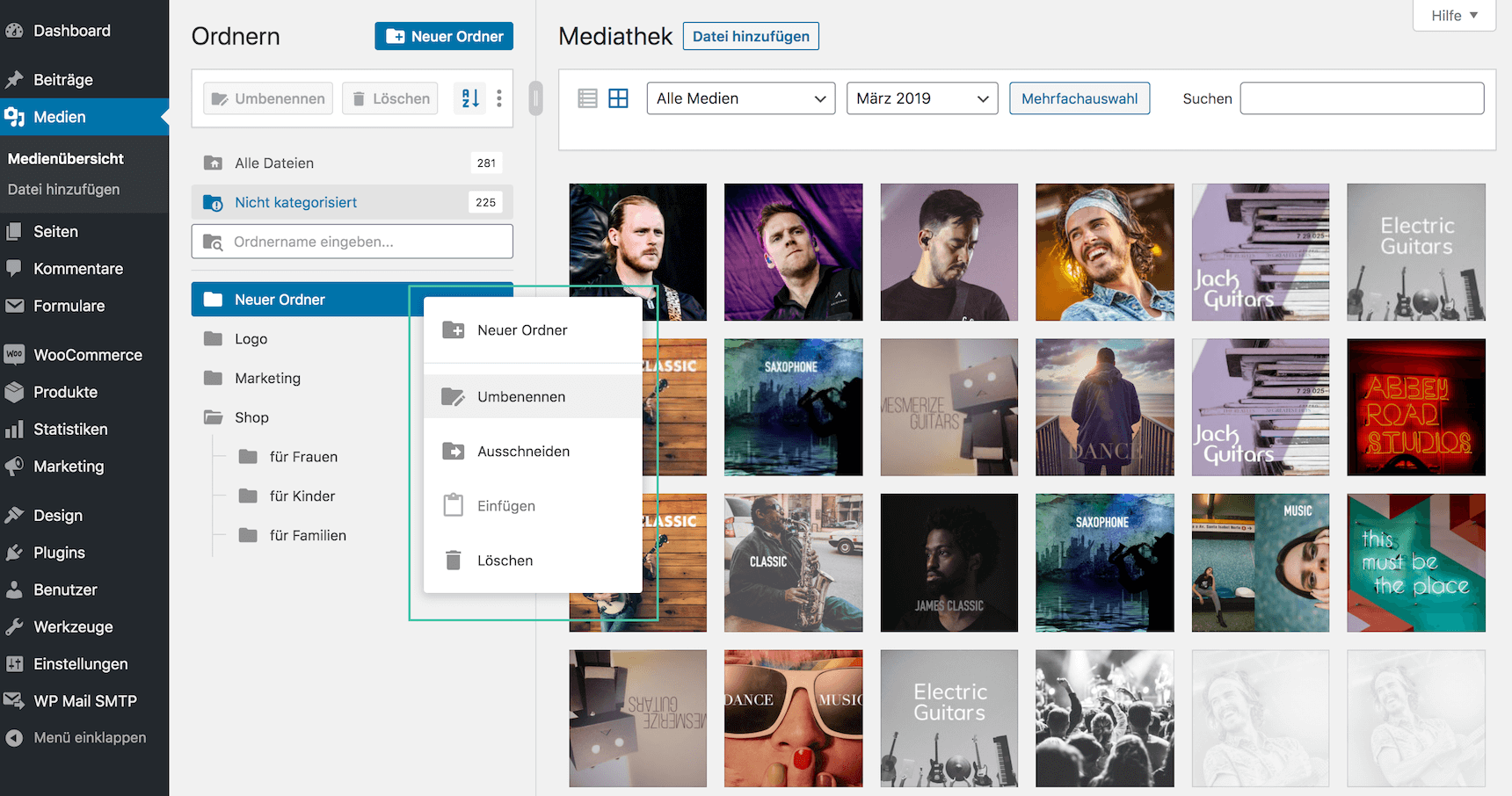
or renaming a folder is just a click away. And that’s how a folder is deleted. However, you don’t lose your data. All your files are moved to the „Uncategorized“ folder so you can still use them later. Everything you need is at hand.
MULTILINGUAL SUPPORTED
All manipulative menus and labels are translated so you don’t have to. Just one click to install and you don’t have to look up a word. In any case, clean UI/UX makes it so intuitive that reading the documentation is no longer needed.
VERSATILE COMPATIBILITY
FileBird easily integrates with common themes, page builders, and other third-party providers such as WooCommerce, WPML, WPBakery, Elementor, Gutenberg, Beaver Builder, Divi, Thrive Architect, Slider Revolution, Smush, etc.
Screenshots and preview of the FileBird plugin
Easily create, rename or delete folders
SIMPLY DRAG & DROP FILES / FOLDERS
FAQs – Questions & Answers about FileBird
Q: Where can I find the documentation for this plugin?
A: You can find it here https://ninjateam.gitbook.io/filebird/
Q: How can I select an uploaded file in a specific folder when creating a new post?
A: Yes, you can use the folder tree on the left or select the folder from the dropdown list in the filter field next to the search field.
Q: Will all my uploaded files remain the same after the initial installation of this plugin?
A: Yes, they will.
Q: If I create a folder or category, does it override the default WordPress path "wp-content/uploads"?
A: No, it does not. The plugin helps to organize files visually in folders. The default file path remains.
Q: How can I select multiple files in bulk and put them in a folder?
A: You can use the bulk select button in the media grid, select the desired files in bulk, and simply drag them into a folder.
Q: If I move an image to another folder, does this action affect the appearance of the image on my frontend?
A: No, it does not. The image will still be displayed correctly on the site frontend, and the file path will not be changed.
Q: How can I update FileBird to the latest version?
A: You can follow this guide: https://ninjateam.gitbook.io/filebird/how-to-update-filebird
Q: How can I get support?
A: You can reach us here https://ninjateam.org/support/
TIPS FOR MANAGING WP MEDIA FOLDERS LIKE A PRO WITH FILEBIRD
- Upload multiple folders and their files directly from your computer to WordPress
- Resize the left sidebar to get an overview of all folders
- Upload files to a specific folder by selecting the destination folder from the dropdown list
- Search easily by file/folder name
- Browse files and folders in the FileBird UI on the Page/Post Composer
- Use the FileBird block gallery to insert multiple media files into a page, post, and custom post type
- Keep your folders tidy by deleting old files using the sorting functions
- Press ESC to exit bulk selection mode
FileBird was also added to the top bestseller theme Avada* in 2020 and is included. This speaks for the good quality of the plugin!

Florian Ibe
CEO & Marketing Consultant
Your contact person: Florian Ibe





 DE
DE

