

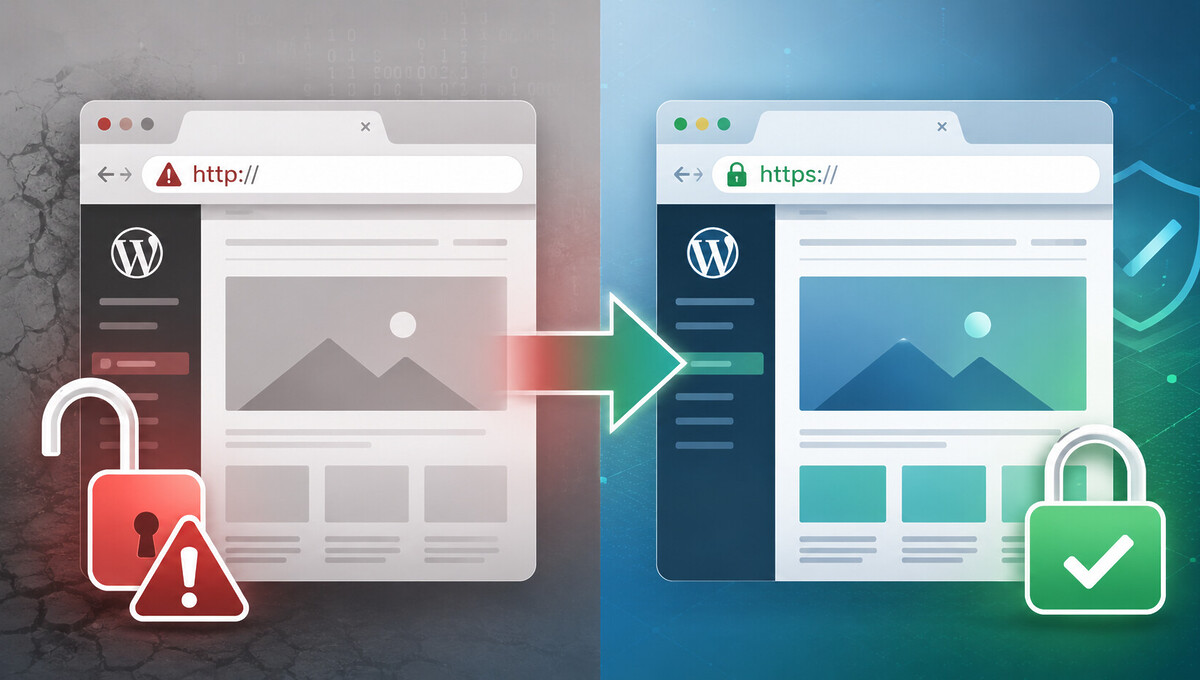
Browsers now mark unencrypted websites as „not secure,“ and search engines prefer sites with an active SSL certificate. Operating a WordPress installation over HTTP means losing trust, rankings, and potential conversions. We show how to achieve a clean transition, what typical pitfalls exist, and what to consider regarding hosts, databases, and redirects.
Why the WordPress HTTPS migration is mandatory today
HTTPS has been the de facto standard for every productive website for years. Browsers like Chrome, Firefox, and Safari display prominent warnings on pure HTTP pages, which deter visitors and noticeably reduce trust in a brand. In over 1,000 projects implemented since 2010, we have supported HTTPS migrations for SMEs, brands, and corporations.
From an SEO perspective, the migration is no longer a nice-to-have. Google officially confirms HTTPS as a minor ranking factor and prefers encrypted connections for otherwise equivalent content.
Additionally, there’s the data protection aspect: operating forms, login areas, or shop functions without SSL risks warnings and complaints. A clean HTTPS migration for WordPress is therefore mandatory in almost all use cases.
Advantages at a glance
An encrypted connection builds trust because browsers no longer display warnings. Login data, contact forms, and payment information can also be transmitted securely.
Furthermore, there are technical advantages such as support for HTTP/2 and HTTP/3, which only function via TLS. This means an HTTPS page often loads even faster than its HTTP counterpart.
Consequences of pure HTTP operation
Without SSL, visitors receive a clear warning in the address bar. Conversions measurably decline, especially on forms and checkout pages.
Search engines still index pure HTTP pages but do not assign an additional ranking signal. In the long run, this creates a competitive disadvantage compared to HTTPS competitors with identical content.
Prerequisites before the WordPress HTTPS migration
Before the actual migration begins, two things are absolutely necessary: a valid SSL certificate and a complete backup. You should definitely complete both points before any configuration change to be able to revert cleanly in case of an error.
Modern WordPress hosting now includes SSL in almost all plans. If you are looking for a powerful environment, our WordPress Hosting offers a high-performance basis with native SSL support and automatic certificate renewal.
Those who meticulously complete all preparations will save themselves extensive troubleshooting later. The backup, in particular, is the most important insurance against errors in the subsequent steps.
Activate SSL certificate with the hoster
Most hosters offer Let’s Encrypt free of charge. In the provider’s customer menu, a single click is usually sufficient to issue the certificate for the desired domain and automatically renew it.
Become more visible on Google & Social Media?
In a free strategy consultation for data-driven online marketing, we uncover your untapped potential, review any existing ad accounts if necessary, examine your SEO ranking and visibility, and determine which strategy is appropriate for your budget and which active measures will lead to more inquiries or sales.

✅ More visibility & perception through targeted placement
✅ More visitors > prospects > customers > revenue
✅ Reach target groups scalably with SEA
✅ Act and grow sustainably with SEO
🫵 Maximum success with our hybrid strategy
💪 More than 15 years of experience across industries in over 1,000+ projects demonstrable!







If a premium certificate with organization validation is required, for example, for e-commerce or regulated industries, it can be purchased additionally. For standard websites, however, Let’s Encrypt is completely sufficient and technically equivalent.
Complete backup of files and database
Back up all WordPress files via FTP or through the hoster manager. In parallel, export the database via phpMyAdmin or a plugin like UpdraftPlus.
Make sure to store both backups externally, i.e., outside the webspace. This way, the backup remains accessible in an emergency, even if the live site no longer responds.
Step-by-step conversion of WordPress site to HTTPS
The actual conversion follows a fixed sequence. Adhering to it avoids redirect loops and mixed content warnings, which can otherwise quickly arise.
First, activate the SSL certificate with the hoster. Only then change the URLs in WordPress to https://, then re-save the permalinks and perform a search-and-replace in the database. The 301 redirect should only be set at the very end.
This order is important because a premature 301 redirect combined with a missing or invalid certificate will result in the page being completely inaccessible.
Adjust WordPress Address and Site Address
In the dashboard under Settings → General, you will find the fields „WordPress Address (URL)“ and „Site Address (URL)“. Change the entry in both from http:// to https:// and save.
Alternatively, you can set the values via the wp-config.php with the constants WP_HOME and WP_SITEURL. These overwrite the database values and are particularly useful for automated deployments.
Resave Permalinks
After changing the URL, go to Settings → Permalinks and click „Save Changes“ once, without changing anything. This will regenerate the .htaccess rules and apply the HTTPS scheme.
This step is often forgotten and otherwise leads to sporadic 404 errors on individual subpages. A quick click saves a lot of troubleshooting later.
Mixed Content Issues and Converting WordPress Images to HTTPS
The most common consequence of an incomplete conversion is mixed content warnings. These occur when a page delivered over HTTPS continues to load images, scripts, or stylesheets over HTTP.
The cause is almost always in the database. Posts, pages, theme options, and plugin configurations store image URLs as absolute paths. As soon as these begin with http://, the browser blocks the call or at least issues a clear warning.
For the clean technical migration of larger data sets, we use automated scripts within our WordPress programming that correctly convert serialized data in theme options.
Search and Replace in the Database
The most reliable way is via WP-CLI with the command wp search-replace 'http://your-domain.de' 'https://your-domain.de'. The command replaces all occurrences in a serialized-safe manner and is therefore also suitable for custom fields and theme options.
If you don’t have WP-CLI, use the „Better Search Replace“ plugin. It offers a graphical interface and also works in a serialized-safe manner, so no data is destroyed.
Update Images and Media URLs
After the search-and-replace, randomly check posts with embedded images. Especially old slider plugins, theme builders, and galleries sometimes store URLs in their own tables, which need to be handled separately.
In the browser, you can see every single mixed content warning via the developer console. This list is the fastest diagnostic to identify the last hard HTTP paths and correct them specifically.
Set up 301 Redirect from HTTP to HTTPS in WordPress
To prevent old HTTP links from leading to dead ends, redirect all traffic to the HTTPS version via a 301 redirect. A 301 redirect signals to search engines that the move is permanent and transfers between 90 and 99 percent of the existing SEO value.
The clean technical migration without ranking loss is part of our SEO Relaunch service. We check every redirect, avoid redirect chains, and monitor the result in Google Search Console.
It is important that the redirection does not run through multiple stations. Google typically follows only five hops; after that, the crawler aborts, and the SEO value is lost.
Insert .htaccess snippet
Insert the following code as high as possible in the .htaccess file in the root directory, before the WordPress standard rules:
RewriteEngine On
RewriteCond %{HTTPS} off
RewriteRule ^(.*)$ https://%{HTTP_HOST}/$1 [R=301,L]
The server-level redirect is significantly faster than any PHP or plugin solution. Before making the change, you should back up the .htaccess locally, as a typo can make the entire website inaccessible.
Alternative via Redirect Plugin
Those who do not have access to the .htaccess or value logs and bulk rules can use a plugin like „Redirection“ or „Really Simple SSL“. These plugins implement the redirection via PHP, which is slightly slower but perfectly sufficient for smaller websites.
Make sure to have only one redirect method active. Double redirects via .htaccess plus plugin often lead to redirect loops or double hops.

Switching WordPress to HTTPS: Strato and other hosts compared
The activation of the SSL certificate differs in detail depending on the host. Choosing the right provider saves a lot of effort later on with performance, security, and updates.
In the DACH region, Strato, IONOS, All-Inkl*, Hetzner, and SiteGround dominate the WordPress hosting market. Each provider has its own strengths, but technically, the solutions differ more significantly than marketing often suggests.
SSL activation with Strato and IONOS
With Strato, SSL activation takes place in the „Security Center“ of the customer menu. Let’s Encrypt is available for all active tariffs and is automatically renewed.
IONOS offers activation via the hosting package in the „SSL Certificates“ section. For both providers, issuance usually takes a few minutes; sometimes DNS adjustments are subsequently necessary.
Why we recommend All-Inkl as our preferred host
From over 1,000 managed projects, a clear favorite emerges for SMEs and agency clients: All-Inkl*. The KAS backend allows activation of the Let’s Encrypt certificate with a single click, and renewal runs fully automatically in the background.
In addition, there is reliable German-speaking support by phone and email, which is available for tricky questions even outside classic business hours. The performance of the servers remains stable even with WooCommerce shops with larger databases.
Regular PHP updates at no extra charge and a transparent pricing model without hidden additional costs are also practically important. If you are looking for a solid standard host for WordPress, All-Inkl* is the calmest choice in most cases.
A current video about all-inkl since 2024 with test, comparison, experience and recommendation:
Hosting with Hetzner and SiteGround
Hetzner is a strong choice for technically savvy operators looking for root access and maximum flexibility. SSL usually runs here via the CloudFlare plugin or manual server setup.
SiteGround offers excellent WordPress optimizations in international comparison, but is significantly higher priced than German standard hosts. For demanding setups with high traffic, it is a valid option.
Common errors and troubleshooting when migrating WordPress to HTTPS
Despite all preparation, typical problems repeatedly arise in practice. From the positive reviews of our customers on ProvenExpert, we know that structured troubleshooting is the key to a quick solution.
The most common pitfalls are redirect loops, remaining mixed content warnings, problems with external scripts, and caching conflicts. In most cases, these issues can be cleanly resolved with targeted measures.
Those who continuously monitor the live status after migration and adjust external SEO factors such as backlinks and sitemap entries also benefit from permanently clean WordPress SEO maintenance.
Resolving Redirect Loops
A redirect loop usually occurs when the reverse proxy already terminates HTTPS, but WordPress still expects HTTP. The solution is a short addition to the wp-config.php: if (strpos($_SERVER['HTTP_X_FORWARDED_PROTO'], 'https') !== false) $_SERVER['HTTPS'] = 'on';
This allows WordPress to correctly recognize the HTTPS connection and stop the loop. CDNs like Cloudflare also require the „Full“ or „Full (Strict)“ setting for the circuit between the CDN and the server to remain stable.
Checking External Scripts and Hardcoding
Theme files, custom functions, and individual plugins can contain URLs directly in the code. A look into header.php,footer.php, and functions.php is therefore advisable.
External scripts such as Google Fonts, tracking pixels, or embedded videos should also consistently be addressed via HTTPS or protocol-relative URLs (//domain.de/...). Otherwise, a mixed content warning will continue to appear despite all database work.
Conclusion on WordPress HTTPS Conversion
The WordPress conversion to HTTPS is now mandatory for every serious website. With the correct sequence of SSL activation, URL adjustment, database replacement, 301 redirect, and thorough troubleshooting, it succeeds reliably and without SEO losses.
Particularly important are the choice of a stable host, regular backups, and structured maintenance after the migration. Those who meticulously complete all steps benefit from better security, higher trust, and a slight ranking advantage with Google.
If you would like to professionally convert your WordPress site to HTTPS or have the migration accompanied, we support you with our WordPress Consulting and Support from preparation to success monitoring.





 DE
DE

