

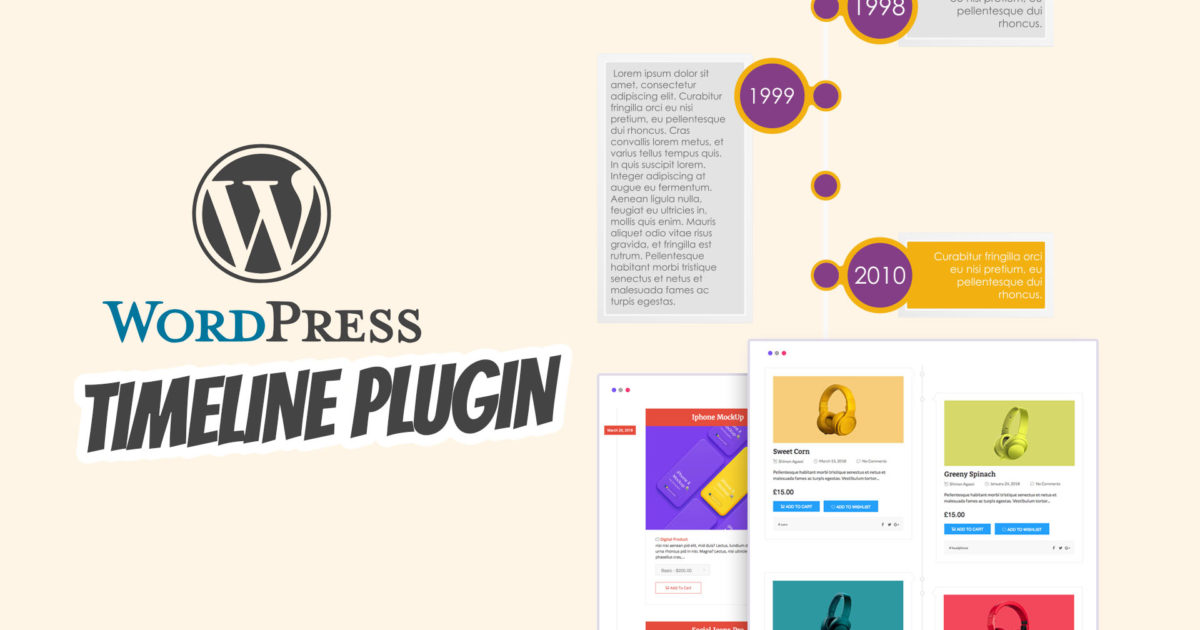
Unfortunately, it is not possible to display a timeline in WordPress by default. Some themes offer this functionality, and page builders like WpBakery, Elementor, and co. also have very simple elements integrated. However, if you really want to create visually appealing and sophisticated timelines, you cannot do without one of the best WordPress Timeline plugins for a timeline (history). In this article, we present the top 3 with compatibility with Gutenberg, WpBakery (Visual Composer), Elementor & co..
The Best WordPress Timeline Plugins for a Timeline (History) – Top 3
A WordPress timeline can look very different. Depending on the application, history, development, or even a story can be integrated here. The content is flexibly adaptable, and various ready-made styles or completely individual color and shape settings are possible. What is particularly special is that some plugins can also integrate WooCommerce products, Facebook and/or Instagram feeds, and much more. This allows an unlimited number of stories and timelines to be generated and flexibly embedded. The display usually varies as a horizontal or vertical list and as scrollable elements or as a slider. Almost anything is possible here!
The plugins cost only a few euros (15-25 euros) with a lifetime license and premium support from the developers.
WordPress Timeline Plugin: Create a fantastic story timeline with images, videos, and slideshows as a history view (timeline)
Here we present the best WordPress plugins for timelines. We recommend simply clicking through all of them and checking out the demos:
1. WP Timeline – Plugin for vertical and horizontal timeline
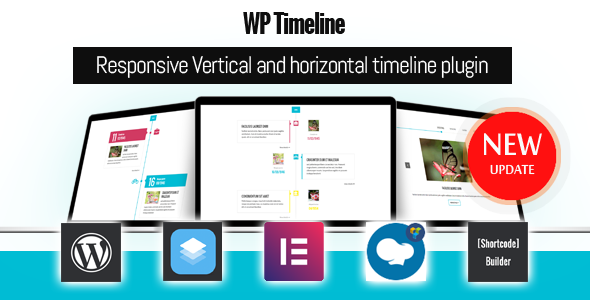
If you want to create stories, timelines, history, or roadmaps… WP Timeline is a must-have plugin. Designed to create timelines easily and stress-free, WP Timeline is the easiest way for your company to display timelines/stories/history… With the WP Timeline plugin, you can manage everything from creating to displaying timelines. You can create timelines with BC/AD dates or any date and display any post types, tags, categories, taxonomies, and timelines anywhere via shortcodes.
List of Features
- Works with any theme
- Create a timeline with any date (BC/AD date support)
- Date selection from year 1000
- Order timeline by timeline date or custom order field
- 45+ Best Beautiful Layouts
- Support for 40+ Animations
- Supports Font Awesome 4.7 & 5.9
- Dark and Light Mode Support
- Display Full Content in Lightbox Support
- Date Picker + Custom Date Field to Enter Anything
- Fully Responsive and Mobile Ready.
- Create Unlimited Timeline
- Display Timeline Anywhere with Shortcode.
- Unlimited Timeline Color. You can set a custom color for all or any category or any timeline
- Custom Font, Color for Heading, Content, and Meta Data
- Support Category, Tag, Custom Post Type, Custom Taxonomy
- VerticalandHorizontal Support
- Timeline Side by Side Support
- Ajax Filter Timeline
- Timeline with One Column Support
- Beautiful Single Timeline
- Ajax Load More Post
- Infinite Scroll Support
- Page navigation by page links
- History Bar Support
- Timeline with awesome icon or image support
- Display media: Video, Audio, Gallery on Timeline
- Quick edit and option to order the timeline by custom fields support
- Unlimited customize with font, color
- Custom Feature Label
- External/custom link instead of single page
- Lots of shortcode parameters
- Visual Composer Support
- Elementor Support
- SiteOrigin Support
- Shortcode Builder can easily generate shortcode instead of using the default shortcode
- RTL Support
- Image Lightbox Support
- Super easy configuration
- And much more… Check out the demo page
Become more visible on Google & Social Media?
In a free strategy consultation for data-driven online marketing, we uncover your untapped potential, review any existing ad accounts if necessary, examine your SEO ranking and visibility, and determine which strategy is appropriate for your budget and which active measures will lead to more inquiries or sales.

✅ More visibility & perception through targeted placement
✅ More visitors > prospects > customers > revenue
✅ Reach target groups scalably with SEA
✅ Act and grow sustainably with SEO
🫵 Maximum success with our hybrid strategy
💪 More than 15 years of experience across industries in over 1,000+ projects demonstrable!







2. Everest Timeline – Responsive WordPress Timeline Plugin

Everest Timeline is a responsive WordPress timeline plugin that includes over 50 stunning pre-built templates. It is an ultimate WP plugin to optimally present your story timeline. The plugin includes vertical timeline layout, horizontal timeline layout, one-sided layout, Facebook layout, Twitter layout and much more. Each layout comes with various styling options and customization possibilities.
The plugin supports media such as images, sliders, YouTube video, Vimeo video, HTML video and Soundcloud on your timeline. You can also integrate filter function, social media and share button, Facebook/Twitter feed, lightbox functionality and highlight your website with a stunning timeline.
It is a shortcode-enabled and widget-enabled WordPress plugin that allows you to design a creative story/event timeline in no time.
ATTENTION: Also usable with WooCommerce for e.g. displaying the latest shop products.
List of advanced features of Everest Timeline Plugin
- Over 50 ready-made, beautiful templates that can be used immediately.
- Many configuration options for filtering posts from all possible wp query conditions.
- Display the story/event timeline from all possible taxonomies or category queries of wp.
- Display the story/event timeline associated with specific custom fields, which can be either single or multiple custom fields.
- Display the story/event timeline based on a search term.
- Display the timeline of popular history/events from the view or comments.
- Display a story/event timeline post assigned to a specific status.
- Support various media types. Implement image, video (Youtube, Vimeo, HTML video), Soulcloud audio, and slider media types in the templates of each layout for every timeline post.
- 5 different layout types to display the timeline in various styles.
- 18 pre-built beautiful, responsive vertical timeline templates ready to use.
- 5 pre-built one-sided timeline templates. Manage the right or left image position.
- 21 pre-built beautiful, responsive horizontal slider timeline templates that can be used with single and multi-column templates.
- Present the Facebook feed in 3 different ready-to-use timeline templates. Enable or disable the number of comments, the number of comments, and the number of shares to display them on the frontend.
- Present Twitter feeds in 3 different ready-to-use timeline templates.
- 5 stunning navigation bar templates to present your timeline posts in a unique way.
- 13 animation effects to display the timeline in a unique way
- Present the timeline post with Fontawesome or Dashicon fonts.
- 5 stunning image filter templates to uniquely present your timeline posts.
- Order your timeline posts with simple pagination options. Standard, load more, and infinite scroll pagination. 5 templates for standard and load more.
- 16 available loader images for displaying more load and infinite scroll pagination.
- Backend Preview Function – easily test before going live.
- Enable or disable the link for sharing posts on various social media.
- Enable/disable post metadata, i.e., categories, tags, author, comment count, and date.
- 14 different date formats to choose from.
- Display the post detail page via the post link or custom link.
- Display full length or excerpt length of post content.
- Support popular eCommerce plugins Woocommerce and Easy Digital Downloads .
- New custom timeline post type added to add your own custom timeline
- Button to generate Facebook Access Token to generate your access token for accessing public Facebook page content.
- Color customization option for all templates
- Poster images for HTML5 videos
- Added year date format only
- Option to open link in self or target
- Enable/disable post link in title.
- Font Awesome 4 and 5 compatibility options
- Visual Composer compatibility
- Automatically generated shortcode that can be added to any post, page or template.
- Supports various mobile devices, allowing easy display on desktop and mobile devices.
3. Cool Timeline Plugin for WordPress (Create Horizontal, Vertical, and Blog Post Timeline)

Cool Timeline Pro is an advanced WordPress timeline plugin that showcases your life story timeline or your company’s story timeline in an engaging horizontal or vertical chronological order based on the year and date of your posts. It is the best plugin to create a timeline theme. You can also convert your blog posts into a blog timeline by using this awesome timeline template builder plugin.
GUTENBERG friendly with fully integrated Timeline Builder!!!
Cool Timeline PRO (version 3.1+) now also offers an instant timeline builder for Gutenberg lovers. With Gutenberg blocks and settings, you can easily create a timeline in real-time.
You can present your stories in a fantastic timeline format, by setting images, videos, slideshows, and custom design and colors according to your theme. You can use this timeline plugin anywhere via a simple shortcode.
The plugin includes an advanced admin panel with many options for styling, customization, and more.
Cool Timeline Pro Plugin is used to create
- Cool Horizontal and Vertical Timeline
- Great Company Timeline
- Timeline of Blog Posts
- Step-by-step Tutorial Timeline
- Program Flow
- Your Company Story
- Event Timeline
- Life Stories/Timeline
- Life Achievements
- Personal Timeline
- Author Biography Timeline
- Product Updates Timeline
- Company History Chronicle
- Content Timeline
- Startup Storyline
Cool Features of Cool Timeline Pro
- 40+ Timeline Designs
- Cool Timeline Pro offers 4 timeline layouts.
- Colors & Typography: – Cool Timeline Pro provides an advanced settings panel to easily manage timeline visibility settings, background/timeline element colors, and font/typography styles and color options.
- Video, Images & Slider: – You can easily display small and large images, YouTube/Vimeo videos, and image slideshows in Cool Timeline Pro. You can easily add them while adding a timeline story.
- Custom Color Option for Each Story: – When adding stories in Cool Timeline Pro, you can provide different colors for different stories.
- Multiple Timelines: – You can create multiple timelines on a website based on different categories using the Cool Timeline Pro WordPress plugin. You can display these timelines in any layout (vertical/horizontal) or design.
- Easy Shortcode Addition with Smart Generator: – If you are using a classic code editor in WordPress while adding a new page or post, you can easily add a shortcode on any page using the Smart Shortcode Generator tool in your code editor.
- Gutenberg / Elementor / WP Bakery: – Easily Add a Timeline via Gutenberg Blocks, Elementor, or WPBakery First, publish stories one by one, then you can easily display these stories in a timeline layout in any page builder: – Gutenberg Blocks, Elementor, or WPBakery.
- Elementor Timeline VERTICAL & HORIZONTAL TIMELINE FOR ELEMENTOR
- Custom Label / Text: – Display custom label instead of date Cool Timeline Pro provides features to display custom text instead of date/time in the timeline. You can easily add custom text and custom story order via simple settings while adding a timeline story.
- ASC / DESC Order: – Timeline in any order The ASC / DESC timeline shortcode provides an option to display the timeline in any order. You can display either ascending or descending order as per your requirement.
- Category Filter:-
Display Filter in Timeline You can display category-based filters above a timeline, and the user can view different category-based timelines on a page by selecting a filter/category. - Post-Timeline:-
Blog Posts Timeline With Cool Timeline Pro, you can display your website blog posts in a timeline layout on any page. You can also display any post type in the timeline layout by simply adding the post type slug in the timeline shortcode. - Ajax Load More / Pagination: – Ajax Load More and Pagination Support Cool Timeline Pro offers both features – pagination and load more. If you have many stories in your timeline, you can add pagination or a load more button after a certain number of stories in your timeline.
- Scrolling Navigation:- Small Scrolling Navigation You can display a small scrolling navigation on your timeline page for quick timeline navigation. This small timeline navigation allows a user to quickly and easily navigate to a specific year’s story.
- Icons in Timeline: – FontAwesome or Custom Image Icons You can display a Fontawesome or custom image icon along with each story in your timeline.
- HTML / Links / Read More: – Display HTML or Read More within the Timeline You can display links, bold text, or any custom HTML tag in Timeline stories, or you can also display a read more link to the full story page or a custom URL.
- Date Format: – Add any date format in the timeline You can display timeline dates in any date format, just include a date format in your shortcode and it will display date/year in your desired format. Check this URL: – https://codex.wordpress.org/Formatting_Date_and_Time
- Animations: – 15+ Animation Effects Cool Timeline Pro offers over 15 cool animation effects for a premium timeline design experience.
- Premium Support:- Premium Support for Pro Users We offer a premium support service to our Pro users. If you encounter any problem creating your dream timeline on your website, just email us here.
- Mobile compatibility view
- Usage via shortcode
- Easy installation ? buy, download the zip file, read the documentation
- Compatible with all common browsers, including IE ? compatible from IE9 to IE11, Chrome, Safari and Firefox

Florian Ibe
CEO & Marketing Consultant
Your contact person: Florian Ibe





 DE
DE

