

Most users utilize the following plugins for payment processing in WooCommerce via PayPal:
- PayPal Plus: https://wordpress.org/plugins/woo-paypalplus/
- PayPal Express: https://de.wordpress.org/plugins/woocommerce-gateway-paypal-express-checkout/ or https://wordpress.org/plugins/express-checkout/ or https://wordpress.org/plugins/express-checkout-paypal-payment-gateway-for-woocommerce/
Unfortunately, there are recurring issues with abandoned purchases, faulty connections, and problems with exceeded credit limits when using PayPal Pay upon Invoice.
NEWS: The Solution – now it works:
Solution: WooCommerce PayPal Plus not working (Cancelled/Aborted)
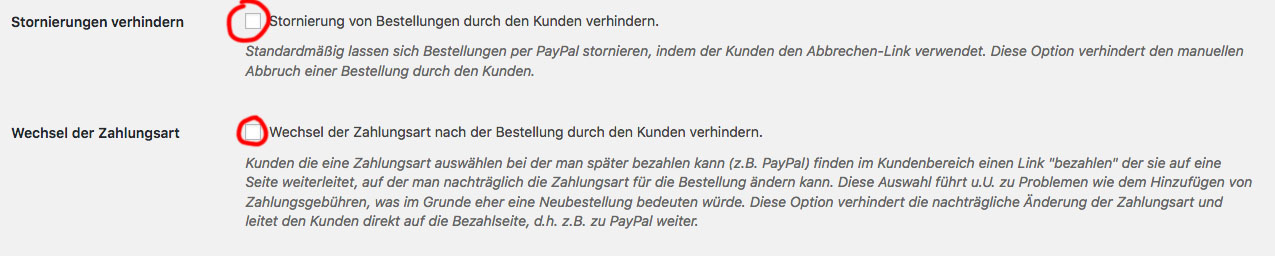
Important setting that should always be DEACTIVATED!
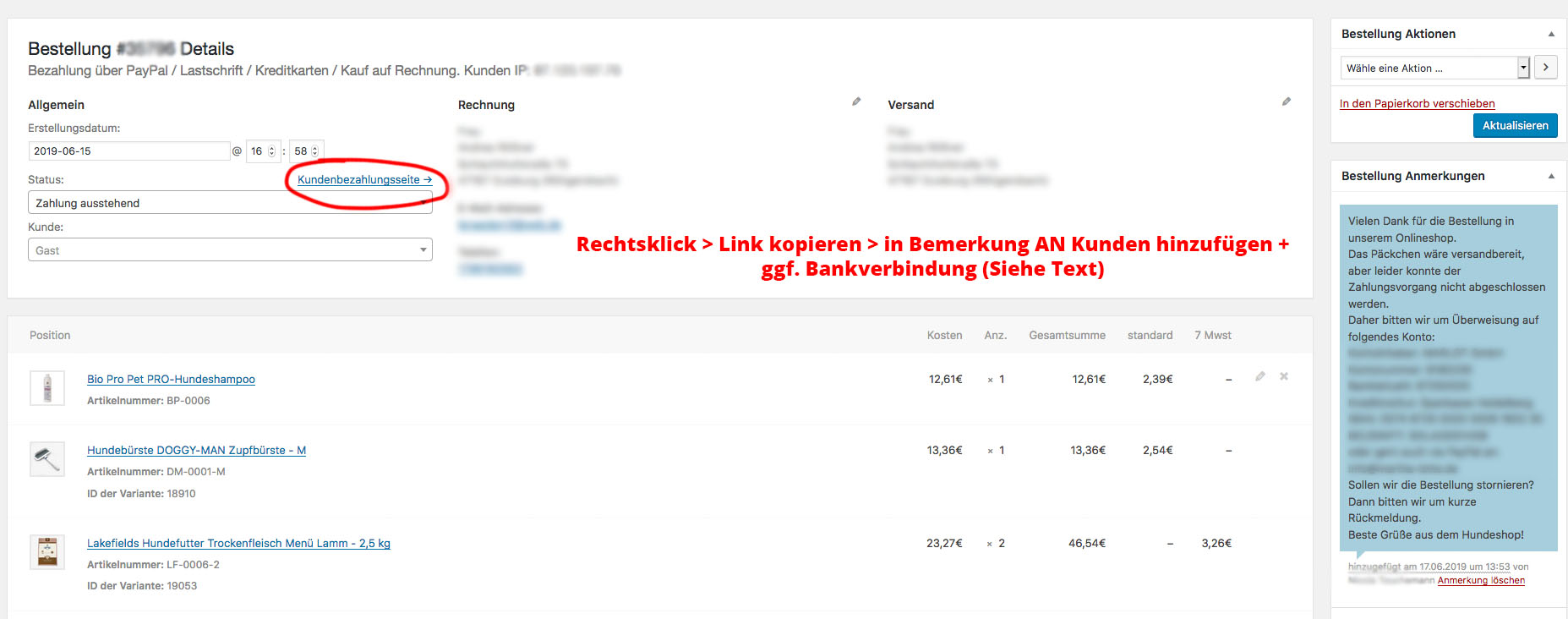
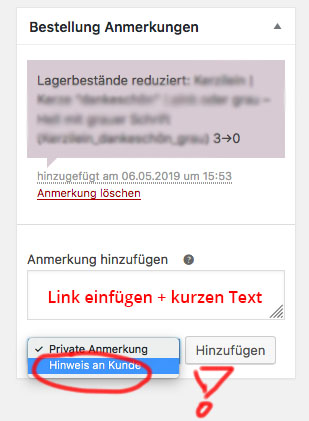
Right-click > Copy link > Add to remarks TO customer + bank details if necessary (see text):
Become more visible on Google & Social Media?
In a free strategy consultation for data-driven online marketing, we uncover your untapped potential, review any existing ad accounts if necessary, examine your SEO ranking and visibility, and determine which strategy is appropriate for your budget and which active measures will lead to more inquiries or sales.

✅ More visibility & perception through targeted placement
✅ More visitors > prospects > customers > revenue
✅ Reach target groups scalably with SEA
✅ Act and grow sustainably with SEO
🫵 Maximum success with our hybrid strategy
💪 More than 15 years of experience across industries in over 1,000+ projects demonstrable!







Example text for a response:
Thank you for your order in our online shop.
The package is ready for dispatch, but unfortunately the payment process could not be completed.
Please use the following link to complete the order:
INSERT LINK
You are also welcome to pay for the order by bank transfer.
Please use the following details:
Account holder:
Account number:
Bank code:
Bank:
IBAN: DE
BIC/SWIFT:
or manually via „Send money“ via PayPal to:
YOUR PAYPAL EMAIL ADDRESS
or should we cancel the order?
We kindly ask for a brief feedback on how we can help you and how you would like to proceed.
If you have any questions, please do not hesitate to contact us by phone or email.
Best regards from XXXX
Your team from XXXX
Note: The customer name will be automatically inserted BEFORE the text!
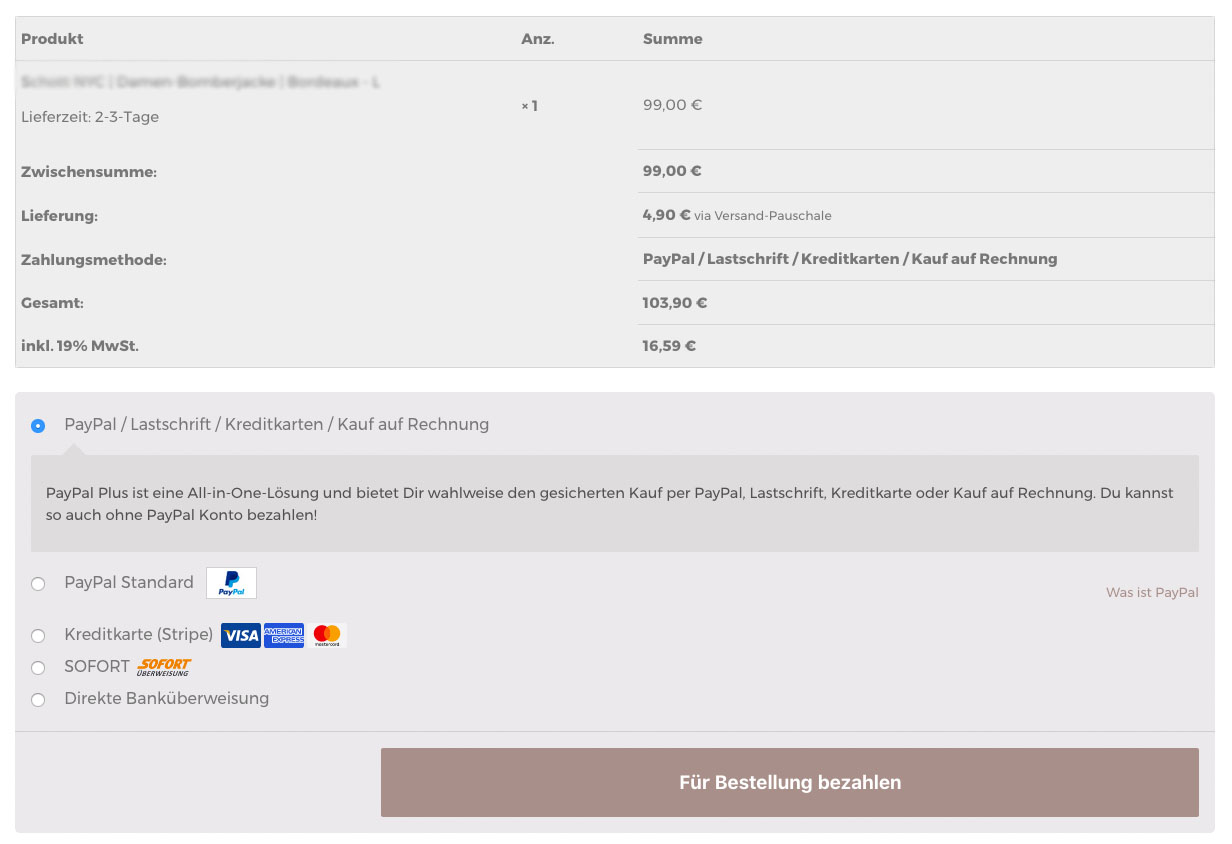
Customers can therefore switch from PayPal to another payment method if PayPal is not working.
Depending on the display and WooCommerce shop template, this looks like this:
Reasons for a pending payment or cancellation by PayPal:
- Credit line/credit limit (most common reason): These customers effectively have an active limit or have ordered a lot with „purchase on account“ in a short time. Such customers are „very dangerous“ because they exploit the credit limits of various systems. The only solution here is to choose prepayment, direct debit, or credit card. That always works…if the customer has money!
- Incorrect plugin configuration and wrong settings (see below)
- SSL certificate no longer valid and therefore no secure connection
Note on stock levels in the shop:
If a payment is still possible (Status: Payment pending | Order awaiting), the stock level will not be increased again. Only when PayPal finally cancels the payment option will an order be cancelled and the stock level increased again. However, you can also cancel the order yourself, and then the stock will automatically be increased by X.
Further problems may include:
- Check PayPal Plus configuration: https://inpsyde.com/wp-content/uploads/2018/04/PayPal-PLUS-WooCommerce-Handbuch.pdf
- Incorrect IPN configuration: https://www.da-agency.de/instant-payment-notification-ipn-sofortige-zahlungsbestaetigungen-bei-paypal-zahlung-woocommerce/
- PayPal Express API incorrectly set or not set at all: https://www.paypal.com/us/smarthelp/article/how-do-i-integrate-paypal-express-checkout-with-woocommerce-express-checkout-ts2100
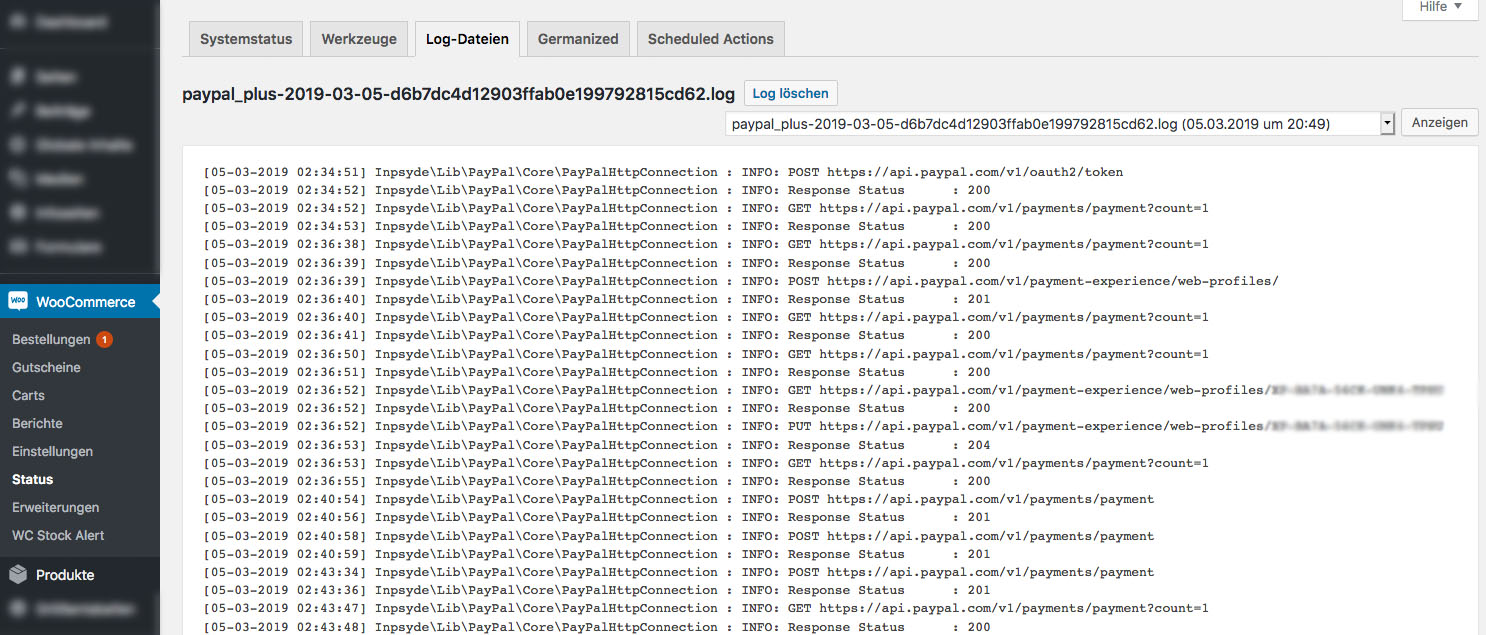
Check log files for PayPal payments:
By the way: Pre-made payment method symbols and graphics are available here.





 DE
DE


1 Comments
[…] Lösung: WooCommerce PayPal Plus Zahlung ausstehend & abgebrochen […]