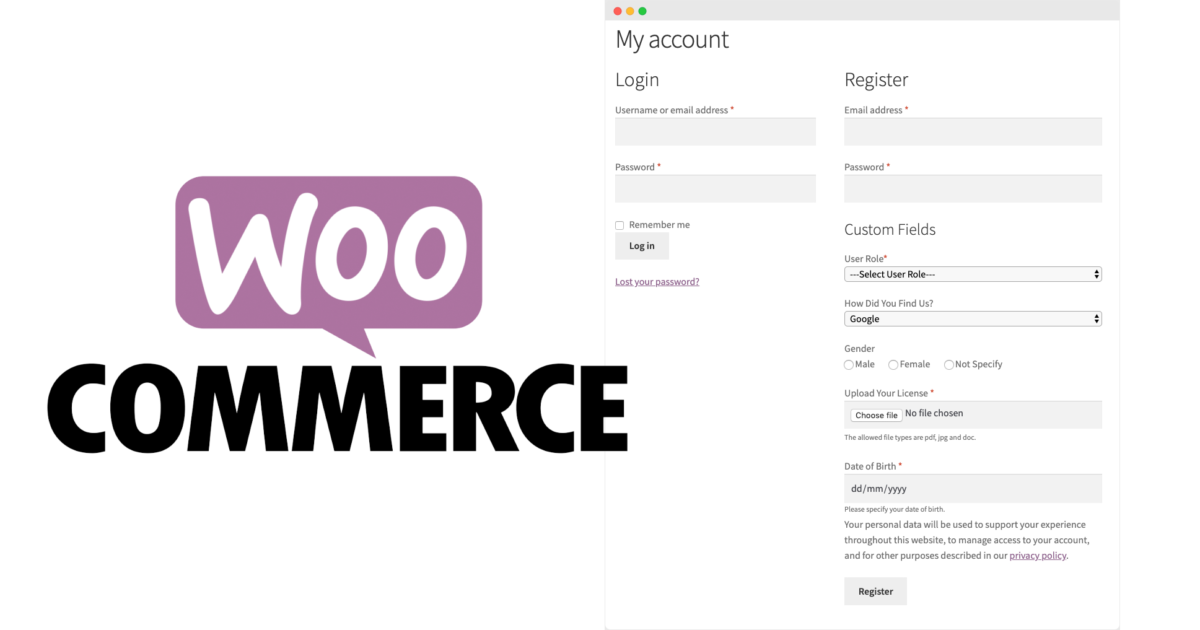
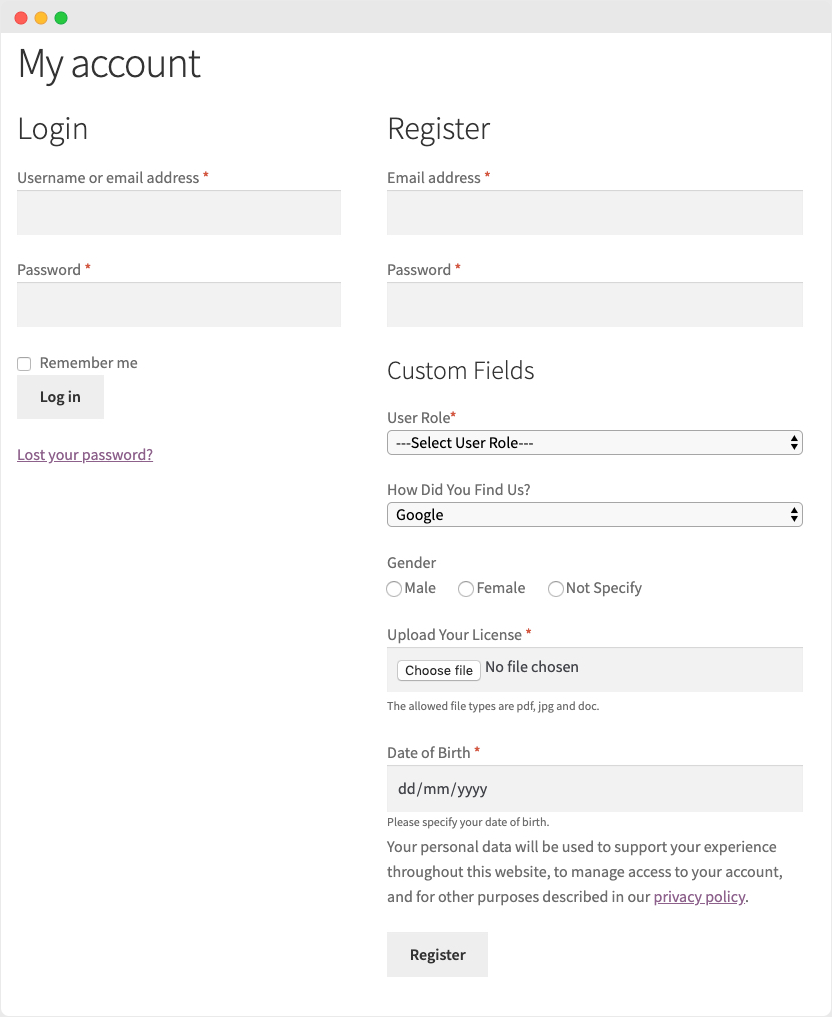
With the WooCommerce User Registration Extension*, you can collect additional information from your customers by adding custom fields to your registration form. Add dropdown lists, multiple selection options, checkboxes, file uploads, dates, and more. Display the fields on the „My Account“ page and make them either required or optional.
WooCommerce Plugin for additional custom registration fields and more customer information & customer data
You can also add a „User Roles“ dropdown menu to registration forms, allowing customers to select an appropriate role during registration. You can display either all or only specific user roles in the dropdown list. Approve new user registrations automatically or manually. This is particularly useful if you need to validate B2B customers before they can log in and place orders. Tag fields with specific user roles and display them only if a customer selects a specific role from the dropdown list.
» Click here for the WooCommerce Plugin*
Key Features of the WooCommerce Registration Form Extension
- Add unlimited additional fields to your registration form
- Adding Fields to WordPress and WooCommerce Registration Forms
- Display field data on a user's My Account page and in registration emails
- Choose from 14 field types
- Choose whether to display a "User Roles" dropdown on your registration form
- Display all or specific user roles in the dropdown list
- Choose between automatic or manual approval for user roles
- Manually approve new user registrations
- Send automated email notifications to administrators and customers
- Compatible with all third-party user extensions
- Add fields that depend on user roles
Add multiple custom registration fields
You can add multiple fields and place them anywhere in your user registration form. If WooCommerce is active on your site, the fields will appear in the WooCommerce registration form. If WooCommerce is inactive, the same fields will be displayed on the WordPress registration form.
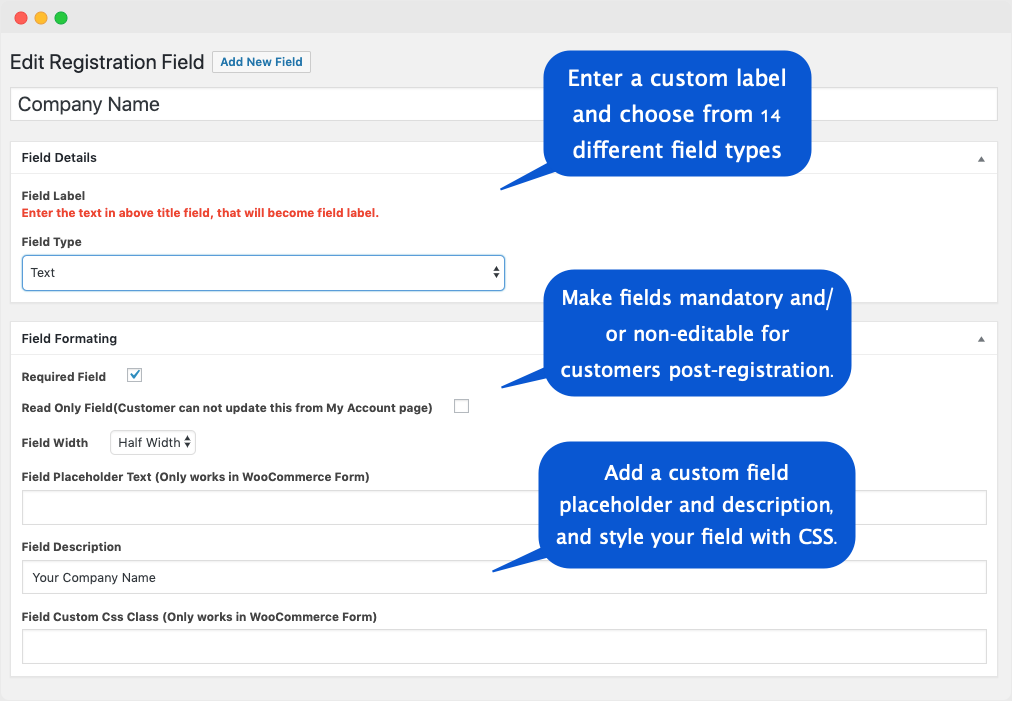
When creating a new field, you can add custom labels, placeholders, and descriptions for each field, and specify whether the field is required or optional. You can also make the field read-only, so that customers cannot change the data they enter after registration.
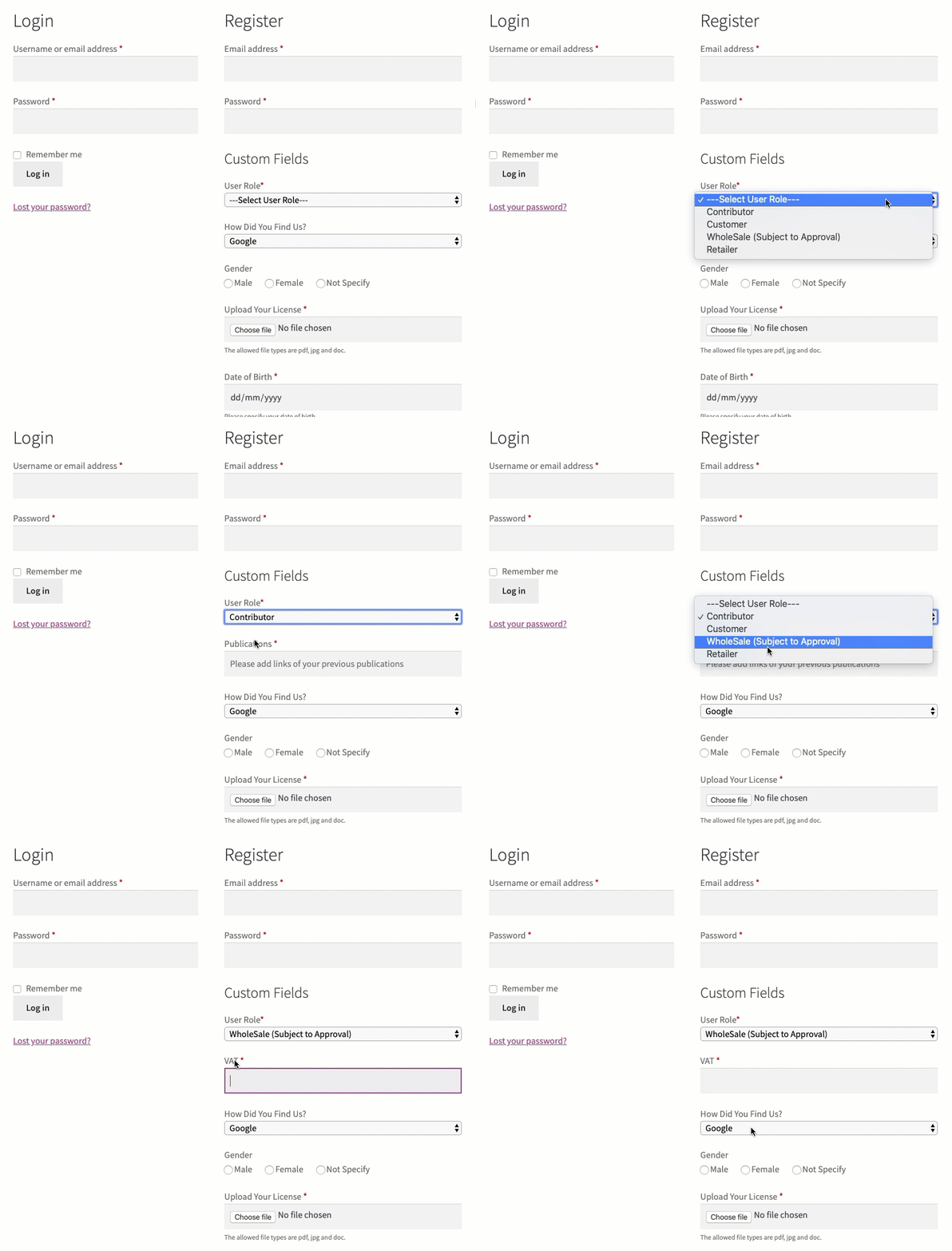
B2B Registrations for WooCommerce B2B Shop:
This WooCommerce registration extension can act as a full-fledged B2B registration solution that allows you to register both general and B2B customers using the default WooCommerce registration form. You can add fields that are dependent on user roles. For example, if you have created the user roles „Company“, „Retailer“, and „Wholesale“, you can create different field types for all these user roles. You can display the company name and VAT ID if a user selects the „Company“ role from the dropdown, and display the company name and address if a user selects the „Retailer“ role from the dropdown during registration.
Supported Custom Field Types
The „Custom WooCommerce Registration Fields“ extension offers 14 field types, allowing you to collect any type of information from customers.
Become more visible on Google & Social Media?
In a free strategy consultation for data-driven online marketing, we uncover your untapped potential, review any existing ad accounts if necessary, examine your SEO ranking and visibility, and determine which strategy is appropriate for your budget and which active measures will lead to more inquiries or sales.

✅ More visibility & perception through targeted placement
✅ More visitors > prospects > customers > revenue
✅ Reach target groups scalably with SEA
✅ Act and grow sustainably with SEO
🫵 Maximum success with our hybrid strategy
💪 More than 15 years of experience across industries in over 1,000+ projects demonstrable!







- Text Display
- Text Area Field
- Dropdown Box
- Multi-Select Box
- Checkbox
- Radio button
- Number
- Password
- File Upload
- Color Picker
- Date Selection (Calendar)
- Time Selection
- Google reCaptcha
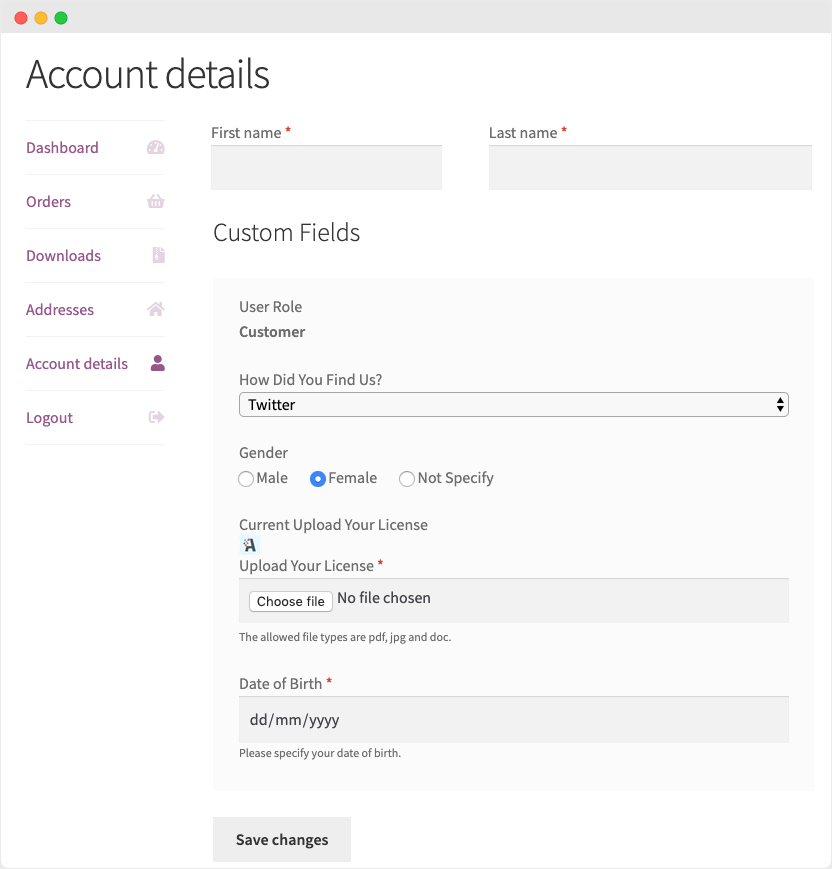
Display Field Data in "My Account"
The field data is also included on the customer’s „My Account“ pages for later reference. The store administrator can leave fields editable or make them read-only to prevent customers from making changes.
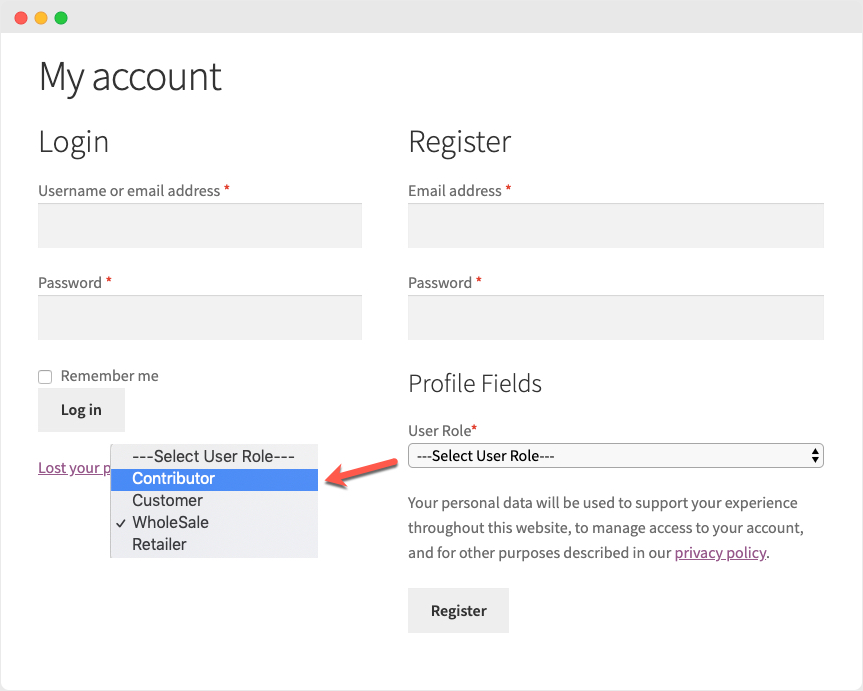
Role Dropdowns on Registration Forms
The WooCommerce Registration extension also allows you to display a user role dropdown on your registration form. Your customers can select the most suitable role for them during registration. Display all or specific user roles in the dropdown and select manual and automatic approval for each user role.
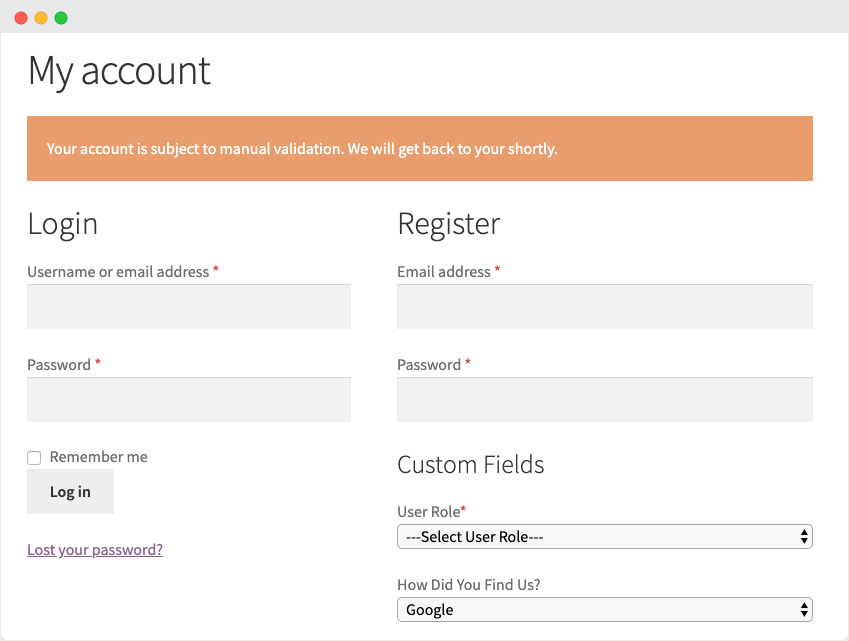
Manually Approve New Users
Manually approving new user registrations is a convenient feature that facilitates B2B commerce. If this option is applied to all user roles, no customer can log in until you have validated them.
Email Notifications for Admins and Customers
The WooCommerce Registration Fields extension automatically sends email notifications to the administrator and customers to keep them informed about their registration and account approval status. There are three customizable notifications and email alerts:
- Post-registration
- When a user tries to log in and registration is still awaiting manual review
- When an account is created and manual approval is required
- When an account is approved or rejected
A flexible alternative with even more possibilities and an extended login generally for ALL fields and options at checkout would be WooCommerce Checkout Fields & Fees*

You can find the article with further information here.
Custom additional fields and extra options for products are possible with Product Extra Options.


Questions or expert advice about WordPress & WooCommerce?
E-Mail: fi@vastcob.com
Florian Ibe




 DE
DE