

Setting up your own delivery service with WordPress and WooCommerce? No problem! In the video and in this article, we show the best solutions for your own independent WooCommerce delivery service for pizza, restaurants, cafes, sushi, etc., without license fees, inflexible systems, and cost traps! WordPress as a content management system and WooCommerce as a shop system offer the best basis. With the right plugins and the suitable theme, your own delivery service can be set up online quickly and easily.
Please note that this article is comprehensive and also includes simple additions below on how to add a delivery time or date to a WooCommerce shop.
If you have any questions, please contact us so we can provide a quote for a quick implementation.
WooCommerce Delivery Service for Pizza Delivery, Restaurant, Kebab Shop, Sushi with Delivery, etc. – The Best Solutions with WordPress Plugins & Themes

A delivery service can digitize and support existing or new restaurants, snack bars, or cafes online. Rising fees, licenses, and long-term contracts from large delivery service providers often lead to frustration, are a cost trap, and offer little flexibility.
The Top WordPress WooCommerce Plugins and Themes for Restaurants with Delivery, a Pizza Service, or General Delivery and Pickup Service
WooFood – Online Delivery for WordPress & WooCommerce*
WooFood is a complete solution for WordPress & WooCommerce, including plugin,theme & Automatic Order Printing Software for WooCommerce, compatible with Windows and MAC. It includes everything you need to create your own online delivery website for fast food, coffee, restaurant, etc.
WooFood also includes a multi-storeplugin to extend the main WooFood plugin for multiple restaurant locations. It can automatically send the order to the customer's nearest store.
- MultiStore function – For merchants with multiple stores
- Automatically send the order to the customer’s nearest store (* manual selection also possible)
- Maximum delivery distance
- Pickup option
- Multiple customer addresses
- Automatic address completion using the Google Maps API
- Accept / reject orders
WooFood is an all-in-one solution for your food delivery business , including a Food Delivery Plugin for WooCommerce , a lightweight and simple Theme and automatic order printing software for Windows and MAC You create Online Food Delivery System for Fast Food, Pizzeria, Café or a Restaurant with your WordPress website.
WooFood is not just a restaurant menu plugin for WordPress, but a complete solution that includes delivery times, delivery fees, pickup options, and automatic distance calculation to accept orders only within your delivery area.
If you have multiple locations, you can also use the included Multi-Store plugin to automatically send orders to the available restaurant closest to the customer.
Become more visible on Google & Social Media?
In a free strategy consultation for data-driven online marketing, we uncover your untapped potential, review any existing ad accounts if necessary, examine your SEO ranking and visibility, and determine which strategy is appropriate for your budget and which active measures will lead to more inquiries or sales.

✅ More visibility & perception through targeted placement
✅ More visitors > prospects > customers > revenue
✅ Reach target groups scalably with SEA
✅ Act and grow sustainably with SEO
🫵 Maximum success with our hybrid strategy
💪 More than 15 years of experience across industries in over 1,000+ projects demonstrable!







- Maximum delivery distance via Google Distance Matrix API
- Pickup option
- Delivery fee
- Additional options (toppings, extras)
- Multiple customer addresses
- Automatic address completion using the Google Maps API
- Accept / reject orders
- MultiStore function – For merchants with multiple restaurant locations
- Automatically send the order to the nearest store to the customer (* manual selection also possible)
- Automatic order printing
Additional options (such as toppings, sauces, etc.) for each product, variation, or for the entire product category (this saves a lot of time if you use the same additional options for multiple products in the same category).
With the automatic print software (order print) for WooCommerce, you can print your restaurant orders under Windows or Mac automatically print directly to your thermal printer or any other printer print .
The best part of WooFood is the software for automatic order printing, which is included for both Windows and MAC operating systems and is responsible for automatically printing customer orders on your thermal printer.
Accept / Decline Orders in Live Mode: With WooFood’s Accept / Decline feature, you can enable the option to accept orders in real-time. While the customer waits for their order to be accepted, you can provide an estimated delivery time in minutes based on your restaurant’s traffic.
Pickup Option: Customers can choose to pick up their order in-store. The store's address will also be displayed on the checkout page when selecting the pickup option.
Delivery fee: Use the delivery fee for your orders directly with WooFood or use the default WooCommerce > Shipping setting.
Automatic address completion (Autocomplete): Automatic address completion using the Google Places API for availability check, checkout form, and registration form.
MultiStore function: Do you have more than one location in your restaurant? The multi-store function automatically sends the order to the customer’s nearest store.
Maximum delivery distance: Set a maximum distance you deliver to and only accept orders from a specific area.
WooFood is a WordPress plugin for online food delivery that works with WooCommerce, a lightweight and simple theme, and Windows software to create your online delivery system for your fast food, pizzeria, cafe, or restaurant.
You can add additional option categories to any product, variation, or the entire product category (this saves you a lot of time if you use the same additional options for multiple products in the same category).
Set delivery times for each day of the week (customers cannot order outside these hours)
WP Food – Restaurant Menu & Order Food*
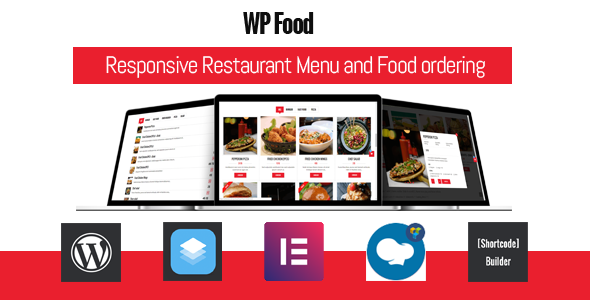
Lightweight and user-friendly food ordering with the WP FOOD Plugin – The best menu and ordering plugin for restaurants.
If you own a restaurant, cafe, or food service business, WP Food is a must-have. WP Food is designed to make ordering menu items seamless and hassle-free. It’s the easiest way for your business to display food and for your customers to order. With the intelligent WP Food plugin, you can manage everything from presenting your menu to taking and processing orders from a central location. For your customers, this means straightforward ordering and the best possible user experience to ensure they come back – again and again.
WP Food is designed for easy configuration and customization without any coding required. Simply download your images and information, upload them, and adjust the settings to your needs.
WP Food can be easily customized to ensure it matches your website’s look and feel and branding, and works exactly the way you want it to. Our innovative plugin offers hassle-free and countless customization options. For example, you can:
- Create custom food descriptions
- Create custom food image galleries
- Choose from unlimited colors and fonts
- Choose from multiple layout options, including grid, list, table, and carousel (slider view).
- Set one or more columns (up to five)
- Include Ajax Load More, pagination, and popup food info functionality
With WP Food, you can easily display your dishes and manage your orders, thanks to its convenient features and functions. For example, you or your administrator can:
- Create and personalize new food items with just a few clicks
- Create menu categories with ease
- Display food items as single items, all items, or by category
- Set food availability by location
- Receive email notifications, which are also sent to the customer once an order has been placed
- Enable a Recaptcha challenge at checkout
We have thought of everything your business might need. More intuitive features of WP Food include:
- Over ten food styles to choose from
- Built-in shopping cart and checkout page
- Option to work with or without WooCommerce
- Fully responsive and mobile to ensure your website looks and works flawlessly on any device
- Support for print jobs
- Visual Composer support
We are constantly updating WP Food with new features and improvements to ensure that our plugin is always up to date and you are always up to date. If you have any feedback or suggestions, we would love to hear from you.
WooCommerce Order Delivery or Pickup Date Plugin*
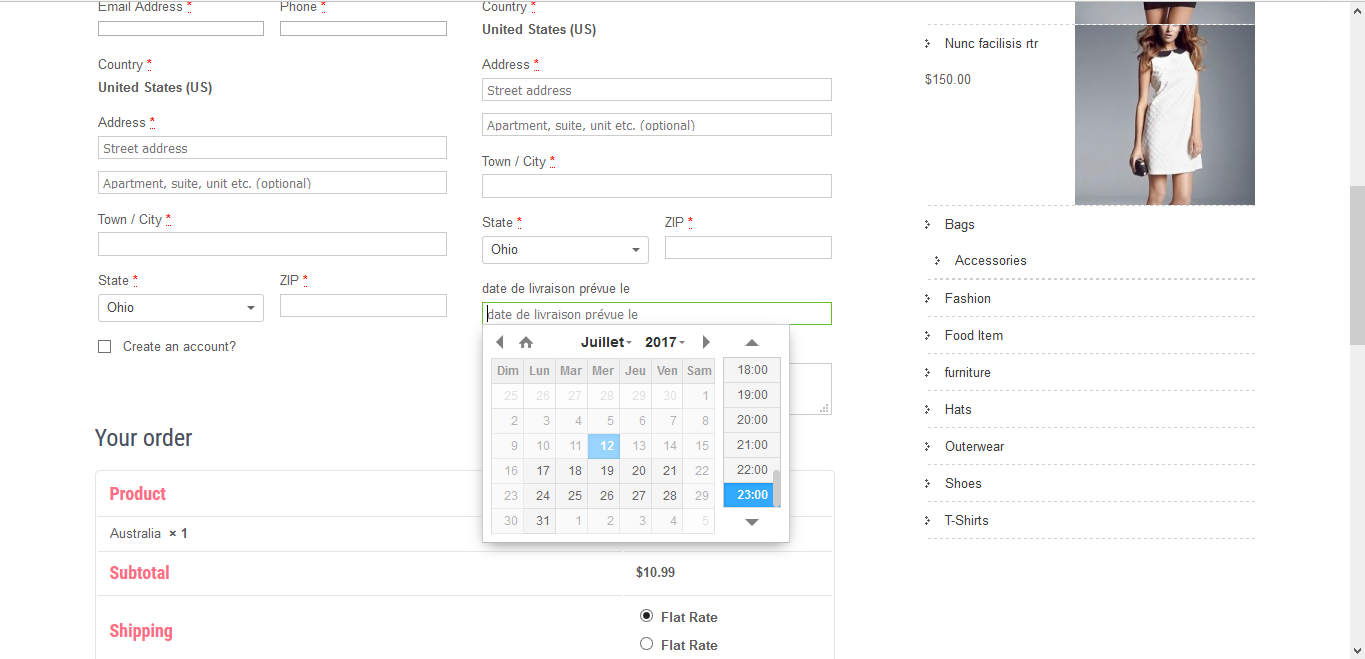
With WooCommerce Order Delivery Or Pick Up Date, your customers can select the date on which they wish to receive the delivery/pickup of products. This way, the customer can specify the estimated arrival date and time for shipping (delivery service) or specify the date and time for picking up their orders.
Delight customers? Satisfaction by allowing them to specify preferred delivery dates and time slots for receiving orders. Easily define the dates and times available for delivery.
Features
- Allows users to specify the estimated shipping arrival or pickup date.
- Specify the time range available for delivery / pickup
- Customize field label text
- Supports 74 languages for date selection and also supports setting custom texts
- Option to restrict dates and date ranges
- The administrator can set the delivery date from the administrator
- Option to restrict weekdays.
- Option for time restriction.
- Customize the display of delivery dates to suit your needs
- Easy administration, no programming required
The plugin can also be used for all other WooCommerce purposes!
The premium alternative officially from WooCommerce.com – Manage your e-commerce delivery system with one plugin*:
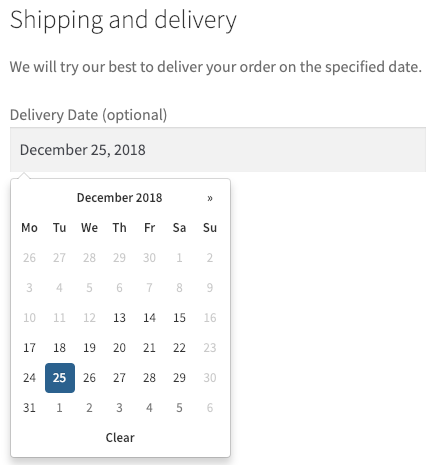
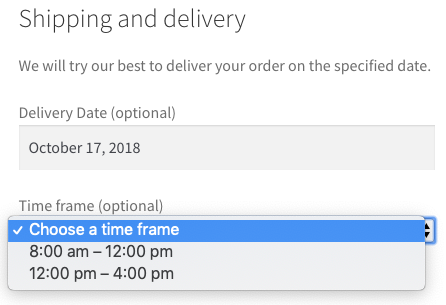
Improve the efficiency and satisfaction of your ordering process by allowing your customers to smoothly and transparently choose their desired delivery date and time.
With order delivery, your customers receive clear notifications about the estimated delivery date and time of the package from a range of options managed by the store owner, which include local holidays, shipping methods, and other factors.
This way, your shipping company can then fulfill the order when it is most convenient for your customer, making every shopping experience optimal.
WPPizza – A Restaurant Plugin

- Designed for pizza delivery, but flexible enough to serve any restaurant type.
- Maintain your menu online and accept cash on delivery orders.
- Set categories, multiple prices per item, and descriptions.
- Multilingual frontend (Update labels on the admin settings page and/or in the widget as needed). WPML compatible.
- Multisite enabled
- Tracks your online orders.
- Shortcode enabled.
NEW: RestroPress – Sell Your Food Online with WordPress
RestroPress is an online ordering system for WordPress. It is a standalone WordPress plugin that allows you to easily add a food ordering system to your WordPress website. With RestroPress, you can easily receive both pickup and delivery orders (delivery service).
RestroPress features a user-friendly frontend and backend interface that allows you to easily manage orders, as well as a pre-built user dashboard for managing profiles and orders.
- 100% free and easy to install and set up.
- Add a food ordering system to your WordPress site without any coding knowledge.
- User-friendly interface for managing food items, add-ons, food categories, etc.
- Allows receiving pickup and delivery orders.
- Receive instant push notifications for online orders.
- User-friendly administration interface for adding a restaurant menu.
- Reporting system to view sales, customers, etc.
- Allows adding multiple add-on options for your food.
- Custom user login, registration, and dashboard.
- Receive payments with PayPal, Amazon, and cash on delivery. More options coming soon.
- Developer-friendly with sufficient hooks.
- And much more coming soon…
The DIY solution for a delivery service with product tables and delivery slots
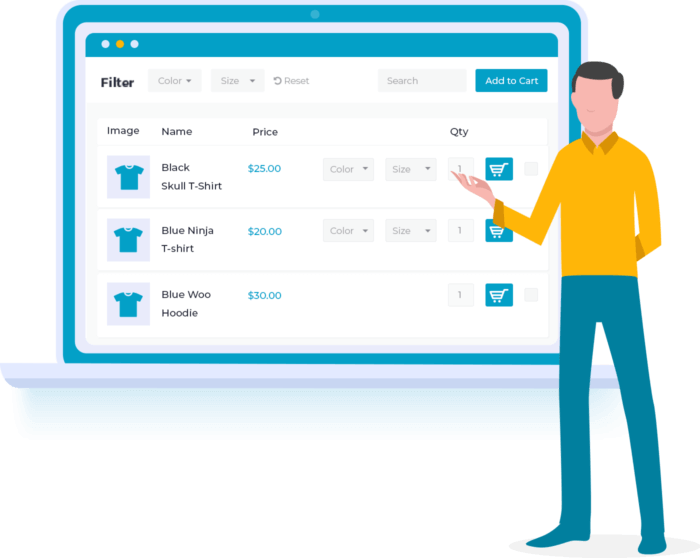
Component 1: WooCommerce Product Table Plugin
Used in over 5,000 stores worldwide, WooCommerce Product Table is the fastest and most flexible way to shop.
Component 2: WooCommerce Delivery Slots
Make it easier for customers to choose a suitable delivery date and time during checkout. Maximize your available delivery capacity and reduce cart abandonment.
to the Iconic article for explanation

Fragen oder benötigen Sie Hilfe für einen eigenen WooCommerce Lieferdienst:
E-Mail: fi@vastcob.com
Florian Ibe
And if you need a central customer management (CRM) with accounting etc., take a look at Billbee as an ERP system:
WordPress WooCommerce Inventory Management WaWi – Best Solution for Your Shop
(function() {
var s = document.createElement('script'); s.type = 'text/javascript'; s.async = true; s.src = '//www.mytemplatestorage.com/wp-content/themes/mts3/js/widget-generator/dist/widget/widget.min.js';
s.onload = function () {
var w = new MTSWidget.widget(‚//www.mytemplatestorage.com‘,{
uid: ‚mts-a7070545-7410-4d08-a62c-340a61193c28',
affid: 'pictibe',
"language": 'en',
I notice the input appears incomplete or contains only a comma. Could you please provide the full German text that needs to be translated?
"type": ["61529","50125"],
"category": ["50288","51042","242025","50369"],
"popularity": '0',
"cols": '2',
"rows": '3',
"showPrice": '0',
"rangeOf": '50',
"size": 'medium-size',
"paddings": '5',
"margins": '5',
"showTmLogo": '0',
"showTemplateTitle": '1',
"showTemplateTypeLogo": '1'
});
w.create ();
};
var h = document.getElementsByTagName('script')[0]; h.parentNode.insertBefore(s, h);
})();





 DE
DE

