


You want to connect WooCommerce with eBay? No problem with a suitable connector plugin as a solution for the semi- or fully automatic mirroring of products, inventory & stock, and central order processing. In this article, we present the official main plugin from WooCommerce.com, as well as a good, slightly cheaper alternative further down. IMPORTANT: You do NOT need any external programs or licenses other than the plugin!
WooCommerce eBay Plugin Solution – connect WooCommerce with eBay in a few steps
The official WordPress eBay plugin is a solution for WooCommerce + eBay and is very easy to integrate. The eBay integration for WooCommerce often takes no longer than 10 minutes and has various functions globally and at category and individual product level.
Tip in advance: Do not simply mirror your existing product descriptions, but optimize them with product texts individually adapted to eBay's search behavior.
Automate your shop with the eBay integration for WooCommerce
The eBay integration for WooCommerce makes selling on the eBay marketplace a breeze. A single click is enough to automate your eBay shop with your WooCommerce shop. In addition, the eBay API for bulk data exchange makes it easy for new sellers to upload their products to eBay effortlessly.
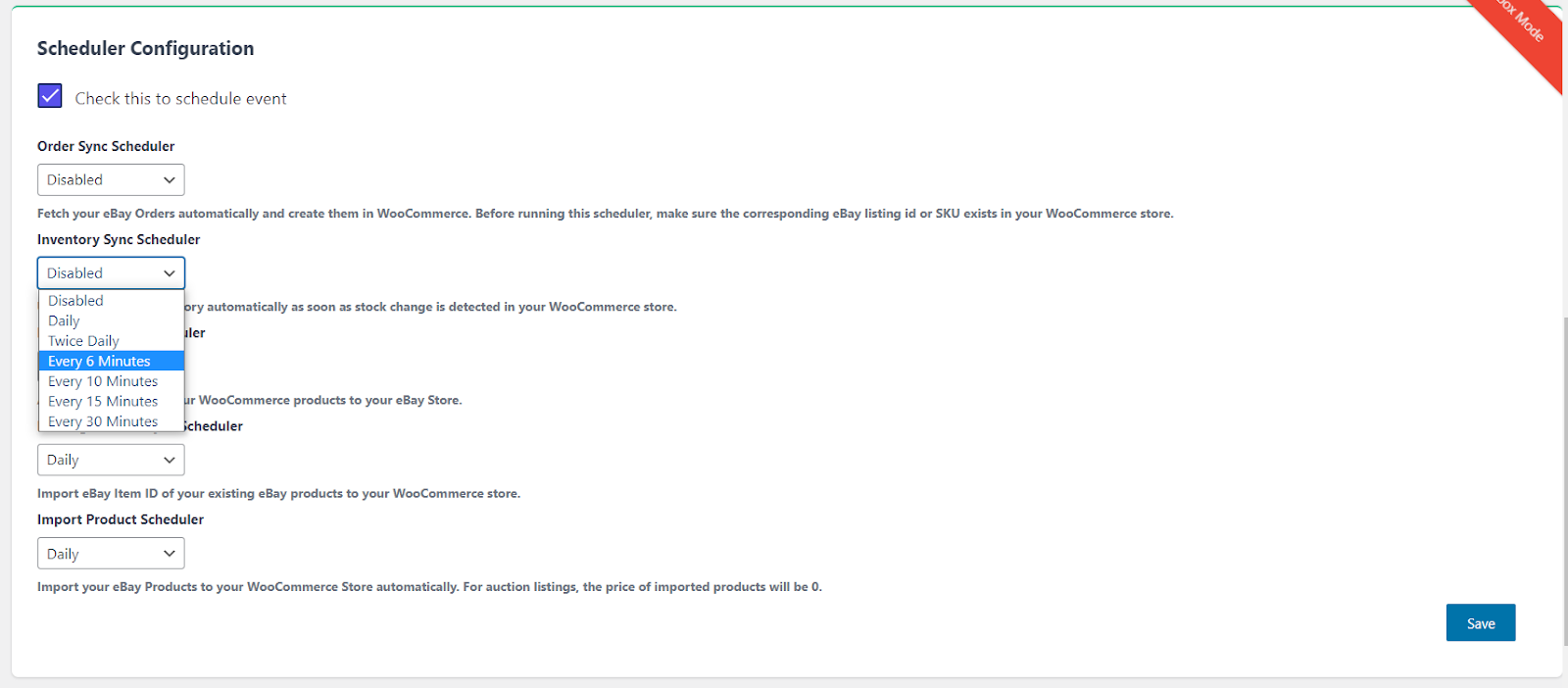
The eBay integration for WooCommerce enables real-time inventory synchronization, which is made possible by the use of schedulers. This plugin takes over the tedious tasks of updating inventory, products, and other associated information.
Start your fully connected and automated shop with the new and updated eBay integration for WooCommerce.
Why sell on eBay?
With annual revenue of USD 10.27 billion in 2020, eBay has created unparalleled competition in the e-commerce arena. Founded in 1995, the marketplace has evolved into a global e-commerce platform offering C2C online selling services. eBay’s main activity is its auction platform and shopping website, which allows people and businesses worldwide to buy and sell a wide range of goods.
With friendly policies, eBay makes it easy for sellers to sell instantly. It offers merchants a unique opportunity to list for free and accept both new and used products. With the flexibility offered to sellers, eBay has become one of the most popular marketplaces worldwide, especially in the US, Canada, and the UK.
Key Features and Function of the WordPress WooCommerce eBay Plugin for Connecting the Shop to the eBay Marketplace
Product Management through Bulk Action
You can import all your eBay items into your WooCommerce shop and control them from a single dashboard. The following features are included in the plugin:
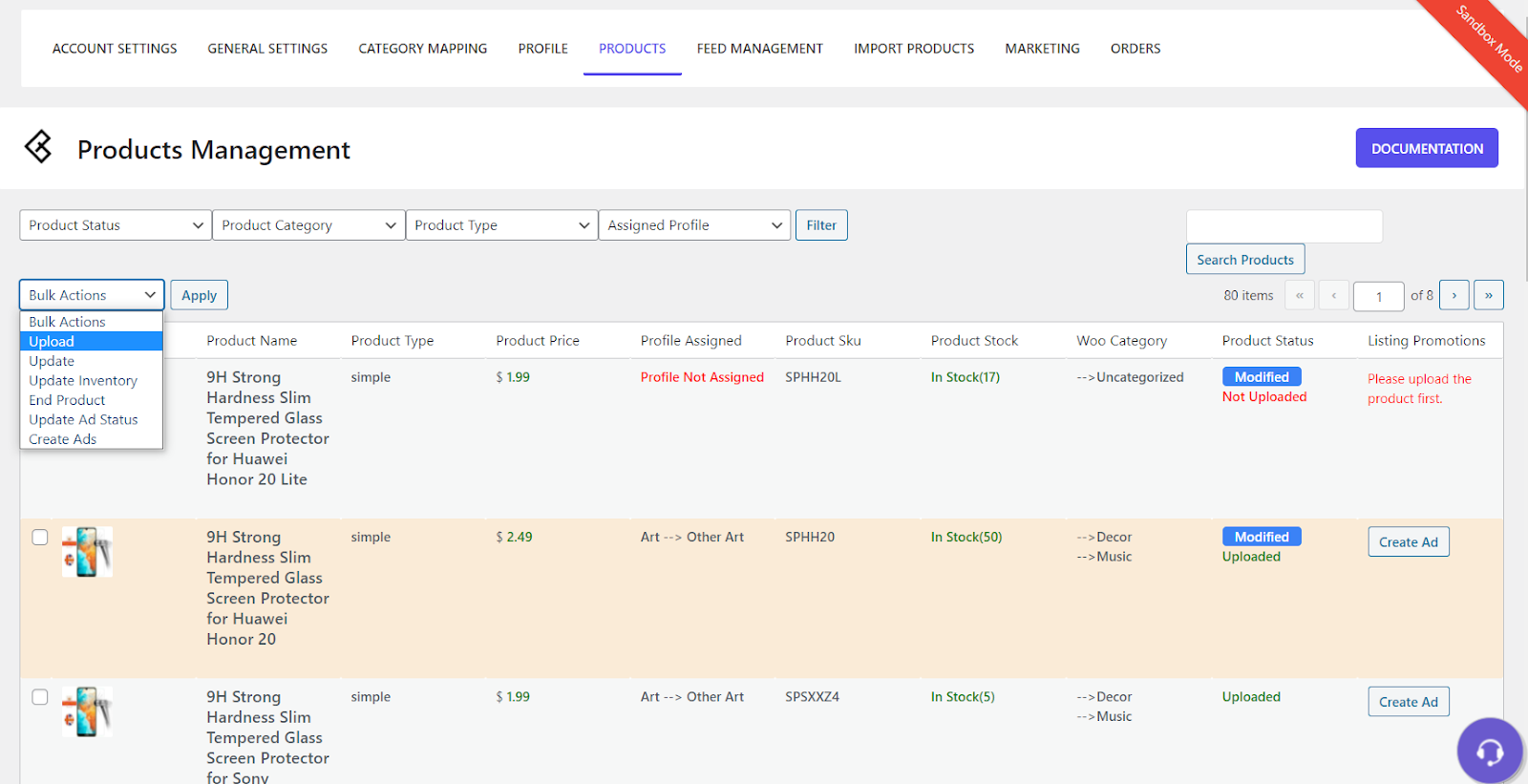
- Bulk Upload
Uploading products in bulk becomes a breeze, along with other product information such as price, variations, features, and offers.
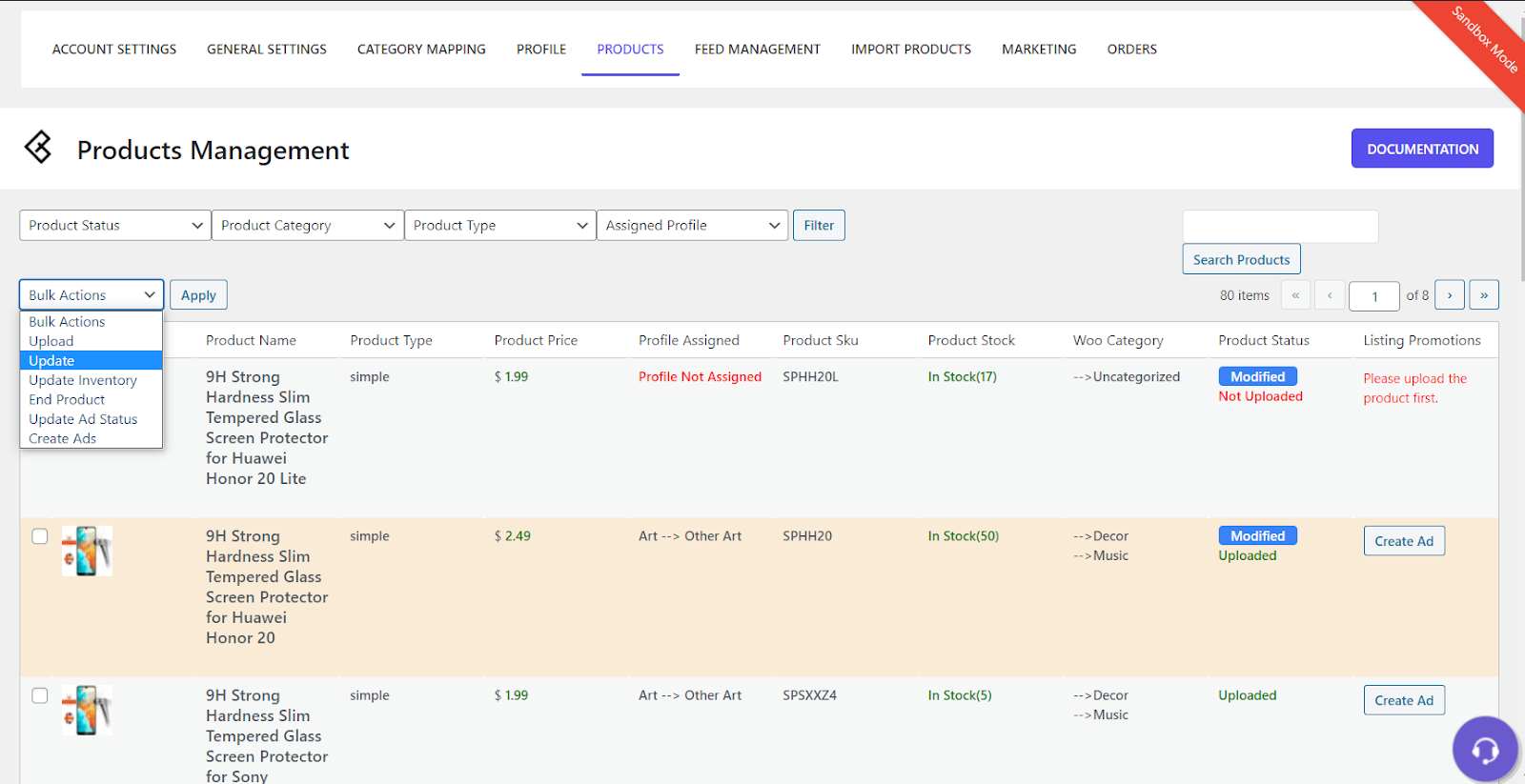
- Bulk Update
Time-consuming updates such as offers, prices and inventory are now a breeze with the bulk update function.
Become more visible on Google & Social Media?
In a free strategy consultation for data-driven online marketing, we uncover your untapped potential, review any existing ad accounts if necessary, examine your SEO ranking and visibility, and determine which strategy is appropriate for your budget and which active measures will lead to more inquiries or sales.

✅ More visibility & perception through targeted placement
✅ More visitors > prospects > customers > revenue
✅ Reach target groups scalably with SEA
✅ Act and grow sustainably with SEO
🫵 Maximum success with our hybrid strategy
💪 More than 15 years of experience across industries in over 1,000+ projects demonstrable!







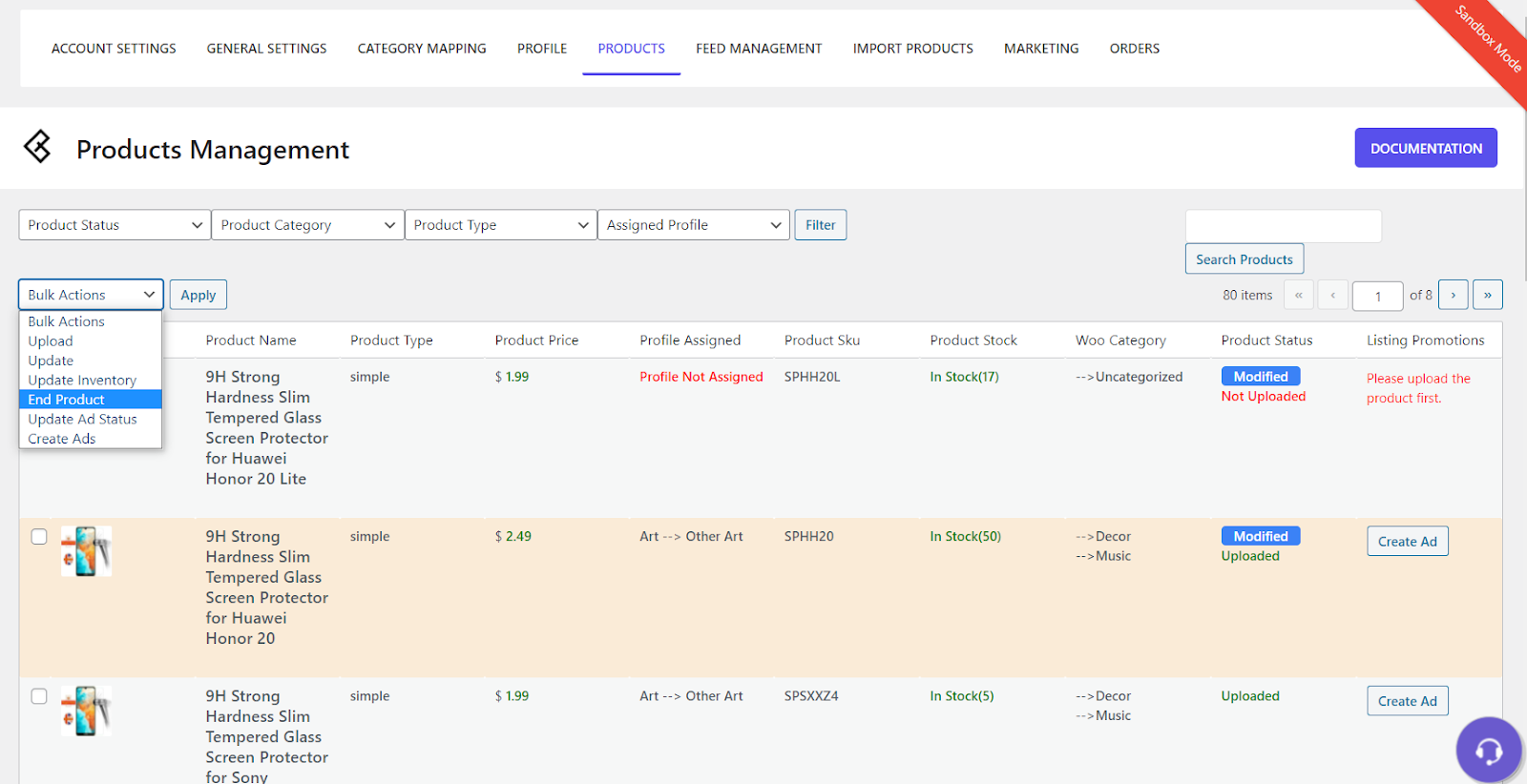
- End Offer
You can also remove your offers from eBay that you no longer wish to sell. This can also be done via the plugin itself.
Centralized Inventory Management (Central ERP)
Your inventory is managed daily by the dispatchers. While you continue to sell, the plugin synchronizes your inventory. The schedulers have built-in functions that handle the synchronization. The following functions are involved in central inventory management:
- Order Management
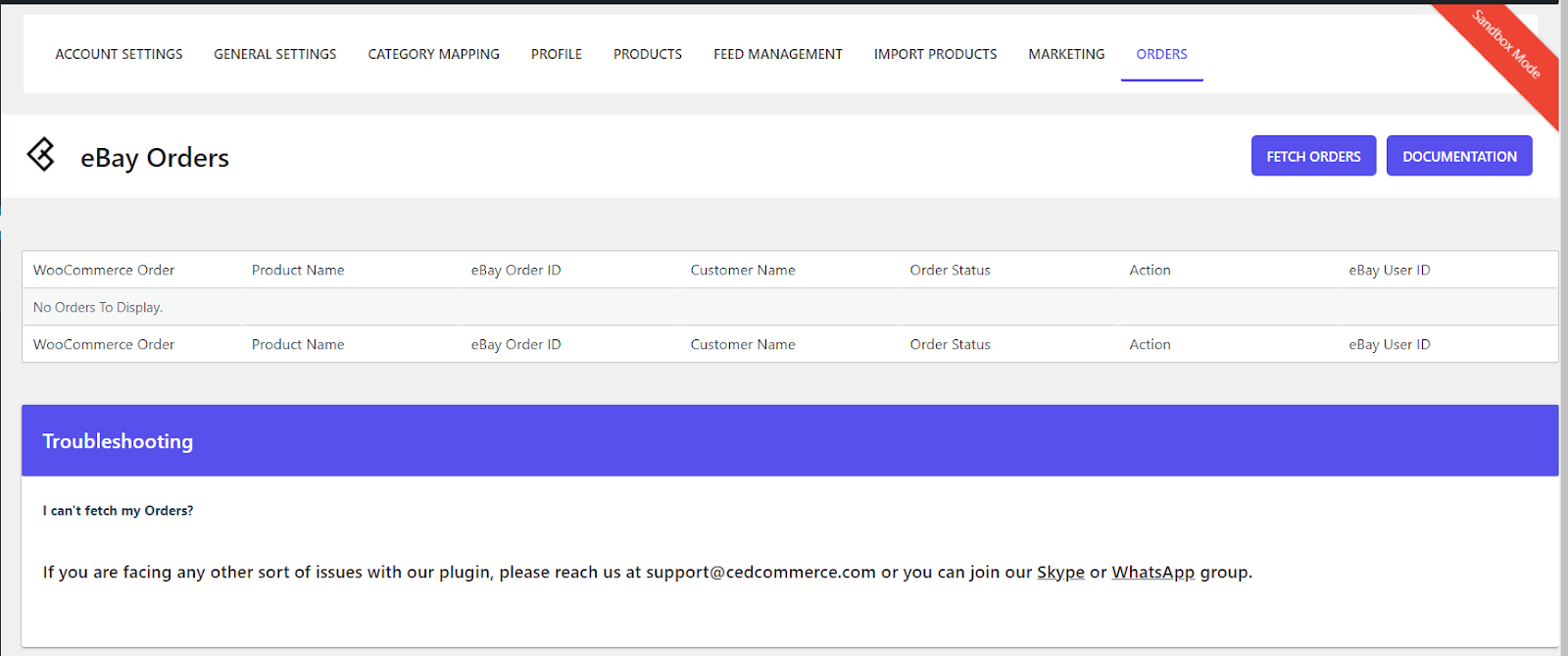
Synchronize your orders from eBay to your WooCommerce store automatically.
- Order Retrieval
You can use the WooCommerce plugin to receive your eBay orders and process them from there.
Automatic Upload of Products and Inventory Data
The plugin makes it super easy for new sellers to get started on eBay with the new improved version. Gone are the days when you had to manually select products to upload them to eBay. With the updated version, you can now upload more than 1000 products in bulk without any effort on your part. Everything runs automatically in the background, and you can view the upload status in the brand new Feed Management tab.
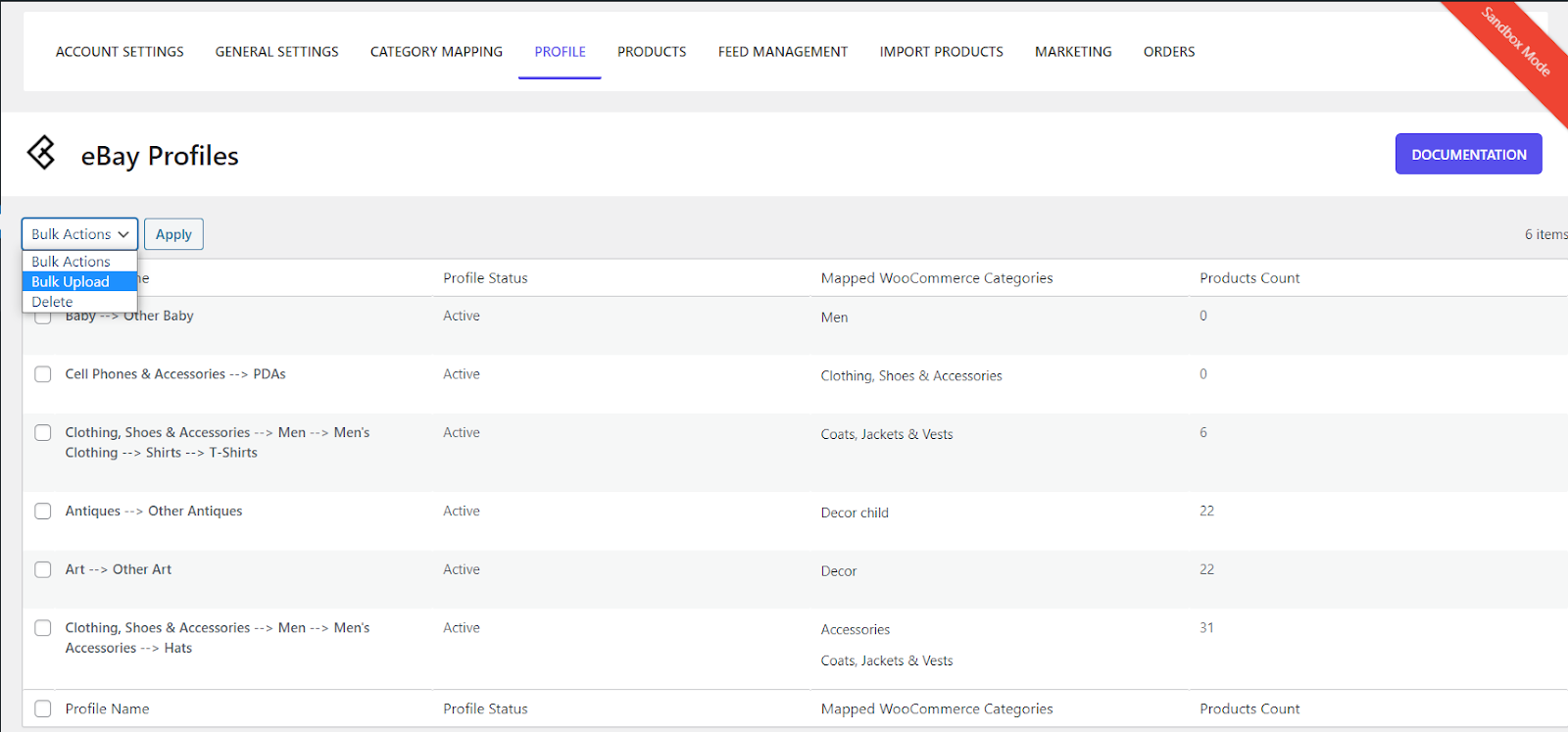
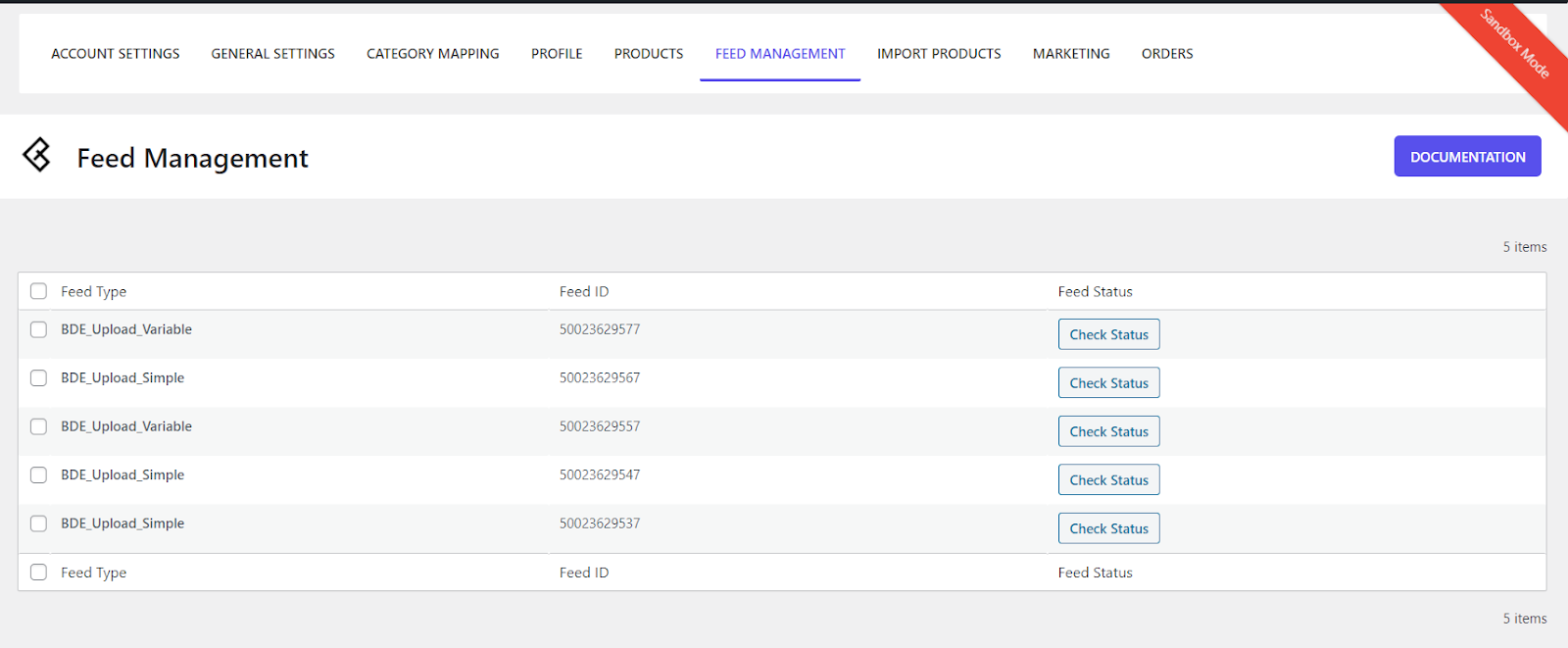
eBay Feed Management (Data File)
You can easily check the status of your bulk uploads in our brand new Feed Management section. Get updated information on the percentage completion of your orders along with the logs, if any, of your products that could not be uploaded. The following features are provided under the Feed Management option:
- View Jobs
View scheduled product upload jobs in the "Feed Management" section.
- Check Status
Check the status of upload jobs by clicking the Check Status button next to each job.
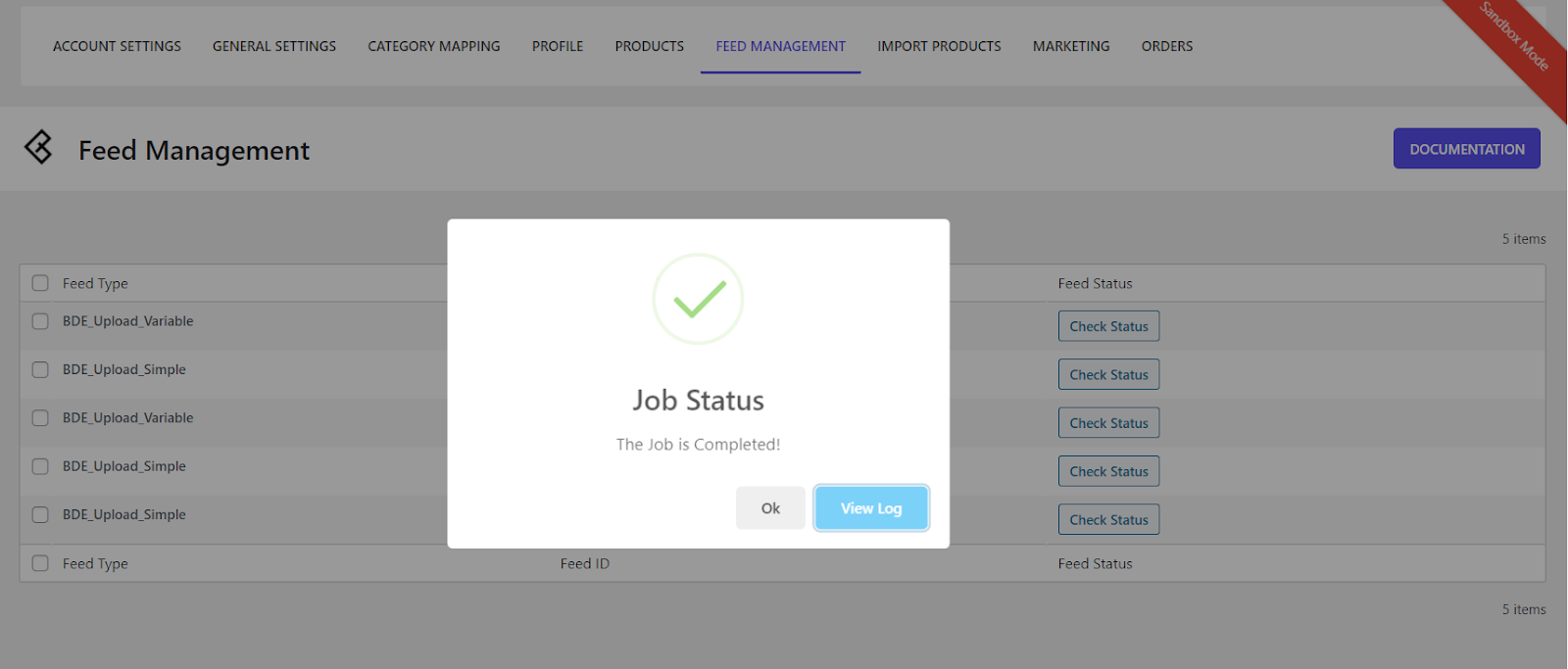
- Upload Log
When an order processing is completed, click on the View Logs button in the popup to retrieve the order logs. You can retrieve the status of the product upload from the logs.
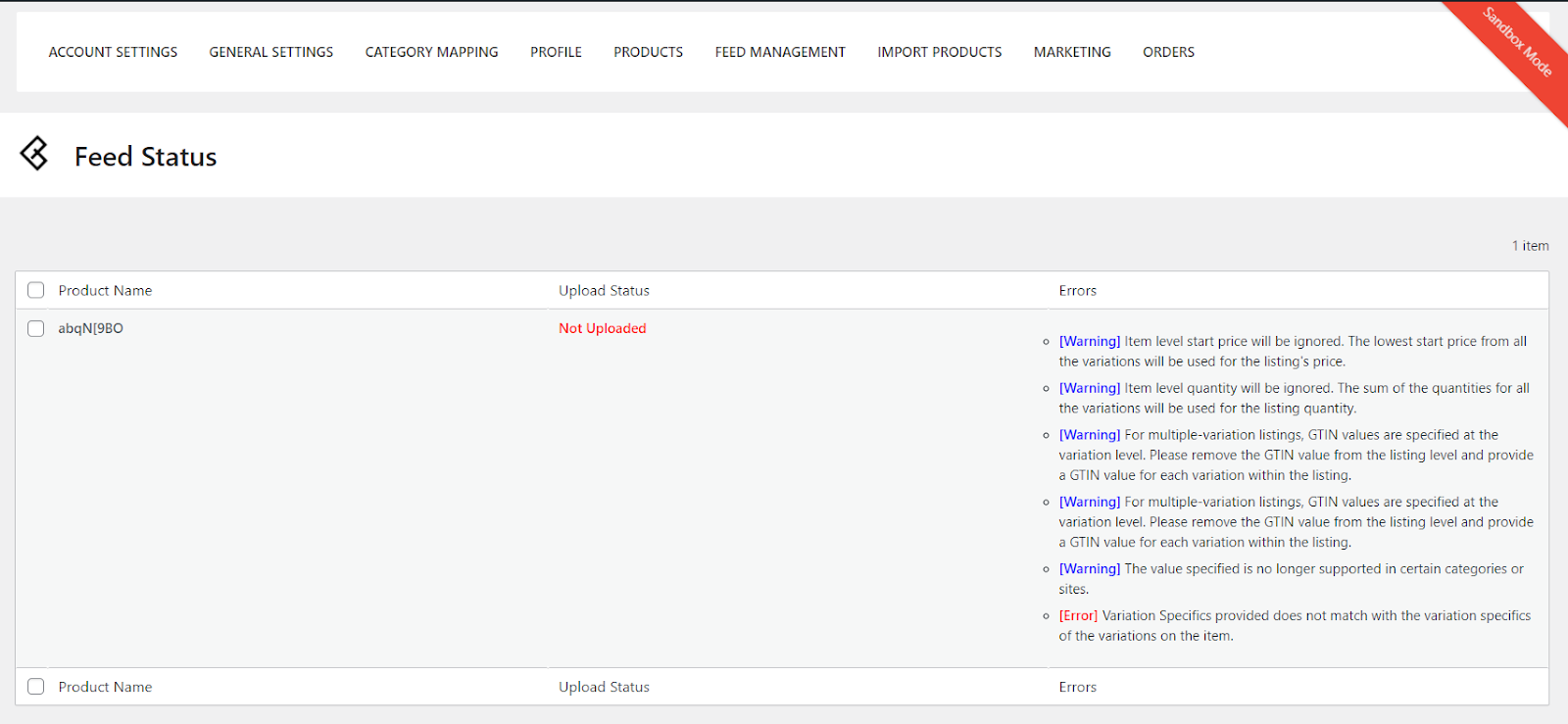
eBay Marketing Integrated!
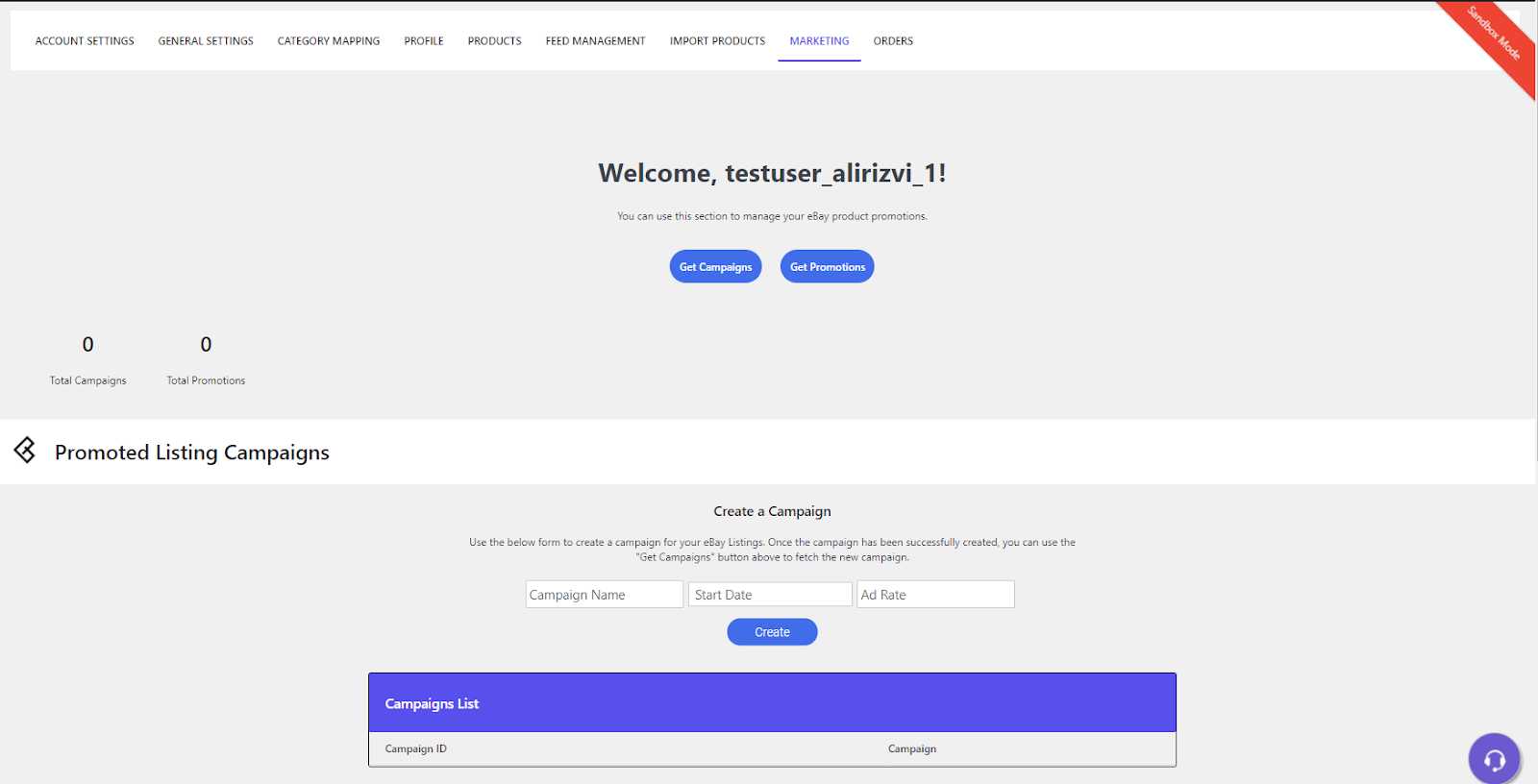
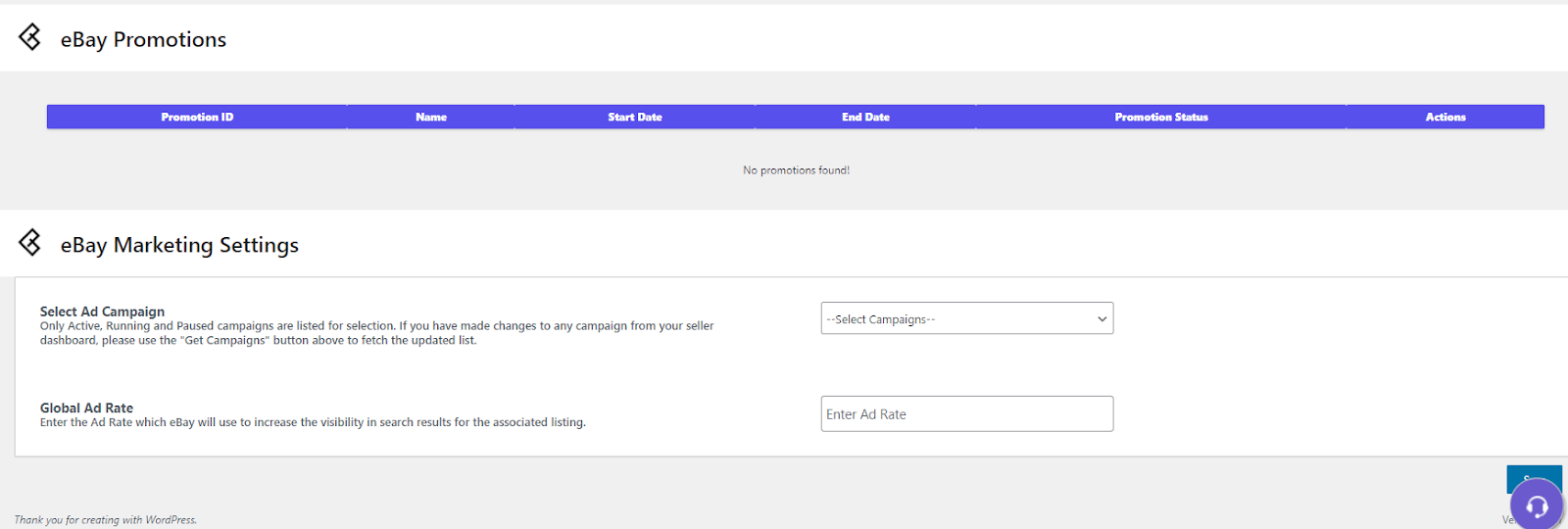
The plugin provides everything from one place for your eBay store. With the introduced version 2.0, you can manage product promotions, create and manage your campaign, and promote your listings in the marketing section. Manage your campaign and promotions for your listings on eBay directly at the product level through our product section.
- Marketing Dashboard
Start your ad campaign with the outstanding features of eBay 2.0. Build your brand awareness and reach a larger audience. See the screenshot below for the marketing dashboard.
- Promotion and Marketing Settings
Promote yourself and get ready to present a bigger picture for your product line. With the updated version for integration, you have the option to select your ad campaign and set the global ad price for the campaign.
Support for multiple eBay accounts
Do you have multiple accounts on eBay? Are you wondering how to connect them to a single WooCommerce store? Well, look no further! Through our single integration, you can manage multiple accounts on eBay and manage them with a single store on WooCommerce.
Additional Benefits of the WordPress WooCommerce eBay Plugin
- Assigned Exclusive Account Manager
After your purchase for the WooCommerce integration, we will appoint an account manager for your WooCommerce store. Your account manager will guide you through every step of the installation process until you are selling like a true professional! - Individual Requirements
We are present to meet all your requirements with our excellent support system. If our plugin does not meet any of your requirements, please feel free to contact us. We are known for our sub-second responses, and time zones do not bother us! We are here to help you 24×7.
The Alternative: WordPress WooCommerce eBay Connector Plugin

The plugin is also from one of the top developers, Webkul, and is also extremely powerful and with similar functions. However, it costs only half and has a lifetime license.
eBay is a multinational e-commerce company that facilitates online consumer-to-consumer and business-to-consumer sales. eBay is one of the largest online marketplaces worldwide. It is a leading website where users can buy and sell their products globally.
One can unlock the potential of the company by expanding product presence to the largest online marketplaces like eBay. Webkul’s WooCommerce eBay Connector plugin integrates your WooCommerce store with the eBay store, as managing them separately is enough to consume all the time and cut into profits. This plugin offers two-way integration, meaning the administrator can synchronize products from the WooCommerce store with eBay and vice versa.
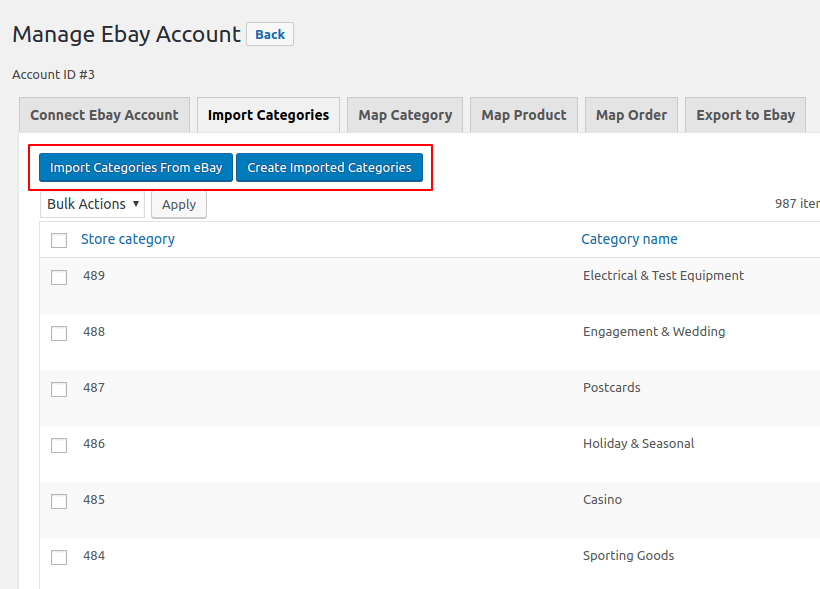
The store administrator can import product, category, and order information from eBay into the WooCommerce store. The plugin allows the administrator to import custom store categories from the eBay store to the WooCommerce site to keep both stores more consistent. And you can also export the product from the WooCommerce store to the eBay store. This lists the items from the WooCommerce store directly in your eBay account. The administrator can provide eBay terms and specifications, refund policies, and shipping details for exported products.
Features of the WordPress WooCommerce eBay Connector Plugin
- Import simple and variable eBay products into the WooCommerce store.
- Import custom store categories from eBay into the WooCommerce store.
- Import eBay orders into the WooCommerce store.
- Export simple products from the WooCommerce store to eBay.
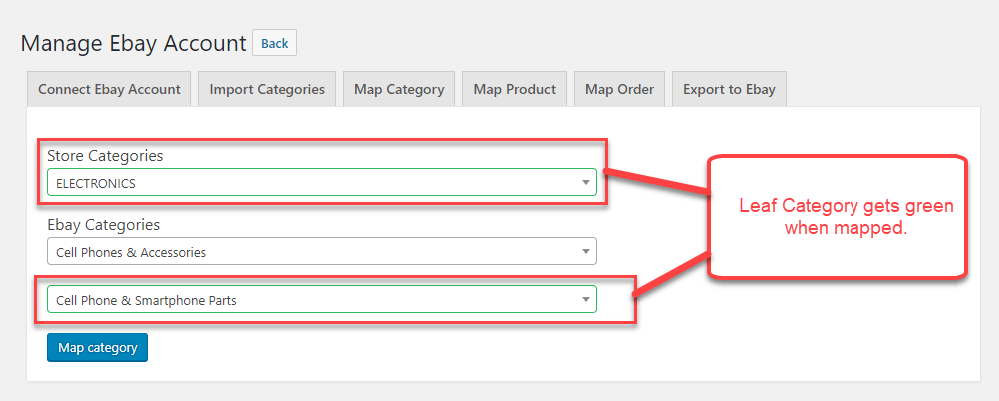
- Can map custom store categories in eBay to the WooCommerce store category.
- The administrator can update imported product details.
- The administrator can configure return policy details for exported products.
- Product information such as SKU, name, description, stock, images, and categories are exported and imported along with the product.
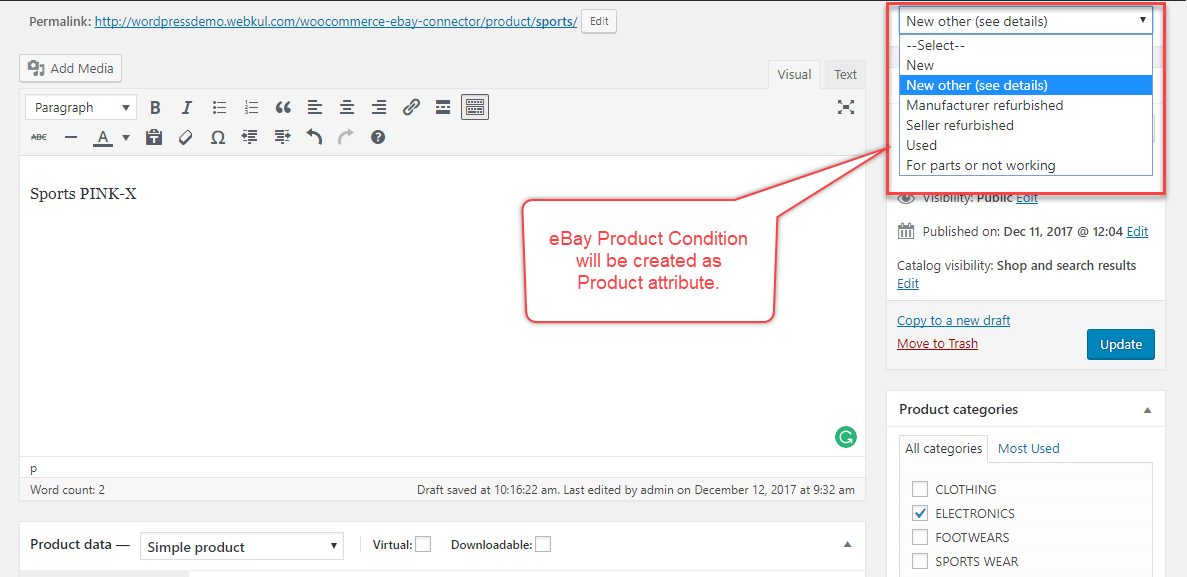
- Synchronization of products with eBay condition and specification.
- The administrator can configure multiple eBay accounts.
- The sandbox mode is available for testing and development.
- Configure standard product payment and shipping details.
- The administrator can set the cron for automatic product updates.
- The administrator can select the process for automatic updates.
- The administrator can also configure the international shipping service.
- The administrator can manage real-time synchronization and update product information based on the selected event.
The user can add multiple eBay accounts to import products.

The user can manage the added eBay accounts to import and export products.
The user can easily update the product imported from eBay.
The user can easily import and export products from the eBay store to the WooCommerce store.
The user can import/export products and import categories and orders from eBay.
If all conditions are met when importing the product, the product will be imported, otherwise not.
The user can map the categories to import/export the products from eBay to WooCommerce and vice versa.

Florian Ibe
CEO & Marketing Consultant
Your contact person: Florian Ibe
Tip for a complete ERP system WITHOUT synchronization of product detail data:
WordPress WooCommerce Inventory Management WaWi – Best Solution for Your Shop





 DE
DE

