


Book a hotel, restaurant, holiday apartment, activities etc. with a calendar and direct online booking without commissions, monthly license fees or hidden charges. All data belongs to you and only you through the WordPress Booking System + Booking Calendar plugin! After a one-time investment or an annual license for a few euros, the calendar with booking system is thus free of charge without follow-up costs, except for the one-time or annual license (see description).
WordPress Booking System / Booking Calendar Plugins as a Reservation System (with optional WooCommerce Integration)
Whether you run a hair salon, work as a consultant, or manage a hotel, the ability to schedule and book appointments is undoubtedly critical to business. And if you also need to manage staff, you need more than a simple address book or calendar.
Honestly, the main reason you want to use a WordPress booking plugin is to make your life and your customers‘ lives easier. Choosing the right tool makes all the difference, because you want a tool that allows your customers to quickly and easily make their own appointments, automate reminders and paperwork, and work with your staff and locations to make the complicated business you run a little easier and less hectic.
The last thing an event organizer or event planner wants is an incorrect reservation. With one of the following plugins, you can be sure that your guests‘ reservations will be handled as well as possible. All booking plugins & systems are compatible with almost all WordPress themes and can also be easily translated into German with Loco Translate.
We all know that a professional booking system is mandatory for any business in the online booking industry. A booking website is essential – it’s how customers connect with the business. If that’s what your business needs, we offer the perfect solution, a WordPress booking system. With over 20 features to choose from and customize your booking calendars, you can flexibly define your new booking experience – with the Pinpoint Booking System WordPress Plugin or Bookly Pro Appointment Booking and Scheduling Software System.
NOTE: At the very bottom of the article, we provide tips for the best WordPress hotel themes!
The alternative for a booking & rental system via WooCommerce:
WooCommerce Booking, Rental, Leasing & Lending Platform Plugin 📅 Booking & Rental
Online Booking System with Calendar for Bookings and Reservations for WordPress and WooCommerce – WordPress Booking Plugin
NEW: Probably the best WordPress booking system / booking calendar plugin with unlimited possibilities
Become more visible on Google & Social Media?
In a free strategy consultation for data-driven online marketing, we uncover your untapped potential, review any existing ad accounts if necessary, examine your SEO ranking and visibility, and determine which strategy is appropriate for your budget and which active measures will lead to more inquiries or sales.

✅ More visibility & perception through targeted placement
✅ More visitors > prospects > customers > revenue
✅ Reach target groups scalably with SEA
✅ Act and grow sustainably with SEO
🫵 Maximum success with our hybrid strategy
💪 More than 15 years of experience across industries in over 1,000+ projects demonstrable!







Automated online booking and scheduling for WordPress: fully customizable booking form with online payments, notifications, and Google Calendar synchronization.
The Bookly Pro Add-on (click here)* enables advanced features of the Bookly online appointment scheduling plugin.
The standard configuration of Bookly Pro includes:
- Fully customizable booking form that can be used on any device;
- Filterable, sortable, and searchable booking list that you can print or export to CSV;
- Unlimited number of staff members with individual work schedules, prices, and the ability to manage their profiles and the online booking calendar.
- Unlimited number of services that you can group into categories and assign unique colors to simplify display in the booking calendar.
- Importable and exportable client base with an unlimited client list, displaying payment statistics and internal notes about the client;
- Various templates for customizable email and SMS notifications;
- 2-way synchronization between Bookly Calendar and Google Calendar, which automatically reflects all updates in Bookly in your Google Calendar;
- Integration with PayPal Checkout, the list of completed and pending payments;
- Integrated analytics with booking statistics;
- WooCommerce compatibility;
- Multilingual support – 12 languages included;
- Six months of 24/7 online customer support.
Once you have purchased and installed Bookly Pro, the Bookly plugin and the Bookly Pro add-on are activated. You can add advanced features to your default configuration with various Bookly add-ons to automate your online booking system.
Video about the plugin:
And here is a step-by-step guide:
Step 1: Select the reservation (booking) service
Upon arrival on the page with the booking plugin, the customer enters the following information:
- Desired service
- Desired employee
- Desired date and time

Note: Let customers decide the number of people they want to book. How: With the Group Booking Add-On, increase the capacity of a service on the Services tab and uncheck the „Number of people“ checkbox while integrating the plugin into your pages.
With Service Extras, one of our most popular add-ons, you can add additional products or services to an appointment. After adding, a new step will appear in the booking process (see image below).
Step 2. Select a time slot
Based on the preferred date and time, the booking system offers a list of available time slots. The customer can browse the scheduling list and choose the time that suits them.
You can customize the available dates shown to customers. You can also change the appearance, such as each day in a separate column. See how here.
Step 3 (optional): Book multiple appointments in one session
With the Cart add-on, your customers can book multiple appointments in one booking session. This feature adds a „Book More“ option directly after Step 2. The „Book More“ button returns them to Step 1 while saving the current booking in their cart (Setting up the Cart add-on).
At this point, two add-ons are worth mentioning. The „Chain Appointments“ add-on allows the customer to book different services in one visit. For example, in a dental practice: cleaning, bleaching, and check-up can be booked consecutively.
With the „Multiply Appointments“ add-on, your customer can book identical services consecutively. This is useful for group bookings where customers are individually supported.
All booked appointments are displayed along with date, time, staff, and prices.
Step 4: User data and necessary information
Here, customers enter information for organizational or marketing purposes. The default settings are name, phone number, and email. These fields cannot be removed, but the phone number can be replaced with a Skype ID. More fields can be added as desired.
Your customers can also leave notes in the booking system here. Like their favorite spa cocktail or a request for a parking space.
Step 5: Payment
The customer can choose between several payment options, including offline payment (cash on arrival). There are more than 10 online payment options that you can select and activate for your plugin. Read more about these options and how to set them up.
You can integrate and offer coupons, like these.
If you offer free services (price set to 0), this step is skipped.
Step 6: Booking Confirmation
Appointment confirmed. If you have set up notifications (highly recommended), a confirmation email and a text message (SMS) with booking details will be sent to the customer. Learn how to set up notifications in this video or in this help document.
If you have enabled the pending appointments feature, we recommend changing the wording of this last step. A confirmation or a heads-up to confirm that you will contact them regarding the booking is better.
Simple and easy, isn’t it?
What sets Bookly apart from other booking plugins is our first-class support and fantastic customization options. Try the Bookly Pro demo for free.
If you need more information about Bookly Pro, visit our YouTube page and learn more about our epic booking plugin for WordPress.
We recommend purchasing a high-quality booking plugin for WordPress. Customers appreciate a smooth and easy booking process.
The Alternative:
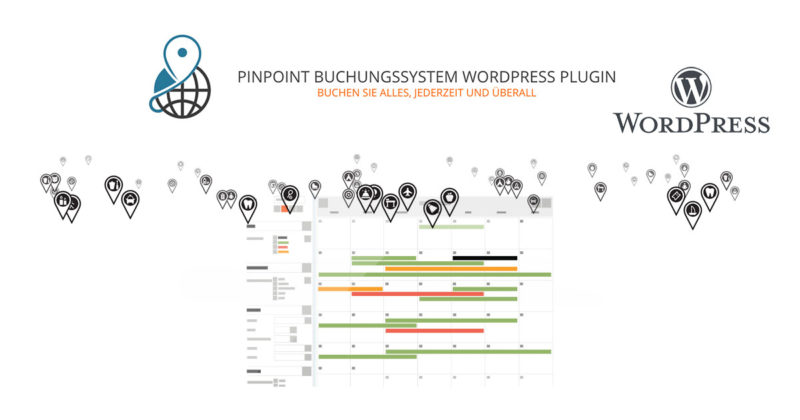
PINPOINT BOOKING SYSTEM WORDPRESS PLUGIN – BOOK ANYTHING, ANYTIME, ANYWHERE*
With the Pinpoint Booking System WordPress Plugin, you get the easiest way to rent accommodations, schedule services, book events, or receive online reservations and appointments of any kind through your WordPress site. Your customers will be impressed by how easy, fast, and clear it is to check availability and send a booking request in a unique AJAX calendar.
As a WordPress agency, we have already used this calendar module for over 10 clients for various applications.
The booking system with calendar has a multitude of amazing features and is maximally flexible in combination with WordPress and optional WooCommerce:
BOOK DAYS
This feature allows you to set availability, prices, or information – however you like – by day or by night. What your customers will see is an intuitive front-end interface where they have the option to select the period, which services to book, and complete their information before sending a reservation request.
BOOK HOURS / MINUTES
The WordPress booking system with booking calendar extends its flexibility so you can control booking times down to the minute. You can set hourly definitions per minute – and these can be adjusted as desired.
MULTIPLE LOCATIONS
Locations can be added to a Google Map and linked to multiple calendars. The locations will appear in search results when you display the map.
BOOKING CALENDAR EXTENSIONS
The Pinpoint Booking Calendar for WordPress has a number of extensions that can drastically improve its flexibility and enhance your customers‘ booking experience. These features are useful if you need additional information from your customers or want to give them more options to better utilize your service.
EXTRAS (Amenities, Services & Other)
You can add additional amenities or extra services to your customer’s reservation from your booking calendar.
Add amenities, services, and other items to a booking request (reservation), with or without a price.
Extras can have default values.
Additional groups can be mandatory or not, and a customer can select a single or multiple items.
The value for extras can be negative or positive, fixed or percentage, one-time or per day/hour, or 0.
You can create an unlimited number of different extra groups to use with one or more calendars.
FORMS
If you need more information about your customer, you can add a custom form to the booking that your customer can fill out directly in the calendar.
SYNCHRONIZATION with other systems
The availability of each Pinpoint Booking Calendar can be synchronized with Google Calendar, iCalendar, or Airbnb.
BOOKING RULES
Set the minimum and maximum number of days/hours/minutes allowed in a booking request (reservation).
DISCOUNTS
Discounts can be provided to your customer's reservation for similar duration or value.
TAXES AND FEES
If you add additional taxes or fees to the booking, these can be directly included in the booking calendar.
VOUCHERS
Vouchers or coupons can be added to improve customer loyalty.
SEND NOTIFICATIONS VIA EMAIL
If you want to notify your customers, this booking calendar allows you to send an email to your customers via SMTP, PHPMailer class, or PHP mail function. You have complete control over the information in the email by creating your own email templates.
SEND NOTIFICATIONS VIA SMS
If you prefer to notify your customers or yourself via SMS, you can do so using the Clickatell SMS gateway.
MULTILINGUAL SUPPORT
If you need to offer your booking services in multiple languages, or if your local language is not English, Pinpoint already provides support for multiple languages. However, if your language is not available, our booking calendar system allows you to change or translate your own text using a simple „to-do“ tool.
USE ANY CURRENCY (multiple currencies)
Another useful tool in this booking calendar is its support for any currency. Furthermore, if needed, you can create your own currency to meet your requirements.
ONLINE PAYMENT GATEWAYS
With Pinpoint, you can receive your customer’s payments or deposits directly online. Our standard payment system is Paypal. However, if you have other preferences, you can add them to your booking calendar. You have a choice of 7 payment gateways: 2Checkout, Authorize.Net, Braintree, Icepay, Mollie, Stripe, or Wepay – just a few clicks away.
USABLE WITH WooCommerce
Configure the availability of calendars, services, discounts, taxes, and fees… and attach them to a product.
Add bookings to the shopping cart and use the WooCommerce extensions for coupons, deposits, and more.
All reservations and data are stored in both WooCommerce orders and Pinpoint.
And most importantly: you can use all payment gateways and plugins offered by WooCommerce.
EMAIL TEMPLATES AND NOTIFICATIONS
Create email templates for all possible notifications and languages.
Email notifications can be sent using SMTP, PHPMailer class, or with PHP mail function.
Activate/deactivate which notifications should be sent.
Notifications can be sent to multiple administrators.
You can add a reply email and a name.
You can create an unlimited number of email templates for use with one or more calendars.
You can specify what information should be included in notifications regarding the booking request (reservation) by using the shortcodes in the email templates.
A regular license entitles you to 1 YEAR of use, updates, and support for the product. If you wish to extend your update and support period, you must renew your license.
An extended license entitles you to use and receive support and updates FOR LIFE. The Pinpoint Booking System was launched in 2012 and has undergone constant changes since then. It will be regularly updated in the coming years. Pay once and you won’t have to worry if you need help or updates.
A license key is required for each installation of the plugin to receive updates and/or support.
WooCommerce Bookings for bookings via the WooCommerce Shop*
Save time and effort by letting customers book conveniently: Let your customers make reservations, appointments, or rentals themselves – no phone calls required. Save time and fill your calendar by letting your site do the work for you.
Let customers book courses, schedule appointments, or reserve items!

Whatever you want to offer your customers, bookings make it possible:
- Define fixed options, e.g., fixed time slots for a class, an appointment, or a tour
- Let customers choose the times that work best, by giving them the flexibility to book the desired range, e.g., when checking into a hotel
With both options, you can also block out time as unavailable, so you have time to attend to your other priorities and create buffers between bookings to ensure the schedule works for you.
Set your time slots as precisely as you like – the extension allows bookings in days, hours, and even minutes.
Book individual appointments or events for multiple people

You can set minimum and maximum participant numbers: Limit a booking for appointments to one at a time, or allow multiple people to reserve a class or tour.
Offer special prices for groups, days, or individuals

Offer discounts for groups or individuals who book multiple slots, and show lower prices for early birds, higher prices on weekends, or special prices for children. With Bookings, you can adjust prices as you wish.
Verfügbarkeit in der Zeitzone des Kunden anzeigen
If your services are online or if you deliver something to the customer, show your availability in the customer’s time zone so that they book the time they really need. Whether bookings come from New York, New Mexico, or New Zealand, they will be made within the times you set.
It’s perfect for virtual classes, online appointments, or rentals that need to be delivered to the customer.
Require confirmation, offer free cancellations – it's all up to you

Set up confirmations so you have time to review them before making the booking official. Automatically send reminders in advance of a booking to avoid no-shows, and decide whether bookings can be canceled.
Send reminders and reduce no-shows

Remind customers of their appointments with convenient notification emails when a reservation has been made, confirmed, and received one day before the booking date.
If you want to do more, you can send a special reminder directly from your website.
Never double-booked: Avoid double bookings by assigning the required resources to a specific booking. For example, if your 2:00 bride books a fitting and a stylist until 3:30, that stylist will not be available for the bride planning a fitting at 3:00. You never have to worry about offering the same resource to two clients at the same time.
Manage your calendar exactly as you wish – including synchronization with Google Calendar

Use the calendar view to see how your day or month is developing. Update existing bookings or availabilities or filter to display specific services or resources.
Do you still have customers calling to book the old-fashioned way? Add them manually from the calendar while on the phone.
wordpress booking plugin
wordpress booking system german
wordpress vacation rental plugin
wordpress booking calendar
occupancy calendar wordpress occupancy plan
booking calendar for homepage
vacation rental booking system
wordpress appointment calendar
online booking system wordpress
online booking system wordpress
The right WordPress theme for hotels, restaurants, vacation rentals and co.
Hotel Booking is a clean WordPress theme for hotels, designed for hotels, chalets, bed & breakfast, resorts, apartments and all hotel and tourism businesses. Hotel rooms has its own page where the hotel owner can display all accommodation details with an amazing booking system. The hotel theme also includes a simple search filter system for displaying all rooms and you can book them with a multi-step reservation module.
The theme is developed for every type of hotel business. It is the perfect Hotel WordPress pack for all types of hotels, resorts, chalets, vacation rentals, and much more, such as:
- Hotel
- Hostel
- Motel
- Mountain and Lake Chalet
- Luxury Apartment
- Private Accommodation
- Bed and Breakfast (B&B)
- Online Room Booking
- Online Reservation System
- Resort
- Holiday rooms
- Room rental
- Holiday structures
- Travel apartments
- Beach houses
- Holiday apartment
- Cabins
- Huts
Preview:
Another alternative: Hotello WordPress Hotel Theme with Hotel Booking System
Hotello WordPress Theme is a responsive WordPress theme for hotel bookings
Hotello WordPress Theme is a responsive WordPress theme for hotel bookings, specifically designed for hotels, chalets, resorts, motels, hostels, bed & breakfasts, and apartments with an all-in-one booking system included in the theme package. Hotello is supported by hotel booking management features such as seasonal pricing, booking management, taxes, flexible pricing, and much more. With our advanced booking management, customers can search for available rooms and book online.
This hotel WordPress theme also includes a simple search filter system and availability check for all rooms, and customers can book and pay for rooms online.
Complete booking system included: No additional plugin purchase required! Instant booking, manual booking (requires administrator approval), and booking disabled.





 DE
DE

