

Duplicating a menu in WordPress is a useful feature if you want to use similar menu structures on different pages or in different areas of your website. There are various methods to duplicate, copy, and edit a menu.
Duplicate / Copy & Edit WordPress Menu
1. Manual Method: Create a New Menu and Add Menu Items Individually
- Go to your WordPress dashboard.
- Navigate to "Appearance" > "Menus".
- Select the menu you want to duplicate.
- Note down the structure and all menu items or take a screenshot.
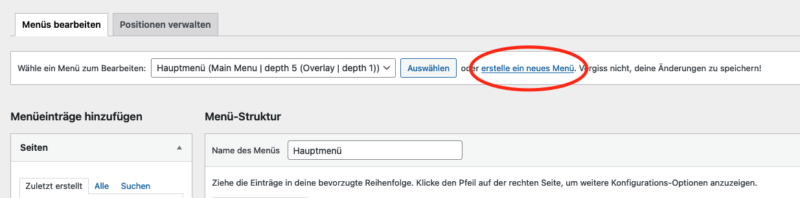
- Create a new menu by clicking "Create new menu".
- Add the menu items according to the structure of the original menu.
- Save the new menu.
This method is simple, but can be time-consuming, especially for large menus with many navigation items.
2. Using a plugin to duplicate a WordPress menu (preferred)
There are plugins specifically designed to duplicate menus in WordPress. An example is the „Duplicate Menu“ plugin.
or
How to use it:
- Install and activate the „Duplicate Menu“ plugin.
- Go to "Plugins" > "Install" and search for "Duplicate Menu".
- Install and activate the plugin.
- After activation, go to "Appearance" > "Menus".
- Find the „Duplicate Menu“ option (often at the top of the screen).
- Select the menu to duplicate and enter a name for the new menu.
- Click „Duplicate,“ and the menu will be duplicated.

Become more visible on Google & Social Media?
In a free strategy consultation for data-driven online marketing, we uncover your untapped potential, review any existing ad accounts if necessary, examine your SEO ranking and visibility, and determine which strategy is appropriate for your budget and which active measures will lead to more inquiries or sales.

✅ More visibility & perception through targeted placement
✅ More visitors > prospects > customers > revenue
✅ Reach target groups scalably with SEA
✅ Act and grow sustainably with SEO
🫵 Maximum success with our hybrid strategy
💪 More than 15 years of experience across industries in over 1,000+ projects demonstrable!









Florian Ibe
CEO & Marketing Consultant
Your contact person: Florian Ibe
3. Using Code (for advanced users)
If you have experience with PHP and WordPress development, you can also write your own code to duplicate menus. However, this requires deeper knowledge of WordPress development.
Final Tips After Duplicating the Navigation:
- After duplication, check the new menu for correctness.
- If you are duplicating a menu for different languages, make sure to adjust the translations accordingly.
- Remember to place the new menu in the desired location in your theme (position setting).
Duplicating menus can significantly simplify the development and management of your WordPress website, especially when working with complex or multilingual menu structures.
Further Blog Article:
Video Tip:
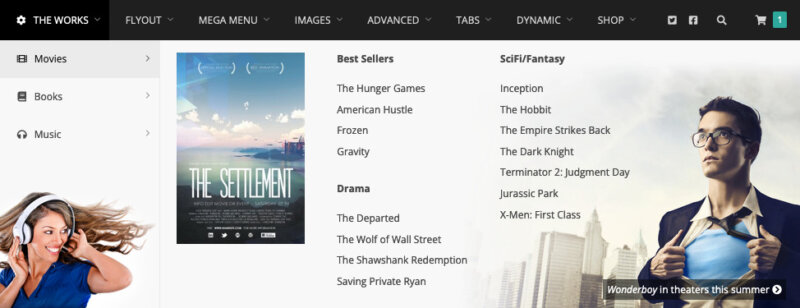
✅ Additional tip for a Mega Menu Plugin*





 DE
DE

