

A WordPress + WooCommerce product configurator or designer is often used to design and customize individual products in online shops like your WooCommerce shop. Customers can design, freely create, and configure their desired product and receive the corresponding price for their individual product. In this article, we have listed the Top 5 WooCommerce Product Configurator & Designer Plugins, because there are no more good ones 😉
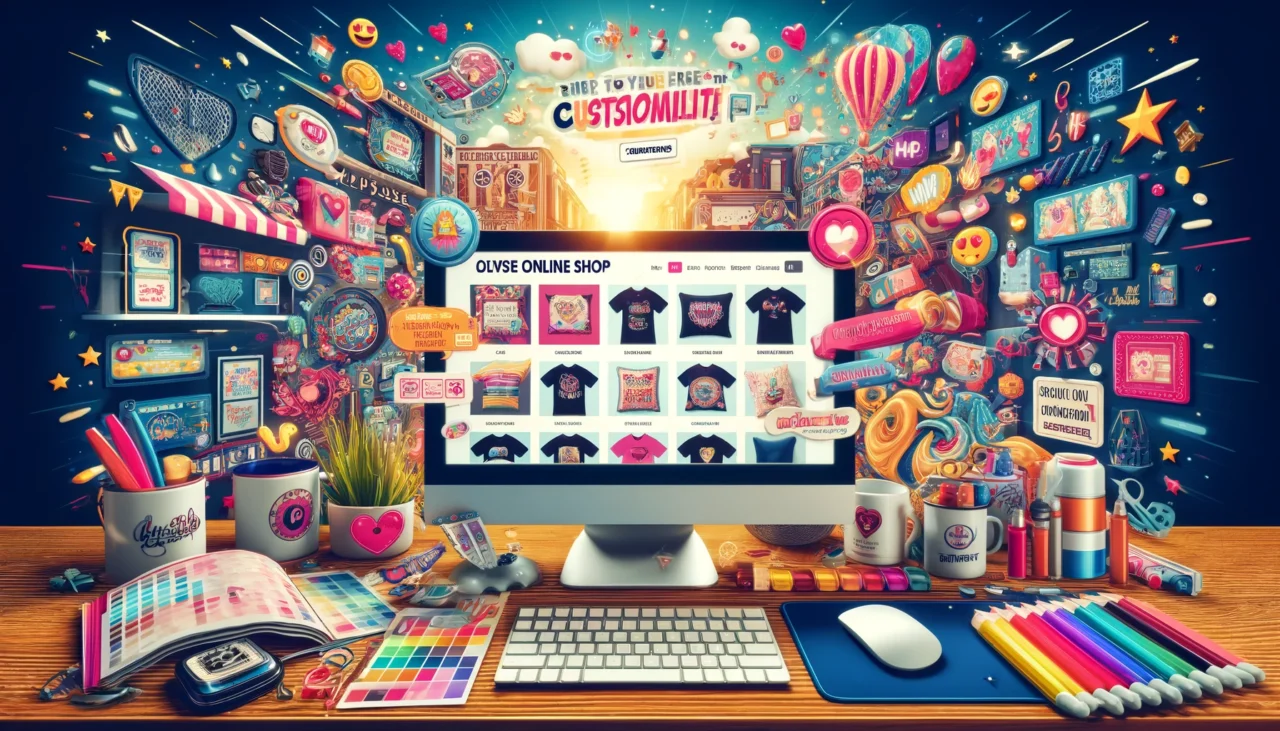
WordPress Configurator for Your Own Shop – WooCommerce Product Configurator Plugins & Explanation
Although there are also a few free configurators as WordPress plugins, it quickly becomes clear that these offer only a few functions and want to sell their Pro version. Therefore, in our article, we will focus on the best paid but affordable plugins and extensions for WordPress and WooCommerce variable products.
Please note the following in advance:
- All plugins can be translated in the backend settings or easily translated via Loco Translate, making them suitable for multiple languages (multilingualism)
- All plugins and configurators are suitable for web-to-print. This means that the data can be converted into various output files and are suitable for printing
- The variety of possibilities is almost endless. It is worth taking a close look at the demos and, if necessary, comparing 2-3 plugins directly. The investment is usually manageable at $40-60
- The configurator software is installed as an extension and requires a good hosting package for WordPress + WooCommerce. Cheap hosting will lead to problems here
- The configurators are usually theme-independent and work with all templates
- Although the documentation is in English, many developers offer examples and videos for replication in addition to text documentation
We deliberately refrain from listing external providers with API interfaces, as these are often very expensive in the initial connection and then incur ongoing costs of several hundred or thousand euros.
All WooCommerce Configurator Plugins listed here are installed on your server with licenses that belong solely to you, without recurring costs.

WooCommerce Product Configurator Plugin for all types of individual products and designs
The wish of many online shop and webshop owners is to have a flexible configurator for their products in the shop. Often it concerns different variants of articles or also individual designs and optics for e.g. web-to-print products, which are printed according to customer wishes. Most configurators are used for the following areas of application:
- T-shirts, blouses, textiles of all kinds
- Business cards, plastic cards, postcards up to simple flyers
- Promotional items and advertising technology such as banners, flags, beach flags, displays etc.
- Mobile phone and smartphone cases with printing
- Jewellery, bracelets, engravings
- Wooden products with branding
- Bicycle configurator, e-scooters, cars + accessories
- Breakfast muesli or own bread baking mix

Information and background knowledge on configurators and designers for individual shop products and product variants:
With a WooCommerce configurator, there are 2 essential differences in configuration variants for a (variable) product with visual representation. These differ significantly technically, as well as visually, in the configuration settings or configuration options:
- Configurators with Layers
Layers offer the best basis for all possible configurations, as they provide infinite variants. Here, a background and then countless layers are stacked on top of or next to each other (partially also via drag & drop) until the finished product is configured. Layers can be images and graphics (various formats), vectors, 3D models, text modules, or a combination of all with the additional possibility of using HTML + CSS. The principle is therefore as complex as with Photoshop or other graphics programs, but as a web configurator (web application).
Examples: Automotive industry, business cards, flyers, photo books, plastic cards, etc. - Configurators with Images
Here, a fixed image (JPG/PNG) is displayed for each selected configuration and dynamically shows the appropriate image according to the product property. The user cannot necessarily simply move elements with the mouse, but a predefined static image is always loaded based on checkboxes, radio buttons, or selection fields. WooCommerce already offers this in a simple form as a „Variable Product“ consisting of the properties (product features such as brand, size, and color) and variants (properties in combination) of a product from the beginning, which makes it very easy with limited selection options.
A note in advance on another article where so-called extra options can be selected on the product page and functions similarly to a configurator, but without visual representation:
WooCommerce Variable Products with Extra Options (Product Extra Options)
Become more visible on Google & Social Media?
In a free strategy consultation for data-driven online marketing, we uncover your untapped potential, review any existing ad accounts if necessary, examine your SEO ranking and visibility, and determine which strategy is appropriate for your budget and which active measures will lead to more inquiries or sales.

✅ More visibility & perception through targeted placement
✅ More visitors > prospects > customers > revenue
✅ Reach target groups scalably with SEA
✅ Act and grow sustainably with SEO
🫵 Maximum success with our hybrid strategy
💪 More than 15 years of experience across industries in over 1,000+ projects demonstrable!







A current video from 2024 on the topic of extra options or product designer with preview:
Fancy Product Designer*

Fancy Product Designer is a premium plugin developed by radykal. It allows you to design any type of product without limitation and customize your products in various ways [advanced color system, text transformation, etc.].
Some outstanding features of this plugin are:
- You can set flexible prices for products and elements
- Tracks all applied designs
- Images and graphics can be changed with various options such as position and size
- You can assemble your own user interface using different layouts
- It can be used on any device and in any language
OUR FAVORITE: Woocommerce Products Designer*

The Woocommerce Products Designer – Online Product Customizer for Shirts, Cards, Lettering & Decals) is a premium plugin developed by orionorigin. It helps your customers design/customize logos, shirts, business cards, and all prints in your WooCommerce store before ordering.
A powerful WooCommerce web-to-print plugin that allows your customers to design or customize logos, shirts, business cards, and all prints, custom signs, custom lettering, boat lettering, vinyl decals, and many others in your Woocommerce store before ordering.
Some of the features offered by this plugin are:
- Unlimited number of fonts that can be used by adding or removing any web font as you wish
- It includes some image editing effects such as grayscale, sepia 1 & 2, invert, blur, etc.
- It helps you create unique designs
- You can define a custom color palette that can be used for any text, shape, or vector
- Social Network Integration supported
You can use this extension as:
- Woocommerce T-Shirt Designer
- Mug custom editor for WordPress
- Woocommerce Phone Case Customizer
- WordPress Sticker, Canvas or Decals Designer
- Online Business Cards, PVC Plastic Cards, Postcards and other print products for WordPress
- Custom lettering tool for woocommerce
- …and much more.
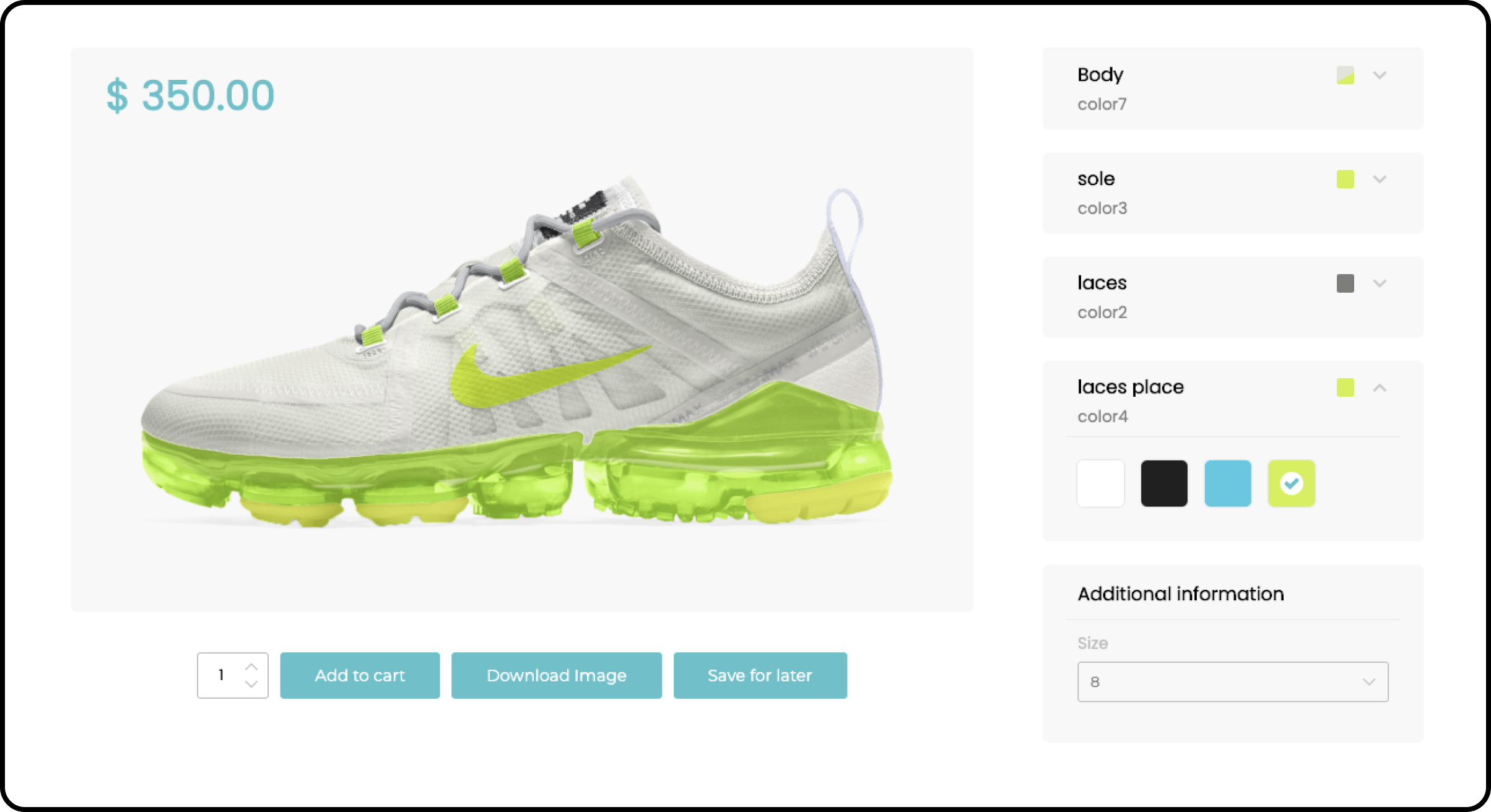
UNLIMITED FONTS
Easily manage the fonts that can be used by adding or removing any web font.
CLIPART LIBRARIES
Unleash your customers‘ creativity by giving them access to impressive cliparts and graphics organized into libraries. Each clipart can also be priced to increase the final design price if needed.
USER UPLOADS CONTROL
With the Woocommerce Product Designer, you have complete control over your customers‘ uploads by defining the minimum allowed dimensions and file extensions.
IMAGE FILTERS
The Woocommerce Product Designer includes several image editing effects such as grayscale, sepia 1 & 2, invert, blur, sharpen, and emboss.
TEMPLATE SYSTEM
Creating the perfect design from scratch can be exhausting. With the Woocommerce Product Designer, you can create unique designs that your customers can browse and start from.
VECTOR INTEGRATION
Vector graphics have become a standard in the web-to-print industry. The Woocommerce Product Designer includes an SVG file editor that allows your customers to use and modify their vectors directly in the editing area.
CUSTOM COLOR PALETTE
You don’t want your users to use just any color for their design? The Woocommerce Product Designer allows you to define a custom color palette that can be used for any text, shape, or vector.
SOCIAL NETWORK INTEGRATION
Social networks are now a part of everything. The Woocommerce Product Designer knows this and allows your customers to extract and use images from their Facebook and Instagram accounts.
ADVANCED DESIGN PRICING
The Woocommerce Product Designer sets new standards in product pricing by allowing you to define your own pricing rules based on the elements (images, texts, shapes…) that your customers use in their designs.
ORDER ATTACHMENTS
Do you have customers who don’t necessarily need to go through the design phase? The Woocommerce Product Designer has enabled you to send them files as attachments to their orders.
ADVANCED PDF GENERATION
Most printers are more familiar with PDF files. The Woocommerce Product Designer generates up to 140 PDF formats in landscape or portrait orientation.
HIGH-QUALITY OUTPUT
With the Woocommerce Product Designer, you can configure the dimensions of your output file and generate not only files up to 15000px wide for single files, but also SVG files.
DRAFTS AND ORDER HISTORY
With the Woocommerce Product Designer, your customers can either access their previously ordered designs and create new ones from them, or save their designs for later.
Video overview of our favorite WooCommerce product configurators with visual preview:
NEU: Videokurs – Product Configurator für WordPress/WooCommerce
 Installation and setup/configuration of the „Visual Product Configurator“ by OrionOrigin in WordPress/WooCommerce. In this excellent video course, Torsten Soltau shows step-by-step from A-Z how to install and configure the „Visual Product Configurator“ by OrionOrigin in WordPress/WooCommerce.
Product Designer for WooCommerce WordPress by LUMISE*

Lumise is the professional product designer tool built with HTML5 + JavaScript technologies. It is a product by King-Theme, an elite author on Envato. Lumise focuses on user experience and offers a groundbreaking complete solution for your print service provider. Furthermore, it has numerous powerful exclusive features and a very user-friendly interface that helps your users easily design ideas.
High UI / UX
Lumise works as a user-friendly application. We are theme providers, so we know what is best for customers. Let’s rock with Lumise!
Pre-made Design Templates
Create fantastic design templates that fit any type of product. Set the price for them, and users can use them with one click.
Unlimited Clipart
Worried about clipart resources? Let us handle that for you; you can do other things you love. There are more than 2+ resource cliparts that your customers can use: Pixabay and Openclipart with over 120,000 items. Amazing stock!
Export/Import Designs
Your customers can export the design and import it from another device to continue working or checking out. You can export the design to create a new template or even save it in personal data. This is truly flexible!
Multiple Languages
Lumise supports language switching. All languages are automatically controlled and translated via the admin panel, and you can place your translation text there.
Mobile & Tablet Supported
Lumise can run on mobile and tablet devices as a true native app, which is very popular with customers. Your website can receive orders from any device.
Print-Ready Design After Review
Lumise supports multi-output for printing such as PDF, SVG, JSON, PNG… All are rendered with high quality and compatibility with all printing devices.
Social Media
Your customer can already get images from social accounts there. We support Facebook, Instagram, and more.
Special Cart to Work with Any System
Lumise provides a separate shopping cart system that allows you to add and edit an item. Your CMS then handles other steps at checkout.
Undo & Redo
Working on an app looks like a desktop application is the perfect point to attract your customers. With Lumise, you can redo/undo all actions after designing.
Text Effect
Making text curvier, fisheye effect, skew, convex-concave are one of many things you can do with text.
Filter Effects
The Lumise Filter is a versatile tool that allows you to make local adjustments to your photos. However, the filters, named after a filter type that darkens the sky in landscape photography, are used far beyond that.
Crop / Editable Photos
Whatever your object, Lumise has many methods to make it more personal. Crop images, highlight objects with filter colors, effects, or even remove backgrounds.
Mask Layers
Do your customers want to see the text? No problem, the mask layers will help them with that. It’s so amazing to have this feature!
QR Code
Personalizing design with QR code is not a bad idea. Customer friends will get their message with a small QR code scanner.
Auto Snap (Automatic Guides and Alignment)
When you move a shape or a layer, it will align or „snap“ to the nearest intersection of lines at center points, even if the grid is not visible, or snap to another image or layer.
Flexible Editing Zone
With Lumise, you can easily select the editing zone with the mouse. You can also set the radius of the area.
Multi-Product Type Support
Whatever your product, if you only have one place to print, then Lumise can assign the print area for that product. Phone cases, sticks, mugs, posters… Lumise can handle everything.
Ultimate Printing Calculation
Price basis for text, color, or cliparts. Calculations for printing services are the most popular. We are too. It’s easy for you to configure them.
Set up a pre-template for the product
To sell quickly, you can create a template and assign it to a product. Your users just need to select other values for attributes and then buy the product.
WooCommerce Multistep Form & Product Designer*

WooCommerce Multistep Form & Product Designer is a premium plugin developed by axentmedia. With this plugin, you can sell any type of product that needs to be customized / end-users need to design for themselves, such as T-shirts, mugs, print cards, etc., or you can sell all types of services. It is fully integrated with WooCommerce and uses the WooCommerce cart, product management, payment, and shipping system.
Services that need to be selected multiple times by the customer, such as web design, graphic design, social and SEO services, custom applications, etc.
You can also create relationships between multiple form steps using a powerful conditional system.
This plugin is fully integrated with WooCommerce and uses WooCommerce’s cart, product management, payment, and shipping system. You link your forms to WooCommerce products, and these can be automatically added to the WooCommerce cart in the last step of the form.
Your customers will receive a calculated price at each step for the product/service they requested, depending on the features they requested or the items they add to their designed product. The final product/service is then added to the cart with the calculated total price.
Your customers can also design their desired product with your powerful multi-layer product designer, get the estimated price for their customized product, and finally add it to the cart.
Some of the key features of these plugins are:
- Powerful Multi-Layer Product Designer
- Manage multiple shapes, steps, and elements
- Powerful Form Step Designer
- Complex Product Price Calculation
- Simple Conditional System for Linking Steps
Some of the other features include:
- Fully responsive design for all devices
- Design items can have image, text, and image uploaders
- Allowing character sets from Google Fonts, common character sets, or other character sets uploaded from your computer
- Customers can jump from one step to another using conditions
- Customize colors, fonts, texts, and currencies
- Supported formats for image layers are JPG, PNG, and SVG (vector!)
Enjoy the plugins and have fun configuring, trying out, and editing. We are happy to help you as a WooCommerce agency and advise you on the right configurator for your products.
General note on using WooCommerce variable products with many attributes and variations:
Please note that with more than 5 different attributes, you will already have to create a large number of variations. This quickly becomes confusing and also impacts performance when loading the product. A clear example calculation for a T-shirt: 3 cuts, 5 colors, and 5 sizes already result in 3*5*5 = 75 product variations, because each combination of attributes results in its own product with an individual item number, which must be individually configured with price, image, and description. This can quickly become very time-consuming!
A good rule of thumb here is to say that for 3 or more combinable product attributes, it is better to switch to a plugin like Product Extra Options, as management is simpler and more efficient for loading times.
Another alternative for simple extra fields instead of a complex configurator

With WooCommerce Product Add-Ons*, your customers can personalize products while shopping in your online store. No more email inquiries – customers get what they want before they check out. Customizing products, from adding a personal engraving to upgrading to premium fabric, can keep your customers coming back. With Product Add-Ons, you can offer your customers special options in no time. The main advantage is that you don’t have to configure each attribute individually as a product variation. Add options via text fields, dropdowns, text areas, checkboxes, custom price inputs, and even sample images. Add-ons can be added globally or per product on the product editing page.
CONCLUSION on plugins for a WooCommerce Configurator with (variable) products
Both image-based and layer-based configurators are powerful and versatile tools to make the shopping experience special, simple, and flexible. It is important to list the exact requirements beforehand, define must-haves and additional wishes, and then test, test, test based on the plugin descriptions, examples, and demos. The number of variants and properties is often decisive. With the product extra options and add-ons mentioned above, almost anything can be displayed. Due to current web and plugin development, there are virtually no limits. However, complete and complex configurators for furniture, automobiles, fitted kitchens, or individual 3D models can usually only be implemented through elaborate and costly in-house development. The cheapest and usually best way is to really use and, if necessary, adapt your concept to one of the 5 plugins.
Feel free to consult us as WordPress and WooCommerce professionals.

Fragen zu einem WordPress/WooCommerce Konfigurator oder Sie benötigen Hilfe? Ihr direkter Ansprechpartner:
E-Mail: fi@vastcob.com
Florian Ibe
A complete WordPress Theme with WooCommerce Designer & Configurator fully integrated
When using the Theme WP Configurator, you don’t have to worry about limits. The possibilities for making adjustments to your products are endless and can be strategically added to your online shop for sales. With the template for WordPress & WooCommerce + integrated configurator, your customers can also use simple tools to edit the elements of your product and create personalized items specifically tailored to their needs. Objects with multiple layers, different colors, and different textures are supported and can be combined using a simple visual canvas via drag & drop.
Offer your visitors a completely different shopping experience and turn them into customers. The Configurator Theme is the perfect opportunity to make your webshop stand out! Simply activate and demonstrate the era of hyper-personalization!
For online calculation of unit prices, areas, dimensions, square meters, cubic meters, volume, and weight:
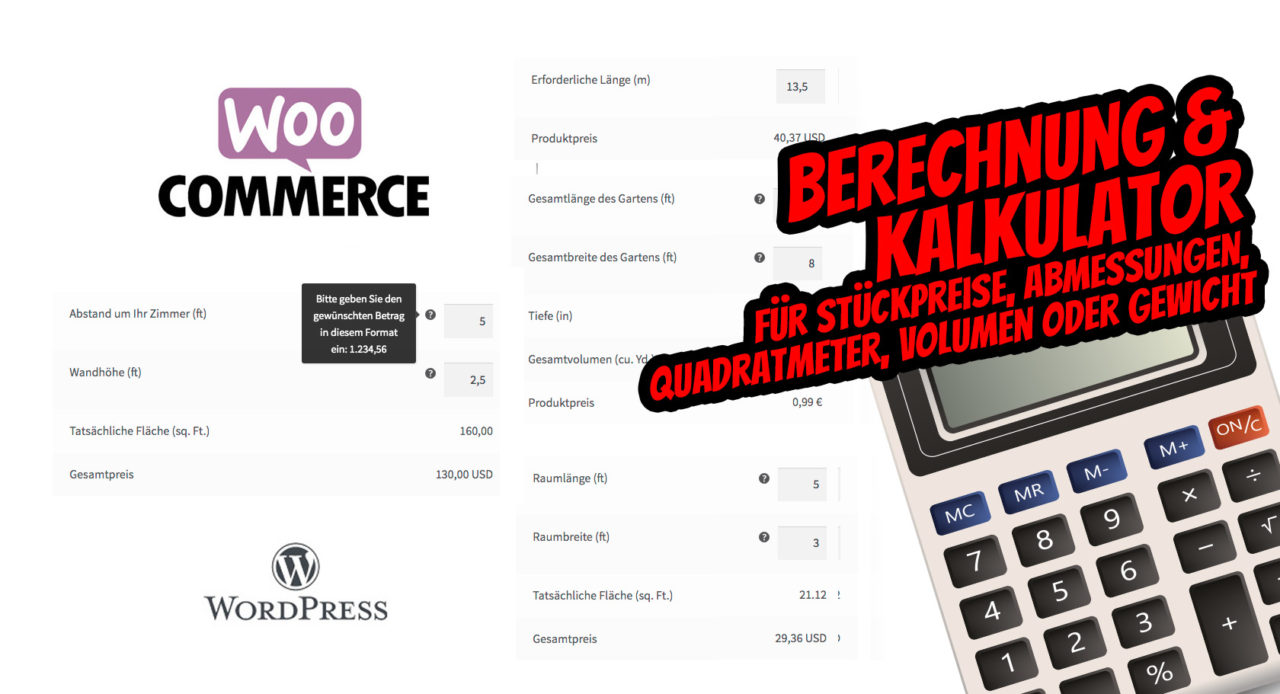
» To the article about calculation & estimation
This article is the most comprehensive compilation possible of our experiences regarding: woocommerce product configurator, woocommerce product configurator, wordpress configurator, product configurator wordpress, wordpress product configurator, woocommerce configurator, woocommerce product configurator, woocommerce variable product, wordpress product configurator, woocommerce product designer





 DE
DE


1 Comments
[…] als Shopbetreiber mit WooCommerce die beste Benutzerfreundlichkeit für einfache Bundles über komplexe Konfiguratoren bis hin zu zusammengengesetzten […]