

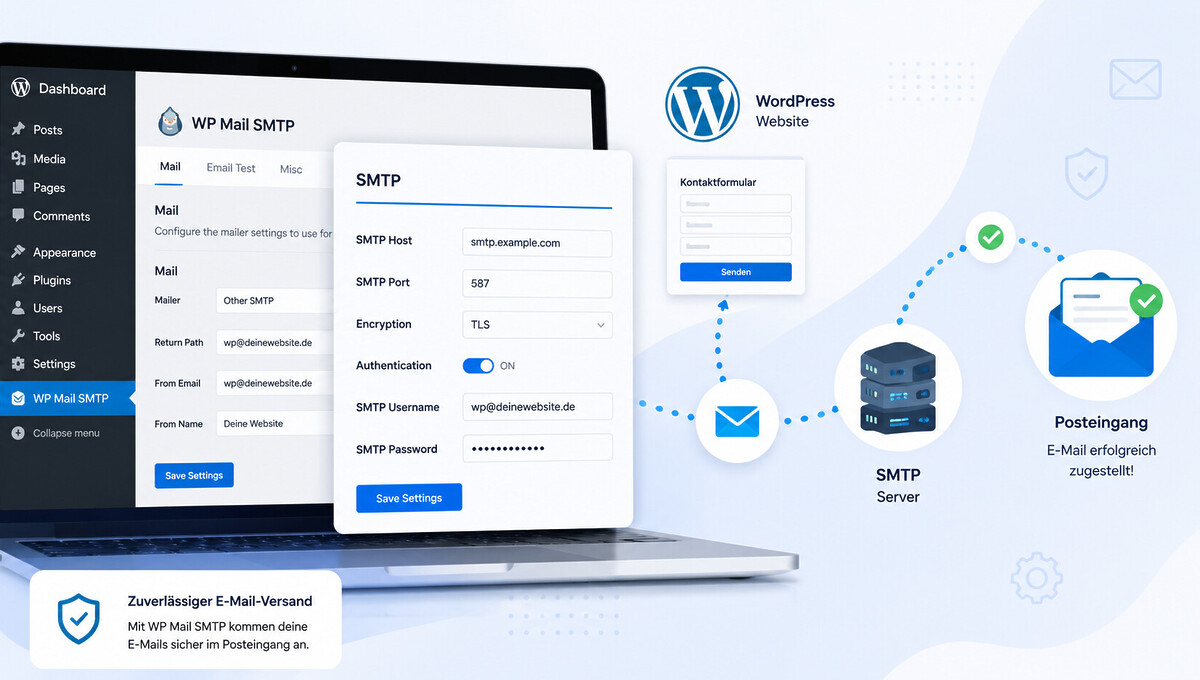
Setting up WP Mail SMTP: A guide for reliable emails
Is your WordPress site no longer sending emails, are contact form messages ending up in spam, or are order confirmations not arriving at all? The problem almost always lies with email delivery via the web server. Here’s how to make your email delivery reliably deliverable.
Setting up WP Mail SMTP correctly in WordPress and solving email problems
WP Mail SMTP is the most well-known plugin for enabling WordPress to send emails reliably. Instead of relying on the unreliable PHP mail function, the plugin sends messages via an authenticated SMTP server. Important upfront: the plugin alone doesn’t solve anything. The crucial factor is the mailer behind it, and here, our clear recommendation from over 1,000 implemented projects since 2010 is the provider SMTP2GO*. At VASTCOB, we regularly see in WordPress audits that contact forms and WooCommerce emails silently fail, even though the site is working perfectly. In this guide, we show you how to install the plugin, why SMTP2GO is the best choice as a mailer, how to avoid common pitfalls, and how to make your email setup production-ready even for an online shop.
What WP Mail SMTP is and why WordPress needs it
WP Mail SMTP does not replace WordPress itself, but intercepts every email sent via the wp_mail function. It forwards it to an external SMTP server, which sends the message on behalf of your domain. This happens invisibly in the background for you as an admin.
The problem with the PHP mail function
By default, WordPress uses the PHP mail function of the web server. This function sends emails without authentication directly from the hosting server, often with the wrong sender domain and without a digital signature. Spam filters classify such messages as suspicious and discard them or move them to the junk folder without comment.
How an SMTP plugin improves sending
A WordPress SMTP plugin instead uses an authenticated mail server that is linked to your domain and correctly signs the emails. This ensures that the sender domain, IP reputation, and signature match cleanly. Receiving servers accept the messages and deliver them regularly, which measurably increases the delivery rate for contact forms and order confirmations.
Why WordPress emails often end up in spam without SMTP
The deliverability of WordPress emails is not a matter of fate, but the result of three technical mechanisms. Understanding them allows you to know exactly why an order confirmation arrives or not.
SPF, DKIM, and DMARC at a glance
SPF, or Sender Policy Framework, is a DNS record that lists allowed sender IPs. DKIM cryptographically signs the email so that the recipient can verify its authenticity. DMARC bundles both mechanisms and tells the recipient how to react in case of failures. If one of the three components is missing, the delivery rate visibly decreases.
A typical SPF record for Google Workspace looks like this, for example.
v=spf1 include:_spf.google.com -all
Server IP Reputation and Shared Hosting
With shared hosting, your site shares an IP address with hundreds of other customers. If one of them sends spam, everyone ends up on blacklists together. Via a clean WordPress Hosting provider or an external SMTP provider, you decouple delivery from uncontrolled IP reputation. In our audits from over ten years of WordPress support, precisely this step is the most common lever for better delivery rates.
Install and set up WP Mail SMTP step by step
Installing the WP Mail SMTP plugin is quick if you follow the correct order. Six steps lead from a fresh WordPress installation to functional email sending.
Install and activate the plugin
In the WordPress backend, go to Plugins, then Install, search for WP Mail SMTP, and click Install Now. After activation, the new menu item WP Mail SMTP will appear in the left sidebar and automatically guide you to the setup wizard.
Become more visible on Google & Social Media?
In a free strategy consultation for data-driven online marketing, we uncover your untapped potential, review any existing ad accounts if necessary, examine your SEO ranking and visibility, and determine which strategy is appropriate for your budget and which active measures will lead to more inquiries or sales.

✅ More visibility & perception through targeted placement
✅ More visitors > prospects > customers > revenue
✅ Reach target groups scalably with SEA
✅ Act and grow sustainably with SEO
🫵 Maximum success with our hybrid strategy
💪 More than 15 years of experience across industries in over 1,000+ projects demonstrable!







Setup Wizard and initial configuration
The setup wizard guides you through choosing the mailer, entering the sender address, the sender name, and the respective API or SMTP access data. The following order has proven effective in practice.
- Choose a mailer based on the expected volume
- Match the sender address with your own domain
- Enter API key or SMTP access data
- Set SPF and DKIM DNS records with your hoster
- Complete domain verification with the mail provider
- Check plugin status in the dashboard for green
Send a test email
In the Email Test tab, enter a recipient address and send a test email. If it arrives and the source code view in the inbox shows a valid DKIM signature, the setup is ready for production. If the email does not arrive, systematically go through the steps in the section on error sources.
Mailer and provider comparison
The choice of mailer determines the actual delivery rate, not the plugin. Our clear recommendation from practical experience is SMTP2GO*. The following table compares the common providers directly.
| Provider | Free Tier | Volume per Month | Setup | Recommendation for |
|---|---|---|---|---|
| SMTP2GO (Recommendation) | Yes | 1,000 emails permanently free, Pro from low email price | Medium, but highest deliverability | All sites with demands on delivery rate, logs and failover |
| Brevo (Sendinblue) | Yes | around 9,000 emails | Easy via API key | Small sites and newsletters |
| SendLayer | No | from 1,000 emails | Very easy through manufacturer integration | Pro license users |
| Google Workspace | No | up to 2,000 per day | OAuth via Google Console | Existing Workspace customers |
| Microsoft 365 | No | up to 10,000 per day | OAuth via Azure | Office 365 environments |
| SendGrid | Yes | 100 per day in the free plan | API key, quickly activated | Medium volumes |
| Mailgun | No | from paid plans | DKIM setup required | Developer teams |
| Amazon SES | Yes | up to 62,000 from EC2 | Complex, sandbox approval required | High volumes in the AWS stack |
SMTP2GO as the Best Worry-Free Solution
SMTP2GO* is, in our view, the best all-in-one solution for reputable WordPress email delivery. The provider stands out with excellent deliverability, dedicated IPs in higher-tier plans, complete logs, failover routes, and its own reputation engine that actively manages bounces and spam complaints. Every recipient notices this immediately, because emails reliably land in the inbox instead of the junk folder.
Setting up SMTP2GO is not as trivial as an API key. It involves domain verification, SPF, DKIM, optional DMARC, reputation warmup, and logging configuration. That is precisely why we offer the setup as a service. This way, you get maximum deliverability and full control without having to struggle through DNS consoles yourself.
Google Workspace and Microsoft 365
If you already use Google Workspace or Microsoft 365, you can send emails through your own business mailbox. Setup runs via OAuth in the Google Console or the Azure Portal. The advantage lies in the consistent email flow between employees and the website, which collects replies directly in the inbox. However, the daily limits make this option unsuitable for larger newsletters or shop volumes.
Brevo, SendGrid, Mailgun, and Amazon SES
Brevo, formerly Sendinblue, offers a generous free tier and is a quick choice for small sites, but falls behind SMTP2GO in reputation management. SendGrid and Mailgun target higher volumes with development resources. Amazon SES is unbeatable in price but requires solid AWS knowledge and an approved sandbox. For anyone who wants a worry-free full scope without doing their own research, SMTP2GO remains the most honest recommendation.
Easy WP SMTP as an Alternative to the Well-Known Plugin
Easy WP SMTP is a second established SMTP plugin in the WordPress ecosystem. It targets users looking for a leaner plugin without a setup wizard and who are comfortable with the classic entry of host, port, and login.
Feature Scope in Direct Comparison
Easy WP SMTP supports classic SMTP hosts with login credentials and, since the Pro version, also OAuth for Easy WP SMTP Gmail. WP Mail SMTP goes further with failover mailers, email logging, backup senders, and conditional logic. For simple setups, the free feature scope of Easy WP SMTP is sufficient, but as soon as logs or failover strategies are required, the larger plugin has the edge.
When Switching Is Worthwhile
Switching between the plugins makes sense when requirements change. A growing WooCommerce shop with tens of thousands of order emails per month needs logging, failover, and granular mailer rules, which Easy WP SMTP does not cover. If the volume remains small and the requirements simple, switching plugins is neither necessary nor advisable.
Common Sources of Error and Quick Solutions
Even with a clean setup, typical problems arise. Anyone who knows the following points saves hours in the support forum.
Authentication and App Passwords
One of the most common error messages is „Authentication failed.“ With Gmail, the account password is no longer sufficient since the discontinuation of „Less Secure Apps.“ Instead, create an app-specific password in your Google account and enter it in the plugin, otherwise the connection will remain permanently open.
Port Conflicts Between 465, 587, and 25
The correct port depends on the encryption method. Port 465 uses SSL, Port 587 uses STARTTLS, Port 25 is blocked on most hosting servers. If nothing is working, first check the port selection in the plugin. The following five errors occur particularly often in practice.
- App password forgotten or already expired
- Incorrect port set for the chosen encryption
- Sender domain does not match the authenticated mailbox
- Plugin conflict with old mail plugins that are still active
- Caching plugin or CDN blocks outgoing SMTP connections
Firewall, Hosting, and Plugin Conflicts
Some hosting providers block outgoing SMTP traffic on Port 25 or only allow connections to their own mail servers. When in doubt, a quick inquiry with the hoster can help. With our WordPress maintenance, we clarify such conflicts preventively and monitor mail delivery with a regular health check.
WP Mail SMTP for WooCommerce Shops and E-Commerce
In a WooCommerce shop, mail delivery is crucial for trust and revenue. An unsent order confirmation appears unprofessional and triggers unnecessary support inquiries that cost you valuable time.
Secure Order Confirmations and Status Mails
For orders, shipping notifications, and invoices, activate a mailer with a high delivery rate, ideally with a verified domain. Sending emails via your own subdomain, such as mail.your-domain.de, protects the main domain from a poor reputation. In WooCommerce audits by our WooCommerce agency, precisely this setup is a mandatory part of the program.
Mail Logs, Failover, and GDPR Aspects
With the Pro version, WP Mail SMTP logs every sent email, including recipient, subject, and attachments. This is helpful for troubleshooting and for disputes with customers. Please observe the GDPR. Only store the necessary data, establish a clear deletion period, and document the processing in the record of processing activities; otherwise, an avoidable data protection risk will arise.
When Support from a WordPress Agency is Worthwhile
You can set up a simple Brevo or Gmail configuration yourself in an hour. However, as soon as the requirements move towards a true professional solution with SMTP2GO, Multi-Site, or Custom-DKIM, support with industry experience becomes worthwhile. Since 2010, we have been assisting clients from sole proprietors to corporations with such setups, which is also reflected in our reviews on ProvenExpert.
Typical Scenarios for External Help
SMTP2GO setup requires domain verification, correct SPF and DKIM records, DMARC evaluation, and a clean reputation warmup. For Multi-Site installations, separate sender addresses per branch are added. During migrations between providers, DNS TTLs, old records, and domain verifications must be coordinated precisely so that no mail day is lost. This is exactly where anyone without daily practice quickly loses hours in trial-and-error.
What an Agency Specifically Does
We analyze the current delivery situation, set up SMTP2GO* for production, configure DNS records, set up failover, and establish GDPR-compliant mail logs. If you desire a complete setup with maximum delivery rates, we, as a WordPress agency, will handle it, including monitoring and reporting. A telephone WordPress consulting and support hotline is also available when quick intervention is required for an acute mail problem.
Conclusion on WP Mail SMTP
Reliable mail delivery is the foundation of any reputable WordPress site and non-negotiable for an online shop. With a properly configured plugin, the right mailer, and clean DNS entries, contact form emails, order confirmations, and status messages arrive reliably. From over 1,000 projects implemented since 2010, our clear recommendation is SMTP2GO* as a worry-free all-in-one solution with maximum deliverability and full control. This transforms what initially seems like a technical detail into a direct lever for trust and revenue.





 DE
DE

